Skip to content

How to block a program in a firewall

Why it’s necessary to block a program in a firewall 

A firewall is a security system designed to monitor and control incoming and outgoing network traffic based on predetermined security rules. You can think of it like border security: guards check everyone who enters or leaves a country, and sometimes deny entry to those who might pose a threat. Similarly, firewalls block programs from accessing the internet to prevent unauthorized access, malware, and other security risks that could harm your system.

By using a firewall to block a program, you can prevent online apps from automatically updating and potentially causing problems with your software. You can also stop gaming platforms from letting your children play online with strangers without supervision. Blocking apps with a firewall is also a great way to get rid of intrusive ads from free apps or prevent apps from connecting to public Wi-Fi networks, which are often unsecured and pose a significant threat to your data and devices.

So, now that we’ve explained why it’s important to block certain programs with a firewall, let us explain how to do it exactly.

How to block a program from accessing the internet in Windows 10 and 11

The most effective way to block a program on a Windows device is by using Windows Firewall. Here’s a simple guide on how to do it:

  1. Open the Start Menu and go to the Control Panel.

  2. Click on Windows Firewall in the Control Panel.

  3. On the left panel, click on Advanced Settings.

  4. Click on Outbound Rules. This is where you can revoke internet access for any particular app.

  5. In the Actions panel on the right side of the window, click on New Rule.

  6. Here you can select the type of firewall rule you want to create. Choose Program and then Next.

  7. Select This program path and click the Browse button to find the executable file of the program you want to block. Then click Next.

    Note: Alternatively, you can type in the application pathway if you already know it. An application pathway is usually one of the following:

    C:\Program Files\name of the app you want to block.exe

    C:\Program Files(x86)\name of the app you want to block.exe

  8. At this point, you can further specify how to block the app from the internet. Click Block the connection, and then click Next.

  9. Select when the rule applies (you can usually leave the defaults: Domain, Private, Public), then click Next.

  10. Give your rule a descriptive name. You can use the name of the program or write a brief note about what the program is for. Naming your rules helps you remember which apps you’ve blocked, enabling you to easily undo the block when it suits you.

  11. Click Finish.

That’s it — Your new rule is now active! You can view all of your rules in the Actions panel under Windows Firewall > Advanced Settings> Outbound Rules.

How to temporarily block a program in Windows Firewall

Windows Firewall doesn’t offer a built-in way to block a program’s internet access temporarily. However, you can manually turn an existing rule on or off to control whether a program can connect to the internet. To do so, you need to:

  1. Go to Windows Defender Firewall>Advanced Security and find the rule you created in Outbound Rules.

  2. Right-click the rule and select Disable Rule.

  3. To block the program again, right-click on the same rule and select Enable Rule.

Creating a whitelist in Windows Firewall

Firewalls keep you safe by monitoring and blocking risky or untrustworthy connections to your device. However, sometimes you need to let a specific app through your firewall to ensure it works properly. This is called whitelisting. Here’s how you can manage a whitelist in Windows Firewall:

  1. Click Start and type “firewall” into the search box. Click Windows Firewall.

  2. Click Allow an app or feature through Windows Firewall.

  3. On the next screen, click Change Settings.

  4. Check or uncheck the Private or Public boxes next to each app in the list. Selecting Public lets an app connect to public Wi-Fi, but this isn’t recommended for apps that contain your personal information, as public Wi-Fi is a common target for hackers.

Other ways to block internet access in Windows

If you’d prefer not to use Windows Firewall, please know there are other ways to temporarily block internet access. One simple option is to turn on the Airplane Mode from the Action Center. This cuts off all internet connections to your device and, therefore, to your installed programs. To reconnect, simply deactivate AirPlane mode.

You can also use a third-party firewall app. There are several free firewall apps available for Windows devices that offer robust protection. A free firewall app might be a good idea if you find the Windows interface hard to configure or simply want to play with additional firewall features.

How to set firewall access for services and apps on Mac

Mac users can also control which programs can connect to the network or the internet by setting firewall access for specific services and apps. The macOS firewall lets you manage these settings. Here’s how to do it:

  1. Go to the Apple menu in the top-left corner of the screen and open System Settings (or System Preferences on older versions of macOS).

  2. Then, select Network & Internet (or Security & Privacy, again depending on your macOS version).

  3. Click on Firewall.

  4. Click Turn On Firewall to enable it.

  5. Click Options to adjust your firewall settings. You’ll see a list of apps and services that are either allowed or blocked.

  6. Click on the + button to open an app list.

  7. Find and select the app you want to add, then click Add.

  8. Set the app status to either Allow incoming connections or Block incoming connections, depending on your preferences.

Important: If you block an app’s internet access through the firewall, it might disrupt its functionality or affect other software that relies on it.

Tips on how to further enhance your cybersecurity

Of course, it’s important to maintain a balance between security and connectivity since many programs today rely on internet access to function properly. You can’t just block everything, but you also don’t want to risk exposing your systems to threats.

Therefore, a practical solution is to use a mix of security tools to protect your devices and data. An antivirus program is essential for keeping malicious software out of your system, so that’s a must-have.

Additionally, using a reliable password manager like NordPass is critical to protecting your data and ensuring safe internet use. How so?

NordPass lets you store all your passwords, passkeys, and credit card details in one encrypted vault, ensuring that even if someone gains access to your device, they can’t easily access your sensitive information. Also, with features like multi-factor authentication and a Data Breach Scanner, NordPass gives you added security for your online accounts and allows you to check whether your data has been compromised in a breach. Additionally, NordPass can generate strong, complex passwords for you on the spot, and it lets you share credentials securely with people you trust.

There are many other reasons why NordPass can boost your cybersecurity, but the best way to understand its benefits is to try it yourself.

About Version 2 Digital

Version 2 Digital is one of the most dynamic IT companies in Asia. The company distributes a wide range of IT products across various areas including cyber security, cloud, data protection, end points, infrastructures, system monitoring, storage, networking, business productivity and communication products.

Through an extensive network of channels, point of sales, resellers, and partnership companies, Version 2 offers quality products and services which are highly acclaimed in the market. Its customers cover a wide spectrum which include Global 1000 enterprises, regional listed companies, different vertical industries, public utilities, Government, a vast number of successful SMEs, and consumers in various Asian cities.

About NordPass
NordPass is developed by Nord Security, a company leading the global market of cybersecurity products.

The web has become a chaotic space where safety and trust have been compromised by cybercrime and data protection issues. Therefore, our team has a global mission to shape a more trusted and peaceful online future for people everywhere.

What is a DMZ Network?

Every successful businessperson knows the value of strategic disclosure. Most, if not all, would advise you to share only that information with the public that is essential for success, only some things that can be shared. This principle applies to your private life as well. For instance, you don’t invite everyone into the intimate sections of your home. Instead, you carefully select the individuals permitted into your inner circle and the specific areas of your home where you engage with them. 

Similarly, in the digital realms, you can establish dedicated virtual zones where outsiders can interact with only as much information as you deem appropriate. This is where the term ‘DMZ’ comes into play.

What is a DMZ network, exactly?

Generally speaking, a DMZ (Demilitarized Zone) network is an isolated network segment that works as a buffer between an organization’s internal network and the external, untrusted network. So, when somebody asks, ‘What is DMZ in networking?’, you can explain that it’s like a safety zone for the company’s online services, keeping them separate from the internal network so it is protected against potential threats from the internet.

A DMZ network serves as an additional layer of security, allowing you to host things like your website or email server in this semi-secure area.

How does a DMZ network work?

In the context of DMZ cybersecurity, a typical configuration involves positioning the DMZ between two firewalls, forming what is commonly known as a “dual firewall” architecture. These firewalls are used to enforce security policies or, more precisely, to determine which types of traffic are allowed to pass through based on predefined rules.

This means that, for instance, web or email servers in the DMZ may be accessible, but direct access to internal resources is blocked. This two-firewall approach helps organizations establish a strong security perimeter, protecting sensitive internal networks from external threats while still enabling access to public services.

Another popular approach is the ‘single-firewall DMZ,’ where only one firewall separates the DMZ from both the external and internal networks. This firewall is configured with rules to control traffic entering and leaving the DMZ, allowing specific types of traffic to reach public-facing services while restricting direct access to internal resources.

While simpler and more cost-effective than a dual firewall setup, a single-firewall DMZ may provide less rigorous security measures, potentially increasing the vulnerability of internal networks to external threats.

Here’s a quick comparison of the two discussed DMZ network architectures:

Dual-firewall design:

  • Uses two firewalls, one that separates the internal network from the DMZ, and the other that separates the DMZ from the external network.

  • The so-called ‘outer firewall’ filters incoming traffic, allowing only specific types to access the DMZ.

  • The ‘inner firewall’ monitors outgoing traffic from the DMZ and blocks unauthorized access to the internal network.

Single-firewall design:

  • Uses only one firewall deployed between the internal network and the DMZ.

  • First, internet traffic reaches the firewall. Then, based on predefined rules, the firewall directs appropriate traffic to either the DMZ or the internal network.

Benefits of using a DMZ network

As you can imagine, based on what we’ve discussed so far, there are many benefits to using a demilitarized zone network. Still, three are especially significant: Enabling access control, preventing network reconnaissance, and blocking internet protocol spoofing.

The first one, enabling access control, involves regulating and monitoring incoming and outgoing traffic to ensure only authorized users and data can access your internal network. This is done, of course, to reduce the risk of unauthorized access.

Preventing network reconnaissance helps companies conceal the details of their internal networks from potential attackers. This protection is crucial because it stops attackers from gathering information about the network’s structure and vulnerabilities.

Last but not least, blocking IP spoofing ensures that malicious entities cannot disguise their identity to gain unauthorized access and launch cyber attacks. This is essential for maintaining the integrity of network communications and preventing security breaches.

Why are DMZs important?

DMZ networks are crucial for enhancing network security by creating that additional layer between an organization’s internal network and external networks. By isolating specific services, such as web and email servers, from the internal network, they reduce the risk of broader breaches if these services are compromised. So, by acting as a buffer zone, DMZ networks, often implemented through a dedicated DMZ server, provide an extra obstacle for attackers, improving an organization’s overall security posture.

Examples of DMZs

Here are a few demilitarized zone network examples that can help you better understand how they can boost an organization’s cybersecurity.

Web servers

These servers host websites and web applications and act as the interface for online services that interact with external networks. By placing them in a DMZ, organizations can allow access to web content while reducing the risk of direct attacks on internal networks.

FTP servers

FTP servers, commonly employed for transferring files across networks, frequently store confidential information. Including them in a DMZ network allows external users to securely access files without jeopardizing the security of the internal network.

DNS servers

DNS servers are essential for internet communication, translating domain names into IP addresses. Putting them in a DMZ network can help prevent DNS attacks and reduce the likelihood of unauthorized access to sensitive network resources.

Proxy servers

When placed between clients and external servers in a DMZ architecture, proxy servers allow organizations to control and monitor internet traffic, safeguarding internal resources from potential threats by avoiding direct exposure.

VoIP servers

VoIP servers, which enable voice communication over the internet, are placed in a DMZ to ensure the security and reliability of voice services while shielding internal networks from unauthorized access and potential cyber-attacks.

How a password manager fits in the context of DMZ networks

Using a DMZ network to host various services and data is a great way to boost your organization’s cybersecurity. However, it’s not the only step you should take. Being cyber secure involves effectively addressing many challenges associated with keeping things private. For instance, while you can place email servers in the DMZ, it doesn’t mean individual company emails will be fully protected from potential hacks and data breaches.

To solve this problem, you’ll need to utilize other tools. For instance, a robust password manager like NordPass offers advanced encryption and secure storage for your email account credentials. It also includes features such as the Password Generator and Data Breach Scanner, which help create strong, unique passwords for each email account and allow you to check if your email credentials have been compromised in a data breach.

Developing a DMZ network is not the end of the line. It’s just a part—albeit very significant—of improving an organization’s security posture. Therefore, if you want to ensure that your company is well protected against cyber threats, you also need to use other solutions, like password managers, to further enhance your cybersecurity strategy.

About Version 2 Digital

Version 2 Digital is one of the most dynamic IT companies in Asia. The company distributes a wide range of IT products across various areas including cyber security, cloud, data protection, end points, infrastructures, system monitoring, storage, networking, business productivity and communication products.

Through an extensive network of channels, point of sales, resellers, and partnership companies, Version 2 offers quality products and services which are highly acclaimed in the market. Its customers cover a wide spectrum which include Global 1000 enterprises, regional listed companies, different vertical industries, public utilities, Government, a vast number of successful SMEs, and consumers in various Asian cities.

About NordPass
NordPass is developed by Nord Security, a company leading the global market of cybersecurity products.

The web has become a chaotic space where safety and trust have been compromised by cybercrime and data protection issues. Therefore, our team has a global mission to shape a more trusted and peaceful online future for people everywhere.

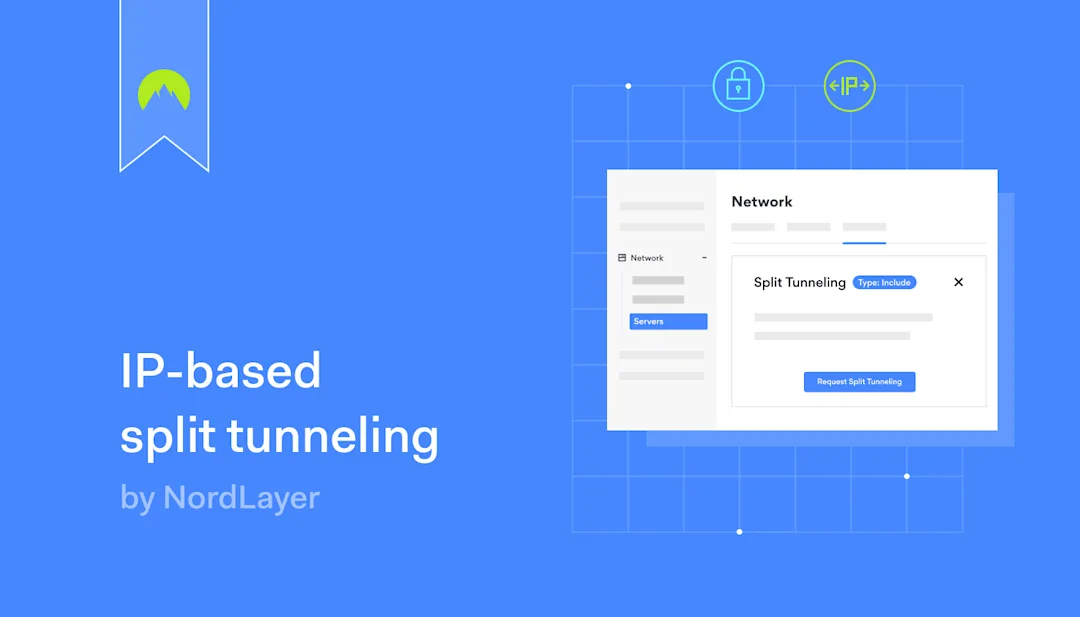
NordLayer feature release: IP-based split tunneling

At NordLayer, we understand the need for network flexibility, and we’re excited to introduce our latest innovation: IP-based split tunneling. This new release is a major advancement, building upon our URL-based split tunneling feature and opening new doors for our customers’ network security and performance.

With IP-based split tunneling, we’re introducing a more tailored approach to network traffic management. This sophisticated method allows organizations to selectively encrypt network traffic by specifying IP addresses or subnets, ensuring sensitive data transmitted to and from those addresses remains secure and private. By separating encrypted and unencrypted traffic, we help organizations strike a delicate balance between robust security measures and uninterrupted internet performance.

What problem does IP-based split tunneling solve?

IT administrators often face the challenge of balancing network security with optimal performance. NordLayer’s IP-based split tunneling solves this dilemma by enabling selective encryption of traffic for specific IP addresses or subnets.

Click to tweet

Additionally, IP-based split tunneling addresses the issue of managing organization-based network requirements. With the ability to exclusively encrypt traffic, admins can tailor network security to meet changing needs—such as a growing organization or industry-specific compliance requirements—ensuring that critical resources are protected while adapting to dynamic organizational demands.

Pair IP-based split tunneling with granular access control rules enforced through NordLayer Cloud Firewall and you have yourself an unprecedented private resource access solution that meets everchanging business needs.

Feature characteristics: what to expect

IP-based split tunneling brings benefits to IT admins and end-users alike. Admins gain centralized control and improved network management capabilities, while employees experience seamless internet performance.

The key advantages of IP-based split tunneling revolve around enhanced productivity and performance:

  • Optimized internet performance: By selectively routing only specific subnets through the VPN tunnel, organizations can alleviate bandwidth limitations and bottlenecks. Regular internet traffic doesn’t need to be tunneled through the NordLayer gateway, resulting in improved overall network performance.

  • Enhanced VPN performance: With split tunneling enabled, employees can effortlessly access company resources and regular internet services, printers, and other local network devices alike, remaining unaware of the underlying security configurations.

  • Flexibility & control: By excluding non-essential traffic from the VPN tunnel, organizations can achieve better performance for applications and services that don’t require encryption, such as SaaS or VoIP services from globally trusted providers.

  • Security & risk mitigation: IP-based split tunneling enables organizations to balance security and functionality by directing critical internal systems through a VPN and allowing less sensitive web browsing traffic to bypass encryption while keeping the protective layer on through the use of NordLayer’s Secure Internet Access features.

How does IP-based split tunneling work?

IP-based split tunneling is a strategic feature that selectively secures parts of your network traffic. IT administrators can configure specific IP addresses or subnets for encryption, ensuring that only those specified addresses are routed through secure VPN servers.

Click to tweet

This targeted encryption approach strikes the perfect balance between security and performance—your sensitive data remains protected without any impact on the speed of web browsing.

Each dedicated server can be configured with up to 16 CIDRs at a time and there is no limit to how many servers can be used in a single Virtual Private Gateway.

Configuring split tunneling is straightforward and accessible with our Core and Premium subscription plans. This feature is particularly useful for Premium subscribers who can use the Site-to-Site capability to access private network subnets through the NordLayer gateway.

To enable this feature, follow these simple steps:

  1. Navigate to the Network section in the NordLayer’s Control Panel

  2. Select Servers and then choose Configure from the options presented

  3. From the dropdown menu, select Split Tunneling

  4. Input the desired IP addresses and subnets you wish to tunnel through NordLayer

By specifying these addresses, you ensure that only the designated traffic uses the NordLayer tunnel, while other traffic utilizes the direct internet route.

Productivity by design

Our first release, URL-based split tunneling for Browser Extension, offered flexibility by leaving certain domains unencrypted while encrypting the rest of the traffic. Now, with IP-based split tunneling for desktop and mobile apps, we’re taking it a step further, allowing organizations to pinpoint exactly which IP addresses require encryption.

The beauty of our twofold approach lies in the different strategies employed. URL-based split tunneling creates exceptions by excluding specific domains, while IP-based split tunneling includes only specified IP addresses for a more targeted encryption process. Together, they form the foundation of our VPN split tunneling feature, enhancing network efficiency, reducing congestion, and optimizing bandwidth usage.

We understand that network security can be complex, and our goal is to provide organizations with the tools they need to navigate it with confidence. Our innovative duo of URL-based and IP-based split tunneling increases flexibility, allowing our customers to customize their network security according to their needs.

About Version 2 Digital

Version 2 Digital is one of the most dynamic IT companies in Asia. The company distributes a wide range of IT products across various areas including cyber security, cloud, data protection, end points, infrastructures, system monitoring, storage, networking, business productivity and communication products.

Through an extensive network of channels, point of sales, resellers, and partnership companies, Version 2 offers quality products and services which are highly acclaimed in the market. Its customers cover a wide spectrum which include Global 1000 enterprises, regional listed companies, different vertical industries, public utilities, Government, a vast number of successful SMEs, and consumers in various Asian cities.

About NordLayer
NordLayer is an adaptive network access security solution for modern businesses – from the world’s most trusted cybersecurity brand, Nord Security.

The web has become a chaotic space where safety and trust have been compromised by cybercrime and data protection issues. Therefore, our team has a global mission to shape a more trusted and peaceful online future for people everywhere.

About NordLayer
NordLayer is an adaptive network access security solution for modern businesses – from the world’s most trusted cybersecurity brand, Nord Security.

The web has become a chaotic space where safety and trust have been compromised by cybercrime and data protection issues. Therefore, our team has a global mission to shape a more trusted and peaceful online future for people everywhere.

Best remote work books for business in 2024

Remote work is here to stay. However, companies need to ensure remote workers can connect safely and efficiently. Balancing convenience, employee freedom, and data security takes skill and judgment. And it also requires a little creativity to support remote workers while meeting business goals.

If you are grappling with remote work challenges, this blog is for you. We will explore some of the most accessible and informative remote work books. There are plenty of entertaining experts around (and a few imposters). But the books below are all essential additions to your management bookshelf.

Benefits and challenges with remote working employees

Working from home is a fundamental part of modern life. As of 2024, around 33 million Americans work remotely. Virtually all workers would like the option of working remotely sometimes. And almost 30% of workers have adopted a “hybrid work” routine, mixing office time and work from home.

Employees are embracing remote work because they want to. Working from home allows staff to find the right work-life balance. Workers can balance childcare, leisure, and work. And they can forget about stressful commutes.

For companies, remote work boosts employee happiness and reduces the cost of on-premises systems. Home workers are often more productive (although not always), and companies can leverage national or international talent pools.

On the other hand, managing remote teams brings challenges. Managers need to communicate effectively and keep workers motivated. Building teams is tricky without face-to-face contact. And then there are security worries.

Remote work often requires exchanging sensitive data between central or cloud data centers and homes or public networks. Employees need third-party remote access to apps and databases. This access creates new and potentially harmful data risks.

None of these challenges are insurmountable. If they were, millions of employees would permanently return to the office, but that is not happening. Creative companies are finding ways to benefit from working from home without risking their reputations.

Successful firms also leverage expert advice and constantly expand their remote work knowledge. Head straight to the list below for our recommended reading, or check out these related articles to explore remote work further:

Related articles


Remote Work

Creating a successful remote work policy: examples and best practices

29 Aug 20236 min read

Creating a successful remote work policy web 1400x800


In Depth, Remote Work

Simplify remote employee onboarding with a complete checklist

8 Aug 20237 min read

Remote employee onboarding checklist web


Best books to read about remote work

Titles for remote work managers to dive into:

  • “The Ultimate Guide to Remote Work”

  • “Remote: Office Not Required”

  • “Remote Work: Redesign Processes, Practices and Strategies to Engage a Remote Workforce”

  • “Running Remote: Master the Lessons from the World’s Most Successful Remote-Work Pioneers”

  • “Remote Not Distant: Design a Company Culture That Will Help You Thrive in a Hybrid Workplace”

  • “Office Optional: How to Build a Connected Culture with Virtual Teams”

  • “Leading From Anywhere: The Essential Guide to Managing Remote Teams”

  • “Work Together Anywhere: A Handbook on Working Remotely Successfully”

  • “The Nowhere Office: Reinventing Work and the Workplace of the Future”

  • “Remote Leadership: How to Accelerate Achievement and Create a Community in a Work-from-Home World”

  • “How the Future Works: Leading Flexible Teams to Do The Best Work of Their Lives”

  • “Remote Work Revolution: Succeeding from Anywhere”

  • “HBR Guide to Remote Work”

  • “Virtual Culture: The Way We Work Doesn’t Work Anymore, a Manifesto”

  • “Deep Work”

  • “The Nowhere Office: Reinventing Work and the Workplace of the Future”

That list should occupy even the most voracious readers. So, let’s turn the page and introduce 2024’s best remote work books.

“The Ultimate Guide to Remote Work” by Wade Foster, Alison Groves, and Danny Schreiber

The Ultimate Guide to Remote Work

Billing itself as the “ultimate guide” sets expectations high for this Zapier App publication, but the authors deliver. Based on the real-world experiences of Zapier CEO Wade Foster and his team, the book discusses practical struggles and solutions. Always avoiding jargon, it explains how to build remote teams and make them run smoothly.

Check for the latest Kindle version of the eBook, as the authors update the text frequently. Regular updates mean that few books are as fresh and relevant.

“Remote: Office Not Required”  by Jason Fried and David Heinemeier Hansson

Remote: Office Not Required

First published in 2013, “Office Not Required” set the trend for remote working manuals. Ten years later, it remains relevant and inspirational.

Fried and Hansson used their experiences as founders of project management start-up Basecamp. What makes their argument persuasive is the process Basecamp followed, moving from assumptions about on-premises work to embracing remote alternatives.

Although written from a CEO perspective, the book is equally valid for workers, so anyone can benefit from it.

“Remote Work: Redesign Processes, Practices and Strategies to Engage a Remote Workforce” by Chris Dyer and Kim Shepherd

Remote Work Redesign Processes, Practices and Strategies

Moving to remote work is a business process requiring systematic planning and skill. Dyer and Shepherd know the task inside-out, having shifted their teams to home working during the Covid pandemic.

This book is ideal for managers seeking to structure remote work transitions. For instance, Dyer and Shepherd discuss writing remote work policies and using digital tools to secure workstations. They also discuss HR and management strategies to support employees and delve into measurement techniques to verify remote work productivity. Managers will find it an invaluable companion.

“Running Remote: Master the Lessons from the World’s Most Successful Remote-Work Pioneers”  by Liam Martin and Rob Rawson

Running Remote

Rawson and Martin founded Time Doctor to help workers with time management. However, Time Doctor encountered problems when transitioning to a remote model. “Running Remote” chronicles the experience, adding advice about how to leverage remote workforce technologies. Honest and very readable, it makes a convincing case for going remote. But it also adds context about dangers and challenges.

One of the best aspects of this book is what the authors call the “async mindset.” Stripping away the jargon, this is a valuable framework for managing remote staff and ditching old-style meetings or management techniques.

“Remote Not Distant: Design a Company Culture That Will Help You Thrive in a Hybrid Workplace” by Gustavo Razzetti

Remote Not Distant

As Razzetti observes, one of the best things about remote work is that it separates employees from static offices, allowing them to work wherever they want. However, one of the drawbacks of remote work is the distance between workers and managers. Solving this problem is tricky – at least without the advice contained in this fascinating book.

Easy to read but well-informed, Razzetti’s book explains how to mold remote work mindsets and manage distributed teams. He explores ways to build a remote corporate culture and collaborate seamlessly across continents. In other words, there’s plenty of gold here for managers to discover.

“Office Optional: How to Build a Connected Culture with Virtual Teams” by  Larry English

Office Optional

Larry English blazed a trail in remote work, helping to build one of the first remote-first consultancy firms. He also timed this book perfectly to coincide with the Covid pandemic. More importantly, he filled this primer with invaluable stats and management wisdom.

Readers can glean a lot of insights from “Office Optional”. Some of the most memorable sections deal with building trust across the oceans and maintaining close professional relationships with colleagues you barely ever meet. As English stresses, relationships are everything in remote work. But with the right mindset and skills, a remote leader can unify and inspire even the most dispersed team.

Leading From Anywhere: The Essential Guide to Managing Remote Teams

Leading From Anywhere

Burkus has written the how-to manual for remote managers. “Leading from Anywhere” sets out critical tasks for smooth remote work. It covers employee onboarding, performance reviews, communication, preventing burnout, and building a healthy remote culture.

Burkus tackles each subject with a mixture of best practices and real-life testimonies. By the end of his book, you should be ready for whatever remote work transitions come your way.

“Work Together Anywhere: A Handbook on Working Remotely Successfully” by Lisette Sutherland and Kirsten Janene-Nelson

Work Together Anywhere

Sutherland is one of the most in-demand virtual team consultants, helping companies worldwide craft functional remote work setups. This book presents advice from the front line about what makes good remote teams and what causes teams to fail.

One of the best aspects of “Work Together Anywhere” is how it breaks down tasks and ideas by role. There are chapters for managers leading remote teams, employees, and even executives. Every stakeholder plays a part in remote work. Sutherland and Janene-Nelson explain what they need to do.

“The Nowhere Office: Reinventing Work and the Workplace of the Future” by Julia Hobsbawm
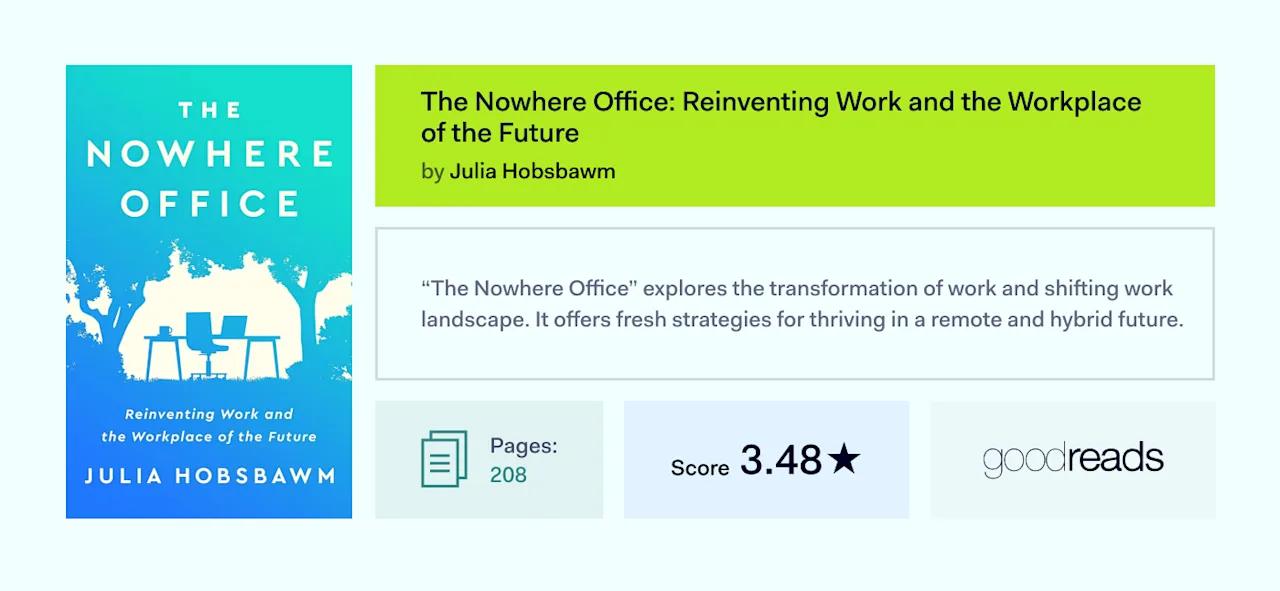
The Nowhere Office Reinventing Work and the Workplace

Hobsbawm is an experienced communications expert (and a popular podcaster on remote work topics). Her book, “The Nowhere Office,” distills her experiences advising companies about how to embrace hybrid work. Hobsbawm offers a positive vision of employee flexibility that complements corporate goals, provided companies know what they are doing.

Another strong point of “The Nowhere Office” is that it takes on critics of home working. For instance, Hobsbawm accepts that working from home can isolate workers or cause leadership headaches. She has plenty of convincing answers to those problems, along with almost every common argument against hybrid work.

We liked the book so much that we actually spoke to the author in late 2023. Check out the interview before ordering the eBook or paperback, as Hobsbawm delivers some insights that you won’t find in the text.

“Remote Leadership: How to Accelerate Achievement and Create a Community in a Work-from-Home World” by David Pachter

Remote Leadership

When the pandemic hit, marketing agency JumpCrew was still getting started. An intense face-to-face strategy and a close-knit office team had powered rapid growth. However, that had to change as the firm adopted remote working. As the CEO of JumpCrew, Pachter oversaw the transition. And with more than 200 employees at last count, he did pretty well.

“Remote Leadership” tells the story of adaptation under pressure. Pachter explains how a three-part model based on reflective leadership, collaborative learning, and peer coaching helped JumpCrew survive. He also argues persuasively that similar ideas can help remote teams thrive.

“How the Future Works: Leading Flexible Teams to Do The Best Work of Their Lives” by Brian Elliott and Sheela Subramanian

How the Future Works

Approved by the CEO of Slack, “How the Future Works” will inspire anyone who is half-convinced about the virtues of remote working. Elliott and Subramanian explore the benefits of flexibility for workers and companies.

Along the way, they make radical suggestions about the value of letting go – enabling teams to express their creativity without interfering. However, they ground this sense of freedom in hard-headed practical advice about managing remote teams. The result is a fusion of optimism and realism and a great explainer for remote work managers.

“Remote Work Revolution: Succeeding from Anywhere” by Tsedal Neeley

Remote Work Revolution

Written by a professor at Harvard Business School, this Financial Times & McKinsey Business Book Of The Year nominee is a must-read for remote work managers.

Unlike many remote work think pieces, Neeley’s work focuses on data security and technical challenges. Expect step-by-step guides to creating functional teams and plenty of case studies to bring the theory to life. The tone is academic (naturally) but not inaccessible at any stage.

“The HBR Guide to Remote Work” by Harvard Business Review staff

The HBR Guide to Remote Work

It may be a little dry in places, but HBR’s remote work guide is a must-have nonetheless. The reason is that this guide covers a lot of ground concisely but intelligently. Readers learn about setting up home offices, managing teams, ways to run virtual meetings, and choosing remote work technologies. There’s no better nuts and bolts guide to working remotely for bosses and employees alike.

“Virtual Culture: The Way We Work Doesn’t Work Anymore, a Manifesto” by Bryan Miles

Virtual Culture

Based on years of coaching teams, this short but engaging book urges managers to look beyond routines and old-style performance targets.

For Miles, remote working requires a complete change in company attitude. Effective teams are free and autonomous. And managers need to find ways to engage with colleagues without micro-managing their activities. That’s not easy, but “Virtual Culture” offers some handy pointers.

“Deep Work” by Cal Newport

Deep Work

Cal Newport’s modern classic dates back to 2016, but it anticipated the world of remote work in uncanny detail. And Newport’s expert insights are just as relevant as ever.

“Deep Work” argues that elite workers will dedicate their mind power and attention to critical tasks in the future. Trivial meetings won’t steal their time and attention. Instead, they might spend half a day meditating to prepare their minds for a few hours of productive work.

This kind of attitude fits perfectly with remote work. If you have not already done so, be sure to schedule a few hours with Newport soon.

Books for remote employees 

The transition to working from home or any remote location demands a new set of skills and adaptations—from creating an efficient workspace and maintaining ergonomics to mastering virtual communication and ensuring personal well-being. Whether you’re a seasoned remote worker or just starting, understanding the nuances of this evolving work culture is crucial for success. 

We’ve chosen a few books that can guide you to make the shift to remote work manageable and truly rewarding. Here is our list:

  • “The Year Without Pants: WordPress.com and the Future of Work”

  • “Remote, Inc.: How to Thrive at Work . . . Wherever You Are”

  • “Working From Home: Making the New Normal Work for You”

  • “Ready, Set, Remote!: The Fast Guide to Creating a Professional Home Office”

  • “Work from Home Ergonomics 101: Tips to Improve Your Comfort, Productivity, and Safety While Working Remotely”

“The Year Without Pants: WordPress.com and the Future of Work” by Scott Berkun

The Year Without Pants

Back in 2012, ex-Microsoft manager Berkun started working at Automattic (the parent company of hosting giant WordPress). And what he found was a revelation. Automattic pioneered flexible working. The firm has never fixed itself to a central office. Its employees famously barely send emails, let alone attend morning staff meetings.

“The Year Without Pants” is a highly entertaining document from the early years of remote work. It’s an essential read for employees who are toying with home working. But the book is also full of management nuggets (as well as being flat-out entertaining).

“Remote, Inc.: How to Thrive at Work . . . Wherever You Are” by Robert Pozen and Alexandra Samuel

Remote, Inc.

If you are intimidated by asking for more flexible work, this is the book to read. Pozen and Samuel highlight the many benefits of leaving the office behind and explore some common challenges individuals face when they work alone.

Chapters look at managing your time, communicating with managers, and making the most of online meetings. These skills don’t come naturally to everyone. But the techniques and tricks supplied by this book can make the adjustment easier.

“Working From Home: Making the New Normal Work for You” by Karen Mangia

Working From Home

Mangia writes from the standpoint of someone who has tried to work from home but struggled. Most of us can sympathize with her tales about claustrophobic home offices, uncomfortable chairs, and endless distractions. The darker side of remote working can often make life very tricky.

However, Mangia also devises remote work solutions. She discusses striking a healthy work-life balance, staying motivated, and remaining connected with colleagues—everyday tasks that all remote employees face.

“Ready, Set, Remote!: The Fast Guide to Creating a Professional Home Office” by Dave Allen

Ready, Set, Remote

Most remote employees are not interior designers, and not all home spaces transform smoothly into offices. Dave Allen’s practical guide will be gold dust for anyone converting a corner of your home into a productivity center. He keeps things down-to-earth and concise, and his cybersecurity reminders are particularly valuable.

“Work from Home Ergonomics 101: Tips to Improve Your Comfort, Productivity, and Safety While Working Remotely” by Morgan Sutherland

Work from Home Ergonomics 101

Back or joint pain can ruin your remote work experience. Poorly designed workspaces can cause a host of physical problems. Morgan Sutherland’s book explains how to apply ergonomic principles to a remote work environment. He draws on extensive physio experience to clarify posture, seating, screen alignment, and destressing techniques. Everyone should read it before ditching the office.

Beyond books: Smart thinking for securing remote workers

Remote work brings many challenges. Home workers often face issues with communication, team building, work-life balance, and staying motivated.

Cultural and organizational questions are critically important. However, remote workers also need to contend with technical matters like cybersecurity and ensuring confidentiality. Books can assist, but solving those problems requires specialist help.

Employees need additional training about handling data at home and connecting safely to central networks. Companies should also extend security tools to remote workers, supplying authentication systems, VPN clients, and malware prevention tools.

Securing remote workers internally can succeed. However, using security partners with remote work experience is often preferable.

NordLayer’s solutions are a case in point. Companies can create flexible network perimeters. Remote Access VPN and access management tools cover remote devices, ensuring only authorized users can access network resources. Flexible tools allow BYOD for office days, while cloud integrations enable remote workers to access assets they need.

Brush up on your knowledge with 2024’s best remote work books. If you need assistance, feel free to get in touch. NordLayer will help you find the perfect remote work solution.

About Version 2 Digital

Version 2 Digital is one of the most dynamic IT companies in Asia. The company distributes a wide range of IT products across various areas including cyber security, cloud, data protection, end points, infrastructures, system monitoring, storage, networking, business productivity and communication products.

Through an extensive network of channels, point of sales, resellers, and partnership companies, Version 2 offers quality products and services which are highly acclaimed in the market. Its customers cover a wide spectrum which include Global 1000 enterprises, regional listed companies, different vertical industries, public utilities, Government, a vast number of successful SMEs, and consumers in various Asian cities.

About NordLayer
NordLayer is an adaptive network access security solution for modern businesses – from the world’s most trusted cybersecurity brand, Nord Security.

The web has become a chaotic space where safety and trust have been compromised by cybercrime and data protection issues. Therefore, our team has a global mission to shape a more trusted and peaceful online future for people everywhere.

About NordLayer
NordLayer is an adaptive network access security solution for modern businesses – from the world’s most trusted cybersecurity brand, Nord Security.

The web has become a chaotic space where safety and trust have been compromised by cybercrime and data protection issues. Therefore, our team has a global mission to shape a more trusted and peaceful online future for people everywhere.

Stress-free travel with Nord Security’s new eSIM – Saily

Picture the scene: After a long flight, you arrive in a distant land. Dragging your suitcase through the airport terminal, you notice the long lines at the SIM card booths. It might be a while before you can explore the city. There’s got to be a better way, you think…

After months of behind-the-scenes development, Nord Security unveiled Saily, a new eSIM product designed with travelers and explorers in mind. We’re bringing our expertise in user-friendly, powerful cybersecurity tools to an everyday product that simplifies travel, reduces environmental impact, and avoids unexpected roaming costs for our customers. 

So let’s explore the what and why of Saily:

What are SIMs?

  • SIM is an acronym for Subscriber Identity Module, a key part in mobile devices that identifies and authenticates users.

  • The traditional SIM card is a microprocessor chip on a removable plastic card placed inside the phone.

  • SIM cards are preprogrammed and distributed by phone plan carriers to identify customers and allow them to connect to the mobile network.

  • If a customer changes carriers, they have to swap out SIMs manually.

What are eSIMs?

  • Short for ‘embedded SIM’.

  • An eSIM is a memory chip (processing is moved to the phone) placed on a card built into your phone. Not removable.

  • User and subscription information is stored on eSIMs, but users can manage and replace their profiles as needed.

  • An eSIM, therefore, is the more digitized, flexible evolution of traditional SIMs. Imagine a digital vs. physical ticket or boarding pass.

4 reasons Saily is the best eSIM for travelers

With the technical stuff out of the way, let’s take a look at some of the main user advantages of eSIMs, and why Saily is the best pick for explorers and adventurers in need of speedy internet access.

Effortless installation & support

No more poking paper clips into your SIM card slot. With Saily, you’ll be able to smoothly change or add phone plans by scanning a QR code or following a simple app. No need to juggle between multiple SIMs while on the go. Saily also offers round-the-clock support, in the unlikely case you run into any activation issues. We’re here to help, 24/7 – whether you’re on the beach in Brazil or the Shibuya crossing in Tokyo.

Smooth travel and connectivity

With Saily, users can find the best data plans in over 150 countries – and enjoy easy and safer internet access wherever they go. Buy your plan in advance, and you’ll avoid any surprise roaming charges that sneak up on you as you get accustomed to your new surroundings. You’re connected from the moment you land. No need to line up in the airports either, just head straight for your hotel or hit the streets!

Reduced environmental impact

The difference in environmental impact is huge. Currently, approximately 4.5 billion plastic SIM cards are manufactured every year. According to a 2022 Life Cycle Assessment (LCA), “eSIM technology scored 46 percent lower in carbon emissions when compared to traditional SIM cards. While the production of a traditional SIM emits a reported 229g CO2 equivalent through all of its life cycle phases (production, transport, usage, end device hardware and End of Life), an eSIM emits only 123g CO2 equivalent.”

More security when traveling

It’s common knowledge: using public Wi-Fi is risky. Add in the stress and fatigue that comes with travel, and people easily become forgetful or careless when it comes to security. According to recent studies published by Forbes Advisor, 40% of individuals have experienced a breach in their online security while accessing public Wi-Fi networks while traveling.

Of course, a VPN is already a powerful protective layer if you’re connecting to a public network. But as Vykintas Maknickas, Head of Product Strategy at Nord Security, puts it: “When traveling, you want to have continuous access to the internet, but that’s not always easy. Even if there’s a coffee shop nearby with an open Wi-Fi network, you don’t want to risk exposing your device to a network you’re not sure is secure. Saily will ensure you don’t need to use public Wi-Fi networks that you don’t trust to access the internet.”

Are you inspired by innovation and the challenge of connecting the world? Engineers, designers, QAs, marketers – join the Saily crew in building technology that enables reliable, consistent internet access to travelers and explorers worldwide. Check out our open positions here. 

About Version 2 Digital

Version 2 Digital is one of the most dynamic IT companies in Asia. The company distributes a wide range of IT products across various areas including cyber security, cloud, data protection, end points, infrastructures, system monitoring, storage, networking, business productivity and communication products.

Through an extensive network of channels, point of sales, resellers, and partnership companies, Version 2 offers quality products and services which are highly acclaimed in the market. Its customers cover a wide spectrum which include Global 1000 enterprises, regional listed companies, different vertical industries, public utilities, Government, a vast number of successful SMEs, and consumers in various Asian cities.

About NordPass
NordPass is developed by Nord Security, a company leading the global market of cybersecurity products.

The web has become a chaotic space where safety and trust have been compromised by cybercrime and data protection issues. Therefore, our team has a global mission to shape a more trusted and peaceful online future for people everywhere.

×

Hello!

Click one of our contacts below to chat on WhatsApp

×