

Skip to content

12 common BYOD security risks & how to mitigate each one

Summary: BYOD boosts flexibility but increases security risks like data leaks and malware. Enforce strong authentication, network segmentation, and endpoint security.

Bring-your-own-device programs have grown fast in recent years. A 2022 survey showed that over 60% of organizations allow personal devices for work tasks.

This trend highlights the many benefits of BYOD. Workers stay productive on mobile devices they already know. Companies reduce hardware expenses and expand remote work options.

Still, BYOD security issues are on the rise. Experts warn of data theft, malware infections, and other risks. These dangers of BYOD can disrupt operations and leak sensitive data. Security measures are essential when users connect BYOD devices to a company network.

Below, we look at 12 BYOD security risks and show how to mitigate them. We also share how NordLayer supports secure bring your own device initiatives with modern tools.

What does BYOD mean for modern security?

BYOD means employees use personal devices for work tasks. These devices might be smartphones, tablets, or laptops. Many companies find that this flexibility improves morale and cuts costs. Yet the convenience also brings security threats.

When people use their own hardware, administrators lose some control. Different operating systems and software versions complicate oversight.

Without a strong BYOD security policy, BYOD vulnerabilities grow. BYOD cybersecurity threats can include malicious apps, outdated software, and easy entry points for attackers. The result can be serious data loss or system disruptions.

Robust mobile device management is critical to avoid major BYOD attacks. IT teams must adopt device security tools, enforce security measures, and monitor network access. Without those steps, the risks of BYOD can quickly outweigh its benefits.

Main BYOD security risks and how to mitigate them

Effective BYOD security starts with understanding common risks employees face daily. Companies often overlook simple issues like weak passwords, making data breaches more likely. The following section covers these risks clearly and suggests easy-to-follow strategies for reducing threats. Implementing these steps strengthens your organization’s overall BYOD security.

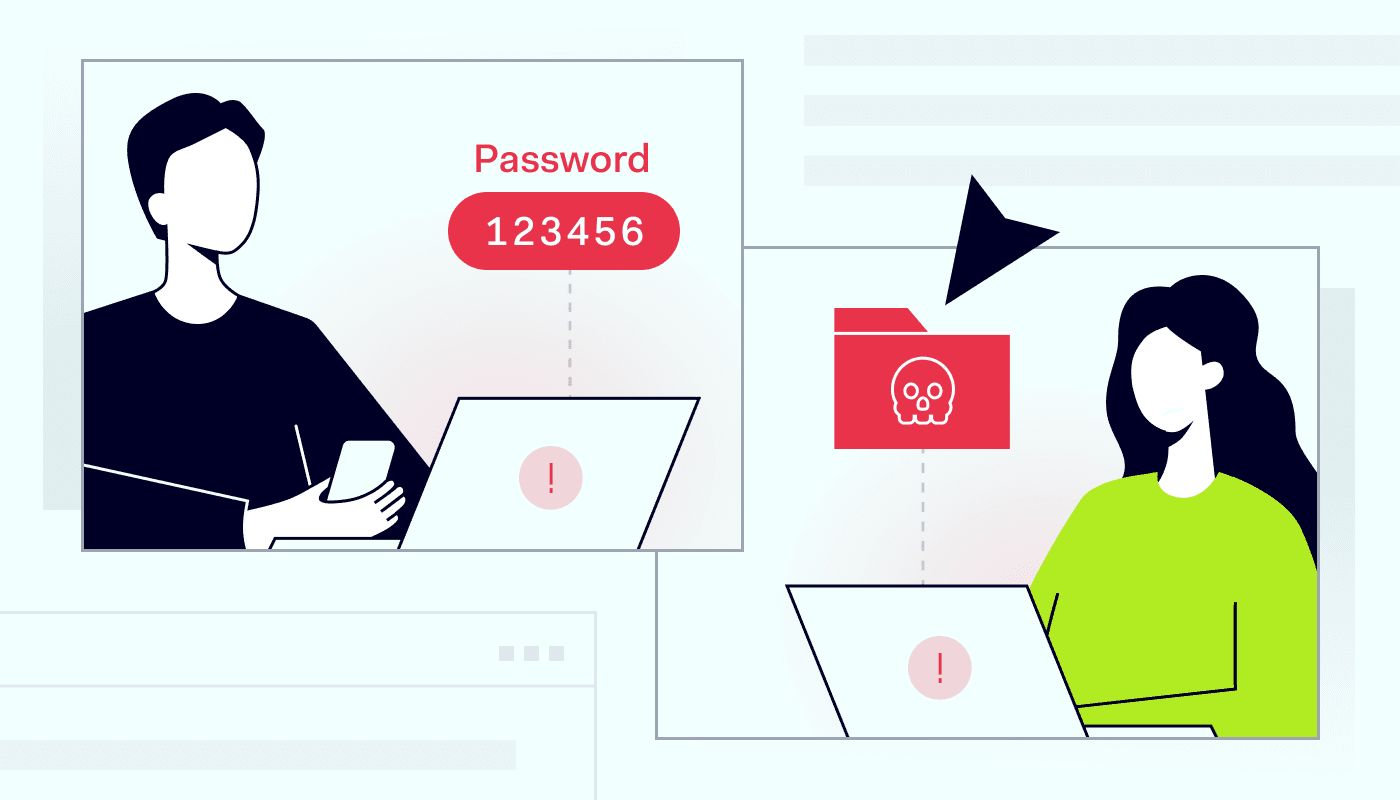
1. Weak passwords

Weak credentials present a huge problem. Microsoft identified 44 million accounts using passwords leaked in prior breaches​. Personal and corporate data become easy targets when employees reuse simple passphrases.

Solution: Enforcing strong password policies (length, complexity, non-reuse) and multi-factor authentication (MFA) dramatically lowers risk: according to one report, MFA can block over 99.9% of account compromise attacks.

Use MFA for all logins. Require complex passwords of at least 12 characters. Encourage passphrases instead of short strings and try to use cybersecurity tools with integrated password managers.

2. Unsecured Wi-Fi networks

Open hotspots let attackers spy on private sessions. BYOD users often connect to coffee shop or airport Wi-Fi. Security risks skyrocket when employees using public Wi-Fi handle sensitive data on unprotected networks.

Solution: Train staff to avoid connecting to unknown or open Wi-Fi without protection. Encrypt internet connections using a secure VPN. This protects personal devices and helps reduce BYOD threats and vulnerabilities tied to unsafe networks.

3. Outdated operating systems

Old software invites security threats. Many personal device owners skip updates or disable auto-patching. Attackers exploit these gaps to launch BYOD attacks that target known flaws.

Solution: Push frequent updates across all BYOD devices. Enable automatic installs for operating systems, apps, and drivers. An enterprise browser can offer centralized control. Also, NordLayer’s Device Posture Security helps ensure compliance by restricting network access for devices that miss patches. This prevents out-of-date systems from weakening the organization’s defenses.

4. Malicious apps

Employees install apps for fun, productivity, or convenience. Some mobile apps harbor hidden malware. These malicious apps can harvest corporate data or disrupt device security.

Solution: Use mobile device management tools to monitor installed apps. Block high-risk apps and encourage staff to download from trusted sources. It will help reduce BYOD security risks by catching harmful software quickly.

5. Weak access controls

Weak role management grants users more privileges than they need. This raises the likelihood of accidental company data theft. If attackers seize one account, they may roam across systems containing sensitive data.

Solution: Adopt Zero-Trust principles. Segment company data and restrict resource access. Cloud firewalls allow granular permission control, which seals off critical assets. They help limit lateral movement and reduce the impact of compromised credentials.

6. Data leaks from personal storage

Workers often save company data on personal devices. Some even sync files to personal cloud storage without encryption. These habits expose BYOD security threats and heighten security concerns.

Solution: Enforce encryption of all work files stored on personal devices. Provide secure containers for personal and corporate data. Pair your cybersecurity tool with data loss prevention (DLP) software to protect data at rest and in transit. This step lowers the risk of data loss on unregulated storage sites.

7. Lost or stolen devices

Device theft is a growing concern. More than 70 million mobile devices are lost or stolen each year worldwide. This can lead to unauthorized access if the phone holds unencrypted work data.

The loss of a BYOD device can expose any data stored on it, as well as provide a potential “way in” for attackers if the device isn’t secured. A famous example is the Lifespan Health System in the U.S. which was fined $1.04 million after an unencrypted stolen laptop led to a breach of over 20,000 patients’ data.

Solution: Activate remote wipe features and strong passcode locks. Mandate immediate reporting of missing devices to IT. Quick actions can prevent major company data loss in these scenarios.

8. Shadow IT

Shadow IT arises when employees use unapproved tools or services. This might include personal messaging apps or unknown file-sharing platforms. Such unregulated usage adds security issues with BYOD and creates hidden vulnerabilities.

Solution: Create a clear BYOD security policy that addresses software usage. Educate staff about the dangers of unvetted platforms. Using an enterprise browser can also help by blocking unknown tools. Early detection keeps shadow IT from spiraling into serious BYOD security threats.

9. Social engineering attacks

Phishing and other social tricks fool people into giving up login details. Attackers often send convincing emails or messages that seem legitimate. The presence of personal devices increases this risk, since users may mix personal and work data.

Solution: Train employees to verify messages and avoid clicking unknown links. Enable spam filters and real-time domain checks. NordLayer helps block known malicious domains to stop such attacks in their tracks. But ongoing user awareness remains essential for mitigating social engineering.

10. Lack of device monitoring

Some organizations fail to track what happens on personal devices. If suspicious activity goes unseen, it can lead to larger security issues with BYOD. Attackers thrive when no one notices unusual file transfers or logins.

Solution: Deploy monitoring tools that watch for anomalies. Review logs for off-hours data transfers and repeated login failures. Many tools offer centralized oversight across multiple endpoints. Quick alerts let IT teams respond before small issues become big incidents.

11. Poor network segmentation

When every device joins the same subnet, BYOD vulnerabilities expand. One compromised device might endanger the entire corporate data set. This setup can make BYOD security threats harder to contain.

Solution: Segment networks based on role and device type. Isolate guest networks from core servers. NordLayer’s network protection platform supports micro-segmentation. This reduces the impact of a single compromised device by limiting lateral movement.

12. Incomplete offboarding

Employees may leave without losing access to corporate systems. Their accounts stay active on personal devices long after their last day. This creates ongoing BYOD security concerns, even after roles change.

For example, a former Cisco engineer has admitted to illegally accessing Cisco’s network and wiping 456 virtual machines as well as causing disruption to over 16,000 Webex Teams accounts. US prosecutors say that the tech giant needed to pay $1.4 million in additional employee time to restore and rectify the damage caused to the system, as well as issue refunds of approximately $1 million to customers impacted by the network issues.

Solution: Implement strict offboarding protocols. Revoke credentials, disable accounts, and wipe relevant apps on departure. NordLayer simplifies user management from a single dashboard. This cuts the risk of lingering access and potential data theft down the road.

Securing BYOD with NordLayer

BYOD boosts flexibility but increases security risks. NordLayer protects both personal and company devices, ensuring safe access.

Our network protection platform combines internet security, network access control, and secure connections. Your network stays safe, no matter where employees work.

Business VPN encrypts traffic and supports shared or private gateways with dedicated IPs. With 30+ global locations, teams get fast, secure access.

The platform also helps block malicious sites, risky downloads, and unwanted traffic while keeping data encrypted in transit at all times.

With Zero Trust access controls, only verified users and devices can connect. Security policies ensure only compliant devices access company resources.

NordLayer’s Enterprise Browser will add extra protection for SaaS and web apps. It blocks malicious redirects, restricts user input, and enforces security policies. It supports both managed and unmanaged (BYOD) devices, ensuring only trusted users access sensitive resources.

NordLayer’s tools make BYOD safer, but security requires regular updates, security testing, and strong authentication. Combine VPN, ZTNA, and the Enterprise Browser, and embrace BYOD with less security risks.

About NordLayer
NordLayer is an adaptive network access security solution for modern businesses – from the world’s most trusted cybersecurity brand, Nord Security.

The web has become a chaotic space where safety and trust have been compromised by cybercrime and data protection issues. Therefore, our team has a global mission to shape a more trusted and peaceful online future for people everywhere.

About Version 2 Digital

Version 2 Digital is one of the most dynamic IT companies in Asia. The company distributes a wide range of IT products across various areas including cyber security, cloud, data protection, end points, infrastructures, system monitoring, storage, networking, business productivity and communication products.

Through an extensive network of channels, point of sales, resellers, and partnership companies, Version 2 offers quality products and services which are highly acclaimed in the market. Its customers cover a wide spectrum which include Global 1000 enterprises, regional listed companies, different vertical industries, public utilities, Government, a vast number of successful SMEs, and consumers in various Asian cities.

Can you get hacked by opening an email? What businesses should know

Summary: Think your inbox is safe? Think again. A click on a seemingly innocent email can harm your system. Here’s how to stay safe.

Businesses rely on emails to run teams smoothly, communicate with customers, and keep managers in the loop. But what if emails go rogue? Could the next email you open infect your network with ransomware or spyware agents?

Sadly, the answer is yes. A single email can compromise an entire business network. Clicking attachments or following fake links can lead to identity theft attacks, malware infestations, data loss, and, eventually, financial damage.

Email security is a critical concern for every business. Let’s cut through the myths surrounding email phishing attacks. This article will explain everything you need to know and suggest relevant security responses.

The hidden threats linked to malicious emails

Countering email security threats demands a calm, methodical approach. Threat management starts with understanding how opening a phishing email can affect your network.

Previously, companies could easily suffer malware infection by opening a suspicious email. Mail clients lacked protection against Javascript attacks, allowing criminals to access user devices directly.

Fortunately, today’s webmail systems are more robust. It’s hard to acquire an email virus simply by opening a message. Virus scanners screen incoming mail before users click, flagging potential threats and avoiding one-click infections.

The bad news is that email security has gone underground. Attackers use subtle methods to persuade users to take risky actions. And they often succeed. Criminals could conceal a malicious payload inside a seemingly innocent email attachment. Or they could redirect readers to unprotected websites.

That’s why we call attachments “hidden threats.” Criminals use deception to create false trust. Targets need to remain vigilant and question every email they receive. Understanding what to look for is critically important.

The most common types of malicious email attachments

Attackers can attach almost any file type to a phishing email. However, not all file types carry the same threat level. Some are harder to detect than others. Let’s run through some common email phishing attacks and explain how they work.

Executable files: The most dangerous attachments

Executable file extensions like .bat, .exe, .com, and .bin are at the top of the email phishing food chain. They should be your top priority when designing email security strategies.

The reason is that executable files automatically launch code when users open them. There are no intermediate steps or additional user actions. Malware executes, embeds itself on the victim’s device, and starts to spread. The user often does not know that the attack is underway.

Executables also routinely evade email security filters, appearing legitimate to casual readers. But one click can lead to severe security consequences.

Infected documents and PDFs

Office documents (such as docx, doc, .xls, or .xlsx) are also attractive vectors for phishing email attacks, but for a slightly different reason. Attackers can seed documents with malicious scripts or macros.

Normally, macros are tools that save time and automate complex processes. However, criminals can use them to execute malware inside applications.

Using documents has some critical advantages. Spreadsheets, PDFs, or Word files are familiar to office workers. Employees might mistake malicious attachments for client contracts, invoices, or strategic documents.

Attackers also improve their chances of success via urgent language. Emails urge recipients to open the document or risk damaging consequences. That’s all superficial. The real consequences materialize after the malicious macro executes.

PDFs play a similar role. In this case, attackers can seed documents with Javascript scripts. However, PDFs have another benefit: attackers can embed links within the PDF attachment, sending targets to fake websites where criminals harvest personal information.

Hidden malware in compressed files

Compressed file formats include .rar and .zip extensions. We commonly use both formats to transfer large files efficiently, but both file formats can become threat vectors.

Compressed files could hold anything. Without opening the file, recipients have no idea whether the content is legitimate or malicious. Intelligent attackers disguise compressed formats as valuable documents or applications, the kind of files targets may need to open. When they do so, the malware executes automatically.

Archives have another benefit: attackers can add password protection. Password protection blocks antivirus software and suggests to victims that the file is authentic – even if that is far from true.

File extension tricks attackers use

Another thing to remember is that appearances are often deceptive when dealing with email attachments. Attackers can use file masking to disguise the nature of attachments and make identifying them harder.

Images and video files are common examples. Recipients may think the attachment is a standard .jpg image. Clever attackers link the image to the target’s personal or professional life. It could be a real estate portfolio or a product listing – at least on the surface. However, a malicious executable lies beneath the surface.


Why deceptive emails fool even careful employees

There are many ways to deceive targets with a phishing email, from PDFs to camouflaged images. But here’s the critical point: any employee can open a suspicious email or download an attachment they should avoid. Nobody is immune. That’s why phishing is such a persistent security issue.

Phishers play on human nature. They mimic legitimate communications from trusted entities, like banks or corporate partners we deal with daily. They prompt rash actions by using an urgent tone and creating false fears. And they use techniques like spoofing and masking to create a veneer of authenticity.

The most sophisticated phishers take these techniques even further. They research their victims and adopt familiar styles of address. They leverage personal information purchased on the Dark Web to profile targets and fine-tune their email content.

Drive-by downloads heighten risks still further. These downloads occur almost invisibly. Victims visit compromised websites via links that appear innocent. No amount of cybersecurity training can prevent infections that occur in the background, without any initial symptoms.

Email security: Preventing hacks and viruses

Hidden threats and devious phishing attacks may seem intimidating but don’t panic. While you could get hacked by clicking a single email, you probably won’t if you adopt email security best practices.

Adopt a strict policy on opening attachments

Treat all email attachments as suspicious by default unless you have requested the file. This policy applies even to attachments from colleagues or trusted partners.

If you receive an unrequested attachment, don’t open it. Ask the sender for verification that the attachment is genuine and what it contains.

Update your PDF reader

PDF attachments are far more dangerous if your reader is out of date. Attackers leverage exploits in older versions while developers plug security gaps with each iteration. Update your reader regularly, preferably as soon as new versions become available.

If possible, upgrade to more secure PDF software. Sophisticated readers include sandboxing to contain potential threats and file validation to screen for malware.

Patch your browser and email client

The same applies to updating your web browser and email application (if you use one). Any web-facing tool may contain exploits or backdoors for malware infection. Regular updates neutralize recently identified vulnerabilities.

Scan emails for viruses and malware

Don’t rely on security tools provided by email services. Scan every incoming attachment with dependable antivirus software that leverages global threat databases. Robust antivirus defenses defend your network edge when other systems fail. Your wider network should remain safe, even if you click on a dangerous file.

Understand how to identify phishing links

Remember: attachments aren’t the only email security threat. Clicking a phishing link can also lead to malware infection or the exposure of personal information. Training employees to avoid fake websites is critically important.

Fake links tend to have convincing anchor text but deceptive URLs. For instance, URLs contain subtle deviations from legitimate versions. Fake websites also tend to contain errors or factual mistakes (such as false tax numbers).

How can NordLayer help

Companies are not alone when dealing with malicious attachments and links. NordLayer’s expertise can help you screen every email before cyber-attacks occur.

Our Download Protection scans every attachment automatically using advanced NordVPN Threat Protection technology. Our solution detects and removes malware instantly before it infects your system. It also gives you an overview of scanned files and allows you to track malicious activity.

Download Protection integrates seamlessly with other NordLayer security tools, adding another essential line of defense.

NordLayer’s Web Protection safeguards your business by blocking access to scam, phishing, and malicious websites. If a user inadvertently clicks on a phishing link, our system will intercept and prevent the connection, protecting your organization from potential security threats.

Ease your email attachment anxiety. Contact the NordLayer team and book a demo to find a security solution for your team.

Frequently asked questions

Can you get a virus from opening an email?

Yes. Malware can execute directly from an email via malicious scripts. However, this is unlikely with proper security measures. Infection via attachments and malicious links is much more common.

Is it safe to reply to an unknown email?

Yes, but you should always exercise caution. Phishers may engage you in conversation to build trust and deliver malware. Ask senders to verify their identities before proceeding. If they cannot do this, end the conversation and report the phishing email.

Never open attachments from unknown senders, and avoid following links in emails from strange contacts. Always ask who has sent the message, what they want, and whether they are who they claim to be.

What to do if you click on a phishing link?

Firstly, don’t panic. If a download prompt appears, decline the transfer. Don’t interact with any forms or links on the phishing website. Leave the site as quickly as possible.

To be safe, disconnect your device from the internet and run a system scan. You may want to change critical passwords (a good security practice anyway). And report the fake website to Google.


About NordLayer
NordLayer is an adaptive network access security solution for modern businesses – from the world’s most trusted cybersecurity brand, Nord Security.

The web has become a chaotic space where safety and trust have been compromised by cybercrime and data protection issues. Therefore, our team has a global mission to shape a more trusted and peaceful online future for people everywhere.

About Version 2 Digital

Version 2 Digital is one of the most dynamic IT companies in Asia. The company distributes a wide range of IT products across various areas including cyber security, cloud, data protection, end points, infrastructures, system monitoring, storage, networking, business productivity and communication products.

Through an extensive network of channels, point of sales, resellers, and partnership companies, Version 2 offers quality products and services which are highly acclaimed in the market. Its customers cover a wide spectrum which include Global 1000 enterprises, regional listed companies, different vertical industries, public utilities, Government, a vast number of successful SMEs, and consumers in various Asian cities.

IT GOAT: “Easy client adoption is key—NordPass makes it a breeze”


IT GOAT is on a mission to help businesses thrive by taking the hassle out of IT management and cybersecurity—and they’re making it happen by teaming up with NordPass.

key facts

Who’s IT GOAT?

IT GOAT is a US-based IT and cybersecurity managed services provider that helps today’s businesses keep their day-to-day IT operations running smoothly and securely. Their goal is to give their clients a competitive advantage by reducing the costs and time required to manage their IT systems. The company’s commitment to providing top-class IT support and managed services has earned it several prestigious awards and recognitions.

about

Helping clients avoid financial losses and downtime

IT GOAT has built a strong reputation for delivering first-class IT services to businesses of all sizes, handling everything from remote help desk support to cybersecurity and compliance. They also specialize in disaster recovery and high-level consulting, including virtual CIO services.

Knowing that many of their customers were struggling with the risks of poor password management and unsafe credential sharing—issues that can lead to downtime and financial losses—the company decided early on to make offering a reliable, trusted, and proven password manager a core part of their services.

Testimonial

Top security and easy adoption are must-haves

With so many password managers to choose from—and with some experience using one in the past—IT GOAT wanted to be sure they picked the right one. So, before making any commitments, they took the extra time to test and evaluate several potential candidates. After discovering NordPass through their network and seeing firsthand how powerful and easy to use it was—not just for password management but beyond—they knew it was the perfect fit for their offering.

“Before we switched to NordPass, we were using another popular password manager, LastPass™, [which is] a good product, but they were dealing with some security issues for a while, and we, as a managed services provider, have zero tolerance for that kind of risk. In our industry, delivering only top-quality products is non-negotiable—if we don’t do that, we risk losing our clients.

So, we decided to make a change. NordPass was recommended by one of our distributors, Pax8, so we started evaluating it and found that it had a lot of great security features, like safe credential sharing. After testing it internally, we saw that the team adopted it really quickly. We’ve been recommending it to our clients ever since,” said Mike Murphy, CEO of IT GOAT.

Product

“This is a true win-win situation” – IT GOAT on being partners with NordPass

Since becoming an MSP partner of NordPass, IT GOAT has seen a noticeable boost in its customer base. In their experience, introducing new security tools to clients doesn’t always spark excitement, but with NordPass, they have found that adoption has been fast and very positive. IT GOAT also shared that NordPass is a reliable partner that has always provided them with great technical and business support.

Testimonial

Benefits for IT GOAT

Benefits

So, if you are looking for a way to improve your clients’ security, please reach out to our experts today to learn more about NordPass for MSPs.

About NordPass
NordPass is developed by Nord Security, a company leading the global market of cybersecurity products.

The web has become a chaotic space where safety and trust have been compromised by cybercrime and data protection issues. Therefore, our team has a global mission to shape a more trusted and peaceful online future for people everywhere.

About Version 2 Digital

Version 2 Digital is one of the most dynamic IT companies in Asia. The company distributes a wide range of IT products across various areas including cyber security, cloud, data protection, end points, infrastructures, system monitoring, storage, networking, business productivity and communication products.

Through an extensive network of channels, point of sales, resellers, and partnership companies, Version 2 offers quality products and services which are highly acclaimed in the market. Its customers cover a wide spectrum which include Global 1000 enterprises, regional listed companies, different vertical industries, public utilities, Government, a vast number of successful SMEs, and consumers in various Asian cities.

7 Data Loss Prevention best practices


Summary: Cyber threats, compliance demands, and costly breaches make Data Loss Prevention (DLP) a must-have. Learn how to stop data leaks before they happen.

As businesses rely more on digital tools and cloud-based SaaS platforms, keeping sensitive data safe is more important than ever. Cyber threats are evolving at breakneck speed, regulations like GDPR and HIPAA are getting stricter, and data breaches are now hitting the bottom line harder than ever before. Traditional Data Loss Prevention measures (DLP) in consumer browsers don’t cut it anymore.

That’s where enterprise browsers come in. Built with security in mind, they offer stronger DLP capabilities to protect your confidential data.

In this blog, we’ll share simple tips to build a strong DLP strategy. You’ll also learn how enterprise browsers with network security solutions can keep your most valuable assets safe.

Key takeaways

  • DLP includes strategies and tools that protect sensitive data safe from unauthorized access. These tools also help businesses meet regulations like HIPAA, GDPR, and PCI DSS and support SOC 2 compliance.
  • Data loss can happen due to human error, insider threats, cyber-attacks, or hardware failures. By understanding these risks, businesses can take steps to protect their critical data.
  • DLP tools like encryption, access control, and backups ensure data stays secure.
  • Best practices for DLP include setting clear policies, using advanced technology, and maintaining constant monitoring.

What is data loss prevention?

Data breaches are becoming more costly and harder to manage. In 2024, the global average cost of a data breach hit a record $4.88 million, up 10% from the year before. According to Statista, the healthcare sector took the biggest hit, with an average cost of $9.77 million per breach, while the financial sector followed at $6.08 million.

To combat these rising costs and risks, businesses need robust data protection measures in place. Data Loss Prevention (DLP) is about protecting digital information from loss, theft, or unauthorized access. It ensures data stays private, accurate, and available while helping businesses comply with security regulations like HIPAA for healthcare data or PCI DSS for payment card information.

Key measures include encryption, which secures data so only authorized users can access it, and access controls, which restrict who can view or modify sensitive information. Backup and recovery solutions help restore lost data, while data masking hides confidential details. By implementing these practices, organizations can prevent breaches, protect customer trust, and comply with industry regulations.

Common causes of data loss

Data loss occurs when important information is deleted or corrupted. Some causes are more common than others, and each requires specific prevention measures. Understanding these threats helps businesses protect their data.


Human error

Mistakes happen, and human error is one of the main reasons data is lost. For example, accidentally deleting files, entering the wrong information, or mishandling sensitive data can lead to serious problems. In fact, IBM’s Cost of a Data Breach Report 2024 found that human error is behind up to 95% of cybersecurity breaches.

While checking entries twice and limiting access to important files can help, these methods depend on manual actions and still leave room for error. To lower the risk of data loss, businesses should use automated security policies and tools that centralize data protection.

Data Loss Prevention (DLP) strategies, whether through enterprise browsers or other solutions, enforce security policies across all users, reducing errors and ensuring consistent protection. Regular training and clear data-handling procedures further support a strong culture of security.

Insider threats

Insider threats come from employees or trusted individuals with access to sensitive data. Sometimes, mistakes, like sending an email to the wrong person, cause data security incidents. Other times, disgruntled employees may intentionally steal or expose information. The IBM report also states that insider threats account for 34% of data leaks.

Strict access controls and user activity monitoring can help. Government agencies, like the U.S. Department of Defense, use advanced monitoring to prevent insider threats. While most businesses don’t need military-level security, they should still take insider risks seriously.

Cyber-attacks

Cybercriminals use malware, ransomware, and phishing attacks to steal or damage data. IBM X-Force data shows that malware deployment was the most common attack method in 2024, making up 43% of incidents. Ransomware accounted for 20%, while backdoors and crypto miners were found in 6% and 5% of cases, respectively.

Strong cybersecurity measures—such as firewalls, antivirus software, and employee training, are crucial for protection. But in web-based SaaS environments, enterprise browsers add an extra layer of defense. They help protect against threats like malware, ransomware, and phishing by using centrally managed security policies, access controls, and other built-in functionalities. This works alongside traditional security measures to keep your systems safe.

Hardware failures

Storage devices can fail, causing data loss. A server crash, hard drive failure, or power surge can make critical data inaccessible. While less common, hardware failures can be devastating.

Regular backups and redundant storage solutions help prevent permanent data loss. Think of it as having a spare tire ready in case of a flat.

Natural disasters

Floods, earthquakes, and fires can destroy physical storage devices. For example, Hurricane Sandy in 2012 caused widespread data loss for businesses.

While natural disasters can’t be prevented, businesses can prepare. Off-site backups and cloud storage solutions keep data safe and accessible, even if disaster strikes.


Why Data Loss Prevention matters to your business

As businesses rely more on digital tools, data flows across various devices, cloud services, and networks, creating a “borderless” environment. This is further complicated by:

  • Hybrid work models
  • Bring Your Own Device (BYOD) policies
  • Increased use of contractors
  • The rapid growth of web-based SaaS apps

These factors introduce new risks, making it harder to track and protect sensitive data. Without strong security measures, your data could be exposed, stolen, or misused.

Data Loss Prevention (DLP) helps businesses secure their most valuable information, including customer data, financial records, and intellectual property. DLP also ensures compliance with regulations and helps prevent costly data breaches caused by accidental leaks or cyber threats.

As this environment grows more complex, traditional security measures are often no longer enough. A tailored approach, especially within web-based SaaS environments, is critical to safeguarding your data effectively.

Do you know where your sensitive data is?

In modern work environments, traditional DLP methods are no longer enough, especially as more people use their own devices (BYOD) and rely on web-based SaaS apps.

Why is DLP critical? Because it helps businesses gain full visibility into how data flows across their network. It allows IT and security teams to monitor and enforce policies, preventing unauthorized sharing of sensitive information like customer records and financial details.

Enterprise browsers provide a more granular solution. They track data flow within the browser in real time. This allows IT and security teams to block the unauthorized sharing of sensitive information, whether employees are using corporate or personal devices.

With granular access and centralized security policy control, businesses can create stronger, more flexible security rules to protect their most valuable assets.

Employees can also put data at risk, not only external threats

Most companies focus on external cyber threats but overlook insider risks, employees, or partners who unintentionally or intentionally expose sensitive data. According to Verizon’s Data Breach Investigations Report, 28% of breaches involve insiders.

Traditional Data Loss Prevention (DLP) tools have primarily focused on preventing accidental data leaks. They do this by blocking sensitive files from being shared through unsecured channels like USB drives or personal email accounts. These tools also detect unusual activity and restrict access to prevent data theft. If a security incident occurs, traditional DLP can quarantine or encrypt the data to protect against exposure.

Enterprise browsers take DLP a step further by offering a more granular, real-time approach. This is especially useful in today’s web-focused environments. With centrally managed security policies, enterprise browsers can implement DLP controls directly within the browser, addressing data risks at the source.

This includes features like:

  • Copy/paste restrictions to prevent unauthorized data transfer
  • Download limitations to control sensitive file movement
  • Real-time monitoring to spot and block risky behavior instantly

By using these advanced controls, businesses can protect data more effectively and prevent accidental or intentional leaks.

The cost of a data breach is higher than you think

A single data breach can lead to financial penalties, reputational damage, lost customers, and legal consequences. According to IBM’s Cost of a Data Breach Report 2024, on average, it takes 191 days to detect a breach, giving hackers plenty of time to steal valuable information.

DLP minimizes this risk by enforcing strict security policies, reducing the chances of a costly data breach. Organizations that protect their data avoid regulatory fines, lawsuits, and the financial impact of lost business.


Stay compliant and avoid costly fines

Regulations like GDPR, HIPAA, and PCI DSS require businesses to implement strict data protection measures. Non-compliance can lead to fines of up to 4% of global annual revenue or restrictions on business operations.

DLP helps businesses meet compliance requirements with built-in policy templates and reporting tools. It simplifies audits and ensures sensitive data is protected according to industry standards.

Secure data across all devices, including BYOD and IoT

With employees using personal devices, data moves beyond traditional networks. Add IoT into the mix, and the security challenges grow even more complex. That’s why businesses need to adopt BYOD security practices, such as DLP.

DLP, according to security policy, monitors and protects sensitive data across all devices, whether it’s being accessed, stored, or transmitted. By working alongside other security measures, DLP helps businesses prevent unauthorized data sharing and reduce security risks in an increasingly mobile world.

Take control of your data before it’s too late

Data protection isn’t just about avoiding breaches. It’s about maintaining trust, staying compliant, and keeping your business secure. Implementing a strong DLP strategy gives your organization the tools to prevent data loss, control sensitive information, and stay ahead of advanced threats.

Top 7 best practices for data loss prevention

Implementing a Data Loss Prevention solution combines cybersecurity best practices with advanced technology to protect sensitive information. DLP solutions typically focus on four key areas:

  • Prevention: Monitors data in real-time and blocks unauthorized access or suspicious activity
  • Detection: Identifies unusual behavior and improves data visibility to catch potential threats early
  • Response: Tracks and reports data access and movement to streamline incident response
  • Analysis: Helps security teams understand high-risk activity and improve future protection strategies

DLP gives businesses real-time visibility and control, helping safeguard data, reduce risks, and stay compliant. To learn more, download our free PDF on best practices for data loss prevention.


Step 1: Conduct a data inventory & risk assessment

Start by identifying and classifying all sensitive data within your organization. Determine where the data is stored, how it moves, and who can access it. Conduct a thorough risk assessment to understand potential vulnerabilities and threats.

Use data discovery software to automate this process. By gaining insight into your data’s landscape, you can tailor your DLP efforts.

Step 2: Use encryption to protect your files

Encryption turns data into a code that only authorized users can read. It helps protect sensitive information from cybercriminals. When data needs to be accessed, a decryption key is used to turn it back into its original form.

Encryption safeguards data both when it’s stored and when it’s being transferred. Encryption is required by data protection laws like GDPR and PCI DSS, as it helps reduce the risk of data loss and helps businesses stay compliant with regulations.

NordLayer’s advanced encryption protocols, such as AES 256-bit and ChaCha20 encryption, further strengthen your data’s confidentiality and integrity.

Step 3: Enable access controls

Access controls limit who can see your sensitive data. This can include defining data classification, access controls, encryption standards, and incident response procedures. You can strengthen access with the following solutions:

  • Network Access Control (NAC) ensures that unauthorized users and devices are kept out of your business network.
  • Identity and Access Management (IAM) verifies that every user accessing the network is properly authorized.
  • Network segmentation restricts access so employees and contractors only see the data they need to do their jobs, nothing more.
  • Cloud Firewall lets you control who and how to access internal resources and cloud tools, adding an extra layer of protection.

Step 4: Monitor data access

Monitoring allows you to track who accesses data and helps quickly spot unauthorized activity. By tracking user interactions and reviewing logs, businesses can detect breaches and respond faster. Real-time monitoring solutions can alert security teams about suspicious behavior.

Additionally, Device Posture Security monitors access to every application on every device. Real-time alerts inform security teams about suspicious behavior, while automated monitoring tools help identify anomalies and uncover potential breaches. Regular audits should measure incident detection and response times, data breach reductions, and cost savings.

Step 5: Conduct regular security audits

Regular security audits help identify vulnerabilities in systems that could lead to data loss. These audits examine software, hardware, networks, and policies. Once vulnerabilities are found, businesses can take steps to fix them, such as updating software or improving security protocols.

Evaluate your DLP using these key performance indicators (KPIs):

  • Incident detection & response times: How quickly data breaches are detected and resolved
  • Reduction in data breaches: A decrease in the frequency and severity of data breaches
  • Cost savings: Financial benefits from preventing breaches and avoiding regulatory penalties

Regular monitoring and audits, combined with the integration of NordLayer’s security solutions, will help optimize your DLP strategy. This approach ensures ongoing data protection and supports your SOC 2 compliance efforts.

Step 6: Train your team

Employee training is key to preventing data breaches caused by human error. As we have already mentioned, 95% of breaches happen because of mistakes made by people. That’s why teaching staff to spot phishing emails, use strong passwords, and follow data protection rules can reduce these risks.

Regular training keeps employees aware of current threats and reinforces their role in protecting sensitive information. It also helps build a strong security culture.

Step 7: Create a strong incident response plan

Data breaches can still happen, so it’s crucial to have a plan for responding quickly. The plan should include identifying the breach, containing it, notifying affected individuals, investigating the cause, and taking corrective actions to prevent future breaches.

A clear incident response plan minimizes damage and helps businesses recover quickly. In short, having an incident response plan is crucial for managing data breaches and minimizing their impact.

Why choose NordLayer for enhanced data protection?

We provide robust solutions for Data Loss Prevention to protect your business:

  • Network Access Control (NAC): Ensures only authorized users and devices can access your network by enforcing security policies.
  • Identity and Access Management (IAM): Allows only authorized users to access your resources.
  • Network Segmentation: Restricts access to data, ensuring employees and contractors only see what’s relevant to their roles.
  • Cloud Firewall: Network segmentation with customized access controls ensures only authorized users can access sensitive data and reduces the risk of insider threats or data leaks.

Additional solutions include:

  • Single Sign-On (SSO): Secure, easy login that integrates with popular Identity and Access Management (IAM) providers.
  • Two-factor authentication (2FA): Adds an extra layer of security with a second verification step.
  • Advanced traffic encryption: AES 256-bit and ChaCha20 encryption protect data in transit, ensuring data confidentiality and integrity.

NordLayer’s solutions seamlessly integrate into your existing infrastructure, offering advanced monitoring, threat detection, and incident response capabilities.

Strengthen your data protection strategy today and prepare for even more with our upcoming Enterprise Browser. Don’t wait for a breach—join the waiting list now!


Senior Copywriter


About NordLayer
NordLayer is an adaptive network access security solution for modern businesses – from the world’s most trusted cybersecurity brand, Nord Security.

The web has become a chaotic space where safety and trust have been compromised by cybercrime and data protection issues. Therefore, our team has a global mission to shape a more trusted and peaceful online future for people everywhere.

About Version 2 Digital

Version 2 Digital is one of the most dynamic IT companies in Asia. The company distributes a wide range of IT products across various areas including cyber security, cloud, data protection, end points, infrastructures, system monitoring, storage, networking, business productivity and communication products.

Through an extensive network of channels, point of sales, resellers, and partnership companies, Version 2 offers quality products and services which are highly acclaimed in the market. Its customers cover a wide spectrum which include Global 1000 enterprises, regional listed companies, different vertical industries, public utilities, Government, a vast number of successful SMEs, and consumers in various Asian cities.

How to find all accounts linked to your email

Why check accounts linked to your email?

When you link accounts to your email, it’s like you’re taking a shortcut—and sometimes that comes with a little risk. That’s why you should be aware of what could go wrong.

So, for instance, if an account that is associated with your email gets compromised, the attackers could learn your email address and then spam you with phishing messages. On the flip side, if your email gets exposed (say, on the dark web), hackers might try to break into and access your linked accounts.

But don’t panic just yet—if you haven’t noticed any weird behavior on your accounts, you’re probably fine. In case you have doubts, use an online tool to check if your email or any other account has been compromised. Basically, what we’re simply trying to say here is that it’s generally wise to be mindful of your digital footprint and know which platforms and services are linked to your email.

How to check accounts linked to your email providers

One of the most common ways to link accounts is by connecting an account—like one for shopping, gaming, or other services—to your email, such as Google, Outlook, or Yahoo. Let’s go over the steps to find all the accounts associated with your email, depending on which email provider you use.

Google account

  1. Go to your Google Account settings and click on “Security.”

  2. Find the section called “Your connections to third-party apps & services.”

  3. Click “See all connections” at the bottom to view the full list of accounts linked to your Google account.

Outlook and Microsoft account

  1. Sign in to your Microsoft Account.

  2. Click on “Privacy” or “Security” in the menu.

  3. Find the “Apps and Services” section to see the accounts linked to your Microsoft account.

Apple account

  1. Go to the Settings app on your iPhone or iPad (or open System Settings if you’re using a Mac), then tap your name.

  2. Find and tap “Sign in with Apple” to view the list of all accounts you’ve signed into using your Apple ID.

Yahoo account

Unfortunately, Yahoo doesn’t offer a way to directly see all the external accounts linked to your Yahoo email. So, there’s no easy way to get a full list of all the accounts using your Yahoo address.

How to check accounts linked to your social media accounts

Another way to link your accounts is by connecting them to one of your social media profiles. If you’ve already done that, here’s how you can check which accounts are linked to your Facebook, X, Instagram, or LinkedIn.

Facebook

  1. Log in to your Facebook account, click on your profile picture in the top-right corner, and then select “Settings & Privacy.”

  2. In the left sidebar, click “Apps and Websites” to see a list of online services linked to your Facebook account.

X (Twitter)

  1. Open the X app.

  2. Tap the profile icon in the top-left corner and select “Settings and Privacy.”

  3. Click on “Apps and Sessions” to see all accounts linked to your X account.

Instagram

  1. Open the Instagram app and go to your profile.

  2. Tap the three horizontal lines in the top-right corner.

  3. Go to “Settings,” then “Account,” and “Linked Accounts.”

LinkedIn

  1. Open LinkedIn

  2. Click on your profile icon in the top-right corner and select “Settings & Privacy.”

  3. Under the “Account” tab, click “Partners and Services.”

Other options

Although checking which accounts are linked to your email or social media is usually pretty straightforward, sometimes it can still get tricky—especially if you’ve been locked out of your accounts. So, what are your options then?

In this case, you’ll have to rely on the information you already have and piece things together to figure out what accounts are linked to your email or social media. If you still have access to your email, try searching through your messages for any information about linked accounts. You can also check your browser history to see which online services you’ve used and possibly signed into with your email or social media.

Another option is to use account recovery tools. These can help you verify which email or phone number is tied to your account and might offer hints or recovery links to help you regain access.

What to do with accounts you no longer use

If there are online accounts you no longer use but that are still linked to your email, it’s a good idea to delete them to avoid any potential data exposure or unauthorized access.

But if you don’t want to delete them for some reason, at least consider boosting their security. You can do this by creating a super-strong password (around 18 characters long with a mix of uppercase and lowercase letters, numbers, and symbols), turning on two-factor authentication (2FA), and maybe even unlinking them from your email or social media accounts. That way, you’ll keep them safer even if they’re not actively in use.

How to better manage your online accounts

It’s simple: if you want easy logins without sacrificing security—or even better, want to boost your account security—then it’s time to try a solid password manager like NordPass.

NordPass is an end-to-end encrypted password manager that allows you to securely store and manage your passwords, credit card details, and other sensitive info. It makes logging in a breeze by autofilling your credentials across all major browsers and devices. Plus, it can generate strong passwords on the spot, monitor the dark web for any signs of your data being compromised, and even mask your email when signing up for newsletters or services.

With NordPass, you get the same convenience of linking accounts for easy logins, but with far more protection to help you avoid data leaks and account lockouts. So, give NordPass a try and see how it can make your online life easier and more secure.

About NordPass
NordPass is developed by Nord Security, a company leading the global market of cybersecurity products.

The web has become a chaotic space where safety and trust have been compromised by cybercrime and data protection issues. Therefore, our team has a global mission to shape a more trusted and peaceful online future for people everywhere.

About Version 2 Digital

Version 2 Digital is one of the most dynamic IT companies in Asia. The company distributes a wide range of IT products across various areas including cyber security, cloud, data protection, end points, infrastructures, system monitoring, storage, networking, business productivity and communication products.

Through an extensive network of channels, point of sales, resellers, and partnership companies, Version 2 offers quality products and services which are highly acclaimed in the market. Its customers cover a wide spectrum which include Global 1000 enterprises, regional listed companies, different vertical industries, public utilities, Government, a vast number of successful SMEs, and consumers in various Asian cities.

×

Hello!

Click one of our contacts below to chat on WhatsApp

×
