Skip to content

How Traceloop protected its LLM dev workflow and met SOC2 compliance

Summary: Learn how Traceloop locked down AWS access, passed SOC 2 compliance, and saved hours with NordLayer’s dedicated IP.
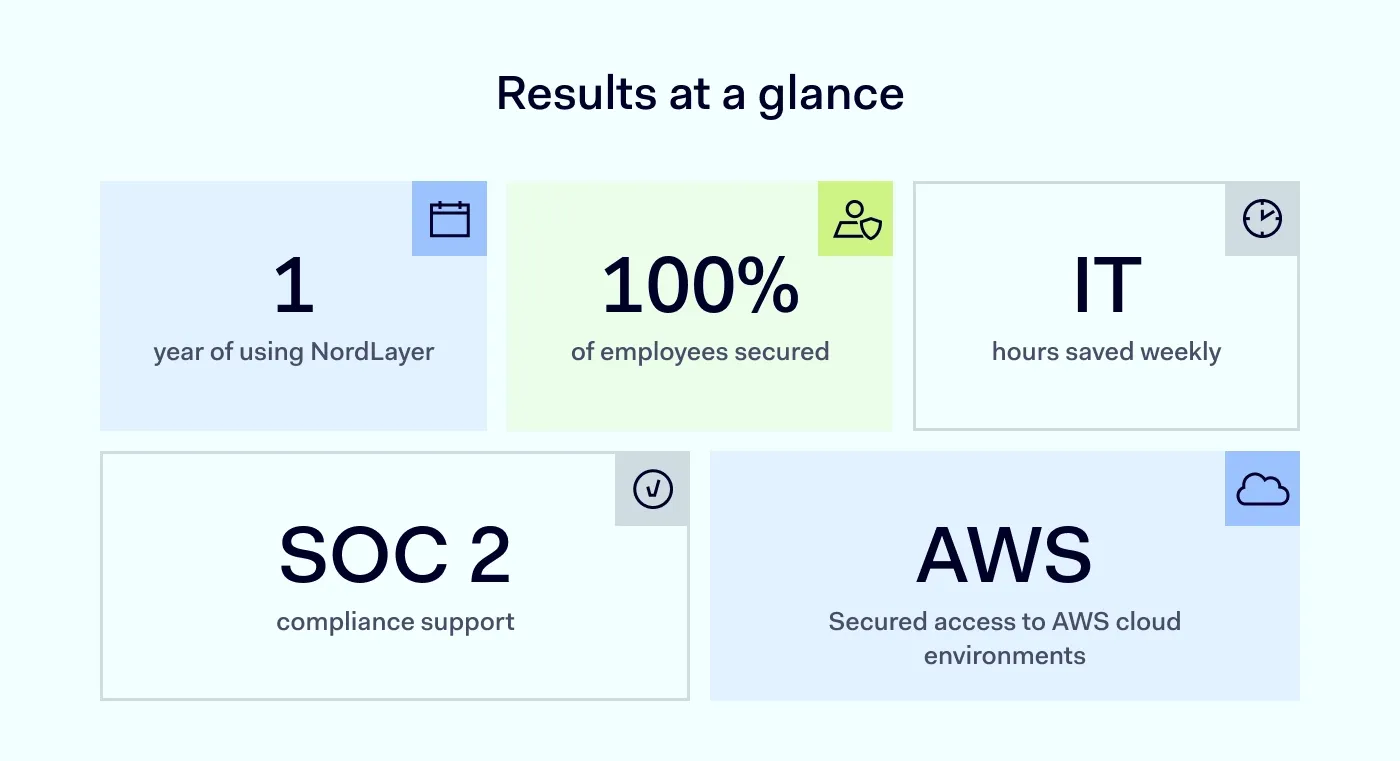
Results at a glance. 1 year of using NordLayer. 100% of employees secured. IT hours saved weekly. SOC 2 compliance support. Secured access to AWS cloud environments

Established in 2022, Traceloop is a seed-stage startup based in Israel. It creates platforms that help companies worldwide build and improve their large language model (LLM) apps. The team consists of eight on-site employees and one remote worker based in Ukraine.
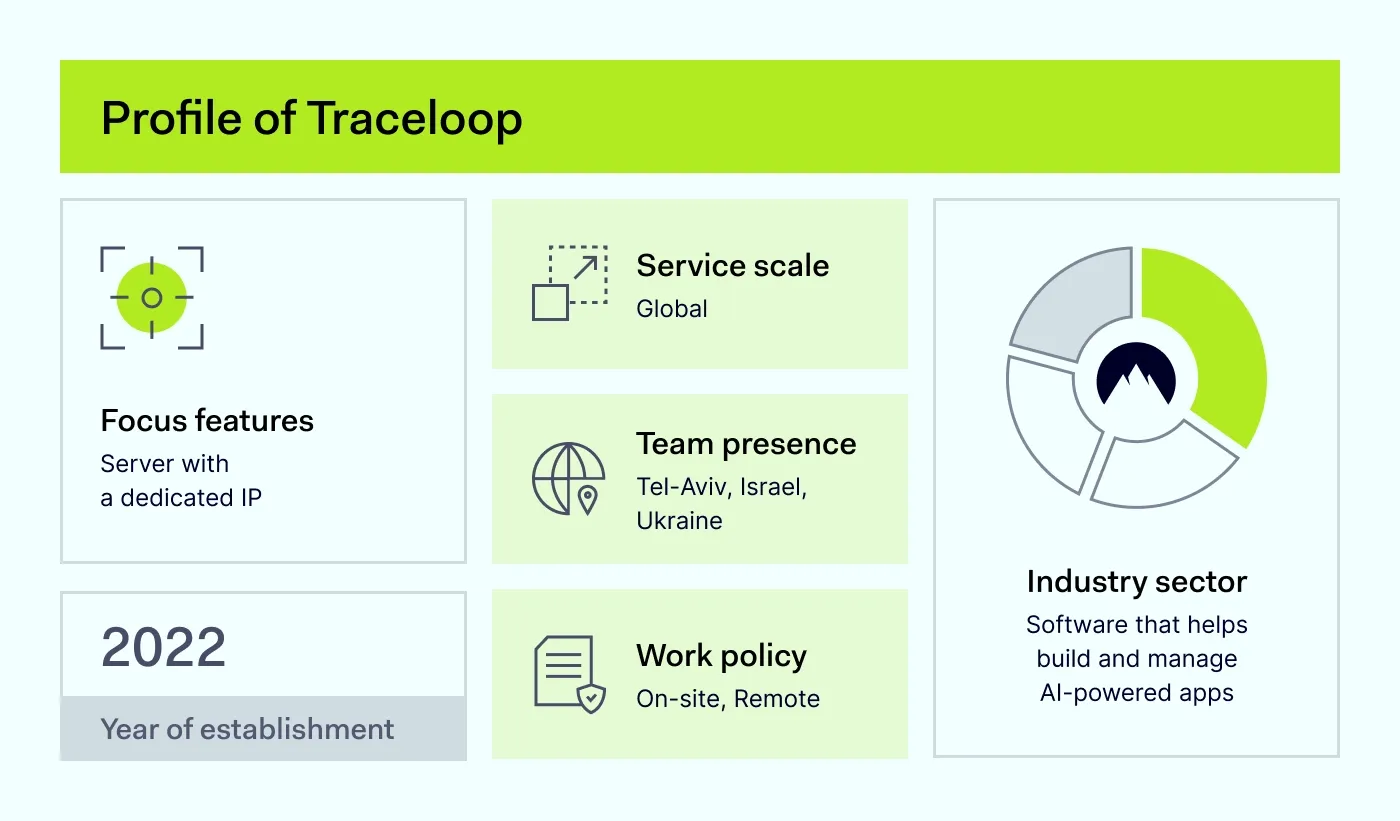
Focus features: Server with a dedicated IP. 2022 Year of establishment. Service scale: Global. Team presence: Tel-Aviv, Israel, Ukraine. Work policy On-site, Remote. Industry sector: Software that helps build and manage Al-powered apps

Before NordLayer, Traceloop didn’t have any security solution in place. And like many early-stage startups, its team focused exclusively on building products.

Knowing that their SOC 2 compliance audit was fast approaching, they needed a reliable and scalable solution that:

  • Helps secure access to their AWS-managed Kubernetes clusters
  • Supports SOC 2 compliance

The challenge: Securing access to DevOps environments

We spoke with Gal Kleinman, CTO and co-founder of Traceloop, about when security became a priority.

“We’ve always cared about security, but SOC 2 made us realize we needed tighter access controls to our cloud environments.”

The biggest issue was that their Kubernetes clusters were accessible from anywhere using AWS Command Line Interface (CLI), with no IP restrictions. Manually restricting access would’ve slowed down the team and introduced bottlenecks for developers.

They needed a solution that offers a server with a dedicated IP, works seamlessly with AWS, and could be set up in minutes, not days.

How NordLayer helped Traceloop

Traceloop needed a fast, reliable way to secure access to its cloud environments without adding unnecessary cost or complexity. As Gal Kleinman explains:

“With NordLayer, our team can now securely access our cloud resources, and I don’t have to spend much time managing it.”

Traceloop deployed NordLayer’s server with a dedicated IP, which was assigned to the company through a Virtual Private Gateway.
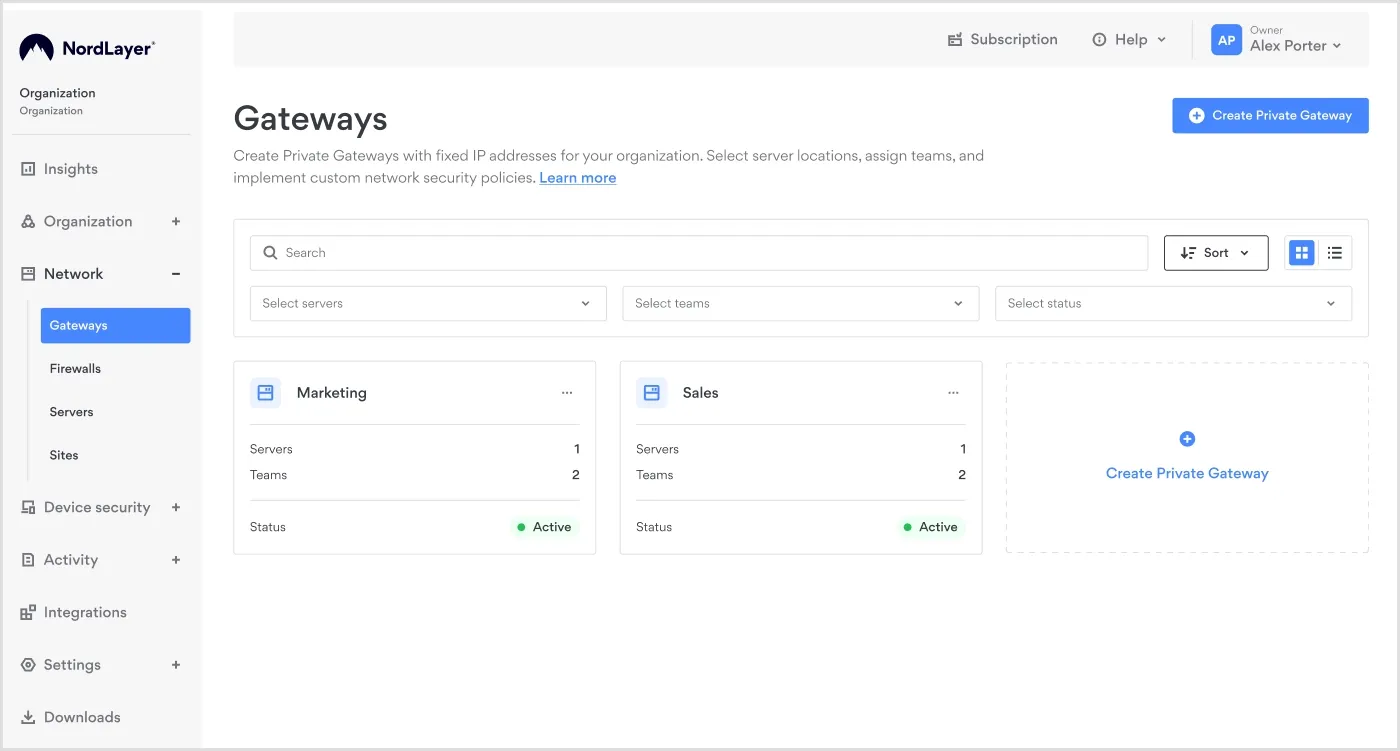
NordLayer Control Panel Network Gateways

Benefit 1: Fast NordLayer’s deployment

Traceloop was looking for a solution that was easy to use and set up. NordLayer’s deployment was simple:

  • Log in to NordLayer.
  • Invite the team members.
  • They click the link, download the app, and it installs automatically.
  • Within minutes, they’re securely connected.

“Everything took four or five minutes—start to finish.”

Benefit 2: Secure cloud access with a dedicated IP

To secure AWS access and meet SOC 2 compliance, Traceloop assigned a server with a dedicated IP to the Virtual Private Gateway. This ensured the whole team could connect through the same IP address, regardless of where they were.
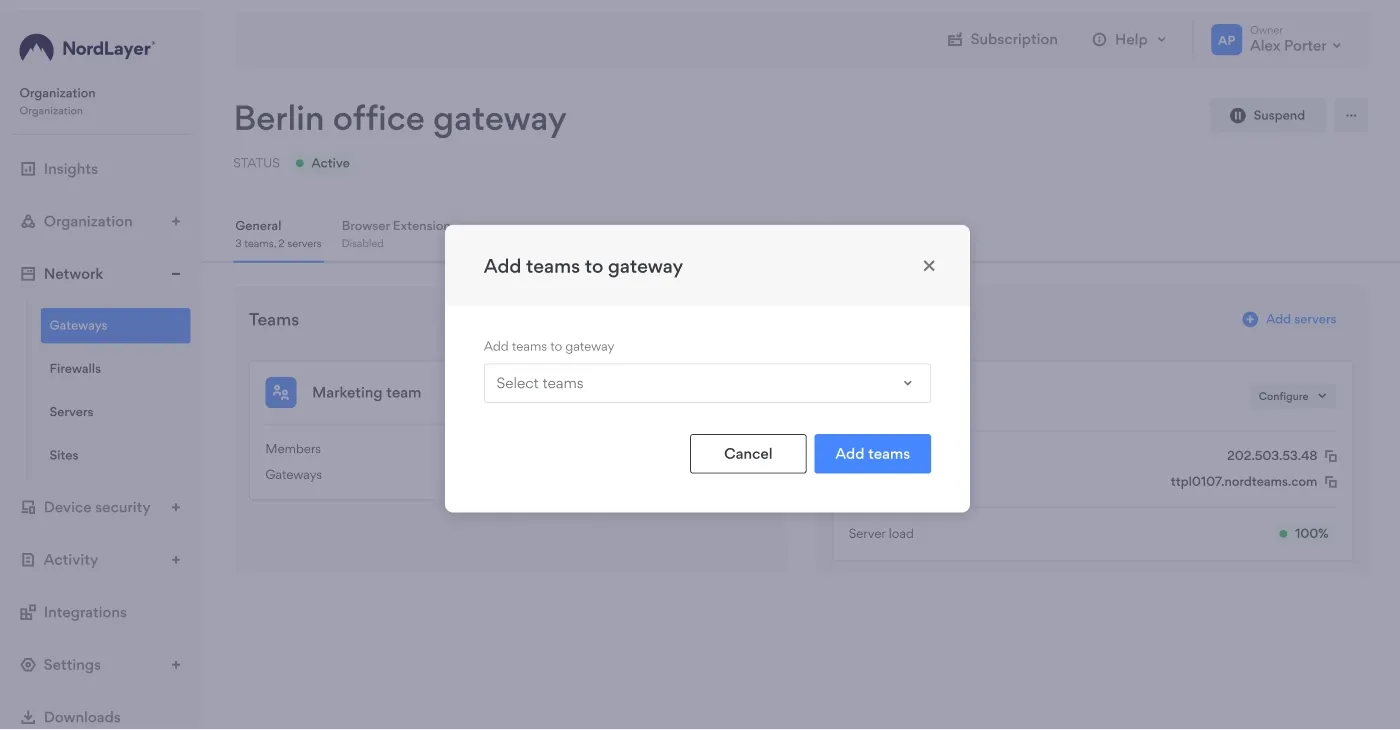
Popup of NordLayer Control Panel Network Gateways

For a small team managing security themselves, this simplicity was a huge benefit. Setup was fast and straightforward. And they met all SOC 2 requirements without disrupting workflows or slowing down product development.

Results

After one year of using NordLayer, Traceloop achieved the following results:

  • Locked-down cloud access: Secure access to staging and production environments.
  • SOC 2 compliance support: Fast, compliant access controls for audit readiness.
  • Scales with the team: 8 out of 9 team members use NordLayer daily, and the setup is quick and effortless.
  • Many IT hours saved: NordLayer is easy to use and streamlines Traceloop’s workflows.

“NordLayer gave us a simple way to secure AWS access with a dedicated IP. The whole team connects through the gateway, and I can control access without touching our workflows.”


Why NordLayer works for Traceloop

NordLayer was the perfect fit for Traceloop because it delivered exactly what the team needed: simplicity, security, and zero disruption to developer workflows.

As a small startup without a dedicated IT team, Traceloop needed a solution that just worked, right out of the box:

  • Secure access with a dedicated IP. Locked down staging and production, eliminating open endpoints.
  • Set-up in minutes. NordLayer was fully deployed in under five minutes.
  • Works with existing tools. Integrated seamlessly with AWS Command Line Interface (CLI), so the team didn’t have to change how they work.

Pro cybersecurity tips

Gal Kleinman, CTO and co-founder of Traceloop, shared a few cybersecurity tips with us:

  • Keep it simple. Choose security tools that are easy to implement and use. Avoid overcomplicated setups that drain time and energy.
  • Protect without disrupting. Security measures should work quietly in the background, not block workflows or frustrate developers.
  • Balance security and speed. The best tools protect your systems and let your team move fast.
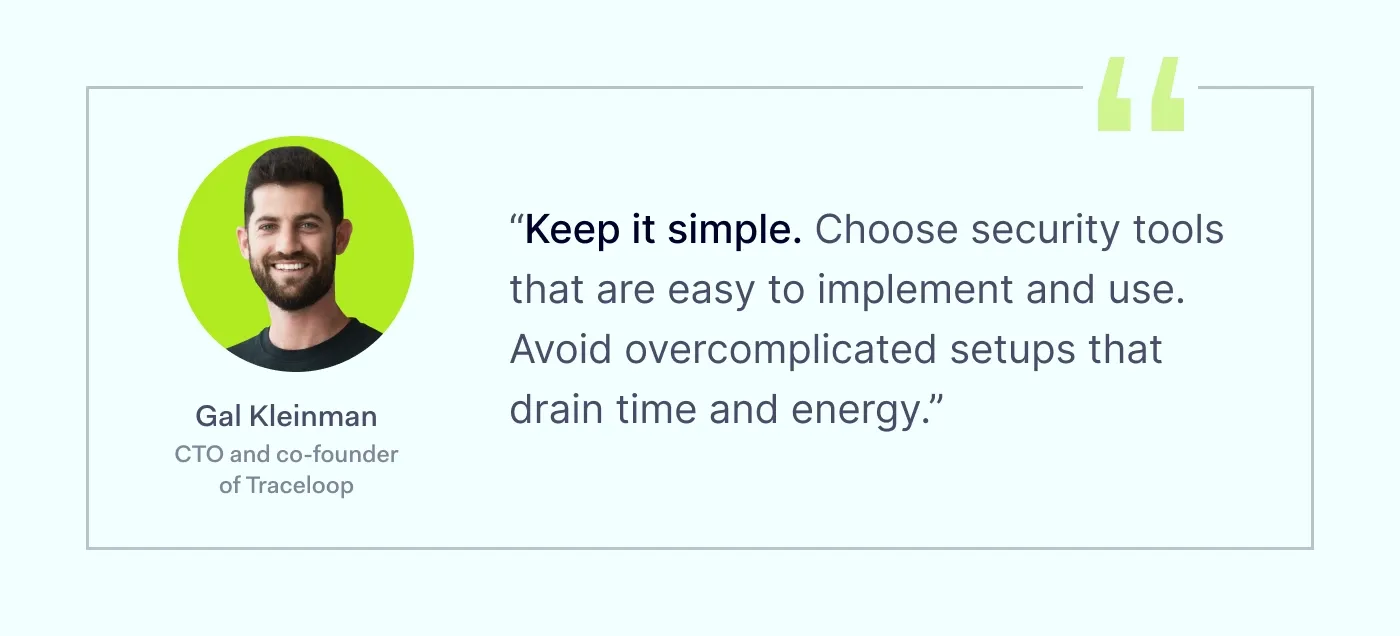
Quote: "Keep it simple. Choose security tools that are easy to implement and use. Avoid overcomplicated setups that drain time and energy."

Conclusion

Traceloop chose NordLayer to secure its AWS access and streamline SOC 2 compliance without disrupting the team’s daily work.

“NordLayer gave me exactly what I needed—a dedicated IP, fast setup, and no disruption to how our team works.”

With NordLayer, Traceloop gained secure cloud access and an easy way to scale security as the team grows.

Need to secure your cloud workflows without slowing your team down? Learn how NordLayer can help you with that.

Talk to our sales team to find the right plan for your team.

 

About NordLayer
NordLayer is an adaptive network access security solution for modern businesses – from the world’s most trusted cybersecurity brand, Nord Security.

The web has become a chaotic space where safety and trust have been compromised by cybercrime and data protection issues. Therefore, our team has a global mission to shape a more trusted and peaceful online future for people everywhere.

About Version 2 Digital

Version 2 Digital is one of the most dynamic IT companies in Asia. The company distributes a wide range of IT products across various areas including cyber security, cloud, data protection, end points, infrastructures, system monitoring, storage, networking, business productivity and communication products.

Through an extensive network of channels, point of sales, resellers, and partnership companies, Version 2 offers quality products and services which are highly acclaimed in the market. Its customers cover a wide spectrum which include Global 1000 enterprises, regional listed companies, different vertical industries, public utilities, Government, a vast number of successful SMEs, and consumers in various Asian cities.

AI 驅動的劫案:人工智能如何武裝下一代網絡犯罪分子

AI 驅動的劫案:人工智能如何武裝下一代網絡犯罪分子 

在香港,一名財務主管在接到一通看似來自公司財務總監的視訊通話指示後,轉帳了 2,500 萬美元。唯一的問題是?那位財務總監是由 AI 生成的深偽影像。這不是科幻小說,而是網絡安全新時代的一個鮮明例子,在這個時代,人工智能既是強大的工具,也是可怕的武器。

隨著 AI 融入社會,它正從兩方面重塑威脅格局:一是為傳統的黑客手法提供強大動力,二是創造出全新的攻擊方式。

AI 加持的舊劇本

敵手現正利用 AI 以驚人的效率,精進並自動化舊有的攻擊手法。

  • 超個人化的社交工程:忘掉那些有錯別字和通用問候語的郵件吧。由 AI 驅動的釣魚郵件現在能完美模仿人類溝通,利用目標的社交媒體資料,製造出極具個人化和說服力的訊息,輕鬆繞過傳統的過濾器。深偽技術將此威脅提升至更高層次,讓攻擊者能複製高階主管的聲音和面容用於視訊通話,使得詐騙性的資金或資料請求具有驚人的說服力。
  • 自動化、大規模的攻擊:AI 演算法可以全年無休地運作,掃描數千個系統的漏洞,並以超越暴力破解法的智能破解密碼。透過分析行為模式,AI 能預測並測試極有可能的密碼組合,以前所未有的規模削弱傳統的安全策略。

攻擊大腦:針對 AI 的新型威脅前線

除了強化舊有手法,針對 AI 模型本身的新型威脅也正浮現。

  • 模型完整性攻擊:敵手正學習如何欺騙 AI 系統。一次「對抗性攻擊」(Adversarial Attack)可能只是在交通標誌上策略性地貼上一張貼紙,就讓自動駕駛汽車將停車標誌誤讀為速限標誌。「模型汙染」(Model Poisoning)則涉及竄改 AI 的訓練數據以植入隱藏的後門,例如,教導一個安全系統將某種特定病毒辨識為「安全」。
  • 前所未有的私隱風險:AI 處理海量數據集的能力對個人私隱構成嚴重威脅。「模型反轉攻擊」(Model Inversion Attacks)能從 AI 的公開輸出中,重構出敏感的個人資料(如醫療記錄)。此外,透過關聯匿名化的數據點 —— 如位置歷史和信用卡使用紀錄 —— AI 能推斷出敏感的個人特徵,從而有效地對個人進行「去匿名化」。
  • 「黑盒子」的兩難困境:我們對 AI 日益增長的依賴充滿風險,因為我們常常不理解它為何做出某些決策。這種「黑盒子」特性使事件應對變得複雜,歷史上如微軟的聊天機器人變得充滿仇恨言論,或亞馬遜的招聘 AI 產生性別偏見等例子都證明了這一點。

全面性安全策略的新呼籲

AI 驅動威脅的崛起,意味著純粹的技術防禦已不再足夠。為保持韌性,機構必須採取一種全面性的策略,將 AI 不僅視為需要防禦的工具,更將其本身視為一個潛在的攻擊途徑 —— 這需要一個結合法律、道德和安全治理的新框架。

關於 Penta Security

Penta Security 採取全方位的策略來涵蓋資訊安全的每個面向。本公司持續努力,透過廣泛的 IT 安全產品,在幕後確保客戶的安全。因此,Penta Security 總部位於韓國,並已在全球擴展,成為亞太地區的市佔領導者。

作為韓國最早進入資訊安全領域的公司之一,Penta Security 已經開發出廣泛的基礎技術。我們將科學、工程與管理相結合,擴展自身的技術能力,並以此技術視角做出關鍵決策。

關於Version 2

Version 2 Digital 是立足亞洲的增值代理商及IT開發者。公司在網絡安全、雲端、數據保護、終端設備、基礎設施、系統監控、存儲、網絡管理、商業生產力和通信產品等各個領域代理發展各種 IT 產品。透過公司龐大的網絡、通路、銷售點、分銷商及合作夥伴,Version 2 提供廣被市場讚賞的產品及服務。Version 2 的銷售網絡包括台灣、香港、澳門、中國大陸、新加坡、馬來西亞等各亞太地區,客戶來自各行各業,包括全球 1000 大跨國企業、上市公司、公用事業、醫療、金融、教育機構、政府部門、無數成功的中小企及來自亞洲各城市的消費市場客戶。

Supremo 入選 2025 年 Capterra 託管服務供應商軟件精選名單

ESET has strengthened its position in the 2025 Gartner® Magic Quadrant™ for Endpoint Protection Platforms

BRATISLAVAJuly 21, 2025ESET, a global leader in cybersecurity, proudly announces that it is one of only two vendors, out of fifteen evaluated, to improve its relative position in the 2025 Gartner® Magic Quadrant™ for Endpoint Protection Platforms1 (EPP). This year, ESET has advanced its position, reflecting a stronger Ability to Execute and enhanced Completeness of Vision.

To ESET, this progress highlights its ongoing commitment to innovation, customer-centric development, and strategic focus on delivering high-performance endpoint protection platform solutions for organizations worldwide. As stated in the latest Gartner Magic Quadrant for EPP, where ESET is recognized as a Challenger, “ESET PROTECT is well-suited for small and midsize organizations seeking mature endpoint prevention and protection capabilities.”

“We are proud to see our progress recognized by Gartner,” said Pavol Balaj, Chief Business Officer at ESET. “Our improved position in the Magic Quadrant for Endpoint Protection Platforms reflects our unwavering commitment to delivering powerful, reliable, and accessible cybersecurity solutions. This progress is a testament to our dedication to customer value and cybersecurity excellence. We remain focused on helping organizations of all sizes stay resilient in an increasingly complex threat landscape.”

The Gartner Magic Quadrant for EPP includes the following key strengths of ESET:

  • Customer Experience: ESET is praised for its responsive and helpful technical and account support.
  • Operations: ESET focuses heavily on EPP R&D, with most revenue coming from EPP products.
  • Geographic Strategy: ESET supports multiple European and Asian languages, appealing to a global audience.

Additionally, the Magic Quadrant describes ESET as a “vendor that supports cloud-delivered, hybrid, and on-premises (including air-gapped) management of EPP. In addition to EPP, ESET also offers workspace security controls such as email security.”

As further stated in the report, ESET’s recent innovations include a proprietary ransomware rollback feature, AI PC integration with Intel to reduce endpoint CPU load, and expanded vulnerability assessment and patch management across Windows, macOS, and Linux. These advancements are part of ESET’s broader roadmap to enhance multitenancy, third-party integrations, and expand into adjacent security domains such as identity and workload protection.

Further validating ESET’s technical excellence, the 2025 Gartner® Critical Capabilities for Endpoint Protection Platforms2 report states: “ESET PROTECT delivers reliable core endpoint protection, with high protection efficacy and solid cloud-based management. Its mature hybrid management capabilities enable effective operation in environments with limited or intermittent connectivity, supporting compliance and protection for organizations with strict regulatory or data residency needs.”

ESET PROTECT is a comprehensive cybersecurity platform designed to meet the evolving needs of modern organizations. Built on decades of expertise and continuous innovation, it delivers a Prevention-First approach to security, integrating advanced technologies and security services into a single, scalable solution.

Discover more about the ESET PROTECT Platform.

See what industry analysts, independent tests, and IT pros are saying about ESET and its solutions.

Gartner does not endorse any vendor, product, or service depicted in its research publications, and does not advise technology users to select only those vendors with the highest ratings or other designation. Gartner research publications consist of the opinions of Gartner’s research organization and should not be construed as statements of fact. Gartner disclaims all warranties, expressed or implied, with respect to this research, including any warranties of merchantability or fitness for a particular purpose.


About ESET
For 30 years, ESET® has been developing industry-leading IT security software and services for businesses and consumers worldwide. With solutions ranging from endpoint security to encryption and two-factor authentication, ESET’s high-performing, easy-to-use products give individuals and businesses the peace of mind to enjoy the full potential of their technology. ESET unobtrusively protects and monitors 24/7, updating defenses in real time to keep users safe and businesses running without interruption. Evolving threats require an evolving IT security company. Backed by R&D facilities worldwide, ESET became the first IT security company to earn 100 Virus Bulletin VB100 awards, identifying every single “in-the-wild” malware without interruption since 2003.

About Version 2 Digital

Version 2 Digital is one of the most dynamic IT companies in Asia. The company distributes a wide range of IT products across various areas including cyber security, cloud, data protection, end points, infrastructures, system monitoring, storage, networking, business productivity and communication products.

Through an extensive network of channels, point of sales, resellers, and partnership companies, Version 2 offers quality products and services which are highly acclaimed in the market. Its customers cover a wide spectrum which include Global 1000 enterprises, regional listed companies, different vertical industries, public utilities, Government, a vast number of successful SMEs, and consumers in various Asian cities.

Get started with Parallels Desktop: Beginner’s guide and tips and tricks for all

Learning new software can feel like you’re facing a mountain—a steep incline you’ve got to climb but aren’t necessarily looking forward to.

Especially when it’s for an operating system you aren’t as familiar with.

Running Windows on Mac doesn’t have to be a monumental effort.

Whether you’re just starting to look into options or have been using one for a while, let’s explore tips and tricks to help you start strong with Parallels Desktop—how to use it, how to get the most from it, and what it helps you do.

Want to test Parallels Desktop for yourself? Start a 14-day free trial to run Windows on your Mac today.

Getting started: 3 keys for working with Parallels Desktop

Getting Parallels Desktop set up so you can run multiple operating systems on your Mac is straightforward—and there are a couple of tricks you can use to make your experience easier.

1. Pin Windows apps to your Dock

When you open Windows apps using Parallels Desktop on your Mac, their icons will appear in your Dock—and you can pin them there as you would pin a Mac app for easy access.

Learn how to pin Windows apps to your Dock in this guide.

2. Drag and drop files between OSs

With Parallels Desktop, you can drag and drop files from Windows to Mac and vice versa. It works nearly the same as if you were going to move files between regular folders—select, drag, drop, and use the pop-up to “Save as…” to the new location.

You can learn more about drag-and-drop functionality in this guide.

3. Blend OSs with Coherence mode

Coherence mode is a neat feature in Parallels Desktop that lets you combine your Windows virtual machine (VM) with your Mac.

Normally, a Windows VM would live within a Mac window, so you could move it around and minimize it like any other application. With Coherence mode, the two OSs work side by side for one combined experience.

You can enter Coherence mode by:

  1. Clicking on View > Enter Coherence
  2. Click the blue Coherence icon at the top of your VM’s window

Take a closer look at Coherence mode and how it works in this guide.

How to use Microsoft Office apps on your Mac

One of the particularly useful aspects of running Windows on your Mac is that you can access the full versions of apps like Microsoft Excel and Word.

When you install Windows, it may include a trial version of Microsoft Office. If not, you’ll need to download Office from Microsoft.

Once opened, Office will ask you to input a registration key (which you’ll need to buy from Microsoft).

Entering your registration key gives you full access to the apps in your plan.

You can learn more about installing other Windows applications on your VM in this guide.

All your favorite Windows games—on your Mac

Windows is still the most popular OS for gaming—and with built-in clients like Microsoft’s PC Game Pass starting to publish nostalgic games like Diablo, early Call of Duty titles, and more, you might be looking to relive the classics.

Parallels Desktop gives you a Windows machine on your Mac, so you don’t have to limit yourself. Childhood classic games, here you come.

Just start your Windows VM, install any clients like Steam or GOG Galaxy that you might need and your games, and you’re ready to play.

If you need to modify your Mac’s settings, Parallels Desktop lets you customize CPU and RAM resources used by your Windows VM(s)—something that definitely comes in handy for peak gaming performance.

You can adjust these settings by opening your VM’s configuration menu, then going to Hardware > CPU & Memory. You can choose to leave it on default settings, or you can specify resources using the manual option.

Run graphics-intensive Windows apps on Mac with Parallels Desktop

From classwork and development to gaming breaks, Parallels Desktop can help with myriad aspects of your digital life—including running intensive software for school or development.

Heads up: By default, Parallels Desktop will have hardware acceleration enabled. If you need to, you can adjust this in your graphics settings.

Here are some of the ways Parallels Desktop helps:

Accessing Windows apps for school on your Mac

Some of your classes might require you to use Windows-only or graphics-intensive software—especially if you’re taking engineering, architecture, or design courses.

Parallels Desktop lets you access your essential class software from your Mac quickly and easily.

Testing apps, software, or websites on multiple OSs

Developing means testing—and that means numerous OSs on hand.

Rather than keeping multiple devices or switching your OS in the BIOS, Parallels Desktop allows you to keep different OSs open at all times. This makes it easy to iterate, test on another OS, and refine without rebooting.

Run multiple operating systems on your Mac

Fun fact: Parallels Desktop doesn’t just let you run Windows. You can choose to install other OSs, as well—including Linux or another macOS instance alongside Windows.

All you need to do is open Parallels Desktop and set up your virtual machine. From there,

navigate to File > New to create a new virtual machine. This will prompt you to install an operating system using the delivery method of your choice.

You can choose to start your VM with a Linux distribution or macOS version instead of Windows. Make sure you have any necessary license details on hand!

Learn more about working with other operating systems in Parallels Desktop in this guide.

Does Parallels Desktop require Microsoft Edge?

Some Windows applications will work best in Microsoft Edge—and some will only work if they have access to the default Windows browser. Make sure you have and keep it installed in your VM.

This will help you access advanced features for tools like Microsoft Defender, Azure, and Windows 365—which will be especially helpful in school and work scenarios.

It will also allow you to run WebView2-based apps and enterprise apps that require Edge to function. Without Edge, these solutions will not open and may cause crash reports.

Edge also gives you access to Microsoft Copilot, so you can use Windows’ AI assistant on your Mac.

Go forth and conquer (or just run multiple OSs on Mac) with Parallels Desktop

No matter your mountain, Parallels Desktop can help you climb it. Get the most out of your experience with these tips—and the most out of your investment with savings on your plan.

Ready to dive into the world of Windows on Mac? Buy Parallels Desktop today.


About Parallels 
Parallels® is a global leader in cross-platform solutions, enabling businesses and individuals to access and use the applications and files they need on any device or operating system. Parallels helps customers leverage the best technology available, whether it’s Windows, Linux, macOS, iOS, Android or the cloud.

About Version 2 Digital

Version 2 Digital is one of the most dynamic IT companies in Asia. The company distributes a wide range of IT products across various areas including cyber security, cloud, data protection, end points, infrastructures, system monitoring, storage, networking, business productivity and communication products.

Through an extensive network of channels, point of sales, resellers, and partnership companies, Version 2 offers quality products and services which are highly acclaimed in the market. Its customers cover a wide spectrum which include Global 1000 enterprises, regional listed companies, different vertical industries, public utilities, Government, a vast number of successful SMEs, and consumers in various Asian cities.

×

Hello!

Click one of our contacts below to chat on WhatsApp

×