Skip to content

How NordLayer addresses partners’ needs: insights from our survey results

Summary: Why do our partners rate us highly? Easy setup, top-notch support, fast growth, and steady revenue—plus more.

Strict compliance requirements, the need for robust network security, and keeping up with fast-paced technological changes. These are the challenges that MSPs and partners face today. Meeting these needs is challenging, especially with clients expecting seamless and secure solutions. 

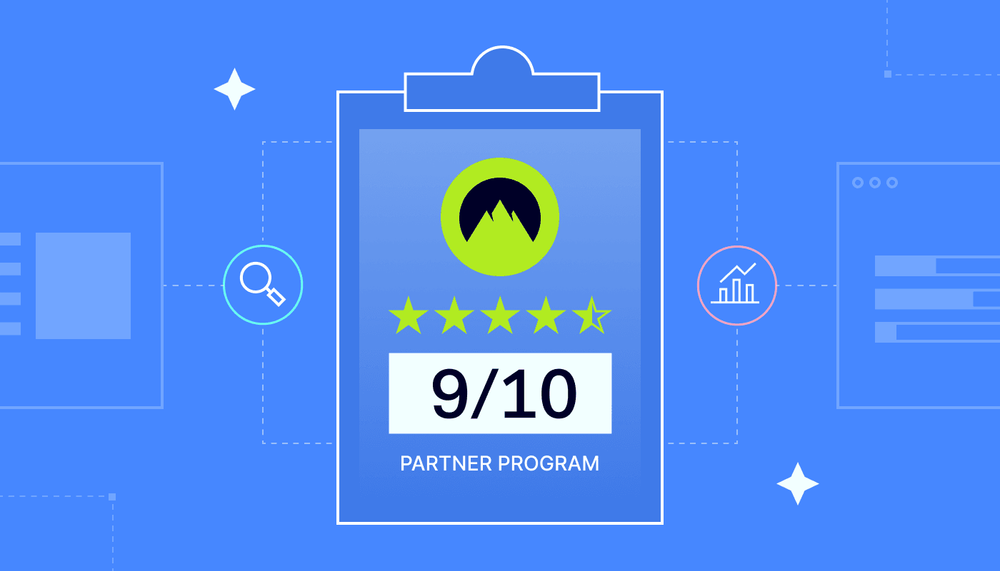
To better understand these challenges, we surveyed our partners about their experience working with us. We’re grateful and proud to share that we received a 9/10 rating. Our partners value us primarily for easy setup, top-notch support, faster growth, and more revenue. Here’s a summary of what matters most to our partners and how NordLayer’s solutions meet their needs.


Understanding the needs of MSPs

Let’s now explore the key needs of MSPs and how NordLayer’s solutions address these critical concerns.

Compliance requirements: meeting HIPAA, NIS2, SOC2, and more

Compliance is a critical concern for MSPs. For many industries, meeting standards like HIPAA, SOC 2, CIS, and NIS2 is non-negotiable.

Organizations often struggle to keep up with complex compliance rules, especially when working across different regions. Laws keep changing, and what’s acceptable in one country might not meet standards in another. Managing these differences can quickly get overwhelming.

Another major issue is that some rules clash or overlap, making it tricky to follow multiple frameworks at once. Many companies also don’t have enough budget or staff to handle these demands. Maintaining compliance at all times—not just during audits—takes serious effort.

NordLayer helps solve these challenges. With our solutions, which follow a Zero Trust approach, such as access control, activity monitoring, and network segmentation, businesses can meet compliance across multiple frameworks, such as HIPAA, PCI-DSS, ISO 27001, SOC2, or NIS2. They can also keep their systems secure and compliant every day—not just during audits.


Ensuring network security

Network security involves various approaches to protect critical resources and sensitive data. Here is how NordLayer can help MSPs secure their clients’ networks:

  • Firewalls: Firewalls allow the creation of lists of rules for segmented network access control.
  • Network access control (NAC): NAC solutions focus on controlling network access to prevent unauthorized entry.
  • Zero Trust Network Access (ZTNA): ZTNA ensures that authentication restrictions are multi-layered. Identities are double or even triple-checked.
  • Web gateways: Secure Web Gateways (SWG) provide a safe browsing experience and secure internet access. They achieve this through methods such as traffic encryption and content filtering.
  • Virtual Private Networks (VPNs): Our VPN encrypts all network traffic to secure data transfers in the network.

What keeps MSPs awake at night

MSPs have clear expectations from their vendors. To thrive in their business, they seek user-friendly solutions, reliable performance, and robust support. NordLayer stands out by not only meeting these demands but also empowering partners with the tools they need to succeed.

Data breaches and data loss

For many MSPs, especially smaller ones, data breaches and data loss are their biggest fears. With cyberattacks becoming more frequent, protecting client data is crucial.

NordLayer’s security solutions are designed to tackle these risks head-on. For example, Zero Trust Network Access (ZTNA) safeguards sensitive data and prevents unauthorized access. This allows MSPs to secure their clients’ information and reduce the risk of costly data breaches.

Customer retention for small MSPs

Smaller MSPs often face the challenge of retaining clients while competing with larger, more established providers. NordLayer helps ease this pressure by offering easy-to-use, flexible solutions that don’t compromise security. MSPs can provide their clients with a smooth, reliable experience even after transitioning to managed services.


Balancing price and quality

Smaller MSPs tend to prioritize price, while larger MSPs or partners are more focused on the quality of service. NordLayer caters to both by offering scalable solutions that deliver top-notch security and performance at a price that works for all sizes of businesses. MSPs can choose the best fit for their clients without compromising quality for cost.

What partners expect from vendors—and how NordLayer meets these expectations

Ease of use

MSPs have a lot to manage, so they need platforms that are simple and user-friendly. NordLayer is designed with this in mind, offering intuitive solutions that make deployment, management, and troubleshooting easy. Our partners consistently report high satisfaction with the platform’s simplicity, from initial setup to daily use.


Reliability of the vendor

Partners require reliable solutions that guarantee uptime and speed. With NordLayer’s high-speed NordLynx protocol, MSPs and partners can provide their clients with a fast and secure VPN experience, ensuring high availability and performance at all times. Trust and reliability are key, and NordLayer consistently delivers on both fronts.

Partner enablement programs

NordLayer doesn’t just provide software. It supports MSPs and partners in growing their business. Our partner enablement programs include sales and technical assistance, as well as educational resources that give our partners the tools they need to succeed in both tech and business.


Conclusion

NordLayer addresses the key needs of MSPs and partners by offering simple, scalable solutions that prioritize security, compliance, and reliability. Whether protecting against data breaches, retaining clients, or balancing price and quality, NordLayer is a trusted partner that helps MSPs succeed in a competitive market.

Ready to enhance your service offerings? Partner with NordLayer for tailored solutions that solve your challenges today and grow your business.


Senior Copywriter


Share this post


About Version 2 Digital

Version 2 Digital is one of the most dynamic IT companies in Asia. The company distributes a wide range of IT products across various areas including cyber security, cloud, data protection, end points, infrastructures, system monitoring, storage, networking, business productivity and communication products.

Through an extensive network of channels, point of sales, resellers, and partnership companies, Version 2 offers quality products and services which are highly acclaimed in the market. Its customers cover a wide spectrum which include Global 1000 enterprises, regional listed companies, different vertical industries, public utilities, Government, a vast number of successful SMEs, and consumers in various Asian cities.

About NordLayer
NordLayer is an adaptive network access security solution for modern businesses – from the world’s most trusted cybersecurity brand, Nord Security.

The web has become a chaotic space where safety and trust have been compromised by cybercrime and data protection issues. Therefore, our team has a global mission to shape a more trusted and peaceful online future for people everywhere.

About NordLayer
NordLayer is an adaptive network access security solution for modern businesses – from the world’s most trusted cybersecurity brand, Nord Security.

The web has become a chaotic space where safety and trust have been compromised by cybercrime and data protection issues. Therefore, our team has a global mission to shape a more trusted and peaceful online future for people everywhere.

How firewalls support HIPAA compliance: best practices for healthcare providers

Summary: Firewalls support HIPAA compliance by securing patient data. Discover how NordLayer helps healthcare organizations stay compliant. 

Healthcare providers and insurers handle more valuable personal data than any other organizations. Losing this data puts millions of patients at risk, which is why healthcare is also one of the most highly regulated sectors.

Regulations like the Health Insurance Portability and Accountability Act (HIPAA) protect our privacy from an army of cyber attackers. HIPAA recommends administrative and technical solutions to lock down patient data.

There are many HIPAA requirements, ranging from preventing PHI disclosure to making health information available. Firewall barriers help meet requirements for access control policies and role-based access.

That’s because firewall tools allow for the implementation of granular network access controls, which helps protect sensitive medical records and data from unauthorized access. Firewalls enable healthcare companies to benefit from digital environments and remote access while securing data and avoiding HIPAA penalties.

This article will explore what role firewalls play in achieving HIPAA compliance and suggest some best practices for firewall configuration. We will look at firewall risk assessments and help you lock down medical data.

What is HIPAA compliance?

HIPAA compliance involves following security and privacy rules under the Health Insurance Portability and Accountability Act (HIPAA). This act is a body of regulations covering the healthcare sector in the United States, and non-compliance can result in significant penalties.

HIPAA is a complex set of acts and regulations, but core aspects include:

  • Privacy. Organizations must safeguard the confidentiality of Protected Health Information (PHI) relating to patient identities and healthcare histories.
  • Security. Organizations must protect against data breaches and implement appropriate data protection and cybersecurity measures.
  • Assessment. Companies must allow access to patient records.
  • Portability. Patients must be able to change providers if desired.

Compliance requirements extend to covered entities and business associates. Covered entities include direct healthcare organizations and insurers. Business associates are third parties with access to medical records. Examples include cloud storage providers or IT support companies.

Key takeaway: HIPAA compliance is essential if your company handles or stores PHI.


The importance of firewalls in HIPAA compliance

Data protection is one of the core HIPAA requirements. Although HIPAA does not set out precise technical requirements, organizations can use any technical means to protect patient data.

However, Firewalls usually play a critical role by blocking unauthorized access and filtering data passing to and from network assets.

A robust firewall enables healthcare organizations to regulate who accesses digital PHI (ePHI). Cloud-based firewalls also secure hybrid environments that host patient information or web assets.

Firewalls are not the only tools required to comply with the HIPAA Security Rule, but they are compliance essentials.

Features of a HIPAA-compliant cloud firewall

Every business should use firewalls in their security infrastructure, but not all firewalls suit healthcare organizations. Firewalls that contribute to HIPAA compliance must meet regulatory standards in various ways. Knowing where you stand is vital.

Features of a suitable firewall include:

  • Data encryption for patient information (at rest and in transit)
  • Access controls and identity management to block unauthorized access to medical records
  • In-depth traffic analysis via Deep Packet Inspection (DPI) and Stateful Packet Inspection (SPI)
  • Real-time activity monitoring (inbound and outbound traffic)
  • Blocking viruses and malicious software
  • Network segmentation for confidential data
  • Flexibility and the ability to scale safely

Best practices for using firewalls to achieve HIPAA compliance

Given the requirements above, what is the best way to set up a firewall that helps you meet HIPAA regulations?

Implementations vary depending on the type and amount of PHI you handle. The best practices below apply to most HIPAA compliance situations and provide a solid foundation.

  • Secure inbound connections. Securing remote access or third-party network connections is a common pain point. Set inbound firewall rules to allow access to legitimate users. Add VPN protection for remote connections to shield traffic from external view.
  • Manage outbound connections. Configure outbound firewall rules to prevent unauthorized extraction of PHI.
  • Manage third parties securely. Many covered entities use business associates to process, store, or analyze data. Carry out risk assessments for all third-party access. Consider time-limiting third-party providers to minimize their contact with PHI.
  • Strategically position your firewall. Firewall rules should manage traffic to and from locations where you store or handle PHI. Assess PHI processing operations and position your firewall to filter inbound and outbound traffic.
  • Control access to firewall settings. Only approved administrators should have access to firewall controls. Be careful when assigning admin privileges. Apply brief escalation windows to scale back permissions if needed.
  • Protect PHI inside a secure zone. Secure zones are network segments containing HIPAA-covered health data. Configure firewall rules to filter traffic to and from these zones.
  • Implement threat responses. Plan how you respond to suspected data breaches or security gaps. Document firewall breaches and actions taken in response. Constantly update firewall rules to meet evolving cyber threats.
  • Create HIPAA firewall policies. Policies document firewall rules and how your firewall meets HIPAA obligations. Revisit policies annually to assess their effectiveness and make changes if needed.
  • Backup firewall rules and configurations. Create a secure storage zone for firewall configurations. Regular and secure backups allow you to restore security infrastructure following cyber attacks.
  • Maintain and review audit logs. Configure firewall logs to record access patterns. Retain logs for at least one year, according to HIPAA guidelines. Store logs in an accessible format and consult logs daily to detect incoming cyber attacks.
  • Schedule third-party HIPAA audits. Covered entities and business associates should arrange external audits to ensure HIPAA compliance. Audits should include robust firewall assessments. Implement recommendations promptly to resolve vulnerabilities.
  • Scan systems to detect weaknesses. Scan networks regularly using qualified internal resources or third-party services. Include firewall integrity in vulnerability scans, focusing on access to sensitive data.
  • Update firewall appliances and software regularly. Implement vendor-supplied updates as soon as they are available. Upgrade or replace software tools if vendors no longer support them. Audit tools annually to detect unsupported firewalls. Vendors may not inform users when products change.
  • Train staff to use firewalls. HIPAA compliance requires employee training. Programs should focus on handling patient data and preventing cyber threats. Firewall usage is a core component. Ensure staff understand cloud security protocols and tools and test knowledge and behavior annually.
  • Consider a managed firewall to cut costs. Smaller covered entities under HIPAA may struggle to protect patient information themselves. While firewalls—whether hardware or software—are typically provided by third-party vendors, choosing a managed firewall service adds an extra layer of support. For example, instead of setting up NordLayer’s firewall directly and handling all configurations yourself, you could choose an MSP (Managed Service Provider). MSPs handle all firewall configurations and maintenance, which is ideal for organizations without the internal expertise or confidence to manage these technical safeguards.

Carrying out a firewall risk assessment

Risk assessments consider critical HIPAA compliance risks. They complement the best practices above by systematically assessing firewall setups according to HIPAA risks.

Never roll out firewall appliances without a thorough risk assessment. Risk assessments determine whether your firewall protects patient data while meeting operational needs and limiting costs.

HIPAA risk assessments for firewalls should include several critical elements:

  • Scope and asset identification. Determine where patient data resides and how it moves around your network. Establish the scope for firewall protection, including any necessary network segments.
  • Threat assessment. What kind of cyber threats should the firewall counter? Think about DDoS, data breaches, insider threats, and physical risks to firewall infrastructure.
  • Assess vulnerabilities. Check configuration issues like vendor-supplied passwords, default settings, or compatibility problems. Ensure firmware is current. Look at policies and identify gaps that could impact firewall effectiveness.
  • Prioritize risks. Identify risks based on vulnerabilities. Rank HIPAA risks based on impact and probability and create risk management plans for each vulnerability. Using a risk matrix makes it easy to visualize risks and keep track of progress.
  • Risk mitigation. Test firewalls to ensure they protect HIPAA-covered data. Run simulations to test filtering, access control, and packet inspection features. Check training knowledge and admin controls. Verify firewalls are physically secure. If relevant, test remote access from employee workstations.
  • Continuous monitoring. If you have not already done so, implement continuous firewall monitoring.
  • Documentation. Create a risk assessment report documenting your findings. This document should explain how your firewall helps you meet HIPAA compliance requirements. It should list any additional mitigation actions and include sign-off from senior company officials.

What happens if your cloud firewall does not guard PHI?

Following best practices and carrying out a robust risk assessment may seem time-consuming. However, spending time on HIPAA risk mitigation is always worthwhile. Insecure firewalls eventually cause serious problems for healthcare companies and their customers.

Firewalls’ most important role is preventing PHI data leaks, the number one cyber attack risk for healthcare organizations.

In 2023, the average data breach cost in the USA was $4.45 million, while the average in healthcare was $10.9 million—a massive difference. Firewalls cut data breach risks by blocking direct access to patient records.

According to HHS, this risk is even greater if companies rely on remote access. Telehealth services and medical practitioners use the public internet to send ePHI and access cloud storage. Firewalls and VPNs secure these connections while allowing innovation and flexibility.

Firewalls can also manage risks from insider attacks by locking ePHI inside secure zones. Only users with a legitimate reason have access to these zones, deterring other users with malicious intentions.

Just as importantly, firewalls achieve HIPAA compliance goals. This avoids some very damaging consequences.

Companies with solid access controls and data filtering systems are less likely to receive HIPAA penalties. Compliant organizations spend less on mitigation activities and avoid reputational damage when regulators detect problems.

How NordLayer can help you achieve HIPAA compliance

Access control policies are essential for HIPAA compliance, and firewalls are key tools for creating secure data environments that meet HIPAA requirements. Firewalls protect sensitive medical records and ensure that only authorized personnel can access critical resources. However, meeting compliance can challenge smaller and medium-sized enterprises.

NordLayer is the ideal HIPAA security partner for companies experiencing these challenges. Our cloud firewall protects today’s hybrid network infrastructures with fine-grained access controls and traffic inspection. Administrators can also set role-based access controls, ensuring only authorized users access sensitive data.

That’s not all. NordLayer also offers VPN coverage, Deep Packet Inspection (DPI), Device Posture Security (DPS), and multi-factor authentication (MFA). Quantum-safe encryption of data in transit also meets HIPAA’s cryptography management requirements.

Together, NordLayer’s features address most of HIPAA’s technical and access control requirements. Applying security measures also makes life easier for users by integrating with business systems.

Our cloud firewall scales smoothly, allowing organizations to grow. IT admins can easily change rules to create groups or manage permissions. There’s no hardware to maintain or update. Everything updates automatically, avoiding security gaps.

Ready to update your firewall and enhance your HIPAA compliance status? Contact the NordLayer team today.

About Version 2 Digital

Version 2 Digital is one of the most dynamic IT companies in Asia. The company distributes a wide range of IT products across various areas including cyber security, cloud, data protection, end points, infrastructures, system monitoring, storage, networking, business productivity and communication products.

Through an extensive network of channels, point of sales, resellers, and partnership companies, Version 2 offers quality products and services which are highly acclaimed in the market. Its customers cover a wide spectrum which include Global 1000 enterprises, regional listed companies, different vertical industries, public utilities, Government, a vast number of successful SMEs, and consumers in various Asian cities.

About NordLayer
NordLayer is an adaptive network access security solution for modern businesses – from the world’s most trusted cybersecurity brand, Nord Security.

The web has become a chaotic space where safety and trust have been compromised by cybercrime and data protection issues. Therefore, our team has a global mission to shape a more trusted and peaceful online future for people everywhere.

About NordLayer
NordLayer is an adaptive network access security solution for modern businesses – from the world’s most trusted cybersecurity brand, Nord Security.

The web has become a chaotic space where safety and trust have been compromised by cybercrime and data protection issues. Therefore, our team has a global mission to shape a more trusted and peaceful online future for people everywhere.

How to disable the Firefox password manager

Like other major browsers, Firefox offers a convenient built-in way to store your passwords. It’s beloved by users for being a non-Chromium alternative to the market leader Chrome. However, if you find that Firefox is not the browser for you or want to look into different credential storage methods, you might want to know how to disable the Firefox password manager first.

Today, we’ll cover the process, from exporting your passwords for safekeeping to switching off the password manager on desktop and mobile devices. Then, we’ll see what secure alternatives you can use to store and access your credentials.

Some steps before you turn off the Firefox password manager

Firefox allows users to save login details whenever they log in to a new site. Even if you don’t use the browser’s built-in password manager regularly, this means you may have some of your credentials saved, whether by choice or by accident.

Before disabling the Firefox password manager, you should first see if you have any credentials saved and, if so, which ones. This will let you know if your stored credentials are up-to-date and whether they need to be deleted altogether. If you use a Firefox account, all changes will apply to the devices you’re logged in on via synchronization.

Keep in mind that disabling the built-in password manager won’t automatically clear your storage—if you ever turn it back on, your old data will be easily accessible. That’s not ideal if you don’t plan to use Firefox for your password storage in the future. To be sure that this information is gone for good, you have to delete all stored credentials manually. For more in-depth information on viewing, editing, and deleting your passwords on Firefox, check out our dedicated guide.

That said, if you find valuable information stored in your Firefox password manager, you might want to preserve it before deleting it from the browser. We recommend exporting your saved credentials from Firefox and storing them in a secure location until you can import them to a different password manager.

To export passwords from Firefox, follow these steps:

  1. Click the three lines in the top right corner of the browser and select “Passwords.”

  2. Tap the three dots on the upper right side of the “Passwords” page to open the menu. Then, click “Export passwords.”

  3. You will be warned that your exported credentials will be saved as a non-encrypted, readable file. Select “Continue with Export.”

  4. Choose your preferred location to store the file and click “Export.”

Keep your exported file safe. If you plan to import the credentials to a different password manager, delete the file immediately afterward.

Turning off the Firefox password manager on your device

You can easily control the Firefox password manager settings on both desktop and mobile devices.

On desktop

To disable the Firefox password manager on a Windows or macOS device:

  1. Click the three lines in the top right corner of the browser and select “Passwords.”

  2. Tap the three dots on the upper right side of the “Passwords” page to open the menu. Here, select “Preferences.”

  3. Toggle off the “Ask to Save Passwords” checkbox.

On mobile

To turn off the Firefox password manager on an Android or iOS device:

  1. Tap the three dots (on Android) or three lines (on iOS) and go to “Settings.”

  2. Select “Passwords.”

  3. Under “Save Passwords,” toggle on “Never Save.”

Changing your password manager from Firefox to a third-party provider

With the Firefox password manager switched off and your exported credentials resting on your device, it’s time to consider where your next password storage will be. It’s not a good idea to keep this data out in the open. If anyone got their hands on your device or if you accidentally shared the file with others, your accounts could be compromised.

So, you should find a solution that offers more protection against password leakage—and yes, setting up a spreadsheet file is also out of the question. Another not-to-do item on this list is changing all your passwords to the same one. It might seem like the simplest solution, especially considering that the average person handles nearly 170 passwords. However, if one account gets compromised, the rest might go down with it. Instead, we need to consider a reliable alternative that lets you add variety to your passwords while keeping them secure.

If you’re simply switching browsers, you may be tempted to use its built-in password manager, if it offers one. However, browser-based password managers pale in comparison to third-party providers like NordPass. While Firefox uses AES-256 encryption to protect sensitive data, NordPass has opted for the more advanced XChaCha20—a faster and more secure alternative. NordPass is also convenient to use as a browser extension—you can even get it for Firefox.

When you switch to NordPass, you’ll get the fundamental features you’ve been familiar with on Firefox, like autofill for your credentials and cross-device synchronization, ensuring all your passwords are up-to-date. But that’s just the start—NordPass offers protection for your email address by letting you set up an email mask. You can also scan your vault to see if any of your credentials are old, weak, or reused.

Manage your accounts with ease without leaving your browser with NordPass.

FAQ

Why should you disable the Firefox password manager?

A browser does not offer sufficient security for sensitive data. For example, if someone were to gain unauthorized access to your browser, they could export and access your passwords and breach your accounts.

What happens after disabling the Firefox password manager?

Once you’ve disabled the Firefox password manager, it will stop prompting you to save or autofill your login credentials. However, your previously saved passwords will still be available if you switch the browser password manager back on. 

About Version 2 Digital

Version 2 Digital is one of the most dynamic IT companies in Asia. The company distributes a wide range of IT products across various areas including cyber security, cloud, data protection, end points, infrastructures, system monitoring, storage, networking, business productivity and communication products.

Through an extensive network of channels, point of sales, resellers, and partnership companies, Version 2 offers quality products and services which are highly acclaimed in the market. Its customers cover a wide spectrum which include Global 1000 enterprises, regional listed companies, different vertical industries, public utilities, Government, a vast number of successful SMEs, and consumers in various Asian cities.

About NordPass
NordPass is developed by Nord Security, a company leading the global market of cybersecurity products.

The web has become a chaotic space where safety and trust have been compromised by cybercrime and data protection issues. Therefore, our team has a global mission to shape a more trusted and peaceful online future for people everywhere.

Activity Log API, Authopia, Editor’s Choice, and more: catch up with NordPass in Q3 of 2024

In the press 

In recent months, NordPass has made some appearances in the media. In some cases, we shared our knowledge and insights into cybersecurity developments. In others, NordPass was the one under the microscope.

PCMag Editor’s Choice

The team at NordPass always strives to grow and improve, bringing you the best password management experience. That’s why it’s been an honor to be selected as PCMag’s Editor’s Choice and take the top spot as the Best Premium Password Manager for 2024. NordPass’ ease of use, slick design, and additional cybersecurity features like Password Health and Data Breach Scanner were highlighted as some of the standouts of our product.

We’re not resting on our laurels, though. This recognition has only made us more determined to stay on top of the game and bring even more robust security features to our user base.

Discussing passkeys with Andrew Shikiar

Earlier this year, NordPass CEO Jonas Karklys sat down with Andrew Shikiar, Executive Director and CEO of the FIDO Alliance, to discuss all things passwordless. During the talk, they went over the early adoption of passkeys and their growth within the past couple of years, the public perception of this technology, and how it aligns with recent and upcoming compliance regulations.

NordPass has been a proud member of the FIDO Alliance since 2022, so the opportunity to discuss the developments in passwordless technology with the organization’s CEO has only strengthened our team’s understanding of what passkeys have to offer. Karklys went on to share his own insights about passkeys in his article on TechRadar.

Joining forces with Factory Berlin

Partnerships help keep our global community strong. That’s why we’re excited to start our partnership with Factory Berlin. Thanks to this new opportunity, we will be able to connect with up-and-coming startups, innovators, and creators.

Factory Berlin creates a space that helps support startups and grants access to resources and networking opportunities. We look forward to sharing our experiences, trading knowledge, and unlocking brand-new opportunities with this community.

Recent product news

It’s not just about talking the talk — we’re ready to walk the walk, too. These past few months have been very productive for us, with several new NordPass features and releases that we’re very excited about.

Detailed Shared Folders actions for Business

We want to bring efficiency and transparency to your organization’s data security by making our features easy to track and effortless to navigate. That’s why you may have noticed some changes and refinements to the NordPass Activity Log feature.

The Activity Log now displays all actions related to Shared Folders, such as when shared access was granted or revoked, what access level was set, which credentials were moved to or from the folder, and if the folder was renamed at any point. It provides more visibility into password management within your organization and offers insights similar to those of the NordPass Activity Log for your individual credentials.

Authenticator with autofill for Business

NordPass Authenticator allows users to add and store two-factor codes directly in their vaults alongside login credentials using NordPass, making it quick and easy to log in with multi-factor authentication when you are on a tight schedule. From now on, whenever you generate time-based one-time passwords (TOTPs) using NordPass Authenticator, you’ll have them autofilled in the login screen. 

By introducing this new mechanism to our Authenticator, we help you optimize multi-factor logins, bringing a higher security standard to your company account security. It resolves the long-standing problem of multi-factor authentication fatigue caused by using multiple apps and manually inputting security information to log in to an account. With the Authenticator, you don’t need to spend precious time switching apps or ensuring you’ve copied or memorized the right sequence before it refreshes and resets — NordPass handles it for you.

Splunk integration and Activity Log API for Enterprise

Clear and transparent documentation is crucial when a company works toward gaining compliance approvals. To make these management processes smoother, we’re excited to be joining forces with Splunk. This new partnership will allow NordPass customers who use Splunk to get automated activity analysis and generate reports for simpler data visualization.

As part of the optimization of data reports, NordPass now allows Admins to extract the full activity log information with the Activity Logs API. Using the API, organizations can monitor their employees’ actions and investigate company-wide activities for potential risks.

User and Group Provisioning via Okta for Enterprise

NordPass aims to make user and group management simpler without compromising security. If your organization’s provisioning system of choice is Okta, we have great news. You can now easily set up User and Group Provisioning in NordPass using your organization’s Okta account.

By combining Okta with NordPass, you can effectively handle onboarding and offboarding, manage access to resources as well as internal and third-party systems, and adhere to your organization’s cybersecurity policies.

Tweaks and improvements

While bringing new features to our users helps expand our cybersecurity capabilities, we haven’t forgotten what we’ve been working on so far. Consistency is key, and our goal is to continue improving and perfecting every feature that NordPass has to offer. We’re always eager to receive your feedback and work hard to improve your experience with NordPass, whether you’re with us for personal or business needs.

Adding dates to Custom Fields

With Custom Fields, we aim to give you more control and flexibility over how you store your sensitive information. We’re always thinking of new ways to expand Custom Fields to suit our customers’ needs — the most recent being the introduction of Date Fields.

From now on, you can select “Add date” and use the calendar to set it. Add a custom name to your date to know its function, for example, when a credential was created, when an ID document expires, or when an account needs updating. This addition will let you flexibly manage your sensitive data and offer a more convenient way to track time-sensitive information.

Authopia is here

Last but not least, we want to spotlight Authopia — a new tool developed by the team behind NordPass. Authopia lets you easily add a passkey widget to a login form on any website or service, making passwordless logins effortless and more accessible than ever before.

Authopia aims to offer companies a simpler passkey implementation method that requires minimal coding and is completely free, suiting organizations of all sizes and budgets. You can learn more about Authopia’s journey from development to launch from Sorin Manole, Head of Product, R&D at NordPass.

Bottom line

Overall, this has been an eventful quarter for NordPass, and we couldn’t be more proud of everything we’ve achieved. Our work for the year is far from over, though — we’ve still got a lot up our sleeves, and we’re not slowing down. We’re happy to have you with us on this journey so far, and we hope you’ll stay tuned and stay safe with NordPass.

About Version 2 Digital

Version 2 Digital is one of the most dynamic IT companies in Asia. The company distributes a wide range of IT products across various areas including cyber security, cloud, data protection, end points, infrastructures, system monitoring, storage, networking, business productivity and communication products.

Through an extensive network of channels, point of sales, resellers, and partnership companies, Version 2 offers quality products and services which are highly acclaimed in the market. Its customers cover a wide spectrum which include Global 1000 enterprises, regional listed companies, different vertical industries, public utilities, Government, a vast number of successful SMEs, and consumers in various Asian cities.

About NordPass
NordPass is developed by Nord Security, a company leading the global market of cybersecurity products.

The web has become a chaotic space where safety and trust have been compromised by cybercrime and data protection issues. Therefore, our team has a global mission to shape a more trusted and peaceful online future for people everywhere.

What is a bastion host and does your business need it?

Summary: Bastion hosts differ from firewalls and VPNs, offering more control over assets. Read our article and see if your business needs one.

In a world of data breaches and cyber threats, data protection and business health are two sides of the same coin.

Bastion hosts are one of the most common security solutions, protecting data at the network edge. But these digital fortifications are widely seen as outdated by security experts. Are they still viable options for modern companies?

This blog will dive into the issue and come up with some answers. We will learn how bastion hosts work and why some companies use them, but we will also assess their security pros and cons.

You may prefer cutting-edge alternatives instead of traditional bastion hosts. Let’s find out more to help you decide.

Bastion host definition

A bastion host is a highly-secured server. Bastions reside on the network perimeter to control or manage traffic between trusted and untrusted network zones.

What is a bastion host?

A bastion host is a highly secured server placed at the network edge to protect against cyber attacks. It creates a bridge-like structure between the public internet and local devices. Traffic entering the network must cross this bridge, where tools can allow or deny entry.

Bastion hosts are hardened to withstand cyber attacks. They enhance network security by controlling what enters or leaves the network. In remote work contexts, bastion hosts act as SSH proxies, enabling secure SSH connections.

How does a bastion host work?

Historically, bastions were parts of fortresses or castles that projected away from the main building. Bastions were forward defenses designed to repel attacks before enemies could breach the perimeter.

The same principles apply to network bastions. Bastion hosts act like gatekeepers at the network edge or on the edge of secure zones. This gatekeeper decides who enters the “castle” and who remains outside.

Businesses position bastions strategically to withstand cyber attacks. They protect data or devices from harm through a range of features:

Security centralization

Bastions provide a way to centralize network security via SSH connections. The bastion host checks the device and user credentials. If users are on approved access lists, the bastion approves the connection and allows entry.

This solution is efficient but generally insecure. Most companies prefer to strengthen their defenses via VPNs, firewalls, and access management systems.

Jump servers

Jump servers are secure gateways that allow administrators to manage software or devices within protected network zones. The bastion acts as a jump server by requesting authentication credentials and controlling access, keeping attack surfaces as small as possible.

For instance, bastions may allow a firewall administrator to change filtering settings while denying requests from all other users.

Companies often use bastions as jump servers to maintain distributed network assets. Networks may extend across the world. Bastion hosts allow a centrally-located IT department to access distant office networks securely.

Access control

As the outer fortification, bastions enforce access control policies. They request multiple authentication factors and check user credentials against secure directories.

Bastions also provide a secure proxy gateway for SSH (Secure Shell) connections. SSH creates secure connections between remote devices and internal services. The SSH protocol encrypts data passing through the bastion. SSH agent forwarding allows users to access multiple servers via the bastion gateway.

Network logging

Finally, bastion hosts log user access and session activity. All users and data entering a private network must pass through the server. Logging tools track general information about user sessions. However, they do not track user activity in-depth, but these logs can be integrated with external security systems to create alerts about suspicious behavior.

Types of bastion hosts

In terms of network security, there are three main bastion host configurations: single, dual, and internal. Each version uses similar technologies. However, they operate differently, and security services differ as well.

Additionally, organizations can combine more than one configuration type. For example, you might use a single-bastion inline server for perimeter protection, alongside internal bastions to guard sensitive network zones.

Single-bastion inline

Single-Bastion inline hosts place a single fortified server between the untrusted networks (like the public internet) and internal network assets.

This bastion server type acts like a gateway for network traffic, filtering traffic before it reaches network devices. This filtering function may complement firewalls, intrusion detection systems (IDS), or additional proxy servers.

A single-bastion host can enhance network security. However, the use of one server creates a single point of failure. Concentrated attacks can overwhelm security tools on a single server, raising security risks for critical assets.

Dual-bastion inline

Dual-bastion host setups place two fortified servers between an untrusted external network and internal network assets. The two servers exist in series, creating a chain of network defenses.

In a dual-bastion inline arrangement, the first host directly faces the public internet. This host executes basic security tasks, including packet inspection and firewall filtering.

The second bastion faces internal network devices. This host adds extra layered security together with intrusion detection, deep packet inspection, or proxy server functions.

Layered bastion host setups are usually more secure than single host configurations. Attackers struggle to take down dual servers, and layered security neutralizes threats efficiently. This setup suits load balancing, where one bastion manages incoming traffic, and the other handles outbound connections. It also provides a backup if one server fails, ensuring continuous operations for critical data or sensitive applications.

On the negative side, dual-bastion host setups are more complex to configure. Dual bastions may increase network latency. Maintenance is also more complicated and resource-intensive.

Internal bastion host

Internal bastion hosts are fortified servers located within internal networks. These bastion servers operate behind network firewalls. They are not directly exposed to an external network.

Internal bastions are a preferred option when defending critically important servers or devices and sensitive internal resources. The internal bastion provides an extra line of defense and limits east-west traffic within the network. Security teams can use internal bastions to create secure zones and guard against insider threats.

Bastions create a perimeter around critical assets. Servers use authentication and IAM tools to allow secure access. They log activity and filter internal traffic while enabling legitimate access for network users.

Internal bastion hosts enhance security but may increase network complexity. Bastions can become traffic bottlenecks and can be compromised by some network attacks.

What are the security risks of using a bastion host?

When they function correctly, bastion hosts enhance network security. However, compromised bastions can expose networks to security risks. Compromised hosts become secure gateways for attackers — defeating the initial purpose.

Attackers gaining control of a bastion host can use their position to access other network resources. They may extract sensitive data from traffic flowing across the host, and use this data to gain further access.

Compromised hosts aren’t the only security issue to worry about. Other bastion host risks include:

  • Misconfiguration. Attackers can exploit improperly configured access control rules. A poorly configured bastion host can also obscure visibility into network activities. This makes it harder for security teams to ensure timely threat detection and response to attacks.
  • Maintenance. Bastion hosts are complex to deploy and manage. The IT department must deliver up-to-date patches and retire a deprecated operating system or security tools. Regular audits consume time and resources technicians can spend on other security tasks.
  • Single points of failure. Relying on a single bastion host creates a single target for attackers. Host failure can expose the private network to external threats. Bastion downtime can also take systems offline until technicians restore security features.
  • SSH key vulnerabilities. Extra security problems arise if you use your bastion host as an SSH proxy. Attackers obtaining SSH keys gain root-level network access. SSH is not designed for secure key management, creating a constant cybersecurity risk.

Bastion hosts are labor-intensive and carry significant risks. Consider alternative measures to counter external threats. If not, take care when adding bastion protection to your private network.

Best practices for securing bastion hosts

If you opt for bastion host protection, it’s important to do so safely. With that in mind, here are some best practices to follow when securing bastion hosts:

  • Minimize the attack surface. Large attack surfaces put bastion hosts at risk. Remove all unnecessary software or processes. Only retain protocols or tools that promote security. Use port scanning regularly to check for vulnerabilities.
  • Implement access control measures. Only authorized users should be able to access the bastion host. Use network-level controls to admit approved IP addresses and manage SSH connections. Update firewall settings to cover all relevant users.
  • Use SSH safely. As noted earlier, SSH creates security risks. Protect remote connections with multi-factor authentication. SSH does not reset keys automatically, so schedule regular SSH key updates.
  • Automate patch management processes. Take human error out of the equation. Automate patch deliveries to keep bastion host firmware up-to-date.

What is the difference between a firewall and a bastion host?

Now we know more about defending a bastion host, let’s clear up some misconceptions about what they are (and what they do).

For instance, people often confuse bastions and firewalls. This is understandable as bastion hosts often include firewall capabilities. Firewall appliances inspect and filter traffic passing across the entire network perimeter. Sometimes, firewalls provide sufficient protection. However, firewalls on their own have limited access management capabilities.

Bastions also operate at the network edge. Unlike firewalls, bastions protect and manage access to specific locations or assets. Onboard firewalls and security tools create a demilitarized zone outside the network perimeter.

This DMZ adds an extra layer of protection beyond firewall filters. Fortified bastion hosts offer greater control over internal network access. They are also hardened to cope with cyber threats, while firewalls are not.

VPN vs. bastion host

Another common point of confusion is between VPNs and bastion hosts. Again, this is understandable. Both technologies allow secure remote access and SSH connections. But they are very different.

VPNs create encrypted tunnels to transfer data. Users generally install a VPN client on their device. The client encrypts data and routes it via a VPN server, which assigns a new IP address and passes data to its destination.

Using a VPN solves some of the security problems we noted earlier. VPNs protect SSH keys beneath a layer of encryption. They shrink the attack surface by creating private connections without direct exposure to the public internet.

Bastion hosts are exposed to external networks, leaving security risks unaddressed. They also represent a single point of failure, which is less of a problem with VPNs.

On the other hand, administrators can harden bastions to minimize threats. Bastions also make it easier to prevent data extraction. VPN users can download data onto remote devices, and switching off the VPN can put this data at risk.

Hybrid VPN and bastion host setups are also possible. VPNs protect remote access connections in a user-friendly way, while bastions protect sensitive endpoints and create secure zones for high-value data.

Does your business need a bastion host?

Possibly, but probably not. Companies mainly use bastion hosts to lock down sensitive data. For instance, you may handle protected health information (PHI) or customer financial records. The bastion creates a DMZ around critical data only approved users can enter.

Bastion hosts are also useful for connecting different offices. Admins can safely manipulate software remotely, while the bastion excludes unauthorized users.

Some businesses use bastions in remote access systems. If you rely on SSH connections and are happy to risk a single point of failure, bastions provide robust protection for on-premises assets.

However, bastion server architecture is outdated and risky. Bastions are poorly suited to safeguarding cloud computing assets. Cloud-based firewall-as-a-service (FWaaS), remote access VPNs, Zero Trust Network Access (ZTNA) and access management tools provide a scalable and more secure alternative.

Maintaining bastion hosts is costly and complex, a problem for small and medium-sized enterprises that need to cut overheads. Larger businesses may find uses for bastion technology, but for many companies, the risks and costs are not worthwhile.

Find the right security solution with NordLayer

Bastion hosts are outdated and risky, but what is the best way to secure on-premises, remote, and cloud-hosted assets? NordLayer’s Zero Trust solutions provide a streamlined alternative.

NordLayer’s remote access VPN enables secure access to your private network and sensitive resources. Companies can create private gateways to replace bastion hosts, while site-to-site VPNs safely establish secure connections to hybrid networks.

Our Multiple Network Access Control (NAC) solutions let you control access to hybrid services at a granular leve. Threat prevention tools prevent access to malicious websites and unauthorized intrusion, and scan downloads for malware. Users do not need to configure bastion hosts. Flexible solutions plug every potential vulnerability.

Assess your network security needs and create a data protection strategy. When you do, go beyond bastions and outdated technology. Contact the NordLayer team to discuss next-generation remote access security.

About Version 2 Digital

Version 2 Digital is one of the most dynamic IT companies in Asia. The company distributes a wide range of IT products across various areas including cyber security, cloud, data protection, end points, infrastructures, system monitoring, storage, networking, business productivity and communication products.

Through an extensive network of channels, point of sales, resellers, and partnership companies, Version 2 offers quality products and services which are highly acclaimed in the market. Its customers cover a wide spectrum which include Global 1000 enterprises, regional listed companies, different vertical industries, public utilities, Government, a vast number of successful SMEs, and consumers in various Asian cities.

About NordLayer
NordLayer is an adaptive network access security solution for modern businesses – from the world’s most trusted cybersecurity brand, Nord Security.

The web has become a chaotic space where safety and trust have been compromised by cybercrime and data protection issues. Therefore, our team has a global mission to shape a more trusted and peaceful online future for people everywhere.

About NordLayer
NordLayer is an adaptive network access security solution for modern businesses – from the world’s most trusted cybersecurity brand, Nord Security.

The web has become a chaotic space where safety and trust have been compromised by cybercrime and data protection issues. Therefore, our team has a global mission to shape a more trusted and peaceful online future for people everywhere.

×

Hello!

Click one of our contacts below to chat on WhatsApp

×