Skip to content

Creating a culture of cybersecurity in the workplace

In an era marked by increased digital dependence and relentless cyber attacks, the significance of cultivating a cybersecurity-conscious culture in the workplace cannot be overstated. The awareness of cyber risks is the key factor influencing an organization’s resilience to the most prominent type of attack — social engineering. As security measures become more sophisticated, hackers more often target people as the weakest link

This places cybersecurity culture at the forefront of workplace security procedures, including practices, threat awareness, and effective preparations to counter various risks. In this article, we’ll share our insights into the role that a human factor plays in information security and awareness.

Why is cybersecurity awareness important?

Cybersecurity awareness has become crucial with the rise of cyber threats like phishing attacks, social engineering attacks, and data breaches. These threats disrupt business operations and can lead to the loss or theft of sensitive data, causing significant financial and reputational damage. Yet, more employees working remotely created an advantageous environment for various security threats.

The significance of cybersecurity awareness is exemplified by the Reddit incident that took place in early 2023. During this breach, the company fell victim to an advanced phishing attack, leading to the exposure of sensitive internal documents and source code.

However, there was a positive aspect to this story. A vigilant employee who clicked on the malicious link swiftly recognized the ongoing attack and promptly alerted the internal security team. Thanks to their quick response, the cybercriminal’s access was limited, enabling the containment of the damage and safeguarding of the files, avoiding a full-scale data breach.

Main ways how employees put companies at risk

Employees can unintentionally expose companies to cyber threats in various ways. To make the challenge even bigger, bad actors often use psychological tactics, authority (CEO fraud), time pressure, and curiosity to trick employees.

This often happens due to a lack of knowledge, carelessness, or even malicious intent in some cases. Here are the most common ways this can happen:

Phishing scams

Employees may unknowingly open phishing emails and click on malicious links that infect their computers with malware or ransomware. These attacks often disguise themselves as emails from reputable sources. This is one of criminals’ most commonly used tactics to steal sensitive information.

Weak or reused passwords

Employees within an organization may use weak or reuse the same password for multiple accounts. This practice makes hackers’ work much easier because all that’s needed is to try the identical combination on different websites to see if it works. If it does — a hacker can easily take over user’s digital identity, leading to data breaches and information spills. Strong passwords and two-factor authentication enforcement can help organizations to avoid such threats.

Unauthorized device usage

Employees working remotely may use personal or unsecured devices to access company data. As businesses are increasingly adopting hybrid work and bring-your-own-device models, employees are less tied to their company-issued devices. However, when their devices lack proper security measures, this creates plenty of opportunities to mishandle sensitive data, including inappropriate sharing, insecure storage, or improper disposal. This creates a precedent for a huge variety of security threats.

Not updating software

Outdated software is very likely to have security vulnerabilities that hackers can exploit. If employees fail to install updates and patches on their devices, it can put the entire network at risk. While enforcing these updates is possible for company-managed devices, it’s much more difficult to control devices that employees use personally.

Physical security breaches

In addition to digital breaches, physical security is also crucial. If employees leave devices unlocked or unattended or lose devices containing sensitive information, it can lead to data breaches. This issue is even more prevalent as more employees work remotely or in a hybrid environment — dividing time between the office and other places. Shoulder surfing is a technique hackers use to obtain confidential data by physically viewing the device screen and keypads.

How to create a culture of cybersecurity in the workplace?

Despite the availability of sophisticated security systems, human error often remains the weakest link. This makes a robust culture of cybersecurity cultivation a necessity. Here are some tips on how to achieve this:

1. Foster awareness

To adopt good cybersecurity practices, employees must first be acquainted with them. Cybersecurity awareness programs can help demystify cybersecurity and how it can affect the organization and its employees personally. Regular security training sessions should include real-life case studies of cyber-attacks and their consequences, along with clear, concise explanations of terms like phishing, malware, and ransomware.

2. Incorporate cybersecurity into onboarding

Cybersecurity training should not be an afterthought, but it should be integrated into the employee onboarding process. The sooner an employee becomes familiar with cybersecurity norms, the better. New hires are often targets for cybercriminals because of their elevated access permissions and limited knowledge of the company’s cybersecurity best practices. Early inclusion of cybersecurity training in the initial stages will help safeguard both an employee and the company (as well as remote workers).

3. Establish clear cybersecurity policies

A clear, accessible, and detailed cybersecurity policy should be at the top of any organization’s IT strategy list. These policies should cover password management, the use of personal devices, reporting suspicious activity, data sharing and storage, and more. Make sure that all employees are aware of these policies and know where to find them if they have doubts or questions. As the main document for the cybersecurity approach, this allows comprehensive reorganization and even enforcement of best cybersecurity practices.

4. Promote a culture of openness

Employees should be encouraged to report suspicious activity without the fear of blame. A culture focused on punishment rather than problem-solving can make people hide their errors and could escalate into significant security breaches. However, an atmosphere where employees feel comfortable sharing concerns or admitting mistakes allows for quicker threat mitigation. It serves as a valuable learning experience for everyone involved.

5. Make cybersecurity everyone’s responsibility

A solid cybersecurity strategy is only possible with each employee understanding their role in preventing cyber threats. In the end, cybersecurity isn’t solely the IT department’s job. Each employee has a vital role in maintaining the security of the company’s data. Driving this point home can help build a mindset where everyone feels accountable for the organization’s cybersecurity.

6. Involve leadership

Like any other company-wide organizational initiative, a culture of cybersecurity has to be led from the top. The leadership team should endorse the cybersecurity program and actively participate in its implementation. This sends a clear message to all employees that cybersecurity is a priority and should be taken seriously at all levels of the organization.

7. Regular training and updates

The cyber threat landscape never stops evolving. The same knowledge that was relevant last year might be useless now. For this reason, it’s important to ensure that employees are aware of the latest threats and prevention measures and train them regularly. Cyber security awareness training for your employees should cover new types of threats, updates in cybersecurity policies, and reinforcement of fundamental security practices. Regular security drills also help to keep employees alert and prepared for potential threats.

8. Use technology to establish digital obstacles

Implementing security tools and software to automate and enforce security policies helps to prevent or restrict certain employee actions that may pose security risks. Multi-factor authentication, IAM, virtual private networks, regular automatic updates, and firewalls are just some of the tools that can help bolster cybersecurity. With these features, organizations can enhance their Zero Trust cybersecurity posture and protect sensitive data and resources from unauthorized access or misuse.

Individual roles of cybersecurity culture creation

Creating a culture of cybersecurity is a shared responsibility. This means that everyone, from top executives to individual remote employees, has a role to play. Once cybersecurity awareness is established in the workplace, it’s crucial to comprehend distinct responsibilities assigned to each person and ensure they are adequately prepared to fulfill their roles effectively.

Roles in the boardroom

Based on a study by Tanium & Nasdaq, only 10% of board members believed they received consistent updates on cybersecurity threats to their business. While a board can be concerned about a myriad of risks, it’s crucial to discern the correct roles of a board in overseeing cybersecurity risk:

  • Prioritizing: Instruct management to give cybersecurity the attention it deserves and establish an attitude for the entire organization.

  • Assessing: Demand that the organization conducts an official evaluation of cybersecurity threats, employs external specialists and complies with instructions from an established risk-assessment structure.

  • Monitoring: Set the expectation for the board to receive regular updates on managing cybersecurity risks.

Roles of executives

Executive management is central when setting the course for an organization’s cybersecurity operations. Their starting aims should include treating cybersecurity as a key area, designing a cybersecurity plan of action, and allocating suitable resources (personnel and budget). Following this, they should persistently supervise, train, and modify their efforts to sustain best practices. Their responsibilities should encompass:

  • Organizing: Assign responsible individuals for organizing cybersecurity operations and security integration within everyday procedures.

  • Communicating: Advocate for the organization’s cybersecurity initiatives. When employees observe that executive management has prioritized cybersecurity, it naturally becomes a priority for everyone.

  • Preparing: Cybersecurity risk management schemes are incomplete without contingency plans to respond to an incident or breach in your environment. Creating an incident response team is necessary, which might include a third-party forensic accountant.

Roles of staff members

Every individual in an organization has a part to play in mitigating risks associated with phishing emails, spyware, ransomware, and other threats to the company’s critical information assets. Key methods for curbing social engineering and employee-related threats comprise:

  • Training: Participate in all staff training sessions on using company equipment and resources appropriately.

  • Awareness: Provide regular updates about cybercrime trends. Stronger awareness increases caution and lessens various risks.

  • Confirmation: Exercise caution before opening attachments or clicking on email links, especially those originating from unknown sources.

Each person in an organization plays a vital role in the cybersecurity risk management plan. The most effective of them considers defining the appropriate responsibilities and duties for every employee for small businesses and corporate entities alike.

How can we help protect your employees?

Cybersecurity threats follow your employees everywhere. A culture of cybersecurity can dramatically improve an organization’s resilience against various attack types, but it’s not enough. Unsecured Wi-Fi networks, file sharing, and phishing are real risks, and technological solutions combined with well-trained staff is the only cure.

This is why we’ve teamed up with our friends at SoSafe, one of the leading cybersecurity awareness training providers. With behavioral science and enterprise focus in their DNA, SoSafe creates automated and engaging cyber security awareness training programs and phishing simulations at scale. Effectively handle your human risk with minimal involvement.

NordLayer can make internet access security easier, protecting sensitive information in transit, mitigating cyber threats, ensuring regulatory compliance and business operations continuity. By blocking access to malicious websites and controlling entry to specific content categories, NordLayer allows global business exploration and guarantees the confidentiality of users’ and resources’ true location.

As cyber threats evolve, so must our risk management strategies. Contact NordLayer to reinforce your security protection.

About Version 2 Digital

Version 2 Digital is one of the most dynamic IT companies in Asia. The company distributes a wide range of IT products across various areas including cyber security, cloud, data protection, end points, infrastructures, system monitoring, storage, networking, business productivity and communication products.

Through an extensive network of channels, point of sales, resellers, and partnership companies, Version 2 offers quality products and services which are highly acclaimed in the market. Its customers cover a wide spectrum which include Global 1000 enterprises, regional listed companies, different vertical industries, public utilities, Government, a vast number of successful SMEs, and consumers in various Asian cities.

About NordLayer
NordLayer is an adaptive network access security solution for modern businesses – from the world’s most trusted cybersecurity brand, Nord Security.

The web has become a chaotic space where safety and trust have been compromised by cybercrime and data protection issues. Therefore, our team has a global mission to shape a more trusted and peaceful online future for people everywhere.

Meet the Team: coffee break with the Managing Director at NordLayer

We had the opportunity to sit down with Donatas Tamelis, the Managing Director at NordLayer, the driving force behind the company’s strategy and vision. He mapped out what sets NordLayer apart in the competitive cybersecurity landscape and how the team plays a crucial role in bringing the company to the top.

Donatas, how many cups of coffee have you already had today?

Only five, and it’s not even the end of the day 🙂

You must be fueled with energy all the time! But, on a more serious note, could you share with us what it takes to be a part of one of the most promising cybersecurity companies in the country and navigate it through the industry challenges?

Well, it happens that I work with companies in their early stages, so NordLayer is no exception. Most early-stage companies share the same denominator – they start from something very small.

I joined the company about four years ago, and even back then, what set it apart was the well-developed product and market positioning. It helped eliminate the unknown factor if the product has any potential and gave the freedom to start strong.

Being there from the beginning has its own magic. Establishing strong foundations and building high-performing teams are key moments for a successful start and ongoing achievements. It’s no secret that jumpstarting a business that develops superior products is an exciting journey for a Managing Director and, I presume, for everyone else involved.

As a leader, how important is the team to you? What are you looking for when you are forming your squad?

I’m happy that now at NordLayer, we have a full leadership team and key people who run the processes and take care of our organization units. Personally, I invest a lot of thought into the hiring process. I carefully interview and select individuals to see if they fit the picture I have for the successful organization direction.

For me, as a manager, the previous experience or future focus fade away compared to what personality traits and attitude the prospect has. It has little to no importance if someone has graduated from Harvard five times. What matters most is our ability to work together and good chemistry.

In a leadership role, it is important to have resilience to stress. Running a business can sometimes lead to very uncertain situations when you don’t know how it’s supposed to be and don’t have an instant solution. And panicking isn’t the way to proceed. So people who manage should listen to others, observe, weather the storm and return to the problem the next day to make informed decisions. When the stakes get high, I choose to work with the team members who exhibit those qualities.

What is your strategy-building process?

My approach is always to have a bottom-up perspective. If you take a helicopter view of the problem, you get a scattered and disjointed overview of priorities. To avoid wasting time, energy and resources, I crystalize the main problems that are really important at the time instead of focusing on a million irrelevant issues that can be addressed later.

I believe that for a leader, it’s important to be present and get their hands deep into the problem. This level of involvement helps clearly understand the situation and manage the expectations for possible outcomes, scope, and the team’s role in it.

Could you name a few top highlights and achievements of NordLayer?

As an organization, we achieve quite a lot in those four years. One of the highlights was creating a fundamental leadership team as the base for organizational growth and progress. From a company evolution perspective, it puts NordLayer in a very good place. The help of balanced leadership enables me to have better insights into the life of every company unit and gauge the team dynamics.

Another achievement is a well-defined product roadmap. We have identified the crucial components, how we validate them, and how we treat external information. Our product management team has introduced a methodical approach to product development strategy.

Knowing that our product solves real customer problems is a huge achievement for our company and all contributors. Through various metrics, such as retention and growth, we can see that there is a  demand for the product we create.

What is your idea of standing out as a product in a saturated cybersecurity market?

Mobility, flexibility, and security are the features that lead to current business needs. NordLayer sets itself apart from other cybersecurity solutions by enabling all ways of working in a digital world.

We aim to help businesses make this shift in the most accessible and organization-friendly way, catering to companies of all sizes and structures. With our flexible and easy-to-implement cybersecurity solutions, NordLayer ensures enhanced protection against cyber attacks, surpassing the capabilities of traditional VPNs.

Our driving force is to make complex things easy, so users can enjoy the benefits of the solved problem rather than struggling with it. NordLayer focuses on three key pillars – internet access security, network and resources access management and achieving compliance. This comprehensive approach ensures business network and device security against cyber attacks and potential risks.

I’ve recently had a nice and in-depth discussion with Security Detectives about NordLayer’s focus and unique offering. I’d really like to encourage you to check it out to gain further insights.

Could you reveal what to expect from NordLayer in the near future?

We recently released the NordLayer Browser Extension, an alternative agent to our application that our team worked tirelessly on. We are happy about the successful launch because the extension provides security on a browser level for users who need a lighter option to use NordLayer in various work scenarios.

Firewall as a Service (FWaaS) is the next thing brewing this year. It’s the most significant project in the product’s history to this date in terms of its complexity, resources and competencies. All our focus and development efforts are concentrated on finalizing and launching another element of the Security Service Edge (SSE) framework.

FWaaS will bring NordLayer to a more unified SSE provider, as we already offer Zero Trust Network Access (ZTNA) and Secure Web Gateway (SWG) functionalities. We constantly improve our product, its solutions, and user experience for our customers and partners. It allows us to maintain a clear direction in the ever-evolving cybersecurity landscape.

What would be your tips and recommendations for envisioning and building a business cybersecurity strategy?

When building a strategy, whether cybersecurity or business development, the most essential element is the team. It’s the foundation for a good starting point.

Then it’s crucial to assess the priorities for securing your business. If it’s unclear where to begin, a helpful practice is to break down the OSI levels and audit your organization’s security practices against them. This will give you a better understanding of what to improve and work on first.

Naturally, everything starts from an idea, but taking a constructive approach to a problem helps achieve the best results with minimum resource waste. Balance the team and start with a plan. We at NordLayer know how difficult it may be to grasp the complexity of effective cybersecurity, so we introduced the Decision Maker’s Kit, a guide that leads you through all the stages of creating a cybersecurity strategy.

Thank you.


About Version 2 Digital

Version 2 Digital is one of the most dynamic IT companies in Asia. The company distributes a wide range of IT products across various areas including cyber security, cloud, data protection, end points, infrastructures, system monitoring, storage, networking, business productivity and communication products.

Through an extensive network of channels, point of sales, resellers, and partnership companies, Version 2 offers quality products and services which are highly acclaimed in the market. Its customers cover a wide spectrum which include Global 1000 enterprises, regional listed companies, different vertical industries, public utilities, Government, a vast number of successful SMEs, and consumers in various Asian cities.

About NordLayer
NordLayer is an adaptive network access security solution for modern businesses – from the world’s most trusted cybersecurity brand, Nord Security.

The web has become a chaotic space where safety and trust have been compromised by cybercrime and data protection issues. Therefore, our team has a global mission to shape a more trusted and peaceful online future for people everywhere.

NordLayer use case: internet access security

Modern businesses heavily rely on internet access for communication and collaboration. This also makes it the #1 channel for cybercriminals trying to access sensitive data. This modern threat landscape is a critical cybersecurity challenge that businesses must be aware of and be prepared to defend against.

Therefore, in this blog post, we’ll discuss the importance of internet access security for businesses operating in all work models, including remote, office, and hybrid. With the number of cyberattacks ramping up, it’s crucial not to hope for the best and believe it will never happen to your company.

What internet access security challenges affect businesses?

Businesses hold and manage large amounts of sensitive data, including customer information, financial data, and trade secrets. If this information isn’t properly secured, unauthorized users can obtain access to it, causing a data breach.

Now, these challenges are even harder to avoid because after the pandemic many businesses have adopted different work models. As a result, secure internet access can mean completely different approaches and unique sets of challenges.

Remote work challenges

During the COVID-19 pandemic, remote work has been the norm for many companies. Even after the quarantines had ended, many businesses kept working from home. While remote work brings benefits and flexibility, it also comes with challenges.

Use of personal devices

The practice of employees bringing their own device for work-related tasks, known as (BYOD), became widespread during the pandemic. Employees hired remotely usually had no personal contact with IT administration, so they worked with their home devices.

The risk lies in the fact that they’re unmanaged and may lack the same level of security as company-issued devices. These circumstances leave them vulnerable to all kinds of attacks, with limited capabilities for IT administrators to stop them.

Unsecure networks

Home networks may not have the same level of security as properly managed corporate networks. Employees using outdated or vulnerable network devices are more susceptible to exploits that hackers could use to gain entry into company systems.

Remote employees are solely responsible for securing their own devices, but they may not always have the necessary knowledge to do it effectively. This also allows hackers to initiate phishing messages or cause disruptions.

Access control

When allowing employees to work remotely, a security policy should clearly state how and who can access sensitive data. Without such a policy, organizations may fall into the trap of being unable to verify who is accessing their networks or data. This is a sure route to costly data breaches and reputational damage.

In addition, compliance regulations like GDPR and HIPAA require organizations to have robust access control policies to protect sensitive data. Failure to do so may result in legal liabilities and hurt business financially.

Office work challenges

While working in the office seems more secure than remote work in most managers’ eyes, it’s not immune to various security threats. In fact, several cybersecurity risks may be more prevalent for employees working in an office than in other models.

Social engineering

Social engineering attacks target the human aspect of security, making them harder to detect and prevent. Very little stands in a dedicated hacker’s way if they plan out a fake identity, impersonating legitimate employees, and using other psychological tactics. For example, tailgating is based on following a genuine employee through the door without authorization.

Employees in an office environment have physical access to sensitive documents and data. This can mean that once a hacker is inside the building, all the sensitive data can be compromised (or stolen).

Insider threats

While network segmentation helps to introduce boundaries that prevent users’ lateral movement in the network, all these boundaries are much more fluid in an office setting. Employees may write their passwords on sticky notes and leave them on their desks, which is something that malicious colleagues could exploit.

In-office identity thefts and malicious leaks may be harder to stop or detect. Additionally, deliberate leaks or theft of physical documents and devices by someone working on-premises are scenarios that an IT manager should prepare for.

Hybrid work challenges

Hybrid work, which combines remote and office models, adds up challenges from both approaches. Employees must be provided with secure methods to connect to hosted resources when working remotely. Meanwhile, when they’re back in the office, they need to be vigilant about risks they could be lurking in shared spaces. This makes the hybrid model the most difficult to secure.

Double the maintenance

Hybrid work puts a huge strain on IT administrators. They must simultaneously support and manage two fronts: office employees must be provided with secure network access when working on-premises and remote employees must be provided with secure routes into their network.

Both modes must be compatible, operate without interruptions, and be secure. It’s an intricate system with many moving parts, so naturally, it’s much harder to supervise.

Increased physical security risks

Hybrid employees carry work devices back and forth between the office and their homes, increasing the risk of theft or loss. A lost device may not be a serious risk if properly secured with strong passwords or encryption. However, if not, it could easily lead to a data breach.

Additionally, working in public areas or during transit increases the potential for shoulder surfing attacks, when an attacker can physically view the device screen. As the attacker needs to be physically close to their victim, this has become quite prevalent with the growing popularity of hybrid work models.

Why is internet access security important for businesses?

Modern-day enterprises heavily rely on the internet to enable all kinds of their operations. As a result, its secure access is important, regardless of the connection method an organization uses. Achieving secure internet access also enables businesses:

  • Protecting sensitive information. Unsecured communication channels may lead to the loss of sensitive information, which could be disastrous for a company’s reputation and cause legal complications.

  • Mitigating cyber threats. Mostly, the internet is a publicly used platform, and it exposes businesses to various risks like malware, phishing, and hacking attempts.

  • Complying with regulations. Many industries are subject to regulations requiring them to maintain strict security measures. Failure to comply can result in heavy fines or legal repercussions.

  • Ensuring business operations continuity. Cyberattacks have the potential to disrupt day-to-day business operations, leading to downtime and lost revenue.

By tackling internet access security challenges, businesses can avoid risks and establish a proper foundation for uninterrupted growth and operational continuity.

How do businesses secure their internet access against various threats?

Securing work environments against threats can vary depending on the business size and risks faced by businesses. Some companies have the manpower and resources to build their own in-house solutions. Others take the simplest approach and turn to a third-party provider adopting their already established tools. Here are two real-life examples.

Whatagraph

A digital marketing reporting platform, Whatagraph transitioned to a hybrid work model when faced with the challenge of local talent shortage. This also meant that they needed to figure out how to allow their remote hires to connect securely to their infrastructure. A comprehensive cybersecurity solution establishing a private gateway to the company’s data and applications was an obvious choice. As Whatagraph is a rapidly scaling company, the solution must also integrate admin features and provide uncomplicated scaling.

To address their needs, Whatagraph turned to NordLayer, using it mainly as a business VPN back when it was still called NordVPN Teams. They leveraged NordLayer’s Virtual Private Gateways with dedicated IP addresses to securely connect to their company network, sealing the sensitive data in an encrypted tunnel.

What also helped was that NordLayer seamlessly integrated with their existing solutions, eliminating the need for additional technical integration. This provided Whatagraph with optimal internet access security within minutes.

Atlantis Games

A mobile game development company, Atlantis Games, found themselves trapped in a corner when manual user handling ways weren’t keeping up with their growth. Initially, their setup was manually allowlisting individual users’ IP addresses, which worked for a small team. However, once a business expanded and developers and customer support specialists needed multiple IP addresses, the manual approach proved to be too much of a task.

NordLayer came to the rescue by providing a smoothly running client with uninterrupted connections. By using Virtual Private Gateways with IP allowlisting for organization members, Atlantis Gamest eliminated the need for manual maintenance or in-house hardware purchases. Plus, they were able to segment teams by projects and allowlist their IP addresses accordingly. The setup mitigated the data breach risk and introduced more granular data access controls.

As the tool seamlessly integrated with their existing company cloud systems, the transition was smooth and freed them from tedious manual management. This resulted in a more efficient and secure connectivity model with additional NordLayer features.

Actionable tips and best practices

Businesses must handle the data that they hold responsibly, not only to fulfill their promise to their clients, but also to meet requirements from the government bodies. By following best industry tips and practices, organizations can help prevent cybersecurity incidents and mitigate the risk of lawsuits and financial penalties.

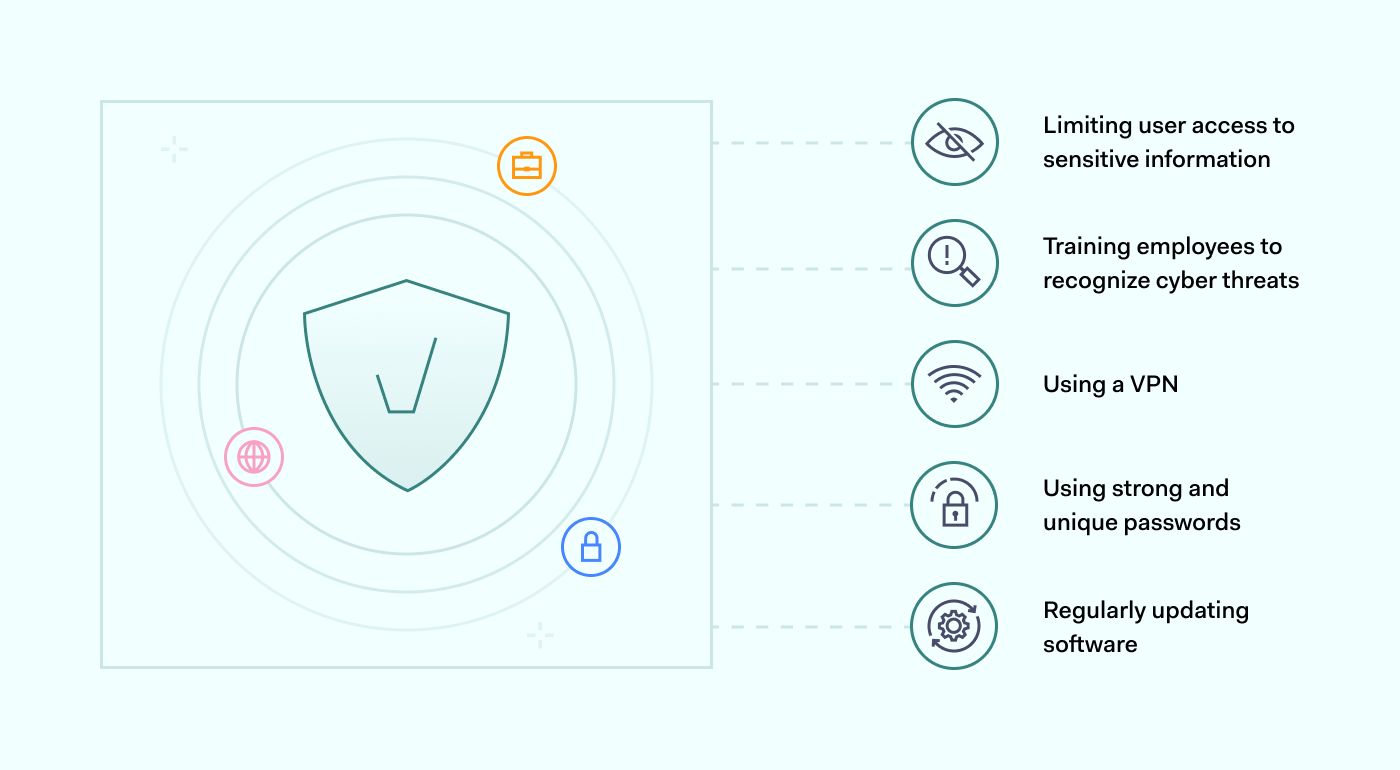
Organizations can take several steps to improve internet access security in all working environments. These include: 
  • Using strong and unique passwords. Online account protection largely rests on the strength of your users’ passwords. Reusing passwords makes it easier for hackers to gain entry into multiple accounts with the same set of credentials. Therefore, requiring a strong and unique password is a simple yet effective way to secure against the simplest threats.

  • Regularly updating software. Periodically updating software is crucial to maintaining a secure system and protecting against cyber threats. As vulnerabilities are discovered daily, using outdated software makes it easier for hackers to exploit known flaws. The only way to avoid those exploits is to patch vulnerabilities to reduce your system’s susceptibility to attacks.

  • Using a VPN. When a user connects to a VPN, its internet traffic is encrypted, protecting all exchanged information under a seal. VPNs also mask your real IP address, making it more difficult for websites and services to track your online activity or location. This alone can make remote working risks less severe.

  • Limiting user access to sensitive information. Enforcing a need-to-know basis for accessing all data. By restricting access to only those who require it, you can reduce the risk of unauthorized access or exposure to confidential information. This can minimize the likelihood of insider threats and ensure accountability for information access.

  • Training employees to recognize cyber threats. Cybercriminals often target employees through phishing emails to gain access to sensitive information. This makes employees a key component of the organization’s defense system. For this reason, they should be equipped to recognize and stop hacking attempts, alongside our technical systems.

How can NordLayer help?

Internet access security is a priority for most companies, no matter what industry they work in. Nowadays, it poses unique security challenges businesses need to address due to various work models like remote, office, and hybrid.

NordLayer can assist enterprises in protecting their connections over the public internet. This is achieved by encrypting the connection between the user’s device and the middleman server using advanced ciphers. It ensures that all data exchanged is kept secure and cannot be read by outsiders.

With cutting-edge security technologies, NordLayer can block access to malicious websites and control entry to specific content categories. Using Public Shared Gateways, NordLayer expands browsing capabilities, allowing global business exploration and guaranteeing the confidentiality of users’ and resources’ true location.

Businesses can enhance their internet access security by implementing best industry practices and regularly training employees on security threats. This is a sure way to protect sensitive information from data breaches, no matter what work model your organization is.

Contact our sales team and discover how to achieve greater internet access security.

About Version 2 Digital

Version 2 Digital is one of the most dynamic IT companies in Asia. The company distributes a wide range of IT products across various areas including cyber security, cloud, data protection, end points, infrastructures, system monitoring, storage, networking, business productivity and communication products.

Through an extensive network of channels, point of sales, resellers, and partnership companies, Version 2 offers quality products and services which are highly acclaimed in the market. Its customers cover a wide spectrum which include Global 1000 enterprises, regional listed companies, different vertical industries, public utilities, Government, a vast number of successful SMEs, and consumers in various Asian cities.

About NordLayer
NordLayer is an adaptive network access security solution for modern businesses – from the world’s most trusted cybersecurity brand, Nord Security.

The web has become a chaotic space where safety and trust have been compromised by cybercrime and data protection issues. Therefore, our team has a global mission to shape a more trusted and peaceful online future for people everywhere.

Binary memory protection measures on Windows OS

Binary memory protection is a core part of cybersecurity, but there are many different options for implementing it. In this article, we explore common mechanisms and protection measures for Windows OS.

Why is binary memory protection important?

You may remember when the Blaster worm struck the internet, or more recently when WannaCry caused global havoc using a leaked EternalBlue Windows OS exploit. Both are examples of malware that used buffer overflow memory corruption vulnerabilities, causing remote code execution and infecting millions of machines worldwide.

Most operating systems, written in C or C++, have limited memory protection, allowing these attacks to occur. Malware like Blaster and WannaCry manipulate the environment, instructions, and memory layout of a program or operating system to gain control over it.

Security professionals have implemented mechanisms to prevent software exploitation and minimize damage caused by memory corruption bugs. A “silver bullet” solution would be a mechanism that makes it challenging and unreliable for attackers to exploit vulnerabilities, allowing developers to leave buggy code in place while they work on fixing or rewriting it in memory-safe languages.

Common mechanisms and protection measures

Let’s review some of the most common mechanisms and protection measures provided inside Windows OS from Windows XP to Windows 11.

ASLR

Address space layout randomization (ASLR) is a computer security technique that prevents an attacker from reliably jumping to, for example, a particular exploited function in a program’s memory. ASLR randomly arranges the address space positions of a process’s key data areas, including the base of the executable and the positions of the stack, heap, and libraries. The effectiveness of ASLR depends on the entropy of the process’s address space (simply put, the probability of finding a random local variable).

Because of this protection, exploit payloads must be uniquely tailored to a specific process address space.

Vista and Windows Server 2008 were the first operating systems in the Windows family to provide ASLR natively, though this system was first developed back in 2001. Prior to these releases, there were several third-party solutions like WehnTrust available that provided ASLR functionality to varying degrees.

When Symantec conducted research on ASLR in Windows Vista, they found that ASLR had a significant effect when implemented in Windows 8 (or Windows 8.1). It provided higher entropy for address space layouts. The larger address space for 64-bit processes also increased the entropy of the ASLR for any given process.

  Exploit mitigation improvements in Windows 8

Windows 8 added randomization for all BottomUp and TopDown memory allocations, increasing the effectiveness of ASLR, which was not available in Windows 7.

Exploit mitigation improvements in Windows 8   Exploit mitigation improvements in Windows 8

In Windows 8, Microsoft introduced operating system support to force EXEs/DLLs to be rebased at runtime if they did not opt-in to ASLR. This mitigation can be enabled system-wide or on a per-process basis. You can modify the settings of mandatory ASLR through the Windows Security app.

ASLR, like any other security technique, has its weaknesses and attack vectors (heap spray, offset2libc, Jump Over ASLR, and others). Even one memory disclosure can completely defeat ASLR and provide an attacker with a significant opportunity. In addition to this, ASLR is only efficient when all executables and shared libraries loaded in the address space of a process are randomized. For example, research by Trend Micro researchers showed that Microsoft Edge browser exploit mitigations, including ASLR, could be bypassed. You can watch a video from the BlackHat conference to learn more.

DEP

Data Execution Prevention (DEP) is a protection mechanism that blocks the execution of code in memory pages marked non-executable. The NX (No-Execute) bit is a protection feature on CPUs used by DEP to prevent attackers from executing shellcode (instructions injected and executed by attackers) on the stack, heap, or in data sections. If DEP is enabled and a program attempts to execute code on a non-executable page, an access violation exception will be triggered.

Starting with Windows XP Service Pack 2 (2004) and Windows Server 2003 Service Pack 1 (2005), the DEP was implemented for the first time on x86 architecture.

An application can be compiled with the /NXCOMPAT flag to enable DEP for that application. You can also use editbin.exe /NXCOMPAT over a .exe file to enable it on a previously compiled file.

On 64-bit versions of Windows, DEP is always turned on for 64-bit processes and cannot be disabled. Windows also implemented software DEP (without the use of the NX bit) through Microsoft’s “Safe Structured Exception Handling” (SafeSEH), which I will talk about a bit later.

Despite being a useful protection measure, the NX bit can be bypassed. This leaves us unable to execute instructions placed on the stack, but still able to control the execution flow of the application. This is where the ROP (Return Oriented Programming) technique becomes relevant.

GS (Stack Canaries)

Stack canaries are a security feature that helps protect against binary exploits. They are random values that are generated every time a program is run. When placed in certain locations, they can be used to detect stack corruption. The /GS compiler option, when specified, causes the compiler to store a random value on the stack between the local variables and the return address of a function. According to Microsoft, these application elements will be protected:

  • Any array (regardless of length or element size)

  • Structs (regardless of their contents)

In a typical buffer overflow attack, the attacker’s data is used to try to overwrite the saved EIP (Extended Instruction Pointer) on the stack. However, before this can happen, the cookie is also overwritten, rendering the exploit ineffective (though it may still cause a denial of service). If the function epilogue detects the altered cookie and the application terminates.

Example of memory layout during the buffer overflow
 
Example of memory layout during the buffer overflow

The second important protection mechanism of /GS is variable reordering. To prevent attackers from overwriting local variables or arguments used by the function, the compiler will rearrange the layout of the stack frame and will put string buffers at a higher address than all other variables. So when a string buffer overflow occurs, it cannot overwrite any other local variables.

It was introduced with the release of Visual Studio 2003. Two years later, they enabled it by default with the release of Visual Studio 2005.

However, this protection measure is also not bullet-proof, since the attacker can either try to read the canary value from the memory or brute force the value. By using these two techniques, attackers can acquire the canary value, place it into the payload, and successfully redirect program flow or corrupt important program data.

CFG/XFG

Control Flow Guard (CFG) is a highly-optimized platform security feature that was created to combat memory corruption vulnerabilities. Placing tight restrictions on where an application can execute code makes it much harder for exploits to execute arbitrary code through vulnerabilities such as buffer overflows.

CFG creates a per-process bitmap, where a set bit indicates that the address is a valid destination. Before performing each indirect function call, the application checks if the destination address is in the bitmap. If the destination address is not in the bitmap, the program terminates.

How Windows CFG works
 
How Windows CFG works

Microsoft has enabled a new mechanism by default in Windows 10 and in Windows 8.1 Update 3. Developers can now add CFG to their programs by adding the /guard:cf linker flag before program linking in Visual Studio 2015 or newer. As of the Windows 10 Creators Update (Windows 10 version 1703), the Windows kernel is compiled with CFG.

To enhance CFG (Control Flow Guard), Microsoft introduced Xtended Control Flow Guard (XFG). By design, CFG only checks if functions are included in the CFG bitmap, which means that technically if a function pointer is overwritten with another function that exists in the bitmap, it would be considered a valid target.

XFG addresses this issue by creating a ~55-bit hash of the function prototype (consisting of the return value and function arguments) and placing it 8 bytes above the function itself when the dispatch function is called. This hash is used as an additional verification before transferring the control flow.

Getting back to the CFG, there are multiple techniques to bypass it. For example, you can set the destination to code located in a non-CFG module loaded in the same process, or find an indirect call that was not protected by CFG. A brief write-up about the CFG bypass by Zhang Yunhai can be found here.

SafeSEH

SafeSEH is an exception handler. An exception handler is a programming construct used to provide a structured way of handling both system and application-level error conditions. Commonly they will look something like the code sample below:

1
try {
2
}
3
catch (Exception e)
4
{
5
// Exception handling goes here
6
}

Windows supplies a default exception handler when an application has no exception handlers applicable to the associated error condition. When the Windows exception handler is called, the application will be terminated.

Exception handlers are stored in the format of a linked list with the final element being the Windows default exception handler. This is represented by a pointer with the value 0xFFFFFFFF. Elements in the SEH chain before the Windows default exception handler are the exception handlers defined by the application.

Exception handler layout on stack
 
Exception handler layout on stack

If an attacker can overwrite a pointer to a handler and then cause an exception, they might be able to get control of the program.

SafeSEH is a security mechanism introduced with Visual Studio 2003. It works by adding a static list of good exception handlers in the PE file at the timing of compiling. Before executing an exception handler, it is checked against the table. Execution is passed to the handler only if it matches an entry in the table. SafeSEH only exists in 32-bit applications because 64-bit exception handlers are not stored on the stack. By default, they build a list of valid exception handlers and store it in the file’s PE header.

Preventing SEH exploits in most applications can be achieved by specifying the /SAFESEH compiler switch. When /SAFESEH is specified, the linker will also produce a table of the image’s safe exception handlers. This table specifies for the operating system which exception handlers are valid for the image, removing the ability to overwrite them with arbitrary values. If you want to see how this mitigation technique can be bypassed in real-life, this blog post offers more useful information.

Conclusion

Memory corruption vulnerabilities have plagued software for decades. As mentioned in the beginning, there are multiple mitigation techniques to prevent software exploitation and minimize damage caused by memory corruption bugs. However, those protections are definitely not a “silver bullet” solution for all memory corruption vulnerabilities.

For the developer, this means that no one should not blindly rely on the OS-provided protections. Instead, try to propagate secure coding practices and integrate security toolings like fuzzers and static code analyzers.

Lastly, move to memory-safe languages like Rust, if possible. For the attackers, even if the target application has all available mitigation measures, there may still be ways to bypass those protections.

About Version 2 Digital

Version 2 Digital is one of the most dynamic IT companies in Asia. The company distributes a wide range of IT products across various areas including cyber security, cloud, data protection, end points, infrastructures, system monitoring, storage, networking, business productivity and communication products.

Through an extensive network of channels, point of sales, resellers, and partnership companies, Version 2 offers quality products and services which are highly acclaimed in the market. Its customers cover a wide spectrum which include Global 1000 enterprises, regional listed companies, different vertical industries, public utilities, Government, a vast number of successful SMEs, and consumers in various Asian cities.

About NordLayer
NordLayer is an adaptive network access security solution for modern businesses – from the world’s most trusted cybersecurity brand, Nord Security.

The web has become a chaotic space where safety and trust have been compromised by cybercrime and data protection issues. Therefore, our team has a global mission to shape a more trusted and peaceful online future for people everywhere.

Optimizing your business IT processes

In today’s fast-paced business environment, information technology shapes the way companies operate, compete, and grow. The pace of technological advancements adoption can play a deciding role in a company’s success or failure. However, how this can be achieved within an organization may not always be clear.

For this reason, we’ve invited co-founder and CPO at Kubernetes automation, optimization, security, and cost management platform CAST AI, Laurent Gil. Additionally, our Head of Platform Engineering at NordLayer, Carlos Salas, for his take on improving the current organization’s IT infrastructure.

Let’s take a deep dive into your current IT infrastructure assessment, automation areas identification, the right automation tools selection, its implementation, and the best practices.

Assessing your current IT infrastructure

Laurent Gil shared his valuable insights on how businesses can optimize their IT infrastructure to drive efficiency and productivity. According to him, one crucial step in this process is conducting a comprehensive assessment of your current infrastructure.

“A successful IT optimization strategy always starts with a gaining clarity around the current state of the infrastructure. A thorough assessment helps to identify issues and bottlenecks that are good candidates for automation – and where automation will make the biggest impact. Quick wins are just as important as long-term strategy and keeping your eye on the bigger picture, considering your company’s specific needs and direction.”

Click to tweet

Here’s how your current IT infrastructure could be evaluated in 8 steps:

  1. Define assessment objectives. Assessment objectives can be diverse, and they should focus on particular areas that could use improvements. For some businesses, it may be ironing out security vulnerabilities, while for others, it may be performance improvements. 

  2. Gather information. Regardless of assessment objectives, the next step will always be data collection. This will form a solid foundation for the evaluation process providing useful insights in later steps.

  3. Evaluate your used hardware and software. All used servers, storage devices, routers, switches, as well as operating systems, databases, applications, and security software should be reviewed. Check for potential bottlenecks and clunky setups that are slowing down your operations. 

  4. Perform network checks. Analyze your network topology, bandwidth, and latency. Evaluate your network security measures, such as firewalls, intrusion detection, and prevention systems.

  5. Look into data backups and disaster recovery. Verify that your data backup and recovery plans are up-to-date, reliable, and effective. Test your disaster recovery procedures to ensure that they meet your recovery time objectives.

  6. Analyze your security setup. Assess your security policies and procedures, including access controls, authentication, and authorization. Test your security controls to identify weaknesses or gaps.

  7. Consider the IT budget. Evaluate your IT budget and spending to identify areas for improvement or cost savings. Identify potential areas where technology investments can drive business value and growth.

  8. Document your findings. Document your findings and recommendations in a detailed report. This will serve as a reference document providing actionable recommendations for improving your IT infrastructure.

Identifying areas for automation

Findings from the IT infrastructure assessment should help you identify areas that could benefit the most from automation. As different companies have different IT struggles, going through this process should be a highly individualized approach. That said, here are some common areas that could be easily automated.

Data entry and data processing. Routine maintenance tasks like data entry, migration, and validation can be easily automated using macros, scripts, and other robotic processes.

Network and system administration. Tasks like server monitoring, backup, and patch management can be time-consuming and repetitive. Automations enable the creation of templates to perform the tasks identically, leaving less room for human error. In addition, this frees the staff from manual processes allowing them to focus on strategic activities.

Software deployment. Every software deployment instance involves a lot of repetitive tasks to ensure that it’s deployed correctly and without errors. Automating them can help reduce the time and effort required for deployment and improve the reliability of the process.

Customer support. Simple customer support tasks like answering frequently asked questions, providing account information, and processing routine requests can be solved without human involvement. Leveraging chatbots and virtual assistants can combine convenience and efficiency for businesses and their customers.

Choosing automation tools

When it comes to selecting automation tools, Laurent Gil highlights the significance of putting business needs at the forefront.

“I’ve seen the benefits automation can bring to organizations of all sizes firsthand. However, not all automation tools are created equal, and choosing the right one for your business can be a daunting task.

What you need to consider are first and foremost your specific business requirements. Understanding business needs and matching them to the right automation offering ensures that what you invest in represents the best fit for your company.”

Click to tweet

Here’s a brief overview of the approach that businesses can take when selecting automation tools:

Research what’s available on the market 

Clear business objectives and defined areas for improvement will allow you to fill in the gaps with automation tools. This can involve various routes like reviewing industry publications or consulting with vendors directly.

Evaluate select tool features 

Once a list of potential features has been compiled, it’s important to evaluate its features. Depending on needed functionalities, this can involve scalability, customizability or other ease of use adjustments.

Consider integrations

Industry expert and Head of Platform Engineering Carlos Salas highlighted the importance of considering the bigger picture when selecting automation tools, highlighting their interoperability.

“Whatever automation tools you select won’t exist in a vacuum, so thinking about potential integrations with existing systems and processes isn’t a bad idea.”

“Data security is paramount. Before implementing any automation tool, it’s imperative to thoroughly evaluate its capabilities in protecting sensitive information and adhering to established security protocols.”

Click to tweet

This paves the way for seamless automation implementation without hiccups and ensures optimal performance down the line.

Test and trial 

Before making a final decision, businesses should take chosen automation tools for a test drive. Various methods like setting up a proof of concept or pilot project to evaluate the effectiveness of the tool in real-world scenarios will help to realistically evaluate its usefulness.

Implementing automation

Implementing business IT automation can be a complex task that requires careful planning and execution. Here are some general steps that you can follow to implement business IT automation.

  1. Design the automation process. Start by creating a plan for automation, including a timeline and a list of tasks to be automated. It also helps to break the process into smaller tasks and identify the rules and conditions that must be followed.

  2. Deploy the automation. The exact route of automation deployment will depend on whether it’s an in-house built tool or a third-party provider was chosen. Still, it’s best to test in a production environment initially and, after testing, move on to full-scale implementation.

  3. Train employees. Expect that your workforce will only know how to use it after a while. Expect that there will be a transitionary period during which various training will help staff to familiarize themselves with the tool better.

  4. Evaluate the results. After the automation has been implemented and employees get used to it, it’s worth checking its impact on productivity, efficiency, and accuracy. This information can be highly useful when identifying shortcomings in your current setup as well as planning and identifying new areas for automation.

Best practices for automating IT

To maximize your chances that your automation process goes smoothly, it can be good advice to follow the best industry practices. These include:

Focusing on standardization 

Standardization is critical when it comes to automating IT processes. It also makes it easier to automate routine tasks, reduces the chances of errors, and helps ensure consistency across your IT infrastructure.

Make use of automation platforms

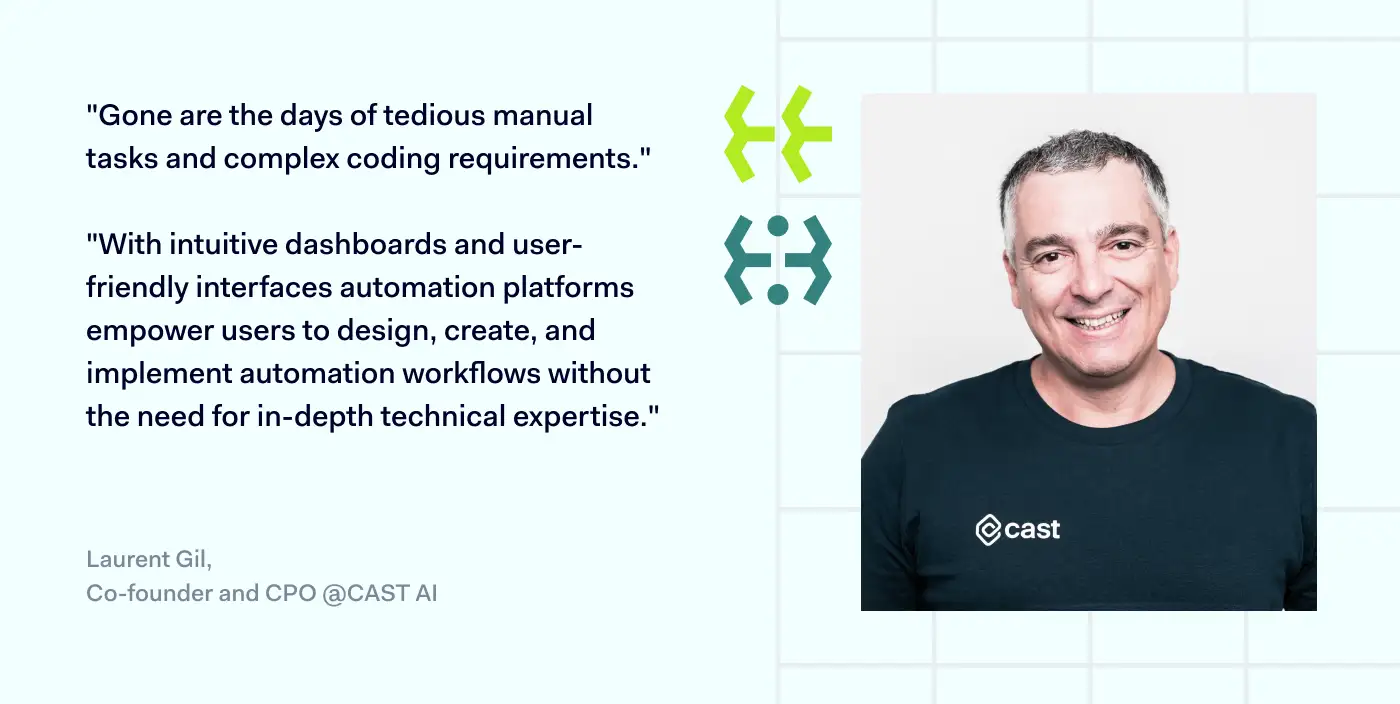
Laurent Gil quote

According to Laurent Gil, automation platforms have the power to enhance business efficiency and streamline operations.

“Automation platforms enable businesses to accelerate and streamline their workflows and processes. Gone are the days of tedious manual tasks and complex coding requirements. With intuitive dashboards and user-friendly interfaces, these platforms empower users to design, create, and implement automation workflows without the need for in-depth technical expertise. And that’s a very good thing.”

Click to tweet

Gil’s words highlight the significant shift brought about by automation platforms in the business landscape. With these powerful tools at their disposal, organizations of all sizes can leverage automation to optimize their workflows, freeing up valuable time and resources for more strategic endeavors.

Adopt a DevOps approach 

Adopting a DevOps approach to automation can help streamline the IT development and deployment processes. Integrating development and operations teams allows the entire software development lifecycle to be automated. This can help you deliver software faster and with fewer errors.

Involving stakeholders 

Stakeholders are the personnel that the automation process will directly impact. Therefore, their input can help to identify potential pain points in advance. This can lead to more effective automation that addresses real problems and is designed to meet the organization’s specific needs.

Bottom line

Optimizing your business IT requires a systematic approach based on evaluating your current setup. The thorough analysis of the current businesses’ IT environment allows them to identify potential automation areas.

The process is finalized by choosing appropriate automation tools and going through the implementation process. It’s important to consider specific needs, evaluate tool features, integration, and test and try the solutions before fully committing. Automation adoption has the potential to make businesses even better adjusted to the current digital landscape.

About Version 2 Digital

Version 2 Digital is one of the most dynamic IT companies in Asia. The company distributes a wide range of IT products across various areas including cyber security, cloud, data protection, end points, infrastructures, system monitoring, storage, networking, business productivity and communication products.

Through an extensive network of channels, point of sales, resellers, and partnership companies, Version 2 offers quality products and services which are highly acclaimed in the market. Its customers cover a wide spectrum which include Global 1000 enterprises, regional listed companies, different vertical industries, public utilities, Government, a vast number of successful SMEs, and consumers in various Asian cities.

About NordLayer
NordLayer is an adaptive network access security solution for modern businesses – from the world’s most trusted cybersecurity brand, Nord Security.

The web has become a chaotic space where safety and trust have been compromised by cybercrime and data protection issues. Therefore, our team has a global mission to shape a more trusted and peaceful online future for people everywhere.