

Skip to content

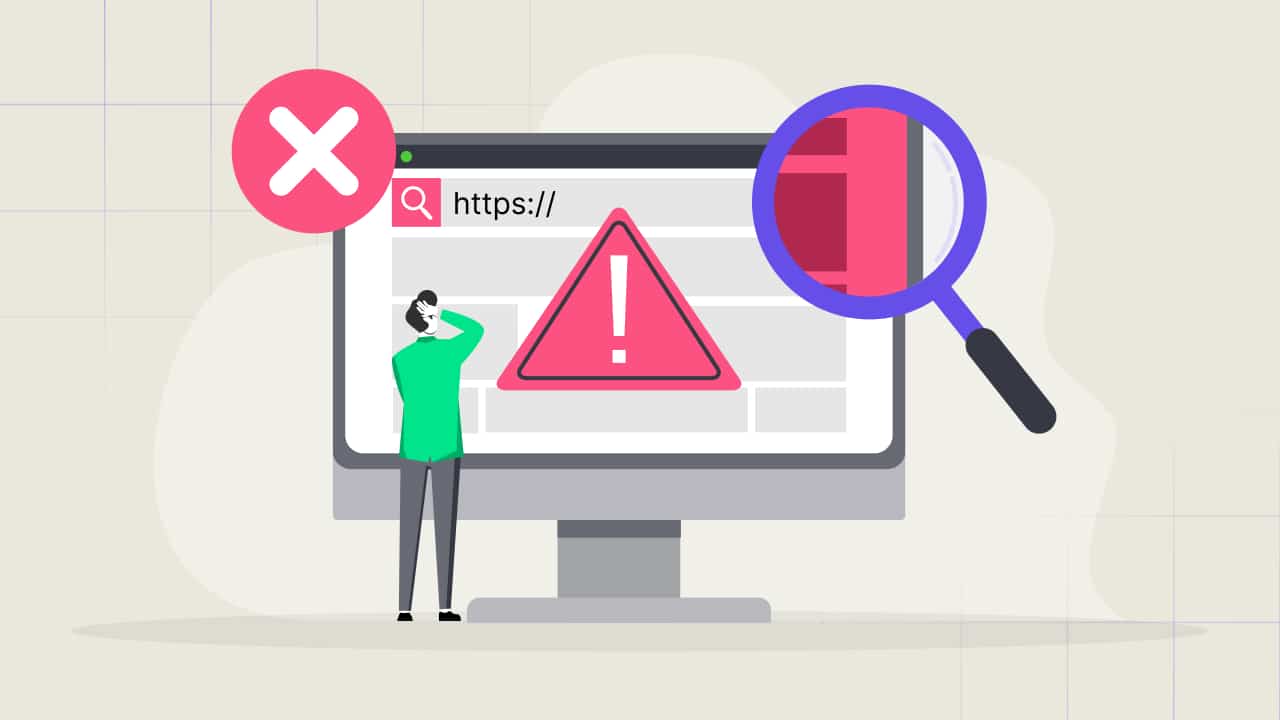
Browser Vulnerabilities: A Threat to Small Businesses MSPs & IT Service Providers

Highlights:

  1. Small businesses and Managed Service Providers (MSPs) are particularly vulnerable to browser exploits, such as CVE-2024-4761.
  2. The impact of such vulnerabilities can be devastating, potentially leading to data breaches, financial loss, and reputational damage.
  3. Practical steps can be taken to mitigate these risks, including regular updates, managed browser policies, and proactive security measures.

Browsers are an essential part of modern business operations, enabling access to the internet and various intranet resources. With Chrome, Safari, Firefox, and Edge dominating the market, it’s easy to see why maintaining browser security is crucial. For small businesses and Managed Service Providers (MSPs), the implications of browser vulnerabilities like CVE-2024-4761 can be particularly severe.

Understanding the Impact

Small businesses often lack the extensive IT infrastructure and dedicated cybersecurity teams that larger organizations have. This makes them attractive targets for cybercriminals, who exploit vulnerabilities in widely used software. The CVE-2024-4761 vulnerability in Chrome is a prime example. This flaw, present in versions prior to 124.0.6367.207, allows remote attackers to execute arbitrary code via a crafted HTML page, exploiting an out-of-bounds memory write in the V8 JavaScript engine.

For MSPs, the stakes are even higher. MSPs manage IT services for multiple clients, meaning a single vulnerability can compromise numerous businesses. An exploit like CVE-2024-4761 could lead to widespread data breaches, jeopardizing client trust and causing significant financial and reputational damage.

Consequences for Small Businesses and MSPs

  1. Data Breaches: Exploiting browser vulnerabilities can give attackers access to sensitive information, including financial records, personal data, and proprietary business information. This can lead to identity theft, financial loss, and intellectual property theft.
  2. Financial Loss: The costs associated with a data breach can be staggering. Small businesses may face fines, legal fees, and the costs of implementing additional security measures. For MSPs, the financial repercussions are multiplied across their client base.
  3. Reputational Damage: Trust is a cornerstone of business relationships. A breach can erode customer trust, lead to loss of business, and damage the reputation of both small businesses and MSPs.

Practical Tips for Staying Protected

To mitigate the risks associated with browser vulnerabilities, small businesses, and MSPs should implement the following measures:

  1. Regular Updates: Ensure all browsers are up-to-date with the latest security patches. Automated updates can help maintain the most current protection.
  2. Managed Browser Policies: Utilize managed browser solutions to enforce security policies across all user accounts. This includes configuring safe browsing settings and restricting access to risky websites.
  3. Comprehensive Security Solutions: Employ robust security software, including antivirus programs and firewalls, to add layers of defense against potential exploits.
  4. Employee Training: Educate employees about the risks of browser vulnerabilities and safe browsing practices. Regular training can help prevent accidental exposure to malicious websites.
  5. Vulnerability Management: Conduct regular vulnerability assessments to identify and address potential security gaps. Use tools to monitor browser versions across the network and ensure compliance with security policies.
  6. Incident Response Plan: Develop and maintain an incident response plan to quickly address and mitigate the impact of any security breaches.

By staying vigilant and proactive, small businesses and MSPs can significantly reduce the risk posed by browser vulnerabilities like CVE-2024-4761. Ensuring robust security practices not only protects sensitive data but also upholds the trust and integrity of their operations.

About Version 2 Digital

Version 2 Digital is one of the most dynamic IT companies in Asia. The company distributes a wide range of IT products across various areas including cyber security, cloud, data protection, end points, infrastructures, system monitoring, storage, networking, business productivity and communication products.

Through an extensive network of channels, point of sales, resellers, and partnership companies, Version 2 offers quality products and services which are highly acclaimed in the market. Its customers cover a wide spectrum which include Global 1000 enterprises, regional listed companies, different vertical industries, public utilities, Government, a vast number of successful SMEs, and consumers in various Asian cities.

About Guardz
Guardz is on a mission to create a safer digital world by empowering Managed Service Providers (MSPs). Their goal is to proactively secure and insure Small and Medium Enterprises (SMEs) against ever-evolving threats while simultaneously creating new revenue streams, all on one unified platform.


24.5.0 ‘Enceladus’ released

Enceladus is the latest entry in our quarterly rollup series. It branches off from our main rolling Voyager development into a fixed target for our partners to qualify and build upon. 

Enceladus is a moon of Saturn and is named after the giant Enceladus of Greek mythology. There are a few worlds that are thought to have liquid water oceans beneath their frozen shell, but Enceladus sprays its ocean out into space where spacecraft can sample it. From these samples, scientists have determined that Enceladus has most of the chemical ingredients needed for life, and likely has hydrothermal vents releasing hot, mineral-rich water into its ocean. Enceladus is about as wide as Arizona, and it also has the most reflective surface in our solar system. Because it reflects so much sunlight, the surface temperature is extremely cold, about minus 330 degrees Fahrenheit (minus 201 degrees Celsius).

As for the software, Comet 24.5.0 Enceladus brings 6 new features and 38 enhancements, including Changed Block Tracking support for Hyper-V and adding Impossible Cloud as a Storage Template provider.

As always for a new quarterly release, there are two changelogs for 24.5.0 Enceladus depending on whether you are coming from the previous quarterly release or the previous Voyager release:

Changes compared to 24.2.3

New Features

  • Added a new restore option to only overwrite existing files if there is a difference in file content already written to the restore location
  • Added a new permission for enabling/disabling the ability for an admin account to delete a Storage Vault
  • Added new SMB Storage Vault type
  • Added Impossible Cloud as a Storage Template provider
  • Added new “Latest VM State (Changed Block Tracking)” option for Hyper-V for improved backup performance
  • Added support for selecting Windows drives by drive letter when configuring a Disk Image Protected Item

Enhancements

  • Added informational headers to job logs that are exported to CSV (now renamed to Text) or Excel. Previously these headers were only included when exporting to Clipboard
  • Added the ability to select which logs are exported from the Server Logs and Job Logs pages in the Comet Server web interface
  • Removed Object Lock options from Storage Role in the Comet Server web interface and the Comet Server Service Manager
  • Added a warning when starting the Comet Server starts if the Storage Role is detected to be using Object Lock
  • Enabled Server Self-Backup by default for new Comet Server installations. This will not affect existing Comet Servers when they are upgraded
  • Removed the File column on the Server Logs page on the Comet Server web interface
  • Added a Last Message column to the Server Logs page on the Comet Server web interface
  • Backup job logs now appear in the Console app on macOS
  • Installing the Comet Client on Linux devices no longer echoes password characters to the terminal
  • Improved the performance of the Comet Server when a large number of devices resume their live connection
  • Added “Account Name” as an additional data column to the Devices page in the Comet Server web interface
  • Improved the performance of browsing files and folders for granular restores
  • Reduced the amount of data downloaded while browsing files and folders for granular restores
  • Improved the performance of simulated granular restores
  • Implemented restoration of metadata for files and folders restored during granular restore
  • Improved the performance of granular restores when restoring directories containing few files
  • Improved error handling when a file or folder fails to restore correctly in granular restores
  • Refreshed the UI for the Protected Item wizard in the Comet Backup desktop app
  • “After” tasks will now run even for jobs which have been cancelled
  • Changed “Job History” on the Comet Server web interface to “Job Logs”
  • Added an option to the IAM-Compatible Storage Template to choose between creating buckets or subfolders
  • Added an option to the IAM-Compatible Storage Template to support Object Lock
  • Added an option to the IAM-Compatible Storage Template to support creating buckets in non-default S3 regions
  • Added “days” as a unit to the Object Lock settings field when configuring a Storage Vault with Object Lock in the Comet Server web interface
  • Improved load performance of Server Logs page on the Comet Server web interface
  • Added retrying for intermittent errors that occur when restoring data to UNC paths
  • Added the ability to configure SQL timeouts for MSSQL restores
  • Improved error message output for when a Hyper-V backup fails due to Hyper-V not being installed on the endpoint
  • Added additional threading to single file downloads from Microsoft 365, and added retry logic for when the download URL has expired. Expired URLs can cause 401 errors.
  • Added a label in the Comet Server web interface and the Comet Backup desktop app to distinguish if Protected Items are enforced via the policy
  • Added the ability to convert Windows System Backup Protected Items to Disk Image Protected Items via the Users tab and Bulk Actions dropdown in the Comet Server web interface
  • Improved Microsoft 365 Drive downloads by adding configurable account concurrency and adding concurrency to single file downloads
  • Added configuration to the Comet Server to set the maximum number of CPU cores that are allowed to be used when generating new builds of the Comet Backup client software
  • Added a new environment variable (COMETD_TMPDIR) to allow configuration of the temp directory used by the Comet Server when running in Linux

Changes compared to 24.3.9

Enhancements

  • Added Object Lock support to the Impossible Cloud Partner API Storage Template
  • Added the ability to specify MIME types and content in custom remote bucket Storage Vault templates
  • Improved Microsoft 365 account listing to handle uniqueness when multiple resources have the same display name
  • Improved Microsoft 365 account listing to check and delist accounts that are not allowed to be accessed via Graph API

Bug Fixes

  • Fixed an issue on the Comet Server web interface causing contrast issues for download icons in dark mode

About Version 2 Digital

Version 2 Digital is one of the most dynamic IT companies in Asia. The company distributes a wide range of IT products across various areas including cyber security, cloud, data protection, end points, infrastructures, system monitoring, storage, networking, business productivity and communication products.

Through an extensive network of channels, point of sales, resellers, and partnership companies, Version 2 offers quality products and services which are highly acclaimed in the market. Its customers cover a wide spectrum which include Global 1000 enterprises, regional listed companies, different vertical industries, public utilities, Government, a vast number of successful SMEs, and consumers in various Asian cities.

About Comet
We are a team of dedicated professionals committed to developing reliable and secure backup solutions for MSP’s, Businesses and IT professionals. With over 10 years of experience in the industry, we understand the importance of having a reliable backup solution in place to protect your valuable data. That’s why we’ve developed a comprehensive suite of backup solutions that are easy to use, scalable and highly secure.

eHorus and Integria IMS are now Pandora RC and Pandora ITSM

 Pandora FMS announces brand unification with Pandora ITSM and Pandora RC 

Pandora FMS, a leader in the Information Technology and Monitoring solutions market, is glad to announce that the unification of its brands, Integria IMS and eHorus, under the new names Pandora ITSM and Pandora RC, respectively, has been successfully implemented.

Pandora ITSM, formerly known as Integria IMS, represents Pandora FMS IT Service Desk and Service Management solution. It provides a comprehensive platform for managing IT incidents, issues, changes and assets, enabling organizations to improve the efficiency of their IT departments and deliver a superior service to end users.

Pandora RC, formerly known as eHorus, is the Remote Control solution from Pandora FMS. It offers a safe and effective platform to access and manage servers and devices remotely from any location in the world. Pandora RC becomes an essential tool for system administrators and support technicians looking to maintain the effective operation of their systems.

This significant advance reflects Pandora FMS’ commitment to further strengthen and consolidate its position in the technology solutions market, providing a more comprehensive and cohesive service and strategy for both its customers and partners.


Such brand unification will be completed across all Pandora FMS platforms, website and social media.

We would also like to underline that eHorus and Integria have always been part of Pandora FMS family, and this change does not alter our dedication to providing exceptional IT monitoring and management solutions.

We are excited to see how Pandora ITSM and Pandora RC brand and products are further integrated into Pandora FMS. Pandora ITSM has always represented a compelling mission and value proposition in the field of IT service management“, – Sancho Lerena CEO of Pandora FMS. 

“For a long time, IT service monitoring, IT service management (ITSM), and remote control solutions have evolved independently, but now, under the Pandora FMS umbrella, we are exceptionally unifying these three areas.”

This brand unification reflects the trend in the technology industry towards the consolidation and simplification of product and service offerings, with the aim of improving the customer experience. Pandora ITSM and Pandora RC celebrate this achievement and are committed to continuing to excel in their respective fields.

We are committed to your satisfaction and look forward to exceeding your expectations in the future.

About Version 2 Digital

Version 2 Digital is one of the most dynamic IT companies in Asia. The company distributes a wide range of IT products across various areas including cyber security, cloud, data protection, end points, infrastructures, system monitoring, storage, networking, business productivity and communication products.

Through an extensive network of channels, point of sales, resellers, and partnership companies, Version 2 offers quality products and services which are highly acclaimed in the market. Its customers cover a wide spectrum which include Global 1000 enterprises, regional listed companies, different vertical industries, public utilities, Government, a vast number of successful SMEs, and consumers in various Asian cities.

About PandoraFMS
Pandora FMS is a flexible monitoring system, capable of monitoring devices, infrastructures, applications, services and business processes.
Of course, one of the things that Pandora FMS can control is the hard disks of your computers.

×

Hello!

Click one of our contacts below to chat on WhatsApp

×