





Introduction: From Network Theory to Global VDI Reality
In a previous analysis, “Optimizing Multi-Cloud Network Performance,” this series established that latency is the cardinal challenge in any global application deployment. For real-time, interactive workloads like Virtual Desktop Infrastructure (VDI), this challenge becomes an absolute barrier. The analysis quantified the “Optimal Performance Radius,” concluding that for a truly responsive experience—such as video conferencing or high-frequency data exchange—users must be within 100-200 kilometers of the serving gateway, achieving latency of less than 20 milliseconds.
Once latency climbs above 50 milliseconds, which occurs at distances beyond 500 kilometers, noticeable delays begin to “affect processes”. For a global enterprise with teams in New York, London, and Singapore, this data presents an unavoidable conclusion: a single-region VDI deployment is architecturally indefensible. It is a mathematical certainty that users outside the host region will experience significant lag, leading to user frustration, lost productivity, and failed project adoption.
Therefore, a multi-region architecture is not a “nice-to-have” for disaster recovery; it is a foundational, non-negotiable requirement for any global VDI deployment.
This article provides the definitive architectural blueprint for solving this multi-region challenge. It details a strategy that combines a VDI platform built for a decoupled, global model—Thinfinity Workspace—with a cloud platform architected for true regional independence and high-performance networking: Oracle Cloud Infrastructure (OCI).
The Architectural Foundation: Why OCI’s Design Defeats VDI Complexity
Before designing the VDI solution, the choice of the underlying Infrastructure-as-a-Service (IaaS) is critical. While market leaders have dominated the conversation, their architectures contain hidden risks for global VDI. Recent major outages have exposed the “enemies of resilience”: centralized control planes and edge-level configuration risks. A heavy reliance on a single “master” region, such as AWS’s us-east-1, means a localized failure there can create a cascading disruption to global operations.
Oracle Cloud Infrastructure (OCI) was architected from the ground up to prevent this. Its design philosophy aligns perfectly with the needs of a resilient, global VDI:

- True Regional Autonomy: OCI treats each region as a completely fault-isolated domain. Unlike other providers, there is no hidden dependency on a single master region for core functions. If one OCI region experiences a failure, the others “keep operating—fully, autonomously, and without interruption”. For a global VDI, this means an outage in the Ashburn region will not impact the functionality of the Frankfurt or Singapore regions.
- High-Performance Fabric: Within each region, OCI is built with a flat, non-blocking network fabric. This design guarantees low-latency, high-throughput, and highly predictable performance. This is critical for the “east-west” traffic of a VDI deployment, such as VDI instances communicating with high-IOPS storage backends for user profiles.
- Economical Data Transfer: A multi-region architecture is only viable if the cost of data replication is predictable. OCI’s pricing model, which includes lower data egress fees and global flat-rate pricing, directly addresses the high egress costs identified as a major multi-cloud challenge. This makes the high-volume replication of user profiles and golden images—a requirement for any multi-region strategy—economically feasible.
This synergistic match of decoupled, autonomous IaaS regions and a cost model that encourages data replication makes OCI the ideal foundation for a modern, resilient VDI architecture.
Thinfinity + OCI: A Modern, Decoupled VDI Architecture
The next layer is the VDI platform itself. Legacy VDI solutions (often called “traditional VDI”) carry significant “architecture debt”. These monolithic stacks, built for on-premises data centers, are a complex tapestry of brokers, StoreFront servers, load balancers (ADCs), and licensing servers. This model is operationally heavy, requires niche and expensive specialized administrators, and creates a fragile system where “slow change cycles” for updates can take weeks.
Thinfinity Workspace provides a modern alternative built on a lightweight, containerized, microservices-based architecture. This decoupled design is uniquely suited for OCI’s regional model. The key components for a global deployment are:
- Communication Gateways: These are the user-facing entry points, functioning as highly efficient reverse proxies. In a global deployment, a fleet of these gateways is deployed in every OCI region, as close to the end-users as possible. This is the lynchpin for achieving the sub-20ms latency goal.
- Broker: This lightweight control plane manages Role-Based Access Control (RBAC), identity brokering (SAML, OIDC), and resource pooling. Its flexible architecture allows it to be deployed in a high-availability (HA) model within a region, completely decoupled from the gateways.
- Virtualization Agent: A simple agent deployed on the VDI pools (VMs). It establishes a connection to the broker using a unique agent ID, eliminating the complex IP-based network dependencies that plague legacy systems and simplifying network security rules.
All user connections are 100% browser-based (HTML5) or via an optional lightweight client. The entire session is brokered over HTTPS/TLS, requiring no VPNs and integrating natively with any SAML or OIDC identity provider. This provides a built-in Zero Trust Network Access (ZTNA) framework from day one.
For architects evaluating global VDI on OCI, the choice of platform has profound implications for cost, complexity, and resilience.
Table 1: VDI Solution Comparison on OCI
| Feature | Thinfinity Workspace on OCI | Citrix DaaS on OCI | VMware Horizon on OCVS | OCI Secure Desktops |
|---|---|---|---|---|
| Architecture | Decoupled Services (Gateways, Broker) Running On OCI Native. Cloud-native. | Monolithic “architecture debt” (Cloud Connectors, ADCs). Control plane is external. | Requires full VMware SDDC (vSphere, NSX) on OCI Bare Metal (OCVS). | OCI-native service, simplified componentry. |
| Multi-Region Model | Simple and flexible. Deploy regional gateways and VDI pools. Flexible broker placement. | Complex. Relies on centralized Citrix Cloud control plane. Regional resources (connectors) link back to it. | Highly complex. Requires multi-pod/site architecture (Cloud Pod Architecture) & global load balancers. | Regional service. Multi-region requires manual setup of compute, storage, and networking in each region. |
| ZTNA | Built-in. No VPN, HTTPS brokering, native IdP integration. | Requires separate Citrix Gateway / ADC (formerly NetScaler). Adds complexity and cost. | Requires separate Unified Access Gateway (UAG) appliances. | OCI-native ZTNA, but less flexible than a full VDI solution. |
| Client Access | 100% Clientless HTML5 (or optional native client). | Requires Citrix Workspace app for full features. HTML5 access is limited. | Requires Horizon Client for full features and protocol optimization. | HTML5 or thin client access. |
| OCI Integration | Native. Deploys on standard OCI Compute (VMs, GPU) & VCNs. Integrates with OCI SDK/API. | Deploys on OCI Compute, but control plane is an external SaaS. Integration via Cloud Connectors. | Abstracted. Runs on VMware hypervisor (ESXi) on bare metal, not native OCI KVM. Manages its own network (NSX). | Native. Fully managed OCI service. |
| Licensing | Simple: Concurrent Users. | Complex: Named User / CCU, feature-tiered. | Extremely complex: VMware licensing + OCI bare-metal infrastructure costs. | OCI-native, consumption-based pricing. |
Reference Architecture: The Multi-Region Hub-and-Spoke VDI Topology
This reference architecture implements OCI’s best-practice network pattern—the hub-and-spoke topology—to build a secure, scalable, and globally-replicated VDI environment.
This design is deployed in each OCI region (e.g., Frankfurt and Ashburn). A global networking layer connects them.
Regional Hub VCN (Virtual Cloud Network):
This VCN acts as the central point of connectivity for all shared services and ingress/egress traffic. It contains:
- Public Subnet: An OCI Load Balancer and OCI Web Application Firewall (WAF) provide a secure, highly-available public entry point.
- Private Gateway Subnet: A fleet of Thinfinity Communication Gateways, which receive traffic from the load balancer.
- Private Management Subnet: The Thinfinity Broker (in an HA model), Active Directory domain controllers, and administrator bastion hosts (or the OCI Bastion service).
- Private Storage Subnet: High-performance file servers (e.g., Windows VMs on OCI Block Volumes) or OCI File Storage (FSS) instances that host the FSLogix user profile shares.
Regional Spoke VCN(s):
These VCNs are peered to the Hub VCN and are used to isolate the VDI workloads. This separation of concerns is a security best practice. They contain:
- Private VDI Subnet(s): The VDI desktop pools, which can be standard VMs for task workers or NVIDIA A10-based GPU instances (VM.GPU.A10.1) for power users.
The Thinfinity Virtualization Agents are installed on these VMs, which initiate connections outbound to the Broker in the Hub VCN.
The Global “Glue”:
- OCI Dynamic Routing Gateway (DRG v2): Each regional Hub VCN is attached to its own DRG. The DRGs in each region are then peered together, creating a high-speed, private global backbone over OCI’s network for replication traffic.
- OCI Traffic Management: This global DNS service sits “above” all regions, intelligently directing users to the nearest regional Hub VCN based on their geographic location.
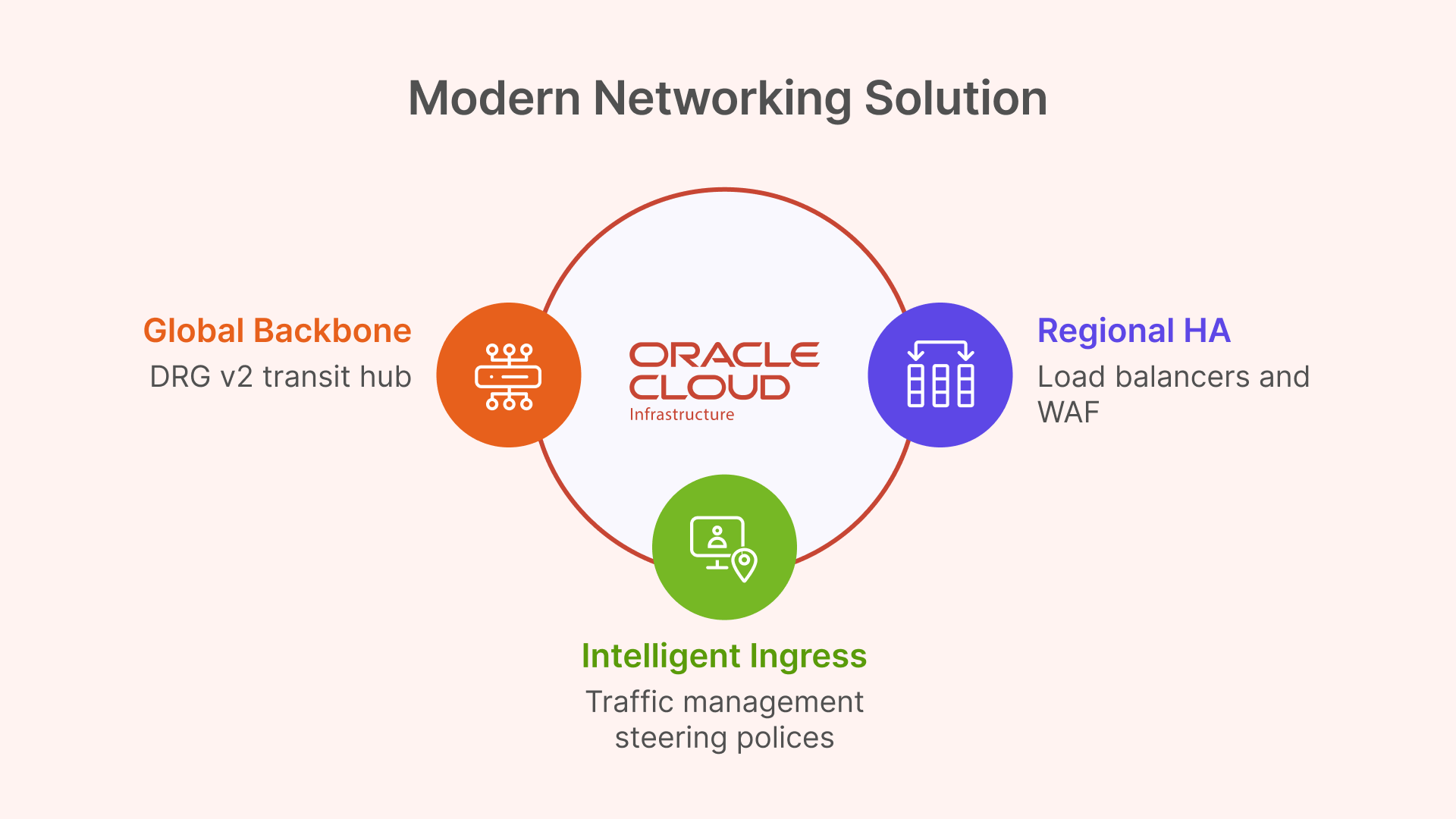
Technical Deep Dive: Core OCI Networking for Global VDI
Global Backbone with Dynamic Routing Gateway (DRG v2)
For connecting the regional deployments, architects could use older Remote VCN Peering (RPCs). However, this method is point-to-point and becomes unmanageable in a mesh of many regions.
The modern and superior solution is the OCI Dynamic Routing Gateway (DRG v2). A DRG is a powerful virtual router that can attach to VCNs, on-premises FastConnect circuits, and—most importantly—other DRGs via RPCs. It supports up to 300 VCN attachments and has its own internal, programmable route tables.
This enables a clean “DRG Transit Hub” design. Instead of a complex mesh, each regional Hub VCN attaches to its local DRG. The DRGs are then connected to each other. This creates a scalable, high-performance global transit backbone for all “backend” VDI traffic, such as user profile replication, which flows securely over the OCI backbone, not the public internet.
Intelligent Ingress with OCI Traffic Management Steering Policies
The DRG solves the backend network; OCI Traffic Management solves the frontend user latency problem. This service is the practical implementation of the “Geo-IP based routing” discussed in the previous article.
A Traffic Management Steering Policy is configured for the global VDI DNS name (e.g., desktop.mycorp.com). The policy type will be Geolocation Steering.
This policy uses “Answer Pools” and “Steering Rules”:
- Answer Pool 1 (NA): The public IP of the OCI Load Balancer in the Ashburn region.
- Answer Pool 2 (EMEA): The public IP of the OCI Load Balancer in the Frankfurt region.
- Steering Rule 1: If DNS query originates from North America, return Answer Pool 1.
- Steering Rule 2: If DNS query originates from Europe, return Answer Pool 2.
- Default Rule: All other queries are sent to a default pool (e.g., the closest or primary).
When a user in London opens their browser, their DNS query is resolved to the Frankfurt endpoint, achieving the sub-20ms latency target.
Regional HA and Security with Load Balancers & WAF
The Geolocation policy must point to a highly-available endpoint. This is the regional OCI Load Balancer. This is a managed OCI service that operates at Layer 7 (HTTP), terminates SSL, and distributes incoming user connections across the fleet of private Thinfinity Gateways.
This is a point of critical architectural simplification. Legacy VDI solutions like VMware Horizon have complex networking requirements, including the need to maintain session persistence between an initial TCP authentication and the subsequent UDP-based protocol traffic. This is “not possible” with the standard OCI Load Balancer, forcing complex workarounds.
Thinfinity, being 100% HTML5-first, brokers the entire user session over a standard HTTPS (TCP) connection. It therefore works perfectly with the standard, managed OCI L7 Load Balancer, requiring no complex UDP persistence, no third-party appliances, and no complex network engineering.
For security, the OCI Web Application Firewall (WAF) is layered in front of the public Load Balancer. It is configured with a “deny-by-default” policy to inspect all incoming traffic and protect the Thinfinity Gateways from web exploits and other L7 attacks.
Table 2: OCI Multi-Region VDI Networking Components
| OCI Service | Service Type | Role in Global VDI Architecture |
|---|---|---|
| OCI Traffic Management | Global DNS | Geo-IP Routing: Directs users to the nearest OCI region based on their location. Solves the <20ms latency goal. |
| OCI Load Balancer (L7) | Regional L7 | High Availability: Terminates SSL and distributes traffic across the regional fleet of Thinfinity Gateways. |
| OCI WAF | Security | Gateway Protection: Protects the public-facing Load Balancers and Thinfinity Gateways from L7 attacks. |
| OCI Dynamic Routing Gateway (DRG v2) | Global Routing | Global Backbone: Acts as a transit hub to mesh all regional Hub VCNs, enabling secure, private replication traffic. |
Solving the Global User State: Multi-Region Profile Management
The most complex challenge in any multi-region VDI deployment is managing user state. For modern Windows VDI, this means managing FSLogix Profile Containers. These are VHD or VHDX virtual disk files, typically stored on a central SMB file share, that mount to the VDI at login to provide a persistent user profile.
In a multi-region disaster recovery (DR) scenario, the question is: how do we replicate the user’s VHDX file from the primary region (Frankfurt) to the DR region (Ashburn)?
Solution Pattern 1 (Recommended): OCI File Storage with Cross-Region Replication
The simplest, most robust, and most cost-effective solution leverages OCI’s native storage capabilities.
- Storage: The FSLogix profile shares are hosted on file servers in the Hub VCN’s private storage subnet. These file servers use high-performance OCI Block Volumes for their data. Alternatively, the managed OCI File Storage (FSS) service can be used for NFS-based shares.
- Replication: The key OCI feature is that both OCI Block Volumes and OCI File Storage (FSS) support native, asynchronous cross-region replication.
- Mechanism: This replication is configured at the block level, beneath the file system. It simply replicates changed blocks from the primary region’s volume (Frankfurt) to a read-only destination volume (Ashburn). Because it is not file-aware, it is not affected by the file-locking issues that plague other solutions.
This OCI-native replication is the perfect tool for an Active-Passive DR plan, providing a clear Recovery Point Objective (RPO) with zero performance impact on the active user session.
Solution Pattern 2 (Alternative Geometries)
Other common methods are far more complex and fragile:
- FSLogix Cloud Cache: This is FSLogix’s built-in feature for active-active replication, where the user’s client writes to multiple SMB shares simultaneously. This is notoriously complex, can be fragile, and generates massive I/O overhead, which can slow user login and logoff times.
- Windows DFS-N + DFS-R: It is common to use DFS-Namespace (DFS-N) to create a global share path (e.g.,
\\mycorp.com\profiles). However, DFS-Replication (DFS-R) is explicitly NOT supported for FSLogix profile containers. Its file replication mechanism cannot handle the open file locks of VHDX files and will lead to data corruption. - Windows DFS-N + 3rd Party Sync: Viable alternative if OCI-native replication is not an option.
OCI’s native storage replication services fundamentally simplify VDI disaster recovery, making complex and fragile application-level replication tools obsolete for most standard DR patterns.
Table 3: Global User Profile Replication Strategies on OCI
| Replication Solution | Architecture | Performance Impact | Complexity | Recommended Use Case |
|---|---|---|---|---|
| OCI Storage Cross-Region Replication | Active-Passive (DR) | None. Asynchronous, block-level replication. No impact on user session I/O. | Low. OCI-native, “set it and forget it” feature. | Recommended: Primary DR strategy for 99% of deployments. |
| FSLogix Cloud Cache | Active-Active | High. Duplicates all profile writes to all locations. Can slow login/logoff. | Very High. Fragile, difficult to troubleshoot, high I/O cost. | Niche: For “follow-the-sun” active-active models where users must have instant R/W access in any region. |
| Windows DFS-N + DFS-R | Active-Passive | N/A (DFS-R is unsupported) | High. (DFS-N is fine) | NOT SUPPORTED. DFS-R will corrupt FSLogix profiles. |
The “Golden Image” Factory: An Automated Multi-Region CI/CD Pipeline
The second major operational challenge of multi-region VDI is managing “golden images.” Manually patching and distributing new images across the globe is a prime example of “golden image gymnastics” or “image sprawl”. This slow, manual process, which can take weeks, is error-prone and a significant security risk.
The solution is to treat image management as a CI/CD pipeline, transforming VDI operations from a slow “ITIL” model to a high-speed “DevOps” workflow.
Step 1: Build (Automated)
In a primary “build” region (e.g., Frankfurt), the image creation is automated. This can be done using the OCI Secure Desktops Image Builder, a new CLI tool from Oracle that automates and simplifies the creation of VDI-optimized Windows images. For more advanced automation, OCI DevOps or tools like Packer with Terraform can be used.
Step 2: Distribute (Automated)
This is the key multi-region step, automated using OCI services:
- The build process exports the new “Custom Image” to an OCI Object Storage bucket in the Frankfurt region.
- An OCI Object Storage replication policy is configured to automatically copy the image file to “replica” buckets in the Ashburn and Singapore regions.
- In each destination region, an OCI Function or scheduled script is triggered by the new object’s arrival. This script imports the image from its local Object Storage bucket, creating a new, regional “Custom Image”.
Step 3: Deploy (Orchestrated)
The new Custom Image OCID is now available locally in all regions. Thinfinity Cloud Manager, which is natively integrated with OCI, takes over. It manages the full “golden image lifecycle”. The administrator simply updates the VDI pool definition to point to the new image OCID. Thinfinity’s orchestrator then performs a safe, rolling update of the VDI pools, automatically decommissioning old VMs and provisioning new ones from the updated image based on policy and user demand.
This “Image Factory” pipeline turns a multi-week, high-risk manual task into a low-friction, auditable, and secure automated workflow, allowing organizations to “change at cloud speed”.

Implementing a Zero Trust Framework for Global VDI
This global architecture is not only performant but inherently secure, built on a modern Zero Trust framework rather than an outdated perimeter-based model.
Pillar 1: Identity as the Perimeter (Thinfinity + OCI IAM)
Traditional VDI often requires a VPN or exposes RDP to the internet, creating a massive attack surface. The Thinfinity + OCI model inverts this.
- No VPN: Thinfinity has a built-in ZTNA framework. All access is brokered over HTTPS/TLS via the regional Thinfinity Gateway. The VDI virtual machines themselves are in private subnets with no direct ingress from the internet.
- Federated Identity: Thinfinity (acting as the Service Provider) is federated with OCI IAM Identity Domains (acting as the Identity Provider) using SAML 2.0 or OIDC. Thinfinity has native support for SAML-based IdPs.
- Centralized Enforcement: This federation allows OCI IAM to be the single, authoritative source for identity. It enforces all access policies—such as Multi-Factor Authentication (MFA), RBAC, and device posture checks—before Thinfinity ever brokers the user’s session to a VM. OCI IAM Domains can also be replicated across regions, providing a globally consistent identity source.
Pillar 2: Micro-segmentation (OCI Network Security Groups)
To implement least-privilege access within the VCN, this architecture uses Network Security Groups (NSGs), not OCI’s older, subnet-based Security Lists.
This is a critical distinction. A Security List is “subnet-centric”—to allow VDI VMs to access a file share, one must open SMB port 445 to the entire VDI subnet, which is poor security.
NSGs are “application-centric.” A resource, like a VM’s network interface (VNIC), is assigned to one or more NSGs. The firewall rules can then use other NSGs as the source or destination, not just a CIDR block.
This enables a true micro-segmentation blueprint:
vdi-pool-nsg: Assigned to all VDI virtual machines.file-server-nsg: Assigned to the FSLogix profile file servers.ad-controller-nsg: Assigned to the Active Directory domain controllers.
With these in place, the security rules become application-aware and IP-independent:
- Rule for
file-server-nsg: Ingress: Allow TCP/445 from Source =vdi-pool-nsg. - Rule for
ad-controller-nsg: Ingress: Allow Kerberos/LDAP from Source =vdi-pool-nsgAND Source =file-server-nsg.
This stateful firewalling between application tiers dramatically limits an attacker’s ability to move laterally, a core principle of Zero Trust.
Pillar 3: High-Performance, Secure Workloads (OCI GPUs)
This Zero Trust model does not compromise on performance. For power users in engineering, design, or data science, VDI pools can be provisioned using OCI’s powerful NVIDIA GPU instances. Specifically, the A10 Tensor Core shapes (e.g., VM.GPU.A10.1, VM.GPU.A10.2) are ideal. The NVIDIA A10 is designed for “graphics-rich virtual desktops” and “NVIDIA RTX Virtual Workstation (vWS)” workloads. These high-performance VMs are simply assigned to their own NSG and are protected by the exact same ZTNA framework, receiving secure, brokered access from Thinfinity.
Disaster Recovery Patterns: Active-Active vs. Active-Passive VDI
This architecture provides the building blocks for two distinct multi-region strategies.
Pattern 1: Active-Passive (Hot Standby) – Recommended for DR
This is the most common, cost-effective, and simplest DR model.
- Primary Region (e.g., Frankfurt): Fully active. All VDI pools are running. OCI Traffic Management directs 100% of global traffic here. The OCI Block Volume/FSS hosting profiles is in read/write mode.
- DR Region (e.g., Ashburn): Deployed as a “Warm Standby” or “Pilot Light.”
- Compute: The VDI host pools are provisioned but scaled to zero (or a minimal admin set) to eliminate compute costs.
- Storage: The profile storage (Block Volume or FSS) is in a read-only state, receiving asynchronous cross-region replication.
- Failover Process: When an outage is declared in Frankfurt, an administrator (or automated script) executes three steps:
- Storage: Promote the Ashburn OCI storage volume from read-only to read/write.
- Compute: Use the Thinfinity Cloud Manager to scale up the VDI pools in Ashburn from 0 to 100% capacity.
- Network: Update the OCI Traffic Management Steering Policy to route 100% of traffic to the Ashburn Load Balancer.
This strategy provides a full regional failover with a Recovery Time Objective (RTO) measured in minutes, all at a fraction of the cost of an active-active deployment.
Pattern 2: Active-Active – Recommended for Global Performance
This model is not for disaster recovery, but for solving the core latency problem for a globally distributed workforce.
- Architecture: Both the Frankfurt and Ashburn regions are fully active, simultaneously serving users.
- Networking: The OCI Geolocation Steering Policy is critical. It routes EMEA users to the Frankfurt VDI pools and North American users to the Ashburn VDI pools, ensuring everyone gets a low-latency (<20ms) experience.
The Profile Challenge: This model creates a significant user profile challenge. If a user from London (EMEA) logs into Frankfurt, their profile is modified. If they fly to New York (NA) the next week and log into Ashburn, they must receive their updated profile, and any changes made in Ashburn must be replicated back to Frankfurt.
This requirement for bi-directional, multi-master replication invalidates the simple, one-way Active-Passive OCI storage replication. This model forces the use of a more complex and fragile application-level solution, such as FSLogix Cloud Cache, to synchronize the user profile VHDX files.
Architects must therefore weigh the trade-offs: the Active-Active deployment provides the best global user performance but at the cost of significantly higher complexity and fragility at the user profile layer.
Conclusion: A Resilient, Performant Global VDI Blueprint
The hard physical limits of latency, which mandate a <20ms round-trip time for a quality user experience, have rendered single-region VDI obsolete for global enterprises. The path forward is a resilient, multi-region architecture.
Success, however, is not achieved by forcing complex, legacy VDI stacks onto a cloud platform. It is achieved through the synergy of a cloud-native VDI platform and a cloud IaaS built for true resilience.
This definitive blueprint provides that synergy:
- OCI’s Fault-Isolated Regions provide the resilient foundation, eliminating the risk of centralized control plane failures.
- Thinfinity’s Decoupled Gateways are deployed regionally, solving the user-facing latency problem.
- OCI’s Global Networking (Traffic Management for Geo-IP routing and DRG v2 for a backend mesh) provides the global connectivity.
- OCI’s Native Storage Replication provides a simple, robust, and cost-effective solution for Active-Passive disaster recovery.
- Thinfinity’s Cloud Manager and OCI’s Image/Storage Automation create an “Image Factory,” transforming VDI operations into a modern DevOps workflow.
- OCI’s NSGs and Thinfinity’s ZTNA provide an “identity-aware” and “application-aware” security posture that is secure by default.
This combination of Thinfinity Workspace and Oracle Cloud Infrastructure is the definitive strategy for deploying a global VDI solution that is performant, resilient, secure, and—most importantly—operationally simple to manage at scale.


