Skip to content

Enhancing your network security: the role of access control lists (ACLs)


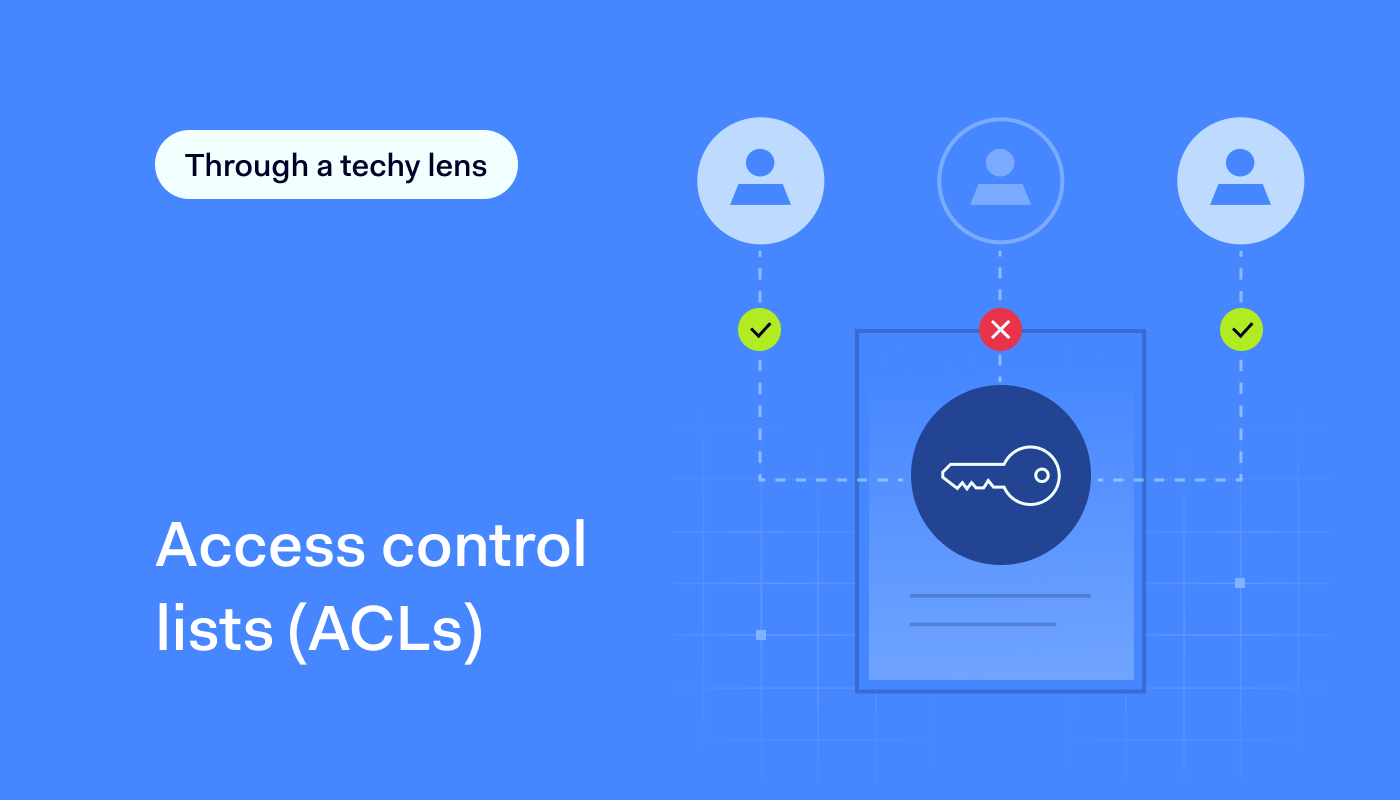
Does your business rely on access control lists (ACLs) to manage user access? If not, you’re not alone. Many organizations shy away from using them due to the challenges of maintaining numerous lists across different network areas. However, an access control list can provide an extra layer of security for your network in specific scenarios and can be effectively integrated with role-based groups when needed.

This article will explore how an access control list can streamline your access management processes. We’ll also dive into the benefits of ACLs, including improved security measures and their adaptivity to various environments. Finally, we’ll offer practical insights into how access control lists are used to manage access and protect sensitive information.

Read on if you want to untangle the complexities of ACLs and enhance your network’s security.

What is an access control list (ACL)?

An access control list (ACL), sometimes called just an access list, filters network traffic based on source and destination. It’s a set of rules that determines which users can access particular network objects or devices. Users not included on the list are denied access to these resources.

Moreover, an access list can enhance role-based access control (RBAC). For example, they can be configured to allow only members of a development team to access a specific codebase while blocking access to all other users with DevOps roles who aren’t involved in the project.

Additionally, implementing network access control best practices involves using ACLs to manage user access and enhance security across the network.

What are ACLs used for?

An access control list (ACL) is a vital tool for managing permissions in computer systems and networks. It is mainly used for essential network security tasks, like controlling user access, protecting data, and preventing intrusions.

ACLs are also key for meeting cybersecurity standards and certifications, such as those related to network access control and network segmentation. Implementing ACLs is often a necessary step on the path to compliance, ensuring an organization fulfills required regulations.

ACLs help regulate the flow of data in and out of network components that users directly access, such as gateways and endpoints. For instance, a network administrator might have the permissions to read, write, and edit sensitive files, while a guest user may only view these files. An access control list ensures such selective control access based on specific criteria like IP addresses, protocols, or ports. This enhances network security by allowing precise control of who can access what.

Additionally, ACLs can be set up on various network devices, including routers, switches, VPNs, or databases. This provides a clear and effective way to manage access, improving traffic flow for better efficiency and security. By blocking malicious traffic and giving IT admins granular control, ACLs play a key role in keeping network systems safe and running smoothly.

How ACLs work

Access control lists manage access and monitor traffic within networks and systems, ensuring that only authorized interactions are permitted. Primarily installed in routers and switches, ACLs play a critical role in traffic control by guiding the flow of data throughout the network.

Each ACL contains access control entries (ACEs), which list user or group names along with their granted access rights. These rights are organized in a string of bits known as an access mask. Whether used for packet filtering or file access, ACLs provide a structured, rule-based security approach that helps administrators maintain control over network and system resources.

Rule creation and ordering

ACLs function by using predefined rules to allow or deny packets, with the order of these rules being critical in determining how traffic is managed. The process starts with rule creation and ordering, where admins set up ACL rules in a specific sequence that prioritizes certain traffic over others based on security policies.

Packet evaluation

This is another key function of ACLs, where the data within each packet is checked against the ACL rules to decide if it should be allowed through or blocked. This evaluation is based on criteria like IP addresses, port numbers, and packet content, aligning with established security measures.

Default actions

For file systems, ACLs detail specific user access privileges to system objects such as files and directories, dictating actions like reading, writing, or executing based on the user’s role (e.g., administrator or guest).

This granularity extends to default actions, where ACLs enforce predetermined responses when a packet or access request does not meet any of the specified rules. Typically, this results in a denial of access to protect the network’s integrity.

An access control list: various types

Access control lists come in various types, each serving a unique purpose based on functionality and scope.. There are two basic ones:

  • File system ACLs manage access to files and directories within an operating system. They dictate user access permissions and privileges once the system is accessed.

  • Networking ACLs regulate network access by providing instructions to network switches and routers. They specify the types of traffic allowed to interface with the network and define user permissions within the network. Networking ACLs function similarly to firewalls in controlling network traffic.

Additionally, ACLs can be categorized according to their traffic filtering capabilities:

  • A standard ACL does not differentiate between IP traffic. Instead, it allows or blocks traffic based on the source IP address.

  • An extended ACL offers a more granular level of control. It uses both the source and the destination IP addresses, such as a source IP address, destination IP addresses, port numbers, and protocol types (ICMP, TCP, IP, UDP). It can differentiate IP traffic to dictate what is allowed or denied access.

The advantages of using an access control list

An access control list isn’t a one-size-fits-all solution for network security. However, using roles for access management offers several benefits:

  • Enhanced security. Users access only resources aligned with their roles, minimizing the risk of credential theft or phishing attacks. ACL implements separation of duties, reducing the threat posed by privileged users.

  • Improved efficiency. ACLs streamline access control maintenance. Admins can assign new hires to role groups, granting them associated permissions without creating individual profiles.

  • Optimized network performance. With ACLs, admins can define criteria such as source and destination IP addresses, ports, and protocols to regulate traffic flow. By restricting access to certain resources based on these criteria, ACLs help prevent unnecessary network congestion and improve overall network performance.

  • Scalability & flexibility. ACLs allow for flexible role adjustments as organizations evolve. Changes can be applied globally, reducing the chance of security vulnerabilities.

  • Compliance & auditing. ACLs help meet regulatory requirements like HIPAA. Healthcare entities, for example, can limit access to patient records through role-based restrictions. Additionally, ACLs simplify auditing access, making it easier to track access requests and user activity.

Enhancing device security with ACLs

While ACLs offer significant advantages in network security, it’s essential to extend this protection to device-level security. By adopting Device Posture Security (DPS), your organization can evaluate the security of devices connecting to the network.

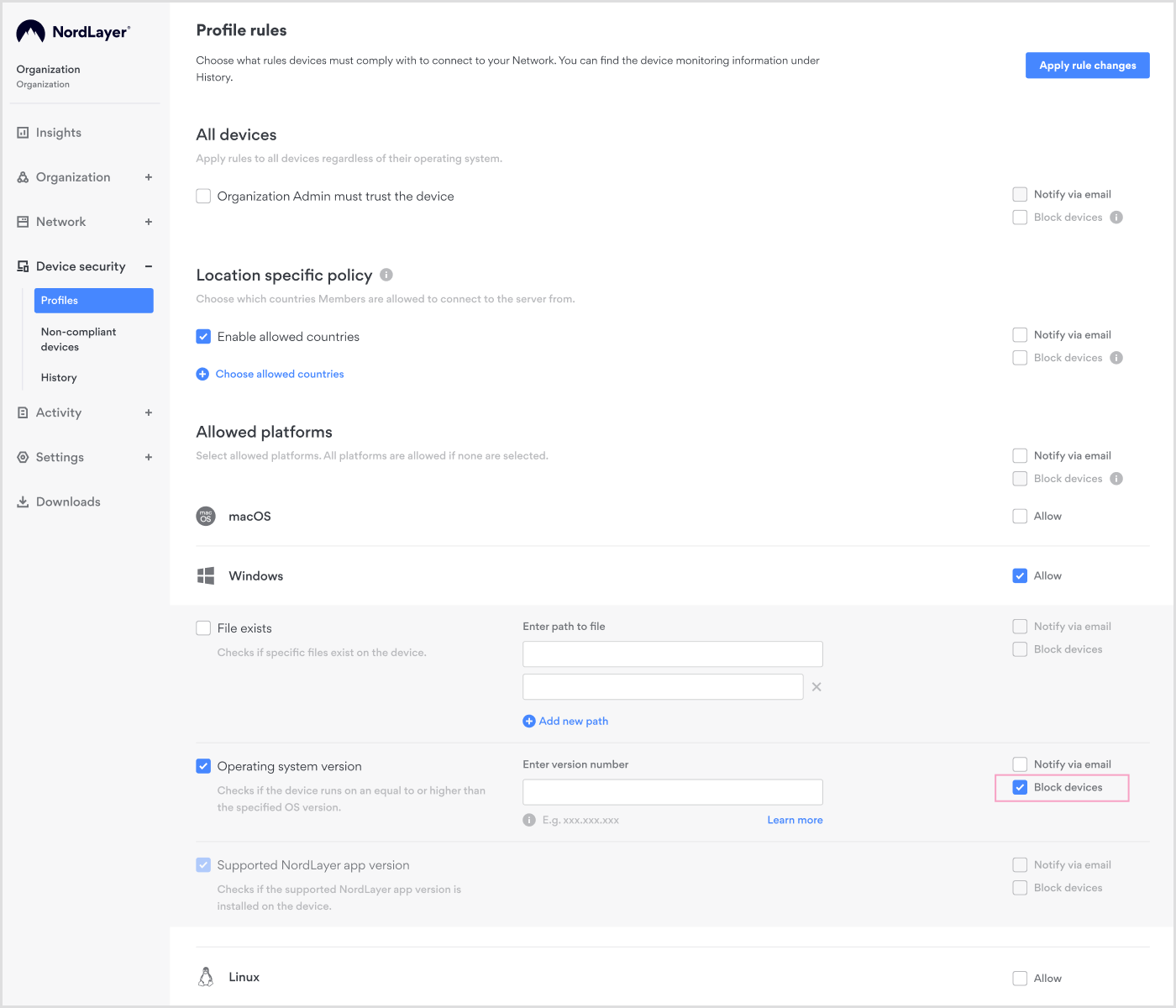
Through DPS, you can evaluate and monitor devices according to your predefined rules. But that’s not all. You can also automatically restrict network access for accounts using non-compliant devices. This integrated approach enhances overall network security by addressing vulnerabilities at both the network and device levels.
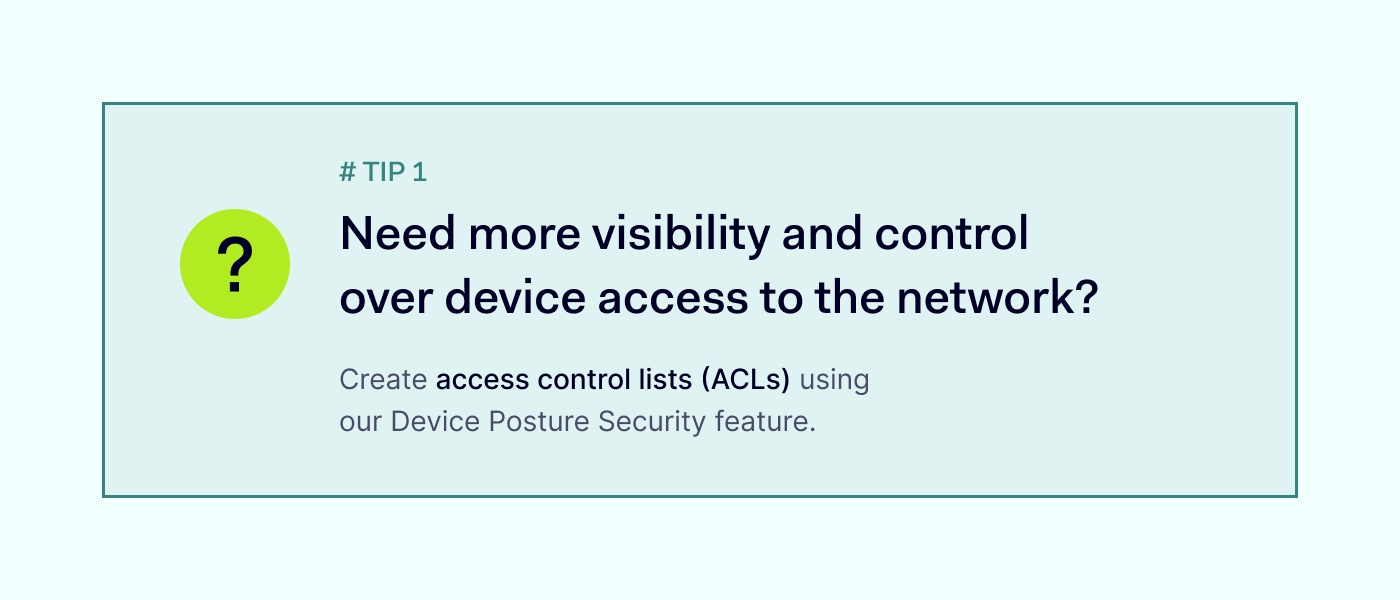

IT administrators can easily implement ACLs for Device Posture Security using our web-based Control Panel. To enable DPS checks, create various rules such as existing file check, OS version, jailbreaking or rooting status, and device location. Setting up ACLs in the panel is simple. Just create a profile and specify the desired rules. Once configured, it’s important to test the ACL to ensure that it is functioning as expected. Finally, activate the ACL to start enforcing the specified access control rules on your network.

ACLs for internal network segmentation

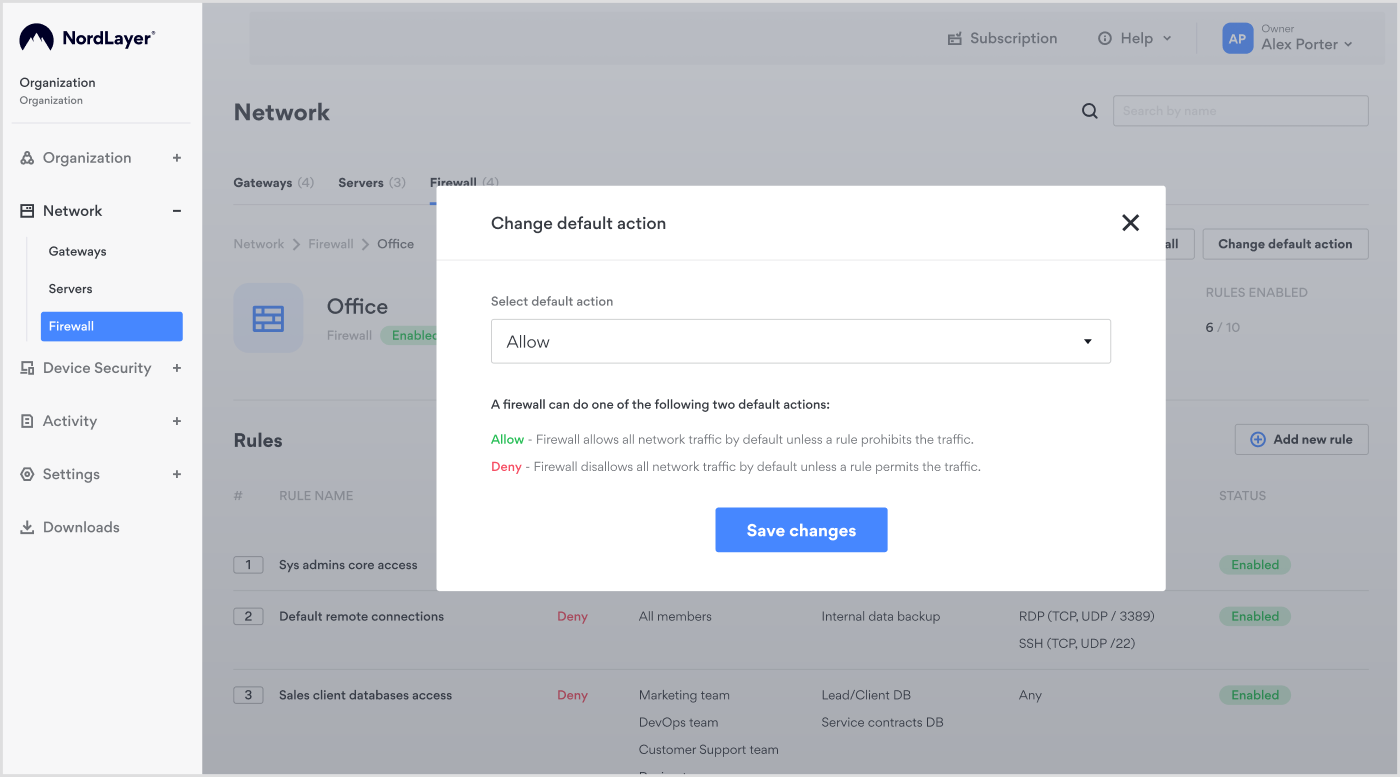
Protecting your data from leaks and insider threats is more crucial now than ever. It’s not just about safeguarding information; it’s about maintaining the credibility of your business. That’s where access control lists (ACLs) come in. They act as gatekeepers, deciding who gets access to what within your network. By setting up ACLs, you can stop unauthorized users from moving laterally through your network, helping to prevent data breaches.
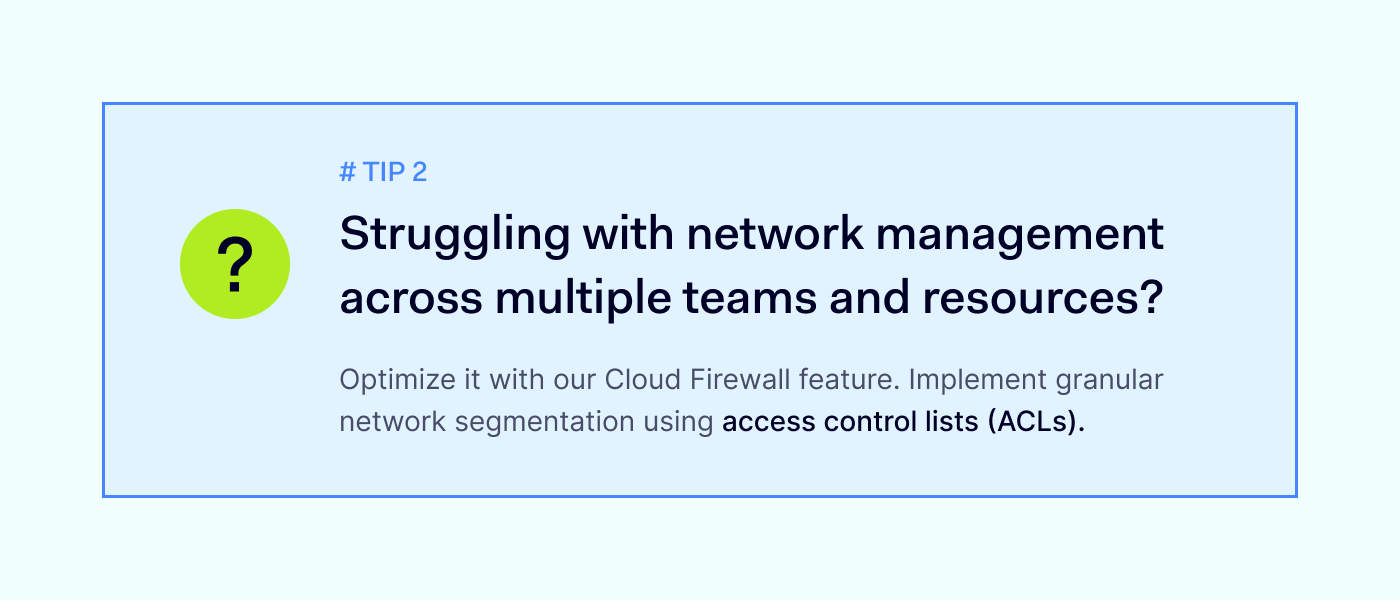
Additionally, when you combine ACLs with role-based access control (RBAC), you gain even more control over who can access different parts of your network. With our Cloud Firewall feature, you can optimize your network by implementing granular segmentation using ACLs. These lists act as virtual bouncers, controlling who can access which parts of your network.

Our intuitive Control Panel facilitates the creation and management of ACLs, providing a streamlined and centralized approach to network security management.
ACLs in external access control

Managing network access isn’t just about your team. You also have to consider third-party vendors, contractors, and other external partners who might need access to your systems. With access control lists, you can ensure that these third parties only have access to the specific resources they need, minimizing the risk of unauthorized access and potential security breaches.

By setting up granular segmentation and ACL rules, you can protect your network against potential threats while enabling collaboration with external partners. Our Cloud Firewall feature makes managing external access easy, ensuring your network is protected from all angles.

Boost your network security with NordLayer’s ACLs

Access control lists (ACLs) make role-based access control more precise, ensuring only the right people have access to your data and resources, and improving network performance. They’re the frontline defense against unauthorized access and potential breaches.

But the benefits of ACLs don’t stop there. By combining ACLs with our Cloud Firewall feature, you’re not just building walls—you’re creating an impenetrable fortress around your devices and network. With NordLayer, setting up and managing ACLs is a breeze, giving you peace of mind knowing your network is fortified against any threats that come its way.
About Version 2 Digital

Version 2 Digital is one of the most dynamic IT companies in Asia. The company distributes a wide range of IT products across various areas including cyber security, cloud, data protection, end points, infrastructures, system monitoring, storage, networking, business productivity and communication products.

Through an extensive network of channels, point of sales, resellers, and partnership companies, Version 2 offers quality products and services which are highly acclaimed in the market. Its customers cover a wide spectrum which include Global 1000 enterprises, regional listed companies, different vertical industries, public utilities, Government, a vast number of successful SMEs, and consumers in various Asian cities.

About NordLayer
NordLayer is an adaptive network access security solution for modern businesses – from the world’s most trusted cybersecurity brand, Nord Security.

The web has become a chaotic space where safety and trust have been compromised by cybercrime and data protection issues. Therefore, our team has a global mission to shape a more trusted and peaceful online future for people everywhere.

How to use a static IP address for businesses

Are you looking to secure a permanent spot on the internet for your business? Consider getting a static Internet Protocol (IP) address. 

Think of IP addresses as the digital equivalent of your home address but for your online devices. Yet, with each internet connection, a dynamic IP address changes like a rented place, while a static IP remains the same as a residential address.

This permanent address makes your business easy to locate and connect with online. Fixed IP is perfect for hosting websites, enabling remote work, or using voice-over-internet protocol (VoIP).

Let’s explore whether a static IP fits your business needs, how to get one from your internet service provider (ISP), and how to set it up quickly with NordLayer.

When your business should use a static IP

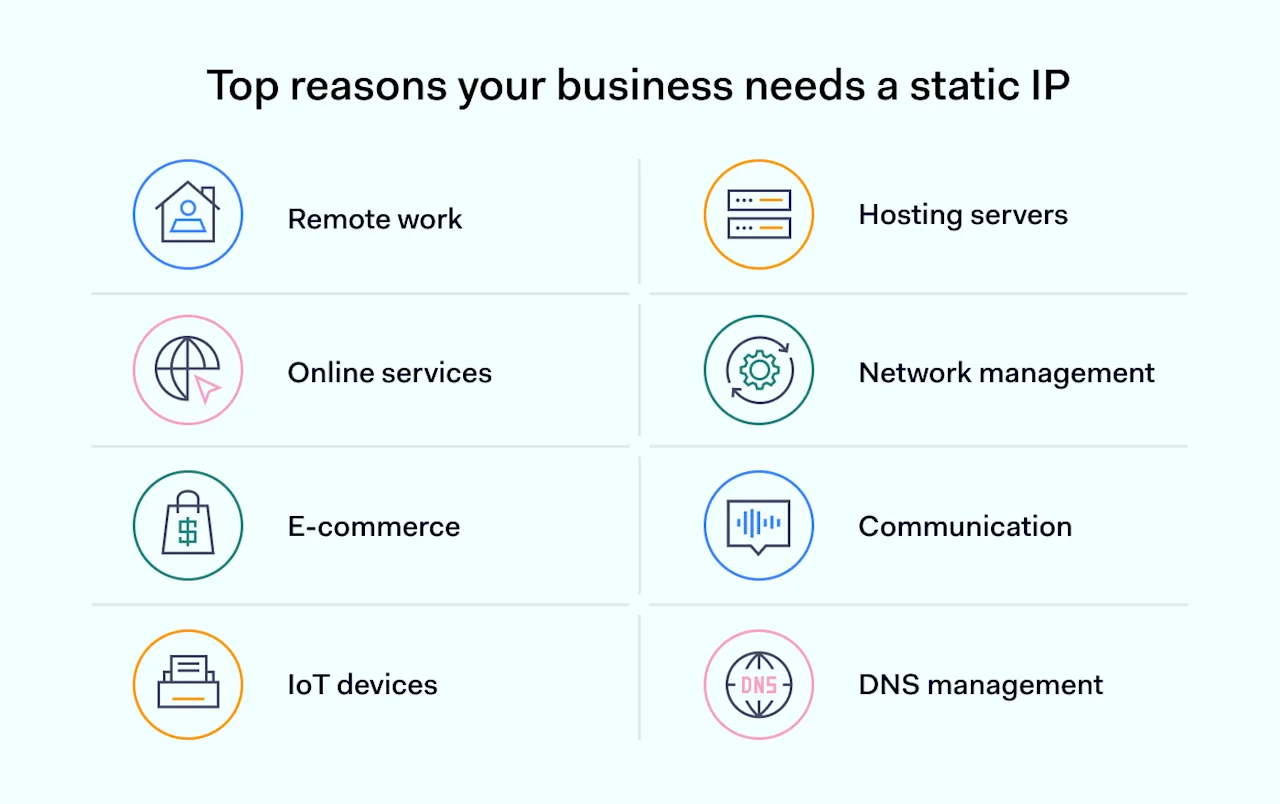
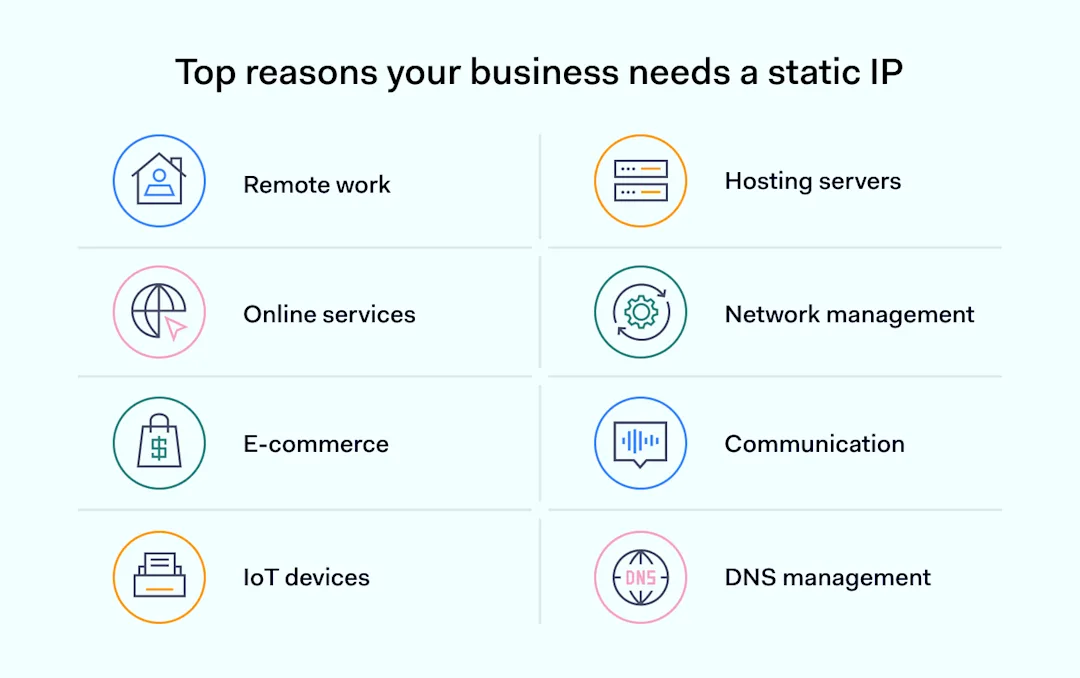
Top reasons your business needs a static IP

A static IP, or dedicated IP, is a fixed numeric combination that doesn’t change over time. Thus, its consistency is the main advantage for businesses needing stable and dependable internet access.

Choosing to use a static IP address is crucial for enterprises that want to improve their online presence. If your business needs a constant, unchanging internet address, ensure this choice aligns properly with your network’s technical requirements, including the internet protocol version (IPv4 or IPv6) it uses.

Choosing a static IP over a dynamic IP depends on what your business does and the benefits you’re looking for. Here are some clear reasons why choosing a static IP might be right for you:

  • Remote work. A static IP helps remote employees connect securely to your network, making it easier for them to access files and applications just like they would in the office.

  • Hosting servers. If your business runs its own email, website, or file transfer protocol (FTP) servers, a static IP means customers and employees can connect without interruption.

  • Online services. For services needing constant connection, like VoIP (internet calls) or online gaming, a static IP reduces the chance of losing connection, similar to how a steady electricity supply keeps the lights on.

  • Network management. With a fixed IP, managing your network and solving problems is easier since each device’s address doesn’t change.

  • Security. Static IPs make it simpler to control who can access your network, which enhances security.

  • E-commerce. For online shops, a static IP can help secure transactions.

  • Communication. Keeping email and collaboration platforms running smoothly is easier with a static IP.

  • IoT devices. For businesses using smart devices, a static IP ensures they stay connected and work correctly, much like ensuring delivery trucks follow the same route every day.

  • DNS management. Managing your online domain is simpler with a static IP, making your website more reliable for visitors.

Businesses that need stable internet for remote work, hosting, and security benefit from a static IP. It keeps you visible and reachable online.

Yet, small startups or local shops not focused on web presence might do well with dynamic IPs, enjoying simplicity and cost savings. If you don’t host servers or need constant online access, a dynamic IP address could suit your needs just fine.

How to set a static IP address for your business

Setting up a static IP address for your company is like assigning a permanent street address to your business in the online world. This makes sure that your business is easily found and always reachable on the internet.

Remember, setting up a static IP is different from setting up a private IP address, which is only for internal use in places like your home or office network.

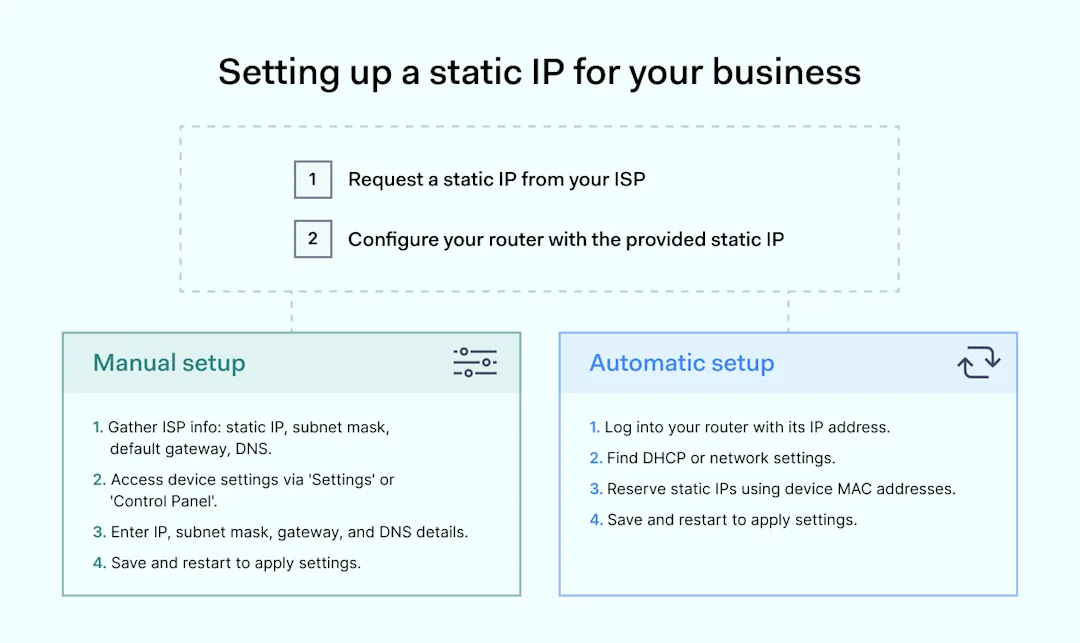
How to set up a static IP addressHere’s how you can set up a static IP address, step by step:
  1. Ask for a static IP address. Start by requesting a static IP address from your internet service provider (ISP).

  2. Configure your router. Your ISP will assign a unique, unchanging IP address to your router. This is your company’s address on the internet.

Next, you’ll need to manually configure each device that will use this static IP address by entering the latter and other networking details.

Manual setup

Imagine you’re giving each device in your office its own specific spot on the internet, much like assigning each employee their own desk. Here’s how to manually set a static IP address on each device:

  1. Gather information. First, you need the unique address (static IP), subnet mask, default gateway, and DNS server information from your ISP. Ensure compatibility with your network adapter. Think of this as the address, zip code, city, and phone directory for your device’s location on the internet.

  2. Access device IP settings. On the device you want to set up, find the network settings. This is usually under ‘Settings’ or ‘Control Panel’. Ensure your network adapter is properly configured.

  3. Enter the information. Look for the option to configure IP settings manually on a device; enter the static IP address, subnet mask, default gateway, and DNS information you got from your ISP. Make sure it’s compatible with your internet protocol version.

  4. Save and restart. After entering the information, save your changes. You might need to restart the device for the new IP settings to take effect.

If your company’s network automatically assigns IP addresses (using DHCP), you can adjust your router’s settings. This way, it will always give the same specific static IP address to certain devices, like a reserved parking spot.

Automatic setup

Let’s say you want to automatically assign a special spot on the internet to certain devices. This is how you can set a static IP up using DHCP on your router:

  1. Access your router. Enter your router’s IP address into a web browser. You’ll need the login details, usually found on the router or in its manual.

  2. Find DHCP settings. Look for the DHCP or network settings menu in your router’s settings. DHCP is like a parking attendant who assigns spots to devices.

  3. Reserve an IP. In the DHCP settings, look for an option to reserve IPs or assign a fixed IP. Here, you can choose which devices get which fixed IP addresses, based on their MAC address (a unique identifier for network devices).

  4. Enter device details. For each device you want to assign a static IP address, enter its MAC address and the fixed IP you wish it to always use, which ties back to the network adapter’s configuration.

  5. Save and restart. Save your changes and restart your router. Some devices might also need a restart to recognize their new reserved spot.

To wrap it up, assigning a fixed IP address establishes a clear, permanent online presence. It makes your business easy to find and reach on the internet.

The steps include asking your ISP for a static address, setting up your router, and getting your devices ready, either one by one or all at once, using DHCP.

The time needed might vary, from just a few minutes to a couple of hours, based on how many devices you have and how complex your network is.

Is it safe to use a static IP address?

Using a dedicated IP address for your business is mostly safe, but you need to be careful. A fixed IP stays the same, making it a bit easier for threat actors to spot and possibly attack your network if you’re not protected well.

To keep your network safe, it’s important to use strong security practices.

  1. Set up firewalls to watch over your internet traffic.

  2. Use VPNs to securely connect remote employees and devices to internal network resources from any location, as VPN encryption obscures network traffic in transit, functioning somewhat like a tunnel to safeguard sensitive data traveling outside your protected business environment.

  3. Also, make sure all your devices that connect to the network, like computers and phones, have the latest security updates installed.

That’s how to use a fixed IP address. It allows you to have a permanent, reliable spot on the internet for your business while keeping the risks low. Just remember to keep everything secure.

Get a static IP address with NordLayer

Setting up a dedicated IP address for your business with NordLayer is easy and straightforward. It boosts your network’s security and makes sure only your team can access it.

Here’s a simple way to do it:

  1. Pick a plan. First, choose a NordLayer plan that fits your business needs. You can choose from Core or Premium plans, both of which let you set a static IP address.

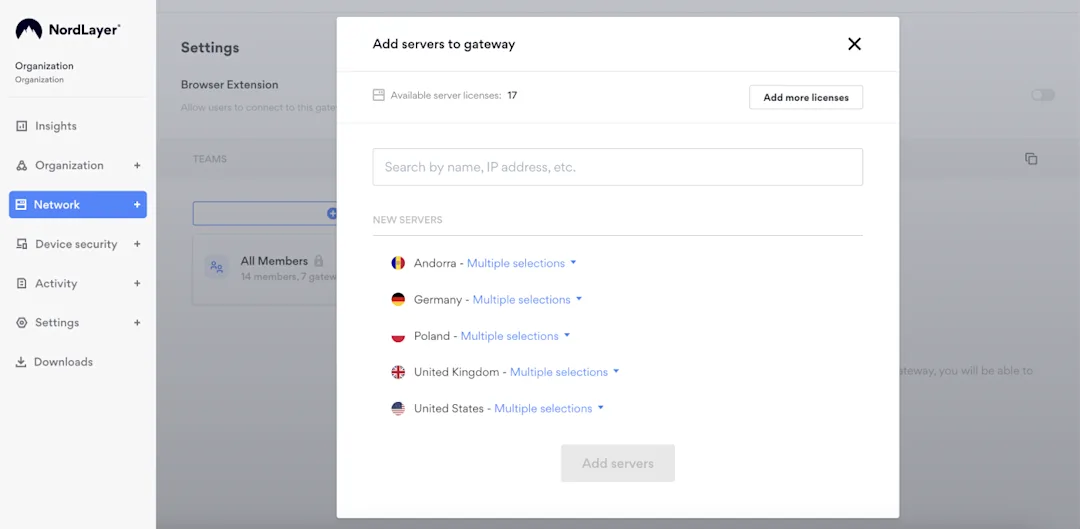
  2. Create a Virtual Private Gateway in the Control Panel. Simply name it, assign teams, and choose your preferred server location. The process is user-friendly and guided.

  3. Access your static IP address. Once your gateway is set up, your fixed IP address will be visible. With this fixed IP, you can whitelist resources, connect to remote networks, implement network segmentation policies, and apply DNS filtering, among other tasks.

It’s all about making your business more secure and flexible with easy-to-follow steps. Our sales team is always here if you need any help along the way.

About Version 2 Digital

Version 2 Digital is one of the most dynamic IT companies in Asia. The company distributes a wide range of IT products across various areas including cyber security, cloud, data protection, end points, infrastructures, system monitoring, storage, networking, business productivity and communication products.

Through an extensive network of channels, point of sales, resellers, and partnership companies, Version 2 offers quality products and services which are highly acclaimed in the market. Its customers cover a wide spectrum which include Global 1000 enterprises, regional listed companies, different vertical industries, public utilities, Government, a vast number of successful SMEs, and consumers in various Asian cities.

About NordLayer
NordLayer is an adaptive network access security solution for modern businesses – from the world’s most trusted cybersecurity brand, Nord Security.

The web has become a chaotic space where safety and trust have been compromised by cybercrime and data protection issues. Therefore, our team has a global mission to shape a more trusted and peaceful online future for people everywhere.

Future trends for MSPs: evolving network security with SSE

In the evolving MSP market, network security is undergoing a revolution thanks to Security Service Edge (SSE). This new approach, vital in a cloud-centric world, replaces outdated perimeter-based models with a more integrated, flexible strategy.

SSE combines multiple security services for comprehensive protection across all locations. This shift towards agility, scalability, and user focus is crucial for MSPs to meet their clients’ changing needs.

Let’s see what trends emerge in the future of the MSPs market and what experts have to say about it.

Is the MSP market growing?

Managed services involve outsourcing various IT and computing processes like cloud computing, IT infrastructure, and managed IT security.

In 2022, the value of the global managed services market approached $279 billion, with North America leading (a share of 36.6% in 2022 and a projected CAGR of 10.6%) and Asia Pacific emerging (a projected CAGR of 11.2%) as the fastest-growing region. By 2026, this market is projected to surpass $400 billion.

The managed services market is projected to expand to $680.08 billion by 2030, advancing at a Compound Annual Growth Rate (CAGR) of 11.9% from 2023 to 2033.

In 2022, the Banking, Financial Services, and Insurance (BFSI) sector dominated the managed services market with the largest revenue share of 18%, and it is anticipated to grow at a CAGR of 11.6% during its forecast period of 2023-2033.

What products will MSPs focus on selling?

In terms of popular products, security, and business applications lead in Europe and North America as of 2023.

These services offer the advantages of extensive IT infrastructure without requiring substantial in-house hardware. Additionally, managed services in the cloud are poised for growth due to their increasing adoption in organizations’ digital transformation strategies worldwide.

IT security services encompass various sectors, including:

  • cloud security

  • data protection

  • identity access management.

These tailored managed security services are essential for businesses globally to defend against cyber threats, comply with regulations, and secure their digital assets.

In 2023, Statista survey participants from North America and Europe indicated that they plan to allocate, on average, 12 percent of their 2024 IT managed services budget to both security and hosting services. Conversely, data analytics is expected to receive a smaller portion, with an average allocation of just 6 percent of their companies’ managed services budgets.

The future of MSPs, driven by technological advancements and evolving business needs, indicates a strategic shift toward more sophisticated, integrated, and efficient approaches, such as adopting the SSE framework.

From the surge in automation and cloud-based security services to the harmonization of diverse tools and infrastructures, these developments signal a new era of agility and resilience for MSPs.

Automation

Embracing technologies like AI for improved efficiency and task management. This trend indicates a shift towards automated processes for routine tasks, enhancing operational productivity.

Moreover, tools that provide automation solutions besides AI also help minimize repetitive tasks and increase attention to detail. It allows security administrators to avoid overlooking or missing important indications that may lead to a data breach.

MSPs as service providers will benefit from platforms that allow bulk onboarding of an organization’s users, whether tens or hundreds of them.

From the security perspective, for instance, setting up internal rules, if a non-compliant device tries to access the company network with a feature like Always On VPN, it will be automatically rejected, and the user account will be blocked until further admin action is taken. Such functionalities help reduce manual monitoring and resources, preventing human errors that could lead to incidents.

Reliance on security as a service

With cybersecurity threats evolving, MSPs will likely increase reliance on cloud-based security services. This shift highlights the importance of robust, scalable cybersecurity measures in a digitally interconnected landscape.

Cloud-based solutions like a cloud firewall help transition existing infrastructure to a more modern and up-to-date setup, adapted to contemporary technological and security challenges. These solutions are easy to deploy as they don’t require hardware or manual labor, and they can be launched and operational without needing on-site presence.

More importantly, security as a service is instant. When the right solution to the existing problem is selected, MSPs can onboard entire organizations within hours, if not minutes, rapidly shrinking the attack surface and enforcing security policies to protect a business. Meanwhile, MSP customers are safe without having specific knowledge of network security.

Cross-platform tools and infrastructure deployment

The anticipated growth in integrating diverse tools and infrastructure systems indicates a move towards more cohesive and flexible IT solutions. In this case, smooth integrations of different vendors’ tools and solutions are critical for seamless implementation, ensuring successful business continuity.

Compatibility with existing tools is beneficial, for example, to simplify the process of user management. SCIM user management with market leaders Okta and Azure AD (now Entra ID) allows smoother user provisioning by reducing manual handling time case by case and improving security levels by sorting access right effectively.

Besides user onboarding and offboarding processes, integrations with JumpCloud, OneLogin, Google, or the same Okta and Entra ID enable more secure access to the systems as Multi-factor authentication (MFA) and Single sign-on (SSO) are implemented for strong user authentication.

Adoption of managed cloud security services

There’s an expected rise in the adoption of cloud-based security services, reflecting the growing need for specialized security solutions in cloud environments. This trend underscores the recognition that cloud security needs specialized solutions beyond standard IT security measures.

Multi-cloud strategies, hybrid models, and an array of diverse services and apps require stepping up the game in cloud security to meet the specific needs of these environments.

There’s an increasing need for continuous monitoring, real-time threat detection, and rapid response mechanisms. Managed cloud security services are equipped to handle these demands, offering round-the-clock surveillance and immediate action against potential breaches to protect sensitive data and ensure uninterrupted business operations in the cloud.

Tendencies clearly direct us to cloud-based services and infrastructures. SSE framework fully addresses projected needs, so more and more managed service providers will incorporate it into their client offerings.

SSE dominance naturally raises questions about its potential to replace a VPN and what its strongest attributes are that MSPs can benefit from.

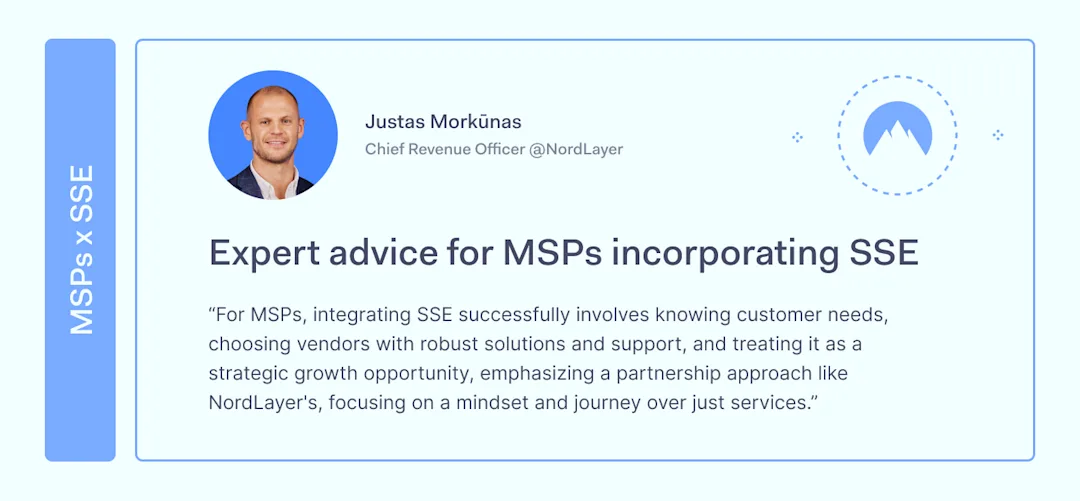
We asked our internal experts on the matter to understand the benefits and potential of the SSE framework for MSP partners. One thing is clear: the framework in question holds the future of cybersecurity. It supports various business models and needs, providing an integral approach to security challenges.

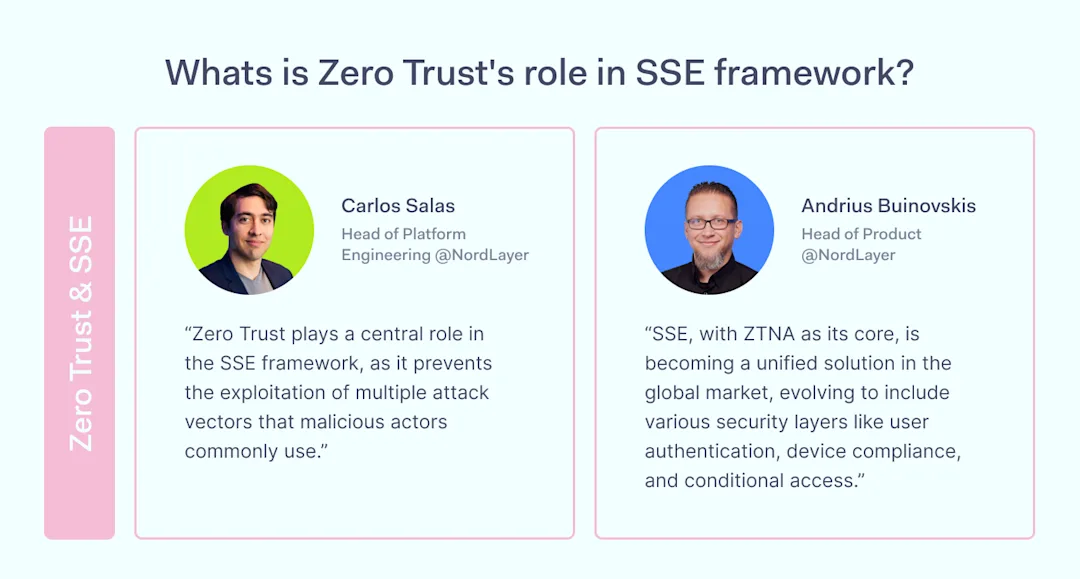
Zero Trust, and more specifically, Zero Trust Network Access (ZTNA), is one of the core SSE framework components. Alongside Secure Web Gateway (SWG), Firewall as a Service (FWaaS), and Cloud Access Security Broker (CASB), ZTNA is the most advanced and prominent part of the framework.

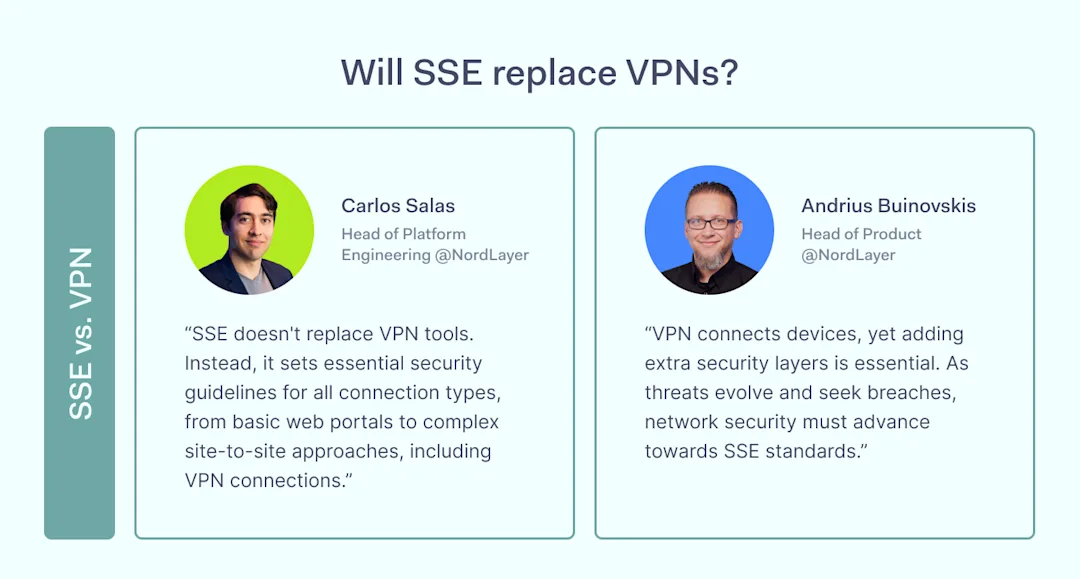
The following question is whether the SSE framework is capable of replacing Virtual Private Network (VPN) tools. While both solutions ultimately serve the same purpose of securing the network, they have quite different roles in cybersecurity.

A VPN tool connects devices, while SSE ensures overall security layers essential for devices’ and, ultimately, networks’ security. They complement rather than replace each other. Thus, VPN tools that go beyond primary connection and encryption but evolve into solutions with functionalities of SSE ensure more robust protection against digital threats.

Industry experts’ perspectives

We asked major MSPs in the industry to share their view regarding SSE adoption in a modern business environment.

With the subject focusing on SSE popularity and adoption, experts reveal what tendencies show clients’ demand for cloud security services and what implications create the need for such technology integration in the infrastructure.

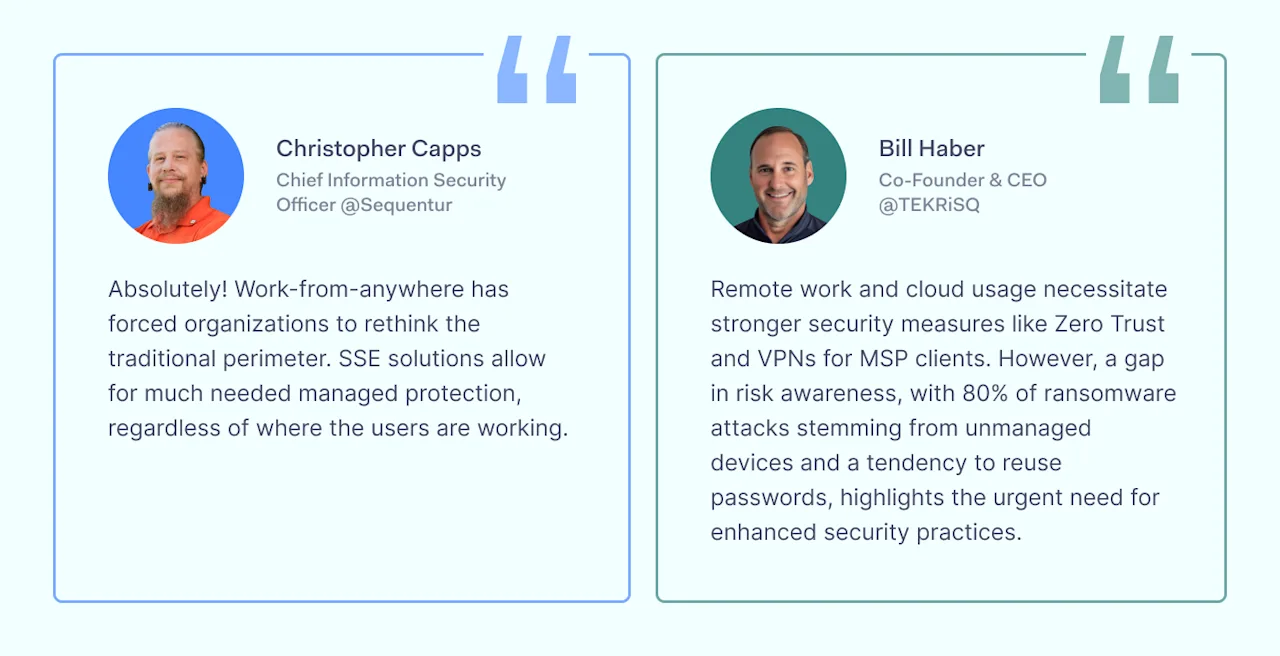
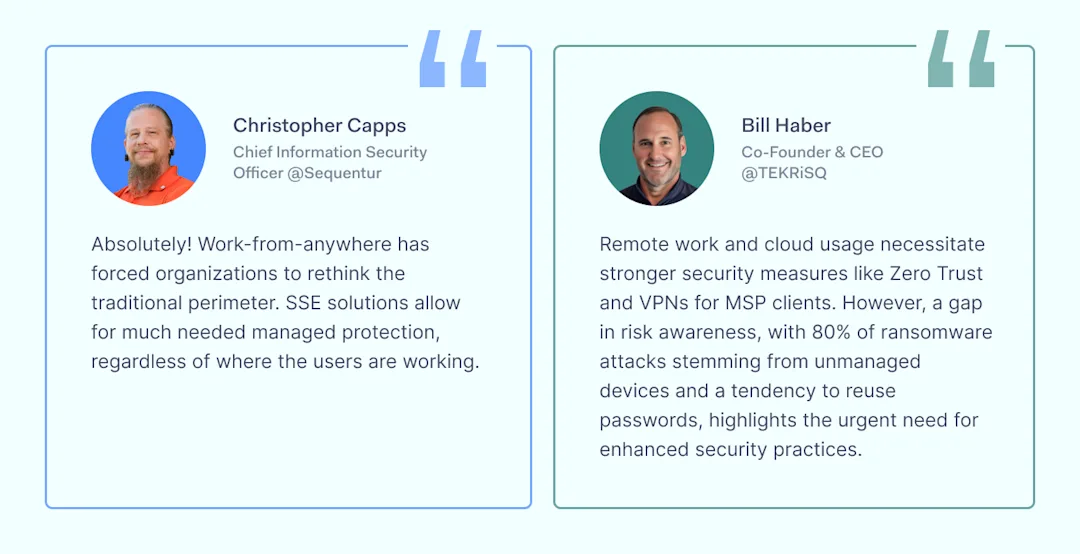
Has adopting remote work and cloud services impacted MSP clients’ demand for SSE solutions?

Impact of remote work and cloud services on Managed Security Service Provider clients' demand for SSE solutions

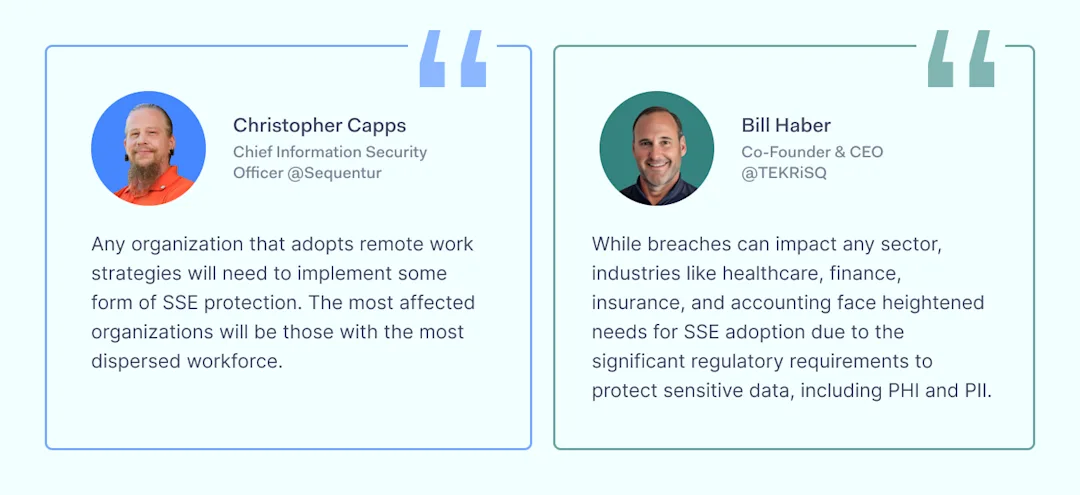
Are there any specific industries, sectors, or types of businesses where SSE adoption will be particularly critical in the near future?

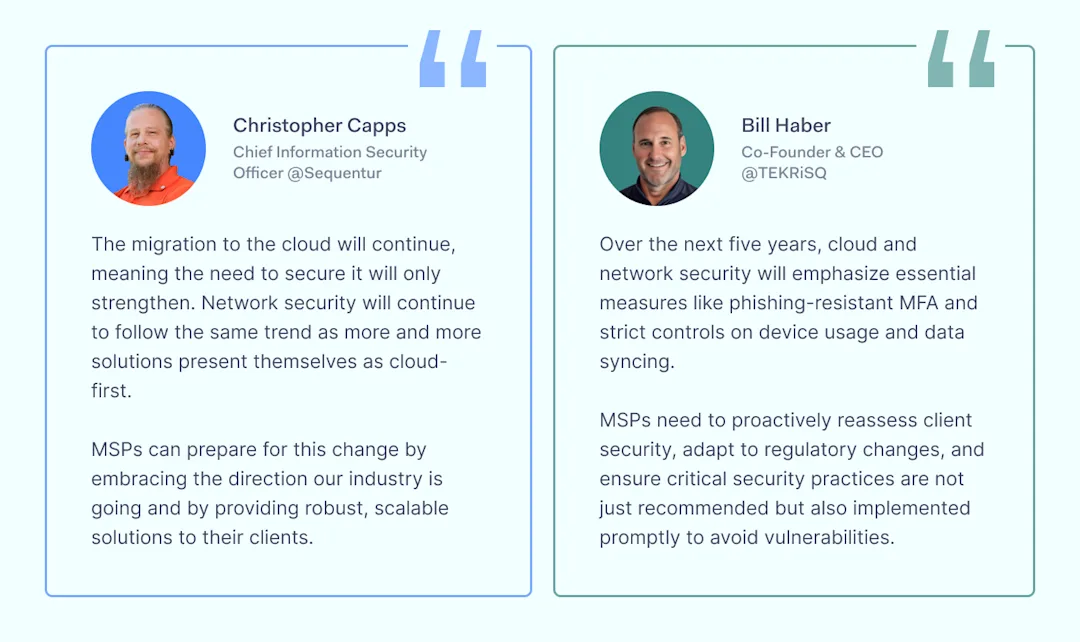
What are the predictions for cloud and network security in the next 5 years? How can MSPs prepare for this change?

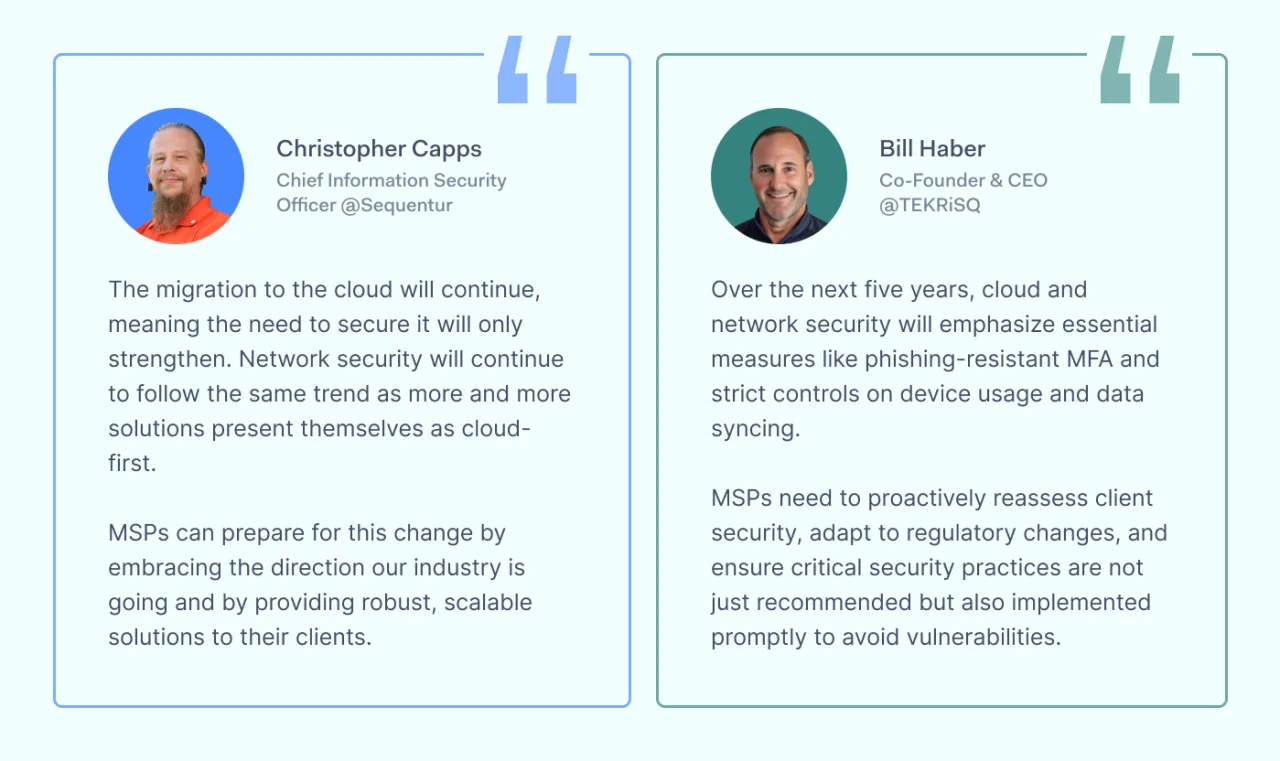
Experts predictions and MSP industry trends for the next 5 yearsWhy should MSPs offer solutions to their clients based on an SSE framework?
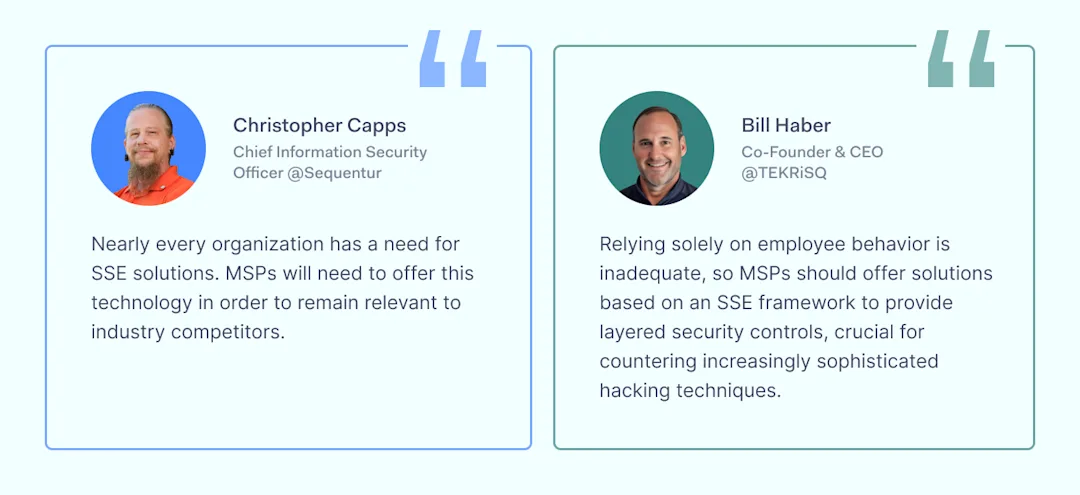
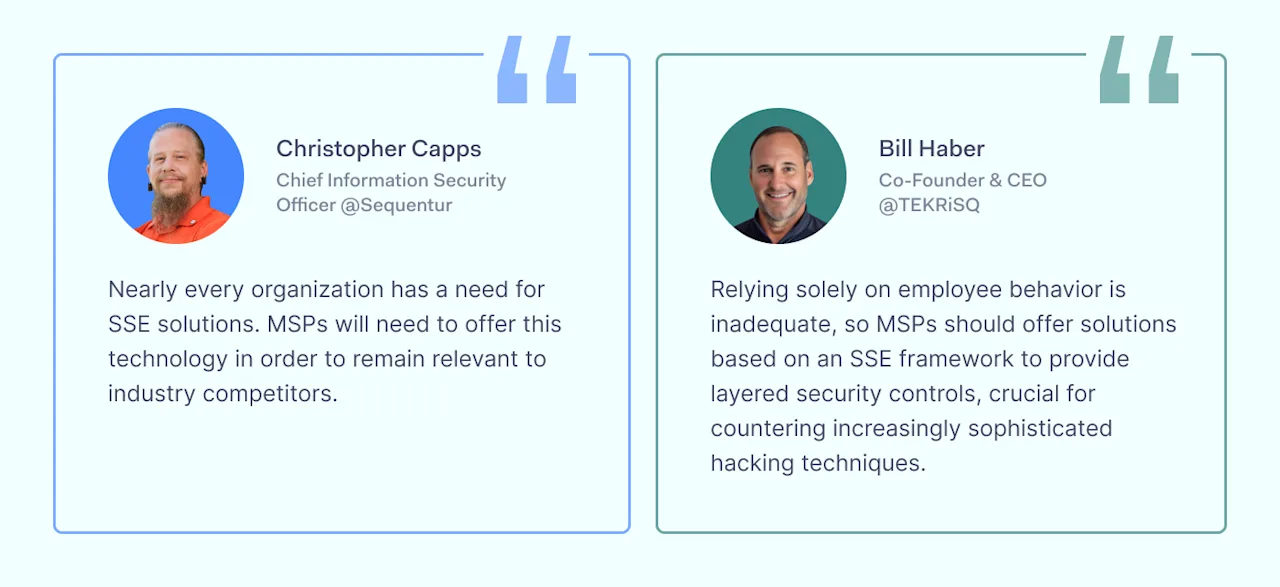
Explanations why MSPs should offer solutions to their clients based on an SSE framework

The experts’ insights highlight the growing demand for SSE solutions among MSP clients, driven by the widespread adoption of remote work and cloud services.

Both TEKRiSQ and Sequentur emphasized that while remote access increases vulnerability to security breaches, implementing SSE frameworks can mitigate these risks through layered security controls, such as phishing-resistant MFA and stringent device usage policies.

Key expert insights

1. Increased demand for security: the shift to remote work has made SSE solutions more critical for ensuring secure access to networks and protecting against breaches.

2. Industry-specific needs: sectors with sensitive data, like healthcare, finance, and accounting, face higher regulatory pressures, making SSE adoption crucial for compliance and protection against financial penalties.

3. Future security trends: the next five years will see a focus on enforcing basic security measures, such as phishing-resistant MFA and tighter controls on how employees use their devices. Regular cyber risk assessments will become essential for identifying and addressing security gaps.

4. MSP engagement and compliance: MSPs must regularly reassess their clients’ security needs in light of technological changes and regulatory requirements. Ensuring the implementation of recommended security measures is crucial, rather than merely suggesting them.

5. Layered security approach: with hackers employing increasingly sophisticated tactics, MSPs need to offer solutions that provide multiple layers of security, addressing both digital and physical vulnerabilities.

6. Staying relevant: offering SSE solutions is not just about enhancing security. It’s also critical for MSPs to remain competitive and relevant in the industry.

The insights underscore the importance of proactive security management, the need for continuous reassessment of security protocols, and the critical role of MSPs in guiding their clients through these challenges to ensure robust protection against evolving threats.

The primary goal of Managed Security Services Providers (MSSPs) is to proactively protect organizations from cyber threats and ensure regulatory compliance through a blend of technology and expert analysis.

Implementing SSE framework-based tools into the clients ‘ infrastructure is an effective and trusty way to achieve these goals. Luckily, NordLayer’s secure remote network access solution is built using technology-forward SSE design. It makes the tool comprehensive and robust for securing and enabling businesses of all sizes and industries.

A cloud-based network security tool for data protection and access control

Since MSPs will mainly focus on cloud security, data protection, and identity access management in 2024, NordLayer offers a solution that is exactly for it.

  • Being a cloud-native solution, NordLayer is hardware-free, thus deployable remotely from any location to any setup.

  • Built on the SSE framework, NordLayer’s design combines security services based on SSE’s components like ZTNA, SWG, and FWaaS.

  • The features and capabilities can scale and add up to create a layered network security shell against digital internal and external threats.

  • Seamless integration with identity management tools enables smooth user identification and robust access controls.

  • The ability to set up and implement a set of security rules and policies allows automated monitoring and actionable network protection.

  • Functionalities that are based on automation ensure every connection is encrypted and secure from malicious actors whether the team is working remotely or in a hybrid setup.

  • Online browsing on untrusted networks is secure whether employees work from a coffee shop, home, or hotel while on a business trip.

  • 24/7 active tech-savvy customer support and an extensive materials base don’t leave partners and users alone in the unknown.

  • Easily deployable and manageable, NordLayer doesn’t require manual work and maintenance, letting it optimize resources and not rely on the user’s extensive expertise.

  • NordLayer helps companies adhere to ISO 27001, GDPR, HIPAA, SOC 2 Type 2, and PCI-DSS regulatory requirements and stay compliant in the market.

The key takeaway is that NordLayer is extremely easy to use, manage, and deploy while ensuring stress-free and robust security implementation to any infrastructure, industry sector, or organization size.

Try it yourself—book a demo call with our tech-savvy experts and get all the answers you need to become a member of the NordLayer Partner Program.

About Version 2 Digital

Version 2 Digital is one of the most dynamic IT companies in Asia. The company distributes a wide range of IT products across various areas including cyber security, cloud, data protection, end points, infrastructures, system monitoring, storage, networking, business productivity and communication products.

Through an extensive network of channels, point of sales, resellers, and partnership companies, Version 2 offers quality products and services which are highly acclaimed in the market. Its customers cover a wide spectrum which include Global 1000 enterprises, regional listed companies, different vertical industries, public utilities, Government, a vast number of successful SMEs, and consumers in various Asian cities.

About NordLayer
NordLayer is an adaptive network access security solution for modern businesses – from the world’s most trusted cybersecurity brand, Nord Security.

The web has become a chaotic space where safety and trust have been compromised by cybercrime and data protection issues. Therefore, our team has a global mission to shape a more trusted and peaceful online future for people everywhere.

About NordLayer
NordLayer is an adaptive network access security solution for modern businesses – from the world’s most trusted cybersecurity brand, Nord Security.

The web has become a chaotic space where safety and trust have been compromised by cybercrime and data protection issues. Therefore, our team has a global mission to shape a more trusted and peaceful online future for people everywhere.

What is MSSP in cybersecurity?

A Managed Security Service Provider (MSSP) is a specialized IT service company focusing on cybersecurity. MSSPs help businesses protect themselves from cyber threats, enhance their security operations, and navigate the complex landscape of information security with greater ease and expertise.

MSSP vs. MSP: what’s the difference?

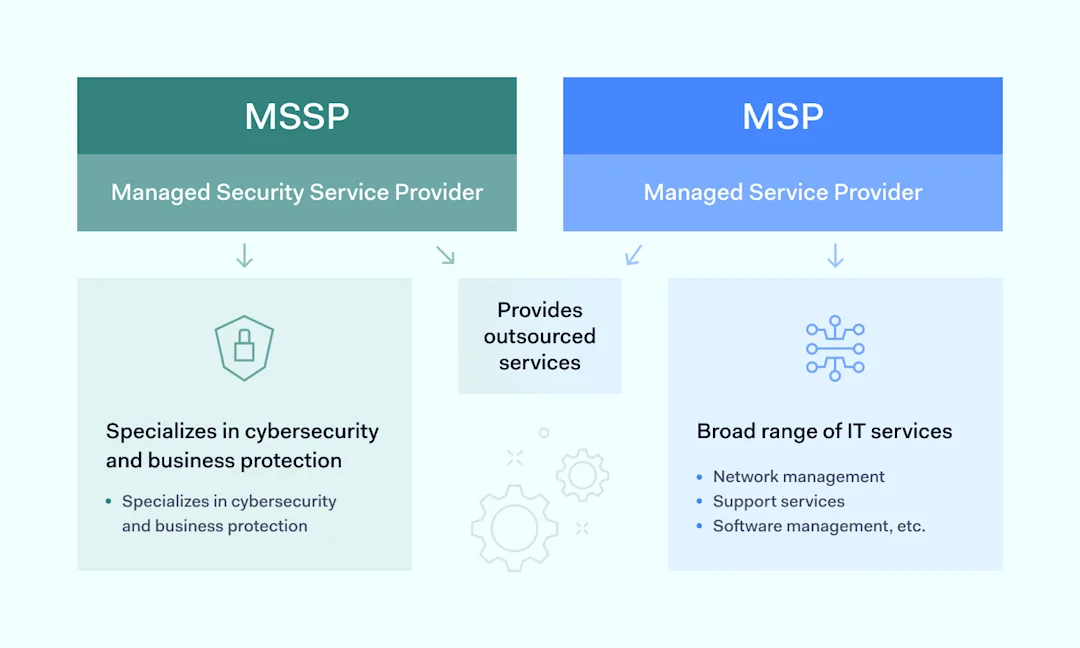
While both Managed Security Service Providers (MSSPs) and Managed Service Providers (MSPs) offer outsourced services, their focus areas differ significantly.

MSSPs specialize in cybersecurity, offering security services tailored to protect businesses from cyber threats. MSPs, on the other hand, provide a broader range of IT services, including but not limited to network management, support services, and software management. 

The key distinction lies in the Managed Security Service Provider’s specialized focus on securing your digital assets against cyber threats.

What kinds of services do MSSPs offer?

Navigating the complexities of cybersecurity requires more than just a keen eye—it necessitates a comprehensive suite of services designed to protect, detect, and respond to threats efficiently.

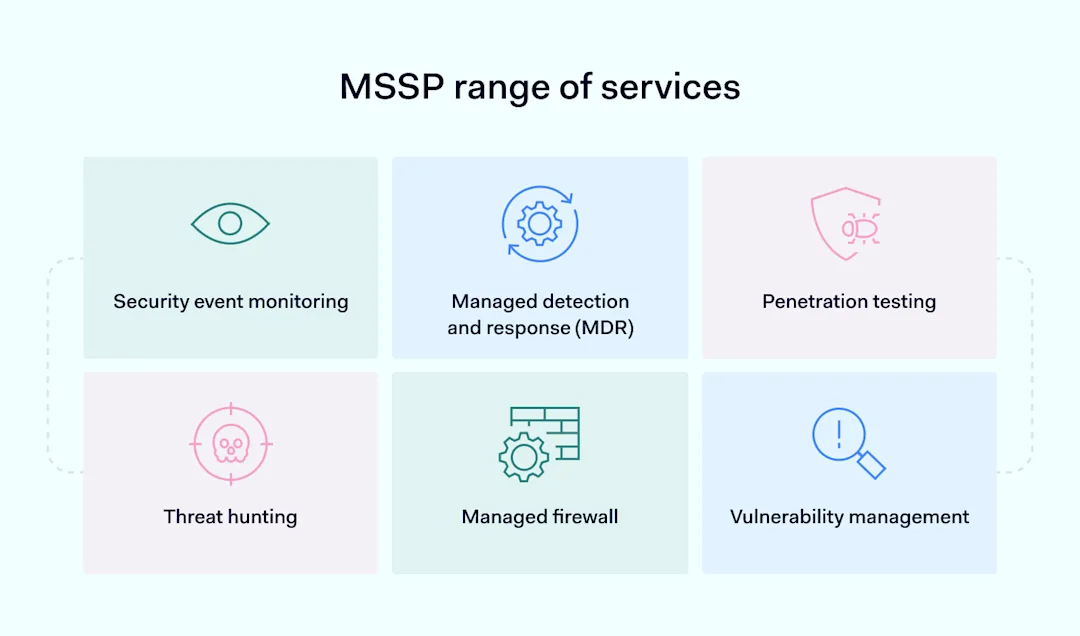
MSSPs offer this critical support of managed security services, delivering a range of specialized services tailored to enhance an organization’s security posture. Let’s examine the key offerings that define the role of MSSPs in safeguarding digital assets.

Security event monitoring

MSSPs continuously monitor your network for security events, ensuring that any potential threats are identified and addressed promptly. This proactive approach helps minimize the risk of breaches.

Security event monitoring is the cornerstone of what MSSPs offer, providing round-the-clock surveillance of network and system activities. This service ensures that any unusual or potentially harmful activity is spotted immediately, enabling swift action to mitigate risks. It’s about keeping a vigilant watch over your digital domain, ready to flag anything out of the ordinary.

Managed detection and response (MDR)

Through MDR services, MSSPs not only detect threats but also respond to them swiftly, often before they can cause significant damage. This includes isolating affected systems and removing malicious entities.

MDR goes beyond spotting threats by actively taking steps to stop them in their tracks and by deploying countermeasures to prevent the spread of an attack. MDR services embody the rapid reflexes needed to defend against cyber threats effectively.

Penetration testing

Penetration testing is akin to a stress test for your cybersecurity defenses. Using a simulation strategy to create cyber-attacks, MSSPs identify vulnerabilities in your infrastructure that could be exploited by malicious actors. This proactive approach allows organizations to fortify their defenses before real threats emerge.

Threat hunting

MSSPs actively search for indicators of compromise within your environment that may elude traditional detection methods. This proactive search uncovers hidden threats, ensuring they’re addressed before causing harm.

Managed firewall

Managed firewall services focus on the management, maintenance, and monitoring of firewall infrastructure. This includes configuring firewall rules to allow legitimate traffic while blocking malicious or unauthorized access attempts. It’s a critical line of defense in controlling data flow in and out of the network.

Vulnerability management

Through vulnerability management, a Managed Security Service Provider helps identify, assess, remediate, and report on security vulnerabilities in your systems and software, keeping your IT environment secure.

Benefits of working with an MSSP

The decision to partner with an MSSP is not just about outsourcing but also about empowering your organization with a robust security framework. This framework is designed to defy the complexities of modern cyber threats.

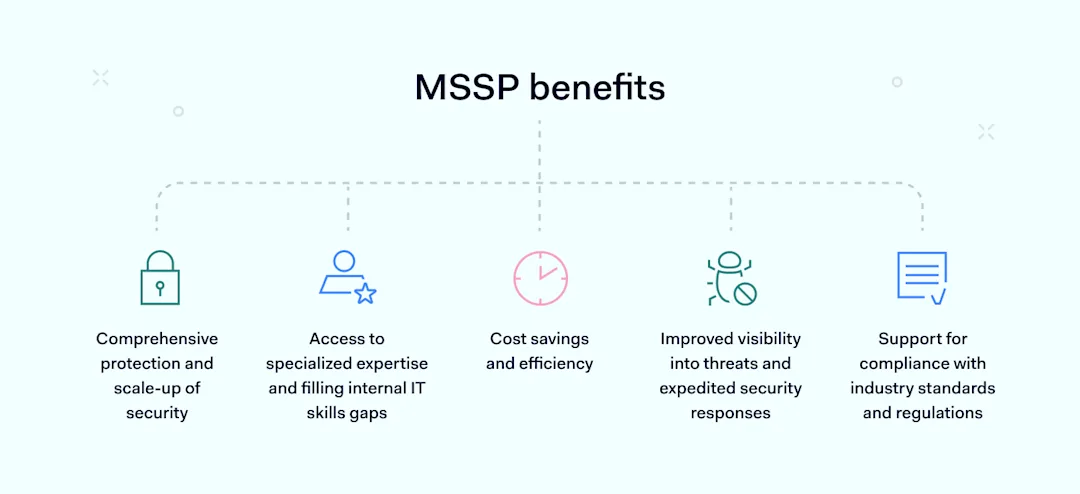
The benefits of engaging with an MSSP are various, touching upon not just the technological aspects of cybersecurity but also the strategic and operational enhancements it brings to an organization. Here’s a closer look at the key advantages:

Comprehensive protection and scale-up of security

MSSPs offer a broad spectrum of security services that cover all aspects of your cybersecurity needs, allowing for scalable protection as your business grows.

Comprehensive protection and scale-up of security encapsulate the essence of MSSP engagement. Organizations gain a dynamic shield, capable of adapting to evolving threats and expanding in tandem with business growth. This isn’t just about having more tools in the arsenal; it’s about ensuring each layer of security is interwoven to form an impenetrable defense.

Access to specialized expertise and filling internal IT skills gaps

Access to specialized expertise and filling internal IT skills gaps addresses a critical challenge many organizations face: the scarcity of cybersecurity talent.

Partnering with a Managed Security Service Provider bridges this gap by bringing in a team of experts. They improve the organization’s security posture without requiring lengthy and often unsuccessful recruiting and training processes.

Cost savings and efficiency

Cost savings and efficiency emerge from the strategic allocation of resources that an MSSP facilitates.

Instead of bearing the high costs associated with maintaining a comprehensive in-house security team and the latest technologies, organizations can save money and work more efficiently by using MSSPs. This approach not only optimizes spending but also allows businesses to focus their internal resources on core activities.

Improved visibility into threats and expedited security responses

Improved visibility into threats and expedited security responses are critical in a landscape where the speed and stealth of cyber attacks continue to increase.

MSSPs offer advanced monitoring and detection capabilities, ensuring that threats are identified and addressed with speed and precision. This rapid response mechanism minimizes potential damage and maintains business continuity.

Support for compliance with industry standards and regulations

MSSPs help ensure that your business stays compliant with relevant cybersecurity standards and regulations, reducing the risk of penalties and breaches.

MSSPs possess the expertise to navigate these complex regulations, ensuring that organizations meet and maintain compliance standards, thereby avoiding penalties and safeguarding their reputation.

Selecting the right MSSP

Selecting the right MSSP is a critical decision that can significantly impact your organization’s cybersecurity posture.

When choosing an MSSP, consider their expertise in cybersecurity, the technology they use, their cost-effectiveness, and their ability to provide threat intelligence. Look for providers with excellent customer service and efficient onboarding processes to ensure a smooth partnership.

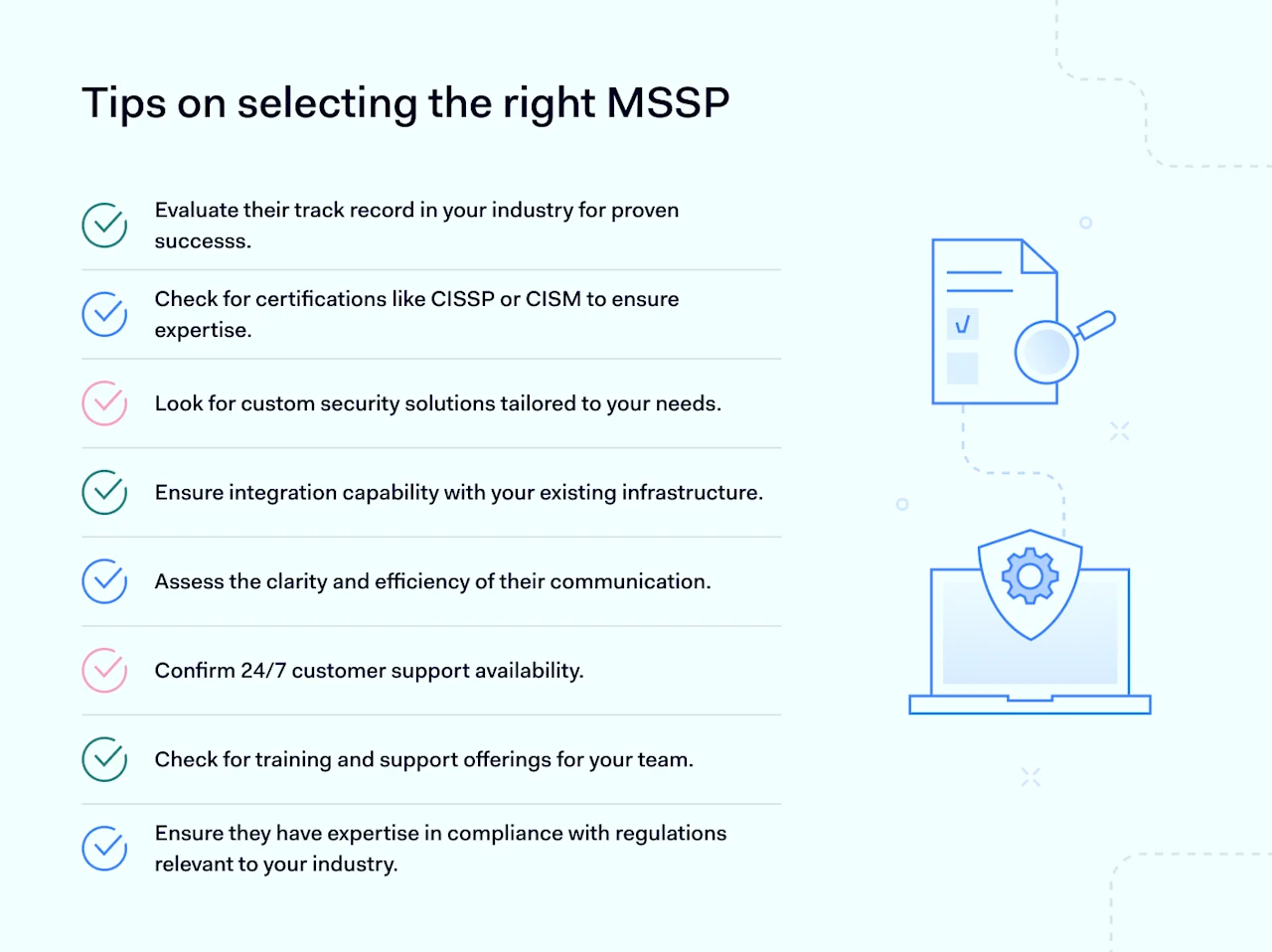
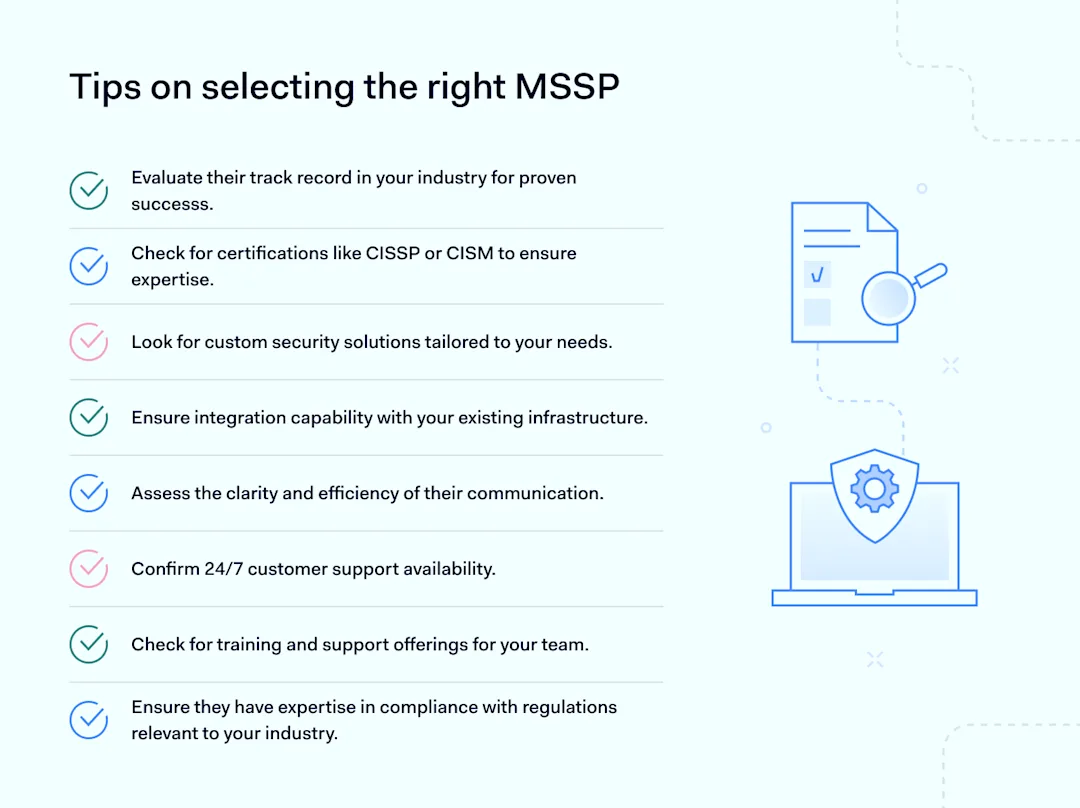
Tips on selecting the right Managed Security Service Provider

To ensure you partner with a provider that aligns with your security needs and business objectives, consider the following guidelines and factors:

Security expertise

  • Track record: evaluate the MSSP’s history of success in your industry. Look for case studies or references demonstrating their capability to manage complex security environments.

  • Certifications: check for industry-recognized certifications among their team members, such as CISSP, CISM, or others relevant to cybersecurity. This indicates a level of expertise and commitment to professional development.

  • Custom security solutions: ensure the MSSP can tailor its security services to fit your unique business requirements rather than offer a one-size-fits-all approach.

Technology

  • Advanced tools: investigate whether the MSSP employs state-of-the-art security technologies and tools that can effectively detect and mitigate threats.

  • Integration capability: the ability of the MSSP to integrate their solutions with your existing IT infrastructure is crucial for a seamless security posture.

  • Continuous innovation: look for signs that the MSSP invests in research and development to stay ahead of emerging cybersecurity threats.

Cost-effectiveness

  • Transparent pricing: seek an MSSP that offers clear, upfront pricing models without hidden fees. This transparency helps in budgeting and assessing the overall value of their services.

  • ROI analysis: consider whether the MSSP can provide evidence or case studies demonstrating a return on investment for their clients through enhanced security and risk mitigation.

Threat intelligence

  • Global threat landscape awareness: the MSSP should have a robust mechanism for gathering and analyzing threat intelligence worldwide, offering proactive protection against emerging threats

  • Custom threat reporting: ensure they can deliver personalized threat reports that are relevant to your business, enabling informed decision-making.

Customer service

  • Availability: confirm that the MSSP offers 24/7 support to address any security incidents or concerns as they arise.

  • Communication: assess the MSSP’s commitment to informing you about your security status, including regular updates and reviews.

Onboarding processes

  • Smooth transition: the MSSP should have a clear and efficient onboarding process that minimizes disruption to your operations

  • Training and support: check if they provide training for your team on their systems and processes, ensuring you can fully leverage their services from day one.

Compliance and regulation support

  • Expertise in compliance: ensure the MSSP has experience with and understanding of the specific compliance requirements relevant to your industry, such as GDPR, HIPAA, or PCI-DSS.

  • Compliance services: some MSSPs offer services specifically designed to help you meet compliance standards, including regular audits, compliance gap analysis, and reporting.

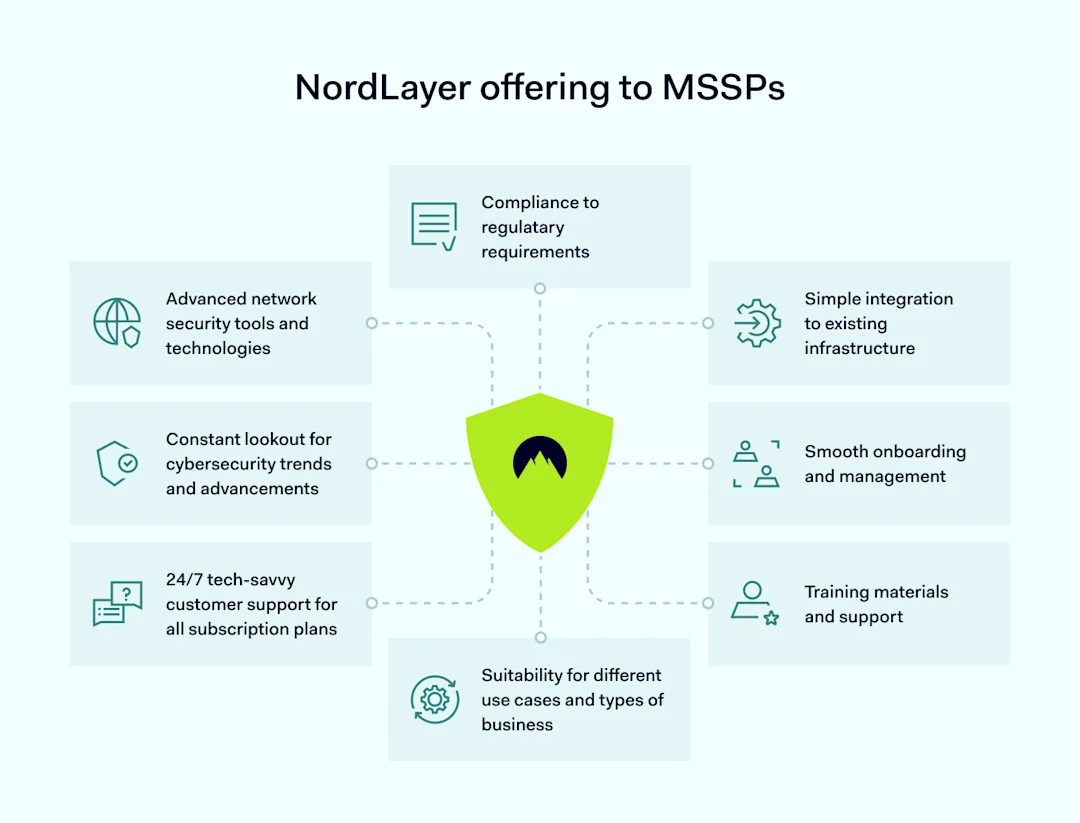
How does NordLayer enhance MSSP capabilities?

NordLayer enhances the capabilities of MSSPs by offering advanced security features and services, such as Secure Remote Access, end-to-end encryption, and threat intelligence integration.

By partnering with NordLayer, MSSPs can offer their clients a more robust security solution, ensuring that businesses of all sizes can protect their digital assets effectively and efficiently based on their security requirements.

NordLayer’s security software complements the MSSP’s expertise, providing a comprehensive security posture that meets the evolving threats in the cybersecurity landscape. A collaboration of cybersecurity professionals helps achieve the best results in cybersecurity services, data security, and network security.

Are you looking for a trusted partner to secure your clients’ networks? NordLayer offers a Partner Program with a focus on tangible benefits for its partners and simple yet effective solutions to protect businesses in the hectic cybersecurity landscape.

About Version 2 Digital

Version 2 Digital is one of the most dynamic IT companies in Asia. The company distributes a wide range of IT products across various areas including cyber security, cloud, data protection, end points, infrastructures, system monitoring, storage, networking, business productivity and communication products.

Through an extensive network of channels, point of sales, resellers, and partnership companies, Version 2 offers quality products and services which are highly acclaimed in the market. Its customers cover a wide spectrum which include Global 1000 enterprises, regional listed companies, different vertical industries, public utilities, Government, a vast number of successful SMEs, and consumers in various Asian cities.

About NordLayer
NordLayer is an adaptive network access security solution for modern businesses – from the world’s most trusted cybersecurity brand, Nord Security.

The web has become a chaotic space where safety and trust have been compromised by cybercrime and data protection issues. Therefore, our team has a global mission to shape a more trusted and peaceful online future for people everywhere.

About NordLayer
NordLayer is an adaptive network access security solution for modern businesses – from the world’s most trusted cybersecurity brand, Nord Security.

The web has become a chaotic space where safety and trust have been compromised by cybercrime and data protection issues. Therefore, our team has a global mission to shape a more trusted and peaceful online future for people everywhere.

How to prevent malware attacks

You’re a well-respected American professor and consultant for government agencies, deeply involved in national security. In the middle of your packed schedule, an email arrives from what seems like a respected colleague asking for your thoughts on their article.

Flattered, you open the attached PDF, but the text is garbled. Assuming it’s a simple glitch, you ask for a clearer copy but instead get a link to a “decryption” tool. Without hesitation, you click on it, only to lose access to all your data—putting your contacts at risk, too.

This breach is the work of Cold River, tied to the Russian state, using “SPICA” malware. They’ve moved from phishing to malware via PDFs, targeting professionals like you for espionage. “SPICA” gives them deep access to steal sensitive information, showcasing the need for constant cybersecurity vigilance.

Key takeaways

  • Malware can harm computers, networks, and devices, putting your data and money at risk. 

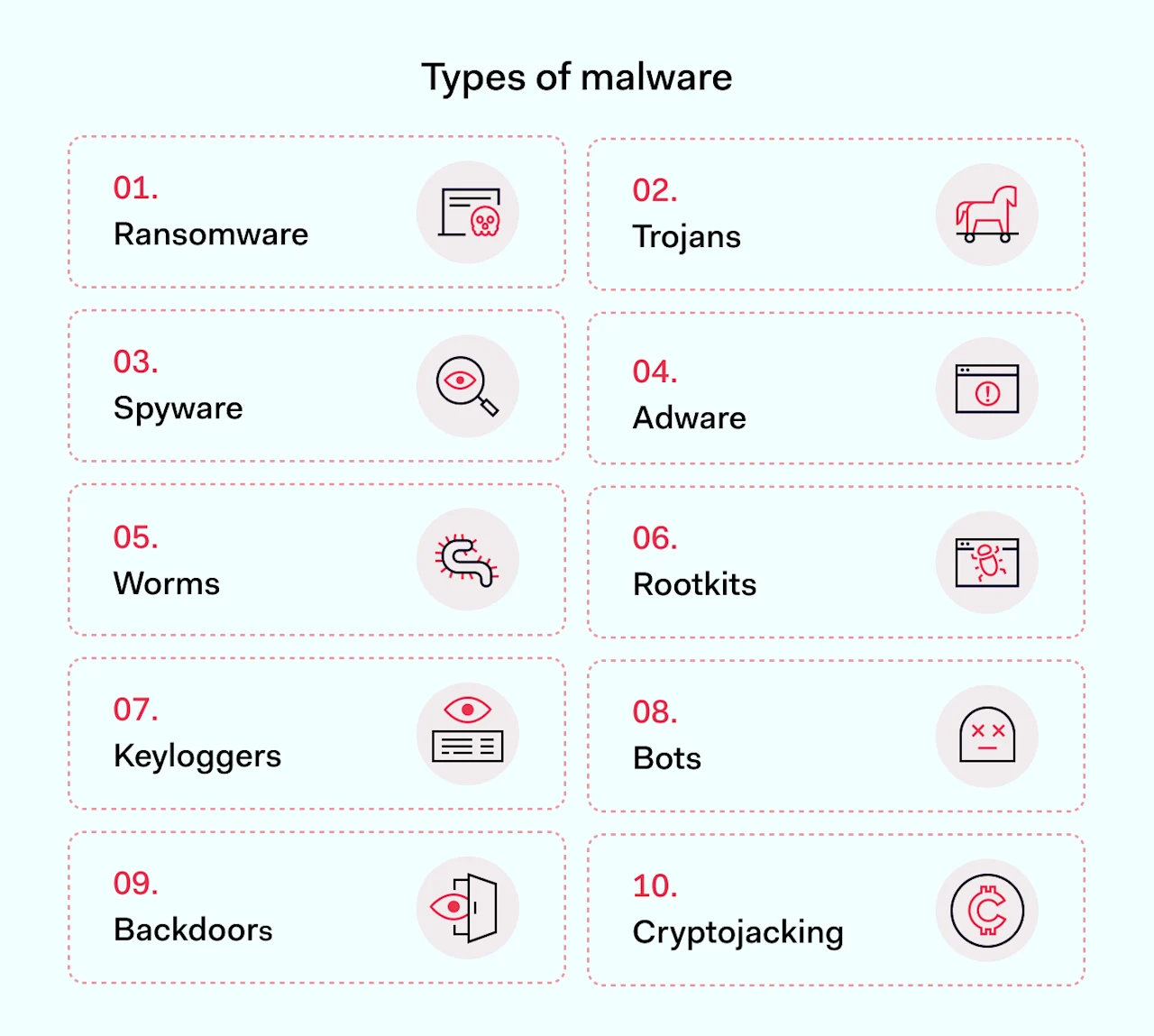
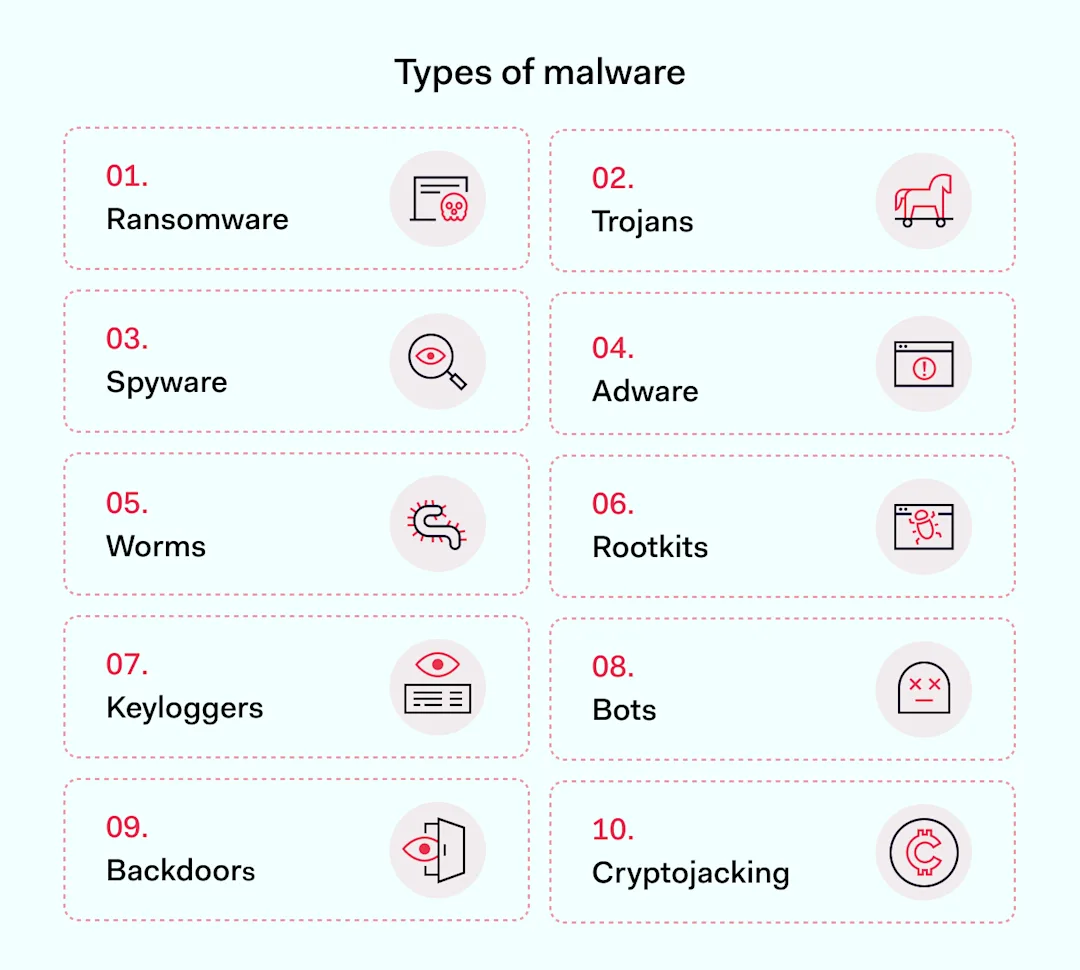
  • Different malware types, like ransomware, Trojans, spyware, adware, and worms, each pose their unique threats. 

  • It spreads via phishing emails, malvertising, exploit kits, and social media scams, taking advantage of software flaws. 

  • To spot malware, watch for slow computers, unexpected data sends, and strange file changes. 

  • Fighting malware means using strong endpoint protection, keeping software up-to-date, and educating your team. 

  • NordLayer’s security solutions greatly lower the chance of malware attacks, helping to keep your information safe.

What is malware?

Malware is software that’s made to damage or misuse computers, networks, and devices. It sneaks into systems through weak spots or tricks, like phishing emails, to do things it shouldn’t. This includes taking private data, harming how systems work, or letting hackers in. Malware is risky because it can cause big money problems, leak private info, and interrupt important services, affecting everyone from people to governments.

Getting malware attacks is cheap, too. By March 2023, top-notch malware services were going for up to $4,500 for every 1,000 installs from dark marketplaces.

Types of malware

In 2023, we’ve seen a rise in malware that threatens both people and companies in unique ways.

Types of malware

Ransomware is a type of malware that locks data and asks for payment to unlock it. It got worse, also now demanding ransom in cryptocurrency. Ransomware attacks jumped 70% by September 2023 from the year before. The MOVEit software breach affected over 2,300 organizations, revealing private info like health records. The “cl0p” gang’s attack shows how advanced ransomware has become.

Trojans pretend to be safe software to steal data or take control remotely. They now target PCs, Macs, and mobile devices more than ever. Downloading risky content or ignoring updates can invite Trojans, reminding us to stay alert and keep our software fresh.

Spyware secretly collects personal details like what you type and where you go online. This risk highlights the need for safe web habits and spyware protection tools.

Adware might be less harmful but annoys you with unwanted ads and might track you online. This shows why using ad blockers and valuing privacy online matters.

Worms spread through networks by finding weak spots in software, stealing data, or hogging bandwidth. This points to the urgent need to update systems and secure networks.

To deal with these malware types, keeping network security practices sharp, educating ourselves and others, and strengthening our cyber defenses are key.

How is malicious software distributed?

Malware distribution has gotten trickier, using both tech smarts and cunning tricks to sneak into systems and trick people. Here’s a rundown of common ways it spreads:

  1. Phishing emails. Simple but effective, these emails trick people into clicking harmful links or attachments, often looking like they’re from real companies or friends.

  2. Malvertising. This method puts malware into ads on legitimate websites. Just visiting the site might infect a user; no clicks are needed.

  3. Exploit kits. These tools find and use weaknesses in software or systems to slip malware in when someone visits a compromised site.

  4. Social media scams. Fake profiles or messages on social platforms can spread malware, using tempting offers or urgent warnings to lure clicks to dangerous sites.

  5. Supply chain attacks. Here, malware is hidden in software before it even gets to the user, aiming to hit many targets at once.

  6. RDP attacks. More people working remotely means more malware attacks on the Remote Desktop Protocol, where thieves use stolen details to get into systems and plant malware.

  7. File-sharing services. Malware disguised as regular files on sharing sites can trick users into downloading harm.

  8. Spear phishing and whaling. These personalized malware attacks target specific people or companies or go after big fish with the aim of a big payoff.

  9. Zero-day vulnerabilities. Unknown flaws in software are gold for cybercriminals, letting them attack before a fix is out.

  10. Mobile malware apps. Bad apps in app stores can look legit but are really malware in disguise, aiming to infect phones and tablets.

How to recognize malware

For businesses, spotting malware quickly is key to keeping their data safe.

Look out for these signs that might suggest malware presence in your operating system.

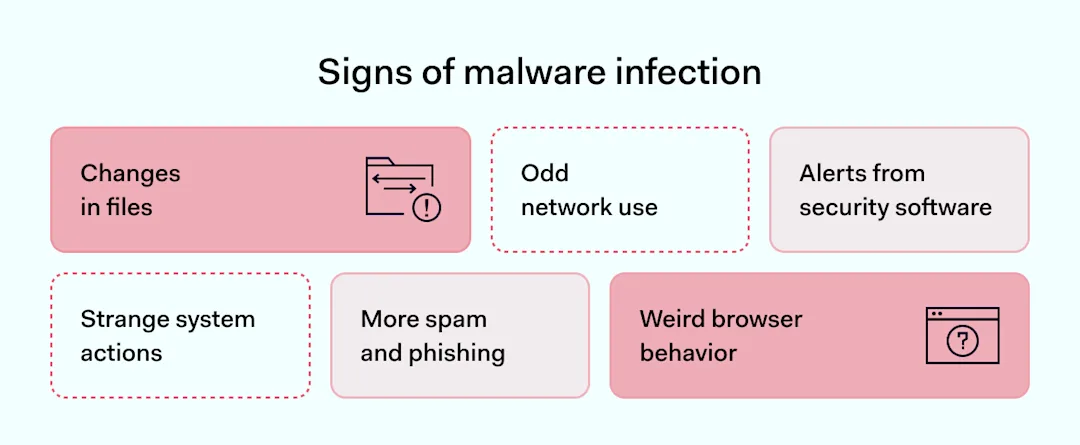
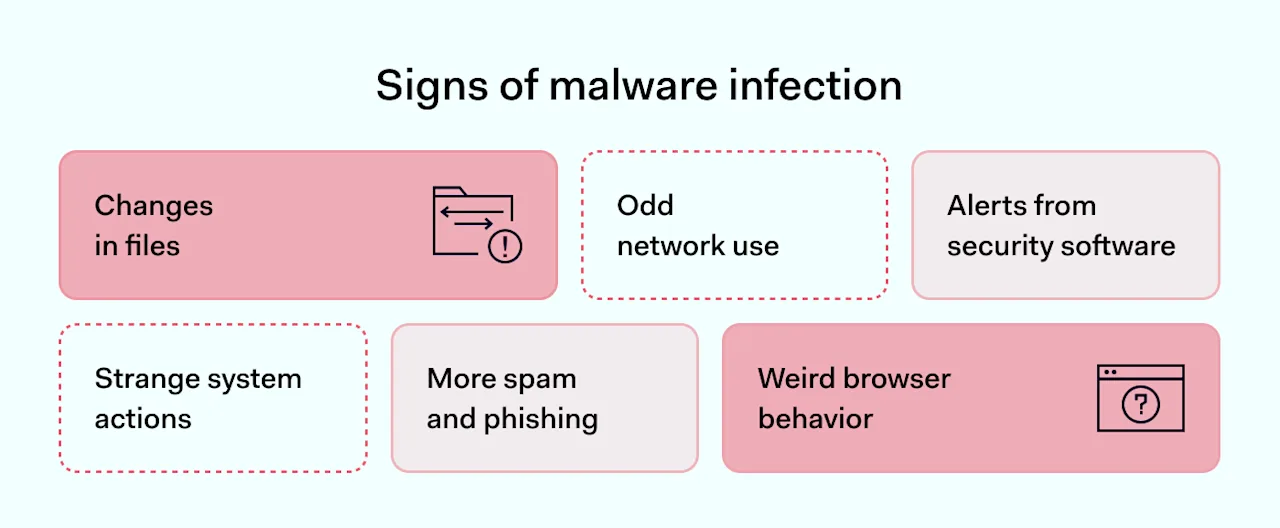
Signs of malware infection Strange system actions

  • Devices or networks slow down might mean malware is using up resources.

  • Systems crash or show errors, which could be malware messing with them.

  • Programs open or install by themselves might be due to malware.

Odd network use

  • Unexpected data sent out could be malware stealing sensitive information.

  • New, unauthorized network connections might be a sign of malware.

Changes in files

  • Files change or vanish without user action, pointing to malware.

  • New files or programs that users didn’t install appear, indicating malware.

Alerts from security software

  • Antivirus gives warnings; it might be spotting malware.

  • A firewall gives out unusual alerts about blocked connections or port access attempts, signaling malware.

More spam and phishing

A rise in phishing emails can show a malware attack is underway.

Weird browser behavior

Browser redirects to odd sites, home page changes, or more pop-ups can indicate malware.

To detect malware, you need:

  • Scan systems regularly with the latest antivirus and anti-malware tools, especially after installing new software.

  • Watch network traffic for any strange activity with monitoring tools.

  • Train employees to recognize and report malware signs.

  • Update all software to close off vulnerabilities.

  • Use advanced protection like ATP solutions for better defense against malware.

Spotting malware early helps businesses react fast to reduce harm. Having a clear plan for when you suspect malware is crucial.

How to prevent malware

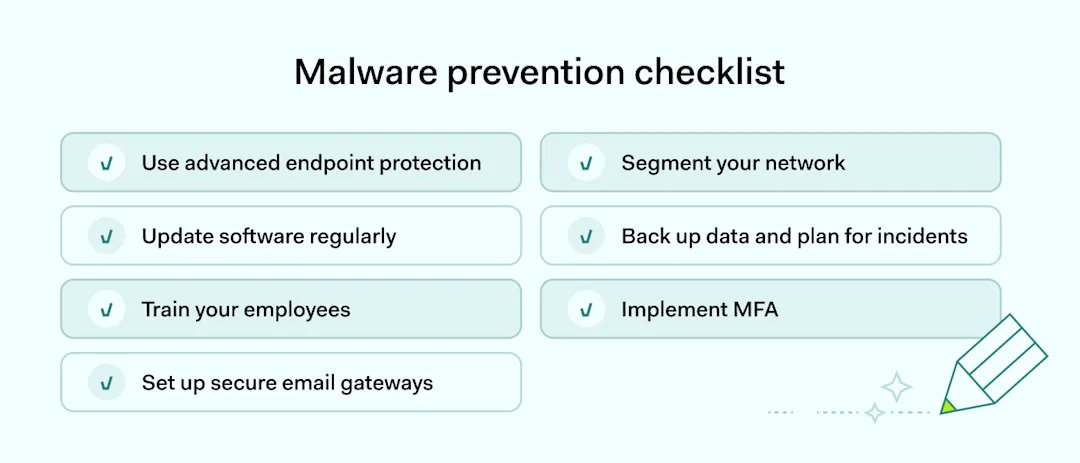
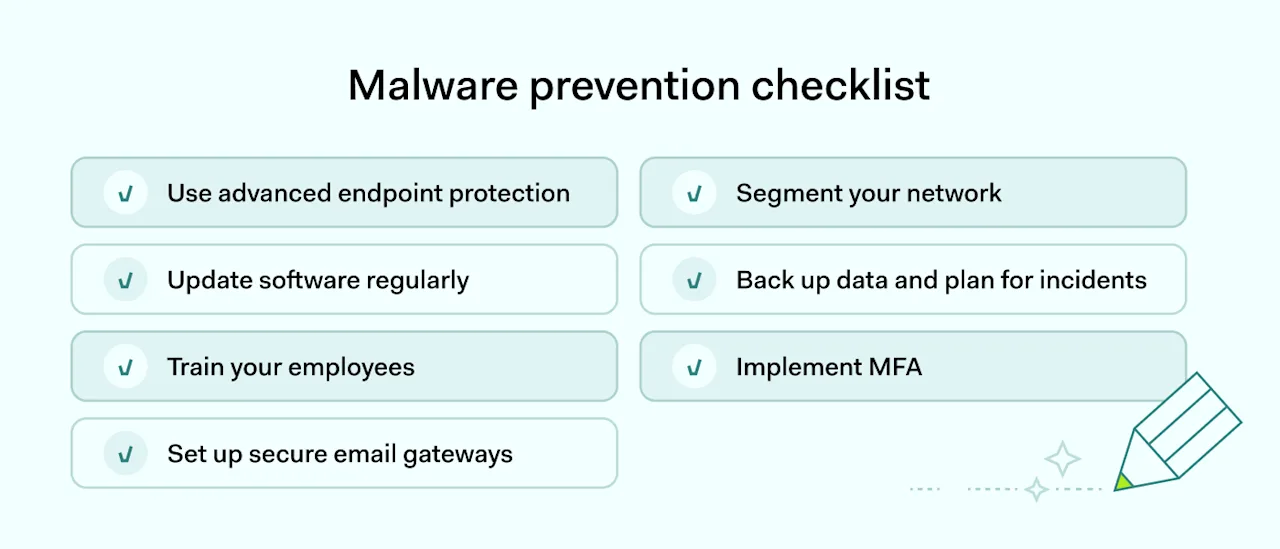
To keep businesses safe from malware, a well-rounded cybersecurity strategy is essential. Here are the top seven steps businesses can take:

Malware prevention checklist

Use advanced endpoint protection

Opt for antivirus and EDR (Endpoint Detection and Response) solutions that detect and neutralize malware using machine learning. These tools scan for unusual activities and help effectively remove malware. An EDR system, for example, could prevent a ransomware attack by identifying and isolating the threat before it encrypts any files. 

Update software regularly

Ensure your operating system, applications, and network devices are always updated. Outdated software is a prime target for hackers. The WannaCry ransomware incident is a stark reminder: it exploited unpatched Windows systems worldwide. Apply updates promptly for malware prevention.

Train your employees

Educate your staff about the dangers of malware and the importance of verifying new software sources before downloading. Practical training sessions can reduce malware risks by teaching employees to recognize phishing scams, a common malware delivery method. Remind everyone to scrutinize email senders and not to click on suspicious links, which can prevent many potential breaches.

Set up secure email gateways

Deploy email security solutions that filter phishing scams and dangerous links in advance. Use sandboxing technologies that safely analyze dubious email attachments. This step helps stop malware at the entry point.

Segment your network

Divide your network into segments to better manage and contain potential malware spread to other computers. Implementing strict access controls ensures that users have access only to necessary resources. That limits the impact if data is compromised. 

Network segmentation proved effective during the NotPetya malware outbreak, as it helped contain the spread within segmented parts of the network, minimizing overall damage.

Back up data and plan for incidents

Back up your data and have a plan ready for any incidents. Always keep important resources backed up in places separate from your main network, and keep updating your plan for dealing with cyber threats.

Having backups means you can get back on track without paying off ransomware, keeping your data and money safe.

Implement Multi-Factor Authentication (MFA)

Add MFA for better security. It helps keep your operating system safe, even if someone guesses your password. Using MFA makes it much harder for hackers to break in, as they can’t easily bypass this extra security step.

How NordLayer can help

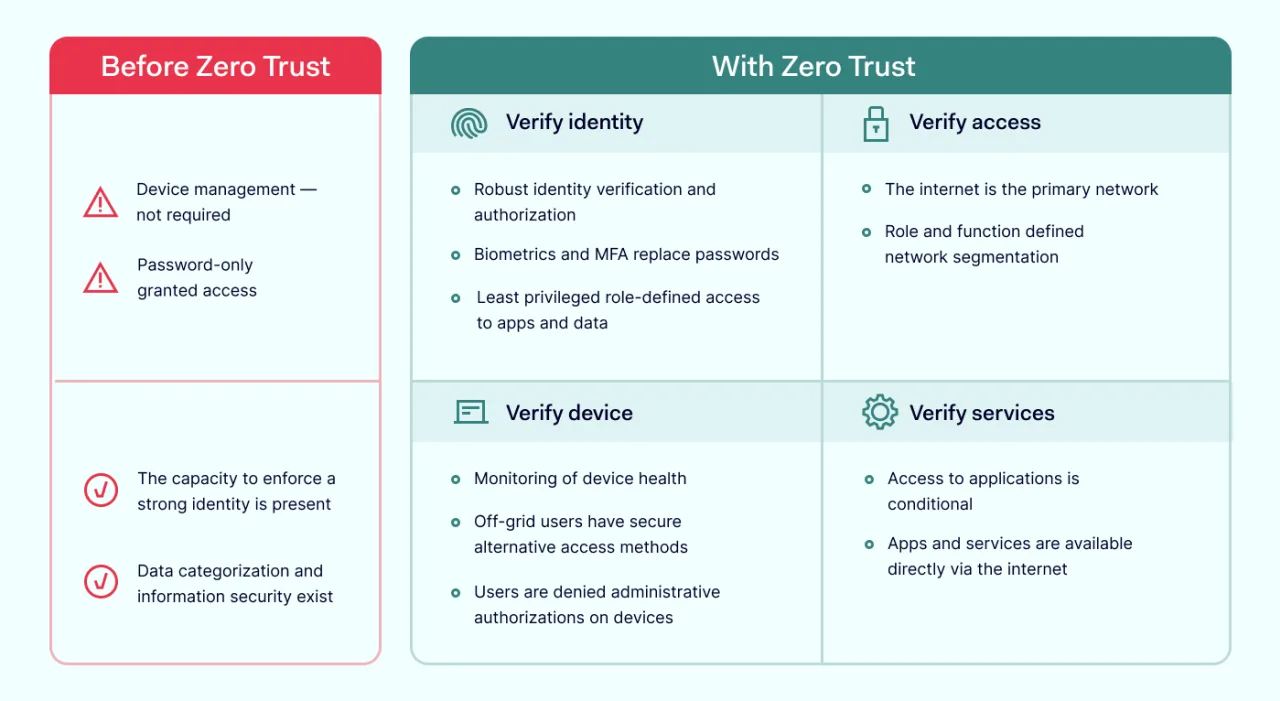
NordLayer offers strong tools for businesses to fight malware with advanced threat prevention and Zero Trust Network Access (ZTNA).

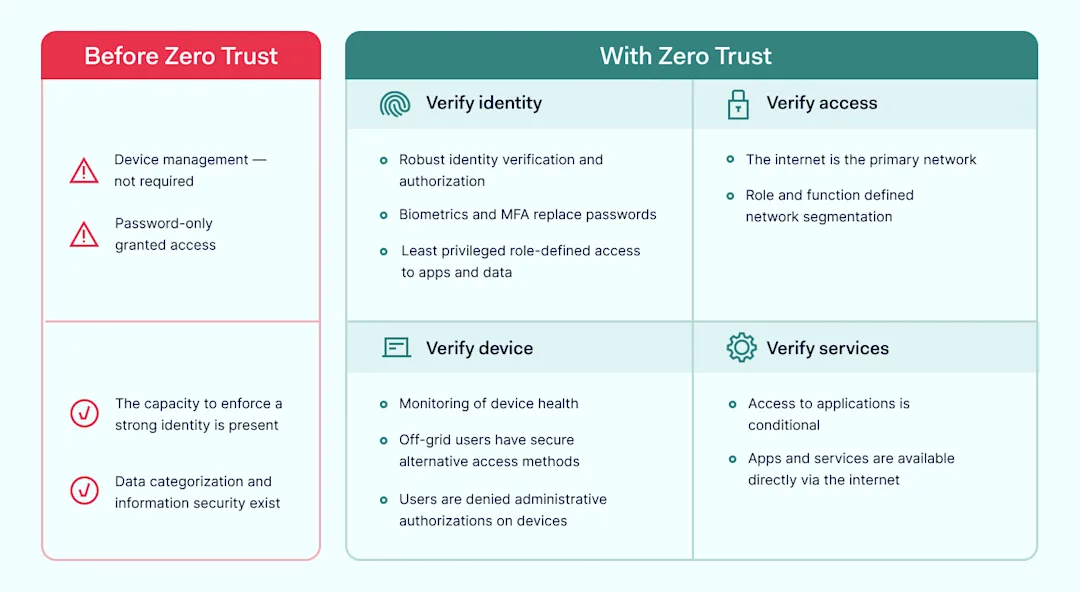
Zero Trust best practices

NordLayer proactively fights threats to keep your data safe. It uses tools and rules that protect every part of your network.

This includes:

  • Stopping advanced threats. NordLayer uses multiple security layers to protect against complex malicious software and phishing.

  • Protecting the network. It keeps your network safe, guarding against threats from outside, no matter where your devices are.

  • Quick incident response. If there’s a breach, NordLayer acts fast to limit damage and keep your data safe.

NordLayer’s ZTNA means not trusting any connection by default. This method checks every access attempt carefully, offering:

  • Secure access and segmentation. NordLayer makes sure users can only reach what they need to, keeping your data safer.

  • Lower insider threat risk. By controlling access tightly, NordLayer reduces the chance of data breaches.

  • Remote work security. NordLayer’s ZTNA protects remote workers, giving them secure access to what they need quickly.

  • A better alternative to VPNs. NordLayer’s ZTNA is a safer option, allowing remote users access only to necessary apps that protect your internal resources.

Using NordLayer’s strategies, businesses can protect themselves against malicious software, keeping their operations secure and running smoothly.

Contact our sales for further assistance.

About Version 2 Digital

Version 2 Digital is one of the most dynamic IT companies in Asia. The company distributes a wide range of IT products across various areas including cyber security, cloud, data protection, end points, infrastructures, system monitoring, storage, networking, business productivity and communication products.

Through an extensive network of channels, point of sales, resellers, and partnership companies, Version 2 offers quality products and services which are highly acclaimed in the market. Its customers cover a wide spectrum which include Global 1000 enterprises, regional listed companies, different vertical industries, public utilities, Government, a vast number of successful SMEs, and consumers in various Asian cities.

About NordLayer
NordLayer is an adaptive network access security solution for modern businesses – from the world’s most trusted cybersecurity brand, Nord Security.

The web has become a chaotic space where safety and trust have been compromised by cybercrime and data protection issues. Therefore, our team has a global mission to shape a more trusted and peaceful online future for people everywhere.

About NordLayer
NordLayer is an adaptive network access security solution for modern businesses – from the world’s most trusted cybersecurity brand, Nord Security.

The web has become a chaotic space where safety and trust have been compromised by cybercrime and data protection issues. Therefore, our team has a global mission to shape a more trusted and peaceful online future for people everywhere.

×

Hello!

Click one of our contacts below to chat on WhatsApp

×