Skip to content

Third-party reviews: Tailscale alternatives and competitors

With the rise in cyber-attacks, choosing the right tool to protect your organization is crucial. The best tool for you depends on the features you need, your IT team’s capabilities, budget, and other factors. Tailscale is one option offering Zero Trust Network Access (ZTNA) features. This article reviews Tailscale’s competitors and alternatives, comparing secure network access solutions and VPNs with other popular options.

Overview of Tailscale

Tailscale focuses on securely connecting users, services, and devices for remote access. It uses WireGuard, an open-source protocol, to create secure VPN connections. Due to its high-speed cryptography and integration within the Linux kernel, WireGuard is faster than older protocols like IPsec and OpenVPN.

While some users see Tailscale’s B2C offering as just a more user-friendly version of WireGuard, its offering for organizations includes additional features. Tailscale’s Zero Trust features and VPN support remote work and protect segmented networks.

Most mentioned product strengths

Tailscale has several notable features that make it popular for remote access and network security:

  1. WireGuard protocol which ensures fast and secure connections

  2. Multi-factor authentication makes systems more secure

  3. End-to-end encryption protects network traffic

  4. Device sharing feature helps in troubleshooting

Most mentioned overall product benefits of Tailscale

Here’s what users enjoy about the software:

  1. Easy to set up

  2. User-friendly

  3. Fast because it uses WireGuard

  4. Offers a free trial

Tailscale’s limitations

Tailscale’s limitations, according to the review platforms, are:

  1. Limited security and compliance features for enterprise needs

  2. Payment by invoice is only available for the Enterprise plan

  3. Requires opening ports on corporate firewalls

Let’s look now at Tailscale alternatives.

Disclaimer: This product review is based on information provided on VPN review sites and forum social networks such as G2 and Reddit and assessed customer feedback shared on these platforms, accessed on August 5, 2024.

NordLayer

Overview of NordLayer

NordLayer is a network protection solution that provides secure access to company resources from anywhere. It boosts network security, supports remote work, and helps achieve compliance. NordLayer is a multi-layered network protection tool from Nord Security, the creators of NordVPN, a widely used VPN service.

NordLayer helps organizations adopt Firewall as a Service (FWaaS), Zero Trust Network Access (ZTNA), and Secure Web Gateway (SWG) principles, focusing on the Secure Service Edge (SSE). It provides SaaS security features for internet, resource, and network access control.

NordLayer is flexible and scalable, making it a good fit for businesses of all sizes.

Product strengths

The solution enhances network security with several capabilities:

  1. ZTNA features, such as Cloud Firewall, Device Posture Security, Virtual Private Gateways, etc., allow only authorized users and devices to access the network

  2. Encryption and a set of SWG features for safe browsing, like DNS filtering and ThreatBlock, make internet access more secure

  3. Establishes a reliable remote connection to hybrid networks and remote devices, enabling secure remote work

  4. Offers strong identity and access management solutions that include Multi-Factor Authentication (MFA), Single Sign-On (SSO), and user provisioning

Product benefits of NordLayer

Product benefits of NordLayer

The solution’s strengths include:

  1. Easy integration with the existing infrastructure

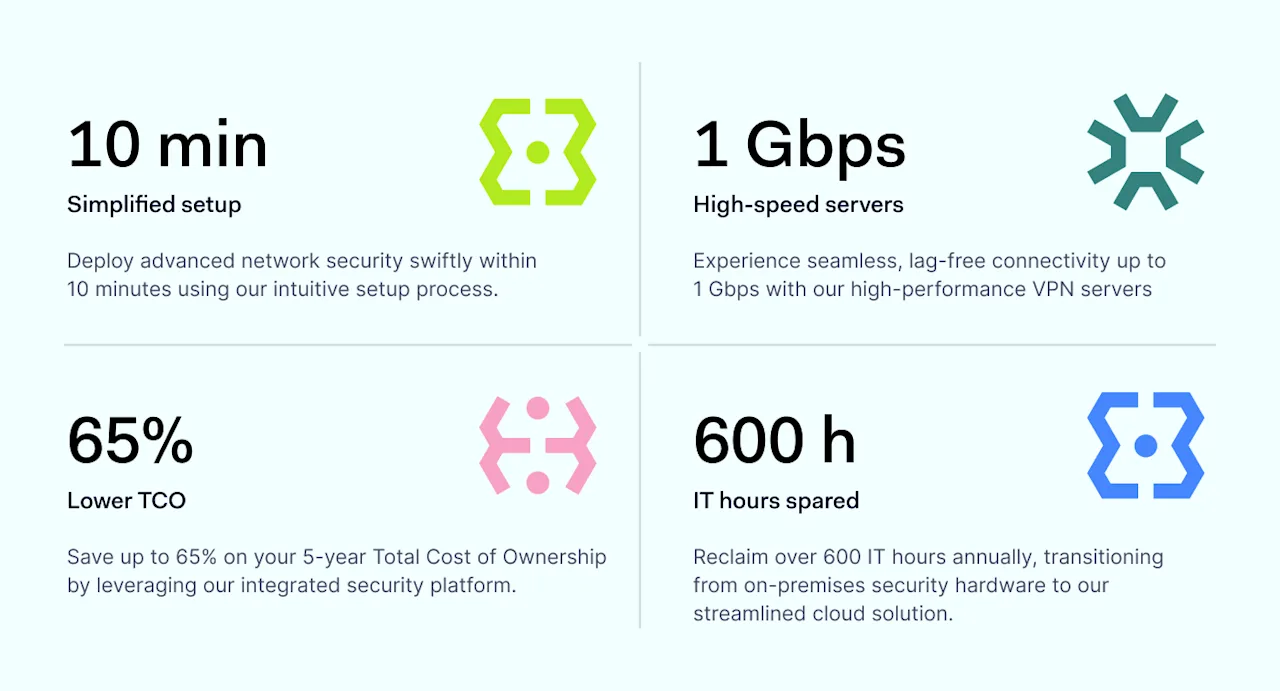
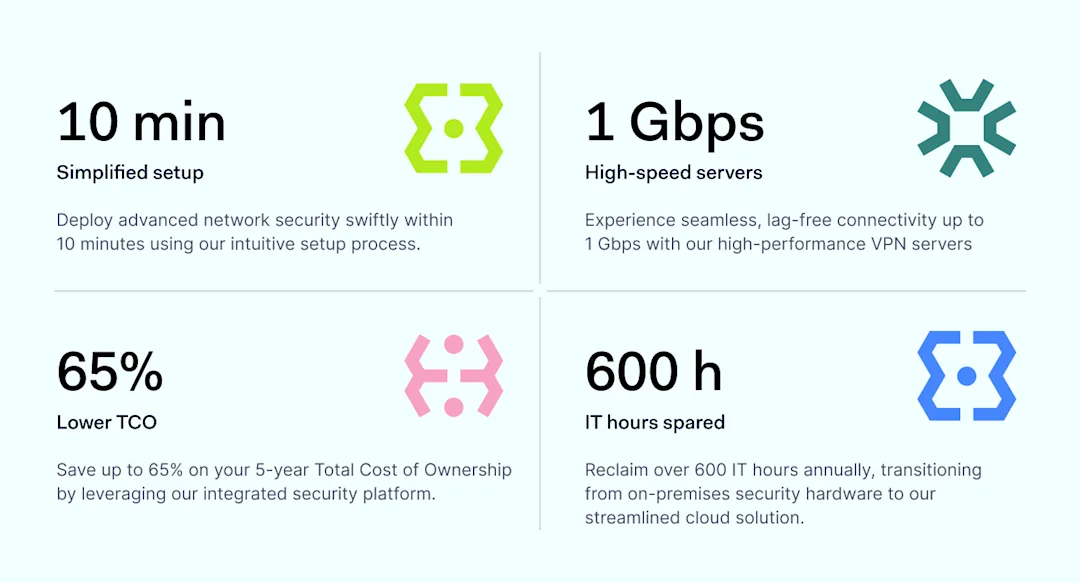
  2. Fast setup (only 10 minutes)

  3. User-friendly Control Panel

  4. Requires no hardware and is easy to maintain

  5. Offers 14-day money-back guarantee

Unique offering of NordLayer

NordLayer provides unique advantages that differentiate it from its competitors.

  1. High-performance 24/7 support available with all plans

  2. Proactive help during onboarding, troubleshooting, and scaling

  3. Browser Extension for better performance and extended secure device perimeter

  4. ThreatBlock, protecting against malicious sites

  5. Quarterly follow-ups for better product usage and adoption

  6. Customer-centric product development with client feedback shaping the roadmap

  7. NordLynx protocol, built around the WireGuard® protocol. It uses a double Network Address Translation system, allowing secure connections to VPN servers without storing any identifiable data

NordLayer’s limitations

NordLayer has some limitations:

  1. It can be expensive for smaller businesses

  2. Requires a minimum of 5 seats

  3. Specialized providers may be more affordable for customers needing only one function

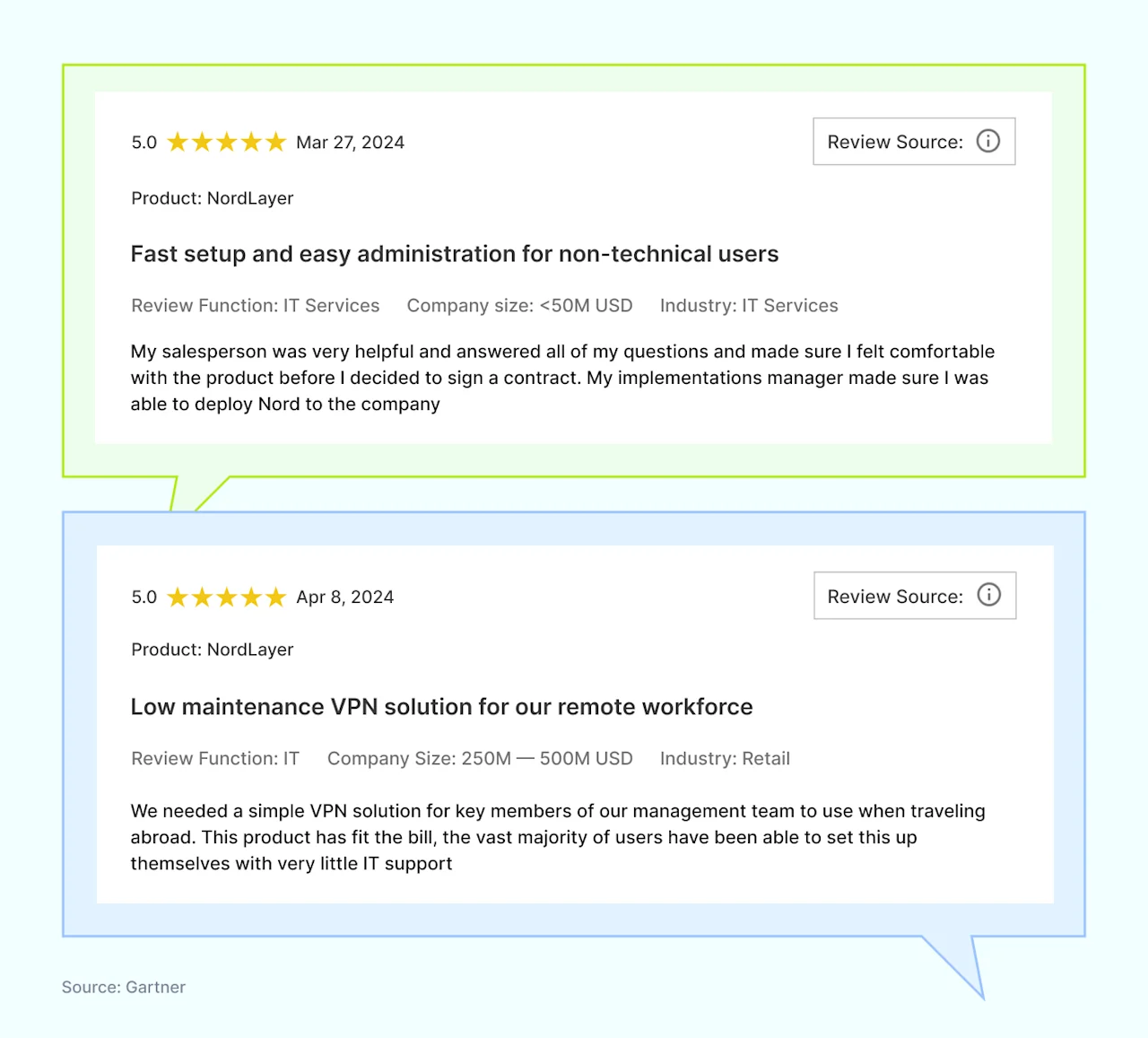
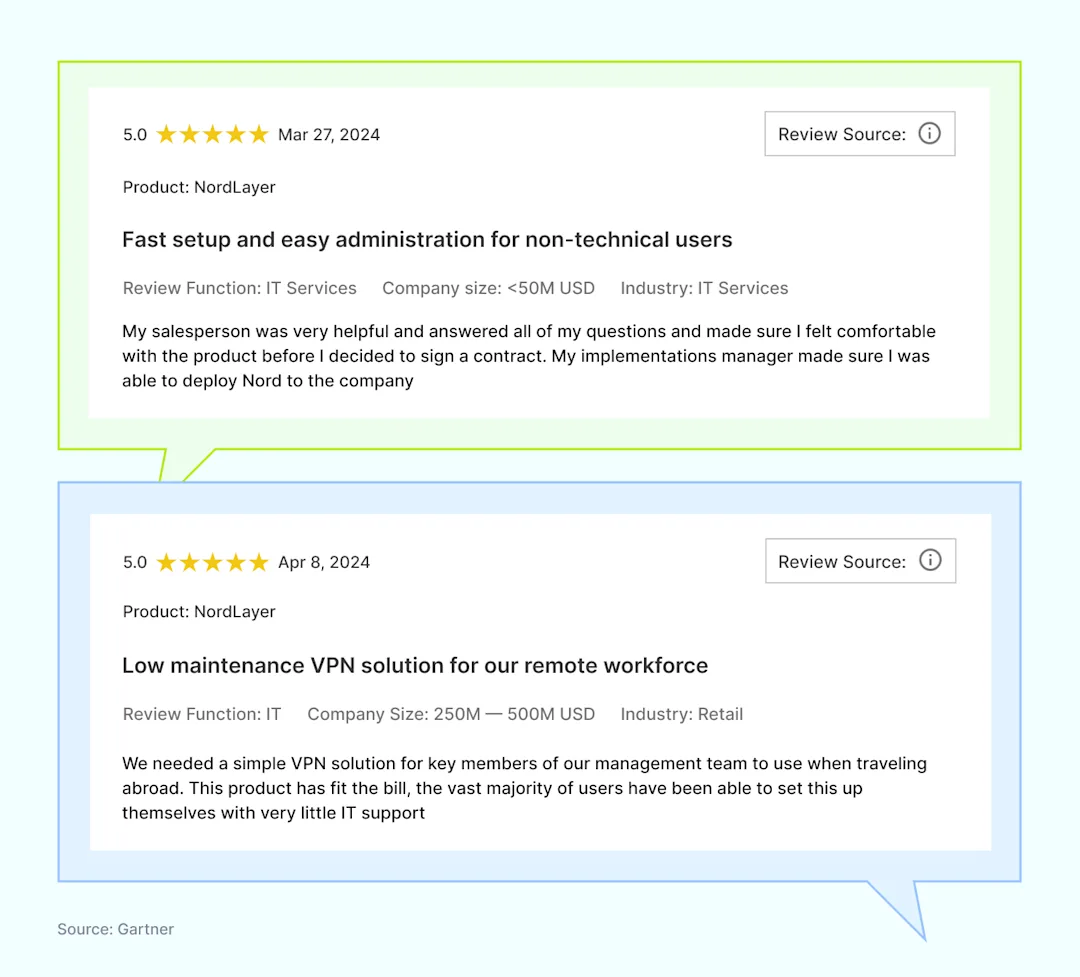
NordLayer reviews

For an objective product evaluation, we will consult major VPN review sites such as Gartner, Capterra, and Cybernews and analyze client feedback from these sources.

NordLayer reviews

Here’s what users appreciate about NordLayer:

NordLayer reviews

For details on NordLayer’s secure network access features and plans, check our pricing.

GoodAccess

Overview of GoodAccess

GoodAccess positions itself as ‘Zero Trust Architecture as a Service’ for small and medium enterprises. The tool offers a software-defined perimeter, business VPN, secure web gateway, Zero Trust Network Access, remote access VPN, and security compliance.

Most mentioned product strengths

Here’s what users mentioned most in their positive reviews:

  1. VPN

  2. Static IP addresses

  3. Cloud-based platform

  4. Secure access from any physical location

Most mentioned overall product benefits of GoodAccess

GoodAccess provides several benefits:

  1. Ease of use

  2. Simple implementation

  3. Strong customer support

  4. Reliable

GoodAccess’s limitations

Users also weren’t happy about these things:

  1. High price

  2. Only one mobile device and one tablet/PC can use the connection at a time

  3. Limited features

  4. Lacking reporting capabilities

  5. High scaling costs when adding extra gateways

  6. Viewing credentials in the account management portal resets the user’s password

Disclaimer: This product review is based on information provided on VPN review sites such as Gartner, Capterra and G2 and assessed customer feedback shared on these platforms, accessed on August 5, 2024.

Twingate

Overview of Twingate

Twingate uses Zero Trust to improve remote access security, offering a safer alternative to traditional VPNs. It is easy to set up and manage. Twingate supports remote teams and offers responsive customer support to meet secure access needs.

Most mentioned product strengths

Twingate offers several capabilities to enhance network security:

  1. Provides Zero Trust Network Access (ZTNA) features and Secure Web Gateway (SWG)

  2. Granular control of access and visibility into who accesses the network

  3. Detailed Access Control Lists control permissions

Most mentioned overall product benefits of Twingate

Twingate offers several benefits:

  1. Easy to implement, use, and manage; no networking knowledge required

  2. Transparent routing and access for end users

Twingate’s limitations

Twingate has some weaknesses:

  1. Sometimes causes disruptions for users; stability needs improvement

  2. No Linux VPN client, only supports MacOS

  3. Admin interface needs better UX design

Disclaimer: This product review is based on information provided on VPN review sites such as Gartner, Reddit and G2 and assessed customer feedback shared on these platforms, accessed on August 5, 2024.

OpenVPN

Overview of OpenVPN

OpenVPN is a popular open-source VPN solution known for its flexibility and security. Widely used by businesses, it helps to secure remote access by encrypting network traffic and protecting privacy. It allows employees to access main office systems remotely.

Most mentioned product strengths

OpenVPN offers several capabilities:

  1. Secure remote access

  2. Strong encryption

  3. Additional features, like connection stats and connecting via URL

Most mentioned overall product benefits of OpenVPN

OpenVPN provides several benefits.

  1. Trusted by many businesses

  2. Well-written documentation

OpenVPN’s limitations

OpenVPN has some weaknesses.

  1. Slower than the WireGuard protocol

  2. Confusing admin GUI

  3. High cost for advanced features

  4. Difficult to reset multi-factor authentication for users who lose their phone

  5. Lacks additional ZTNA features, making it less comprehensive for businesses needing advanced solutions

Disclaimer: This product review is based on information provided on VPN review sites such as G2 and Capterra and assessed customer feedback shared on these platforms, accessed on August 5, 2024.

Different circumstances — different scenarios

Choosing the right solution for securing local networks and protecting your team can be challenging. Decision-makers often struggle with where to begin.

NordLayer offers a Decision Maker’s Kit, a free resource designed to help you build a strategy for selecting the most suitable solution for your organization. This kit provides step-by-step guidance from start to finish, ensuring you make an informed decision.

Disclaimer: The information in this article is provided for informational purposes only, is based on publicly available third-party reviews, user feedback, and online sources accessed on August 5, 2024, and should not be considered definitive or permanent. While we strive for accuracy and completeness, Nord Security Inc. and its affiliates make no guarantees regarding the information’s accuracy, completeness, or suitability. We do not undertake, warrant or represent that any product, or its feature, is or will remain publicly regarded as better or worse than other options, serve any purpose, has mentioned features, benefits, strengths, and limitations for any period of time. Product features, pricing, and other details may change, and we advise readers to verify these directly with vendors. We disclaim liability for any errors, omissions, or actions taken based on this information. The inclusion of competitor products does not imply affiliation, or endorsement, and all trademarks mentioned are the property of their respective owners. Readers should conduct their own research and seek independent advice before making purchasing decisions.

About Version 2 Digital

Version 2 Digital is one of the most dynamic IT companies in Asia. The company distributes a wide range of IT products across various areas including cyber security, cloud, data protection, end points, infrastructures, system monitoring, storage, networking, business productivity and communication products.

Through an extensive network of channels, point of sales, resellers, and partnership companies, Version 2 offers quality products and services which are highly acclaimed in the market. Its customers cover a wide spectrum which include Global 1000 enterprises, regional listed companies, different vertical industries, public utilities, Government, a vast number of successful SMEs, and consumers in various Asian cities.

About NordLayer
NordLayer is an adaptive network access security solution for modern businesses – from the world’s most trusted cybersecurity brand, Nord Security.

The web has become a chaotic space where safety and trust have been compromised by cybercrime and data protection issues. Therefore, our team has a global mission to shape a more trusted and peaceful online future for people everywhere.

About NordLayer
NordLayer is an adaptive network access security solution for modern businesses – from the world’s most trusted cybersecurity brand, Nord Security.

The web has become a chaotic space where safety and trust have been compromised by cybercrime and data protection issues. Therefore, our team has a global mission to shape a more trusted and peaceful online future for people everywhere.

Best web content filtering software for business

Imagine a school facing problems with students accessing inappropriate websites during class. Teachers feel frustrated, and IT admins try to find a solution. This situation is common in many places that need secure and controlled internet access through URL filtering.

Finding the best internet filtering software can seem hard, but the right choice protects against malicious content and data loss. Web content filtering software creates a safe online environment by reducing cyber threats. This guide highlights the top 10 web content filtering solutions that, in our opinion, based on the public sources we analyzed, offer strong features and ease of use. Each solution is evaluated based on user feedback and cost. Explore these options to improve your business’s online security and productivity with URL filtering and a secure web gateway.

How we chose the best content filtering solutions (in our opinion)

We reviewed the websites of various content filtering solutions and read user reviews on platforms like Gartner, G2, and Capterra. We focused on what users mentioned most about value, speed, performance, and cost.

Here are the seven most important characteristics we used to pick the best content filtering solutions.

  1. Key features. Does the DNS layer security providers offer enough capabilities, like specific URL filtering to implement Secure Web Gateway strategies?

  2. User feedback. We paid attention to what users generally liked and disliked. We focused on ease of use, customer support, effectiveness, and reliability.

  3. Cost and business type. We analyzed cost and overall value for different organization types by considering user comments on pricing models and expenses.

  4. Deployment and management. We examined user comments on how easy it was to deploy and manage each solution. We prioritized solutions that users found simple to set up and manage.

  5. Security and compliance features. We reviewed the security features based on user experiences. We looked at threat detection, DNS filtering, deep packet inspection, and compliance with industry standards.

  6. Scalability and flexibility. We evaluated how well each solution scaled to meet the needs of different-sized businesses. We considered user reviews about flexible deployment options and support for various devices.

  7. Performance and reliability. Based on user feedback, we considered performance and reliability and prioritized solutions with robust infrastructure, high uptime, and fast response times.

Top 10 web content filtering solutions

Different solutions suit different business types. Here’s a detailed look at our top web content filtering solutions available today, listed in no particular order.

  • NordLayer

  • DNSFilter

  • ScoutDNS

  • SafeDNS

  • Twingate

  • GoodAccess

  • Cloudflare

  • Zscaler

  • Cato Networks

  • Netskope

NordLayer


NordLayer DNS filtering scheme

NordLayer provides advanced DNS filtering, which helps businesses control employee web traffic and protect against unwanted content through URL filtering. This is crucial because unrestricted internet access can endanger the entire network.

DNS filtering by category acts as a gatekeeper, preventing access to inappropriate websites. A specially configured DNS resolver checks requests against a blocklist of unsafe domains. When a domain is flagged, the resolver blocks the request and stops potential cyber threats before they reach the network.  This customized filtering allows businesses to block specific categories, such as violence or adult content. It also helps increase employee productivity, maintain business reputation, and boost network performance.

NordLayer

With NordLayer, businesses can easily manage and customize security policies from a single central point, regardless of location. NordLayer’s unique, patented DNS filtering technology ensures reliable and effective categorization and blocking of unwanted content, enhancing compliance capabilities. Multiple DNS filtering options allow the blocking of over 50 inappropriate, distracting, or malicious content categories, helping to maintain a clean, more compliant digital environment.

The ThreatBlock solution extends DNS filtering by blocking malicious domains. Using various malware libraries and deny lists, ThreatBlock continuously updates to recognize and block new threats. Even if an employee clicks on a malicious link, ThreatBlock intercepts the request and displays an error message.

Most mentioned product strengths:

  • Granular control over categories

  • Over 50 content categories available

  • Broad range of topics for restriction

Most mentioned overall product benefits:

  • Multiple platform support

  • User-friendly interface

  • 24/7 support team response

  • Reasonable pricing

  • Regular updates

  • Compatible with various infrastructures

  • Integrates with popular IAM platforms

  • Scalability

  • Low latency

  • Free trial or money-back guarantee

Some complaints:

  • Need to request DNS filtering by category manually

NordLayer stands out as a solid choice due to its strong filtering software, including DNS security and secure web gateway features.

DNSFilter

DNSFilter helps organizations filter internet content and protect against online threats like malware and phishing through URL filtering. Founded in 2015, the company now supports thousands of brands worldwide.

DNSFilter performs content filtering at the DNS level with its machine-learning engine, Webshrinker. This technology categorizes new and unknown sites, ensuring accurate content filtering. Users can choose from over 35 content categories and 7 threat categories to customize what they block or allow.

DNSFilter

Most mentioned product strengths:

  • Flexible filtering options

  • Fast logging and reporting

  • Possibility to import domain names in CSV format

  • Domain whitelisting

  • Detailed reports, intuitive layout

Most mentioned overall product benefits:

  • Multiple platform support

  • User-friendly interface

  • Reasonable pricing

  • Regular product updates

  • Integration with Active Directory

  • Simple client setup

  • Free trial

Some complaints:

  • Failing auto-updates

  • Deployment challenges

  • Blocking legitimate sites

  • VPN compatibility

Disclaimer: This review is based on information from the DNSFilter website, VPN review sites such as Gartner and G2, and user feedback from Reddit, accessed on June 20, 2024.

ScoutDNS

ScoutDNS is a tool that provides DNS security and URL filtering for organizations. It offers a simple way to manage and protect internet access by controlling which sites can be visited.

ScoutDNS helps organizations with content filtering, DNS layer security, and network visibility. It manages over 67 content categories and allows custom allow/block lists for different needs. Users can add items from logs, block harmful sites like those with phishing and malware, and manage suspicious domains. It provides real-time logs for 30 days, shows detailed activity, and inspects DNS messages for more control.

ScoutDNS

Most mentioned product strengths:

  • Whitelist/Blacklist management

  • Reporting and analytics

  • Roaming client available

  • SSL certificate integration

Most mentioned overall product benefits:

  • Responsive support team

  • User-friendly interface

  • Reasonable pricing

  • Quick issue resolution

  • Free trial

Some complaints:

  • Lack of real-time alerts for blocked pages

  • DNS rerouting can slow down browsing

Disclaimer: This review is based on information from VPN review sites such as Capterra and G2, accessed on June 20, 2024.

SafeDNS

Since 2010, SafeDNS has provided content filtering for thousands of businesses. It helps organizations keep their data safe with reliable web filtering and DNS security services.

SafeDNS offers features that enhance online security and control, such as DNS layer security, content filtering, and app blocking. The AI-powered categorization filters inappropriate content across a vast database and provides detailed reports and analytics for monitoring internet usage. The Anycast network ensures fast and stable performance worldwide, and the solution supports roaming clients and scheduling for flexible management. SafeDNS focuses on content filtering, which makes it ideal for businesses that need to manage web access and online safety, but it is not a comprehensive cybersecurity solution.

Most mentioned product strengths:

  • Comprehensive category options

  • Whitelist/Blacklist management

  • Monthly stats

  • Wi-Fi network integration

Most mentioned overall product benefits:

  • Scalability

  • User-friendly interface

  • Reasonable pricing

  • Integration with other tools

  • Ease of maintenance

Some complaints:

  • Blocks good websites

  • Issues with detailed reporting

  • Inconsistent performance

  • Support issues

  • License starting from 15 seats

Disclaimer: This review is based on information from the SafeDNS website and VPN review sites such as Gartner and Capterra, accessed on June 20, 2024.

Twingate

Twingate provides a secure remote access solution designed to meet modern security challenges. Developed in 2019, Twingate aims to address the limitations of traditional VPNs by offering a Zero Trust Network Access model that is both user-friendly and easy to deploy.

Twingate automatically flags, detects, and blocks malicious web threats, protecting users from malware, phishing, and other online dangers. It blocks malicious websites and thwarts phishing attempts while keeping users’ internet traffic safe with customizable filters for both managed and BYOD items. The platform consolidates tools into a single agent, centralizing management for internet security and remote access without the need for multiple solution-specific agents.

Twingate

Most mentioned product strengths:

  • Granular control over categories

  • Reporting and analytics

Most mentioned overall product benefits:

  • User-friendly interface

  • Scalability

  • Integration with other tools

  • Great documentation

  • Lightweight and efficient

Some complaints:

  • Frequent disruptions

  • Not cost-effective

  • Lack of Linux VPN client

Disclaimer: This review is based on information from VPN review sites such as Gartner and G2 and user feedback from Reddit, accessed on June 20, 2024.

GoodAccess

GoodAccess is a startup founded in 2020 and has since developed an affordable Zero Trust Network Access solution.

GoodAccess’ DNS filter, Threat Blocker, prevents ransomware attacks. GoodAccess uses its own DNS system to handle all DNS resolutions for every connected client. Threat Blocker, part of the larger Secure Shield package, combines open-source and commercial lists of malicious domains. It checks every DNS request against these lists. When it finds a match, Threat Blocker redirects the user to a safe website that informs them that an attempt to access a malicious domain was blocked.

GoodAccess

Most mentioned product strengths:

  • Real-time data monitoring

Most mentioned overall product benefits:

  • Stable and reliable

  • Multiple platform support

  • Responsive support team

  • Reasonable pricing

Some complaints:

  • Newer versions cause service issues, and updates need manual intervention

  • High costs when adding more gateways

  • Limited connections per user

  • Hard to use for less tech-savvy people

Disclaimer: This review is based on information from VPN review sites such as Capterra, Gartner, and G2, accessed on June 20, 2024.

Cloudflare

Cloudflare One is a web filter and security solution with a secure web gateway. It is from Cloudflare, a well-known and long-standing provider, which has a global presence and higher cost.

Cloudflare One provides an authoritative DNS service, a public DNS resolver, and DNS filtering. It includes Cloudflare Gateway, a secure web gateway that offers DNS filtering, browser isolation, and other technologies. This web filter helps protect internal users and keep data secure. Cloudflare Gateway improves network security and restricts what employees access on the internet.

Cloudflare

Most mentioned product strengths:

  • Customizable filtering options

  • Whitelist/Blacklist management

  • Bypass methods control

Most mentioned overall product benefits:

  • User-friendly interface

  • Responsive support team

  • Free trial

Some complaints:

  • Blocks the right websites and users

  • Complex setup

  • Interrupts communication

  • Customer support issues

Disclaimer: This review is based on information from the Cloudflare website and VPN review sites such G2 as Gartner, accessed on July 3, 2024.

Zscaler

Zscaler Internet Access (ZIA) has a web filter designed to improve organizations’ internet security. The tool includes many advanced features to protect users from online threats.

Zscaler offers powerful URL filtering as part of Zscaler Internet Access. It also includes a secure web gateway, data loss prevention, cloud-gen firewall, and more. Zscaler Internet Access is part of the Zscaler Zero Trust Exchange platform, which allows fast, secure connections for employees working from anywhere. This filtering software uses dynamic content categorization, integrated browser isolation, and safe search enforcement to control web traffic effectively.

Zscaler

Most mentioned product strengths:

  • Granular control features

  • Real-time threat protection

  • Whitelist/Blacklist management

  • Reporting and analytics

Most mentioned overall product benefits:

  • Multiple platform support

  • Responsive support team

Some complaints:

  • Complex and time-consuming setup

  • Managing security policies is complex

  • Logging for different modules isn’t separate, making troubleshooting hard

  • Sometimes blocks essential sites

Disclaimer: This review is based on information from the Zscaler website and VPN review sites such as Gartner, G2, and Trustradius, accessed on July 4, 2024.

Cato Networks

Cato SASE Cloud is a comprehensive solution that also provides businesses with web content filtering. It offers a cloud-based service that integrates various features to ensure safe and efficient network management.

Cato’s DNS Security inspects all DNS traffic and blocks requests to malicious destinations before a connection occurs. AI-based DNS inspection delivers in-line phishing protection by analyzing webpage components, domain age, and other factors. This solution blocks malicious domains and command-and-control sites using updated threat intelligence.

Cato Networks

Most mentioned product strengths:

  • Reporting and analytics

Most mentioned overall product benefits:

  • Multiple platform support

  • Responsive support team

  • Integrations with other products

Some complaints:

  • Few technical documents available for troubleshooting

  • Need for careful implementation planning

  • Complex cloud management console navigation

  • Login issues with the app

Disclaimer: This review is based on information from the Cato Networks website, and VPN review sites such as Gartner and G2, accessed on June 20, 2024.

Netskope

Netskope One SASE provides a web filtering solution for enforcing acceptable use policies (AUPs) in various locations, including headquarters, remote offices, and mobile workers using company-managed devices. Netskope’s NewEdge private cloud network spans over 70 regions.

Netskope’s web filtering software helps organizations enforce AUPs using predefined and custom categories for apps, security risks, YouTube, and silent ad blocking. It covers over 120 categories and supports 200+ countries. The solution includes dynamic web page categorization, custom categories, and API-enabled updates. Netskope uses machine learning to rate new and unknown web content. Netskope Intelligent SSE, built on the Netskope Security Cloud, offers real-time data and threat protection for cloud services, websites, and private apps.

Netskope

Most mentioned product strengths:

  • Granular policy controls

  • Reporting and analytics

Most mentioned overall product benefits:

  • Responsive support team

  • Integrations with other products

  • Low system impact

Some complaints:

  • Lack of granular threat protection and packet analysis

  • Syncing issues

  • Pricing structure

  • Lack of integration with certain tools

  • Limited help articles

  • Regular outages

Disclaimer: This review is based on information from the Netskope website and VPN review sites such as Gartner and G2, accessed on June 20, 2024.

How to choose the best content filtering solution for your business

Choosing the best web content filtering solution involves looking at your specific needs, budget, and the size of your organization. Here are seven steps to help IT admins make the best choice.

  1. Identify your business needs. Assess what your organization requires. A small business with 20 employees might need basic web filtering software to block malicious content, while a large enterprise with over 1,000 employees may need a secure web gateway to manage complex threats and ensure compliance.

  2. Evaluate security features. Look for solutions that provide strong security features. DNS filtering helps protect against malware and ransomware, as well as improves productivity and network performance. Real-time protection against new online threats is also helpful for high security.

  3. Consider ease of use and management. The content filtering software should be easy to set up and manage. Simple deployment and a user-friendly interface are important, especially for businesses with limited IT resources.

  4. Check scalability and future-proofing. Ensure the solution can grow with your business. Choose a tool that is good for scaling: the one that supports flexible deployment and integration with more Security Service Edge (SSE) frameworks like Zero Trust Network Access (ZTNA) and Firewall-as-a-Service (FWaaS).

  5. Evaluate customization options. Your content filtering solution should allow customization to meet specific business needs. Flexibility is essential for organizations that need tailored filtering policies based on their industry, such as schools needing to block adult content while allowing educational resources.

  6. Consider cost-effectiveness. Budget is a key factor. Look for solutions that provide comprehensive security features at a competitive price. Small businesses with tight budgets can start with minimal filtering capabilities and upgrade to more advanced solutions as they grow.

  7. Assess support and reliability. Reliable customer support and high uptime are crucial, especially during setup and troubleshooting. Responsive support teams and detailed dashboards and analytics help IT admins manage their networks effectively.

  8. Check provider credibility. Choose a trustworthy solution with a good track record. Look at customer reviews and brand awareness to ensure reliability and effectiveness.

Conclusion

Filtering is crucial for many reasons. Security is a major one, but it’s not the only benefit. Even if internet threats aren’t a concern, these tools boost employee productivity, protect business reputation, and improve network performance.

Whether you need comprehensive security, ease of implementation, or scalable solutions, the options listed here offer reliable and effective ways to filter content and ensure secure internet access. Evaluating your specific needs and the features of each solution helps you make an informed decision that enhances your organization’s web security and productivity.

Disclaimer: The information in this article is provided for informational purposes only and is based on publicly available third-party reviews, user feedback, and online sources as of July 5, 2024. While we strive for accuracy and completeness, Nord Security Inc. and its affiliates make no guarantees regarding the information’s accuracy, completeness, or suitability. The product rankings and comparisons are our opinions, based on our analysis of public sources and publicly described product features, and should not be considered definitive or permanent. We do not warrant or represent that any product is or will remain the best, top, or highest-ranked in any list or rating for any period of time. Product features, pricing, and other details may change, and we advise readers to verify these directly with vendors. We disclaim liability for any errors, omissions, or actions taken based on this information. The inclusion of competitor products does not imply endorsement, and all trademarks mentioned are the property of their respective owners. Readers should conduct their own research and seek independent advice before making purchasing decisions.

About Version 2 Digital

Version 2 Digital is one of the most dynamic IT companies in Asia. The company distributes a wide range of IT products across various areas including cyber security, cloud, data protection, end points, infrastructures, system monitoring, storage, networking, business productivity and communication products.

Through an extensive network of channels, point of sales, resellers, and partnership companies, Version 2 offers quality products and services which are highly acclaimed in the market. Its customers cover a wide spectrum which include Global 1000 enterprises, regional listed companies, different vertical industries, public utilities, Government, a vast number of successful SMEs, and consumers in various Asian cities.

About NordLayer
NordLayer is an adaptive network access security solution for modern businesses – from the world’s most trusted cybersecurity brand, Nord Security.

The web has become a chaotic space where safety and trust have been compromised by cybercrime and data protection issues. Therefore, our team has a global mission to shape a more trusted and peaceful online future for people everywhere.

About NordLayer
NordLayer is an adaptive network access security solution for modern businesses – from the world’s most trusted cybersecurity brand, Nord Security.

The web has become a chaotic space where safety and trust have been compromised by cybercrime and data protection issues. Therefore, our team has a global mission to shape a more trusted and peaceful online future for people everywhere.

10 steps to train employees on cybersecurity

Data breaches usually start with an employee mistake. Someone may click a dangerous link or send data via an unprotected connection. Soon, that error becomes a crisis. Websites fail, customer data spreads across the Dark Web, and regulators become involved.

Most of the time, all of this can be avoided. Proper cybersecurity training and cybersecurity tabletop exercise tools prepare staff to deal with threats.

The shocking thing is that almost one-third of US companies don’t provide cybersecurity training for employees. Worse still, over half of SMBs have no cybersecurity plan at all.

Don’t follow their example. Create a cybersecurity awareness training program that educates employees and puts security policies into action.

This article will explain how to raise cybersecurity awareness across your organization. So pull a chair up to the whiteboard as we deliver our 10-step cybersecurity training roadmap.

Key takeaways

  • Raising cybersecurity awareness is a vital business goal. Start by building a foundation. Create comprehensive cybersecurity policies and aim to ensure every employee is aware of their security role.

  • Cybersecurity training should focus on urgent data security threats. List relevant risks and train employees to identify and minimize them.

  • Device security awareness training is critical–especially in companies that rely on remote workers. Train employees to secure devices from digital and physical threats.

  • Educating employees on password security is a priority. Most cybersecurity breaches target weak credentials. Ensure staff know how to use strong passwords and access network assets safely.

  • Focus training on confidentiality and data protection. Define company data and instruct employees how to handle data securely. This includes regular backups, secure storage, and tools like Virtual Private Networks (VPNs).

  • Update training programs annually. Cybersecurity threats evolve, and training should keep pace. Refresh employee knowledge, taking advantage of free cybersecurity training when possible.

Cybercrime targets human error key stats

Step 1: Ensure employees understand their cybersecurity role

Cybersecurity training must include every employee, no matter how junior (or senior). Every network user must be aware of their security responsibilities. Communicate that one slip-up or policy breach can lead to data theft and regulatory action.

Guide employees on how to meet security requirements. For instance, you may require a VPN and Secure Remote Access for remote workers. Inform staff how to report security issues and reassure them. Reporting accidental policy breaches is a good thing–not something to fear.

Step 2: Create watertight data security policies

Cybersecurity training rests on comprehensive and easy-to-follow security policies. Create formal policies on handling confidential data, incident response, password management, remote work, and other relevant areas.

Security awareness training should cover employee knowledge of security policies. But one-time testing is not enough. Schedule regular meetings to discuss policies. Test knowledge annually to ensure staff remain aware of policy requirements.

Remember: policies are worthless if they are just documents. They need to be part of everyday professional practice. Make policies available in a central library for staff to access, and double-check the language to avoid technical jargon.

Step 3: Train employees to identify data security threats

Cybersecurity training can’t necessarily create an army of technical experts, but raising overall awareness is vital. Well-trained employees understand cyber threats and know how to prevent or mitigate them.

Train staff to identify email phishing, fake websites, insecure document transmission, and the risks of using unsecured public Wi-Fi. Make it clear that adding unauthorized software to the network is out of bounds.

Real-life examples help employees understand the nature of cyber threats. For example, sessions could include visual material on pop-ups, sudden device slow-downs, or unrequested browser extensions.

Above all, employee training must communicate the consequences of cyber-attacks and emphasize the need to follow security policies. By educating staff, you build a human firewall that adds an extra layer of defense against attackers.

This is a critical point and a key recommendation in Gartner’s 2024 Cybersecurity Trends Report. Human firewalls complement technology by changing employee behavior to mitigate potential threats. Properly-educated employees understand the threat reporting process. Training involves everyone in network protection efforts. A human firewall of engaged employees is much more likely to identify cybersecurity problems before a data breach occurs.

Gartner review

Step 4: Tighten up your password hygiene

Weak, rarely-changed passwords often expose businesses to information security threats. Robust password policies are the only reliable protection.

Don’t assume employees understand password risks. Two-thirds of Americans re-use passwords across accounts. Up to 80% of data breaches result from easily guessed or stolen passwords. People tend to be lazy about password hygiene. Don’t give them that option.

Instead, consider assigning passwords to employees and rotating these passwords regularly. Train staff and password managers to use strong passwords. Add multi-factor authentication to network logins and ensure employees know how to use it.

Step 5: Fine-tune device security

Training employees on cybersecurity must cover device security. Remote and off-site staff often rely on mobile devices. If a device contains sensitive data or allows network access, security policies apply.

Take action to minimize the risk of device loss. Mandate separate work and personal devices when cybersecurity risks are high. Include training modules explaining the difference between personal and business use.

Cybersecurity training should cover physically securing devices and protecting remote connections. It’s also wise to use remote monitoring tools and inform employees that their business accounts are transparent.

Step 6: Make sure employees backup critical data

Employees must back up company data, preferably every day. During employee training, make it clear that local backups are insufficient. Employee devices are vulnerable to theft or external attacks. Instead, use secure cloud storage systems to hold critical documents or customer data.

Step 7: Put in place authorization and access management systems

Authorization and authentication technology should always shield central data centers and cloud-hosted apps. However, it’s important to instruct employees in proper access security practices.

For instance, employees should never share work devices with colleagues or external individuals without authorization. Writing down passwords or authentication codes is out of the question. Adding new devices without agreement from network admins should also be prohibited.

Sometimes, employees complain about time-consuming authorization systems. Outflank those issues by explaining why MFA and VPNs are so important. When they know what is at stake, employees will quickly adopt secure access routines.

Step 8: Ensure secure web development and website updating

SQL and web application exploits are common security breach vectors, making secure coding a vital element of cybersecurity awareness training.

Deliver a secure training program to every staffer with access to web backends and coding tools. Even those without direct coding responsibilities can allow access to attackers. If employees update web assets in any way, they must do so safely.

Authorization is also important. Employees should know who is authorized to change web code or update websites and how to request permission to make changes.

Step 9: Make sure employees use email securely

Email is another critical weak point in business cybersecurity. Cybersecurity awareness training should help employees spot potential threats like phishing attempts and links to suspicious websites.

If necessary, test employee competence with phishing simulations that generate false social engineering emails. Simulations are great because they prove users can spot dangerous messages from authentic business communications.

Separate training applies if employees use email to transmit sensitive information. In these cases, ensure workers use VPNs and email encryption to safeguard data.

It should go without saying, but you should also test employees on what constitutes “sensitive data.” Many email users send confidential information via unsafe personal accounts, and that should end when they understand how you classify information.

Step 10: Update your training program regularly

Cybersecurity awareness tends to wane after a few months. Around 10% of employees say they remember all of their cybersecurity training. The other 90% have likely drifted back to unsafe passwords or unsecured remote connections.

Refreshing cyber security training is the only viable solution, but it can be challenging for businesses with a limited security awareness budget.

However, refreshing knowledge does not need to be expensive. Cybersecurity awareness training often costs virtually nothing if you know where to look.

Keep costs low by checking out free cybersecurity training listed at the National Institute for Science and Technology (NIST). For example:

  • The Cisco Networking Academy offers 6 hours of free cybersecurity training covering all core themes.

  • Evolve Academy provides free cybersecurity awareness training focused on practical technical skills.

  • Microsoft Technologies Training offers refresher courses to boost information security awareness when using Microsoft products.

These are just a few of many free or low-cost cybersecurity education options. You can also listen to podcasts about security awareness. Combine external courses with internal training to manage cybersecurity costs.

How can NordLayer help?

Companies are never alone when delivering cyber security awareness training, so don’t feel isolated. Instead, work with trusted partners like NordLayer to build internal knowledge and upskill your workforce.

NordLayer’s Learning Center is the perfect bookmark for trainers and employees. Use our accessible security checklists and in-depth explainers to understand concepts and tick off cybersecurity tasks. And stay on top of emerging threats thanks to cutting-edge intelligence.

It also helps to add video elements to training sessions. In that case, explore NordLayer’s YouTube channel. Our channel covers cybersecurity essentials like device posture security and secure remote access—supplementing tests and in-person training.

Whatever you do, don’t struggle alone. Share the cybersecurity challenge by enlisting expert assistance. If you’d like to find out more, get in touch with NordLayer today. We’ll help you find the right training and security solutions.

About Version 2 Digital

Version 2 Digital is one of the most dynamic IT companies in Asia. The company distributes a wide range of IT products across various areas including cyber security, cloud, data protection, end points, infrastructures, system monitoring, storage, networking, business productivity and communication products.

Through an extensive network of channels, point of sales, resellers, and partnership companies, Version 2 offers quality products and services which are highly acclaimed in the market. Its customers cover a wide spectrum which include Global 1000 enterprises, regional listed companies, different vertical industries, public utilities, Government, a vast number of successful SMEs, and consumers in various Asian cities.

About NordLayer
NordLayer is an adaptive network access security solution for modern businesses – from the world’s most trusted cybersecurity brand, Nord Security.

The web has become a chaotic space where safety and trust have been compromised by cybercrime and data protection issues. Therefore, our team has a global mission to shape a more trusted and peaceful online future for people everywhere.

About NordLayer
NordLayer is an adaptive network access security solution for modern businesses – from the world’s most trusted cybersecurity brand, Nord Security.

The web has become a chaotic space where safety and trust have been compromised by cybercrime and data protection issues. Therefore, our team has a global mission to shape a more trusted and peaceful online future for people everywhere.

Firewall vs. antivirus: essential tools for protecting your business

In today’s economy, choosing the right cybersecurity security tools can make or break a company’s finances.

Ransomware cost global companies around $1 billion in 2023. Data breaches cost companies $4.45 million on average, while DDoS attack victims lose around $500,000 each. 

The thing is, robust firewalls and antivirus coverage can protect companies against most malware attacks. Filtering traffic and efficiently getting rid of malware agents deters attackers and renders them harmless.

Despite this, many companies rely on ineffective and outdated security solutions. Don’t be like them. Act now to avoid becoming part of next year’s cybersecurity statistics.

This blog will explain the functions of firewalls and antivirus software and help you choose the right security tools. We will dive a little deeper, too, exploring how to update your cloud security posture. Let’s start at the network edge with an introduction to firewall technology.

What is a firewall?

Firewall devices protect network security by filtering incoming and outgoing traffic.

Firewalls inspect data and apply rules to determine whether data is legitimate or malicious. If packets pass security rules, data is allowed to enter or leave. If not, data is denied or discarded and cannot compromise security.

Traditional firewalls come in software and hardware forms. Hardware firewalls operate as separate devices between external networks and local devices. On the other hand, firewall software uses agents or modules on network endpoints.

Software firewall vs hardware firewall

Hardware firewalls tend to handle large amounts of traffic efficiently, but coverage is limited to nearby devices. Software firewalls move with devices. They suit remote workers but may compromise device performance.

Traditional firewalls employ two main inspection techniques:

  • Packet filtering—assesses surface packet data, including source and destination IP addresses, protocol types, and ports.

  • A stateful inspection—evaluates the state of active connections to determine whether they meet network rules.

Next-generation firewall services go beyond traditional features.

NGFWs include deep packet inspection and Intrusion Prevention Systems (IPS). These features enable NGFWs to analyze the contents of data packets, something not possible in traditional packet filtering.

These extra features guard against complex threats like DDoS attacks, extending firewall capabilities from simple filtering to active threat prevention.

Recently, Cloud firewall services have also emerged. These firewalls reside in the cloud and operate on a firewall-as-a-service (FWaaS) model.

Cloud firewalls protect cloud deployments and scale as companies add new cloud applications or data capacity. They also ensure consistent access control and data filtering across hybrid and multi-cloud environments.

What are antivirus tools?

Companies install antivirus software on network endpoints, where it analyzes traffic to identify and block cyber threats. When it identifies malware or other suspicious agents, antivirus software quarantines and neutralizes threats, keeping network assets safe.

Antivirus solutions typically use signature analysis to detect known threats.

Researchers identify new worms, viruses, or malware. They extract a unique identifier from each agent based on file attributes, byte sequences, or malware behavior. They then send information about this signature to antivirus tools.

Antivirus software compares traffic signatures to threat databases. Software blocks signatures that match. Security tools may quarantine or delete malware, depending on local security settings and the severity of the threat.

Some antivirus software also uses heuristic methods to identify threats.

Heuristic systems track file or user behavior and flag suspicious activity that does not match known profiles. More advanced antivirus software uses machine learning to understand network environments, tailoring detection to specific contexts.

As with firewalls, antivirus software has also entered the cloud. Cloud-native antivirus tools scan virtual machines and cloud-hosted data. They integrate with popular cloud platforms and scale with deployments – complementing on-premises security tools.

Key differences between firewall and antivirus software

When comparing firewalls vs antivirus software, the main difference is simple: firewalls filter traffic at the network edge. Antivirus software identifies and neutralizes threats on network endpoints.

Antivirus vs firewall

However, the two security technologies have many other differences. Understanding where they differ is important when building functional security systems. Below is a handy summary.

Functionality

  • Firewalls: Scan traffic entering and leaving networks to block harmful traffic.

  • Antivirus: Scan files on network endpoints. They protect against internal threats, including malware or worms.

Scope

  • Firewalls: Operate at the network level via packet filtering and protocol analysis. Can extend Saas or IaaS deployments via cloud firewalls.

  • Antivirus: Works at the application or system level. It scans files and communications between devices.

Threat detection

  • Firewalls: Rules define what traffic is permitted. Uses packet filtering and stateful inspection to block external threats and malicious traffic.

  • Antivirus: Analyzes files on devices to find malicious programs. Identifies threats via malware signatures and heuristic analysis.

Implementation

  • Firewalls: Implemented at the network edge to filter incoming and outgoing traffic.

  • Antivirus: Installed on computer systems and other endpoints connected to the network.

Performance impact

  • Firewalls: Minimal impact on system performance. Minor effects on network latency.

  • Antivirus: Real-time and scheduled system scans can impact device performance.

Cost

  • Firewalls: Tend to be cost-effective, especially basic firewalls included with operating systems. Costs rise for high-maintenance enterprise-level implementations.

  • Antivirus: Subscription costs rise with protection requirements. Add-ons like VPNs and identity theft measures raise costs further.

Updates and maintenance

  • Firewalls: Companies must update rules to reflect security needs. Security teams must monitor traffic, test rules, and ensure compatibility with network applications.

  • Antivirus: Less burdensome as automated updates deliver virus definitions and patches. Security teams may need to schedule scans and manage quarantined files.

Compatibility with other security tools

  • Firewalls: Must integrate with the local Intrusion Prevention System and Virtual Private Network tools.

  • Antivirus: Sometimes, antivirus conflicts with existing endpoint security tools. These conflicts may lead to false positives or consume more system resources.

Effectiveness

  • Firewalls: Good at blocking cyber threats at the network edge, including cloud deployments. Ineffective at dealing with malware within the network.

  • Antivirus: Detects, identifies, and neutralizes malicious software. Scans must cover all endpoints to work effectively.

Similarities between firewalls and antivirus tools

Despite the differences listed above, firewalls and antivirus software are closely related. Understanding their similarities helps when choosing the correct security solution. Similarities include:

  • Fundamental goal. Both tools protect networks against external threats. They filter or block malicious agents, ensuring smooth performance and protecting critical data.

  • Changing techniques. Antivirus software and firewalls are evolving to meet new challenges. For instance, both come in cloud-native versions to defend virtualized assets.

  • Network monitoring. Firewalls monitor network traffic to prevent unauthorized entry or exit, and antivirus programs actively monitor internal threats.

  • Customization. Companies can set firewall rules to suit their operations, and users can customize antivirus coverage with scheduling, alerts, and exclusion lists.

  • Compliance roles. Firewalls and antivirus software are critical tools to ensure compliance with data security regulations.

Should your business choose a firewall or antivirus?

Until recently, answering this question was simple. Companies needed both, as traditional antivirus tools and firewalls performed complementary network security functions.

However, the choice is not as simple as it once was. Security solutions featuring both firewall and antivirus protection are becoming ever more popular.

In the past, firewalls operated as a barrier between untrusted external networks and local assets. Antivirus software operated locally, scanning for malicious software. Firewalls deal with network-level attacks, while antivirus systems operate at the application or system level.

Firewalls created a first line of defense. Antivirus software allowed layered defense, dealing with malware that crossed the network edge. In that situation, it often made sense for companies to source separate firewall and antivirus protection.

Things have changed. Next-generation firewall systems have narrowed the differences between the two technologies. The familiar firewall vs antivirus comparison is unhelpful when antivirus firewalls offer a single solution.

Cloud coverage is also something to consider. Next-generation cloud firewalls deliver flexible security in cloud environments. Access control is a critical challenge when securing cloud assets, potentially making cloud firewalls more attractive than cloud-hosted antivirus software.

How NordLayer can enhance your network security

Robust cybersecurity is a must for any business. Cyber threats can expose confidential data and take systems offline in seconds, with catastrophic consequences.

Firewalls and antivirus software are two of the most effective cybersecurity tools. Even so, choosing the wrong tools will leave systems exposed. Outdated protection is almost as risky as no protection at all.

NordLayer’s Cloud Firewall (FWaaS) is the perfect solution.

Our cloud-hosted security tools create a watertight barrier around your cloud infrastructure. Our firewall lets you control who accesses assets by defining teams and members. You can also determine how users connect by granting access to various end-points.

NordLayer’s cloud firewall adds control and security that complements our virtual private gateways—bringing hybrid cloud networks under your security framework.

Update your firewall technology today.

About Version 2 Digital

Version 2 Digital is one of the most dynamic IT companies in Asia. The company distributes a wide range of IT products across various areas including cyber security, cloud, data protection, end points, infrastructures, system monitoring, storage, networking, business productivity and communication products.

Through an extensive network of channels, point of sales, resellers, and partnership companies, Version 2 offers quality products and services which are highly acclaimed in the market. Its customers cover a wide spectrum which include Global 1000 enterprises, regional listed companies, different vertical industries, public utilities, Government, a vast number of successful SMEs, and consumers in various Asian cities.

About NordLayer
NordLayer is an adaptive network access security solution for modern businesses – from the world’s most trusted cybersecurity brand, Nord Security.

The web has become a chaotic space where safety and trust have been compromised by cybercrime and data protection issues. Therefore, our team has a global mission to shape a more trusted and peaceful online future for people everywhere.

About NordLayer
NordLayer is an adaptive network access security solution for modern businesses – from the world’s most trusted cybersecurity brand, Nord Security.

The web has become a chaotic space where safety and trust have been compromised by cybercrime and data protection issues. Therefore, our team has a global mission to shape a more trusted and peaceful online future for people everywhere.

NIS2 implementation: Is your SaaS prepared?

The revised Network and Information Systems Directive (NIS2) signifies the European Union’s strengthened commitment to enhancing cybersecurity measures across the region. Scheduled to take effect in October 2024, NIS2 broadens the scope of its predecessor, the original NIS Directive from 2016. It imposes stricter requirements to elevate the overall information security and posture in Europe.

As a cornerstone of the digital economy, Software-as-a-Service (SaaS) providers must thoroughly examine the implications of NIS2 and take timely action to ensure compliance.

What is the NIS2 Directive? 

NIS2 is designed to build upon the foundation laid by the original NIS Directive. It aims to foster greater collaboration between entities and harmonize cybersecurity standards across all European Union member states. At its core, NIS2 emphasizes a risk-based approach, proactive monitoring, and corporate accountability.

The directive introduces more stringent reporting obligations, enforcement measures, and management training requirements. Non-compliance with NIS2 can result in substantial fines of up to €10 million or 2% of global turnover, whichever is higher.

These penalties underscore the importance of adhering to the directive’s mandates and prioritizing cybersecurity.

Who does NIS2 apply to?

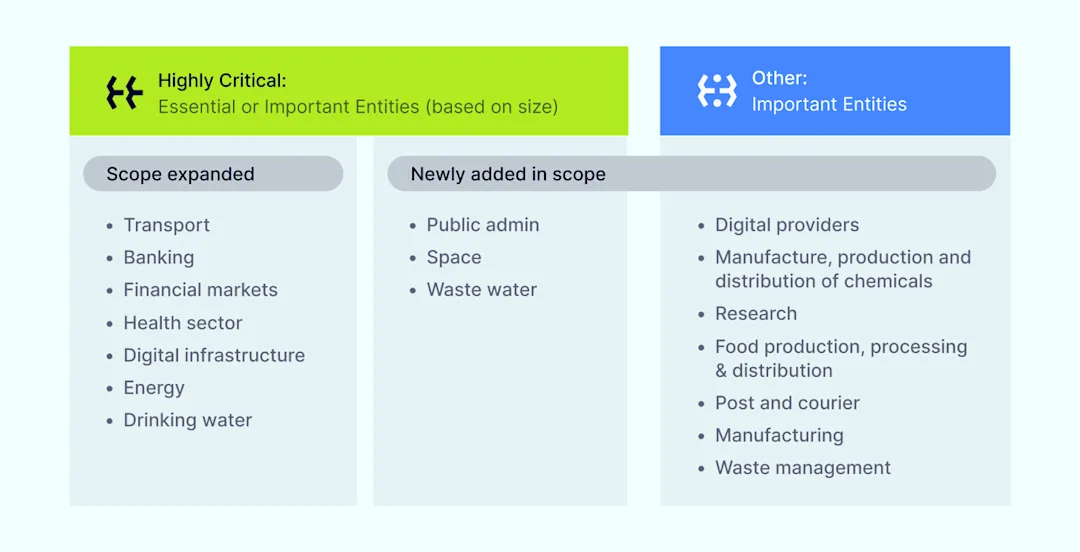
The NIS2 Directive targets “essential” and “important” entities operating within critical sectors such as digital infrastructure, healthcare, energy, and transport. This comprehensive scope extends to many SaaS providers, even if they do not have a physical presence within the European Union, as long as they offer digital services to EU customers.

Who does NIS2 apply to: essential versus important entities

Given the nature of SaaS models, which typically involve handling sensitive data and ensuring continuous availability, these providers are significantly affected by NIS2’s risk management measures and business continuity planning provisions. As remote work trends increase reliance on cloud-based solutions, SaaS providers need to understand and address the potential implications of NIS2 implementation.

NIS2 for SaaS: its scope and impact

Due to its expanded scope and rigorous requirements, NIS2 will substantially impact SaaS providers. The Directive mandates that providers implement comprehensive risk management measures, including regular risk analysis and continuous monitoring, to detect and mitigate cyber threats. Providers must also establish robust incident response procedures to address any security incidents swiftly.

NIS2 enforces stricter reporting obligations, requiring SaaS providers to promptly notify relevant authorities and customers during a significant cyber incident. This enhances transparency, trust, and accountability within the digital ecosystem.

Additionally, NIS2 emphasizes the importance of cybersecurity training and awareness programs for management and staff. SaaS providers must invest in ongoing education to ensure their teams are prepared to handle evolving cyber threats and maintain compliance with the directive.

Why NIS2 compliance matters

Ensuring compliance with NIS2 is not just about avoiding penalties; it is a critical step toward enhancing your SaaS operations’ overall security and resilience. Here are key reasons why compliance with the European Directive is vital:

  • Protects sensitive data. SaaS providers often manage large volumes of sensitive and personal data. Compliance with NIS2 helps protect this data against cyber threats, reducing the risk of data breaches and the associated financial and reputational damage.

  • Maintains customer trust. Customers expect their data to be handled securely. By complying with NIS2, SaaS providers demonstrate a commitment to high standards of information security, thereby maintaining and potentially increasing customer trust and loyalty.

  • Avoids financial penalties. Non-compliance with NIS2 can result in hefty fines. Ensuring compliance helps avoid significant financial penalties and their negative impact on your business.

  • Enhances competitive advantage. In a market where information security is a significant concern, compliance with NIS2 can provide a competitive edge. SaaS providers prioritizing compliance can differentiate themselves by offering more secure and reliable services.

  • Ensures business continuity. NIS2 mandates robust risk management measures and incident response procedures. By adhering to these requirements, SaaS providers can minimize downtime and ensure continuous service availability, which is crucial for maintaining operations and customer satisfaction.

  • Strengthens corporate accountability. NIS2 emphasizes the role of senior management in cybersecurity. Compliance ensures that executives know their responsibilities and actively manage and mitigate cyber risks, leading to better governance and oversight.

  • Mitigates supply chain risks. With NIS2’s focus on the supply chain, compliance ensures that all third-party services and partners adhere to high-security standards. This reduces the risk of vulnerabilities introduced through external parties.

  • Aligns with global standards. As information security threats become increasingly global, aligning with the NIS2 Directive positions SaaS providers to meet international security standards, facilitating smoother operations across different regions and markets.

Compliance with NIS2 is a proactive measure that goes beyond regulatory obligations. Building a robust, secure, and trustworthy digital infrastructure that can withstand the constantly evolving cyber threats environment is essential.

By prioritizing compliance, SaaS providers safeguard their operations and contribute to enhancing cybersecurity across the European Union.

Challenges of the NIS2 Directive for SaaS providers

As SaaS providers prepare to implement NIS2, they may encounter several challenges that require careful planning and strategic action. Below there is a list of potential hurdles that providers should be aware of:

  • Complex compliance requirements: Navigating the extensive and detailed requirements of NIS2 sectors can be challenging, especially for smaller SaaS providers with limited resources

  • Enhanced reporting obligations: Meeting the directive’s stringent reporting requirements may require significant changes to existing processes and systems

  • Increased costs: Implementing the necessary security measures and training programs can be costly, impacting the provider’s budget and resource allocation

  • Risk management: Establishing effective risk management measures involves continuous monitoring, regular assessments, and timely updates to security protocols

  • Corporate accountability: Ensuring that senior management is adequately trained and aware of their responsibilities under NIS2 can be demanding

  • Data sovereignty & localization: Adhering to data sovereignty and localization requirements, especially for providers operating across multiple jurisdictions, adds another layer of complexity

  • Supply chain vulnerabilities: Managing and securing the supply chain to ensure that all third-party services comply with NIS2 can be a daunting task

Prepare your SaaS for NIS2 compliance

To help SaaS providers navigate the complexities of NIS2 compliance, we have outlined a list of essential steps.

NIS2 compliance steps for SaaS

1. Conduct a comprehensive risk assessment

Perform a thorough risk analysis to identify potential vulnerabilities and threats within your network and information systems. Regularly update this assessment to reflect new risks and changes in the threat landscape.

2. Implement robust security measures

Ensure that your security measures align with NIS2 requirements, including Always-On VPN and Multi-Factor Authentication (MFA) for secure access, as well as dynamic firewalls and network segmentation to isolate environments and enforce least privileged access.

3. Establish incident response procedures

Develop and implement a robust incident response plan that includes procedures for detecting and responding to security incidents and clear communication protocols for notifying authorities and affected parties.

4. Invest in continuous monitoring

Utilize advanced monitoring tools such as cloud-delivered Intrusion Prevention Systems (IPS), Intrusion Detection Systems (IDS), and Web Application Firewalls (WAF) for continuous surveillance and protection.

5. Train management & staff

Provide regular cybersecurity training for management and staff to ensure their awareness of their responsibilities under NIS2 and their ability to respond effectively to cyber threats and security incidents.

6. Ensure data sovereignty & localization

Adhere to data sovereignty and localization requirements by using dedicated servers with fixed IP addresses to ensure data remains within the specified jurisdiction.

7. Engage expert compliance consultants

Consider partnering with compliance consultants to strategize and validate your NIS2 preparedness and ensure thorough attention to all aspects of the Directive.

Embracing the future of cybersecurity

As we move towards an increasingly digital future, the importance of robust cybersecurity cannot be overstated. Implementing NIS2 represents a significant transition in approaching security across the European Union, setting a new standard for resilience against cyber threats.

This directive is both a challenge and an opportunity for SaaS providers. By embracing NIS2’s requirements, providers protect their operations and build trust with their customers, enhance their competitive edge, and contribute to a safer digital ecosystem.

Compliance with NIS2 is more than a regulatory obligation; it is a commitment to excellence in cybersecurity. As cyber threats evolve, staying ahead requires proactive measures, continuous improvement, and a dedication to safeguarding data and infrastructure.

Take this opportunity to transform your SaaS business’ security practices, fortify your defenses, and create a secure digitalized environment.

How NordLayer can help

As a network security provider, NordLayer offers tools and services to help SaaS providers achieve NIS2 compliance by:

  • Access control policies. Implement strong Network Access Control (NAC) policies using NordLayers Virtual Private Gateways with a dedicated IP address. Additionally, adopt advanced features like Cloud Firewall for granular network segmentation, and Device posture security to ensure only known and compliant devices can enter the company’s network. Elevate your network protection with multi-layered authentication methods such as 2FA (SMS & TOTP) and biometrics to access your network.

  • Effective incident handling. Utilize threat prevention features like traffic encryption, IP masking, DNS filtering, and Always-On VPN to mitigate various threats that can infect your network. Improve threat detection with Device Posture Security and activity monitoring to maintain a resilient network infrastructure.

  • Solid cryptography policies. Utilize NordLayer’s VPN gateways with quantum-safe encryption of data in transit. Provide a secure environment for browsing online and accessing sensitive resources or hybrid networks.

With NordLayer, SaaS providers can simplify infrastructure security management and demonstrate compliance with some of the stringent requirements of the NIS2 Directive.

About Version 2 Digital

Version 2 Digital is one of the most dynamic IT companies in Asia. The company distributes a wide range of IT products across various areas including cyber security, cloud, data protection, end points, infrastructures, system monitoring, storage, networking, business productivity and communication products.

Through an extensive network of channels, point of sales, resellers, and partnership companies, Version 2 offers quality products and services which are highly acclaimed in the market. Its customers cover a wide spectrum which include Global 1000 enterprises, regional listed companies, different vertical industries, public utilities, Government, a vast number of successful SMEs, and consumers in various Asian cities.

About NordLayer
NordLayer is an adaptive network access security solution for modern businesses – from the world’s most trusted cybersecurity brand, Nord Security.

The web has become a chaotic space where safety and trust have been compromised by cybercrime and data protection issues. Therefore, our team has a global mission to shape a more trusted and peaceful online future for people everywhere.

About NordLayer
NordLayer is an adaptive network access security solution for modern businesses – from the world’s most trusted cybersecurity brand, Nord Security.

The web has become a chaotic space where safety and trust have been compromised by cybercrime and data protection issues. Therefore, our team has a global mission to shape a more trusted and peaceful online future for people everywhere.

×

Hello!

Click one of our contacts below to chat on WhatsApp

×