Skip to content

UnderDefense Recognized in the 2023 Gartner® Market Guide for Ukrainian Information Technology

Recently a new report was published by Gartner titled Market Guide for Ukrainian Information Technology.   According to the report, “in 2022, Ukraine’s export of computer services grew from $6.9 billion to $7.35 billion”.The report further states, “ the sector acquired new qualities, such as ability to work under pressure, rapid innovation cycles, and heightened responsibility for people, employees and customers.”

The Key Findings of the Report are:

  • “Ukraine hosts over 90 international research and development (R&D) centers, working on cutting-edge technologies and solutions.
  • Numerous and elaborate cyberattacks triggered significant investment and research in cyber defense for Ukrainian business and government institutions, making Ukrainian IT particularly strong in cybersecurity, the Internet of Things (IoT), AI, and cloud computing.
  • Technology companies in the IT market are leveraging Ukraine’s tax policies and incentives to position and promote product development and market outreach”.

UnderDefense is proud to be mentioned by Gartner as a Representative Vendor in this report.

“Our company achieved 1.5x growth even though 2022 was the hardest year in the modern history of Ukraine. Moreover, I believe that the Ukrainian IT industry is so resilient and mature now that it will thrive whatever happens. It’s an honor for us to help protect our country’s infrastructure and businesses.” – adds Nazar Tymoshyk, CEO of UnderDefense.

The full report is available to Gartner clients via the link.

Disclaimer:

Gartner, Market Guide for Ukrainian Information Technology, Svetlana Sicular, Rajib Gupta, et al.., 10 May 2023. GARTNER is a registered trademark and service mark of Gartner, Inc. and/or its affiliates in the U.S. and internationally and is used herein with permission. All rights reserved. Gartner does not endorse any vendor, product or service depicted in its research publications, and does not advise technology users to select only those vendors with the highest ratings or other designation. Gartner research publications consist of the opinions of Gartner’s research organization and should not be construed as statements of fact. Gartner disclaims all warranties, expressed or implied, with respect to this research, including any warranties of merchantability or fitness for a particular purpose.

About Version 2 Digital

Version 2 Digital is one of the most dynamic IT companies in Asia. The company distributes a wide range of IT products across various areas including cyber security, cloud, data protection, end points, infrastructures, system monitoring, storage, networking, business productivity and communication products.

Through an extensive network of channels, point of sales, resellers, and partnership companies, Version 2 offers quality products and services which are highly acclaimed in the market. Its customers cover a wide spectrum which include Global 1000 enterprises, regional listed companies, different vertical industries, public utilities, Government, a vast number of successful SMEs, and consumers in various Asian cities.

About UnderDefense
UnderDefense, a globally top-ranked firm by Gartner and Clutch, provides cyber resiliency consulting and technology-enabled services to anticipate, manage and defend against cyber threats. We empower clients to predict, prevent, detect, and respond to threats.

Our patent journey in the USA: From zero to 100

As cybercrime continuously evolves, so does innovation in the cybersecurity industry. Since 2010, more than 2000 patents have been created in this field, with most cybersecurity patents registered in the United States.

Having recently got our 100th US patent granted, Nord Security now holds the highest number of US patents in the Baltic States. 

Curious how we managed to achieve this so fast? Watch the video featuring Aušra Diliautaitė, Head of IP and Business Operations at Nord Security, and Karolis Pabijanskas, Staff Engineer, R&D at NordVPN, or read below to find out.


What is a patent?

A patent is a government-granted right that gives the patent owner the exclusive right to make, use, sell, or offer to sell the invention for a limited period of time.

To be granted a patent, an invention must meet essential criteria – it must be novel, useful, and non-obvious.

Applications for patents can be submitted to national patent offices, such as the United States Patent and Trademark Office (USPTO), the European Patent Office (EPO), or international organizations like the World Intellectual Property Organization (WIPO) for protection in multiple countries. Patents can help businesses protect their inventions and generate revenue.

The areas of most patents

Today, Nord Security has more than 100 US patents dedicated to the cybersecurity domain. They encompass a wide array of areas, including virtual private networks, data encryption, files and access management, password protection, malware detection, and beyond.

According to Aušra, the highest concentration of all patents at Nord Security are shared between its flagship product NordVPN, the leading password manager of 2023, NordPass, and the recent acquisition of AtlasVPN.

“The latest US patents are related to the features of NordVPN, the best-known product of the company, including the software functions of a virtual network called ‘Meshnet’ which allows direct access to devices located anywhere in the world through encrypted private tunnels. ‘Threat Protection,’ designed to safeguard against malicious software and surveillance tools, also features strongly. <…> Regarding NordPass, recently it developed a solution to securely store and manage passkeys – part of its ambition to contribute to the passwordless future,” shares Karolis Pabijanskas.

Aušra adds that the 100 patents milestone was driven by collaboration between various Nord Security teams and a forward-looking attitude: “The patent portfolio we have today is the result of the collaboration of tech talents from more than 15 teams. Many of them have contributed more than one idea, which has been instrumental in shaping our portfolio. Their efforts have played a key role in our innovation journey.”

The impact of having a patented innovation

We believe in shaping the future through continuous innovation and investment in developing cutting-edge solutions for a safer cyber landscape. To ensure the protection of our innovations, we take strategic measures to patent our inventions.

Besides patent safeguarding inventions, Karolis Pabijanskas adds that they play a crucial role in driving innovation culture.

Aušra Diliautaitė also adds that people who engage in this patent creation process “acquire a new and quite unique skill set” that is incredibly valuable in today’s ever-changing tech world.

Another positive factor of having patented innovations is that it helps form a positive perception not only about the company’s products but also about the company as an employer: “It attracts top tech talents, supports their growth, and boosts employee engagement. Plus, having your name on a US patent is also influential.”

Aušra Diliautaitė agrees that the impact of having a patented idea is undeniable. It helps promote a company’s products on an institutional level, which is especially important in the B2B sector.

quote bubble

Factors driving patenting success at Nord Security

Combining our focus on innovation with proactive patenting, we strengthen our competitive edge while maintaining a friendly and collaborative innovation spirit at our company. Therefore, our efforts in fostering this are visible at various levels:

  • We have a dedicated online space for fast patent generation. According to Aušra, “Ideas can be swiftly turned into patents with minimal intrusions to the main worklines of employees. This investment also contributed to the growth of IP awareness within the company.”

  • We provide full organizational support for the patent development process. Aušra shares that it involves a dedicated patent department, which “sources patentable ideas across the company,” and multiple teams across the organization, such as Research & Development, Product and Business. They all work together to streamline the patenting journey and ensure that “the patent strategy and its outcome are properly aligned with the company’s overall objectives.”

  • Our workspace inspires innovation. From hacker and music rooms to silent zones for those seeking quiet, our office is thoughtfully designed for Nord people to foster their inventiveness.

  • We nurture continuous growth with various learning and development programs, helping generate ideas and turn them into impactful realities.

  • We regard every misstep not as a failure but as a learning opportunity and a stepping stone to success. This perspective enables us to cultivate an environment where innovation thrives.

  • We’re a team of future shapers, constantly searching for the next big innovation and unafraid to push the boundaries.

This blend of future-shaping ambition, continuous learning, innovative workspace design, a growth mindset, and robust organizational support allows us to tackle the challenge of securing patents head-on and succeed.

7 tips for a successful invention patenting

The truth is that the patenting journey is not an easy one, yet the rewards for protecting our innovations make the effort worthwhile. With an impressive portfolio of 100 patents, our experts, Aušra Diliautaitė and Karolis Pabijanskas, shares some practical tips that can help simplify this process:

1. Don’t dismiss your ideas too early: You might think that assembling a bunch of known fixes to solve a problem is only a “hack” and not worth exploring further. But often, it’s these combinations that offer a novel way of solving a problem. A rough idea just waiting to be refined could be gleaming within.

2. Seek challenging problems, and solve them: If you run into a problem that has no clear-cut solution, it might be a perfect candidate for a patent.

3. Collaborate and network across disciplines: The most patentable and impactful solutions stem from problems that cannot be solved alone. Brainstorm with colleagues from various backgrounds and see where the fresh inspiration takes you. Taking an off-the-shelf solution for your task can feel like fitting a square peg into a round hole, while tools from other fields could just fit the bill.

4. Stay updated: Keep yourself well-informed on the latest advancements and technologies in your field. This knowledge might spark fresh ideas and ensures you remain at the cutting edge.

5. Keep detailed records: Maintain thorough records of your ideas. Documentation is crucial when applying for patents, as it establishes a clear timeline of the invention’s development.

6. Analyze and evaluate: Conduct patent searches to identify potential areas where your innovation could be novel and patentable. Assess the market demand and commercial viability of your ideas.

7. Consult with the patent team: Seek professional advice to understand the patenting process better and get guidance on how best you can leverage your inventive potential.

About Version 2 Digital

Version 2 Digital is one of the most dynamic IT companies in Asia. The company distributes a wide range of IT products across various areas including cyber security, cloud, data protection, end points, infrastructures, system monitoring, storage, networking, business productivity and communication products.

Through an extensive network of channels, point of sales, resellers, and partnership companies, Version 2 offers quality products and services which are highly acclaimed in the market. Its customers cover a wide spectrum which include Global 1000 enterprises, regional listed companies, different vertical industries, public utilities, Government, a vast number of successful SMEs, and consumers in various Asian cities.

About NordLayer
NordLayer is an adaptive network access security solution for modern businesses – from the world’s most trusted cybersecurity brand, Nord Security.

The web has become a chaotic space where safety and trust have been compromised by cybercrime and data protection issues. Therefore, our team has a global mission to shape a more trusted and peaceful online future for people everywhere.

Reinstalling ESET for peak performance

NOTE: This blogpost is a revised version of an article requested from the author by Lenovo. This version has been updated with additional information specific to ESET software, as well as more general information about other computer manufacturers. Click here to view the original article.

If you are a regular reader of WeLiveSecurity or the ESET Blog, you may use ESET software on your computers to protect them against malicious software. ESET has several different security programs for this purpose depending on which operating systems you use and the type of security you need. While this article is focused on the consumer versions of ESET software for Microsoft Windows, the ideas and concepts behind it apply to other operating systems and even to security software from other vendors.

ESET software normally falls under the “set it and forget it” category, with the default settings used during installation being optimum for the overwhelming majority of users. It’s one of the reasons people keep renewing their software year after year—it just works out of the box, so to speak. But the past few years of work have been anything but normal. COVID-19 required a massive shift for many, from working at an office or going to school, to working and learning from home. And the changes to support that might also have included making changes to your security software.

If you have been using the same computer for a couple of years (or more) after switching to a work-from-home or learn-from-home situation, it is entirely possible that you have made some changes to your security software, especially if it is self-managed. You may have created an exclusion to download a new videoconferencing client, created new firewall rules to allow it internet access, and so forth.

While these various changes and rules may have been necessary at the time, as you go back to the office or school, or finally settle on which set of tools to use for group chats, videoconferencing, and so forth, you can end up with a lot of changes made to your security software for programs that are no longer installed on your computer and for networks you no longer access. While this may not be causing any observable problems with your computer, it could have some security consequences that may not be apparent at first:

  • If hostnames, IP addresses, or ports are excluded (left open or bypassed) from scanning, an attack or probe that would typically be blocked could succeed.
  • The performance of the security software may be decreased due to increased processing overhead for rules that apply to software that is no longer used or installed.
  • The effectiveness of the security software may be decreased due to issues involving its misconfiguration, such as disabling an entire protective layer or feature to provide compatibility for software that is no longer used or installed, or a rule created for software that is in use but instead is applied to the entire system and so forth.

Obtaining peak performance from your security software

So, with all of this in mind, what can you do to get your security software back in optimal shape? You could spend time looking for and reverting all those changes. However, if your computer is in good working order, it is often quicker and easier to uninstall your security software and then reinstall it.

While the exact steps are going to vary depending on your security program, here are the general steps to do this for the Windows versions of ESET software for the home:

    1. Before you do anything, make at least one backup copy of all important files. It is a good idea to do this regularly anyway, but it is definitely something you should do before making any significant changes to your system. For a primer on backing up your computer, I recommend reading our Backup Basics blogpost and its accompanying paper. While the paper is a little dated in terms of storage costs and capacities, it has withstood the test of time remarkably well and is still quite useful in determining how to preserve your data.
    2. Download the latest installation program for your security software and save it to a location you will remember, such as your Downloads folder or a folder on your Desktop. Here are the web pages for direct downloads of ESET software:


      If given a choice between downloading a smaller “live” installer and an advanced option of downloading a larger “full” installer that contains the whole application, download the full version. The live installers are “stubs” that download the remaining parts of the program from the internet, while the larger full installers contain the entire program.

      Using the full installer will allow you to quickly secure your computer when reinstalling the software without having to be connected to the internet while unprotected.

    3. Download the ESET Uninstall Tool from the ESET Knowledgebase and save it to the same location as the installer. While on the web page, you can also save or print this Knowledgebase article for reference. While it’s unlikely you will need to use this tool, having a copy of it along with instructions for its use can be helpful.
    4. Visit the ESET Knowledgebase to review the How do I uninstall and reinstall my ESET Windows home program article. You might also want to save or print this article for reference.
    5. Log into your ESET Home account and make a note of your license key. It’s located on the left side in the Overview column. Then, go to the License Usage column on the right side, select your computer from the three dots “⋮” menu icon—sometimes called the kebab icon—and choose the Disconnect option. If you do not have an ESET Home account, you can retrieve your license using the Lost License page or contact support for further assistance.
    6. Open your ESET program from its icon in the system tray notification area and select the Setup option at the left of the ESET user interface window. At the bottom of the window is an Import/Export settings option. Choose this, and export (save) a copy of your current configuration to the same location as the files you downloaded. If you need extra help, see the ESET Knowledgebase article Importing or exporting the ESET configuration settings in Windows home programs.


At this point, you have completed all of your preparations and are ready to begin the reinstallation process.

NOTE: Because the next set of steps involves removing your computer’s security software, it is recommended that you disconnect the computer from its network connection to minimize exposure to the internet. This could be as simple as unplugging an Ethernet cable for wired connections or disconnecting from Wi-Fi for wireless ones. If you downloaded the “live” installer instead of, as recommended, the full installer, do not disconnect the computer from the internet as the connection is required to complete installation.
  1. Disconnect the computer from the internet and uninstall your existing security software. Depending on the Microsoft Windows version installed on your computer, this can either be done by right-clicking on your security software’s icon from the Start Menu, and selecting Uninstall from the context menu that pops up, or by running the Uninstall or change a program (filename: APPWIZ.CPL) applet from the Control Panel, right-clicking on it, and selecting the option to uninstall it from the context menu that pops up.

    One (or more) restarts may be required to finish uninstallation. Even if a restart is not required, it is recommended to perform one to finish any pending disk and file operations the operating system was waiting to perform on the next restart.

  2. In the unlikely event you receive any notifications or warnings, go ahead and follow the instructions to manually run the ESET Uninstall Tool to remove any remnants of the software left over after uninstallation. Manual uninstallation tools can get rid of orphaned files, directories, and processes that can interfere with reinstallation of the security software. Again, a reboot (restart) may be required to finalize removal of these digital leftovers from the operating system as they may stay on the system until it is restarted.

    As a reminder, Windows can be restarted from the Start Menu by selecting Power and then Restart. Do not select Sleep, Shut Down, or other options, as restarting the computer is not the same as shutting it down or turning it off. Many modern computers do not fully power down when turned off but instead enter a low power mode until turned back on. This allows the computer to be ready for use more quickly, but pending changes for things like removing programs or installing software updates may not be finalized.

  3. Reinstall your ESET software using the file you downloaded earlier (refer to step 2, above), and activate it using your license information (see step 5, above). Depending on the program and type of installer, it may need to download additional updated components, so now is the time to reconnect your computer to the internet. When the installation finishes, a restart may be required for the software to be fully functional.
NOTE: Don’t delete any of the files you downloaded or information you saved for your security software just yet. In the event of a problem, they may be used to troubleshoot and restore your old settings, if needed.

And that’s it! You now have a fresh installation of your security software optimized for your computer. At this point, I recommend running your most important applications to verify that everything works properly. Depending upon how your security software works, you may be prompted to allow various programs to access your webcam or the internet, just as you needed to when the software was first installed. Go ahead and set up (allow) the rules for these as you did before.

Congratulations, your security software is running in top shape!  

If you have any questions or comments about reinstalling an ESET product, feel free to post a message in the ESET Security Forum or contact your local ESET reseller, distributor, or office.

Aryeh Goretsky
Distinguished Researcher, ESET

About Version 2 Digital

Version 2 Digital is one of the most dynamic IT companies in Asia. The company distributes a wide range of IT products across various areas including cyber security, cloud, data protection, end points, infrastructures, system monitoring, storage, networking, business productivity and communication products.

Through an extensive network of channels, point of sales, resellers, and partnership companies, Version 2 offers quality products and services which are highly acclaimed in the market. Its customers cover a wide spectrum which include Global 1000 enterprises, regional listed companies, different vertical industries, public utilities, Government, a vast number of successful SMEs, and consumers in various Asian cities.

About ESET
For 30 years, ESET® has been developing industry-leading IT security software and services for businesses and consumers worldwide. With solutions ranging from endpoint security to encryption and two-factor authentication, ESET’s high-performing, easy-to-use products give individuals and businesses the peace of mind to enjoy the full potential of their technology. ESET unobtrusively protects and monitors 24/7, updating defenses in real time to keep users safe and businesses running without interruption. Evolving threats require an evolving IT security company. Backed by R&D facilities worldwide, ESET became the first IT security company to earn 100 Virus Bulletin VB100 awards, identifying every single “in-the-wild” malware without interruption since 2003.

How to find Ivanti EPMM (MobileIron Core)

How to find Ivanti Endpoint Manager Mobile (EPMM) with runZero 

On July 24th, Ivanti announced that their Endpoint Manager Mobile (EPMM, formerly MobileIron Core) product versions 11.10 and prior contain a critical authentication bypass vulnerability. Successfully exploiting this vulnerability would allow an unauthenticated remote attacker to access users’ personally identifiable information (PII) and make changes to the vulnerable server.

There is evidence that this vulnerability is being exploited in the wild.

What is Ivanti Endpoint Manager Mobile (EPMM)?

Ivanti Endpoint Manager Mobile (EPMM) is a mobile management software product that helps organizations set policies for mobile devices, applications, and content. It was formerly known as MobileIron Core.
What is the impact?
An unauthenticated remote attacker who successfully exploited this vulnerability would be able to retrieve users’ personally identifiable information (PII) and make changes to the vulnerable server. This is due to an authentication bypass vulnerability, meaning that in some cases an attacker can bypass authentication controls.

With a CVSS score of 10.0, this vulnerability is considered critical. There is evidence that this vulnerability is being exploited in the wild and this vulnerability has been added to the CISA Known Exploited Vulnerabilities catalog.

Are updates available?

Ivanti has released a patch for this vulnerability and issued guidance for customers on how to upgrade.

How do I find potentially vulnerable Ivanti Endpoint Management Mobile services with runZero?

EPMM can be found by navigating to the Services Inventory and using the following pre-built query to locate EPMM services on your network:

	_asset.protocol:http AND protocol:http AND html.title:"Ivanti User Portal: Sign In"

Starting with runZero 3.10.10, from the Asset Inventory use the following pre-built query to locate EPMM services on your network:

	product:”Ivanti Endpoint Manager Mobile”

Results from the above query should be triaged to determine if they require patching.
As always, any prebuilt queries are available from your runZero console. Check out the documentation for other useful inventory queries.

About Version 2 Digital

Version 2 Digital is one of the most dynamic IT companies in Asia. The company distributes a wide range of IT products across various areas including cyber security, cloud, data protection, end points, infrastructures, system monitoring, storage, networking, business productivity and communication products.

Through an extensive network of channels, point of sales, resellers, and partnership companies, Version 2 offers quality products and services which are highly acclaimed in the market. Its customers cover a wide spectrum which include Global 1000 enterprises, regional listed companies, different vertical industries, public utilities, Government, a vast number of successful SMEs, and consumers in various Asian cities.

About runZero
runZero, a network discovery and asset inventory solution, was founded in 2018 by HD Moore, the creator of Metasploit. HD envisioned a modern active discovery solution that could find and identify everything on a network–without credentials. As a security researcher and penetration tester, he often employed benign ways to get information leaks and piece them together to build device profiles. Eventually, this work led him to leverage applied research and the discovery techniques developed for security and penetration testing to create runZero.

What is hybrid cloud security?

As many organizations move to hybrid cloud infrastructures, hybrid cloud security has become a hot topic. This transition allows businesses to leverage the benefits of both cloud environments and on-premises setups combining the best of both worlds.

Yet, as hybrid cloud adoption grows, we’re entering uncharted territory regarding security. The hybrid nature of these environments introduces previously unseen security challenges that must be addressed. At the same time, cyber threats are becoming more sophisticated, and attackers are targeting weak links in the system.

Hybrid cloud security definition

Hybrid cloud security refers to measures, practices, and technologies that protect data and applications in an infrastructure combining on-premises and public cloud services. Its main function is to ensure resource confidentiality, integrity, and availability across both setups.

Key takeaways

  • Hybrid cloud setups pose security challenges because they combine the security concerns of both on-premises and cloud services.

  • Data protection is more complex in hybrid setups as data is scattered across multiple environments.

  • Cloud migration is challenging as organizations must ensure data security during the transition.

  • Hybrid cloud security risks can be addressed with unified access management.

  • Best practices for data encryption, security automation, regular security audits, and employee cybersecurity training are recommended best practices.

  • In a hybrid approach, network segmentation, firewalls, Intrusion Detection Systems (IDS), secure APIs, and MFA are essential for security.

  • Hybrid setups offer enhanced flexibility and various deployment options.

Let’s dig deeper into the most pressing hybrid cloud security concerns and their potential solutions.

Hybrid cloud security issues and challenges

While it’s true that hybrid cloud setups can be a lifesaver for businesses and bring many benefits, there’s the flipside. Hybrid cloud setups make cybersecurity more difficult by combining the challenges of on-premises infrastructure and the cloud counterpart. That way, network administrators need to secure not only each component of the hybrid model but also ensure that the system is safe at the junctions from on-premise to the cloud.

As sensitive data is distributed across multiple cloud providers and joined with on-premise infrastructure, it must be protected at all stages of transfers. Access management also becomes more complex as organizations must consistently apply security policies across all environments. It isn’t easy to achieve — legacy on-premise setups may not support sophisticated identity verification methods or can efficiently encrypt stored data.

Another challenge is endpoint security. In hybrid computing, endpoints, mobile devices and remote machines have direct access to the cloud environments. This expands the attack surface as hackers can target cloud networks directly and use weak endpoint security as an entry point into the company’s network. To ward these threats off, organizations must also consider what security policies should be applied to endpoint security.

Cloud migration itself is also a serious security challenge. Organizations must map out appropriate data protection mechanisms when moving applications and data between cloud providers or on-premises and cloud environments. If they aren’t implemented consistently, this can result in data breaches or losses.

Hybrid cloud security best practices

To address the security risks and challenges of hybrid cloud strategy effectively, there are some recommended strategies and measures that can be taken.

Unified access management

A unified access management system allows users to enjoy a seamless and consistent experience when accessing resources and applications across different cloud environments. They need to authenticate once, and the system handles the rest, providing single sign-on capabilities.

For network administrators, this provides a centralized approach to managing user identities, access rights, and authentication across various cloud environments and on-premises systems. It enables consistent enforcement of security policies, such as multifactor authentication and access controls, reducing the risk of unauthorized access and data breaches.

Data encryption

Encryption ensures that data transmitted or stored in the hybrid cloud remains secure and protected from unauthorized access. Plus, it provides an additional layer of security, safeguarding sensitive information in case of a data breach or data leak. That way, hackers could only retrieve encrypted data nodes, which would still be inaccessible, and, therefore, useless to them.

Many industries have strict data protection regulations, so sensitive information at rest and in transit must be encrypted to comply. So not only does this help to avoid penalties or legal fines, but it strongly improves an organization’s cybersecurity position.

Security automation

A hybrid cloud model often involves multiple environments and platforms, leading to inconsistencies in security controls. With security automation, some of these problems can be addressed and help to establish consistent security policies and controls across the infrastructure.

Security automation can also help to detect and respond to security threats in real-time. It enables businesses to continuously monitor their cloud and on-premise environments, analyze logs and identify potential security incidents promptly. This helps shorten the time span between the threat’s detection and response.

Periodic security audits

Regular security audits can help identify vulnerabilities and weaknesses in the hybrid cloud infrastructure. This includes assessing potential risks associated with the on-premises and cloud components, such as misconfigurations, insecure APIs, outdated software, or inadequate access controls. Left unresolved, these issues can become a loophole for an attacker to gain entry into your network.

This approach helps to mitigate potential risks in a hybrid cloud environment and implement appropriate risk mitigation strategies. This can involve assessing data integrity, backup and recovery processes, disaster recovery plans, and incident response procedures.

Employee training

Cybersecurity training raises employee awareness about potential risks and threats associated with the hybrid cloud environment. Your staff becomes more knowledgeable about the best practices for data protection, recognizing phishing attempts, securing access credentials and handling sensitive information. It’s also more likely that educated staff is more likely to follow security protocols, reducing the risk of human error-related breaches.

In the long run, investing in cybersecurity training can result in cost savings. This is because financial repercussions associated with data loss, reputational damage, legal liabilities, and regulatory penalties can be avoided.

Hybrid cloud security architecture

Hybrid cloud systems security begins with physical access to servers that contain proprietary code, databases, storage files, records, archives, and more. Therefore, hybrid cloud architecture entails globally distributed hardware across multiple data centers. For network administrators, this means that they need to adopt policies to orchestrate access to internal resources securely.

Therefore, the architecture should incorporate the following elements:

Network segmentation

By dividing the network into segments or subnets, organizations can separate different components of their hybrid cloud environment, like production systems, development environments, or sensitive data repositories. This helps to prevent unauthorized access and reduces the potential for lateral movement within the network.

With network segments, a smaller attack surface is left to attackers. Even if some segment is breached, network segmentation prevents them from easily moving laterally to other segments or compromising critical resources. This can help contain the potential breach’s impact, limiting the exposure of sensitive data and critical systems.

Firewalls and Intrusion Detection Systems (IDS)

Firewalls and IDS should be deployed for public and private cloud environments to monitor and block unauthorized access attempts and potential security threats. As a barrier between incoming and outgoing network traffic, firewalls are essential for protecting the on-premises infrastructure and the cloud components from unauthorized access attempts.

Meanwhile, IDS systems monitor network and system activities for signs of malicious behavior or policy violations. They analyze network traffic patterns, log files, and system events to detect potential security incidents. This enables response to cyber threats in real-time, mitigating the risk of data breaches, unauthorized access, or other malicious activities within the hybrid cloud infrastructure.

Secure APIs

APIs act as gateways for accessing and interacting with cloud services and resources. Incorporating security measures like authentication, authorization, and user roles ensures that only authorized users and applications can access hybrid cloud environments. This enforces security policies and prevents unauthorized access.

Hybrid cloud environments involve integrating multiple systems and platforms, both on-premises and in the cloud. Data transmitted between these systems must be encrypted and protected from interception. This also applies to APIs used to connect different cloud services.

Multifactor authentication (MFA)

MFA expands authentication with an extra layer of security to the authentication process by requiring users to provide multiple factors to verify their identity. Typically, these factors include something that the user knows (such as a password), something they have (such as a smartphone or token), or something they are (such as biometric data). By combining these factors, MFA significantly reduces the risk of unauthorized access, even if one factor is compromised.

Passwords are common targets for attackers due to weak security practices, reuse, or data breaches that leak them out in the open. MFA reduces an organization’s reliance on passwords as the sole authentication mechanism, reducing these risks. Even with a compromised password, MFA prevents unauthorized access into the network.

Public vs. private vs. hybrid cloud

Cloud computing can take many shapes; no model’s right for everyone. As such, several different cloud computing types and services have evolved to meet organizations’ rapidly changing technology needs.

There are three different ways to deploy cloud services: on a public cloud, private cloud, or hybrid cloud.

Public cloud

The most prevalent type of cloud computing deployment is known as public cloud. Third-party cloud service providers own and operate servers and storage and deliver these resources over the internet. The cloud provider manages all the hardware, software and supporting infrastructure in this setup. Examples of public cloud include Google Workspace, Amazon Web Services (AWS), and Microsoft Azure.

Multiple organizations or tenants share the same hardware, storage and network devices within a public cloud environment. They’re accessed via a web interface and are commonly used for web-based email, online office applications, storage, testing, and development environments.

Their main benefits include:

  • Lower costs. Public clouds eliminate the need to buy on-house hardware or software. The business is also paying only for the space they’re actually using.

  • No maintenance. The service provider takes care of maintenance, meaning its clients can focus on other areas.

  • Limitless scalability. As resources are available on demand, business operations can be scaled up or down instantly.

  • High reliability. Huge infrastructure acts as a precaution against the chances of failure.

Private cloud

A private cloud is a collection of cloud resources that a single business or organization exclusively uses. It can be located within the organization’s on-site data centre or hosted by a third-party service provider. Regardless of the physical location, the private cloud operates as a private network, with its services and infrastructures dedicated solely to the organization.

The main selling point of a private cloud is the ability to tailor and customize resources to meet specific organizations’ needs. A high level of customization is relevant to government agencies, financial institutions, and other businesses operating under strict requirements or sensitive business operations. By maintaining a private cloud, these entities can exert greater control over their environment regarding hardware and software.

Private cloud advantages:

  • Flexibility. Organizations can customize their cloud environment according to specific business requirements.

  • Greater control. Resources aren’t shared with others, enabling greater control and privacy.

  • Better stability. Private clouds can offer more in terms of scalability compared to on-premises infrastructure.

Hybrid cloud

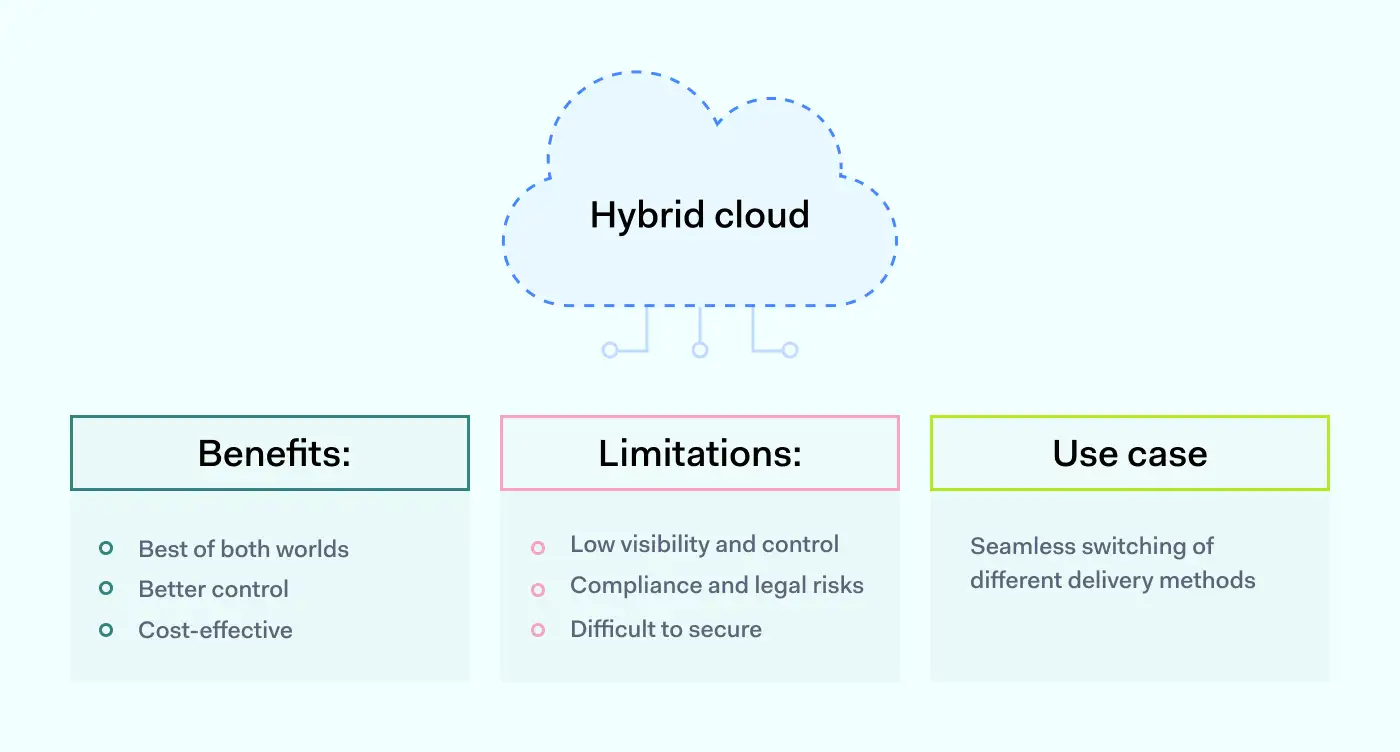
A hybrid cloud platform offers enhanced flexibility and various deployment options. With hybrid cloud computing, businesses can effortlessly expand their on-premises infrastructure to the public cloud when there is a fluctuation in computing and processing demand. This approach allows organizations to handle the excess workload without granting third-party data centers full access to their data.

What-is-hybrid-cloud-security 1400x752

In addition, resource scalability eliminates the need for substantial investments to manage short-term spikes in demand. It addresses situations where businesses must allocate local resources for more sensitive data or applications. Instead of purchasing, programming, and maintaining additional resources and equipment that might remain unused for extended periods, companies only pay for the temporary utilization of resources.

In short, hybrid cloud advantages are these:

  • Control. Your organization can retain a private infrastructure for handling sensitive assets or tasks that demand fast response times.

  • Flexibility. Additional resources from the cloud can be leveraged on demand.

  • Cost-efficiency. Organizations pay for only what they’re using.

  • Simplicity. A hybrid approach allows organizations to gradually transition to a cloud model, migrating workloads over time.

How can NordLayer help?

NordLayer can be a helpful ally when securing hybrid cloud setups. Our solutions include a wide range of features that help to secure remote access and flexibly adapt to ever-changing business work environments.

IP address allow-listing, Site-to-Site tunnels and Smart Remote Access features enable network administrators to allow only NordLayer-using members to access their hybrid cloud resources while blocking everyone else. Single sign-on, multifactor authentication, and biometric authentication ensure that only credible members are allowed into your network perimeter. Centrally implemented security controls will help apply additional security policies consistently across all network environments.

Our suite makes applying best practices to a hybrid work environment easy. Contact our sales team today to learn more about our services and solutions.

About Version 2 Digital

Version 2 Digital is one of the most dynamic IT companies in Asia. The company distributes a wide range of IT products across various areas including cyber security, cloud, data protection, end points, infrastructures, system monitoring, storage, networking, business productivity and communication products.

Through an extensive network of channels, point of sales, resellers, and partnership companies, Version 2 offers quality products and services which are highly acclaimed in the market. Its customers cover a wide spectrum which include Global 1000 enterprises, regional listed companies, different vertical industries, public utilities, Government, a vast number of successful SMEs, and consumers in various Asian cities.

About NordLayer
NordLayer is an adaptive network access security solution for modern businesses – from the world’s most trusted cybersecurity brand, Nord Security.

The web has become a chaotic space where safety and trust have been compromised by cybercrime and data protection issues. Therefore, our team has a global mission to shape a more trusted and peaceful online future for people everywhere.