

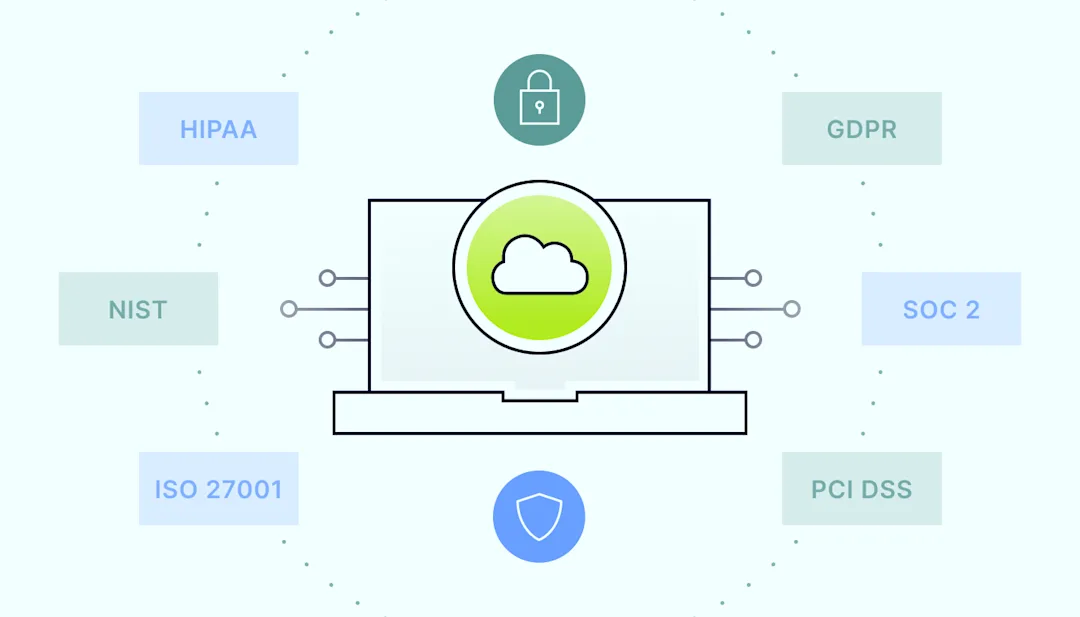
Skip to content

Understanding SaaS compliance: key standards and best practices

Software as a Service (SaaS) has become the backbone of many businesses, offering scalable and cost-effective solutions for various industries. However, with the convenience of SaaS comes the critical responsibility of ensuring SaaS compliance with industry standards and data protection laws.

For those new to SaaS, understanding SaaS compliance can be daunting, but it is crucial for protecting sensitive data, building customer trust, and avoiding legal pitfalls. This guide will walk you through the basics of SaaS compliance, covering key standards, common challenges, and best practices to help you keep your business on the right track.

What is SaaS compliance? 

SaaS compliance means that software-as-a-service providers have to follow various regulatory requirements, laws, and industry-specific standards. These standards are designed to protect sensitive data, ensure financial transparency, and maintain security protocols across cloud-based services. For SaaS providers, compliance is not just a legal obligation but is also about demonstrating their commitment to safeguarding customer data and upholding industry benchmarks.

For instance, consider a company that offers cloud-based solutions for managing healthcare records. To operate legally and securely, the company must comply with the Health Insurance Portability and Accountability Act (HIPAA), which sets strict standards for protecting sensitive patient information. Without HIPAA compliance, the company could face fines, lose customers, and suffer reputational damage.

Why is SaaS compliance important?

Understanding why SaaS compliance is important is crucial for any business operating in the SaaS space. Compliance serves two primary purposes: protecting data security and maintaining customer trust.

Data security

With data breaches becoming an everyday threat, robust SaaS compliance practices help SaaS providers safeguard their customers’ data against security risks. Compliance frameworks like the General Data Protection Regulation (GDPR) and the California Consumer Privacy Act (CCPA) impose stringent requirements on how companies collect, store, and process personal data. Failure to comply can lead to severe penalties and legal consequences.

For example, in 2023, Meta was fined $1.3 billion for GDPR violations. The company failed to ensure adequate protections for user data during transfers between the EU and the U.S. This shows how important it is to prioritize data security and compliance to avoid substantial legal penalties.

Customer trust

Compliance also plays a crucial role in building and maintaining customer trust. When customers know that a SaaS provider follows compliance frameworks like PCI DSS (Payment Card Industry Data Security Standard) or SOC 2 (Service Organization Control 2), they feel more confident that their data is secure. This trust is essential for long-term business relationships and customer retention.

Risks of non-compliance

The risks of non-compliance are significant. They include legal penalties, financial loss, reputational damage, and operational disruptions. Companies that fail to meet compliance standards may also find it challenging to attract and retain customers as trust in their services diminishes. In extreme cases, non-compliance can lead to business shutdowns, especially if the violations are severe.

Key compliance standards for SaaS providers

To effectively manage compliance, SaaS providers must understand the types of SaaS compliance relevant to their industry. These compliance standards vary depending on the nature of the service, the type of data handled, and the geographical location of the customers. Here’s an overview of some major compliance frameworks.
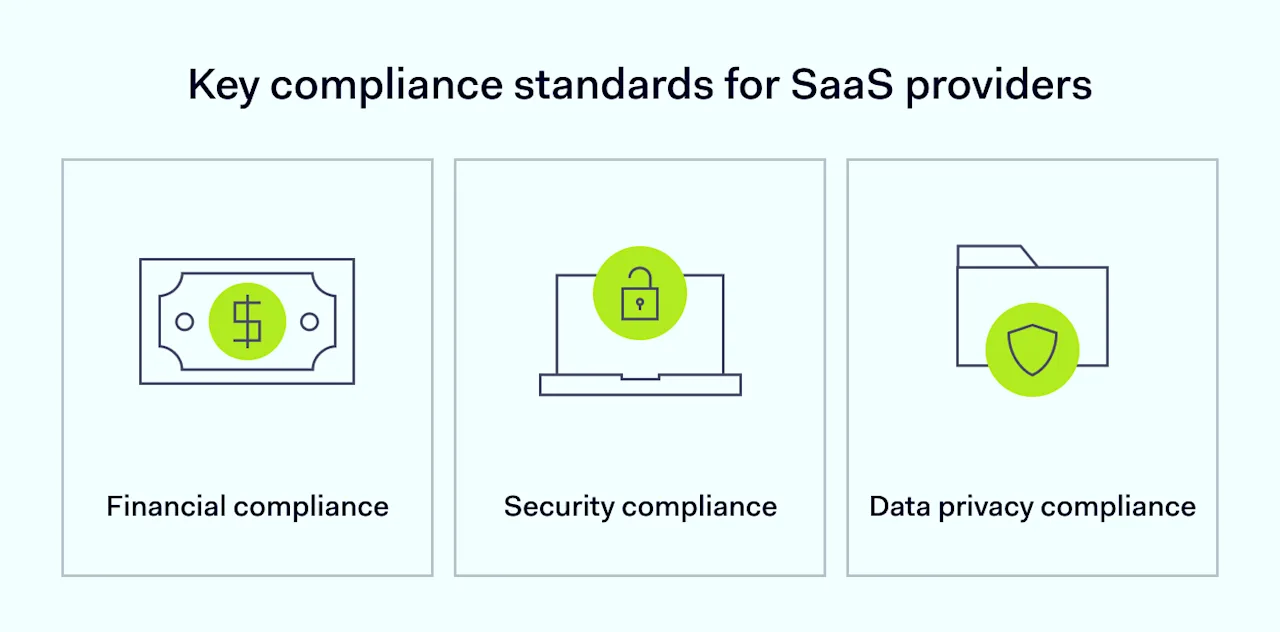
Key compliance standards for SaaS providers

Financial compliance

Payment Card Industry Data Security Standard (PCI DSS)

PCI DSS is essential for any SaaS provider that handles payment card transactions. This standard outlines security measures to protect cardholder data, including data encryption, secure storage, and regular monitoring. Implementing solutions to become PCI compliant is crucial for preventing data breaches and maintaining customer trust.

Accounting Standards Codification (ASC 606)

ASC 606 provides guidelines for revenue recognition, ensuring that companies report their financial performance accurately. SaaS providers must comply with ASC 606 to demonstrate financial transparency and avoid legal issues related to revenue reporting.

Sarbanes-Oxley Act (SOX)

SOX compliance is mandatory for publicly traded companies, including SaaS providers. It focuses on corporate governance and financial reporting, requiring companies to implement internal controls and report on their effectiveness. Non-compliance with SOX can lead to severe penalties, including fines and imprisonment for executives.

Security compliance

Service Organization Control 2 (SOC 2)

SOC 2 compliance is a critical standard for SaaS providers that handle customer data. It ensures the company’s information security management systems meet industry standards. SOC 2 audits evaluate controls related to security, availability, processing integrity, confidentiality, and privacy. Achieving SOC 2 compliance is essential for demonstrating that your SaaS solutions are secure and reliable.

ISO/IEC 27001

ISO/IEC 27001 is an international standard for information security management systems. It provides a framework for managing and protecting sensitive information through a systematic approach. Implementing an ISO 27001 compliance solution can help SaaS providers safeguard their data, meet customer expectations, and improve overall security.

Center for Internet Security (CIS) Controls

The CIS Controls are a set of best practices for cybersecurity. They provide a prioritized set of actions to protect organizations from cyber threats. SaaS providers can use these controls to strengthen their security posture and reduce security risks, including breaches.

National Institute of Standards and Technology Cybersecurity Framework (NIST CSF)

The NIST CSF is a voluntary framework that provides guidelines for managing and reducing cybersecurity risks. SaaS providers can adopt it to enhance their security practices and ensure they are aligned with industry standards.

Data privacy compliance

General Data Protection Regulation (GDPR)

GDPR is a European Union regulation that governs how companies handle personal data. It applies to any SaaS provider that processes data belonging to EU citizens, no matter where the company is based. Compliance with GDPR is essential for avoiding hefty fines and protecting customer privacy. Companies can explore GDPR compliance services for tailored support.

HIPAA (Health Insurance Portability and Accountability Act)

HIPAA sets the standard for protecting sensitive patient information in the healthcare industry. SaaS providers that handle health-related data must comply with HIPAA to avoid penalties and ensure that patient information is kept confidential. Implementing HIPAA compliance solutions is vital for any SaaS provider operating in the healthcare sector.

CCPA (California Consumer Privacy Act)

The CCPA is a state law that grants California residents rights over their personal data. It requires businesses to disclose what information they collect, allow consumers to opt out of data sharing, and delete personal data upon request. SaaS providers must comply with CCPA to avoid legal penalties and maintain customer trust.

Data security and privacy regulations

Data security and privacy are at the heart of SaaS compliance. Data protection laws like GDPR, HIPAA, and CCPA are designed to protect individuals’ data from misuse and unauthorized access. These regulations require SaaS providers to implement strict security measures, such as data encryption, access controls, and regular monitoring, to ensure that data is protected at all times.

For example, a SaaS provider offering cloud storage services must ensure that data is encrypted at rest and in transit. This means that even if a malicious actor gains access to the data, they would not be able to read it without the decryption key.

Complying with data security and privacy regulations can help SaaS providers protect their customers’ information and avoid legal consequences.

Challenges in achieving SaaS compliance

Achieving SaaS compliance can be challenging for SaaS providers, especially those just starting. Here are some common challenges and potential solutions:

Complexity of regulations

SaaS compliance requirements can be complex and vary by industry and region. For example, a global SaaS provider may need to comply with multiple regulations, such as GDPR, CCPA, and HIPAA, each with unique requirements. To manage this complexity, SaaS providers can use SaaS compliance management tools that automate tracking and implementing regulatory requirements.

Resource constraints

Small and medium-sized SaaS companies often lack the resources for compliance efforts. Hiring compliance experts or outsourcing SaaS compliance can be expensive. However, non-compliance can be even more costly in the long run. To handle this, SaaS providers can focus on implementing the most critical compliance measures first and gradually expand their compliance efforts as their business grows.

Keeping up with changes

Compliance standards and data protection laws are constantly evolving, and SaaS providers must stay up-to-date with the latest changes to remain compliant. This requires continuous monitoring of regulatory updates and adjusting compliance practices as needed. An effective compliance strategy includes subscribing to industry newsletters, attending webinars, and participating in compliance forums to stay informed.

Benefits of SaaS compliance

While achieving SaaS compliance can be challenging, the benefits far outweigh the effort. Here are some key benefits:

Improved security

SaaS compliance ensures that providers implement robust security controls to protect customer data. This reduces the risk of data breaches and cyber-attacks, safeguarding both the company and its customers.

Enhanced customer trust

SaaS security compliance demonstrates to customers that their data is in safe hands, building trust and loyalty and leading to long-term customer relationships.

Competitive advantage

Compliant SaaS companies can differentiate themselves from competitors who may not offer the same level of security and privacy protection. This can be a significant selling point in a crowded market.

Best practices for maintaining SaaS compliance

Maintaining SaaS compliance is an ongoing process that requires constant attention. Here are some best practices to help:

Regular audits

Conduct internal and external audits regularly as part of your compliance strategy. Audits help assess your compliance status and identify any gaps in your security practices. They can also help you stay on top of compliance requirements and ensure that your SaaS solutions remain secure.

Employee training

Regularly train employees on SaaS compliance requirements and their role in maintaining it. An informed team is better equipped to follow measures and avoid potential compliance risks.

Usage of compliance management tools

Leverage compliance management tools to automate tracking and implementing regulatory requirements. These tools help reduce human error and ensure all compliance obligations are met. Additionally, use only SaaS-compliant tools for daily operations to create a secure environment and minimize risks. The more secure your operational tools, the stronger your overall compliance posture.

Document compliance efforts

Keep detailed records of your compliance activities, including policies, procedures, and audit results. This documentation is crucial during an audit or regulatory inquiry.

SaaS compliance checklist

To help you get started, here’s the SaaS compliance checklist of key steps.
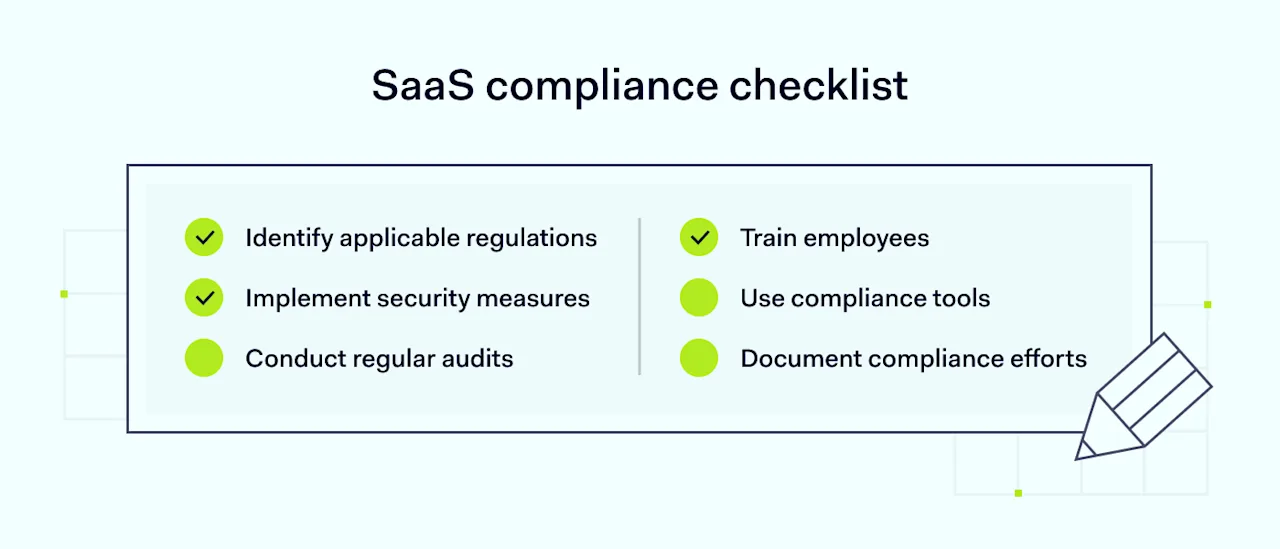
SaaS compliance checklist

  • Identify applicable regulations: Determine which compliance standards (like GDPR, HIPAA, or PCI DSS) apply to your SaaS business

  • Implement security measures: Ensure your platform meets all security requirements, such as encryption and access controls

  • Conduct regular audits: Schedule regular audits to assess your compliance and identify areas for improvement

  • Train employees: Provide ongoing training to ensure employees understand their compliance responsibilities

  • Use compliance tools: Implement tools to automate and streamline your compliance tasks

  • Document compliance efforts: Keep detailed records of your compliance activities, including financial compliance measures and the implementation of security controls.

How can NordLayer help companies stay compliant?

NordLayer itself meets multiple compliance standards for securing applications and services, including GDPR, HIPAA, ISO 27001, and PCI DSS. Compliance often requires specific network security measures, such as traffic encryption, advanced network access control, and multi-factor authentication.

NordLayer addresses these needs by providing robust security features designed to meet these requirements. By integrating NordLayer, you can enhance the security of your SaaS solutions, ensuring they align with compliance standards and protect sensitive data effectively.

Conclusion

SaaS compliance is a critical aspect of running a successful software-as-a-service business. By understanding and adhering to key compliance standards, SaaS providers can protect their customers’ data, build trust, and avoid legal pitfalls. While achieving compliance can be challenging, the benefits—including improved security, customer loyalty, and competitive advantage—make it well worth the effort.

By following best practices and leveraging tools like NordLayer, you can navigate the complex world of SaaS compliance with confidence and ensure your business’s long-term success.

About Version 2 Digital

Version 2 Digital is one of the most dynamic IT companies in Asia. The company distributes a wide range of IT products across various areas including cyber security, cloud, data protection, end points, infrastructures, system monitoring, storage, networking, business productivity and communication products.

Through an extensive network of channels, point of sales, resellers, and partnership companies, Version 2 offers quality products and services which are highly acclaimed in the market. Its customers cover a wide spectrum which include Global 1000 enterprises, regional listed companies, different vertical industries, public utilities, Government, a vast number of successful SMEs, and consumers in various Asian cities.

About NordPass
NordPass is developed by Nord Security, a company leading the global market of cybersecurity products.

The web has become a chaotic space where safety and trust have been compromised by cybercrime and data protection issues. Therefore, our team has a global mission to shape a more trusted and peaceful online future for people everywhere.

Feel The Flow With Autofill

Why is Autofill so cool?

Nothing is more annoying than manually typing out online forms. Usually, when you sign up for an online service, you need to type out your username, password, personal information, and sometimes even your credit card details. If the website takes security seriously, it may also ask you to prove your identity with additional authentication methods. This is especially true when it comes to online shopping.

So, say you reach the final steps of purchase and you’re already pretty annoyed. Fortunately, Autofill effectively deals with the nuisance of filling out online forms, making it a smooth and seamless experience.

Powered by machine learning, Autofill constantly evolves and adapts, accurately identifying and filling fields in various forms, including sign-ups, logins, credit card details, and personal information. This ensures Autofill remains highly reliable, aiming to deliver perfect accuracy over time.

Pro tips: How to make the most of Autofill

Log in with a single click

Thanks to the Instant Login feature on desktop, NordPass allows you to skip all the annoying steps required to log in to a chosen website: landing on the page, selecting credentials, and performing on-page actions. Now, a single click is all it takes. All you have to do is follow a prompt to log in with NordPass.

If you choose not to log in using the Autofill feature, you’ll be asked if you want to enable it for future access to the website. Choose yes to ensure an effortless login experience. Alternatively, you can leave it disabled or even turn Instant Login off altogether in the NordPass settings section.

If you have multiple accounts on the website, select the account you want to use first. In such a case — let’s be honest — logging in with Instant login takes two clicks.

how to login with nordpass pop up screen

Autofill all credit card details and personal information

Some websites require additional information to authenticate the user or confirm transactions. You may know the case from Amazon asking for an ID to verify your address or an online shop requiring a billing address or security questions regarding your company credit card. We salute every solution that enhances your online security, but looking for and writing down all these additional details can be quite annoying.

Luckily, the Custom Field feature — previously available with password items — is now expanded to credit cards, personal information, and secure notes on desktop and Android devices. NordPass will autofill the data from custom fields added to your items. This way, you won’t have to look for your ID or credit card (if you even have it in a physical form, which is not always the case with business cards) whenever you want to buy something. Handy, right?

how to add custom fields Nordpass dashboard view

Bundle your websites or apps

Having separate password entries for apps from the same company, like Facebook and Messenger, even if you use the same credentials for all, can clutter your NordPass vault. It also takes extra time and effort to manage, especially with multi-domain websites like Microsoft that are frequently used at work.

At NordPass, we focus on the simplicity of use. That’s why we let you combine website addresses on your desktop, or app names on your mobile device, into a single password entry. This feature improves domain matching, making it easier to access your accounts across related domains. For example, NordPass can recognize microsoft.com and live.com as related, so you can access both without duplicating passwords. Instead of searching for each site individually, you’ll find the login details for login.live.com under “Microsoft,” and autofill will take care of the rest.

This feature, available on desktop and Android devices, helps simplify credential management. If you have multiple entries for related accounts with the same password item, you can merge them into one and delete the extras. Just be sure to manually remove the unnecessary entries.

how to add asset with multiple urls nordpass dashboard view

Experience undisturbed flow

The best-in-class user experience takes constant improvements. Take a look at how Autofill makes accessing online accounts easier and quicker.

  • Subdomain matching

The Subdomain Matching feature — available on desktop and Android devices — will prove invaluable if you use multiple subdomains at work (like department-specific sections of a company website). It’s designed to identify and autofill correct login information for each subdomain, ensuring a seamless access experience by removing the hassle of having to select from multiple login options every single time. You can enable or disable Subdomain Matching in the NordPass settings section according to your needs.

how to autofill via subdomain nordpass dashboard view
  • Customizable autofill

You can adjust the autofill settings at any time by clicking the three dots in the autofill drop-down list. This allows you to choose a different item to autofill, search for the right one, or change how NordPass interacts with specific fields. Plus, you can use this feature to give direct feedback to the NordPass team.

customizable autofill feature in Nordpass dashboard view
  • Disable autofill

To disable autofill on specific pages or fields, just right-click the input field and choose “Don’t autofill on this website” or “Don’t autofill this field.” This way, you can control when autofill is used, keeping your workflow smooth and uninterrupted.

how to manage autofill Nordpass dashboard view

What else to expect?

The Autofill may have already suggested using Email Masking or a Password Generator tool during the login process. Please note, that you can take advantage of both without leaving the page; NordPass will automatically save your new strong passwords as well as email masks.

email massking input field Nordpass dashboard view

On Desktop, we’ve introduced prompts to inform you in case you enter an unprotected website or log in with weak or reused passwords. The prompts can also warn you about breached websites to help you secure your accounts and resolve the breach on NordPass. However, if you don’t want to get these, you can now turn them off permanently in the “Notifications” settings section.

data breach scanner and password heath checker features

About Version 2 Digital

Version 2 Digital is one of the most dynamic IT companies in Asia. The company distributes a wide range of IT products across various areas including cyber security, cloud, data protection, end points, infrastructures, system monitoring, storage, networking, business productivity and communication products.

Through an extensive network of channels, point of sales, resellers, and partnership companies, Version 2 offers quality products and services which are highly acclaimed in the market. Its customers cover a wide spectrum which include Global 1000 enterprises, regional listed companies, different vertical industries, public utilities, Government, a vast number of successful SMEs, and consumers in various Asian cities.

About NordPass
NordPass is developed by Nord Security, a company leading the global market of cybersecurity products.

The web has become a chaotic space where safety and trust have been compromised by cybercrime and data protection issues. Therefore, our team has a global mission to shape a more trusted and peaceful online future for people everywhere.

Our Top Tips for Secure Video Conferencing

What is video conferencing software?

In basic terms, video conferencing software allows multiple users to hold live video and audio meetings online, making it feel like they’re having a face-to-face conversation even though they’re not in the same room. It usually includes handy features like screen sharing, chat, and file sharing to ensure efficient and secure video teleconferencing. It’s commonly used for work-related virtual meetings and online classes.

Cybersecurity risks in video conferencing

At the beginning of April, Zoom, one of the most popular video conferencing services, had a ton of security-related problems. Most of them revolved around poor encryption and data protection.

Zoom always stated that it offers end-to-end encryption. However, it turned out to be far from the truth. It only encrypts data in transit, and to make matters worse, the developers have encryption keys that allow Zoom to decrypt its users’ data.

Another problem Zoom had to deal with was so prominent it even has its own name — zoombombing. It’s a type of photobombing where hackers and regular internet trolls would get into people’s video conferences and post malicious links, pornographic images, or use obscene language.

Weak encryption combined with bugs in some of Zoom’s apps also led to 500,000 of its users’ credentials ending up for sale on the dark web. It doesn’t help that Zoom is known to collect and sell users’ data to third parties — without informing them about it.

Even though Zoom was quick to react and patch most of these vulnerabilities, new exploits are likely to arise all the time — both in Zoom and other video chat services. Therefore, you should always keep tabs on the latest cybersecurity news. Otherwise, you risk your private conversations, passwords, and business secrets ending up online.

What you can do to protect yourself

  1. Make sure to install the newest version of the app the moment it’s available. Updates include security patches that are vital if you want to stay safe online.

  2. Never share the meeting link or ID publicly — send it to the people participating in the call only. If your app allows it, set a password for your meeting. Need help with creating a strong password? Try our password generator.

  3. Utilize other features your video conference app offers. Some have a virtual waiting room where you can approve every person. Others allow you to disable participant’s cameras and microphones and even kick them out. Learn about all the features of your secure video conferencing software and how to use them to stay safe.

  4. Never accept video conference invites from people you don’t know. It might be a scam or a catfishing attempt, so it’s best to stay away from people you don’t know.

  5. Always be mindful of what you say and show during a video call. Remember, everything can be recorded, and you never know where it will end up. So, don’t share any information that’s too personal or sensitive. Look for safer methods to discuss business secrets.

  6. Even though many video conferencing apps offer encrypted video calls, you should still take additional safety measures and do some research. Make sure they don’t have any known vulnerabilities, the encryption protocols they use are bulletproof, and your own device is not infected with malware. If someone has control over your computer or phone, they will be able to listen in on your calls even with end-to-end encryption. Scan your devices regularly to make sure they are safe to use.

  7. Be careful with apps you never heard of. Only download them from official app stores, and always check whether the developer is trustworthy before installing it. Hackers are known to create fake versions of popular secure video conferencing software that infect your phone with malware.

  8. Usage of various video conferencing platforms is skyrocketing, and cybercriminals have their eyes set on them. Therefore, never reuse passwords, change them regularly, and come up with strong, complex passwords for your most sensitive accounts. If you need help remembering them — use a password manager to store them all safely.

  9. Use Health Insurance Portability and Accountability Act (HIPAA) compliant video conferencing software to ensure the safe handling of sensitive health information. Considering that sometimes employees need to share their health data with people in other departments (e.g. HR), you should create a safe virtual environment where they can do that without worrying about security.

  10. Make GDPR compliance a top priority to confidently use video conferencing tools while keeping data protection standards high. This approach will help you avoid fines and legal issues for failing to comply with GDPR regulations. Plus, remember that adopting GDPR-secure video conferencing practices is a way to not only protect your participants’ privacy but also enhance trust and credibility.

  11. Use only strong passwords, that is combinations of letters, numbers, and symbols that are complex and unique enough to prevent cybercriminals or malicious machines from identifying them. Also, you should implement two-factor authentication to increase the level of cybersecurity at your company. With two-factor authentication, employees must provide more than just their password to log in to your company applications or access company data. This means, for example, that they will be sent a verification code via email or SMS, or asked to use their biometrics to confirm their identity


CISA guide for securing video conferencing

The Cybersecurity and Infrastructure Security Agency (CISA), an agency of the US Department of Homeland Security, has released a guide on how to carry out video conferences in a secure way. In essence, CISA has come up with four tips that, when followed, can help you safely connect with others over a video chat. They are:

Make your network secure — Set up your router to use WPA2 or WPA3 wireless encryption standard, and create strong passwords for both the router and your Wi-Fi network.

Control access to your video conferencing software — Create strict policies, processes, and procedures so that only the right people can use your video conferencing software.

Create a secure environment for file and screen sharing — establish secure rules regarding the types of files that can be shared during a video conference. Also, if you want to make a recording of the meeting, let all participants know about that.

Use only the latest versions of your applications — enable automatic updates and follow a patch management policy to make sure your applications are up-to-date and as secure as they can be.

Most Secure Video Conferencing Software

Here are what we consider to be the best video conference tools available on the market today. They are:

ZoHo Meeting – a video conferencing platform that not only provides all the communication features needed to connect with other team members, but it also encrypts all audio, video, and screen sharing to make sure all information – both personal and business – is safe and sound. Using ZoHo Meeting, you can easily record your meeting and share it with the people you trust. Plus, as a host, you can “lock” the meetings so that they are fully private. This means you are in full control of who can join the meeting and be able to add/remove participants at any time.

Microsoft Teams – probably one of the most popular video conferencing tools available on the market, Microsoft Teams is a secure video conferencing service that comes with a wide range of features that can help you set up and carry out video conferences with ease. Not only does it allow you to connect with up to 10.000 people at once for a live event, but it also enables you to go from a group chat to a video conference with the press of just one button. This is convenience at its highest.

Pexip — a video conferencing tool that makes security one of its highest priorities. With Pexip, you can set up PIN-protected virtual meeting rooms that allow you to keep communication private. As a host, you can see all participants taking part in the meeting and thus be sure that no eavesdropping is attempted. If you are looking for a secure video conferencing platform, you should give Pexip a go.

Google Meet – a video conferencing service developed by Google that allows users to host and join virtual meetings. It offers features like screen sharing, real-time captions, and integration with Google Workspace tools, making it ideal for both personal and professional use. Users can engage in encrypted video conferencing through a web browser or mobile app without being required to install any additional software.

Zoom – another highly popular video conferencing platform that lets users set up virtual meetings, webinars, and online events. Offering features like screen sharing, breakout rooms, and virtual backgrounds, it provides functionality for both personal and professional needs. By allowing users to join meetings via a web browser, desktop application, or mobile app, Zoom makes video conferencing an enjoyable experience anywhere, anytime.

About Version 2 Digital

Version 2 Digital is one of the most dynamic IT companies in Asia. The company distributes a wide range of IT products across various areas including cyber security, cloud, data protection, end points, infrastructures, system monitoring, storage, networking, business productivity and communication products.

Through an extensive network of channels, point of sales, resellers, and partnership companies, Version 2 offers quality products and services which are highly acclaimed in the market. Its customers cover a wide spectrum which include Global 1000 enterprises, regional listed companies, different vertical industries, public utilities, Government, a vast number of successful SMEs, and consumers in various Asian cities.

About NordPass
NordPass is developed by Nord Security, a company leading the global market of cybersecurity products.

The web has become a chaotic space where safety and trust have been compromised by cybercrime and data protection issues. Therefore, our team has a global mission to shape a more trusted and peaceful online future for people everywhere.

Encryption: XChaCha20 vs. AES-256 – What’s the difference?

The battle of encryption standards

Encryption is the cornerstone of online data security. It ensures that confidential information is accessible only to its owner or authorized recipients, making it nearly impossible for cybercriminals to open or use the files, even if they somehow get ahold of them.

But there’s not just one way to encrypt data. Multiple encryption algorithms exist to help protect sensitive information, and naturally, debates arise over which one is the best.

In this article, we’ll dive into two leading encryption algorithms, XChaCha20 and AES-256. We’ll explore how they work and how they differ, trying to determine which one might be better. Let’s start by defining both.

What is AES encryption?

AES is a type of encryption that uses the same key for both encrypting and decrypting data, which is why it’s called symmetric encryption. It works by chopping data into small blocks and then using that single secret key to scramble and unscramble the information. Known for being both secure and efficient, AES is used by the US government and many other organizations.

How does AES encryption work?

To explain how AES works, we’ll dive into a bit of technical detail, but stick with us if you’re curious about the process. So, as already mentioned, AES breaks your data into blocks (each 128 bits or 16 bytes in size) and encrypts each block separately.

While the block size stays the same, you can choose between 128-, 192-, or 256-bit keys for encryption—more bits mean more possible key combinations and stronger security.

Encryption with AES involves several rounds of processing for each data block. For instance, AES with a 256-bit key goes through 14 rounds. Once encrypted, the data can be sent safely over the web, and only someone with the right key can decrypt it; otherwise, the data is unreadable.

What is XChaCha20 encryption?

Like AES, XChaCha20 is symmetric encryption, which means it uses a single key to scramble and unscramble data. However, XChaCha20 is also a 256-bit stream encryption type, with “stream” referring to the fact that, instead of dividing data into blocks, XChaCha20 encrypts each bit of data one at a time. Some argue that this makes XChaCha20 a better choice than AES, which is why XChaCha20 is often used in modern encryption systems.

How does XChaCha20 work?

XChaCha20 uses a 256-bit key and a 192-bit nonce to generate a keystream—a sequence of random numbers. It encrypts data by combining this keystream with the plaintext using XOR, which compares corresponding bits: if they are the same, the result is 0; if they are different, the result is 1.

This process scrambles the data in a way that can be reversed for decryption. The larger nonce size in XChaCha20 helps prevent security issues related to nonce reuse, enhancing its overall security.


Key differences between XChaCha20 and AES

We know that technical details can be a lot to take in. So, to make things easier, we’ve created a simple bulleted list that breaks down the differences between the two encryption algorithms. Here’s a straightforward comparison:

AES encryption

  • Older: AES has been around since 2001.

  • Block-based: Works with fixed-size blocks of data (128 or 16 bits).

  • More complex: Involves multiple rounds of encryption with key sizes of 128, 192, or 256 bits.

  • Hardware-dependent: Often requires hardware support for optimal performance.

  • Prone to human error: Key management and nonce handling can be tricky, leading to potential errors.

XChaCha20

  • More modern: XChaCha20 was introduced in 2014.

  • Stream-based: Encrypts data bit by bit using a stream cipher.

  • Simpler: Faster to implement with a 256-bit key and a 192-bit nonce.

  • Less hardware-dependent: Doesn’t always require hardware support for efficient performance.

  • Less prone to human error: Larger nonce size helps reduce issues with nonce reuse and simplifies key management.

The main difference between AES-256 and XChaCha20 encryption is that AES-256 is a block cipher, meaning it encrypts data in fixed-size chunks, while XChaCha20 is a stream cipher that handles data one bit at a time. AES-256 has a long-standing reputation as the “advanced encryption standard,” while XChaCha20 is relatively new but gaining popularity.

AES-256 encryption is more complex than XChaCha20, which comes with a few drawbacks:

  1. The more complex the algorithm, the higher the chance of mistakes that could put your data at risk.

  2. AES-256 often needs special hardware to run efficiently, whereas XChaCha20 works well on regular software. For example, newer Intel, AMD, and ARM processors support AES, but older or entry-level devices like Android Go phones, smart TVs, and smartwatches may not have built-in support.

  3. Without that special hardware, AES-256 can be significantly slower compared to XChaCha20.

Use cases and industry adoption

As we discussed earlier, AES has become a popular encryption standard across many industries. You’ll find it widely used in finance, healthcare, and government services. However, XChaCha20 is starting to make waves, especially in areas where high security and performance are critical, like mobile devices and IoT applications.

One of the key reasons for its growing popularity is that XChaCha20 is less susceptible to certain side-channel attacks compared to AES, making it a top pick for situations that demand extra security.

XChaCha20 vs. AES – which is better?

Although both AES and XChaCha offer high security and are useful in various scenarios, the speed and simplicity of XChaCha20, along with its ability to run smoothly without specialized hardware, are making it a popular choice for many companies—even Google.

On top of that, key management is much easier with XChaCha20. The longer nonce it uses reduces the risk of collisions and simplifies the process overall, making implementations more straightforward and less prone to errors.

Here at NordPass, we know how crucial it is to stay ahead of the curve and provide our customers with the best, most up-to-date tech solutions. That’s why we’ve chosen XChaCha20 encryption for our password manager. With its speed, simplicity, and ease of use, it’s likely that more companies will follow suit in the future.

Bottom line

Both AES-256 and XChaCha20 are great at encrypting and, therefore, securing sensitive data. But XChaCha20 really shines when it comes to simplicity and speed, making it a better choice for situations where you need both top performance and easy setup.

About Version 2 Digital

Version 2 Digital is one of the most dynamic IT companies in Asia. The company distributes a wide range of IT products across various areas including cyber security, cloud, data protection, end points, infrastructures, system monitoring, storage, networking, business productivity and communication products.

Through an extensive network of channels, point of sales, resellers, and partnership companies, Version 2 offers quality products and services which are highly acclaimed in the market. Its customers cover a wide spectrum which include Global 1000 enterprises, regional listed companies, different vertical industries, public utilities, Government, a vast number of successful SMEs, and consumers in various Asian cities.

About NordPass
NordPass is developed by Nord Security, a company leading the global market of cybersecurity products.

The web has become a chaotic space where safety and trust have been compromised by cybercrime and data protection issues. Therefore, our team has a global mission to shape a more trusted and peaceful online future for people everywhere.

SaaS Security: Best practices and challenges

First, what is SaaS security?

The term software-as-a-service (SaaS) security refers to the measures and security protocols implemented to safeguard the data, applications, and infrastructure associated with SaaS solutions used by a given organization.

To put it differently, SaaS cybersecurity is about implementing the right strategies to protect an organization against unauthorized access, data breaches, and other security threats that may compromise the confidentiality, integrity, and availability of its SaaS-based resources.

So, the core focus of SaaS security requirements is making sure the digital tools and data you use through SaaS services are safe and sound. This is usually achieved through incorporating measures such as encryption (to maintain the confidentiality and integrity of the data), authentication (to verify user access), and access control (to manage permissions). In addition, SaaS security monitoring plays a crucial role in overseeing these measures and ensuring their effectiveness. Regular security assessments are also necessary to identify and address potential vulnerabilities.

The most common SaaS security threats

Switching to SaaS is a significant move for businesses aiming for success, even though it means they sometimes have to give up some control over how their data is handled, how apps are managed, and how systems are customized.

This shift in approach, known as SaaS security management, introduces its own set of risks, particularly concerning SaaS data security. Let’s now explore the top seven challenges that organizations using SaaS solutions must face these days:

Data breaches — Unauthorized access to sensitive information can result in data breaches, leading to the exposure of confidential data.

Phishing attacks — Cybercriminals can use various social engineering techniques to trick users into revealing sensitive information, compromising the security of SaaS accounts.

Insecure interfaces and APIs — Vulnerabilities in interfaces and application programming interfaces (APIs) can be exploited by cybercriminals, which poses a risk to data integrity and security.

Insufficient data encryption — When the protective layer around your information during transmission or storage isn’t strong enough, it makes it easier for unauthorized parties to intercept or access your data without permission.

Account hijacking — Cyberattackers might break into user accounts, getting unauthorized access to potentially mess with or steal data.

Configuration flaws — Improperly configured SaaS settings can lead to security vulnerabilities, creating opportunities for unauthorized access or data exposure.

Non-compliance issues — Failing to meet regulatory compliance standards can not only result in legal consequences but also jeopardize the overall security of SaaS applications.

What is SaaS Security Posture Management (SSPM)?

SaaS Security Posture Management (SSPM) is a strategic approach that organizations can adopt to help ensure SaaS application security. In other words, it involves continuously monitoring, assessing, and improving the security of the company’s SaaS applications to protect it from potential threats and vulnerabilities.

The key benefits include enhanced visibility into the security of SaaS applications, which allows organizations to quickly identify and address any issues. Additionally, SSPM helps ensure compliance with security policies and regulations, reducing the risk of data breaches and improving the overall security posture.

SaaS security: Best practices

When it comes to keeping your online activity safe and sound, especially with software as a service (SaaS) applications, it’s crucial to follow the best practices outlined in what we refer to as “the SaaS security checklist.” Here are the most crucial guidelines:

Protect data using encryption

Encryption plays a vital role in ensuring the security of sensitive data. The way it works is by transforming sensitive information into an unreadable code, decipherable only by authorized parties possessing the right decryption key. This protective measure can help secure your data both in transfer and at rest so that confidential information remains confidential.

Implement identity and access management tools

Identity and access management (IAM) are essential tools in software as a service (SaaS) environments, helping control access to applications and data. In essence, IAM solutions help you make sure that only authorized individuals have the necessary permissions, reducing the risk of unauthorized access and data breaches. IAM is also involved in tasks like setting up, removing, and overseeing user identities throughout their time using the system.

Introduce effective authentication methods

Using multi-factor authentication (MFA) is a way to take your organization’s SaaS security standards to the next level. When you enable this feature, users will be required to provide more than just a password — for example, a special code or a security token — to confirm their identity and get access to company resources. Therefore, MFA makes it much harder for someone to get in without permission, giving an added layer of protection beyond the usual passwords. Making MFA a key component of your SaaS security solution can help ensure that sensitive data and resources are securely protected.

Become compliant with data privacy standards

Achieving compliance with data protection standards such as the General Data Protection Regulation (GDPR) or the Health Insurance Portability and Accountability Act (HIPAA) underscores an organization’s ability to legally and securely handle sensitive data. Therefore, if a company aims to ensure the safety of the data it stores, nurture customer trust, and avoid potential legal complications, it must prioritize compliance efforts, regularly update policies, and educate employees on the significance of adhering to the standards.

Raise awareness among your customers

It’s no surprise that human error plays a huge role in SaaS cybersecurity. Gartner even predicts that by 2025, 99% of cloud security breaches will be due to customer mistakes. To help avoid these issues, it’s crucial to keep both new and existing customers updated on any system changes. They need to know how each update might impact their security and how their actions could potentially jeopardize it.

Moreover, as more companies shift to cloud-based systems, some customers might not fully understand the risks involved with that transition. That’s why you need to make sure they’re informed on how to keep their information safe and avoid security problems when dealing with your SaaS applications.

Ask the provider about certifications

One of the most important steps toward ensuring a secure SaaS environment is teaming up with the right cloud services provider. Therefore, before making a decision, it’s essential to do your research. Ask potential providers about their certifications and the standards their solutions adhere to, particularly regarding SaaS network security.

For instance, you might want to check for compliance with certificates like SOC 1, SOC 2, and ISO 27001, but also consider other relevant certifications based on your specific needs. Also, be sure to request documentation from providers to check if their solution meets your security requirements, and choose the one that offers the best value.

Improve SaaS security with NordPass

All the practices we mentioned above can be followed by using just one cybersecurity solution, NordPass. Let us prove it to you.

First, NordPass is an encrypted password management platform, which means that you and your team can use it to securely and easily generate, store, manage, and share company credentials, knowing that they are protected by advanced encryption algorithms.

Second, you can use NordPass as an identity and access management (IAM) tool, ensuring the secure provision of access to company data, services, and applications. In other words, with NordPass, you have full control over access to company resources, plus, you can monitor all company logins in real time so that you know exactly who accessed what and when.

Third, NordPass enables multi-factor authentication (MFA) and the single sign-on (SSO) method, allowing you to double-check and confirm the identity of each user whenever they attempt to access one of the company accounts.

Fourth, NordPass can play a crucial role in helping you meet regulatory compliance by adhering to some of the most essential data privacy standards such as HIPAA. Also, you can use the platform to set up various rules, procedures, and policies in a way that will allow your organization to be in line with specific requirements.

Of course, there is a lot more to NordPass than we can discuss in just one blog post. So if you want to learn more about how it can help your organization improve its cybersecurity and productivity.

About Version 2 Digital

Version 2 Digital is one of the most dynamic IT companies in Asia. The company distributes a wide range of IT products across various areas including cyber security, cloud, data protection, end points, infrastructures, system monitoring, storage, networking, business productivity and communication products.

Through an extensive network of channels, point of sales, resellers, and partnership companies, Version 2 offers quality products and services which are highly acclaimed in the market. Its customers cover a wide spectrum which include Global 1000 enterprises, regional listed companies, different vertical industries, public utilities, Government, a vast number of successful SMEs, and consumers in various Asian cities.

About NordPass
NordPass is developed by Nord Security, a company leading the global market of cybersecurity products.

The web has become a chaotic space where safety and trust have been compromised by cybercrime and data protection issues. Therefore, our team has a global mission to shape a more trusted and peaceful online future for people everywhere.