Skip to content

The OSINT Framework: How Hackers Can Leverage it to Breach Your Organization

In many ways, the open-source intelligence (OSINT) framework is a double-edged sword. On the one hand, it equips cybersecurity teams with a potent arsenal to detect vulnerabilities and strengthen their organization’s defenses. On the other hand, it also serves as a treasure trove for cybercriminals, enabling them to scan, probe, and breach vulnerable networks with remarkable efficiency. And to further complicate things, the remote work model, which has recently become the norm, only magnifies the risks and potential impact of OSINT-enabled attacks.

With freely available open-source data, malicious actors can often pinpoint and exploit unsecured and misconfigured systems while remaining obfuscated behind the anonymity of the digital world. Consequently, organizations are faced with a perpetual arms race, striving to stay one step ahead of the rapidly evolving cyber threat landscape.

With this in mind, recognizing threat actors’ tactics is paramount. This knowledge provides a solid foundation to fortify cyber defenses, ensuring robust protection of valuable data assets. So, let’s delve into the details of the OSINT framework and how hackers can leverage it to breach your organization.

What Is OSINT in Cybersecurity?

Open-source intelligence (OSINT) refers to the collection and analysis of publicly available data from various mediums like the internet, media, professional and academic publications, and government reports, among others. OSINT involves leveraging this publicly accessible information to identify potential vulnerabilities in systems and networks. It’s a powerful tool for both security professionals aiming to fortify defenses and cybercriminals seeking to exploit weaknesses.

For instance, a security analyst might use OSINT to identify outdated software or improperly configured servers, allowing them to rectify these issues. On the other hand, a cybercriminal could use OSINT to find weak points to launch an attack.

OSINT sources can range from social media posts revealing too much information about a network’s setup, to technical data found in online forums or databases detailing known vulnerabilities in certain software.

Critically, data is not automatically intelligence. Without proper context or analysis, open-source data remain unprocessed raw data. The transformation into intelligence happens when this data is critically analyzed.

For example, OSINT is more than just bookmarking a LinkedIn profile. It’s about extracting relevant, actionable details that can answer a specific intelligence question. It’s about asking, “what makes this data significant?” and delivering insightful intelligence based on the data gathered.

What is the OSINT Framework?

So we’ve covered open-source intelligence, but what is the OSINT framework specifically? Put simply, the OSINT framework is a collection of methodologies and open-source intelligence tools that make your intel and data-gathering tasks easier. The framework includes several stages, from identifying information needs, data collection, and analysis to presenting the findings.

How to Use the OSINT Framework

First, visit the OSINT framework website. You’ll notice a list of categories branching off from the OSINT framework, and by clicking on these branches, you can find tools and resources to help you with specific types of intelligence gathering.

Essentially, it’s your best resource for search engines, resources, and tools publicly available on the Internet.

However, it can also be confusing if you don’t know where to start. That’s the purpose of this post. To give you context on OSINT, how it works, and how both attackers and defenders leverage it to either keep our systems safe or launch ruinous attacks. Armed with this information, you should be better able to defend your networks from cybercriminals.

We’ll dive more into the specifics on how to use the OSINT framework in a later section.

To help you understand how to use the OSINT framework, let’s first dive into the specifics of open-source data gathering.

What are the Different Types of Open Source Data?

To extract valuable insights from data, you first need to know where to look. Open-source data comes in many forms. Much of it is already publically accessible, and the rest can often be obtained by request. OSINT sources can include:

  • Media reports, newspapers, and magazine articles: These can provide valuable insights into ongoing events, public sentiment, and trends. For example, a company may use them to learn about security breaches in their industry.
  • Academic papers and published research: These offer in-depth knowledge about specific topics. A cybersecurity professional could find a research paper detailing a new type of cyberattack or vulnerability.
  • Social media activity: This can reveal personal information, affiliations, behavior patterns, or even inadvertent disclosure of sensitive data. For instance, a hacker might identify a potential phishing target through social media.
  • Census data: This provides demographic details which can be used in threat modeling or understanding potential target audiences for social engineering attacks. For companies, it can provide valuable insights into which groups are likely to be targeted in future attacks.
  • Telephone directories: These can reveal contact information that could be used for spear-phishing or other targeted attacks.
  • Court filings and arrest records: These can provide information about legal disputes and criminal activities that might indicate potential vulnerabilities or targets.
  • Public trading data: This can offer insights into a company’s financial health, which might inform attack motivations.
  • Public surveys: These can reveal trends, public opinion, or other valuable data. They can also inadvertently expose sensitive information if not adequately anonymized.
  • Location context data: Information, like geotags, can disclose a person’s or device’s location, potentially revealing patterns or valuable details.
  • Breach or compromise disclosure information: This can help organizations understand how breaches occur and learn from others’ mistakes, while attackers may use it to replicate successful attacks.
  • Publicly shared cyberattack indicators like IP addresses, domains, or file hashes: These can help organizations identify potential threats and proactively protect their systems.
  • Certificate or Domain registration data: This information can reveal an organization’s online assets, which can be monitored for potential security issues.
  • Application or system vulnerability data: This is often found in public databases or forums detailing known vulnerabilities, which both attackers can use to exploit weaknesses and defenders to patch vulnerabilities.

How do Attackers Leverage OSINT?

As we’ve already touched on, both attackers (cyber criminals) and defenders (cybersecurity professionals) can use OSINT to further their own agendas. Here we’re going to be focusing on how attackers leverage OSINT.

Attackers increasingly leverage Open Source Intelligence to plan and execute cyberattacks. They use OSINT to gather information about potential targets, identify vulnerabilities, and plan their attack strategies. Here’s how:

Target Identification

Cybercriminals use OSINT to identify valuable targets. For example, they might mine social media platforms or professional networking sites like LinkedIn to find individuals with access to sensitive information.

Vulnerability Identification

Once they’ve identified a target, attackers use OSINT to find potential weaknesses. They could, for example, use data from public vulnerability databases, technical forums, or bug bounty platforms to learn about unpatched software vulnerabilities in the target’s infrastructure.

Attack Planning

OSINT also aids in planning attacks. Cybercriminals can use information from news articles, blog posts, or even the target’s disclosures to understand their security posture and technologies in use. This helps them select the most effective attack method.

Social Engineering Attacks

OSINT plays a crucial role in social engineering attacks. Threat actors might use information gleaned from an individual’s social media profiles, such as personal interests or travel plans, to craft convincing phishing emails.

Advanced Search Techniques – Google Dorks

Google Dorks, a technique used to refine search results, is another method cybercriminals employ for OSINT collection. By crafting specific search terms, threat actors can locate hard-to-find intelligence sources. For example, an attacker could combine “filetype:PDF” with the company’s domain name to find a list of all publicly available PDFs associated with that company. The results may contain PDFs that were inadvertently made publicly available due to misconfigured permissions.

Domain Analysis

Cybercriminals often use WHOIS databases to retrieve information about the owners, administrative contacts, and IP addresses associated with domain names. This data can help them craft spear-phishing attacks or locate potential points of entry into the network.

Geolocation Tracking

Information about a person’s whereabouts can also be used maliciously. Cybercriminals can analyze posts on social media platforms, such as vacation photos or check-ins, to determine when an individual or key company personnel are away, making it an optimal time to strike.

Infrastructure Analysis

Attackers can leverage network mapping tools like Shodan or Censys to discover exposed network services or Internet of Things (IoT) devices. These services and devices often have vulnerabilities that can be exploited for unauthorized access or to launch attacks. We’ll dive more into the specifics of OSINT tools later.

Code Repository Mining

Open-source code repositories like GitHub can be a gold mine for cybercriminals. Developers may leave sensitive information like API keys, passwords, or secret tokens in public repositories. Attackers can find this data and use it to gain unauthorized access to systems or services.

Competitor Analysis

Just as businesses use OSINT for competitive intelligence, so do cybercriminals. They may analyze breaches experienced by similar targets to learn about successful tactics and apply them in their own attacks.

Example of OSINT in Action

Suppose an attacker is targeting an employee at a technology firm. They might start by researching the employee on LinkedIn, finding out their role, the projects they’re working on, and who they report to. Then, they might look at the employee’s Twitter or Facebook feed, where they discover that the employee is attending a cybersecurity conference.

Using this information, the attacker crafts a phishing email. The email appears to come from the conference organizers, complete with a convincing logo and signature. It states that there’s a last-minute change to the schedule and asks the recipient to click on a link to see the updated information. In reality, the link leads to a malicious site designed to steal the employee’s login credentials.

This example illustrates how cybercriminals can use OSINT to make their phishing attempts highly personalized and convincing, increasing the chances that the recipient will fall for the scam.

How to Use the OSINT Framework – Empowering Cybersecurity Teams

OSINT is a powerful resource for cybersecurity teams. It allows for comprehensive and effective identification, prevention, and mitigation of cyber threats. Here’s how they can leverage OSINT to strengthen their organizations’ cybersecurity:

  • Identifying Vulnerabilities: Cybersecurity teams can use OSINT to discover vulnerabilities in their networks and systems. For example, companies can use information from forums, blogs, or databases detailing known software vulnerabilities to patch these weaknesses cybercriminals exploit them.
  • Threat Intelligence: By monitoring public data like social media, blogs, and forums, teams can identify emerging threats and trends. They can watch for mentions of their organization or relevant industry keywords, helping them anticipate potential attacks and respond proactively.
  • Employee Training: OSINT can reveal what kind of information about the organization and its employees is publicly available. This can inform employee training, teaching them about the risks of oversharing on social media or how to identify phishing attempts, as these often leverage publicly available information.
  • Supply Chain Security: OSINT can help monitor the digital footprint of supply chain partners. For instance, teams can watch for news of data breaches or public disclosures of vulnerabilities in their partners’ systems, helping them manage supply chain cyber risk.
  • Incident Response: In the event of a cyber incident, OSINT can help teams understand the nature of the attack. By comparing indicators of compromise like IP addresses, domain names, or file hashes with public databases, teams can identify the type of malware used or possibly even the attacker’s identity.
  • Competitor Analysis: Cybersecurity teams can use OSINT to learn from competitors’ experiences. They can analyze competitors’ breaches, understand how they happened, what their impacts were, and how they were mitigated, improving their organization’s readiness.
  • Predictive Analysis: By studying patterns in cyberattacks and breaches on a broader scale, teams can predict potential threats and take preventive measures.
  • Compliance Auditing: Organizations can use OSINT to ensure they’re not unintentionally disclosing sensitive data. Regular audits of publicly available information about the organization can ensure they comply with data protection regulations.

In a nutshell, OSINT serves as the eyes and ears of cybersecurity teams in the public sphere. By effectively leveraging it, you can transform raw data into actionable intelligence, strengthening your organization’s cybersecurity posture. It helps you stay one step ahead of the attackers.

While OSINT is a powerful tool, organizations should leverage it as part of a comprehensive cybersecurity strategy, complementing other tools and tactics such as secure architecture, Zero Trust, intrusion detection systems, regular patching, and employee training.

Dark Web OSINT

The dark web – a part of the internet not indexed by search engines – also plays a crucial role in OSINT, offering a peek into the cybercriminal underground.

The dark web houses various illicit activities, including hacking forums, black marketplaces, and encrypted communication platforms, making it a valuable source of information for cybersecurity professionals.

Tactical Threat Intelligence

Threat actors often share their tactics, techniques, and procedures (TTP) in dark web forums or marketplaces. These can provide insights into the latest attack strategies against specific industries or technologies. By monitoring these platforms, cybersecurity teams can anticipate potential threats and bolster their defenses accordingly. For example, if a particular type of ransomware is being discussed in relation to healthcare systems, security professionals can alert hospitals and clinics to strengthen their cyber defenses.

Initial Access Brokers

Initial access brokers are individuals or groups specializing in gaining unauthorized access to systems and then selling that access to the highest bidder. Here, intelligence can provide clues about specific corporate environments that may be under threat.

For example, if a cybersecurity team finds that cybercriminals are selling their organization’s access credentials, they can take immediate action, like initiating password resets and investigating potential breaches.

Operational Intelligence

The dark web is also a hub for trading stolen data and compromised devices. This can range from leaked credentials to infected devices for sale. By keeping an eye on these marketplaces, companies can identify if their data or devices have been compromised and take swift action.

For example, cybersecurity professionals can monitor sales of botnets – networks of compromised devices threat actors use for large-scale attacks like Distributed Denial of Service (DDoS). If they identify their systems within these botnets, they can immediately isolate and clean the infected systems, thereby disrupting the botnet’s operations and protecting their infrastructure. They can also share this intelligence with other organizations and law enforcement, assisting in the broader disruption of the threat actor’s operations.

Top OSINT Tools

There are plenty of OSINT tools out there, and the number is growing all the time. With this in mind, here we will focus on the top OSINT tools organizations can use to improve their cybersecurity.

Shodan

Shodan is a specialized search engine that allows users to discover Internet-connected devices worldwide. It indexes data from various devices, including webcams, servers, and routers. Unlike typical search engines that crawl websites, Shodan explores the internet’s infrastructure, revealing vulnerabilities and exposing potential security risks.

Maltego

A powerful data mining tool that aids in visualizing complex networks, Maltego allows users to easily map relationships and find patterns among various internet-based data points. These could be networks of individuals, organizations, websites, social media profiles, or other interconnected entities. The ability to map relationships in a graph format helps unveil hidden connections and patterns that might not be discernable from raw data.

Mitaka

An extension for browsers, Mitaka enhances OSINT capabilities by allowing users to scan and analyze highlighted texts for potential security threats or investigate cybercrime. Users can use Mitaka to scan selected text on a webpage for any signs of cyber threats, such as IP addresses associated with known malicious activities, hash values of potential malware, or even suspicious URLs.

SpiderFoot

An open-source intelligence automation tool, SpiderFoot collects and analyzes data about an IP address, domain name, or other related entities to aid in cybersecurity investigations. This can include details about an IP address, domain name, or network subnet.

BuiltWith

A web technology lookup tool, BuiltWith profiles and tracks what technology, including server software and analytics tools, websites across the internet are using. Users can discover what server software a website uses, the ad networks it participates in, the tracking widgets installed, or even the WordPress plugins used.

Metasploit

A widely-used penetration testing framework, Metasploit helps cybersecurity professionals perform vulnerability assessments, improve security awareness, and conduct rigorous penetration tests on their networks. Metasploit contains a vast collection of exploits and payloads that users can deploy against target systems to evaluate their security posture.

DarkSearch.io

DarkSearch.io serves as a gateway to the dark web, allowing users to perform safe searches across numerous .onion sites. It makes the dark web more accessible, revealing content typically hidden from standard search engines.

Spyse

A cybersecurity search engine, Spyse allows for thorough internet data reconnaissance by accumulating and indexing information about internet entities like IP addresses, domains, Autonomous System Numbers (ASNs), and even cryptographic certificates.

Google Dorks

Advanced search techniques using Google, Google Dorks help users to find specific information or expose potential vulnerabilities on websites that the regular Google search may not reveal.

Babel X

A comprehensive threat intelligence platform, Babel X sifts through multilingual data from the web, the dark web, and other sources to deliver actionable intelligence for security teams. By leveraging AI and machine learning, it can identify, categorize, and alert potential security threats in more than 200 languages.

Recon-n

An open-source reconnaissance framework with an interface similar to Metasploit. It provides a modular platform where different independent modules perform tasks like harvesting data from social media, querying network registries, or even detecting vulnerabilities.

Aircrack-ng

A comprehensive suite of tools for network security, Aircrack-ng enables users to monitor, attack, test, and crack Wi-Fi networks, assessing their vulnerabilities. It’s particularly renowned for its ability to break WEP and WPA-PSK keys, which allows it to identify weak points in a Wi-Fi network’s security.

Final Thoughts

Understanding OSINT tools and their potential for misuse is critical for maintaining organizational security. Attackers can leverage the same tools designed for securing systems to expose vulnerabilities and execute breaches. By familiarizing ourselves with the OSINT framework, we can anticipate potential threats and fortify our defenses, thereby keeping a step ahead of the perpetrators. Awareness and proactivity are our best defenses in an ever-evolving cyber threat landscape.

About Version 2 Digital

Version 2 Digital is one of the most dynamic IT companies in Asia. The company distributes a wide range of IT products across various areas including cyber security, cloud, data protection, end points, infrastructures, system monitoring, storage, networking, business productivity and communication products.

Through an extensive network of channels, point of sales, resellers, and partnership companies, Version 2 offers quality products and services which are highly acclaimed in the market. Its customers cover a wide spectrum which include Global 1000 enterprises, regional listed companies, different vertical industries, public utilities, Government, a vast number of successful SMEs, and consumers in various Asian cities.

About Portnox
Portnox provides simple-to-deploy, operate and maintain network access control, security and visibility solutions. Portnox software can be deployed on-premises, as a cloud-delivered service, or in hybrid mode. It is agentless and vendor-agnostic, allowing organizations to maximize their existing network and cybersecurity investments. Hundreds of enterprises around the world rely on Portnox for network visibility, cybersecurity policy enforcement and regulatory compliance. The company has been recognized for its innovations by Info Security Products Guide, Cyber Security Excellence Awards, IoT Innovator Awards, Computing Security Awards, Best of Interop ITX and Cyber Defense Magazine. Portnox has offices in the U.S., Europe and Asia. For information visit http://www.portnox.com, and follow us on Twitter and LinkedIn.。

Discover Pandora FMS best features 2022-2023 (Part II)

Today, in Pandora FMS blog, we will continue with the feat of presenting the best features of Pandora FMS 2022-2023. I talk about “continuing” because this article is the second part of a great first episode. If you haven’t read it yet… go ahead, here we’ll be waiting for you, and besides, I’m not in a hurry.


Pandora FMS features 2022-2023 (Part II)


Version 765


First of all, you can now set up a history database for your Metaconsole, as if you were a real data archive.


In addition, if you have any issues with your agents, do not worry, because the new schedule downtimes allow you to disable only the modules that are giving you trouble.


But that’s not all, access to the console has also been improved, now you may restrict access through an IP filter for each user.


As for reports, a new option has been added to filter by agent group and/or module group.


You may also schedule the report forwarding alert action. Do you have a critical module? Well, send a report to solve the problem like a real professional!


And if network maps are your thing, you’ll love knowing they’ve been upgraded with automatic refresh features, the removal of the Pandora node, and the ability to link multiple maps to a dummy node.


Last but not least, Pandora FMS now offers support for Ubuntu 22!


Yes, I know, it’s crazy! But do not forget that it is only available in nodes and with some features in experimental phase.


Version 766


Version 766 arrived loaded with features that will not leave you indifferent.


The first of them has to do with the history database and SNMP traps, in which you may now store both in the node and in the Metaconsole.


In addition, for the most demanding ones in terms of security, you can now configure a custom password policy, with all the requirements you need to keep your credentials safe.


Of course, it will only be applicable if you have the local authentication method configured in your console.


But not everything is about safety in life, you also have to take into account the time we spend on certain tasks. That is why in this new version a feature was added for status scaling based on time in modules, which means that you can choose the maximum number of intervals a module may be in warning state before switching to critical state.


A really good deal for those who want to make the most out of the performance of their modules.


In addition, if you are one of those who use many shared credentials on their devices, you can now configure SNMP and WMI credentials in the credential store and use them in the agent wizard or in those types of modules.


And for those who seek perfection in terms of design, you will now have the option to enable maintenance mode when modifying a visual console, so that other users know that you are working on it.


Conclusions


Although the latest Pandora FMS version, 767, being an LTS version, has only included performance improvements and error correction, we cannot fail to highlight the wonderful features that we had already announced in previous versions, such as status scaling based on time, the possibility of storing SNMP traps in the history database, the configuration of password policies and the ease of use thanks to the option of shared credentials.


These features have undoubtedly made Pandora FMS a market-leading network monitoring tool. (And if you haven’t tried it yet, feel free to contact us to request a free 30-day Trial!)


And here’s our review of Pandora FMS!


If you liked it, do not forget to click Like and Subscribe in our channel to stay tuned with all the news.


And as always, any suggestions, questions or ideas… leave them in the comments below.


Thank you for joining us and see you in future learning videos!

About Version 2 Digital

Version 2 Digital is one of the most dynamic IT companies in Asia. The company distributes a wide range of IT products across various areas including cyber security, cloud, data protection, end points, infrastructures, system monitoring, storage, networking, business productivity and communication products.

Through an extensive network of channels, point of sales, resellers, and partnership companies, Version 2 offers quality products and services which are highly acclaimed in the market. Its customers cover a wide spectrum which include Global 1000 enterprises, regional listed companies, different vertical industries, public utilities, Government, a vast number of successful SMEs, and consumers in various Asian cities.

About PandoraFMS
Pandora FMS is a flexible monitoring system, capable of monitoring devices, infrastructures, applications, services and business processes.
Of course, one of the things that Pandora FMS can control is the hard disks of your computers.

Discover Pandora FMS best features 2022-2023 (Part I)

Version 760 


Starting with version 760, Pandora FMS significantly improved its installation process.

Instead of using ISOs, you now have online installation scripts that allow you to install Pandora FMS and all its components with a single run.

In addition, this same version is the one that started including support for Red Hat 8, Rocky Linux 8 and Alma Linux 8 operating systems.

Hard to believe, right?

On the other hand, in the Alerts menu, you will find a renewed tool to schedule alert notification.

You may set multiple schedules in a single day with the advanced mode, or choose only one with the simple mode.

In addition, it also has a new automatic graph for modules based on a histogram that will allow you to see the changes in the module status in the time range you want. Without a doubt, a very helpful tool for your day to day.

Version 761


Pandora FMS version 761 also comes with very interesting news.

For example, you now have two new Module Agent reports, with which you can see the name of the agent and the current value of the modules you select, in addition to the current status of the module, group and last contact.

But that’s not all, a new type of report called “Custom Graphical Representation” was also added, with which you may customize SQL executions or create graphs with your own macros and show any information you want from your environment.

As for views, a new one was added, called “heat map”, which will allow you to see the general status of your environment interactively, being able to filter by agent group, module group or label.

Version 763


Pandora FMS version 763 brought lot of other improvements. One of the main ones is the new method for displaying the service map.

Now, with “Sunburst”, you will be able to see your services in a circular way instead of the common tree shape.

There is also a new widget in the dashboards section, with which you may quickly see the number of agents that belong to each operating system and their current status.

And if that was not enough, event replication was deleted from the command center, which provides higher fluidity and scalability when working with these events.

Version 764


Pandora FMS version 764 is undoubtedly one of the most convenient ones.

Very interesting features related to the Satellite server have been added.

From now on, you can manage the whole configuration of your Satellite servers from Pandora FMS console itself, change any configuration or parameter in the configuration file of the Satellite server itself or even restart the service remotely from the console.

In addition, this version also includes improvements in event management, allowing greater flexibility in event creation and management and their associated actions.

Integration with ticketing systems, such as OTRS or RT, has also been improved, allowing more efficient incident management.

Another of the most notable novelties is the inclusion of a more advanced alert system, which allows you to define alert thresholds based on different metrics and actions to be taken when these thresholds are exceeded.

Conclusions

These new Pandora FMS features for 2022-2023 are like a superhero based in your city, ready to protect your environment from any danger and make your job much easier.

With easier installation, revamped alert tools, new custom reports, and improved event management, this new version is all you need to take your monitoring tasks to the next level.

So if you’re sick of dealing with complicated installations, unclear graphics, and useless alerts, Pandora FMS is the solution for you!

With its powerful combination of features and ease of use, there is no other monitoring software that can compete with it..

Version 760 

Starting with version 760, Pandora FMS significantly improved its installation process.

Instead of using ISOs, you now have online installation scripts that allow you to install Pandora FMS and all its components with a single run.

In addition, this same version is the one that started including support for Red Hat 8, Rocky Linux 8 and Alma Linux 8 operating systems.

Hard to believe, right?

On the other hand, in the Alerts menu, you will find a renewed tool to schedule alert notification.

You may set multiple schedules in a single day with the advanced mode, or choose only one with the simple mode.

In addition, it also has a new automatic graph for modules based on a histogram that will allow you to see the changes in the module status in the time range you want. Without a doubt, a very helpful tool for your day to day.

Version 761

Pandora FMS version 761 also comes with very interesting news.

For example, you now have two new Module Agent reports, with which you can see the name of the agent and the current value of the modules you select, in addition to the current status of the module, group and last contact.

But that’s not all, a new type of report called “Custom Graphical Representation” was also added, with which you may customize SQL executions or create graphs with your own macros and show any information you want from your environment.

As for views, a new one was added, called “heat map”, which will allow you to see the general status of your environment interactively, being able to filter by agent group, module group or label.

Version 763

Pandora FMS version 763 brought lot of other improvements. One of the main ones is the new method for displaying the service map.

Now, with “Sunburst”, you will be able to see your services in a circular way instead of the common tree shape.

There is also a new widget in the dashboards section, with which you may quickly see the number of agents that belong to each operating system and their current status.

And if that was not enough, event replication was deleted from the command center, which provides higher fluidity and scalability when working with these events.

Version 764

Pandora FMS version 764 is undoubtedly one of the most convenient ones.

Very interesting features related to the Satellite server have been added.

From now on, you can manage the whole configuration of your Satellite servers from Pandora FMS console itself, change any configuration or parameter in the configuration file of the Satellite server itself or even restart the service remotely from the console.

In addition, this version also includes improvements in event management, allowing greater flexibility in event creation and management and their associated actions.

Integration with ticketing systems, such as OTRS or RT, has also been improved, allowing more efficient incident management.

Another of the most notable novelties is the inclusion of a more advanced alert system, which allows you to define alert thresholds based on different metrics and actions to be taken when these thresholds are exceeded.

Conclusions

These new Pandora FMS features for 2022-2023 are like a superhero based in your city, ready to protect your environment from any danger and make your job much easier.

With easier installation, revamped alert tools, new custom reports, and improved event management, this new version is all you need to take your monitoring tasks to the next level.

So if you’re sick of dealing with complicated installations, unclear graphics, and useless alerts, Pandora FMS is the solution for you!

With its powerful combination of features and ease of use, there is no other monitoring software that can compete with it..

About Version 2 Digital

Version 2 Digital is one of the most dynamic IT companies in Asia. The company distributes a wide range of IT products across various areas including cyber security, cloud, data protection, end points, infrastructures, system monitoring, storage, networking, business productivity and communication products.

Through an extensive network of channels, point of sales, resellers, and partnership companies, Version 2 offers quality products and services which are highly acclaimed in the market. Its customers cover a wide spectrum which include Global 1000 enterprises, regional listed companies, different vertical industries, public utilities, Government, a vast number of successful SMEs, and consumers in various Asian cities.

About PandoraFMS
Pandora FMS is a flexible monitoring system, capable of monitoring devices, infrastructures, applications, services and business processes.
Of course, one of the things that Pandora FMS can control is the hard disks of your computers.

Most common types of cyberattacks in 2023

Cybercriminals constantly evolve their methods and develop sophisticated techniques to infiltrate our interconnected world. From elaborate nation-state campaigns to opportunistic ransomware attacks, hackers tirelessly explore new avenues in their pursuit. As a result, cyberattacks multiply every year, leaving individuals and organizations vulnerable.

To secure digital ecosystems, staying informed of the most common types of cyberattacks in 2023 is crucial. This blog will delve into the escalating battle against criminals, uncovering the key challenges and proactive measures necessary to fortify your defenses.

What is a cyberattack?

A cyberattack is a malicious and deliberate attempt by an individual or an organization to breach an information system. The attacker (often called a hacker) aims to disrupt, damage, steal, alter, or gain unauthorized access to a computer system or network, usually intending to extract or compromise data.

Some cyber attacks are financially motivated. They may target individuals, businesses, or financial institutions to steal sensitive information. Data like credit card details, login credentials, or personal information can be sold on the black market or used for fraud.

Other cyber attacks may be driven to disrupt rival nations or organizations as a form of modern warfare. These hackers often have political or strategic motivations to gain a competitive advantage or destabilize their targets.

Cyberattacks can take wildly different forms, from installing spyware on a device to conducting large-scale distributed denial of service (DDoS) on significant network infrastructure. Here are its main types:

Phishing

Phishing is a social engineering technique when attackers disguise themselves as trustworthy entities, usually via email, to trick recipients into disclosing sensitive information. Phishing cyber attacks look like genuine emails from colleagues or official institutions. The catch is that the provided links in these emails lead to malicious websites or initiate malware downloads.

In real-life, phishing is usually a gateway to initiate additional cyberattacks on top of it. Phishing may be used to obtain genuine user credentials to plant malware or access classified documents. As one of the most common cyberattack methods, it primarily targets individual users and SMBs (small and medium-sized businesses).

Ransomware

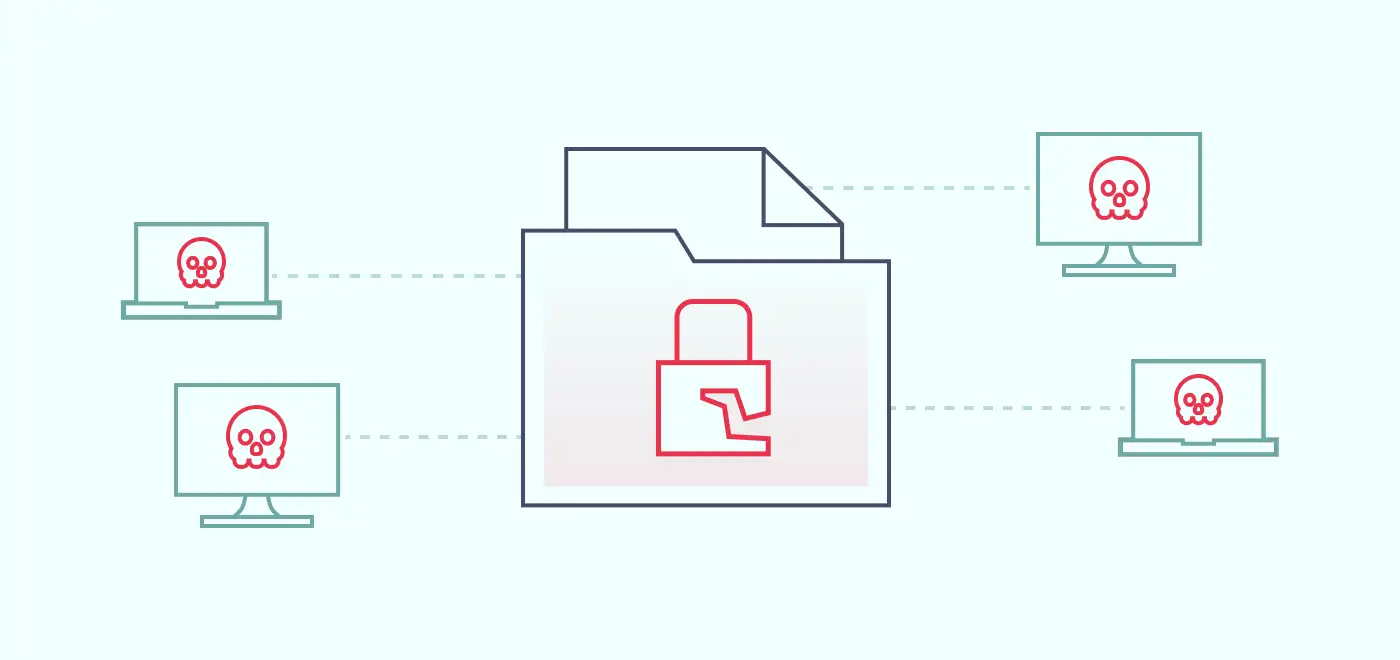
Ransomware is malware that locks down a victim’s files and demands a ransom to restore access. With the advent of cryptocurrencies and the increasing connectivity of devices, hackers can remain anonymous while exploiting the fact that many businesses rely on digital technologies. One such incident can put all business operations out of commission.

High data value enables hackers to get away with a hefty ransom, as sometimes it may seem cheaper and faster to pay the amount for a business. The lucrativeness of this cyber attack type was one of the main contributing factors to its popularity in 2023.

Spyware

Spyware is another type of malware that tracks data flowing through network assets and sends this information to controllers outside the targeted organization. Hackers use it as a monitoring tool to track their victim’s activities or extract other data. Spyware can include keystrokes, browsing habits, and even confidential business information.

This malware can be spread through infected websites, malicious emails, hacked USB flash drives, or even freeware applications. Some advertisers even use spyware legitimately to deliver targeted ads (as most users agree to terms and conditions without actually reading them).

Viruses

Also known as worms, viruses are self-replicating malicious software that can quickly infect large connected networks. Their effects can range from light disruption to complete system failure. Some viruses remain dormant for long periods, while others are set to work immediately.

They work by attaching to an executable host file, which results in their viral codes executing when a file is opened, such as an Excel sheet or a .pdf document. It means that viruses generally spread through email attachments and file-sharing programs. In any case, businesses must be up to date to detect such attachments before they wreak havoc on their perimeter.

Malware

Malware is a broad category describing various types of malicious software, including ransomware, spyware, and viruses. The specific actions of malware will depend on its exact type, but its overall objective is consistently centered around disrupting a computer, server, client, or computer network. It may involve leaking confidential information, illicitly accessing systems, restricting access to data, or unintentionally compromising the user’s computer security and privacy.

Man-in-the-middle attacks

A man-in-the-middle (MITM) attack is a type of cyberattack where an attacker intercepts and potentially alters the communication between two parties without their knowledge. The attacker positions itself between the sender and the recipient, becoming a “middleman” in the process.

This type is different from phishing because the source is entirely genuine. It’s just that it’s been altered to serve the hacker’s goals. An obvious example would be attacking an organization’s financial department and changing the bank transfer code. As neither party notices anything unusual, this cyber attack type is tough to detect and is usually discovered after the attack.

SQL injection

7 SQL injection illustration

SQL injection is an exploit technique when an attacker externally manipulates the input parameters of an SQL (Structured Query Language) query. As many applications and websites dynamically construct SQL queries by combining the user-supplied input and the query string, this provides a window of opportunity for hackers.

The attacker identifies a vulnerable input field in a web application that accepts user input, like a login form, search box, or any other input field. Then, a crafted input with SQL code needs to be submitted as part of the user input. If the application takes input as a SQL query without validation, it can be executed by the application’s database engine. It interprets the injected SQL query as part of the code infiltrating the database.

SQL injection allows hackers to perform many unauthorized actions like bypassing authentication, retrieving sensitive data, modifying or deleting database records, or executing arbitrary commands on the underlying system.

DDoS attacks

8 DDoS attacks illustration

A Distributed Denial of Service (DDoS) attack is a malicious attempt to disrupt the normal functioning of a computer network, service, or website by overwhelming it with a flood of illegitimate traffic. In a DDoS attack, multiple compromised devices or systems are used to generate a massive volume of requests or data packets toward a target, overwhelming its resources and making it unavailable to legitimate users.

These attacks can be launched from anywhere, making them highly challenging to mitigate. Furthermore, attackers often employ tactics like IP address spoofing or multiple attack vectors simultaneously, making it more challenging to identify and block malicious traffic.

Zero-day exploits

9 Zero-day exploits illustration

Zero-day exploits refer to unknown security vulnerabilities or weaknesses in software, operating systems, or applications. They have no official patches because developers had zero days to address them before they were exploited.

These exploits are highly sought after by both cybercriminals and security researchers because they provide a significant advantage to the attacker. Zero-day exploits are dangerous because there are no available defenses or countermeasures.

DNS tunneling

10 DNS tunneling illustration

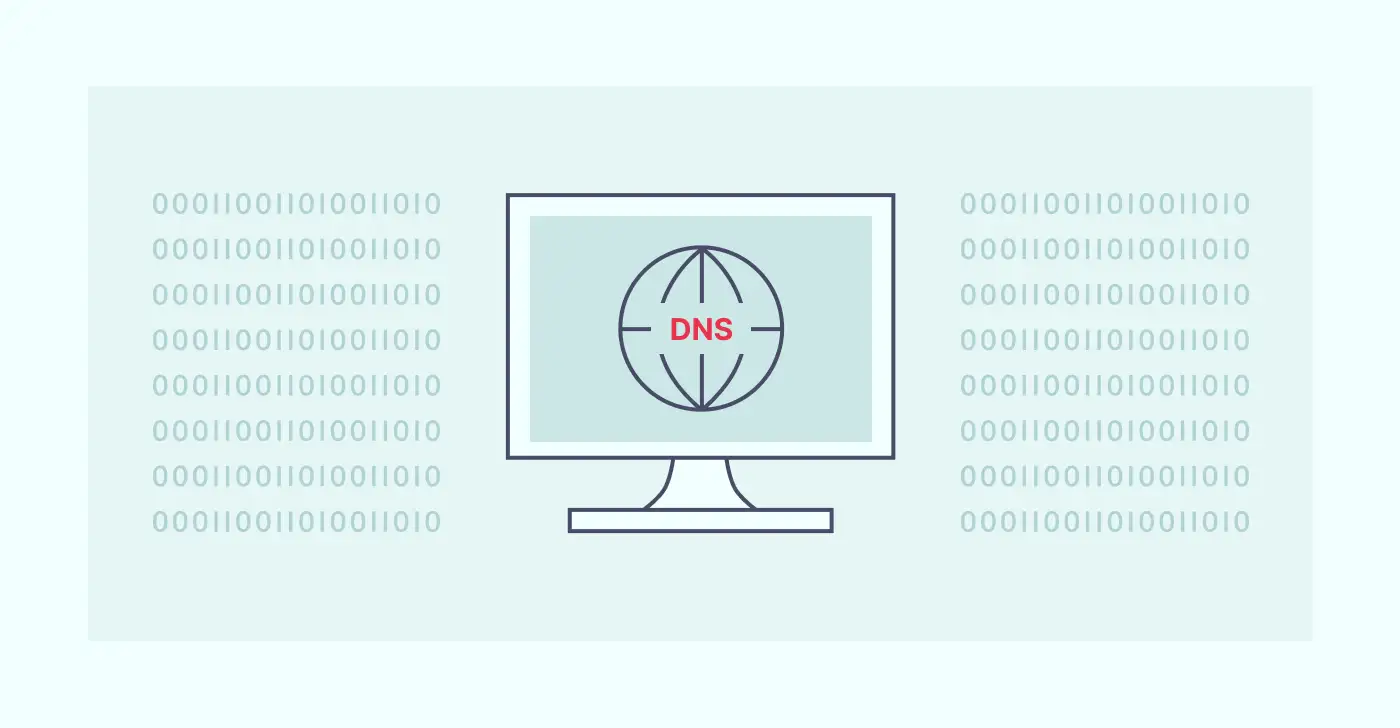
DNS tunneling is a technique to bypass security measures and exfiltrate data from a network. The attacker exploits the DNS protocol to establish a covert communications channel between a compromised machine within a network and an external server controlled by the attacker. It allows them to send and receive unauthorized data through DNS queries and responses.

DNS tunneling poses a significant security risk because it leverages a widely used and trusted protocol to bypass firewalls and other security measures that typically monitor and restrict data traffic. By hiding within DNS traffic, attackers can exfiltrate data without arousing suspicion.

XSS attacks

Cross-Site Scripting (XSS) attacks inject malicious scripts into websites that users trust, aiming to steal sensitive data. XSS attacks typically target web applications that allow user-generated content, such as online forums, comment sections, or input fields.

The attacker finds a vulnerable website and identifies the input field for submitting comments, search queries, or any other user input form. A malicious payload is then crafted using scripts or code, often written in JavaScript. Unaware of malicious intent, the website accepts and stores or displays the input. When users interact with the compromised web page, the website serves the malicious payload to their browser. It leads to malicious code execution in the victim’s browser.

Common cyberattacks on SMBs

Cybercriminals often target small businesses because they typically have less secure networks and less sophisticated cybersecurity measures than large corporations. At the same time, they still have enough sensitive information to be attractive targets.

Phishing — is the most popular attack against SMBs because it requires the least preparation time. All a hacker needs is a convincing email message, adjusting the formatting, and sometimes spoofing an email’s domain address while dodging spam filters. Then all that’s left to do is wait for the victim to click the link.

Malware — as this type involves all varieties of malicious software, there are countless ways and methods of how an SMB could come into contact with it. Malware can range from ransomware that encrypts files and demands a ransom to release them to spyware that collects and sends sensitive data to the attacker.

DoS and DDoS — due to their disruptive nature, organizations and businesses are often the targets of this attack. Business services can be completely shut down, making it impossible for legitimate users to access the system. Small businesses can become targets of such attacks as digital vandalism or as a distraction for another type of attack.

Be safe with NordLayer

While NordLayer doesn’t have a miracle cure for all cyberattacks, it can assist your organization in protecting its connections over the public internet. You can do it by encrypting the connection between the user’s device and the middleman server using advanced ciphers.

Additionally, NordLayer can block access to malicious websites and control entry to specific content categories. It lowers the risk that an employee will infect the network after clicking a malicious link, whether it came from an email or was encountered online.

Taking proactive measures to ensure your sensitive information remains secure from various threats is the only way to navigate the modern cyber landscape. Contact our team and find out how to improve your resistance against cyberattacks.

FAQ

How often do cyberattacks occur?

Cyberattacks happen daily (some sources claim one cyber attack occurs every 39 seconds). Their frequency and severity vary based on the target, the attacker’s skills, resources, and the defensive measures in place.

What is the most significant cybersecurity incident in 2023?

In April 2023, the Shields Health Care Group, a medical services provider in Massachusetts, experienced the most significant data breach of the month. Towards the end of the month, news surfaced indicating that a cybercriminal had illicitly infiltrated the organization’s systems and successfully obtained the personal information of 2.3 million individuals.

What are the top 3 most common cyberattacks in 2023?

As of 2023, the top three most common cyber attacks are phishing, ransomware, and DDoS attacks. These pose significant threats due to their high success rate and potential for causing substantial damage.

About Version 2 Digital

Version 2 Digital is one of the most dynamic IT companies in Asia. The company distributes a wide range of IT products across various areas including cyber security, cloud, data protection, end points, infrastructures, system monitoring, storage, networking, business productivity and communication products.

Through an extensive network of channels, point of sales, resellers, and partnership companies, Version 2 offers quality products and services which are highly acclaimed in the market. Its customers cover a wide spectrum which include Global 1000 enterprises, regional listed companies, different vertical industries, public utilities, Government, a vast number of successful SMEs, and consumers in various Asian cities.

About ESET
For 30 years, ESET® has been developing industry-leading IT security software and services for businesses and consumers worldwide. With solutions ranging from endpoint security to encryption and two-factor authentication, ESET’s high-performing, easy-to-use products give individuals and businesses the peace of mind to enjoy the full potential of their technology. ESET unobtrusively protects and monitors 24/7, updating defenses in real time to keep users safe and businesses running without interruption. Evolving threats require an evolving IT security company. Backed by R&D facilities worldwide, ESET became the first IT security company to earn 100 Virus Bulletin VB100 awards, identifying every single “in-the-wild” malware without interruption since 2003.

Jira security best practices: keeping your data safe

Jira’s cloud-hosting solutions serve major corporate giants like the Coca-Cola Company, Delta Airlines, and CostCo. Every day, millions of people rely on Jira to access development apps and collaborate with colleagues. But Jira deployments require watertight security. Companies can easily fall victim to cloud data theft. This can inflict reputational damage or – in worst-case scenarios – lead to bankruptcy.

This article will explore how to secure your Jira assets. We will look at best practices for Jira security and learn how shared responsibility works. We will also explain some of the most urgent cloud security threats. The result will be a solid foundation in Jira cloud security.

Understanding the significance of Jira security

Cloud platforms are critical to the modern economy. The cloud hosts websites, customer databases, development environments, and collaboration tools. Lightweight cloud tools also dramatically lower networking costs. This makes it easier to create customized business architecture.

Operated by Atlassian, Jira is a cloud-hosting service known for supporting agile network deployments. Its development tools suit rapidly changing companies and scale smoothly. But as with all major cloud platforms, Jira is a tempting target for cyber attackers.

Jira security is shared between the cloud provider and customers. As we will see, Jira has many native security features that guard customer data. But customers retain responsibility for:

  • Access management

  • Endpoint security

  • Application installation and management

  • Protecting customer data

Jira security best practices

Jira security aims to protect sensitive data stored on the cloud platform. Users (or “tenants”) must minimize data breach risks while understanding security areas covered by Jira’s systems. This checklist covers actions required to secure Jira environments.

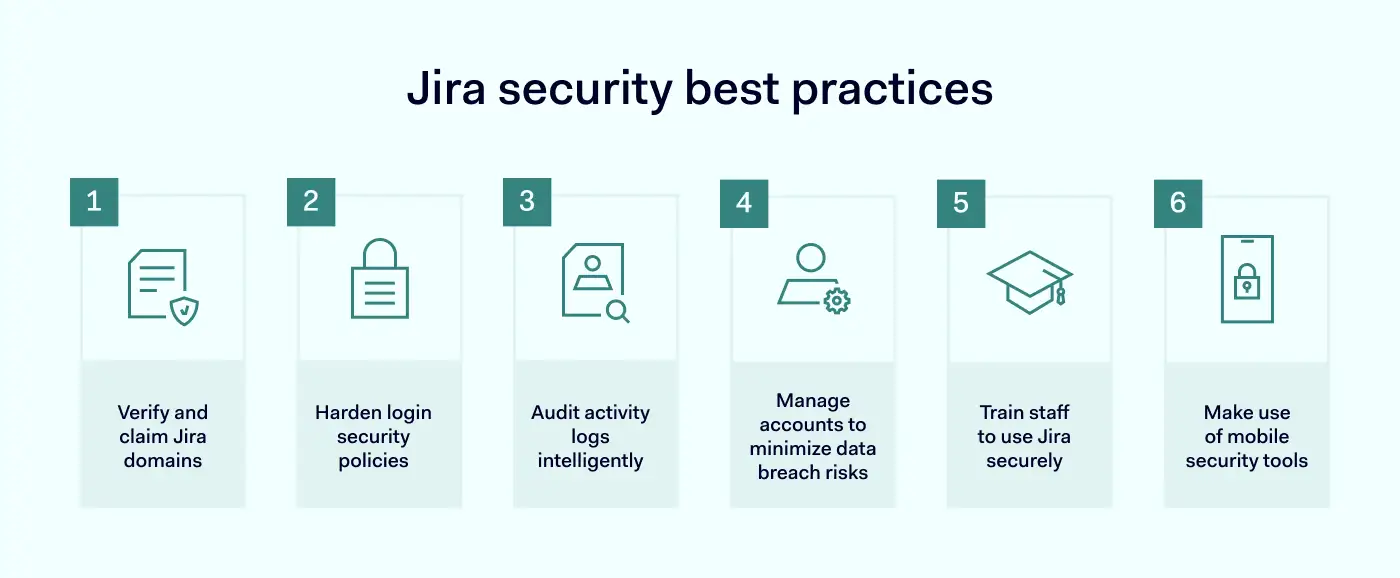
jira security best practices listSecurity best practices include:

  • Verifying your domains

  • Hardening your login security policies

  • Auditing activity logs intelligently

  • Managing accounts to minimize data breach risks

  • Training staff to use Jira securely

  • Making use of mobile security tools

1. Verify and claim Jira domains

The first step in improving your security setup is verifying the Jira domains you own. Domain verification allows administrators to take control of access management policies for Jira assets. Admins can claim domains via the Atlassian admin panel.

Domain verification also enables admins to use Atlassian Access. After verifying their domains, admins need to subscribe to Access. When that’s done, you can start applying security controls across your Jira-hosted assets.

2. Harden login security policies

Login portals are a critical security vulnerability. Jira tenants must exclude malicious actors while allowing legitimate requests. This is not always an easy balance to strike. Users should:

  • Implement two-factor authentication

2FA requires more than one authentication factor when logging on. Atlassian supports popular authentication providers like Google Authenticator and Authy. These tools integrate with Jira and deliver secure passcodes to smartphones. SMS verification is also possible, although it’s seen as a less secure option.

  • Enforce two-step verification

This tool supplements 2FA for Jira. Enforced verification makes it impossible to access Jira assets without supplying two authentication factors. Admins configure enforced verification via the centralized access management panel.

  • Create SSO portals 

Single Sign On combines all Jira cloud assets via a single set of credentials. SSO integrates smoothly with identity providers. You can transfer existing directories and groups to Jira while adding authentication tools.

  • Prevent third-party access

Access requests from third-party cloud platforms presents a security risk. Restricting access requests from Slack, Google Cloud, or Apple platforms is a good idea. Enforce additional authentication procedures to prove user identities before granting access.

  • Use strong passwords

Admins must require solid passwords for all accounts. Strong passwords feature a mix of characters and numbers and are usually between 12 and 15 characters long. This makes them very difficult to guess or brute force. Admins should also set password expiry deadlines that force users to change passwords regularly.

  • Exclude non-human users from authentication policies

Bots and API service accounts may require access to Jira assets. But they do not require the same authentication processes. Admins should configure these users to remove SSO and two-step verification tools.

3. Audit activity logs intelligently

Product audit logs record activity across the Jira environment. This makes it possible to detect patterns of suspicious behavior and remediate network security vulnerabilities before threats emerge.

Atlassian operates separate audit processes for Confluence and Jira. In both cases, companies can track any changes made to their cloud setup. Tenants can determine which events to monitor. This includes group creation, data imports and exports, deletions, and changes to global settings.

By default, logs are kept for one year. Tenants can change this setting, reducing the audit period to as little as one month. However, retaining audit data for the maximum period is a security best practice. This will deliver more actionable insights to improve security settings.

4. Manage accounts to minimize data breach risks

Jira tenants should audit both activity and user accounts. Account audits look at the entire range of active user accounts. And they perform a couple of important security tasks:

  • De-escalation of administrative privileges when they are no longer needed.

  • Deletion of obsolete accounts. Without timely audits, user accounts may remain active after employees leave the organization. This creates a security risk and should be avoided if possible.

Carry out account audits regularly. Integrate external identity providers covered by Jira, such as SCIM or G Suite. This makes it easier to automate user provisioning and deletion tools. But do not assume that orphaned accounts have been deleted. Check thoroughly and make deletions as necessary.

5. Train staff to use Jira securely

Security teams are responsible for educating all Jira users. Solid training teaches employees to follow security best practices and should be critical to your cloud security policy. Training issues to focus on include:

  • The importance of strong, regularly-changed passwords.

  • Eliminating confidential data from Jira tickets or pages. This could include cardholder data or personal health information.

  • Creating access controls for any pages that contain sensitive information.

  • Using two step-verification to access Atlassian products.

  • Using API tokens to access Confluence Cloud or Jira resources.

  • Avoiding phishing attacks related to the Atlassian cloud environment.

Schedule regular training events and log the participation of all cloud users. Include additional security training for administrative-level account holders. Admins have extensive powers to change global settings that regular users lack. Enforce prohibitions against shared admin accounts and reinforce the need for strong password security.

6. Make use of mobile security tools

Employees may require access from home workstations, industry events, or during global travel. But mobile access carries security risks. In these situations, companies should leverage the mobile security features supplied with Jira software.

Atlassian Access allows tenants to create Mobile Application Management (MAM) policies. This is a good option if your organization relies on either work-from-home or bring-your-own-device (BYOD). MAM policies should:

  • Enforce multi-factor authentication for remote access to the Atlassian cloud.

  • Check that devices have anti-malware protection and that the operating system is up to date.

  • Allow only authorized BYOD devices and require registration for new devices.

  • Mandate encryption for all remote connections. This could include Virtual Private Network connectivity or the use of other forms of secure gateway.

If you are not an Atlassian Access member, you can integrate external MDM solutions with Jira deployments. Jira software supports Microsoft Intune, JAMF, and MobileIron. It should be possible to transfer existing MDM settings directly to the Atlassian cloud.

Understanding Jira security basics

It is important to apply the security best practices outlined above. But Jira tenants must also understand what their cloud provider secures before taking action. There is no need to duplicate security measures. Tenants should be aware of tools available within the Jira platform before sourcing external solutions.

jira security best practices glossary

Atlassian is vocal about its commitment to security, and the company builds both internal and client-side security features into its products. Let’s start with client-side features that tenants can control.

Client-side features:


  • Authentication

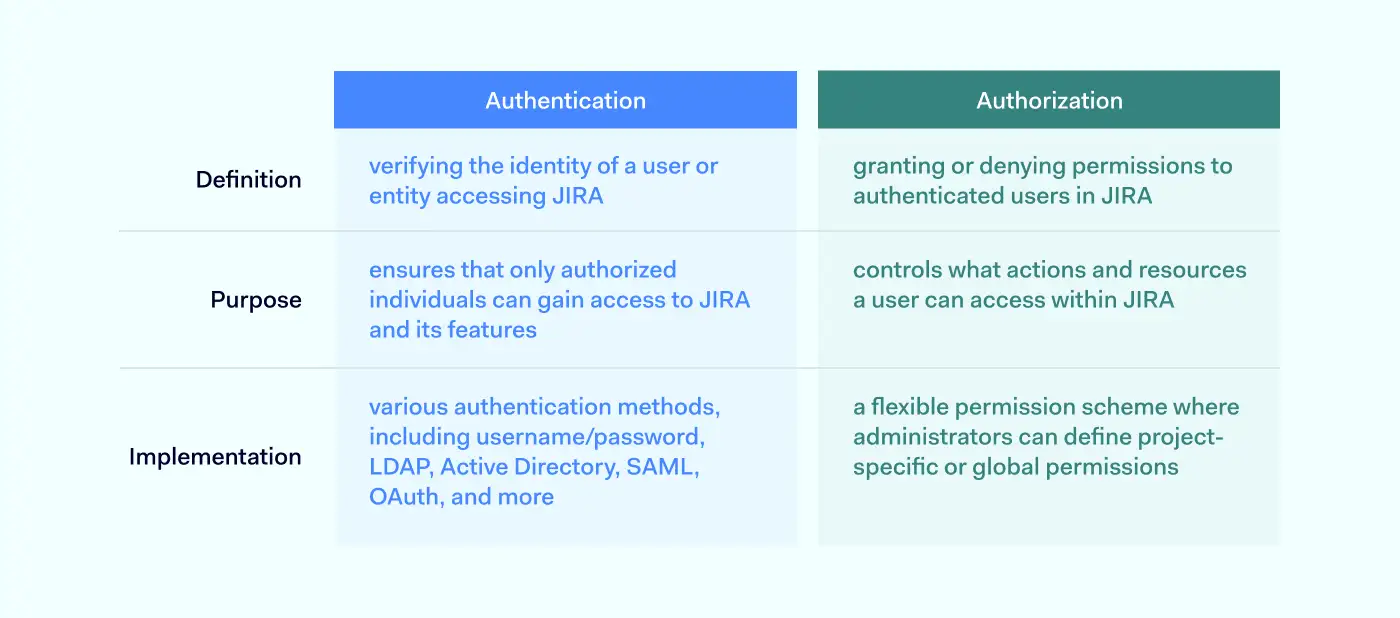
Authentication verifies the identity of every user accessing the cloud environment. These mechanisms compare user credentials to secure directories. If supplied credentials match the database, the network grants access. Jira authentication options include Basic Authentication via Atlassian Account. However, Jira also supports OAuth tokens, which offer more security. These secure tokens add an extra layer of protection against illegitimate access.

  • Authorization

Authorization determines what users can do within the Jira environment. Each user receives a set of permissions. These permissions grant access to resources according to the user’s role and work requirements. Admins can create temporary groups or assign precise powers to users. For instance, the user could possess create, view, and edit privileges. But they may not be able to delete records on Jira apps.

  • Logging

Jira logs key activities and presents the data via the central administration console. The audit log captures project changes, user permissions, workflow changes, custom fields, data deletion, and suspicious access requests. Admins can export audit data via CSV files and amalgamate the information with other cloud platforms. Retention periods vary from one month to a year.

  • Incident management

Jira’s incident response systems include collaboration tools, automated alerts, incident timelines, and incident response templates. Tenants can plan to neutralize threats and restore systems as quickly as possible.

Internal security features:

Atlassian products secure hosting infrastructure with internal security controls. In keeping with the shared responsibility model, the company undertakes to ensure the “security, availability, and performance of the applications we provide, the systems they run on, and the environments within which those systems are hosted.”

  • Encryption

Jira encrypts data at rest and in transit. Data on the Rest API is encrypted using 256-bit AES ciphers. Data in transit is secured by TLS 1.2+ with perfect forward secrecy. Passwords are also encrypted, along with API keys. Tenants don’t need to apply encryption to data hosted on the Jira platform. But it is necessary to encrypt data passing across the network edge, for example, via remote work connections.

  • Zero Trust architecture

Jira’s network is constructed in line with the Zero Trust principle “never trust, always verify”. Private cloud routing, firewalls, and software-defined networking create secure zones. A three-tier access policy ensures that only authorized employees can access network resources.

  • Data center security

Atlassian uses Amazon Web Services (AWS) to store data. Redundancy and failover are built into a global AWS architecture. Multiple physical security controls also guard Jira’s data centers against malicious intruders.

Common security threats to Jira

Jira’s cloud hosting services face many threats. Security controls should always be designed with threats in mind. Any of these threats could result in loss of data, system downtime, and regulatory penalties:

  • Insider threats

Malicious individuals exploit legitimate access rights to carry out illegal actions. But insiders can also be unaware of the risks they pose. For example, employees might accidentally introduce malware via flash drives. Insiders can sabotage assets or steal data for sale. But identifying them isn’t easy. Jira tenants can leverage activity monitoring logs to detect unusual access patterns, off-board orphaned accounts, and apply MFA to make access difficult.

  • Social engineering

Also known as phishing. Social engineering involves persuading legitimate users to carry out risky actions. This could include opening attachments, clicking links, or even providing payment data directly. Training is the best remedy for social engineering attacks. Data Loss Prevention tools and tight access policies also help to prevent illicit data removal.

  • External threats

 Malware can spread throughout insecure cloud deployments. Worms and Trojans leak information to outsiders. Other agents damage performance by leaching network resources for other purposes. Robust threat detection systems, network segmentation, and regular software updates are essential.

  • Data breaches 

Data breaches require a specific strategy because the risks of suffering data loss are critical. Tenants should secure confidential data with encryption at rest and in transit. Limit access with MFA and RBAC. And track critical data via audits and threat alerts.

FAQ

How to keep my organization secure?

Follow these basic steps to secure your organization on Atlassian’s Jira platform:

  • Understand your Jira landscape. Inventory all apps and classify data held on Jira according to risk categories.

  • Ensure all assets are visible via the Atlassian admin panel.

  • Integrate your identity provider with Atlassian’s SSO solution.

  • Test configurations to balance access and security.

  • Create role-based access controls. Limit access to high-risk data.

  • Schedule regular audits and monitor activity logs.

  • Manage user accounts and remove users when they leave the organization.

  • Train your staff on security best practices.

  • Create a mobile device management solution for secure remote work.

What are the security features of Jira?

Jira is equipped with many security features. Use relevant features to secure cloud assets under the shared responsibility model. Tenants can configure Jira to include:

  • 256-bit at rest encryption of sensitive data and TLS encryption for data in transit.

  • Flexible access controls. SSO and MFA options that integrate with identity providers.

  • Regular network scanning and audits of Jira infrastructure. Constant monitoring for cloud security threats.

  • Compliance with major standards such as GDPR and ISO 27001.

  • The Bug Bounty program rewards developers who find security weaknesses.

  • Secure development under the Peer Review/Green Build system. Testing of all new app deployments before they go live.

Atlassian has covered the most crucial security themes. But this still leaves customers with the responsibility to extend access controls to users, encrypt data outside the Jira environment, and train staff to use the cloud safely.

Key takeaways

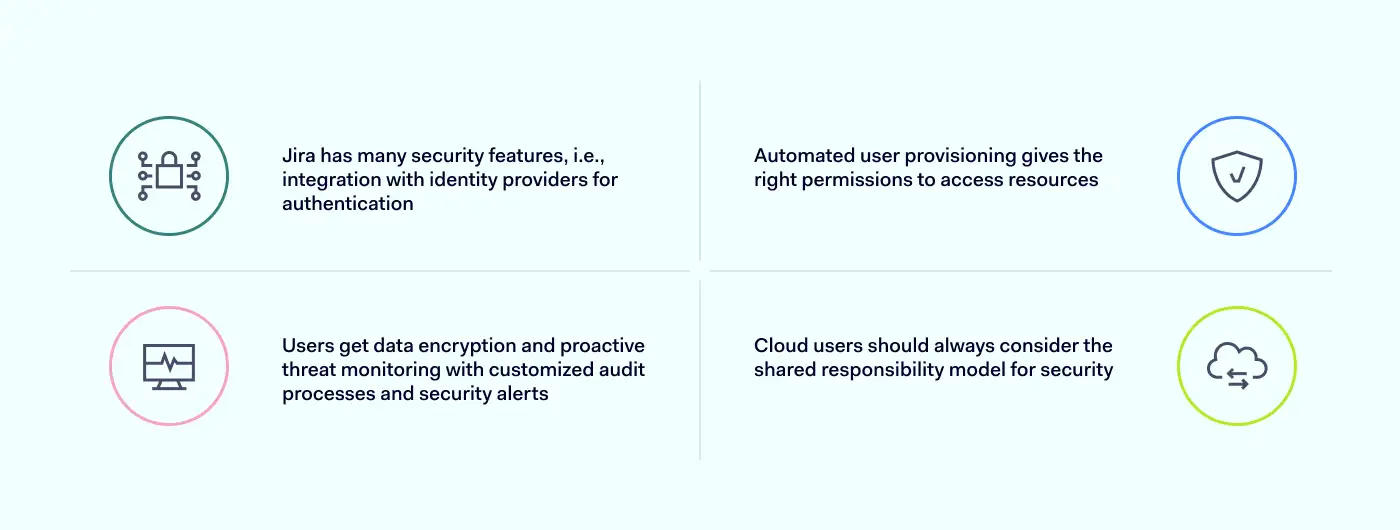
  • Jira provides a wide range of security features to assist cloud tenants. This includes authentication systems that integrate easily with identity providers.

  • Automated user provisioning offers users the right permissions to access essential resources.

  • Tenants benefit from data encryption and proactive threat monitoring. Jira tools include customized audit processes and security alerts.

  • Cloud users must always be aware of the shared responsibility model when designing security solutions.

How can NordLayer help?

The Atlassian suite enables businesses to manage projects of varying scope and complexity effectively, but its security leaves much room for improvement. This is where NordLayer can reach out a helping hand to companies that are struggling to find the right balance between ease of use and security.

Using Virtual Private Gateways, network administrators have much better control over user access. Only gateway-connected users are allowed to reach the Jira portal. The login to NordLayer itself can be further secured by enabling Single-sign on and multi-factor authentication, ensuring that the connecting user’s identity is genuine.

With IP allow-listing (whitelisting), companies can permit access to Atlassian suite only from trusted IPs, which also shrinks the attack surface. The connections from unrecognized IP addresses are immediately blocked.

NordLayer’s suite of ZTNA and SSE-focused features allows additional layers of security and combines built-in Jira security tools with NordLayer’s solutions. This combination is a sure way to improve SaaS access control.

Get in touch with us, and discover how to reap the benefits of Atlassian suite without putting your sensitive data at risk.

About Version 2 Digital

Version 2 Digital is one of the most dynamic IT companies in Asia. The company distributes a wide range of IT products across various areas including cyber security, cloud, data protection, end points, infrastructures, system monitoring, storage, networking, business productivity and communication products.

Through an extensive network of channels, point of sales, resellers, and partnership companies, Version 2 offers quality products and services which are highly acclaimed in the market. Its customers cover a wide spectrum which include Global 1000 enterprises, regional listed companies, different vertical industries, public utilities, Government, a vast number of successful SMEs, and consumers in various Asian cities.

About NordLayer
NordLayer is an adaptive network access security solution for modern businesses – from the world’s most trusted cybersecurity brand, Nord Security.

The web has become a chaotic space where safety and trust have been compromised by cybercrime and data protection issues. Therefore, our team has a global mission to shape a more trusted and peaceful online future for people everywhere.