Skip to content

Events in MS Windows and Pandora FMS, does anyone give more?

If the spreadsheet was the essential application for accounting and massification of personal computers, MS Windows® operating system was the graphical interface that turned work into something more pleasant and paved the way for web browsers for the Internet as we know it today.

Today, in Pandora FMS blog, we discuss:

Windows Event Monitoring and Pandora FMS

Decades ae gone by but there is always a joke, among us computer scientists, that prevails in time:

“This is the year of Linux on our desktops”.

I actually think that, in the end, it is a statement that comes with a flaw from the very beginning:

The kernel (Linux in this case) has little to do with the graphical interface, the actual thing is that the applications that go along with Linux, such as GNU/Linux, are the combinations that should take their place in hundreds of millions of computers in our homes and jobs.

The MS Windows® operating system (OS), despite losing ground with Android/Linux on our mobile phones, still has it still going on on desktop computers and in the field of video games it keeps its position, faring pretty well.

Many say that desktop personal computers will disappear. I personally think that we will connect the monitor, keyboard and mouse to our cell phones at home and at the office.

But today MS Windows has a stronghold in its market position and for Pandora FMS it has implied a series of very special considerations for its monitoring.

The  overview

Monitoring with Pandora FMS can be done both remotely and locally and the MS Windows® OS is no exception. Remote monitoring can be performed through SNMP and  through WMI.

*If you are new to monitoring, I recommend you to take a few minutes to learn about Pandora FMS Basics.

For local monitoring install a small program, which is called Pandora FMS Software Agent.

Once installed in MS Windows®, the modules to collect the most relevant information (disk usage, RAM consumption, etc.) will already be installed by default.

If what you need to monitor is the basics of MS Windows® the Open version of Pandora FMS is more than enough for the task.

Windows® event monitoring

The amount of applications for MS Windows® is humongous but in a way it is easy to monitor applications and even processes, since we have a special instruction for the Software Agent called module_Proc. 

This instruction is able to tell us, either immediately or every certain period of time whether a program or process is running.

*If you want to find out more about this Pandora FMS feature, visit our video tutorial Monitor processes or applications in Windows.

So far all this is the basics for monitoring MS Windows®.

And in the case of Pandora FMS Enterprise version you can “transfer” normal events to events in Pandora FMS, which can generate alerts and warnings for us to take the necessary actions, or let Pandora FMS restart the software vital to our work or business.

* The latter is known as Watchdog: if an application for any reason stops in MS Windows®, it is re-launched and executed.

Analyzing the causes

Simplifying as much as possible:
So far we can say that we are working on true and false, on ones and zeros.

But often it is called on to us to analyze under what conditions an application collapses or find out why it does not start.

If all that related information had to be seen on your screen you simply would not be able to work with so many interruptions. For that reason there are event registries and working with them implies more specialization on Pandora FMS behalf.

MS Windows® presents an advantage as a privative software for its monitoring and it is that its events and corresponding logs are centralized after a certain routine or standard way.

Monitoring an individual event

Pandora FMS offers the instruction module_logevent that uses Windows® API and offers better performance than data collection by means of WMI.

You will obtain data from the event logs from Windows itself.

Along with additional instructions, it offers the ability to monitor very specific events identified by the fields Log Name, Source, Event ID and Level.

Remember I told you they’re standardized?

Well, in Log name they are well defined by:

  • Application.
  • Security.
  • Installation.
  • System.
  • Forwarded events.

And you must use one of them for the instruction module_source, which is mandatory in the module to be created in Pandora FMS Software Agent.

Up to this point we have only discussed simple modules of Pandora FMS agents but, depending on your needs all the above can also be done as a complement or Pandora FMS plugin.

The difference is to place module_type async_string when it is a data module and module_type log when it is a plugin.

Plugins offer flexibility as they can return multiple data at the same time, unlike Pandora FMS modules that only return a specific, normalized data type in Pandora FMS.

This is important for what we will see below:
The instruction module_regexp which has as a parameter an event log file (.log) on which you will search for keywords with the instruction module_pattern.

This is necessary because there are old applications that keep their own separate event log, although in other regards they do not escape the Windows log. 

*We explained this in detail in our tutorial video « Windows modules logevent and regexp ».

Monitoring an event channel

En MS Windows® algunos log que no están en el registro de eventos del propio Windows, pueden ser recogidos mediante los canales de registros de eventos (Windows Event Log channel  o simplemente log channels) con una instrucción especial lla

In MS Windows®, some logs that are not in Windows event log can be collected using the Windows event log channels with a special instruction called module_logchannel that does not carry any parameters but then uses module_source<channel_name> together with module_eventtype (event type), module_eventcode (event code) and even module_pattern to search by keyword. 

*For more details, our video tutorial «Windows modules: Logchannel |Pandora FMS|» quickly explains this feature.

However, I said that we are looking for or investigating the cause of some problem or inconvenience in an application that runs on MS Windows®, but the examples I have given are specific and go directly to monitor a particular point.

Alright so…

How do we do it if we don’t know exactly what we’re looking for?

Elasticsearch and log mass collection

What I needed to explain is that if you use a plugin to collect logs you must install, together with Pandora FMS, a powerful tool called Elasticsearch.

Which uses a non-relational database capable of storing and classifying all this large amount of information.

*It is well explained, again, in another tutorial video called “ Log Collector in Pandora FMS “)

But don’t think Pandora FMS just delegates the work, no:

From Elasticsearch you may go back to Pandora FMS to generate alerts and reports that you scheme and then create in Pandora FMS to finally understand what the conditions and precise values are when an application fails (or has peak workload values, or is “doing nothing”, etc.).

Conclusions

He resI have summed it up as much as possible and I recommend that you watch the tutorials over and over again until you fully understand and are able to put it into practice installing both Pandora FMS and Elasticsearch. If you have any problems, check the official documentation, which is extensive on the topic “Log monitoring and collection.”

About Version 2 Digital

Version 2 Digital is one of the most dynamic IT companies in Asia. The company distributes a wide range of IT products across various areas including cyber security, cloud, data protection, end points, infrastructures, system monitoring, storage, networking, business productivity and communication products.

Through an extensive network of channels, point of sales, resellers, and partnership companies, Version 2 offers quality products and services which are highly acclaimed in the market. Its customers cover a wide spectrum which include Global 1000 enterprises, regional listed companies, different vertical industries, public utilities, Government, a vast number of successful SMEs, and consumers in various Asian cities.

About PandoraFMS
Pandora FMS is a flexible monitoring system, capable of monitoring devices, infrastructures, applications, services and business processes.
Of course, one of the things that Pandora FMS can control is the hard disks of your computers.

John the Ripper Pt. 2

Intro

Authentication hashes are stored and kept by operating systems. Really, they are just hashed values of passwords. It might be possible to brute force these, but oftentimes you would need some sort of privileged permissions in order to obtain them, so it is somewhat of a more difficult task.

Continue reading

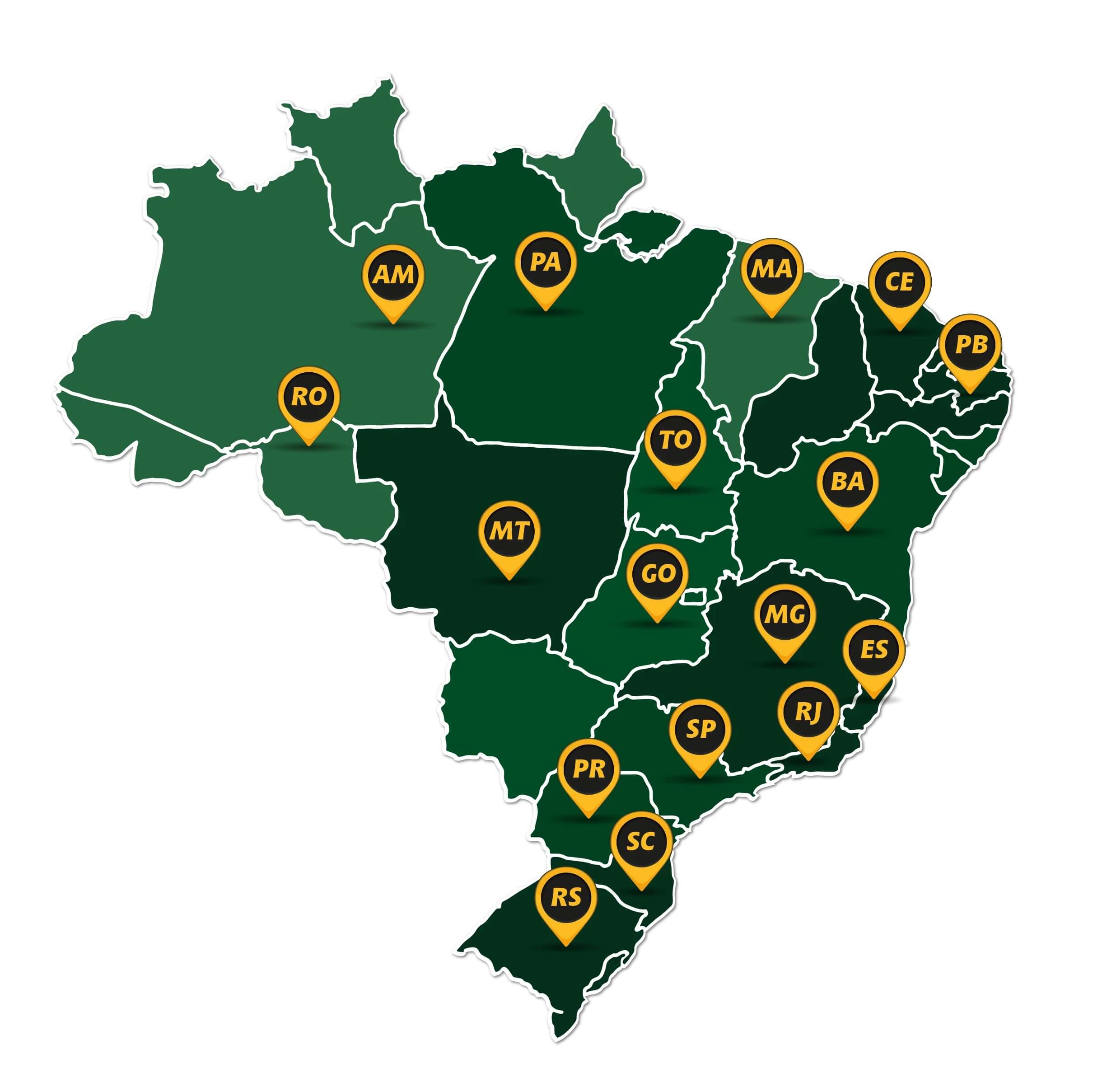
Ferragens Negrão took control of their data and fulfilled their regulatory obligations thanks to Safetica

Ferragens Negrão secures all of their company’s data with Safetica and is ready for data protection regulations. Safetica also helps control company hardware and the application of control rules for machines.

Problem: Ensure regulatory compliance and facilitate collaboration 

Ferragens Negrão, a Brazilian agricultural and construction equipment distributor, wanted to prepare for the new Brazilian General Data Protection Law (LGPD). Furthermore, the company needed to control their data and thus facilitate collaboration amongst employees. The company chose Safetica to accomplish these goals.

Results: Control over data and LGPD-ready

Safetica helped the company keep track of their employees, both in their home offices and at company workplaces, and facilitated compliance with LGPD.

Safetica’s management reports presented Ferragens Negrão with a comprehensive overview of their data security situation, thus giving them the tools they needed to make better business decisions. Safetica provided the company with the ability to create machine-control rules, monitor activities and restrict risky behavior.

Safetica helped the company to have a better control of our users, both on home office and internal, and facilitated the fulfilment of demands coming from LGPD. Because of the management reports, Ferragens Negrão gained overview of the data security situation that supports better decision-making. Safetica lets create machine-control rules, their overview and control.

Safetica gives us more control over our data – something that is very important for collaboration within our company.

Danilo Rafael de Lima Cabral, IT at Ferragens Negrão


About Version 2 Digital

Version 2 Digital is one of the most dynamic IT companies in Asia. The company distributes a wide range of IT products across various areas including cyber security, cloud, data protection, end points, infrastructures, system monitoring, storage, networking, business productivity and communication products.

Through an extensive network of channels, point of sales, resellers, and partnership companies, Version 2 offers quality products and services which are highly acclaimed in the market. Its customers cover a wide spectrum which include Global 1000 enterprises, regional listed companies, different vertical industries, public utilities, Government, a vast number of successful SMEs, and consumers in various Asian cities.

About Safetica
Safetica is to provide small and mid-sized companies with the same quality data protection that corporations have – affordably, and without any additional IT administration or disruptions in operation.

Third Party Access: A Problem for Today’s Organizations

The extent of the use of third parties to carry out activities in companies today is really surprising. Companies are increasingly looking to outsource internal functions and operations and external services.

According to the study, a quarter of companies said they use more than 100 third-party vendors, mostly requiring access to internal assets, data and business applications to operate effectively and fulfill their contracts.

The study also found that 90% of respondents allow third parties to access not only internal resources, but critical internal resources as well. This should be an immediate cause for attention for any CISO.

Companies that rely on third-party vendors may have implemented excellent cybersecurity measures, but it all means nothing when the vendor’s access controls are insecure.

For many organizations, securing access from third-party providers is incredibly complex – often requiring solutions like multi-factor authentication, VPN support, corporate laptops shipped to companies, directory services, agents, and more.

Not only does this create confusion and overhead for security professionals, it also creates tangled and often unsafe routes for third parties to access the systems they need to do their jobs.

Continue reading the article and learn how third-party abuse is a major cybersecurity risk for businesses.

Third-party-related attacks are on the rise

Third parties may not take network security as seriously as you would like. Knowing this, cybercriminals can choose not to attack your business directly. Instead, they may look for an easier target among their third-party vendors.

A compromised subcontractor can easily be turned into an entry point for cybercriminals. This is how a supply chain attack works.

Meanwhile, the number of third-party organizations they work with, as well as the amount of sensitive data disclosed to them, increases every year. The same goes for data breaches caused by third parties.

Here are just a few examples of cybersecurity incidents involving third parties.

Magecart Attacks

Since 2015, a group of cyber criminals called Magecart has carried out several attacks on major retailers across the world.

The group is believed to be responsible for the recent attacks on Ticketmaster, British Airways, Newegg, Feedify and Magento stores. Magecart hackers often infect third-party web services used by their victims to steal valuable information, particularly credit card data.

Atrium Health Data Breach

 In 2018, Atrium Health suffered a data breach that resulted in the personal information of over 2.65 million patients being exposed. The breach was caused by a compromise of servers used by one of Atrium Health’s billing providers.

Amazon Data Leak

 In 2020, Amazon, eBay, Shopify, and PayPal fell victim to a massive data breach. A third-party database of approximately eight million UK online shopping transactions has been published online.

Notably, this is not the first time that Amazon has suffered from third-party incidents. In 2017, attackers broke into various third-party vendors working with Amazon and used their credentials to perform malicious actions in the environment.

General Electric (GE) Data Breach

 In 2020, GE reported a data breach caused by one of its service providers. A compromised email account led to the public exposure of personally identifiable information from current and former GE beneficiaries and employees.

 Depending on the nature of the outsourced supplier’s commitment, an organization may face different risks. Let’s look at the most common risk categories and the threats you need to be prepared to mitigate.

What are the risks involving third-party access?

 The financial and technical capabilities of small service providers and subcontractors do not always match the capabilities of their customers. So, while looking to succeed in their efforts, cybercriminals can start small and look for an easy target in their supply chain.

A compromised third-party vendor can lead to a number of risks that can be broken down into four main categories:

  • Cybersecurity Risks: Subcontractors often have legitimate access to different environments, systems and data of their customers. Attackers can use a third-party vendor as an entry point to try to get your valuable assets.
  • Operational Risks: Cybercriminals can target your internal systems and the services you use instead of just your data. This can lead to partial interruptions of your operations or even stop them completely.
  • Compliance Risks: International, local, and industry-specific standards and regulations define strict cybersecurity criteria that organizations must meet. In addition, third parties working with these organizations must also comply with these requirements. Non-compliance often leads to substantial fines and reputational damage.
  • Reputation Risks: Having your valuable data and systems compromised serves as a red flag for your partners and customers, current and future. Regaining your confidence will take a lot of time and effort. And unfortunately, there is no guarantee that you will be able to successfully restore your reputation after a serious cybersecurity incident.

The reason many organizations struggle so hard to secure their work with third parties is a lack of two things: visibility and control. Companies are often unaware of what their third-party vendors do with their critical data and systems.

 Management Management ManagementWhat are the specific threats involving third-party access?

To make your cooperation with subcontractors more secure, you need to understand what threats they may pose to your company’s cybersecurity.

Let’s focus on four common types of threats:

  • Misuse of Privileges: Third-party vendors may violate the access privileges you grant them in a variety of ways and for a variety of reasons. Your subcontractor’s employees may voluntarily pass their credentials on to others. Or, if access permissions on your network aren’t configured correctly, a third-party vendor could gain access to data that shouldn’t be shared with them.
  • Human Errors: Inadvertent errors by your subcontractor’s employees can cause as much damage as intentional attacks. Common mistakes include accidentally deleting or sharing files and information, entering incorrect data, and misconfiguring systems and solutions. While unintentional, these errors can still lead to data leaks, service interruptions, and significant revenue losses.
  • Data Theft: In addition to unintentional data damage, there is a high risk of data theft directed by third parties. Without a proper third-party vendor management policy, there is a risk that third-party employees will steal valuable business information and use it to their advantage.
  • Third-party risks from your third parties: Ensuring that your third-party vendors meet your cybersecurity requirements and follow cybersecurity best practices is not enough. You also need to understand how they manage their own supply chains.

 Fortunately, you can effectively manage all of these risks and threats by following a set of risk management best practices from third-party vendors that will significantly improve your company’s cybersecurity resilience.

What are the technical controls to mitigate third-party access?

Ensuring a high level of access control is especially important if your third parties have access to your company’s privileged accounts, critical assets and confidential information.

The organization has visibility into the reasons and metrics, allowing it to better manage risk. Technical controls can be implemented to help manage risk.

Technical controls include:

Multi-factor authentication (MFA)

 When accessing systems, there is no reason not to use MFA. It is vital as it is a difficult obstacle for attackers to overcome. This should be used as a first line of defense and mandatory third-party access control.

Centralized Access  Management

 Centrally managing access helps with technical and administrative actions that need to be performed. If access can be seen and controlled centrally, it is easier to manage.

In the absence of a central system, the organization should consider its implementation for simplified management. Simple and safe often go hand in hand.

Centralized Access Gateway

 A gateway used by a third party to access systems is useful. This helps with access management as it provides a central point of focus. It is equivalent to a castle gate where guards are stationed.

That’s not to say that with control in place, other areas don’t need to be monitored, however, having this central access point creates a security focal point.

Virtual Private Networks (VPN)

Ensuring that access to systems is secure from a network perspective is also essential. Using VPN or SSL/TLS level security for the central point is a safer way than not having this protection.

Third parties do not always have the equivalent or better level of security that an organization can have, and securing access through encrypted networks increases security.

It is not the only control required, a combination of controls must be implemented to effectively mitigate the risk. Some organizations tend to opt for one control or the other.

Recorded Access

Written access is a great control to implement in your environment. It protects both the organization and the third party. If the organization has a record of what happened, they can trace the steps and reverse the issue or at least resolve it.

Also, with recorded access, there should be no doubt about what happened. It’s all recorded in the digital record. At first, some people may reject the idea, but once used, the value of control is quickly demonstrated – it becomes a powerful tool.

The above technical controls are only effective if used correctly and actually used. Without the resources to implement, operate, monitor and manage the defenses, their benefits will not be realized.

If an organization presents an easy target, the likelihood of a breach increases. Therefore, it is vital to ensure that the controls in place are adequate to guide the organization’s staff and trusted third parties at the level necessary for them to operate in a manner that limits risk.

A powerful PAM solution can help

For today’s organizations, outsourcing has become a vital part of running an efficient and innovative business. As companies add new suppliers at an unprecedented rate, it is more important than ever to minimize the risks that third parties add to the business environment.

With a comprehensive third-party risk management strategy, companies can leverage the expertise and cost savings that third parties provide, while protecting themselves from the wide range of risks this modern work environment presents.

As you consider your third-party risk management strategy, a strong privileged access management (PAM) solution can help protect and control third-party access to your critical assets.

senhasegura integrates with leading systems and applications to automate workflows throughout the user lifecycle, enforce policy-based controls, and detect anomalies and unauthorized access attempts.

PAM also allows organizations to set automatic expiration dates to ensure temporary accounts are deactivated, while restricting resource access to vendors who need them.

Request a trial demo now and discover the benefits of senhasegura for your company.

About Version 2 Digital

Version 2 Digital is one of the most dynamic IT companies in Asia. The company distributes a wide range of IT products across various areas including cyber security, cloud, data protection, end points, infrastructures, system monitoring, storage, networking, business productivity and communication products.

Through an extensive network of channels, point of sales, resellers, and partnership companies, Version 2 offers quality products and services which are highly acclaimed in the market. Its customers cover a wide spectrum which include Global 1000 enterprises, regional listed companies, different vertical industries, public utilities, Government, a vast number of successful SMEs, and consumers in various Asian cities.

About Segura®
Segura® strive to ensure the sovereignty of companies over actions and privileged information. To this end, we work against data theft through traceability of administrator actions on networks, servers, databases and a multitude of devices. In addition, we pursue compliance with auditing requirements and the most demanding standards, including PCI DSS, Sarbanes-Oxley, ISO 27001 and HIPAA.

訊連U通訊推出「組織通訊錄」,多層分類功能加速跨團隊、部門之溝通效率

【2022年05月09日,台北訊】多媒體創作軟體及AI人工智慧領導廠商訊連科技(5203.TW)推出「U通訊」7.5版本。全新「組織通訊錄」功能支援多層分類設定,可依照專案類型或組織架構編列多本通訊錄,供成員快速查找聯絡人,減少多向溝通之時間成本,於疫情間更可協助企業提升內外跨部門之專案合作效率,並隨時保持流暢的溝通管道。

國內疫情尚未趨緩,許多企業、政府機關,以及學術機構為維持正常業務運作,已於遠距辦公、線上開會、與專案合作等場景使用U通訊作為溝通工具。U會議7.5版推出全新的「組織通訊錄」功能,管理員可依照不同組織或專案屬性,建立多層分類且獨立的子通訊錄,讓成員快速查詢各專案之負責人員,建立聯絡管道。

此外,管理者可勾選「啟用聯絡通訊錄」,成員將看到自己所屬的所有通訊錄,於啟用「自動接受來自同一組織成員的聯絡人邀請」功能後,無需待對方回應,即可一鍵完成聯絡人新增,開始傳訊或撥打電話,針對專案執行的過程進行即時的討論與調整。如對方為組織外之成員或非現有U使用者,仍可將對方加入通訊錄並寄送U通訊使用邀請。

U通訊 7.5 亦提供企業方便且簡易的通訊錄管理功能,您可針對每本通訊錄指派一位或多位管理員,隨時維護成員之最新職務資訊,避免組織內外出現資訊斷層之情況,影響專案完成進度與成員工作效率。

用戶可於即日起至U官方網站下載最新「U通訊」7.5版,或透過程式內建的升級功能取得7.5版更新,體驗最新功能!

通訊7.5版新增功能

  • 支援「聯絡通訊錄」功能:組織成員可於 U 通訊軟體的新增聯絡人頁面看到自己所屬的通訊錄列表,一位成員可同時出現於多本通訊錄裡。
  • 支援建立多本獨立且多階層的通訊錄:依照不同組織與任務屬性,可於U通訊內同時創建多本獨立且多階層的通訊錄,供各子分類所屬成員快速查找聯絡人,建立溝通管道。
  • 一鍵完成聯絡人新增:管理者勾選「自動接受來自同一組織成員的聯絡人邀請」後,成員便可一鍵完成新增聯絡人,立即開始傳送訊息,藉此縮減等候對方回應的時間,取代實體分機,同步提升跨部門溝通效率。
  • 指派通訊錄管理員:每本通訊錄均可指派一位或多位通訊錄管理員,共同維護該通訊錄之內容,且通訊錄管理員可選擇是否欲加入該通訊錄的成員之一 。
  • 支援匯出/匯入聯絡人名單功能:協助組織將通訊錄內容從Juiker迅速無痛匯入至 U 通訊裡,節省重新建檔的時間。

About Version 2

Version 2 Digital is one of the most dynamic IT companies in Asia. The company distributes a wide range of IT products across various areas including cyber security, cloud, data protection, end points, infrastructures, system monitoring, storage, networking, business productivity and communication products. Through an extensive network of channels, point of sales, resellers, and partnership companies, Version 2 offers quality products and services which are highly acclaimed in the market. Its customers cover a wide spectrum which include Global 1000 enterprises, regional listed companies, different vertical industries, public utilities, Government, a vast number of successful SMEs, and consumers in various Asian cities.

關於CyberLink
訊連科技創立於1996年,擁有頂尖視訊與音訊技術的影音軟體公司,專精於數位影音軟體及多媒體串流應用解決方案產品研發,並以「抓準技術板塊,擴大全球行銷布局」的策略,深根台灣、佈局全球,展現亮麗的成績。訊連科技以先進的技術提供完美的高解析影音播放效果、以尖端的科技提供完整的高解析度擷取、編輯、製片及燒錄功能且完整支援各種高解析度影片及音訊格式。產品包括:「威力導演」、「PowerDVD」、「威力製片」、「威力酷燒」等。

×

Hello!

Click one of our contacts below to chat on WhatsApp

×