Skip to content

Understanding the difference between observability and monitoring

Knowing your network helps ensure availability, protect data, and fix technical issues. But what techniques should companies use to understand network performance? This blog will look at two popular solutions: observability and monitoring.

Observability and monitoring have similar goals. Both solutions capture network data and help diagnose problems. However, they use different techniques to achieve this goal. And while comprehensive observability platforms may suit some businesses, they will be too complex for others.

Read on to learn how observability and monitoring work, their strengths and weaknesses, and how to choose the best network analysis tools.

Key takeaways

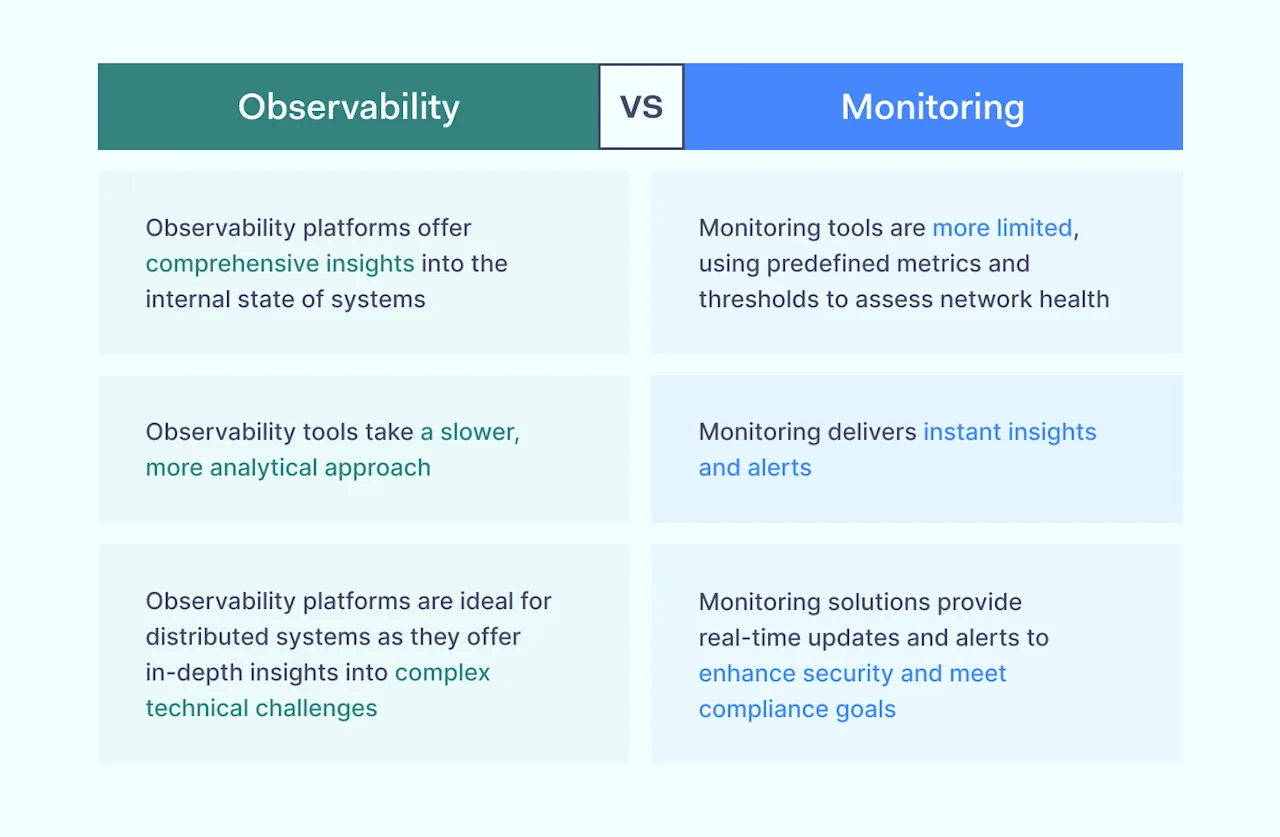
  • Observability vs. monitoring: they are both network visibility solutions that capture network data and diagnose issues. Observability platforms offer comprehensive insights into the internal state of systems. Monitoring tools are less complex, using predefined metrics and thresholds to assess network health.

  • When to use each: Observability systems enable flexible, interactive analysis, and monitoring tools are more rigid and rely on predetermined metrics. Observability tools provide deep insights into network behavior, while monitoring offers less detailed feedback. However, monitoring delivers instant insights and alerts. Observability tools take a slower, more analytical approach.

  • The criteria for choosing observability and monitoring: companies must assess specific needs and budget constraints. Observability platforms offer in-depth insights into complex technical challenges. They are ideal for distributed systems. Monitoring solutions provide real-time updates and alerts to enhance security and meet compliance goals.

  • Telemetry and Application Monitoring (APM) are closely related visibility concepts. Telemetry uses distributed protocols to track network activity and performance. APM monitors specific applications, using dedicated dashboards, metrics, and logs to present alerts and reports.

What is monitoring?

Monitoring involves collecting and analyzing information to understand the progress of a project or performance within an IT environment. We use monitoring to assess whether projects are meeting core objectives. Monitoring tools inform the decisions of managers. They enable teams to stay on track and adapt to changing circumstances.

Monitoring uses metrics to capture information. These metrics are quantitative data measurements representing IT infrastructure or program performance. For example, monitoring metrics may include data collection about server request response rates. Metrics might also capture Central Processing Unit (CPU) and network load levels.

Components of monitoring systems usually include:

  • Storage: Logging metrics in inaccessible and standardized formats.

  • Aggregation: collecting data in relevant clusters or databases.

  • Visualization: presenting logging data in a usable form for analysis and decision-making.

  • Automation: scheduling automatic responses to monitoring outputs.

What is observability?

Observability is the ability to understand the internal state of systems to assess performance and make necessary changes. For example, cloud-native observability tools identify security vulnerabilities and track system performance in multi-cloud settings.

Observability is a design principle that informs IT deployments. An observable system enables monitoring and analysis. Engineers build networks with observation in mind, making it easier to maintain assets and make network changes.

At the same time, observability is an operational goal. Thanks to observability systems, managers can understand the context in which problems arise and take remedial action.

IT teams use observability tools to gain insights into the health of assets across an enterprise network. Algorithms derived from control theory enable tools to establish and understand relationships between data centers, on-premises assets, cloud deployments, and remote devices. Tools use “three pillars” to observe and report on system health:

  • Logs: text or numerical records of activity occurring within an IT system. Logs track what happened and when it happened. Logs may also cover contextual data such as user involvement.

  • Metrics: as discussed earlier, metrics are quantitative data points that track aspects of system performance.

  • Traces: records of requests made within a network environment. Traces capture network calls, microservices, and databases used by each request. This information helps diagnose choke points and other network flaws.

Key differences: observability vs. monitoring

Comparing observability vs monitoring is subtle. The two concepts are closely related but differ in critical ways.

The central difference between observability and monitoring involves how tools process information. Monitoring tools assess predetermined information. Users determine data sets in advance, narrowing their analytical frame.

By contrast, observability tools consider all information processed by IT infrastructure. They check every data flow and application to optimize security and performance. Observability tools look “inside” assets to identify the internal state of network assets.
Network observability vs Network Monitoring

Aside from that overarching distinction, differences between monitoring and observability include:

  • Flexibility: observability allows flexible and interactive interrogation of network performance. IT teams can apply multiple perspectives and tailor each analysis to find the root cause of network alerts. Monitoring is more rigid, relying on predefined metrics and visualization options to track system health.

  • Scope: observability platforms use high-level metrics, traces, and logs to generate system-wide insights. Monitoring uses aggregated data to deliver less detailed feedback about specific aspects of the IT environment.

  • Depth: an observability platform goes to the root of network problems. It works from the “inside out” to diagnose issues. Monitoring tools are more limited. They deliver alerts about IT infrastructure performance based on predetermined rules.

  • Speed: monitoring tools deliver insights in real time. They generate alerts regarding anomalies or security threats. Observability tools tend to take a slower, more analytical approach.

Similarities between observability and monitoring

There are many differences between monitoring and observability. However, it’s important to note some core similarities.
Observability and monitoring are they similar

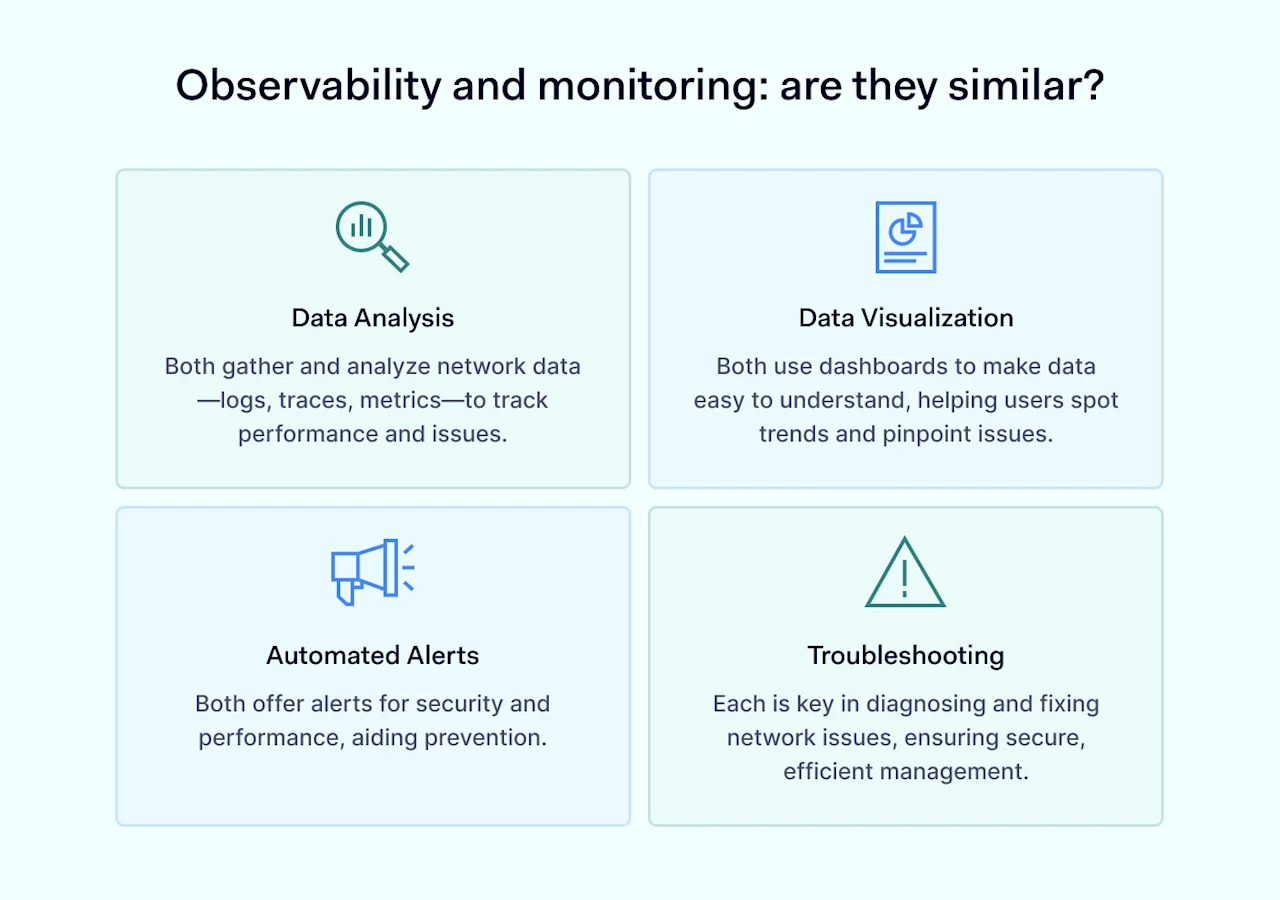
In practice, the two network management concepts complement each other. IT teams require observability and monitoring capabilities to optimize performance. Similarities include:

  • Data analysis: both observability and monitoring solutions collect, organize, and analyze network data. They use a similar mix of logs, traces, and metrics. They also assess similar issues, including resource usage, error rates, and transaction response times.

  • Data visualization: monitoring and observability tools must make information accessible and intelligible to users. Software generally includes external outputs like dashboards to present data. Intuitive data visualization allows users to note trends and identify areas of concern.

  • Automated alerts: both concepts include an alert function. Automated analysis delivers alerts regarding security or performance issues. Alerts inform corrective actions and sharpen an organization’s security posture, highlighting issues before they lead to vulnerabilities.

  • Troubleshooting: observability and monitoring apply root cause analysis to fix network problems. Complex distributed systems rely on observation and real-time monitoring to identify flaws. Both tools feed into investigation processes. They also help meet regulatory standards for secure DevOps and network management.

Choosing between observability and monitoring

Companies often face a dilemma when designing network solutions. Both observability and monitoring tools have their place in network management. However, given the cost of sourcing specialist tools, choosing between the two technologies is usually necessary.

An observability platform suits organizations that need in-depth insights into the internal state of networks. They are ideal for dealing with complex technical challenges and ensuring optimal performance across distributed systems. Organizations can customize the use of metrics, traces, and logs – focusing their analysis where it matters most.

Case study

A major global company deploys an observability platform across multiple countries and hybrid cloud and on-premises environments. Distributed agents collect performance data about client databases, data security, and data flow efficiency. Data collection helps the company manage loads and ensure the visibility of every device. Technicians can diagnose bottlenecks and triage security weaknesses before data breaches occur.

Click to tweet

Monitoring solutions suit organizations that need real-time updates and instant alerts. Monitoring systems deliver a more superficial analysis. However, they make up for this by leveraging predefined metrics to flag potential security or performance problems before they become critical.

Case study

A small healthcare provider must understand and protect its network assets to comply with HIPAA regulations. The company uses a network monitoring system to track device availability and the status of protected health data. The company creates simple metrics such as tracking baselines and automating monitoring to reduce its IT workload.

Click to tweet

Observability and monitoring compared to APM and telemetry

Let’s add another dimension to the discussion by bringing in Application Performance Monitoring (APM) and telemetry. Both APM and telemetry are alternatives to standard observability tools. While they can appear similar at first glance, there are some differences to consider before choosing the right option for your network.

Observability vs. APM

APM is a specific subset of observability tools that focuses on application performance. APM tools apply metrics to network applications. Examples could include response and error rates. They also assess transaction traces to track user activity, boosting overall network security.

Observability tools take a holistic perspective across all network asset classes. APM may be part of an observability solution, but these systems typically have deeper functionality than APM alone.

Another way of looking at this is scope. Observability seeks to analyze and understand connections at a network or enterprise level. APM adopts a more modest approach, focused on how single apps interact with users and other network assets.

APM has some advantages over comprehensive observability solutions. For instance, tailored APM solutions serve CRM or accounting apps. They may also feature simplified dashboards, making life easier for inexperienced IT teams.

APM is app-specific, making it a cost-effective alternative to in-depth observability platforms. Organizations need to assess whether that is a worthwhile trade-off.

Monitoring vs. APM

APM is also a subset of network monitoring. In this case, APM tools monitor end-to-end data flows within specific applications, generally to enhance DevOps performance.

APM is used to detect flaws within applications and deliver proactive alerts when things go wrong. This could be very useful in financial environments or cloud-native customer relationship management tools. However, companies often need broader monitoring systems that track network-wide performance.

Observability vs. telemetry

Telemetry deploys automated protocols like NetFlow or sFlow to collect network and device performance data. IT teams can use telemetry protocols to execute distributed tracing and monitor dynamic cloud settings. Data collection occurs across the network, delivering real-time data flows to central dashboards.

Put like this, telemetry probably sounds similar to observability, and it is. Both telemetry and observability tools enhance the visibility of data flows and network behavior. However, they offer differing analytical depths.

Observability tools allow IT professionals to carry out deep dives into network performance. DevOps teams can use observability tools to diagnose bugs rapidly and fix flaws. Telemetry on its own is less powerful. Telemetry tools deliver granular information about network activity. However, they do not have the same level of detail and flexibility.

Monitoring vs. telemetry

Telemetry monitors network systems, including local and cloud-based assets. It generates real-time information flows that can feed into alerts and automated fixes if desired.

These functions are very similar to the network monitoring tools we’ve already discussed. However, standard monitoring systems are usually less powerful than advanced telemetry.

Standard monitoring systems rely on predefined rules and data metrics, allowing relatively little user flexibility. Some monitoring solutions operate pre-set thresholds or device polling. This degrades their accuracy. By contrast, telemetry operates constantly, measuring data flows without interruption.

Observe and monitor your network with NordLayer’s help

Monitoring and observability tools empower organizations by collecting, aggregating, and analyzing information.

Network diagnostics rely on this knowledge to isolate flaws and identify the correct solution. And when knowledge is lacking, bad things happen. Without data collection systems, technicians handle every alert or outage on a case-by-case basis. That’s hardly a recipe for efficiency or security.

Companies should take action to ensure network visibility and implement data collection solutions. NordLayer is ideally placed to help you achieve these goals.

NordLayer’s solutions monitor network activity so you can take dynamic action before threats materialize or systems go down. Our visibility solutions enhance operational efficiency and help you protect data—two of the most pressing challenges for today’s digital businesses.

Contact our team today and explore your network monitoring options. Understand every aspect of network activity, from suspect user connections to device posture management. And give your team the knowledge needed to respond when emergencies arise.

About Version 2 Digital

Version 2 Digital is one of the most dynamic IT companies in Asia. The company distributes a wide range of IT products across various areas including cyber security, cloud, data protection, end points, infrastructures, system monitoring, storage, networking, business productivity and communication products.

Through an extensive network of channels, point of sales, resellers, and partnership companies, Version 2 offers quality products and services which are highly acclaimed in the market. Its customers cover a wide spectrum which include Global 1000 enterprises, regional listed companies, different vertical industries, public utilities, Government, a vast number of successful SMEs, and consumers in various Asian cities.

About NordLayer
NordLayer is an adaptive network access security solution for modern businesses – from the world’s most trusted cybersecurity brand, Nord Security.

The web has become a chaotic space where safety and trust have been compromised by cybercrime and data protection issues. Therefore, our team has a global mission to shape a more trusted and peaceful online future for people everywhere.

10 best VPN books to update your online privacy knowledge

This is the age of the Virtual Private Network (VPN). More than 1.5 billion people worldwide rely on VPNs, and organizations of every type routinely use Virtual Private Networks to protect their privacy. 

Those statistics aren’t surprising. Using the internet would be much more dangerous without the protection offered by VPNs.

What is a VPN?

VPNs use encryption to create tunnels between digital locations. They shield information from external attackers, cutting the risk of data breaches. They allow streamers to work around geo-blockers, and they guard individual liberty against surveillance states.

However, VPN solutions come in many varieties, and effective privacy systems adapt to different network architectures or data flows. Integrating VPNs into your setup requires in-depth knowledge of the latest techniques.

If that sounds daunting, help is at hand. The digital privacy community hosts many articulate writers with in-depth VPN and general privacy knowledge. We’ve selected the best VPN books from 2024’s crop. Check out a few titles to boost your VPN awareness and find the perfect privacy solution.

Top 10 VPN books

  • The Art of Invisibility: The World’s Most Famous Hacker Teaches You How to Be Safe in the Age of Big Brother and Big Data

  • Extreme Privacy: What It Takes to Disappear in America

  • CCNP Security Virtual Private Networks SVPN 300-730 Official Cert Guide

  • Build Your Own VPN Server: A Step-by-Step Guide

  • Business VPNs: Digital Privacy for Businesses and Teams

  • Network Security Assessment 3e: Know Your Network

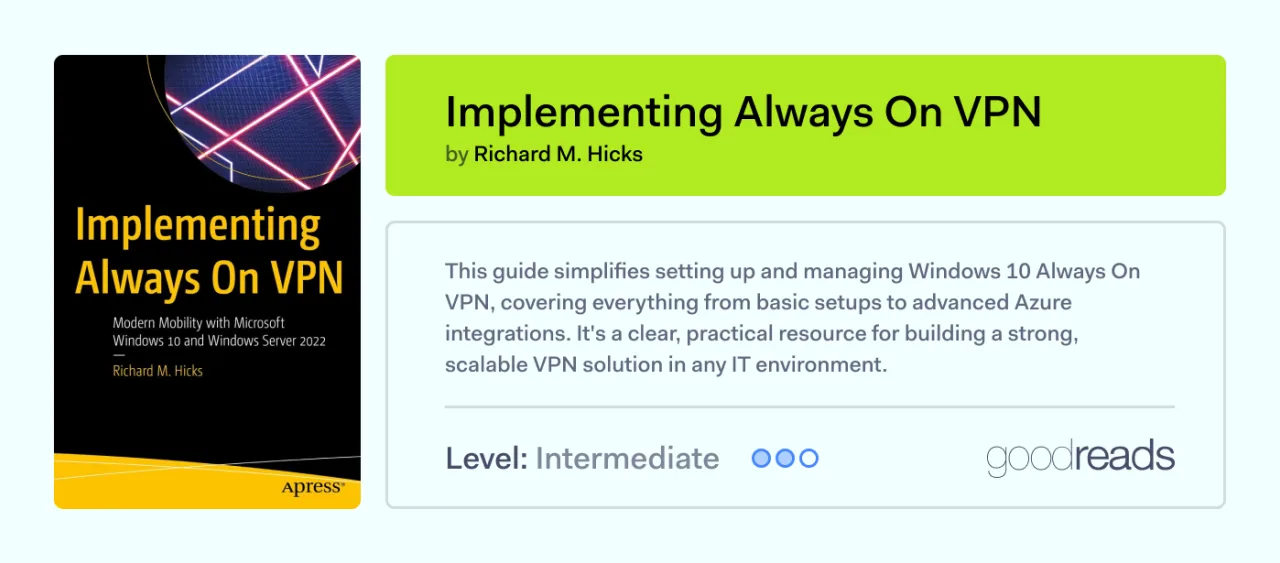
  • Implementing Always On VPN: Modern Mobility with Microsoft Windows 10 and Windows Server 2022

  • Zero Trust Security: An Enterprise Guide

  • Beginner’s Introduction To Privacy

  • The Watchman Guide to Privacy: Reclaim Your Digital, Financial, and Lifestyle Freedom

The Art of Invisibility

The best VPN books The Art of InvisibilityNobody understands privacy threats like an experienced hacker. Luckily, a few people have crossed over from the dark side to share their experiences.



Kevin Mitnick (who sadly passed away in 2023) was once enemy number one for the cybersecurity authorities. Years of breaching government and corporate networks gave him insider knowledge that few people can match.

Before he died, Mitnick left this fascinating book about what digital freedom means and how we can protect it. Mitnick shows the limitations of traditional security tools like firewalls and anti-virus scanners. Insider tips about evading hackers and clear-eyed analysis of digital surveillance make this a must-read for VPN users.

Extreme Privacy: What It Takes to Disappear in America

Michael Bazzell makes a living helping celebrities to avoid data breaches and unwanted disclosures. This background makes him well-placed to advise the general public about how to protect online privacy.

“Extreme Privacy” works well because Bazzell outlines a comprehensive blueprint for designing privacy solutions. Bazzell wrote the book with individuals in mind. However, businesses will also benefit from his experience and ideas.

CCNP Security Virtual Private Networks SVPN 300-730

Moving on to something more technical, this standard guide provides everything candidates need to know when seeking a Cisco VPN certificate. The guide also includes quizzes and sample tests to prepare readers, and the three authors are all seasoned Cisco experts.

Cisco serves around 50% of business VPN service users in the United States, and certification proves that organizations understand how to build secure electronic systems. However, the expertise included in this textbook makes it a valuable read for all VPN engineers.

Build Your Own VPN Server: A Step-by-Step Guide

The best VPN books Build Your Own VPN Server

Building a VPN server is a tricky task. One configuration mistake can expose an entire network. Lin Song’s guide to open-source servers is the perfect starting point for companies developing independent privacy infrastructure.

Step-by-step instructions lead readers through configuration procedures for popular VPN protocols. Song covers Wireguard, IPSec, and OpenVPN. He also pitches advice at all major operating systems, always using accessible language.

Business VPNs: Digital Privacy for Businesses and Teams

The best VPN books Business VPNs

Gargiulo and Myers have helped hundreds of businesses implement site-to-site and single-site VPN coverage. This concise guide summarizes their expertise, providing practical ways to balance privacy and business efficiency.

“Business VPNs” will help companies select VPN solutions that suit their networks. However, it goes further than that, offering case studies about managing and maintaining VPNs to block malicious threats. Guidance covers access management, deploying firewalls, and secure configuration policies. Every section connects with everyday business users via case studies and real-world tips.

Network Security Assessment 3e: Know Your Network

This classic from O’Reilly explains how to carry out aggressive secure electronic network testing, including assessments of VPN protection. McNab’s textbook defines network testing best practices, with sections for email servers, VPN protocols, general network protocols, and operating systems.

Note: This book has various editions. The most recent was published in 2016 and is much more useful than earlier versions.

Implementing Always On VPN

The best VPN books Implementing Always On VPN

Microsoft’s Always On VPN is a popular way to secure cloud assets, protect remote devices, and integrate security systems with Active Directory. However, setting up an enterprise-wide Always On VPN can be tricky.

Richard Hicks cuts through the complexity, explaining VPN basics and core Always On features. If you want to connect VPN coverage to Azure deployments, his guide will show the way.

Zero Trust Security: An Enterprise Guide

Zero Trust is a critical security concept that treats all network users with suspicion unless they can supply proper credentials. VPNs play a central role in Zero Trust architecture by concealing sensitive data behind a wall of encryption.

This explainer covers more than just virtual private networks. Garbis and Chapman discuss firewalls, access management, public key infrastructure, and intrusion detection systems. The authors cover every component of Zero Trust network security.

However, we’ve included it in our VPN books list because the Zero Trust framework enables companies to make their VPNs more effective. And if you are interested in privacy, Zero Trust is something you need to know about — making this an essential read.

Beginner’s Introduction To Privacy

Sometimes, it helps to take a step back from VPN technology and assess the general privacy landscape. Brockwell’s short guide to privacy does just that. She explores what privacy means in the digital world and how we can protect our data against malicious threats.

Don’t expect in-depth technical specifications or excessive jargon. The strength of this book is how Brockwell makes complex ideas accessible and readable. It’s the ideal volume to skim through to remind yourself why privacy matters so much.

The Watchman Guide to Privacy

Better known as “the Watchman” in the privacy podcast world, Gabriel Custodiet is among the most creative privacy commentators. This general guide acts as a manual for modern businesses and individuals as they secure network assets against an endless stream of threats and snoopers.

While Custodiet ranges well beyond VPNs, digital privacy is his core focus. The book features plenty of nuggets of information about how to use encryption and choose the right VPN services. And the rest of the book is crammed with eye-opening material, from smartphone security to protecting financial assets.

Go beyond books to expand your VPN learning horizon

Books are indispensable tools to access knowledge and learn new skills. The publications above offer real-world advice and technical guidance for many critical VPN challenges. However, they aren’t the last word in building cybersecurity expertise.

The digital world offers security teams plenty of additional routes to VPN mastery. Wise organizations leverage as many information sources as possible to stay informed about security developments.

For example, VPN companies are often keen to provide information to potential customers. They realize that privacy protection is a grey area for many non-specialists. Educating customers helps them grow their client base while encouraging safer online behavior.

Some companies maintain learning centers that collate expert guidance in an easily searchable format. The NordLayer Learning Center is a great example, covering vast ground across every conceivable security topic.

Privacy podcasts provide regular updates from the coal face. Check out the IEEE’s Digital Privacy Podcasts for expert perspectives. Bookmark CPO Magazine as well for executive-level privacy insights and product reviews.

Sometimes, despite all the reading in the world, expert assistance is the only solution. NordLayer can help you navigate the complexities of VPN configuration. Explore Business VPN solutions that combine watertight security with flexible access and efficient performance. Get in touch with our team to discover more.

About Version 2 Digital

Version 2 Digital is one of the most dynamic IT companies in Asia. The company distributes a wide range of IT products across various areas including cyber security, cloud, data protection, end points, infrastructures, system monitoring, storage, networking, business productivity and communication products.

Through an extensive network of channels, point of sales, resellers, and partnership companies, Version 2 offers quality products and services which are highly acclaimed in the market. Its customers cover a wide spectrum which include Global 1000 enterprises, regional listed companies, different vertical industries, public utilities, Government, a vast number of successful SMEs, and consumers in various Asian cities.

About NordLayer
NordLayer is an adaptive network access security solution for modern businesses – from the world’s most trusted cybersecurity brand, Nord Security.

The web has become a chaotic space where safety and trust have been compromised by cybercrime and data protection issues. Therefore, our team has a global mission to shape a more trusted and peaceful online future for people everywhere.

Best practices for achieving cybersecurity visibility in hybrid work environments

Network visibility reveals network usage patterns, enhancing security awareness. Visibility is a critical part of secure hybrid work environments where new devices come online constantly, and workers can connect from almost anywhere. 

This article explains why network visibility matters in a remote and hybrid work context. We will explore the meaning of visibility and offer practical suggestions about how to discover network traffic and user activity on your network.

Why is visibility important in cybersecurity?

Visibility allows security teams to identify and monitor network connections. Good network visibility verifies the status of endpoints and inspects network traffic for threat detection and performance management.

Problems arise when engineers lack reliable visibility. Low visibility puts digital assets at risk. Malware and malicious users can infiltrate the network edge, resulting in data breaches or network attacks. Monitoring user activity is also more challenging in chaotic low visibility environments. Companies struggle to monitor data usage, creating compliance risks.

IT teams lack knowledge about traffic flows, network connections, user communities – and general performance. Troubleshooting and maintenance become very challenging.

Unfortunately, achieving cybersecurity visibility is not simple. Cloud devices and encryption create hard-to-inspect blind spots. Visibility tools may not monitor certain traffic types. Network complexity rises over time, out-pacing the ability to visualize network architecture.

Above all, remote connections can overwhelm security teams. Hybrid and remote work environments quickly become unmanageable, creating unguarded endpoints.

Cybersecurity challenges in hybrid work environments

Ensuring visibility is critical in remote or hybrid work setups. When workers leave the office, their workstations and data travel with them. Engineers must monitor every endpoint, even in remote work offices.

Visibility is hard to achieve, but the cybersecurity factors below make it essential.

  • Remote workforces expand the attack surface. Workers use many devices in different locations. They move between offices, homes, and public networks. There are more entry points for malicious actors. The risk of attacks rises.

  • Remote devices are vulnerable to network attacks. Laptops and smartphones might lack up-to-date virus protection or VPN coverage. Thieves can steal devices and extract valuable data.

  • Remote work presents opportunities for insider threats. Security teams may be unable to monitor user access. They cannot know who is viewing confidential data.

  • Collaboration tools used by remote workers also present vulnerabilities. Apps like Slack and Google Docs can expose sensitive data. Phishers can gain access via a single link.

Best practices for achieving cybersecurity visibility in hybrid work environments

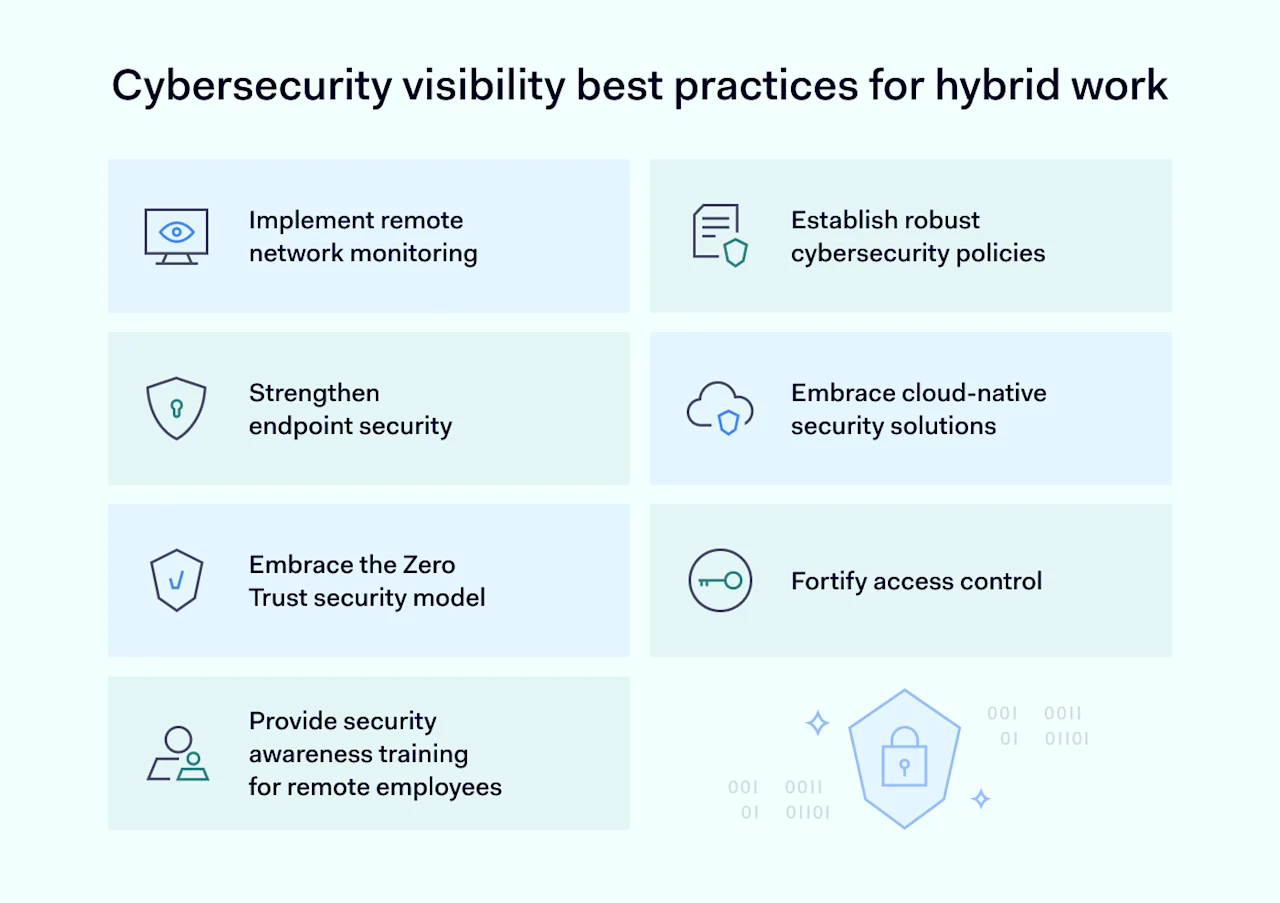
Remote access comes with security risks. However, companies have many reasons to embrace home or hybrid work. Balancing flexible work and cybersecurity is critical. Follow these best practices to blend convenience and cybersecurity visibility.

Cybersecurity visibility best practices for hybrid work

Implement network monitoring

Cybersecurity visibility begins with remote network monitoring. Monitoring tools place remote agents on employee devices. Agents track network traffic, logging the files employees access, when they do so, and information like device profiles and locations.

Monitoring can raise privacy concerns if agents extend to non-work activities. Solve this issue by enforcing policies that stop workers from using the same laptop for work and leisure.

Engineers can also limit monitoring to relevant web apps and prevent the extraction of critical data. Everyday user activity remains private, but IT staff can still mitigate cybersecurity risks.

Establish clear and comprehensive cybersecurity policies

Secure remote work relies on robust cybersecurity policies. Policies create a framework for remote connections to central assets, establishing best practices and expectations.

Focus policies on critical remote work areas. For example, policies must cover password management, using antivirus tools and encryption, multi-factor authentication (MFA), and communicating with colleagues securely.

Explain what you expect from employees. Define what it means to connect or handle data safely. Reinforce expectations with regular employee training. Don’t allow anyone to set up a home office without thorough preparation.

Strengthen endpoint security

Endpoint security is a core challenge when ensuring remote work visibility. Every laptop or employee’s smartphone could be a vector for cybersecurity threats. Your security posture should cover every endpoint—wherever employees choose to work.

Require employees to use approved antivirus and anti-malware tools. Centralize patch management to ensure updates reach every device. Centralized delivery eliminates human error. Standardized protection covers all remote devices.

Use secure tools to establish remote connections. Business Virtual Private Networks (VPNs) help encrypt traffic flows and conceal business data from outsiders.

Endpoint Detection and Response (EDR) is another option. EDR tools provide threat visibility by monitoring endpoints for suspicious activity or vulnerabilities. EDR enables a proactive approach, countering weaknesses before threats to critical infrastructure emerge.

Embrace cloud-native security solutions

Using cloud services is often the best way to secure remote workers. Cloud tools do not rely on centralized network management or installing apps on user devices. Security tools reside on the cloud, traveling with employees.

Workers log on to company assets via Single Sign On (SSO) or Secure Web Gateways (SWGs). Cloud-native VPNs and network monitoring systems secure data flows when users access cloud services.

Cloud-native solutions make it easier to achieve cybersecurity visibility. Security teams can track cloud app usage, check for suspicious connections, and block access to sensitive cloud resources.

Embrace the Zero Trust security model

The Zero Trust model teaches network managers to “never trust, always verify.” This is a sound strategy for securing remote workers and ensuring cybersecurity visibility.

Basing network security on Zero Trust solutions. Robust access management tools verify identities and user permissions. Network segmentation and encryption keep critical infrastructure off limits without a business justification.

Continuous authentication also avoids complacency. Malicious actors gaining access during remote work sessions can’t get far without proving their identities. Zero Trust requires a vigilant, proactive security posture. Security teams assume that users represent cybersecurity threats unless they can prove otherwise – a stance that makes perfect sense when securing fluid remote work environments.

Strengthen access control

Access controls are a crucial component of Zero Trust approaches and a must-have for remote work visibility. Managing access promotes visibility by establishing the identities of network users. Security teams know which users are connected and their level of privileges. If users breach their privileges, systems deny access and generate alerts.

Customizing access policies using role-based access controls (RBAC) is advisable. RBAC streamlines access, mapping permissions onto employee roles. This enhances security without hindering business operations.

Provide security awareness training for remote employees

Remote work security is a human and technical challenge. Companies can only ensure cybersecurity visibility in remote work environments by providing regular employee training.

Training programs should cover critical remote work themes, including:

  • Password management and authentication using and updating security tools such as VPNs and anti-malware apps

  • Secure data handling and collaboration

  • Phishing awareness and physical device security

  • Incident response. How and when to inform security teams about threats or accidents.

How NordLayer can secure your hybrid workforce

Embracing remote work should never compromise cybersecurity. Realize the benefits of flexible working arrangements by ensuring cybersecurity visibility and creating secure remote work environments.

Building secure remote work systems from scratch is complex and time-consuming. Achieve better results (and save a lot of stress) by partnering with NordLayer’s network visibility solutions.

Our solutions make traffic visible and easy to analyze. Device Posture Monitoring verifies devices and ensures compliance with security policies. Usage Analytics helps you manage loads and optimize performance, while activity monitoring tracks member IDs and user behavior.

NordLayer’s tools put businesses in control of distributed networks. Security teams know who is connected and how they interact with network assets. To find out more, get in touch with our team today.

About Version 2 Digital

Version 2 Digital is one of the most dynamic IT companies in Asia. The company distributes a wide range of IT products across various areas including cyber security, cloud, data protection, end points, infrastructures, system monitoring, storage, networking, business productivity and communication products.

Through an extensive network of channels, point of sales, resellers, and partnership companies, Version 2 offers quality products and services which are highly acclaimed in the market. Its customers cover a wide spectrum which include Global 1000 enterprises, regional listed companies, different vertical industries, public utilities, Government, a vast number of successful SMEs, and consumers in various Asian cities.

About NordLayer
NordLayer is an adaptive network access security solution for modern businesses – from the world’s most trusted cybersecurity brand, Nord Security.

The web has become a chaotic space where safety and trust have been compromised by cybercrime and data protection issues. Therefore, our team has a global mission to shape a more trusted and peaceful online future for people everywhere.

Access Streamlined: User and Group Provisioning for NordPass Enterprise

User and Group Provisioning is available for organizations with NordPass Enterprise plan. This feature sets out to make user onboarding, offboarding, and group management in NordPass effortless. Keep reading to discover what user and group provisioning is, why it matters, and how it can benefit your business.

What is User and Group Provisioning?

In today’s digital world, any organization wishing to stay secure and compliant with regulatory standards is required to regulate user access privileges to organizational resources in one way or another. 

To ensure that such regulations are effective and efficient, many companies rely on what’s called user or group provisioning. In a broad sense, user and group provisioning, along with deprovisioning, refers to the creation, maintenance, and management of user and group rights and privileges when accessing resources in the organization’s internal and third-party systems. The tools and processes behind this are designed to ensure that user accounts are created, granted appropriate privileges, managed, and monitored throughout the user’s tenure in the organization. This comprehensive approach also extends to the creation of groups tailored to grant specific permissions for company accounts.

Why does User and Group Provisioning matter?

There are more than a few benefits when it comes to user and group provisioning. First and foremost, user and group provisioning enhances the effectiveness and efficiency of user and group administration and management since it drastically reduces the amount of time required to create a user.

Additionally, provisioning systems such as Microsoft Entra ID (formerly Azure AD) have a centralized user database with information about active and inactive users within the organization. This, in turn, allows for internal as well as third-party audits to be carried out in a much more efficient manner.

Discover how simple and effective corporate password security can be with NordPass Enterprise.

Finally, and most importantly, user and group provisioning enhances the overall user experience. With the help of provisioning tools such as Microsoft Entra ID, new users can be onboarded and offboarded quickly and easily. This not only saves a lot of time but also helps new users adapt to new digital environments faster.

User and Group Provisioning in NordPass Enterprise

The NordPass Enterprise plan allows for unlimited access provisioning for employees or their groups using Microsoft Entra ID. Getting started is simple: All you have to do is set up user provisioning and then group provisioning in the NordPass Admin Panel and the company’s Entra ID account.

Moreover, after the setup, Entra ID becomes the single source of truth for user and group management: The change applied in Microsoft’s platform is automatically extended to NordPass.

About Version 2 Digital

Version 2 Digital is one of the most dynamic IT companies in Asia. The company distributes a wide range of IT products across various areas including cyber security, cloud, data protection, end points, infrastructures, system monitoring, storage, networking, business productivity and communication products.

Through an extensive network of channels, point of sales, resellers, and partnership companies, Version 2 offers quality products and services which are highly acclaimed in the market. Its customers cover a wide spectrum which include Global 1000 enterprises, regional listed companies, different vertical industries, public utilities, Government, a vast number of successful SMEs, and consumers in various Asian cities.

About NordLayer
NordLayer is an adaptive network access security solution for modern businesses – from the world’s most trusted cybersecurity brand, Nord Security.

The web has become a chaotic space where safety and trust have been compromised by cybercrime and data protection issues. Therefore, our team has a global mission to shape a more trusted and peaceful online future for people everywhere.

How VIAS3D achieved peace of mind by securing flexible remote working

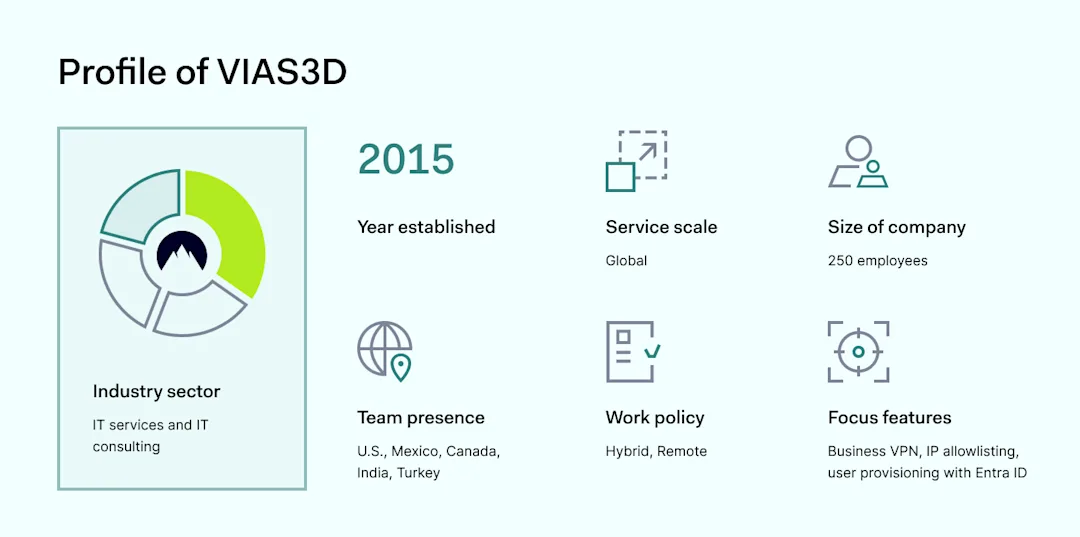
VIAS3D stands as a pioneering force in the software sales and support field. It offers comprehensive simulation solutions across various industries, such as aerospace, defense, oil and gas, electromagnetic manufacturing, and more. 

Since its start in 2015, the company has grown from a small team of five to a global workforce of 250 employees spread across seven countries.

VIAS3D prides itself on tackling the toughest problems for its clients, ranging from design and part manufacturing simulations to optimizing assembly line efficiency through advanced software solutions like Delmia and Abaqus.

While working on solutions for its clients, VIAS3D must find the right tools for its own network security. The company’s IT manager, Robert Brazzell, shares their journey of enabling the team to feel secure while out of the office and protect the network using NordLayer.

The challenge

Tackling unsecure connections in the face of remote work

Key pain points

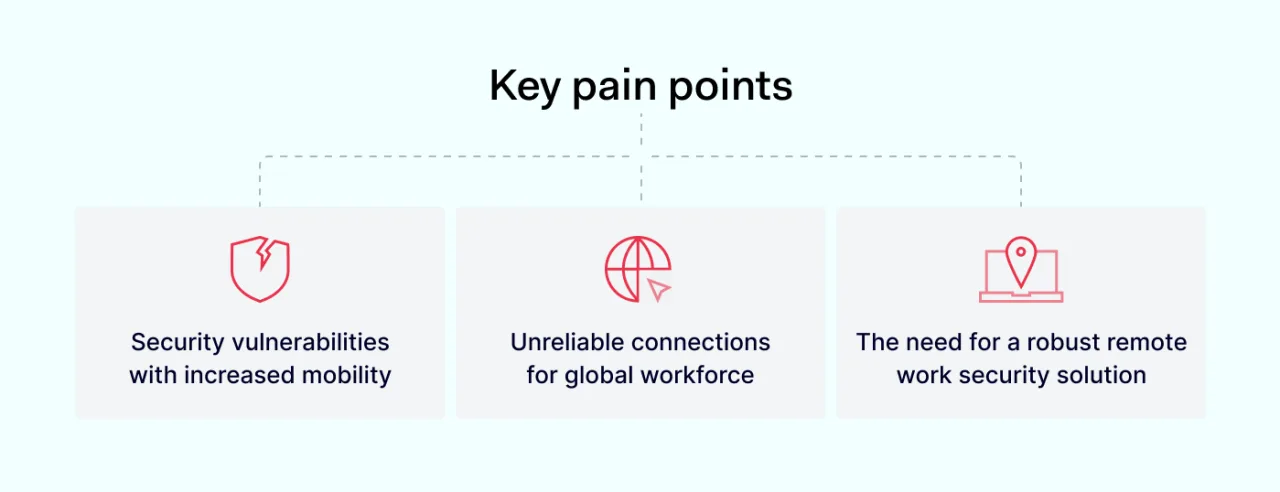
With adopting a fully remote work policy triggered by the pandemic, VIAS3D faced new challenges. Specifically, the company struggled with maintaining secure and reliable connections for its globally dispersed team.

“Before, we really didn’t need a VPN when everybody was staying at the same IP address all the time. But once people felt more comfortable traveling, we noticed increasing vulnerabilities. We needed to create security through obscurity.”

Click to tweet

As employees embraced the flexibility of remote work, moving from static office environments to dynamic remote settings, the company noticed an increase in unreliable connections and security vulnerabilities. This was particularly noticeable when employees accessed the network from public Wi-Fi networks during travel or work from cafes and parks.

“With a fairly lax hybrid model, we wanted that extra layer of security anytime employees were working someplace a little bit more pleasant than their home office.”

Click to tweet

This new way of working required a robust solution to ensure data security and connectivity reliability, essential for sustaining the company’s operations and client service delivery.

The solution

Building safety via credibility and flexibility

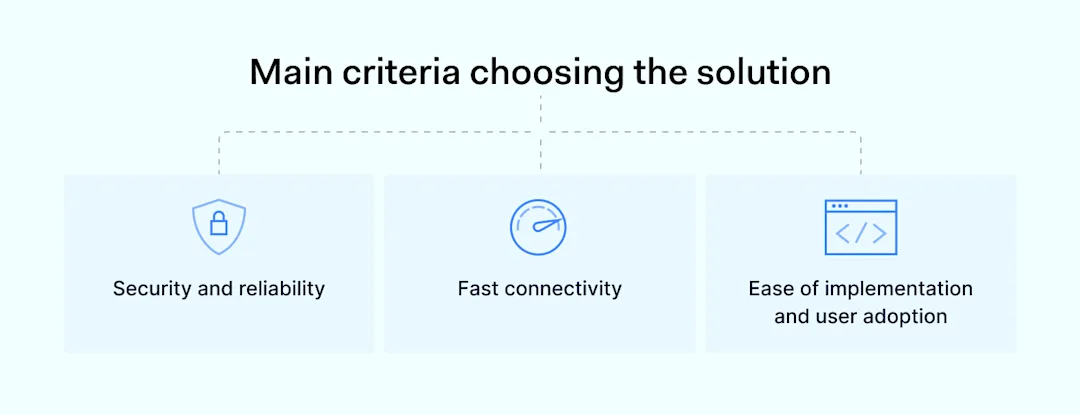
Main criteria choosing the solution

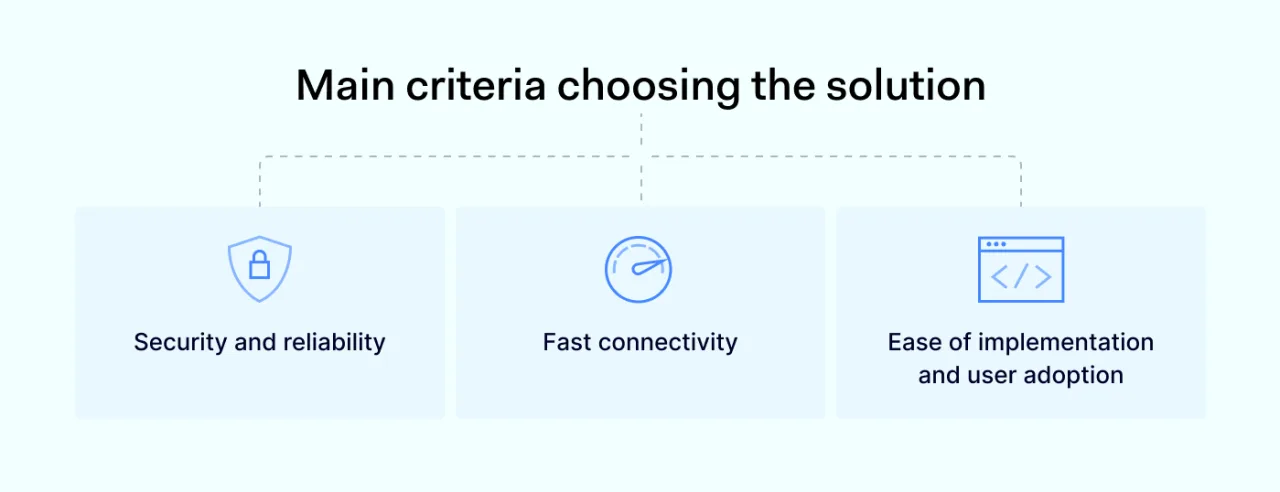
To address the challenges, VIAS3D opted for NordLayer, drawn by its strong reputation for secure network access and superior connectivity speed.

“We already knew NordLayer was about the industry standard, and a quick glance shows you that it has the fastest connectivity, which is very important. So any other outliers that we assessed were almost non-contenders.”

Click to tweet

The selection process was straightforward, given NordLayer’s industry-standard status and the company’s prior positive experience with NordVPN.

“We were using NordVPN selectively about a year before getting NordLayer, which heavily influenced our hand in adopting the solution company-wide.”

Click to tweet

The implementation of NordLayer was seamless. It was facilitated by its compatibility with then-Azure AD (now Entra ID), which allowed for easy distribution and self-adoption among employees.

“We pushed NordLayer out through Azure AD—everybody got an email and got excited about the new toy. It pretty much was a system of self-adoption”

Click to tweet

This move was not just about adopting a new tool—it was a strategic decision to empower the remote workforce with a secure and efficient working environment.

Why choose NordLayer

NordLayer was selected for its comprehensive security features, ease of implementation, and exceptional support. The platform’s fast connectivity was a key factor, ensuring that remote employees could work efficiently without sacrificing security.

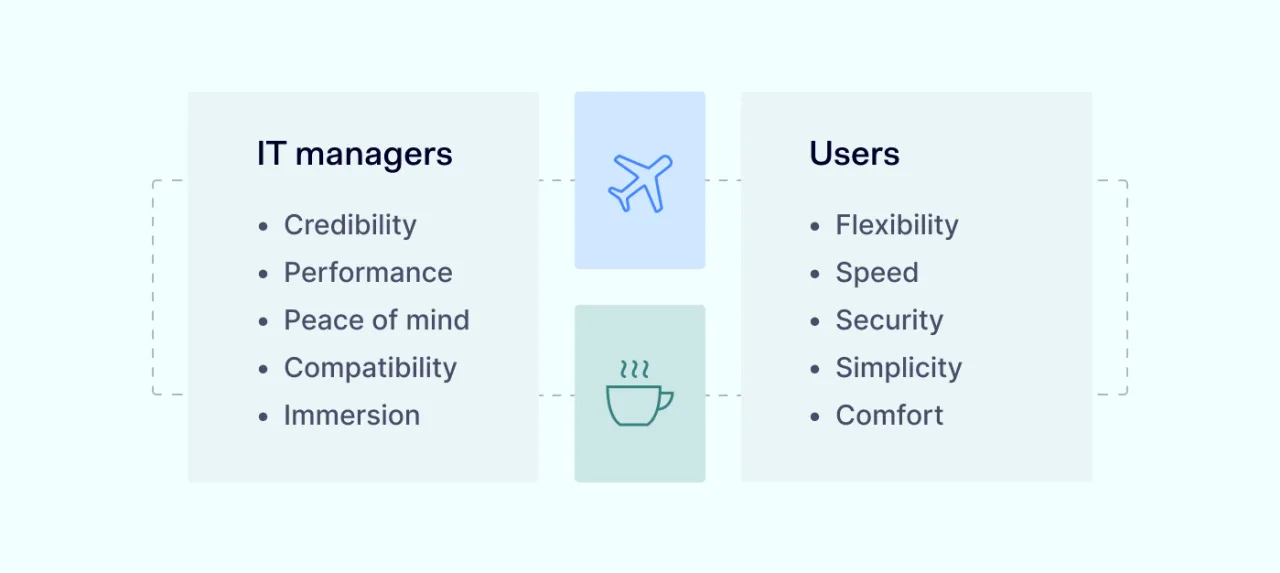
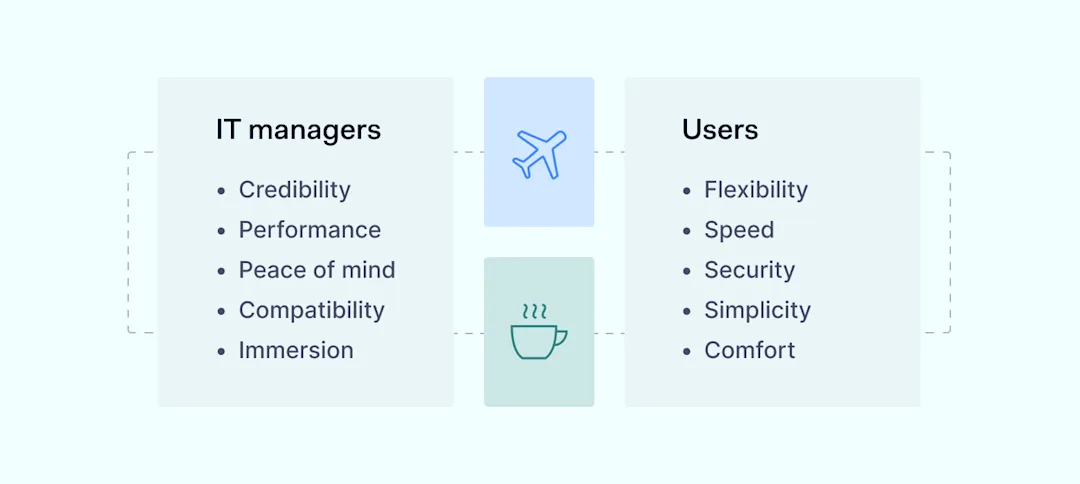
How NordLayer covers the performance and security needs of remote teams

it managers users

Furthermore, NordLayer’s reputation for reliability and the positive experience with NordVPN, which was previously used by the company, cemented its choice as the optimal cybersecurity solution.

The outcome

Secured connections and peace of mind

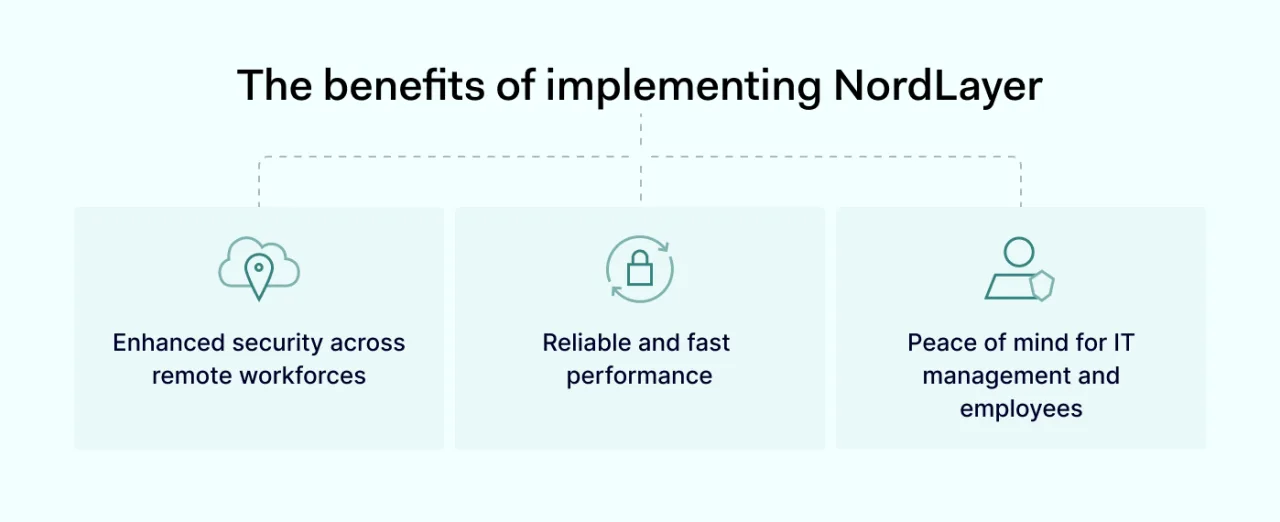
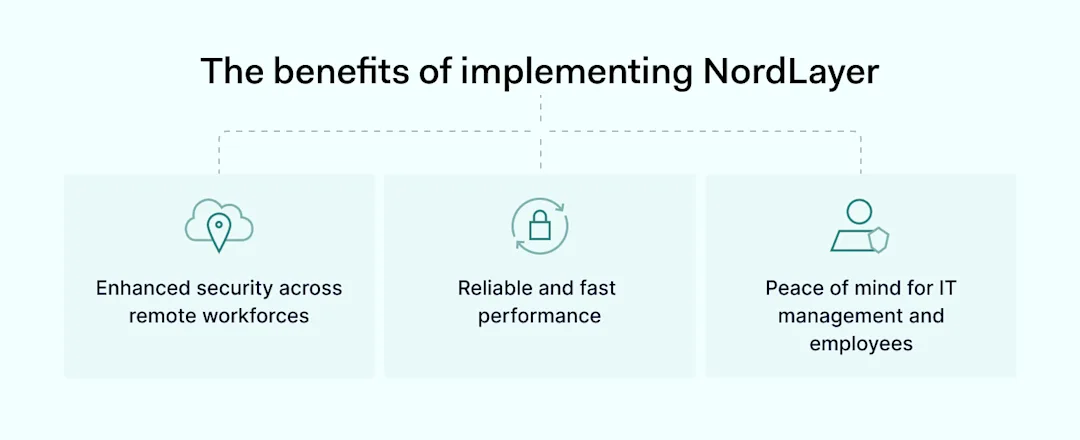
The benefits of implementing NordLayer

The integration of NordLayer into vias3ds’ operations has significantly bolstered the company’s cybersecurity posture, allowing IT managers like Robert to sleep better at night, knowing their employees are protected regardless of their location.

While the integration of NordLayer didn’t directly lead to process efficiencies or significant time savings, the value it added in terms of securing remote connections was immense.

“It’s just textbook security through obscurity. It makes me feel a lot better when I hear about them connecting to a public network in an airport, knowing that NordLayer is there to protect them.”

Click to tweet

IT managers and employees alike now enjoy peace of mind, knowing they are protected regardless of where they choose to work.

This outcome underscores the importance of proactive cybersecurity measures in today’s remote and flexible working environments. It ensures businesses can operate securely and without interruption.

Top cybersecurity tips

Robert emphasizes the importance of constant vigilance, open communication, and a discerning eye as crucial to maintaining cybersecurity.

Pro cybersecurity tips

For VIAS3D, adopting NordLayer was not just about implementing a VPN solution but about creating a secure and efficient working environment for a global team embracing the new normal of remote work.

Through this partnership, VIAS3D has not only enhanced its cybersecurity framework but also reinforced its commitment to providing its team with the tools they need to succeed in a flexible and secure manner.

This case study demonstrates the importance of selecting the right cybersecurity solutions to meet the unique challenges of today’s dynamic work environments, ensuring that companies like VIAS3D can continue to innovate and lead in their respective industries.

About Version 2 Digital

Version 2 Digital is one of the most dynamic IT companies in Asia. The company distributes a wide range of IT products across various areas including cyber security, cloud, data protection, end points, infrastructures, system monitoring, storage, networking, business productivity and communication products.

Through an extensive network of channels, point of sales, resellers, and partnership companies, Version 2 offers quality products and services which are highly acclaimed in the market. Its customers cover a wide spectrum which include Global 1000 enterprises, regional listed companies, different vertical industries, public utilities, Government, a vast number of successful SMEs, and consumers in various Asian cities.

About NordLayer
NordLayer is an adaptive network access security solution for modern businesses – from the world’s most trusted cybersecurity brand, Nord Security.

The web has become a chaotic space where safety and trust have been compromised by cybercrime and data protection issues. Therefore, our team has a global mission to shape a more trusted and peaceful online future for people everywhere.

×

Hello!

Click one of our contacts below to chat on WhatsApp

×