Skip to content

Enhancing your network security: the role of access control lists (ACLs)


Does your business rely on access control lists (ACLs) to manage user access? If not, you’re not alone. Many organizations shy away from using them due to the challenges of maintaining numerous lists across different network areas. However, an access control list can provide an extra layer of security for your network in specific scenarios and can be effectively integrated with role-based groups when needed.

This article will explore how an access control list can streamline your access management processes. We’ll also dive into the benefits of ACLs, including improved security measures and their adaptivity to various environments. Finally, we’ll offer practical insights into how access control lists are used to manage access and protect sensitive information.

Read on if you want to untangle the complexities of ACLs and enhance your network’s security.

What is an access control list (ACL)?

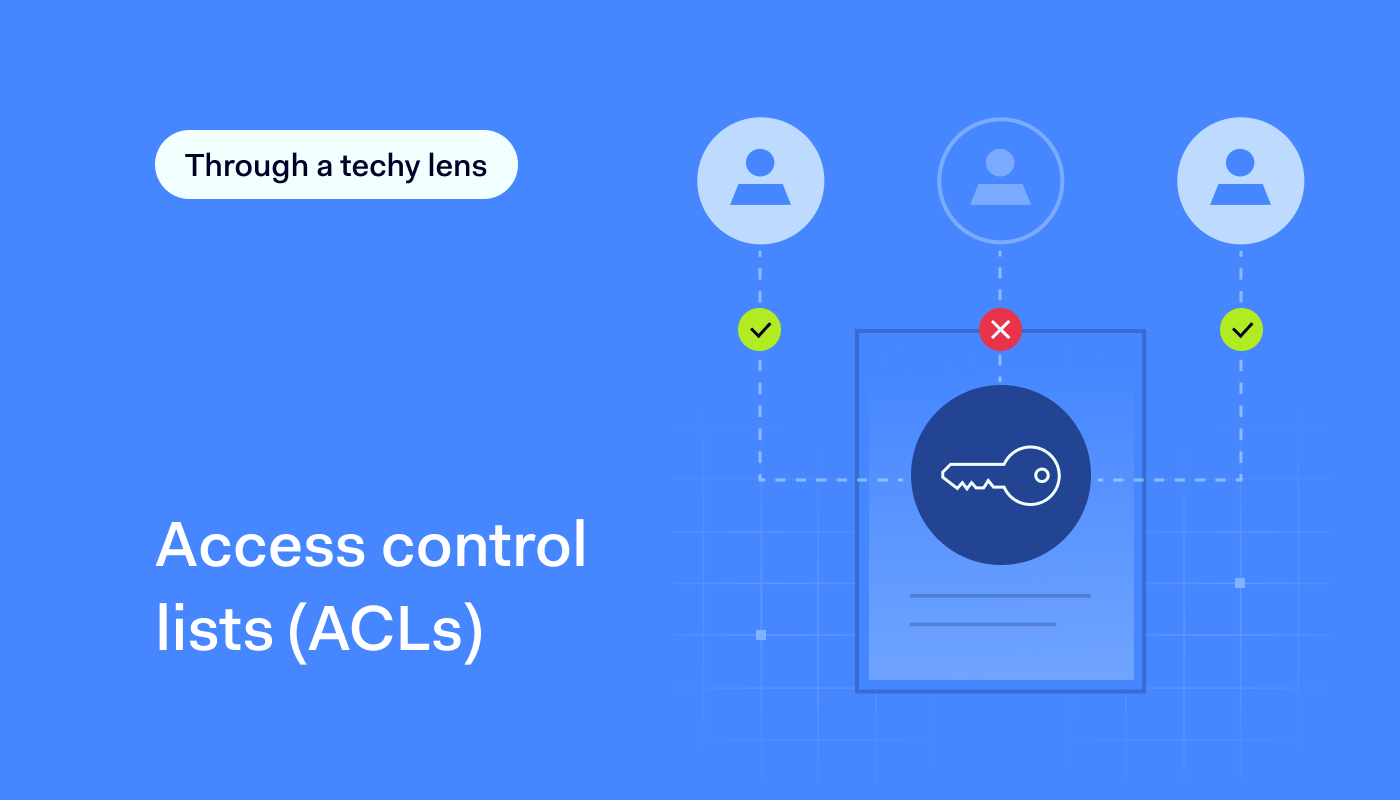
An access control list (ACL), sometimes called just an access list, filters network traffic based on source and destination. It’s a set of rules that determines which users can access particular network objects or devices. Users not included on the list are denied access to these resources.

Moreover, an access list can enhance role-based access control (RBAC). For example, they can be configured to allow only members of a development team to access a specific codebase while blocking access to all other users with DevOps roles who aren’t involved in the project.

Additionally, implementing network access control best practices involves using ACLs to manage user access and enhance security across the network.

What are ACLs used for?

An access control list (ACL) is a vital tool for managing permissions in computer systems and networks. It is mainly used for essential network security tasks, like controlling user access, protecting data, and preventing intrusions.

ACLs are also key for meeting cybersecurity standards and certifications, such as those related to network access control and network segmentation. Implementing ACLs is often a necessary step on the path to compliance, ensuring an organization fulfills required regulations.

ACLs help regulate the flow of data in and out of network components that users directly access, such as gateways and endpoints. For instance, a network administrator might have the permissions to read, write, and edit sensitive files, while a guest user may only view these files. An access control list ensures such selective control access based on specific criteria like IP addresses, protocols, or ports. This enhances network security by allowing precise control of who can access what.

Additionally, ACLs can be set up on various network devices, including routers, switches, VPNs, or databases. This provides a clear and effective way to manage access, improving traffic flow for better efficiency and security. By blocking malicious traffic and giving IT admins granular control, ACLs play a key role in keeping network systems safe and running smoothly.

How ACLs work

Access control lists manage access and monitor traffic within networks and systems, ensuring that only authorized interactions are permitted. Primarily installed in routers and switches, ACLs play a critical role in traffic control by guiding the flow of data throughout the network.

Each ACL contains access control entries (ACEs), which list user or group names along with their granted access rights. These rights are organized in a string of bits known as an access mask. Whether used for packet filtering or file access, ACLs provide a structured, rule-based security approach that helps administrators maintain control over network and system resources.

Rule creation and ordering

ACLs function by using predefined rules to allow or deny packets, with the order of these rules being critical in determining how traffic is managed. The process starts with rule creation and ordering, where admins set up ACL rules in a specific sequence that prioritizes certain traffic over others based on security policies.

Packet evaluation

This is another key function of ACLs, where the data within each packet is checked against the ACL rules to decide if it should be allowed through or blocked. This evaluation is based on criteria like IP addresses, port numbers, and packet content, aligning with established security measures.

Default actions

For file systems, ACLs detail specific user access privileges to system objects such as files and directories, dictating actions like reading, writing, or executing based on the user’s role (e.g., administrator or guest).

This granularity extends to default actions, where ACLs enforce predetermined responses when a packet or access request does not meet any of the specified rules. Typically, this results in a denial of access to protect the network’s integrity.

An access control list: various types

Access control lists come in various types, each serving a unique purpose based on functionality and scope.. There are two basic ones:

  • File system ACLs manage access to files and directories within an operating system. They dictate user access permissions and privileges once the system is accessed.

  • Networking ACLs regulate network access by providing instructions to network switches and routers. They specify the types of traffic allowed to interface with the network and define user permissions within the network. Networking ACLs function similarly to firewalls in controlling network traffic.

Additionally, ACLs can be categorized according to their traffic filtering capabilities:

  • A standard ACL does not differentiate between IP traffic. Instead, it allows or blocks traffic based on the source IP address.

  • An extended ACL offers a more granular level of control. It uses both the source and the destination IP addresses, such as a source IP address, destination IP addresses, port numbers, and protocol types (ICMP, TCP, IP, UDP). It can differentiate IP traffic to dictate what is allowed or denied access.

The advantages of using an access control list

An access control list isn’t a one-size-fits-all solution for network security. However, using roles for access management offers several benefits:

  • Enhanced security. Users access only resources aligned with their roles, minimizing the risk of credential theft or phishing attacks. ACL implements separation of duties, reducing the threat posed by privileged users.

  • Improved efficiency. ACLs streamline access control maintenance. Admins can assign new hires to role groups, granting them associated permissions without creating individual profiles.

  • Optimized network performance. With ACLs, admins can define criteria such as source and destination IP addresses, ports, and protocols to regulate traffic flow. By restricting access to certain resources based on these criteria, ACLs help prevent unnecessary network congestion and improve overall network performance.

  • Scalability & flexibility. ACLs allow for flexible role adjustments as organizations evolve. Changes can be applied globally, reducing the chance of security vulnerabilities.

  • Compliance & auditing. ACLs help meet regulatory requirements like HIPAA. Healthcare entities, for example, can limit access to patient records through role-based restrictions. Additionally, ACLs simplify auditing access, making it easier to track access requests and user activity.

Enhancing device security with ACLs

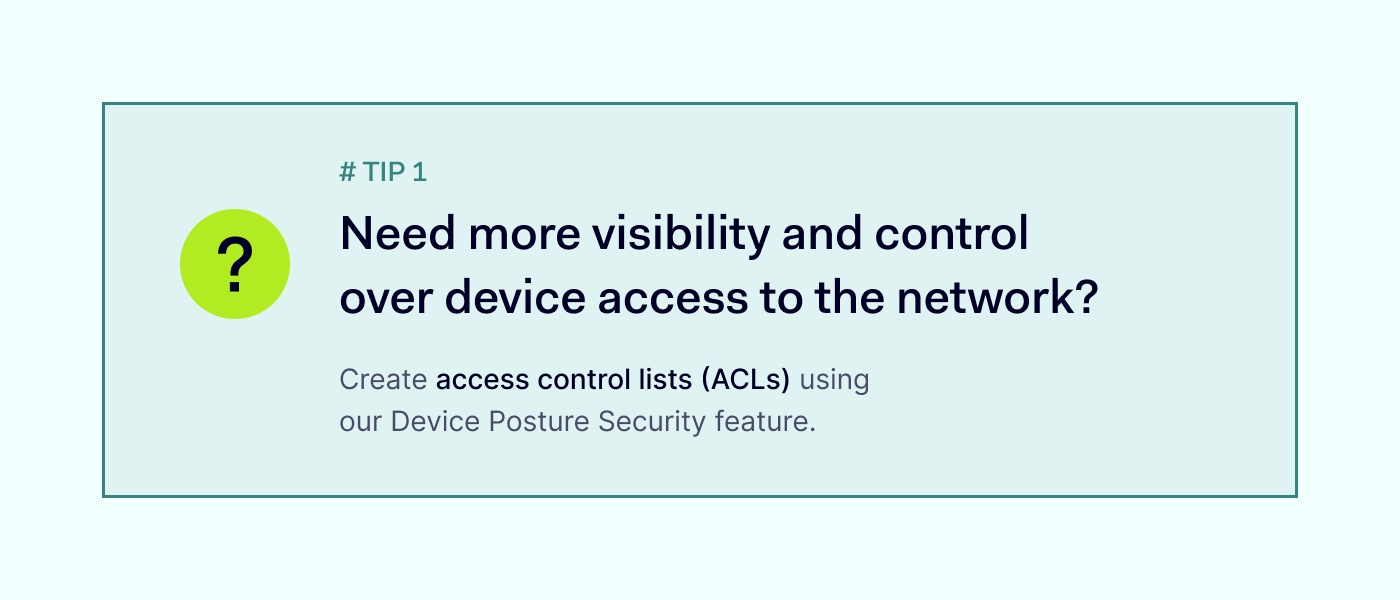
While ACLs offer significant advantages in network security, it’s essential to extend this protection to device-level security. By adopting Device Posture Security (DPS), your organization can evaluate the security of devices connecting to the network.

Through DPS, you can evaluate and monitor devices according to your predefined rules. But that’s not all. You can also automatically restrict network access for accounts using non-compliant devices. This integrated approach enhances overall network security by addressing vulnerabilities at both the network and device levels.

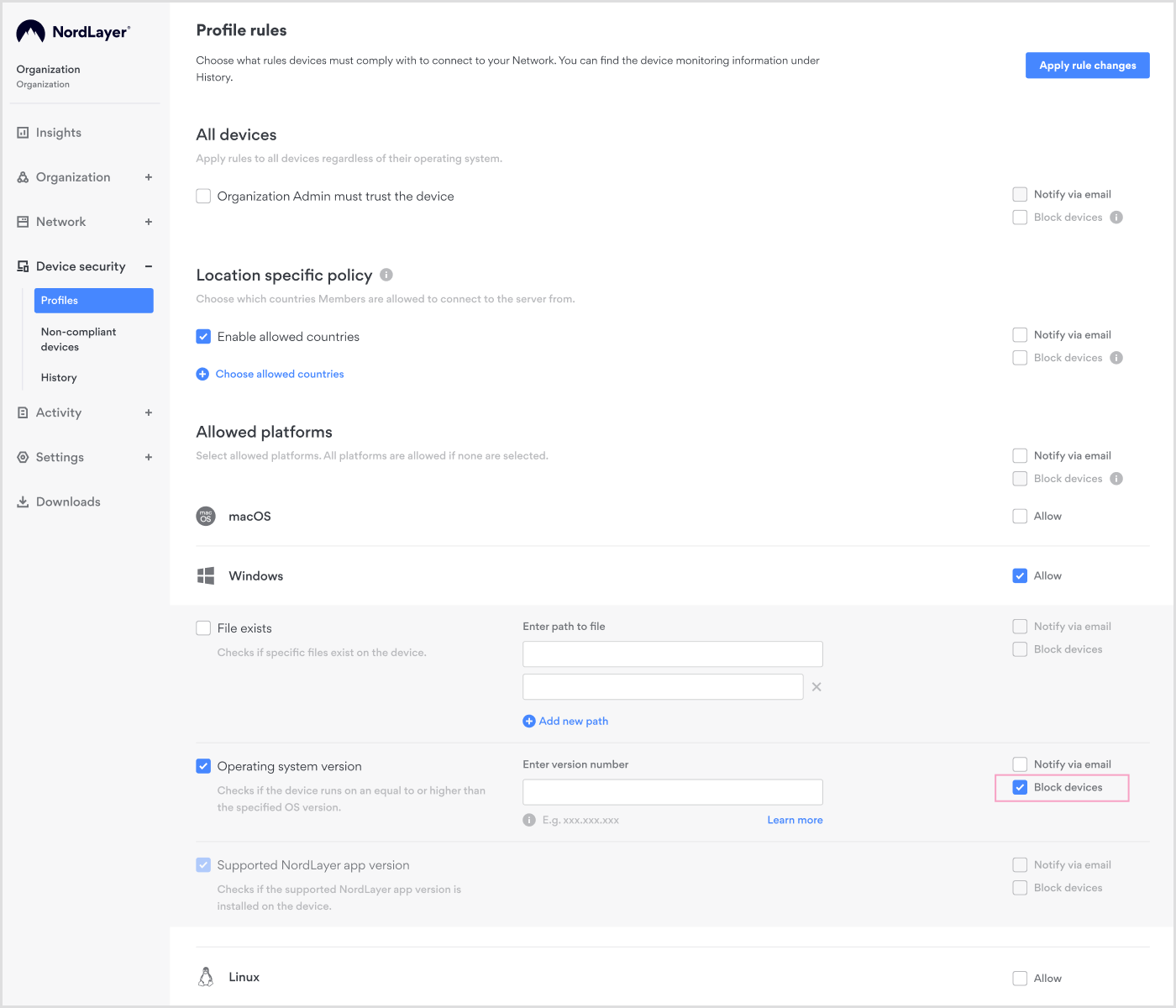
IT administrators can easily implement ACLs for Device Posture Security using our web-based Control Panel. To enable DPS checks, create various rules such as existing file check, OS version, jailbreaking or rooting status, and device location. Setting up ACLs in the panel is simple. Just create a profile and specify the desired rules. Once configured, it’s important to test the ACL to ensure that it is functioning as expected. Finally, activate the ACL to start enforcing the specified access control rules on your network.

ACLs for internal network segmentation

Protecting your data from leaks and insider threats is more crucial now than ever. It’s not just about safeguarding information; it’s about maintaining the credibility of your business. That’s where access control lists (ACLs) come in. They act as gatekeepers, deciding who gets access to what within your network. By setting up ACLs, you can stop unauthorized users from moving laterally through your network, helping to prevent data breaches.
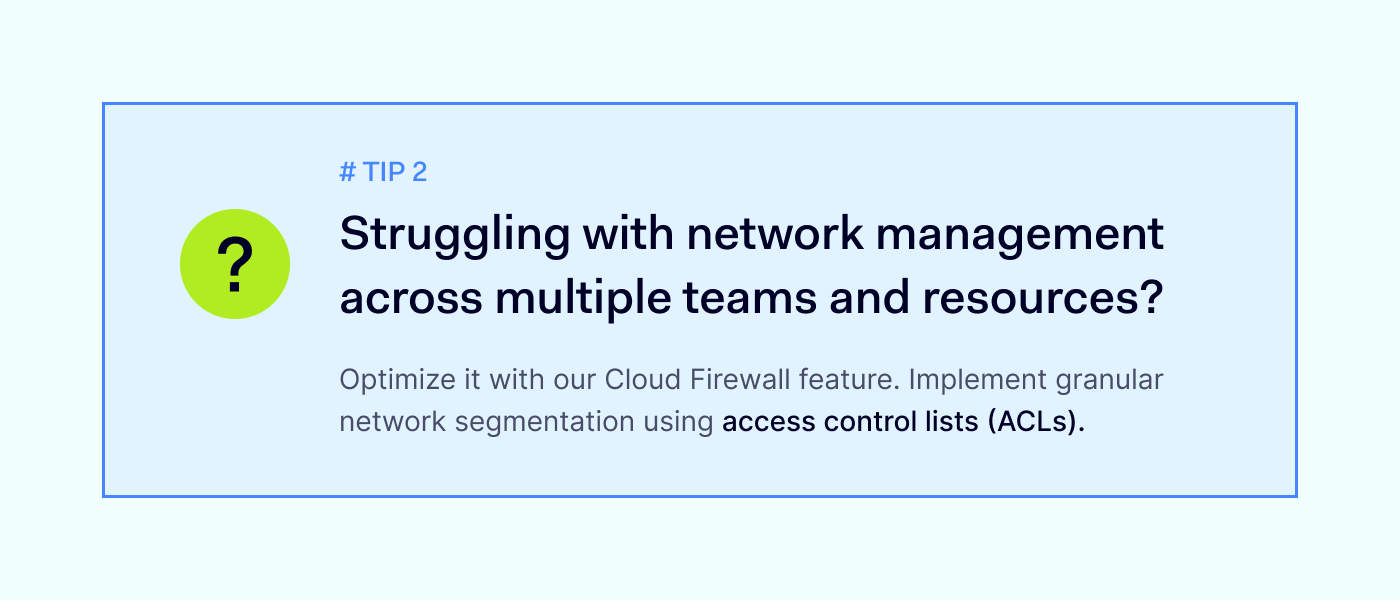
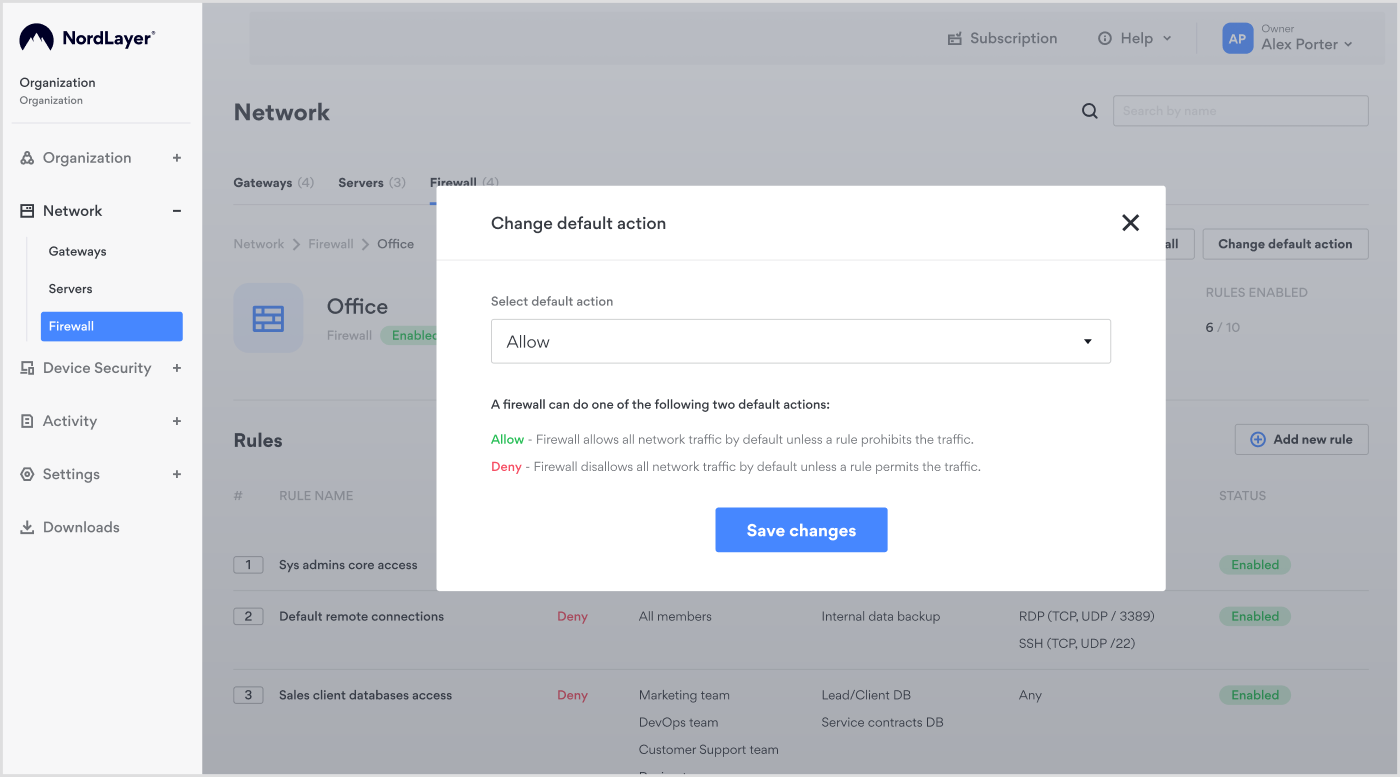
Additionally, when you combine ACLs with role-based access control (RBAC), you gain even more control over who can access different parts of your network. With our Cloud Firewall feature, you can optimize your network by implementing granular segmentation using ACLs. These lists act as virtual bouncers, controlling who can access which parts of your network.

Our intuitive Control Panel facilitates the creation and management of ACLs, providing a streamlined and centralized approach to network security management.
ACLs in external access control

Managing network access isn’t just about your team. You also have to consider third-party vendors, contractors, and other external partners who might need access to your systems. With access control lists, you can ensure that these third parties only have access to the specific resources they need, minimizing the risk of unauthorized access and potential security breaches.

By setting up granular segmentation and ACL rules, you can protect your network against potential threats while enabling collaboration with external partners. Our Cloud Firewall feature makes managing external access easy, ensuring your network is protected from all angles.

Boost your network security with NordLayer’s ACLs

Access control lists (ACLs) make role-based access control more precise, ensuring only the right people have access to your data and resources, and improving network performance. They’re the frontline defense against unauthorized access and potential breaches.

But the benefits of ACLs don’t stop there. By combining ACLs with our Cloud Firewall feature, you’re not just building walls—you’re creating an impenetrable fortress around your devices and network. With NordLayer, setting up and managing ACLs is a breeze, giving you peace of mind knowing your network is fortified against any threats that come its way.
About Version 2 Digital

Version 2 Digital is one of the most dynamic IT companies in Asia. The company distributes a wide range of IT products across various areas including cyber security, cloud, data protection, end points, infrastructures, system monitoring, storage, networking, business productivity and communication products.

Through an extensive network of channels, point of sales, resellers, and partnership companies, Version 2 offers quality products and services which are highly acclaimed in the market. Its customers cover a wide spectrum which include Global 1000 enterprises, regional listed companies, different vertical industries, public utilities, Government, a vast number of successful SMEs, and consumers in various Asian cities.

About NordLayer
NordLayer is an adaptive network access security solution for modern businesses – from the world’s most trusted cybersecurity brand, Nord Security.

The web has become a chaotic space where safety and trust have been compromised by cybercrime and data protection issues. Therefore, our team has a global mission to shape a more trusted and peaceful online future for people everywhere.

How ROCKEN fortified its growing network against cyber-attacks for better data protection

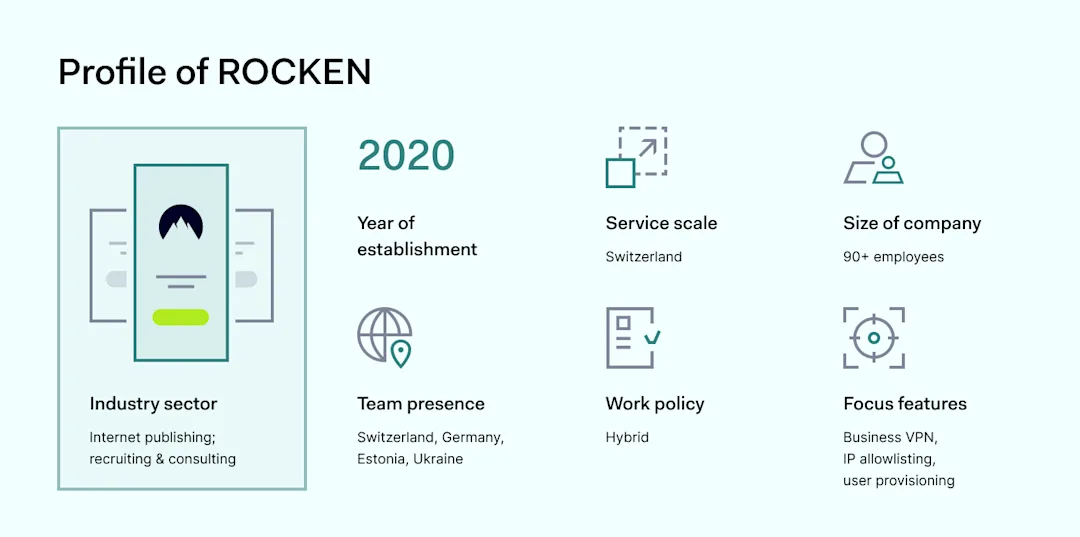
ROCKEN, based in Zurich, Switzerland, operates in the recruiting sector, offering a unique blend of consulting and recruiting services. Their office boasts a dynamic team of recruiters, consultants, and business account managers dedicated to bridging the gap between companies and candidates. 

The company’s edge is its extensive database, housing detailed candidate profiles enriched with personal interviews, experiences, and expectations. This database, coupled with their custom CRM crafted by their dedicated outstaff development team, stands as their cornerstone, offering a nuanced understanding of each candidate’s profile.

The extensive database, containing candidates and employer information, is the apple of the eye that needs to be protected sufficiently. Julia Zaliznytska, Product Manager and a bridge between business and development, shares why using security services like NordLayer in ROCKEN’s line of work was critical.

The challenge

On a lookout for stronger protection measures

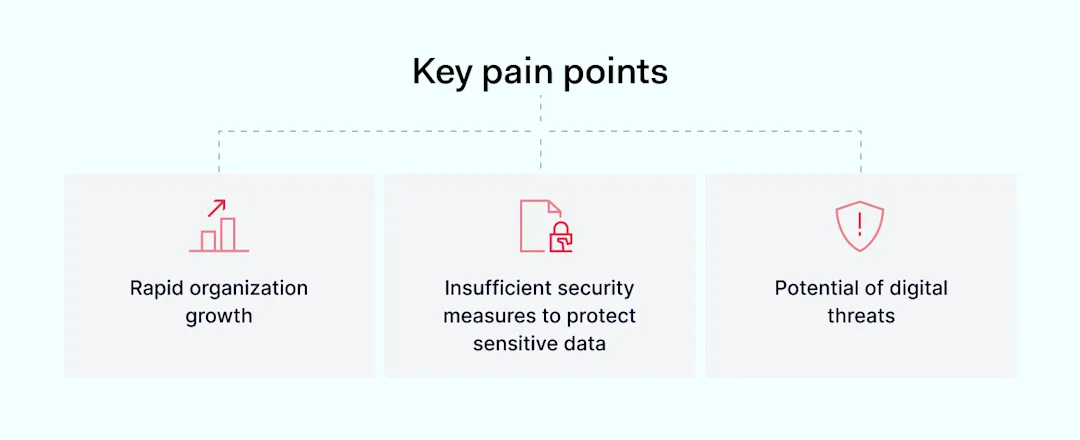
Key pain points

With business expansion plans and team growth, safeguarding ROCKEN’s expanding database became paramount as the company faced a dual challenge.

“We are working for the Swiss market at the moment, and we are extending to Germany this year, and we will have even more data that needs to be protected.”

Click to tweet

First, they had to protect vast amounts of sensitive data, including candidates’ personal information and client companies’ corporate data, against increasingly sophisticated cyber threats such as DDoS attacks.

“With DDoS attacks as a threat and users leaving loads of personal data on the platform, we wanted to provide better protection than just relying on passwords.”

Click to tweet

The team also has gated content on their website, including market overviews and research that is not for free and, thus, must be secured from unverified access.

Second, ROCKEN had to accommodate its hybrid work model with employees and developers working remotely across Switzerland, Germany, Ukraine, and Estonia. For a company with all infrastructure in the cloud, it’s essential to have secure remote access to the internal systems from any location.

Some employees are fully remote, while locals must visit the office three time a week. For this reason, the company needed a unified approach connecting to the company network that is robust against cyber threats.

The solution

Sustainable scalability and protection against threats

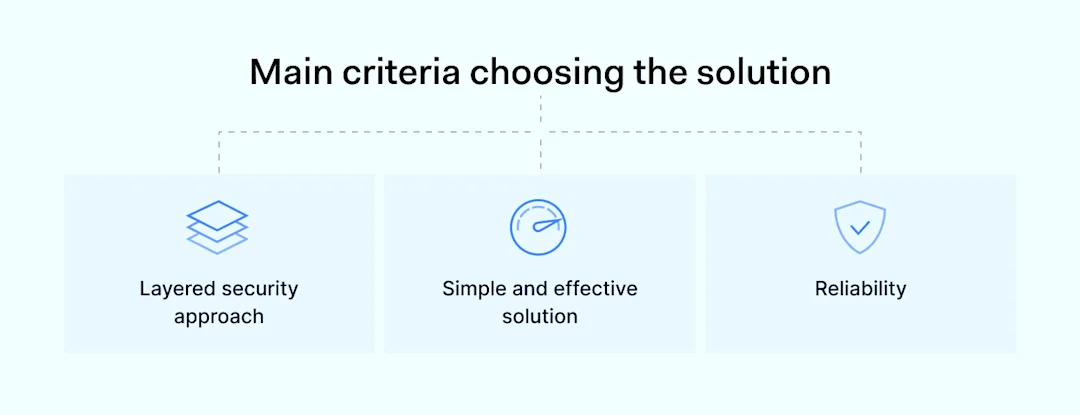
Main criteria choosing the solution

After the launch, the company was small and didn’t have much data to protect—securing IP addresses on their own CRM was sufficient initially.

As ROCKEN grew rapidly from 30 to 91 employees, they sought a reliable solution that scales together without compromising security. The solution had to seamlessly integrate for remote and office-based employees alike, ensuring data protection across all touchpoints.

Besides exponential growth, the main triggering factor for enhanced security was a reminder of constant online threats. An identified DDoS attack didn’t do any tangible damage to the company but sent a message that the risk is always there.

“Once, we have experienced a DDoS attack. Whether it was an attacker or rivals testing our protection levels, the attack didn’t result in a data breach but reminded us that we are hunted.”

Click to tweet

A more complex and robust solution than passwords and authentication apps was needed to protect the company network. After a thorough market comparison, ROCKEN chose NordLayer for its comprehensive corporate VPN solutions.

Why choose NordLayer

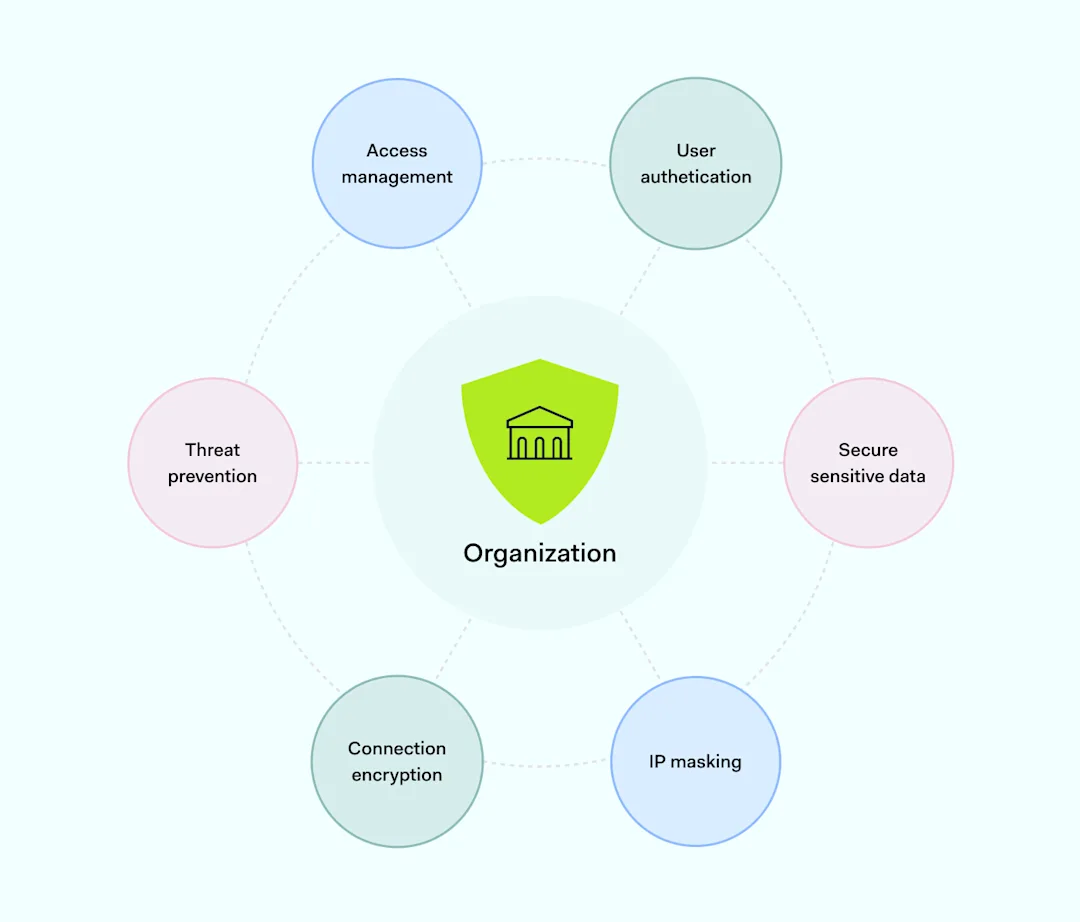
Several factors influenced ROCKEN’s decision to partner with NordLayer. Primarily, it was necessary to ensure more complex and layered security solutions in place. Then, it had to be ensured that all connections are encrypted and authenticated.

“The access is secured only for those who already have access inside our organization once on-site and through the VPN once remote. Developers use VPN to connect to the production and staging systems.”

Click to tweet

Notably, team members’ personal positive experiences with NordVPN influenced the decision. Moreover, the responsive and accommodating nature of NordLayer’s customer support and the platform’s cost-effectiveness, especially with the provided growth-supportive discount, have been significant factors in choosing the tool.

“We compared many services, but the majority lacked corporate solutions that are centralized in management and payments. NordLayer offered an all-in-one platform with bulk organization control and setup.”

Click to tweet

NordLayer’s reputation for reliability and its ability to offer a scalable, secure solution for a growing company like ROCKEN were decisive.

How NordLayer prevents threats and secures company network

How NordLayer prevents threats and secures company network

The outcome

Easy implementation of a reliable tool

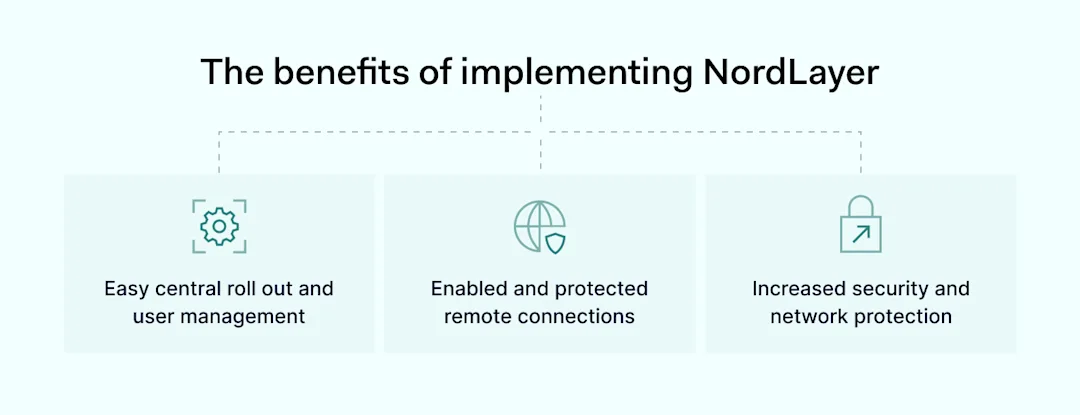
The benefits of implementing NordLayer

The implementation of NordLayer was smooth and swift, taking just a week to onboard the entire organization, thanks to the clear instructions and support provided.

Despite initial hiccups with corporate laptop setups, the transition to NordLayer was well-received across the organization.

“There were absolutely no issues with NordLayer. Because we have corporate laptops that a third-party organization manages, devices weren’t prepped in advance for all users; thus, whole organization onboarding took up to a week.”

Click to tweet

The VPN’s no-logs policy and the ability to manage teams and users through a simple portal were particularly appreciated, ensuring ROCKEN’s operations remained secure without sacrificing efficiency.

Pro cybersecurity tips

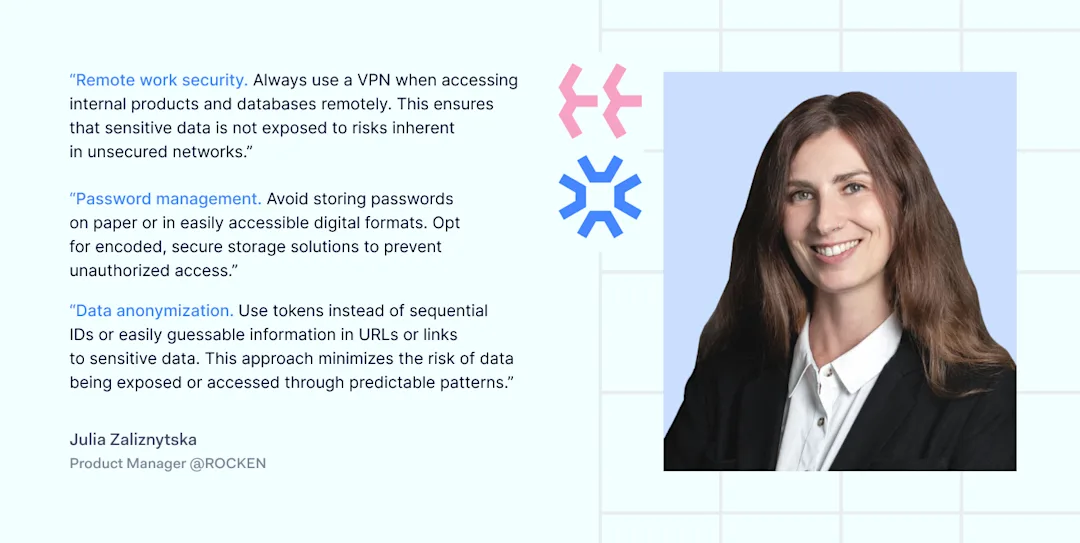
It’s a good idea to use post-it notes for everyday cybersecurity tips as a reminder, but not passwords. This and many other tips come from our case study heroes. This time, we asked Julia Zaliznytska, a Product Manager at ROCKEN, to share her favorite habits for practicing cybersecurity hygiene.

ROCKEN about NordLayer

Rocken’s partnership with NordLayer underscores the critical importance of robust cybersecurity measures in today’s digital landscape, especially for companies dealing with sensitive data.

Through strategic planning, careful vendor selection, and a focus on scalability and security, ROCKEN has successfully fortified its defenses, ensuring the confidentiality and integrity of its data as it continues to grow and expand into new markets.

About Version 2 Digital

Version 2 Digital is one of the most dynamic IT companies in Asia. The company distributes a wide range of IT products across various areas including cyber security, cloud, data protection, end points, infrastructures, system monitoring, storage, networking, business productivity and communication products.

Through an extensive network of channels, point of sales, resellers, and partnership companies, Version 2 offers quality products and services which are highly acclaimed in the market. Its customers cover a wide spectrum which include Global 1000 enterprises, regional listed companies, different vertical industries, public utilities, Government, a vast number of successful SMEs, and consumers in various Asian cities.

About NordLayer
NordLayer is an adaptive network access security solution for modern businesses – from the world’s most trusted cybersecurity brand, Nord Security.

The web has become a chaotic space where safety and trust have been compromised by cybercrime and data protection issues. Therefore, our team has a global mission to shape a more trusted and peaceful online future for people everywhere.

SC Awards Europe Names Portnox to Best Authentication Technology Shortlist

Austin, TX – May 7, 2024Portnox, a leading provider of cloud-native, zero trust access control solutions, is proud to announce its selection as a finalist in the prestigious SC Awards Europe. The company has been recognized on the Best Authentication Technology category shortlist for its commitment to innovation and excellence in cybersecurity. 

The Portnox Cloud allows organizations to control who can authenticate to their enterprise network, and provides granular detail on every user’s access layer, location, device type, and more. Portnox’s cloud RADIUS service – part of the Portnox Cloud platform and its primary authentication solution – is provided through a cloud-based cluster of fully redundant RADIUS servers and is used for authentication of users accessing the enterprise network.

The Portnox Cloud is fully cloud-native and requires no on-site hardware or maintenance whatsoever. No other network access control (NAC) product on the market delivers network authentication, access control, endpoint risk posture assessment and remediation in this manner.

As a cloud service, the Portnox Cloud eliminates the need for the capacity planning of on-premises software or appliances. It also eliminates the need to complete on-going security updates, expand capacity, or upgrade appliances to meet future growth needs. With the Portnox Cloud, you never have to worry about software or hardware end-of-life, or costly, complex upgrades requiring hours and days of work and a never-ending checklist of to-dos. The Portnox Cloud is always running the most up-to-date version with the latest features and capabilities.

“We are honored to be recognized as a finalist in the SC Awards Europe,” said Denny LeCompte, CEO at Portnox. “This acknowledgment reaffirms our relentless pursuit of excellence in delivering robust authentication and access control technology that strengthens data protection, improves endpoint and network security, streamlines user experiences, and achieves compliance with ease.”

The SC Europe Awards are a celebration of the excellence, advancement, and of the incredible minds that are shaping the future of technology and cybersecurity within the UK and Europe. Being named a finalist underscores Portnox’s unwavering dedication to providing cutting-edge solutions that empower businesses to strengthen their security posture against evolving cyber threats.

The winners of the SC Awards Europe will be announced during a ceremony on Tuesday, June 4 on the first evening of InfoSecurity Europe in London.

About Version 2 Digital

Version 2 Digital is one of the most dynamic IT companies in Asia. The company distributes a wide range of IT products across various areas including cyber security, cloud, data protection, end points, infrastructures, system monitoring, storage, networking, business productivity and communication products.

Through an extensive network of channels, point of sales, resellers, and partnership companies, Version 2 offers quality products and services which are highly acclaimed in the market. Its customers cover a wide spectrum which include Global 1000 enterprises, regional listed companies, different vertical industries, public utilities, Government, a vast number of successful SMEs, and consumers in various Asian cities.

About NordLayer
NordLayer is an adaptive network access security solution for modern businesses – from the world’s most trusted cybersecurity brand, Nord Security.

The web has become a chaotic space where safety and trust have been compromised by cybercrime and data protection issues. Therefore, our team has a global mission to shape a more trusted and peaceful online future for people everywhere.

Adding layers of security with password pepper

When it comes to password security, the more layers of protection your personal or business security system has, the better. There is no such thing as a bullet-proof online service; you never know which malicious tactic hackers may employ to access your accounts. Password pepper is yet another additional security layer protecting against brute force attacks, dictionary attacks, and rainbow tables. Read on to find out what a password pepper is, how it works, and how it can improve your cybersecurity.

What is a password pepper?

The password pepper or peppering—as it’s also called—is strictly connected to the password hashing process. Websites don’t store users’ passwords in plain text because it would allow anyone with access to see them. In most cases, users’ passwords are hashed: Encryption algorithms convert them into complicated strings of characters. This way, even if a site’s database gets breached, hackers must decrypt hashes to get hold of users’ credentials.

A pepper is a secret value—a random string of characters—added to a password before hashing. Unlike salt, another cryptographic way of adding an extra layer of security to your password, pepper doesn’t change. Like a chef’s secret ingredient, it stays the same across all dishes: user’s online accounts or — if part of the source code— across users’ databases.

How does password peppering work?

The password pepper changes the value that’s being hashed, resulting in a modified and more secure password hash. The pepper can be hard-coded into the website’s source code or added manually by the private or business user.

In the first scenario, the online platform’s owner chooses the pepper, taking responsibility for the code’s strength and security. The same pepper is used throughout the site’s database: There are no individual password peppers for users. Following a data breach, hard-coded pepper might be more trouble than it’s worth. If cybercriminals gain access to the source code, they could quickly discover the pepper, and it could compromise the hashed passwords. Also, in this setup, changing the breached pepper requires modifying the source code and redeploying the application, which is rather cumbersome.

For the above reasons, we’ll focus on the second scenario: Peppering passwords by hand. It requires setting up a strong, random code — you can use our password generator for it — and keeping it safe, separately from your login credentials. Adding a pepper to your login credentials means that even if you use a robust password manager like NordPass, you’ll still have to memorize your secret code or keep it in another safe place.


Using password peppering to improve your online security

Password peppering can protect your accounts in case your passwords get compromised. The rising numbers of cybercrime—the most lucrative criminal activity nowadays—show that you can never be too careful or introduce too many layers of protection. No online service provider may be completely bullet-proof breach-wise, which is what LastPass learned the hard way at the end of 2022.

Adding a pepper to your passwords has to be done manually, which extends the time needed to access your accounts. It can be annoying, especially if you are used to the seamless login experience, but it will definitely improve your online security.

People are creatures of habit and convenience and tend to ditch the security practices that are too demanding. Hence, we do not recommend peppering all your passwords — pepper the most important ones. Here’s how to do it:

  1. Create a strong and complex pepper you’ll be able to remember.

    You can think of a pepper as a password: the longer and more complex it is, the better. Make it random and use different kinds of symbols. However, don’t go overboard; the best way to keep your pepper safe is to memorize it!

  2. Create your “base password” and store it in your password manager.

    Use a password generator to create a complex string of characters: Let’s call it “your base password.” Now, save it in your password manager’s encrypted vault.

  3. Add password pepper and update passwords to your most important accounts.

    Once you’ve created your base password, add the pepper and that will be your actual new password. Update your most important accounts using it. Now, when logging in, you’ll have to add the pepper every time to access the account.

    Note: You can include the pepper anywhere in the string of characters constituting your base password. However, to avoid overcomplicating it, add it at the beginning or end of your base password.

  4. Don’t store your pepper in the password manager vault.

    The idea behind peppering your passwords is not to keep all your eggs in one basket. Hence, keeping your secret code in your password manager vault doesn’t make sense. If your passwords leak, the pepper leaks as well. To make password peppering work, keep your pepper safe somewhere else, preferably your head.

Password peppering from a business perspective

From a business perspective, password peppering can cause more trouble than it’s worth. It may interrupt the teams’ cooperation and information sharing, extend the time spent on tasks that could easily be automated, and mess up the results of compliance and password security audits.

Let’s look at other security measures more suited to the business environment. Unlike password peppering, they promote transparency and allow immediate response to cyber threats.

  • Password policy

The password policy is a set of rules and guidelines for creating and managing passwords in the organization. It informs employees how long their passwords should be, what kinds of characters they need to include, and how often they should change them. When enforced automatically by the company’s password manager, password policies give business network administrators control over every password used in their company.

  • Password health

Password health metrics track your company’s vulnerable passwords. The NordPass Password Health feature provides insight into the weak, older than 90 days, and reused passwords employees rely on. It allows omitting the risk of data breaches connected with weak passwords instead of mitigating the results of hacker attacks.

  • Data Breach Scanner

Data Breach Scanner notifies you in real time about all data leaks related to your company emails and domains. It can be a real game-changer since, according to IBM’s 2023 data security report, companies take 277 days on average to identify and contain a breach. If you respond to the security incident at once, chances are cybercriminals won’t have enough time to use the information against your company.

These are pivotal years for password security. We’re witnessing a shift towards a more user-friendly and secure authentication method: passkeys. Passkeys allow access to your online accounts the same way you unlock your smartphone—via fingerprint or face ID. This new technology combines biometric verification with cryptographic keys, reducing the risks of phishing, brute-force attacks, and other cyber threats.

Some of the largest tech giants—including Amazon, Apple, Google, and Meta—have already joined the FIDO Alliance, an industry association created to “solve the world’s password problem.” NordPass is also a part of FIDO and, along with other members, actively promotes passkeys and makes them accessible to users. That’s why our password manager provides you a way to securely store, access, and share passkeys.

About Version 2 Digital

Version 2 Digital is one of the most dynamic IT companies in Asia. The company distributes a wide range of IT products across various areas including cyber security, cloud, data protection, end points, infrastructures, system monitoring, storage, networking, business productivity and communication products.

Through an extensive network of channels, point of sales, resellers, and partnership companies, Version 2 offers quality products and services which are highly acclaimed in the market. Its customers cover a wide spectrum which include Global 1000 enterprises, regional listed companies, different vertical industries, public utilities, Government, a vast number of successful SMEs, and consumers in various Asian cities.

About NordLayer
NordLayer is an adaptive network access security solution for modern businesses – from the world’s most trusted cybersecurity brand, Nord Security.

The web has become a chaotic space where safety and trust have been compromised by cybercrime and data protection issues. Therefore, our team has a global mission to shape a more trusted and peaceful online future for people everywhere.

Understanding the Business Continuity Plan (BCP) and Its Importance

These days, cybercrime is rampant. It’s no longer a matter of “if” you’re going to suffer an attack but “when” it will happen. All companies want to be ready for any crisis – that’s where a business continuity plan comes into play. 

Setting up a strategy helps understand the next steps during and following a potential cyber incident. So what is a business continuity plan, exactly? What does it encompass? And what makes it so important to organizations? Today, we’re exploring all these questions in-depth.

What is a business continuity plan?

A business continuity plan (BCP) is a document that sets guidelines for how an organization should continue its operations in the event of a disruption, such as fires, floods, other natural disasters, or cybersecurity incidents. A BCP aims to help organizations resume operations without significant downtime.

Despite their utility for business security, BPCs are not as commonplace as expected. According to ZipDo, 43% of businesses across the globe don’t have a business continuity plan in place.

Business continuity vs disaster recovery plan: What’s the difference?

Sometimes, people use the terms disaster recovery plan (DRP) and business continuity plan (BCP) interchangeably. However, these are two separate types of plans. A business continuity plan helps organizations stay prepared to deal with a potential crisis and, hence, usually encompasses a disaster recovery plan. Although the two overlap and are often set into motion to optimize procedures during crisis events, their purposes differ.

The key difference between BCPs and DRPs is their goal. Business continuity plans aim to reduce downtime during the incident to a minimum. Disaster recovery plans focus on reducing any faults or abnormalities in the system caused by the event and returning things back to normal. They also tend to be more extensive, including additional steps like containing, examining, and restoring operations and covering employee safety measures.

In terms of functionality, a disaster recovery plan focuses on operational steps to restore data access to business as usual following an incident. On the other hand, a business recovery plan is set in place while the incident is still ongoing, ensuring that the operations proceed despite the circumstances.

Benefits of business continuity planning

The number of news headlines announcing data breaches has numbed us to the fact that cybercrime is very real and frequent and poses an existential risk to companies of all sizes and industries.

According to the 2023 Data Breach Investigations report, ransomware is present in 24% of all breaches and is among the top four most common types of cyberattacks. In fact, 24% of breaches involved ransomware, with damages costing businesses an average of $4.82 million.

Most cyberattacks are financially motivated, as the global cost of cybercrime exceeded $8 trillion in 2022 and is expected to exceed $13 trillion by 2028. The picture is quite clear — cybercrime is a lucrative venture for bad actors and potentially disastrous for those on the receiving end.

The importance of business continuity plans cannot be understated, as to thrive in these unpredictable times, organizations go beyond conventional security measures. Many companies develop a BCP parallel to secure infrastructure and consider it a critical part of the security ecosystem. The purpose of a business continuity plan is to significantly reduce the downtime in an emergency and, in turn, reduce the potential reputational damage and — of course — revenue losses.

Business continuity plan template

Business Continuity Plan Example

[Company Name]

[Date]

I. Introduction

  • Purpose of the Plan

  • Scope of the Plan

  • Budget

  • Timeline

The initial stage of developing a business continuity plan starts with a statement of the plan’s purpose. It explains the main objective of the plan, such as ensuring the organization’s ability to continue its operations during and after a disruptive event.

The Scope of the Plan outlines the areas or functions that the plan will cover, including business processes, personnel, equipment, and technology.

The Budget specifies the estimated financial resources required to implement and maintain the BCP. This includes costs related to technology, personnel, equipment, training, and other necessary expenses.

The Timeline provides a detailed schedule for developing, implementing, testing, and updating the BCP.

II. Risk Assessment

  • Identification of Risks

  • Prioritization of Risks

  • Mitigation Strategies

The Risk Assessment section is an essential part of the business continuity plan that identifies potential risks that can disrupt an organization’s critical functions.

The Identification of Risks involves identifying potential threats to the organization, such as cybersecurity breaches, supply chain disruptions, or power outages. This step is critical to understand the risks and their potential impact on the organization.

Once the risks have been identified, the Prioritization of Risks follows, which helps determine which risks require the most attention and resources.

The final step in the Risk Assessment section is developing Mitigation Strategies to minimize the impact of identified risks. Mitigation strategies may include preventative measures, such as system redundancies, data backups, and cybersecurity measures, as well as response and recovery measures, such as emergency protocols and employee training.

III. Emergency Response

  • Emergency Response Team

  • Communication Plan

  • Emergency Procedures

This section of the plan focuses on immediate actions that should be taken to ensure the safety and well-being of employees and minimize the event’s impact on the organization’s operations.

The Emergency Response Team manages the response to an emergency or disaster situation. This team should be composed of individuals trained in emergency response procedures who can act quickly and decisively during an emergency. The team should also include a designated leader coordinating the emergency response efforts.

The Communication Plan outlines how information will be disseminated during an emergency situation. It includes contact information for employees, stakeholders, and emergency response personnel, as well as protocols for communicating with these individuals.

The Emergency Procedures detail the steps during an emergency or disaster situation. They should be developed based on the potential risks identified in the Risk Assessment section. The procedures should be tested regularly to ensure their effectiveness.

IV. Business Impact Analysis

The Business Impact Analysis (BIA) section of a business continuity plan is a critical step in identifying the potential impact of a disruption to an organization’s critical operations.

The BIA is typically conducted by a team of individuals who understand the organization’s critical functions and can assess the potential impact of a disruption. The team may include representatives from various departments, including finance, operations, IT, and human resources.

V. Recovery and Restoration

  • Procedures for Recovery and Restoration of Critical Processes

  • Prioritization of Recovery Efforts

  • Establishment of Recovery Time Objectives


The Recovery and Restoration section of a Business Continuity Plan (BCP) outlines the procedures for recovering and restoring critical processes and functions following a disruption.

The Procedures for Recovery and Restoration of Critical Processes describe the steps required to restore critical processes and functions following a disruption. This may include steps such as relocating to alternate facilities, restoring data and systems, and re-establishing key business relationships.

The Prioritization of Recovery Efforts section identifies the order in which critical processes will be restored based on their importance to the organization’s operations and the overall mission.

Recovery time objectives (RTOs) define the maximum amount of time that critical processes and functions can be unavailable following a disruption. Establishing RTOs ensures that recovery efforts are focused on restoring critical functions within a specific timeframe.

VI. Plan Activation

  • Plan Activation Procedures

The Plan Activation section is critical in ensuring that an organization can quickly and effectively activate the plan and respond to a potential emergency.

The Plan Activation Procedures describe the steps required to activate the BCP in response to a disruption. The procedures should be clear and concise, with specific instructions for each step to ensure a prompt and effective response.

VII. Testing and Maintenance

  • Testing Procedures

  • Maintenance Procedures

  • Review and Update Procedures

This section of the plan is critical to ensure that an organization can effectively respond to disruptions and quickly resume its essential functions.

Testing Procedures may include scenarios such as natural disasters, cyber-attacks, and other potential risks. Clear objectives, testing scenarios, roles and responsibilities, and evaluation criteria to assess the plan’s effectiveness are also part of the procedural structure.

The Maintenance Procedures detail the steps necessary to keep the BCP up-to-date and relevant.

The Review and Update Procedures describe how the BCP will be reviewed and updated regularly to ensure its continued effectiveness. This may involve reviewing the plan regularly or after significant changes to the organization’s operations or threats.

What should a business continuity plan checklist include?

Organizations looking to develop a BCP have a lot to consider. Variables such as the organization’s size, its IT infrastructure, personnel, and resources all play a significant role in developing a continuity plan. Remember, each crisis is different, and each organization will have its own view on handling it according to all the variables in play. However, all business continuity plans include a few fundamental elements.

  • Clearly defined areas of responsibility

    A BCP should define specific roles and responsibilities for emergencies. You must detail who’s responsible for what tasks and clarify what course of action a person in a specific position should take. Clearly defined roles and responsibilities in an emergency event allow you to act quickly and decisively and minimize potential damage.

  • Crisis communication plan

    In an emergency, communication is vital. It is the determining factor in crisis handling. Establishing clear and effective communication pipelines is critical. Alternative communication channels should not be overlooked either. Make sure to outline them in your business continuity plan.

  • Recovery teams

    A recovery team is a collective of professionals who ensure that business operations are restored as soon as possible after the organization confronts a crisis.

  • Alternative site of operations

    Today, when we think of an incident in a business environment, we usually think of a cybersecurity-related event. However, as discussed earlier, a BCP covers many possible incidents. In a natural disaster, determine potential alternate sites where the company could continue to operate.

  • Backup power and data backups

    Whether a cyber event or a real-life physical incident, ensuring that you have access to a power source is crucial to continue operations. A BCP often contains lists of alternative power sources like generators, locations of such tools, and who should oversee them. The same applies to data – regularly scheduled backups can significantly reduce potential losses incurred by a crisis event.

  • Recovery guidelines

    If a crisis is significant, a comprehensive business continuity plan usually includes detailed guidelines on how the recovery process will be carried out.

Business continuity planning steps

business continuity plan steps

Here are some general guidelines that an organization looking to develop a BCP should consider:

Analysis

A business continuity plan should include an in-depth analysis of everything that could negatively affect organizational infrastructure and operations. The analysis phase should also include assessing different levels of risk.

Design and development

Once you have a clear overview of potential risks your company could face, start developing a plan. Create a draft and reassess it to see if it accounts for even the smallest of details.

Implementation

It’s critical to get everyone on the same page regarding crisis management. Implement the BCP within the organization by providing training sessions for the staff to familiarize themselves with the plan.

Testing

Make sure to test the plan rigorously. Run through a variety of scenarios in training sessions to assess its overall effectiveness. By doing so, everyone on the team will be closely familiar with the business continuity plan’s guidelines.

Maintenance and updating

The threat landscape constantly changes and evolves, which means you should regularly reassess your BCP and take steps to update it. By tuning your continuity plan to recent developments, you can stay one step ahead of a crisis.

Business continuity planning standards

Business continuity plans don’t just appear out of thin air. They must strictly adhere to industry standards, including ISO and regional standards, to ensure that business is sufficiently prepared for a crisis scenario.

Following a standard is advantageous to businesses as the relevant information and the requirements are continuously being updated. This ensures that the implemented strategies don’t fall behind the security requirements. The ISO 223XX standard series, in particular, aims to provide a clear and internationally recognized framework for continuity planning.

ISO 22301

ISO 22301, or the Security and Resilience Standard, provides organizations with a framework to plan, operate, improve, and otherwise maintain response and recovery strategies. The business continuity plan acts as the documented management system (known as a business continuity management system, or BCMS) that aims to prevent disruptive incidents and, if they occur, ensure a full recovery. It goes hand in hand with ISO 22313.

ISO 22313

This business continuity plan standard provides guidance on implementing the ISO 22301 requirements. It details the precise steps on how the business continuity management system should be implemented in an organization.

ISO 27001

ISO 27001 provides a framework for managing information security. This standard ensures that an organization implements the right risk assessment and controls to upkeep the development, improvement, and protection of information management systems (ISMS). The NordPass ISMS is certified according to ISO 27001.

ISO/IEC 27031

These guidelines cover the principles of how ready an organization’s information and communication technology (ICT) infrastructure should be for business continuity. It covers all potential events and incidents that may impact the infrastructure, leading to the implementation of a BCP.

ISO 31000

ISO 31000, or the Risk Management Standard, exists to help all organizations handle potential risks. Its main purpose is to allow organizations to compare their internal risk management practices to the global standards. However, ISO 31000 can’t be used for certification purposes.

Level up your company’s security with NordPass Business

A comprehensive business continuity plan is vital for the entire organization’s security posture. However, in a perfect world, you wouldn’t have to use it. That’s is where NordPass Business can help.

Weak, reused, or compromised passwords are often cited among the top contributing factors in data breaches – unsurprising, considering that an average user has around 170 passwords. Password fatigue is real and significantly affects how people treat their credentials. NordPass Business counters these issues.

With NordPass Business, your team will have a single secure place to store all work-related passwords, credit cards, and other sensitive information. Accessing all the data stored in NordPass is quick and easy, which allows your employees not to be distracted by the task of finding the correct passwords for the correct account.

NordPass Enterprise helps keep your corporate credentials secure at all times. Everything stored in the NordPass vault is secured with advanced xChaCha20 encryption, which would take hundreds of years to brute force.

If you’are interested in learning more about NordPass Business and how it can help fortify corporate security, do not hesitate to book a demo with our representative.

About Version 2 Digital

Version 2 Digital is one of the most dynamic IT companies in Asia. The company distributes a wide range of IT products across various areas including cyber security, cloud, data protection, end points, infrastructures, system monitoring, storage, networking, business productivity and communication products.

Through an extensive network of channels, point of sales, resellers, and partnership companies, Version 2 offers quality products and services which are highly acclaimed in the market. Its customers cover a wide spectrum which include Global 1000 enterprises, regional listed companies, different vertical industries, public utilities, Government, a vast number of successful SMEs, and consumers in various Asian cities.

About NordLayer
NordLayer is an adaptive network access security solution for modern businesses – from the world’s most trusted cybersecurity brand, Nord Security.

The web has become a chaotic space where safety and trust have been compromised by cybercrime and data protection issues. Therefore, our team has a global mission to shape a more trusted and peaceful online future for people everywhere.

×

Hello!

Click one of our contacts below to chat on WhatsApp

×