Skip to content

What is a YubiKey and do you need one?

How does a YubiKey work?

Simply put, the YubiKey is a security key developed by the FIDO Alliance and manufactured by Yubico. Each YubiKey device is assigned a unique code which, when plugged into a computer, can authenticate the user’s identity. In addition to the USB keys, NFC YubiKeys are used for authentication on mobile devices.

YubiKeys use cryptographic keys to authenticate login attempts. They support a number of MFA protocols, such as passkeys, one-time passwords, and Universal 2nd Factor (U2F), and help protect users from advanced man-in-the-middle attacks, where the malicious actor attempts to intercept two-factor authentication.

How to set up a YubiKey 

Unlike traditional passwords, YubiKey holders don’t need to remember a separate code to authorize a login attempt—the YubiKey works when plugged into or tapped against the device, and the user only needs to press a button to activate it. Similarly, to set up the YubiKey as an authentication device, the user only needs to choose it as their preferred option in the account security settings.

What services and applications support a YubiKey?

Although YubiKey authentication isn’t the most popular multi-factor authentication method, it’s broadly available for both personal and business use. It can be used to authenticate login attempts to websites, applications, and databases.

Everyday users can rely on YubiKeys to authenticate login attempts to social media and email accounts, and access sensitive data such as banking information or personal medical records. Services like Microsoft and Google not only support YubiKey authorization, but the tech giants behind them have contributed to the key’s development as a whole.

YubiKeys can work in tandem with password managers. The key can be used to add a layer of security to the password manager itself, while the credentials generated using the password manager can strengthen the first line of defense for the user’s accounts.

YubiKey’s popularity is growing, and the industry is seeing an increase in use cases for YubiKeys. These security keys have already become a favorite for many companies that seek out advanced employee security practices. FAANG companies are issuing employees with personal YubiKeys for work-related authorization, ensuring that all sensitive information can only be accessed by verified users.

YubiKey also adds flexibility for remote and hybrid workers. With a YubiKey, they can easily access databases and work accounts anywhere around the globe without risking unauthorized data exposure. Since YubiKeys don’t need any kind of connection to run, hackers cannot break into them as they would with open Wi-Fi networks.


What are the benefits of YubiKey authentication?

The YubiKey is considered one of the safest multi-factor authentication methods. Its compatibility with mobile and desktop devices makes it a flexible option for individuals and business users alike. The USB version is compatible with common ports found on hardware devices, like USB-C or Lightning, and most modern laptops are built with a designated security key dock.

The YubiKey is physically sturdy as it’s water- and crush-resistant, making it a reliable long-term investment into security. It does not require any third-party applications to operate, although additional applications can be used for custom configurations.

Whenever you log in to an account that uses YubiKey authentication, the key can detect the legitimacy of the website. It only validates the login attempt if the website matches the original link. This protects you from accidentally logging in to a spoofed website and revealing your credentials to cybercriminals.

There’s one caveat to carrying around your YubiKey for authentication. Due to its size, a YubiKey can be easy to lose. So, if you choose a YubiKey as your authentication device, make sure you store it in a secure location. Yubico officially recommends users have a backup YubiKey device that can be activated if the primary key is lost or stolen.

Even if you lose your YubiKey device, you don’t have to worry about any of your personal information being exposed, as the security key does not act as a storage device. If someone steals your YubiKey but doesn’t know your password, they still won’t be able to break into your account.

YubiKey vs. other authentication methods: how do they compare?

YubiKey is one of several alternatives that individuals and companies use as the next step of multi-factor authentication. Let’s see how YubiKey authentication compares to passkeys, third-party apps, and text message codes.

Passkeys

It’s not unusual to see passkeys mentioned alongside YubiKeys in discussions about MFA. Both authentication methods are the brainchildren of the FIDO Alliance, falling under the FIDO2 umbrella. Both offer a passwordless solution to account authentication and protection. And, of course, both are uniquely encoded.

The core difference between passkeys and YubiKeys is the hardware. Passkeys use a combination of biometric verification with cryptographic keys. The process is validated with a mobile phone, tablet, or laptop. Passkeys can also be stored in third-party password managers like NordPass and synchronized between devices at the user’s convenience.

YubiKeys act as passkey storage themselves, albeit with storage restrictions. YubiKey codes cannot be replicated or transferred to a different device, making them less flexible than passkeys.

Choosing between a passkey and a YubiKey comes down to the user’s preference. Both methods follow the FIDO2 protocol, making them strong authentication mechanisms for individuals and organizations.

Authentication apps

Authentication apps are another popular way to support MFA. Apps like Google Authenticator or the built-in NordPass Authenticator allow users to generate time-based one-time passwords (TOTPs) on their devices whenever they log in to a website or app. Codes generated by authentication apps are generally short, averaging 6 characters, and reset after a set period, usually between 15 to 60 seconds.

YubiKeys were initially built to produce highly complex, 44-character unique one-time passwords (OTPs) for account authentication. However, as the YubiKey technology has evolved, it has switched to passwordless authentication. While it’s still possible to produce the OTPs using a YubiKey device, WebAuthn is now the preferred authentication method.

Both authentication keys and YubiKey OTPs offer a similar level of convenience. They require a single device to generate codes and grant instant access. However, as a hardware device, the YubiKey is more resilient to breach attempts. Third-party authentication apps may be prone to cyberattacks or phishing attempts.

Consider a scenario where a scammer contacts a user and tries to extract the authentication code from them to break into their accounts. Upon seeing that the required authentication method is an app, they’d be more likely to carry on. After all, it’s easier to get a user to reveal a 6-digit code than a 44-digit one.

The time-based reset aspect adds a layer of reliability to authentication apps, as the timer makes it more difficult for cybercriminals to get around. The YubiKey authenticator adds extra haste by autofilling the authentication code as you press the button on your key, saving you the time of typing in all 44 characters.

SMS-based 2FA

Although SMS-based authentication is considered one of the weaker methods, it remains popular due to its ease of use. To set up SMS authentication, the user inputs their mobile phone number and receives a one-time password upon each login attempt.

Compared to YubiKey authentication, relying on text messages is pretty flawed. Phone spoofing and SMS swapping are popular social engineering tactics that aim to extract the authentication code sent to your number. In the former tactic, cybercriminals call their targets, pretending to be from a legitimate service, and ask for the SMS code for verification. For the latter, hackers call the target’s phone service provider, pretending to be the victim, to gain access to the number.

The YubiKey cannot be remotely overtaken by malicious actors. It’s an offline device that does not require an internet or mobile network connection. The ease of authentication without needing to reveal or input a one-time password ensures that user accounts are more resilient to phishing attacks.

The YubiKey can also protect your texting apps from within—it can connect to the phone via the USB dock or by using NFC to authenticate attempts to log in to these services. It also saves you the headache of updating all your accounts with SMS authentication if you change your phone number.

Combining your YubiKey with NordPass

Whether it’s for personal or work-related use, you want to maximize your account protection. Combining NordPass with a YubiKey makes it easy to leverage a higher level of security without making things complicated.

NordPass is a secure password manager that lets you generate strong and unique passwords, as well as store and manage passkeys for all your accounts. It uses zero-knowledge architecture and advanced XChaCha20 encryption to protect your sensitive data and keep all your credentials accessible in a vault that can only be accessed with your authorization.

As a member of the FIDO Alliance, NordPass understands the role that passwordless authentication will play in the near future. Lost access to your YubiKey? Don’t worry—switch your preferred authentication method to an authenticator app. From here, you can use the NordPass Authenticator to generate one-time codes along with your passwords. You can even use the YubiKey with your Nord Account, putting your digital security first.

About NordPass
NordPass is developed by Nord Security, a company leading the global market of cybersecurity products.

The web has become a chaotic space where safety and trust have been compromised by cybercrime and data protection issues. Therefore, our team has a global mission to shape a more trusted and peaceful online future for people everywhere.

About Version 2 Digital

Version 2 Digital is one of the most dynamic IT companies in Asia. The company distributes a wide range of IT products across various areas including cyber security, cloud, data protection, end points, infrastructures, system monitoring, storage, networking, business productivity and communication products.

Through an extensive network of channels, point of sales, resellers, and partnership companies, Version 2 offers quality products and services which are highly acclaimed in the market. Its customers cover a wide spectrum which include Global 1000 enterprises, regional listed companies, different vertical industries, public utilities, Government, a vast number of successful SMEs, and consumers in various Asian cities.

Data Breach Trends Report 2024

When you learn how cybercriminals choose their targets and break in, you also learn how to prevent a data breach in your company. 

To give you a clearer view of attackers’ tactics, we partnered with NordStellar and analyzed nearly 2,000 data breach incidents that occurred between August 31, 2022, and September 1, 2024.

Our report reveals trends that highlight which types of companies and industries face the highest risks, offering crucial insights for improving your business’s cybersecurity strategy.

Key findings from our report:

  • Retail, tech, and business services were the 3 most targeted industries.

  • 85% of businesses that suffered from a breach were private companies.

  • 72% of the targeted companies were small and medium-sized businesses.

  • The countries with the most breached companies were the United States, India, and the United Kingdom.

Continue scrolling through this space to discover more detailed insights from our study. Here’s what we found:

The 3 most targeted industries were retail, tech, and business services

While no industry is immune to data breaches, some tend to attract more attention from cyberattackers. Retail, tech, and business services rank at the top of the list, but it’s not just these sectors being targeted; other industries face significant threats as well.

Here’s a rundown of the top 10 most targeted industries:

  1. Retail (95 incidents)

  2. Tech (56 incidents)

  3. Business services (51 incidents)

  4. Internet and web services (36 incidents)

  5. IT services and IT consulting (35 incidents)

  6. Entertainment (34 incidents)

  7. Education (28 incidents)

  8. Finance (27 incidents)

  9. Software development (26 incidents)

  10. Computer hardware development (22 incidents)

Private companies make up 85% of all breached organizations

Just as no industry is safe from breaches, every type of company is also at risk. However, data indicates that private companies are targeted significantly more often. Out of almost 2,000 data breach incidents we analyzed, approximately 1,600 involved private organizations—a considerable proportion.

Other types of businesses should not be complacent, though, as they, too, are vulnerable to potential attacks.

74% of the targeted companies were small and medium-sized businesses

Once we compared the sizes of companies targeted by cybercriminals over the past 2 years, we found that businesses with up to 200 employees were more often in the line of fire. Possible reason? Smaller companies typically don’t have the same level of protection as larger enterprises, making them easier targets.

This doesn’t mean, however, that the big players are off the hook. In fact, when larger companies do experience breaches, the financial impact can be much bigger, and the number of people affected is often much greater.

The United States, India, and the United Kingdom had the highest number of breached companies

When we examined the locations of data breaches, we found that the majority of incidents occurred in the United States. In fact, the US experienced over 4 times as many breaches as India, which ranked second. This highlights the significant scale of the problem in North America.

Still, it’s worth noting that breaches aren’t confined to just 2 or 3 countries—they’re happening all over the globe. So, there’s really no corner of the world where companies can feel completely safe from these threats.

Here’s a list of the top 10 countries with the most data breaches:

  1. The United States (489 incidents)

  2. India (114 incidents)

  3. The United Kingdom (73 incidents)

  4. Spain (43 incidents)

  5. France (39 incidents)

  6. Canada (37 incidents)

  7. Brazil (26 incidents)

  8. Russia (26 incidents)

  9. Indonesia (23 incidents)

  10. Australia (20 incidents)

What’s the real cost of a data breach?

We all know that data breaches can lead to dire consequences for companies, especially when it comes to their finances. Many of you might have read IBM’s report showing that the average cost of a data breach in 2024 is nearly $5 million. That’s a staggering figure and a big reason why many businesses invest in cybersecurity tools and adopt strict practices to minimize the risk of a breach.

But the impact of a data breach isn’t just about money—it can also take a toll on a company’s reputation. Once a breach occurs, clients might lose trust, questioning whether the company handled their data responsibly, or even deciding it’s not worth doing business with them anymore. This is why organizations must do everything they can to protect both their data and their customers’ information.

How you can protect your business from breaches

The first step to solving any problem is admitting there is one. In the world of data security, this means being aware of the threats your business might face. Spreading that awareness throughout your organization is crucial—when everyone knows what to look out for, it enhances their vigilance.

That being said, awareness alone isn’t enough to keep cybercriminals at bay. What you need are robust cybersecurity tools that will help you monitor the situation and be proactive about your company’s security. One such tool is NordPass.

While it’s primarily known as an encrypted password manager, NordPass is also a comprehensive business security solution equipped with a wide range of features to help protect your organization from data breaches. One standout feature is the free Dark Web Monitor, which allows you to continuously scan the dark web for any mentions of your company data. Additionally, NordPass can be used as an access management tool, giving you control over who can access specific resources and ensuring that only authorized personnel can get into sensitive files.

Methodology

This study was carried out in collaboration with NordStellar, which specializes in researching cybersecurity incidents. The data was analyzed based on factors such as country, industry, business type, company size, and the types of data involved. The study focuses on breaches that occurred between August 31, 2022, and September 1, 2024.

About NordPass
NordPass is developed by Nord Security, a company leading the global market of cybersecurity products.

The web has become a chaotic space where safety and trust have been compromised by cybercrime and data protection issues. Therefore, our team has a global mission to shape a more trusted and peaceful online future for people everywhere.

About Version 2 Digital

Version 2 Digital is one of the most dynamic IT companies in Asia. The company distributes a wide range of IT products across various areas including cyber security, cloud, data protection, end points, infrastructures, system monitoring, storage, networking, business productivity and communication products.

Through an extensive network of channels, point of sales, resellers, and partnership companies, Version 2 offers quality products and services which are highly acclaimed in the market. Its customers cover a wide spectrum which include Global 1000 enterprises, regional listed companies, different vertical industries, public utilities, Government, a vast number of successful SMEs, and consumers in various Asian cities.

NordLayer Dashboard: Close to real-time data to strengthen your network security

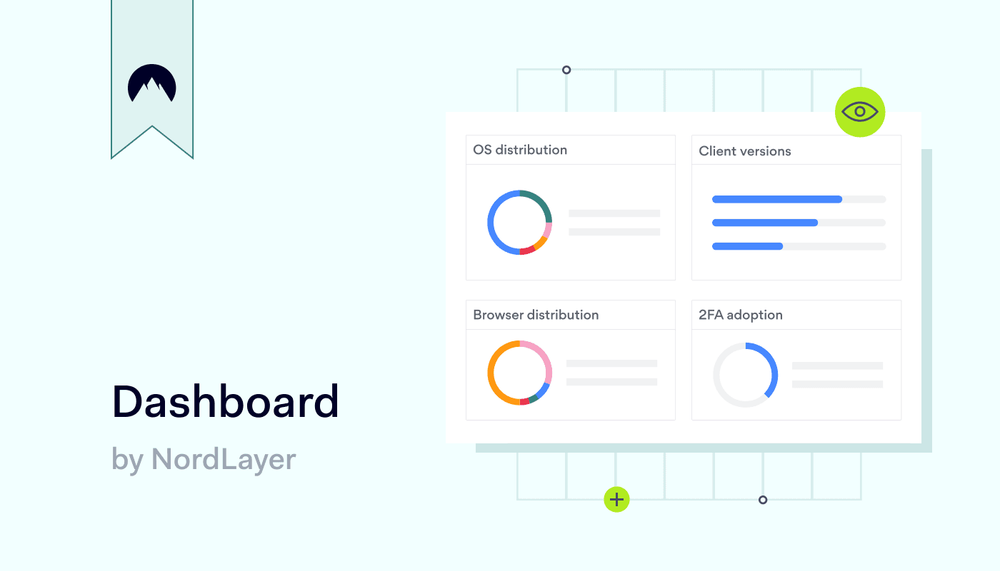
Summary: NordLayer’s updated Dashboard offers close to real-time insights into 2FA adoption, OS types, and application versions graphs. This tool helps admins improve security and performance.

At NordLayer, we’re dedicated to empowering organizations to improve their network security. We’re excited to introduce our revamped Dashboard feature, now offering four new graphs that give admins a comprehensive view of network activity. 

From monitoring 2FA adoption to analyzing the distribution of operating systems, these Dashboard graphs deliver critical data. With enhanced transparency and data-driven metrics, you can make informed decisions and optimize your company’s security strategies. Note that this feature was previously known as “Server Usage Analytics,” reflecting our commitment to improving your experience.

Feature characteristics: What to expect

Here’s what’s new in this release of the Dashboard and how this update can benefit your organization:

1. Percentage of organization members who have 2FA enabled

Two-factor authentication (2FA) is essential for safeguarding user accounts and your company’s network. The new chart tracks the percentage of members within your organization who have completed the 2FA setup, whether enabled by an admin or by users themselves. With this data, admins can promote broader adoption of this security layer and take specific actions to reduce vulnerabilities.

2. Distribution of devices OS types

Knowing the distribution of OS types across your organization helps optimize IT resources, plan for compatibility with future updates, and identify potential security vulnerabilities specific to certain OS types. The OS Types Distribution Graph provides clear data to strengthen your network security practices and support proactive system management.

3. Distribution of NordLayer application versions

Regularly monitoring the NordLayer Application Versions Graph helps ensure that all devices run the latest version of Nordlayer. By tracking version distribution, you can quickly spot any devices that need updates, helping maintain optimal performance and security across your organization.

4. Browser types distribution (for NordLayer Browser Extension)

The Browser Types Distribution Graph tracks which browsers are being used with the NordLayer Browser Extension across your organization. This information is helpful for optimizing web applications, ensuring compatibility, and improving the overall user experience.

How it works: Dashboard in action

NordLayer’s Dashboard provides a detailed view of user connections, network devices, and your network’s server performance. Depending on your plan—Lite, Core, Premium, or Enterprise—certain charts and key metrics are available in near real-time, allowing IT admins to monitor and manage network security and service efficiently.

For example, the 2FA Chart can show that only 60% of your team has enabled two-factor authentication. With this information, you can run an internal campaign to encourage more team members to enable 2FA, thereby strengthening your overall network security.

Similarly, if the Application Versions Graph reveals that a significant number of users are running outdated versions of the NordLayer app, you can quickly address these security gaps by encouraging updates, ensuring that everyone has access to the most recent features and fixes.

Avoiding potential vulnerabilities

Let’s say you’re an IT admin of a growing company. You’ve recently onboarded several new employees, and you noticed a few inconsistencies in how different teams are using security protocols. With the new Dashboard, you can quickly assess the situation:

  • The 2FA Chart shows a low adoption rate of two-factor authentication
  • The OS Types Graph reveals that some teams are still using outdated operating systems
  • The App Versions Graph highlights that several employees haven’t updated their NordLayer application in months

By gathering this data in close to real-time, you can make strategic decisions to improve your company’s security posture—whether it’s launching an internal security campaign or scheduling updates across devices.

Why do dashboards matter?

Dashboards are essential tools for organizations looking to maintain strong network security and service usage and streamline decision-making. By providing clear, real-time data into key metrics, they help IT admins monitor, manage, and optimize their security strategies effectively. Here’s why dashboards are crucial in general:

  • Stronger network visibility: Dashboards offer a comprehensive view of your service and the network’s usage, security, and performance. Whether you’re tracking operating systems, 2FA usage, or app versions, these insights give you the clarity you need to secure your organization.
  • Easier decision-making: The data provided by the Dashboard allows admins to make informed decisions quickly, improving security strategies and keeping the network running smoothly.
  • Data-driven security: Close to real-time data directly impacts your organization’s security posture by making it easier to identify vulnerabilities and mitigate them before they become problems.

Conclusion

With these updates, NordLayer’s Dashboard provides the data for the clear insights you need to protect your organization—no matter its size. By providing close to real-time data on essential security and usage metrics, the Dashboard helps admins take action where it matters most, ensuring a safer, more efficient network for everyone.

Ready to optimize your network security and monitor NordLayer’s service usage? Check out the new Dashboard feature today and start making data-driven decisions that safeguard your organization.

About NordLayer
NordLayer is an adaptive network access security solution for modern businesses – from the world’s most trusted cybersecurity brand, Nord Security.

The web has become a chaotic space where safety and trust have been compromised by cybercrime and data protection issues. Therefore, our team has a global mission to shape a more trusted and peaceful online future for people everywhere.

About Version 2 Digital

Version 2 Digital is one of the most dynamic IT companies in Asia. The company distributes a wide range of IT products across various areas including cyber security, cloud, data protection, end points, infrastructures, system monitoring, storage, networking, business productivity and communication products.

Through an extensive network of channels, point of sales, resellers, and partnership companies, Version 2 offers quality products and services which are highly acclaimed in the market. Its customers cover a wide spectrum which include Global 1000 enterprises, regional listed companies, different vertical industries, public utilities, Government, a vast number of successful SMEs, and consumers in various Asian cities.

Zero Trust vs. least privilege: What’s the difference?

Summary: Zero Trust and least privilege work together to secure your network and protect critical data from unauthorized access. Discover how.

Managing access to network assets is a critical part of cybersecurity. Two concepts constantly arise when discussing access management: Zero Trust and the principle of least privilege.

These are more than just buzzwords. What do these terms mean, and why are they vital in modern cybersecurity? Just as importantly, are Zero Trust and least privilege separate concepts or part of a larger whole?

This blog will explore how the principles differ and help you understand the conceptual basis of secure network access.

What is Zero Trust?

Zero Trust is a strategic security approach that follows the principle “never trust, always verify.”

In cybersecurity, organizations implement this principle via a set of technologies known as Zero Trust Network Access (ZTNA).

The Zero Trust concept requires a default position of mistrusting all connection requests and internal network activity. Every user and connection poses a potential threat. Systems should only grant access when organizations know for sure users are legitimate.

ZTNA’s main role is safeguarding work-related assets. For example, systems block access requests to documents from unauthorized devices or unusual locations. ZTNA technologies deny access to attackers with stolen credentials, keeping sensitive data safe.

The Zero Trust model departs from traditional security concepts by operating at the network edge and within the network perimeter.

  • Only trusted users can enter the network perimeter. Identity verification happens via credential authentication and tools like device posture checks.
  • Network managers monitor user activity within the network boundary. Access control measures block resources without appropriate permissions.
  • Zero Trust architecture involves continuous security measures. Security tools monitor users continuously, requesting identity verification for each access request.

The idea behind Zero Trust is simple. With ZTNA safeguards in place, businesses make it harder for attackers to move within the network. By enforcing strict verification at each access point, ZTNA helps block any unauthorized access attempts.

Access controls and monitoring shrink the attack surface, limit lateral movement, and give security teams time to take quarantine measures.

The ZTNA framework evolved to suit modern business needs. The rise of distributed workforces and cloud computing made traditional perimeter defense obsolete. Identity-based security makes more as network boundaries become increasingly vague.


What is the principle of least privilege?

The principle of least privilege (PoLP) is related to privilege management.

PoLP requires network admins to limit the devices or applications users can access. Users should only enjoy access to resources they need to carry out authorized tasks.

Companies often apply PoLP via role-based access control (RBAC) measures. For example, medical researchers may need access to data sources and reports relevant to their research. Physicians should have access to individual medical records but may not need access to aggregated medical data. This approach ensures that each role has only the permission necessary for its specific responsibilities.

In other cases, PoLP applies dynamically, using just-in-time access, where permissions are granted only for a limited period. For example, DevOps teams at financial institutions may need to escalate privileges for database maintenance temporarily.

With just-in-time access, teams receive the necessary permissions only for the duration of the task, and access to confidential records is automatically revoked once the specific period ends. This way, sensitive access is strictly limited to when it’s needed, reducing long-term exposure to potential security risks.

Least privilege access allows teams to carry out maintenance tasks, before revoking access to confidential records when the task is done.

PoLP aims to reduce the harm caused by malicious actors by minimizing user privileges at all times. If cyber attackers breach network defenses, the principle of least privilege limits their access to sensitive data and critical systems.

When properly applied, PoLP ensures that users only have minimal permissions necessary for their roles. This means that even if attackers gain control of a user’s device, they’ll face restrictions on what actions they can take, reducing the risk of major data breaches or unauthorized access to critical information.

Cutting data breach risks has another important benefit. The principle of least privilege aids compliance with regulations like GDPR, PCI-DSS, and HIPAA. Companies handling confidential information can limit access to those with a legitimate business reason – in line with regulatory requirements.

Least privilege access applies to all network users, from junior staffers to administrators. Nobody should have the freedom to roam across all network resources. Controls include non-human users such as APIs and virtual machines as well.

Privileged access applies to all users within the network directory, requiring a comprehensive analysis of network resources and user identities. Admins must assign privileges accurately and update access rights as needed.

Zero Trust vs. least privilege

The principle of least privilege and ZTNA play complementary roles in digital security architecture, but their scope and how they handle security risks differ.

Let’s start with the similarities. Both frameworks aim to protect data and shrink the attack surface.

ZTNA and least privilege access also use similar tools to achieve this goal. Both frameworks advise using identity and access management (IAM) systems, segmentation, and network monitoring.


Are there any important differences between ZTNA and least privilege access?

ZTNA and least privilege are far from identical. However, the key takeaway is the two concepts complement each other in network security setups.

The Zero Trust model is concerned with how organizations authorize user activity. ZTNA-based systems authenticate users, discovering whether they are who they claim to be. Systems verify identities whenever they receive access requests. As a result, ZTNA is generally more resource-intensive and complex. Security teams must verify every activity and access request.

Least privilege access focuses narrowly on how users relate to network assets. In this sense, the principle of least privilege is an essential component of all Zero Trust solutions.

Applied on its own, PoLP is a useful foundation for data protection and privileges management. However, ZTNA delivers greater in-depth protection to meet urgent security needs.

Should you choose between Zero Trust and least privilege models?

The key takeaway is this: There is no natural opposition between Zero Trust vs. least privilege concepts.

Most companies would benefit from using both approaches when designing security measures. PLOP and ZTNA are critical components of Defense-in-Depth (DiD) strategies. You can’t lock down data effectively without considering both frameworks.

Companies can choose how extensively they deploy Zero Trust and least privilege-based access controls. However, in-depth access controls are vital in a world of endemic data breaches and phishing threats.

Key components of Zero Trust and least privilege

Robust network security setups leverage Zero Trust Network Access and the principle of least privilege to safeguard resources. We generally find the following components in both security models:

  • Network asset classification. Companies must identify critical assets before defining access rights. Admins identify assets requiring protection, including data storage, applications, and hardware systems. Access policies define user permissions, enabling precise access control measures.
  • Access controls at the network edge. Traditional access controls filter requests at the network edge. Tools like multi-factor authentication (MFA) and next-generation firewalls admit legitimate users and block unauthorized access requests.
  • Software-defined perimeters. ZTNA deployments often use a software-defined perimeter (SDP) that accommodates today’s flexible network architecture. SDP verifies user identities via credentials, posture checks, and data like user location and access times. Users can then access approved resources without the need for add-ons like VPNs or wholesale network access.
  • Identity and Access Management. Privileged access tools assign permissions, determining which resources users can access and the types of activity they can carry out. For instance, some users may have read privileges, while access rights for others include editing or deleting data.
  • Network segmentation. Network segmentation divides network resources by robust internal walls. Admins define segments via firewalls, software-defined networking (SDN), access control lists, or a combination of measures.
  • Network monitoring. The Zero Trust security models require continuous monitoring of access requests. Systems must check device statuses, user activity, and network traffic patterns. Monitoring ensures users remain at the appropriate privileged access level. Alerts also allow rapid responses to potential data breaches.
  • Threat response. Security teams must shrink the attack surface rapidly when attacks materialize. Zero Trust security advises companies to plan for worst-case scenarios and adopt a proactive approach to quarantining threats.

How do ZTNA and least privilege fit into security systems?

PoLP and ZTNA security measures often complement Virtual Private Networks (VPNs) and encryption to maximize security. VPNs allow remote workers to connect securely and anonymously. ZTNA and least privilege controls limit their access to relevant resources, adding another layer of security protection.

Zero Trust security may also form part of Secure Access Service Edge (SASE) solutions. In this case, adaptive ZTNA controls work with next-generation firewalls and software-defined networking to defend network resources.

SASE is a good model for globally distributed remote workforces. It does not rely on fixed infrastructure or single work locations. Identity verification occurs wherever users connect, so you may not need legacy tools like VPNs.

How NordLayer can help

Implementing Zero Trust solutions or the principle of least privilege can be challenging.

Zero Trust requires companies to cover every asset and user, install reliable monitoring and authentication systems, and handle lengthy periods of disruption. PoLP requires tight privileges management and access controls.

The good news is that expert partners like NordLayer help you manage these problems.

Nordlayer enables you to create virtual private gateways to safeguard access to your sensitive resources, enhanced by additional layers of security.

For example:

  • The Cloud Firewall enables easy network segmentation to strengthen resource protection.
  • IAM solutions like multiple MFA options, single sign-on (SSO), and user provisioning ensure identities are triple-checked.
  • Robust network access control measures such as Device Posture security make sure that only authorized devices or users from allowed locations can connect to the network.

NordLayer can help with whichever approach you adopt. We provide a simple route to implement Zero Trust and the principle of least privilege. To find out more, contact our team to arrange a demo today.

About NordLayer
NordLayer is an adaptive network access security solution for modern businesses – from the world’s most trusted cybersecurity brand, Nord Security.

The web has become a chaotic space where safety and trust have been compromised by cybercrime and data protection issues. Therefore, our team has a global mission to shape a more trusted and peaceful online future for people everywhere.

About Version 2 Digital

Version 2 Digital is one of the most dynamic IT companies in Asia. The company distributes a wide range of IT products across various areas including cyber security, cloud, data protection, end points, infrastructures, system monitoring, storage, networking, business productivity and communication products.

Through an extensive network of channels, point of sales, resellers, and partnership companies, Version 2 offers quality products and services which are highly acclaimed in the market. Its customers cover a wide spectrum which include Global 1000 enterprises, regional listed companies, different vertical industries, public utilities, Government, a vast number of successful SMEs, and consumers in various Asian cities.

What’s a hardware security key—and when do you use it?

What is a hardware security key, exactly?

In basic terms, hardware security keys are small physical devices that boost your online security by adding an extra layer of authentication. They work with two-factor (2FA) and multi-factor authentication systems, requiring you to physically insert them into your device or tap the key to confirm that it’s really you trying to log in. By making you perform a security step in the real world, these keys significantly reduce the likelihood of unauthorized access by outsiders.

How do hardware security keys work?

Hardware security keys work by using cryptographic protocols to verify your identity. Here’s how it usually goes: you head over to the login page for your online account, enter your username and password, and then the system asks you for the hardware security key.

At this point, you either insert the key (usually into a USB port) or tap it if it’s already connected. This action generates a unique code or signature that confirms your identity. That’s it!

Because of this process, even if someone has your password and tries to use it, they won’t be able to access your account without that physical key.

Pros and cons of hardware security keys

Like many cybersecurity solutions out there, hardware security keys come with their share of benefits and drawbacks. Let’s dive into the pros and cons and see which side weighs more in the balance.

The benefits

  • They are resistant to phishing: Hardware security keys are handy little gadgets that you plug into your device or interact with directly, making them super tough for hackers to bypass. So, even if someone manages to steal your password, they still won’t be able to get in without that physical hardware key.

  • They are quite convenient: Unlike some other two-factor and multi-factor authentication methods, hardware security keys are really user-friendly and don’t require a lot of time or effort to access your account. Just think about it: with time-based one-time passwords (TOTP), for example, you have to open an authenticator app, read the code, and then copy and paste it or write it down on the login screen. It’s secure, but it involves a lot of steps. With a hardware security key, you just plug it in or push one button, et voilà—you’re in! This is still secure but way more convenient.

The drawbacks

  • They’re not supported by all operating systems and websites: Right now, only a handful of apps and services accept hardware security keys as an authentication method. So, while you can easily use them to log in to your Google, Microsoft, Okta, or Amazon accounts, there are still plenty of places where you’ll need to use other methods.

  • They do come with a price tag: While other authentication methods like TOTP codes, passwords, passkeys, and biometrics are free, hardware security keys will cost you. A single key can set you back anywhere from $20 to $80, and even the most expensive ones don’t work with every system or application out there.

  • They can get lost: Since hardware security keys are physical objects—just like your house keys—it’s easy to misplace them. And if you lose one, you might end up locked out of your account until you find it again or can use another method to authenticate yourself (but only if that’s an option, of course).

What steps should I take if I misplace my hardware security key or if it’s stolen?

If you misplace your hardware security key or it gets stolen, the first thing you should do is revoke the key’s access to your account. To do this, log in using an alternative authentication method and go to your account settings to disable the hardware security key. After that, it’s a good idea to replace the lost or stolen key and update your security settings to ensure you’re using a different authentication method moving forward.

So, for instance, if you’ve been using a USB security key as your go-to multi-factor authentication method for NordPass, simply log in with another MFA option, such as a backup code. Once you’re in, just navigate to your Nord Account settings to adjust your MFA preferences or temporarily disable your hardware 2FA.

Use both a password manager and MFA to boost online security

Multi-factor authentication is a great way to keep your online accounts safe from unauthorized access. Each MFA method—whether it’s hardware security keys, TOTP codes, magic links, biometrics, or others—adds an extra layer of security. But if you really want to boost your online safety, combining MFA with a solid password manager like NordPass is the way to go. Why?

NordPass allows you to generate strong passwords on the spot and keeps them all safe in one encrypted vault. This means that the first authentication factor—your passwords—is well protected, significantly improving your overall online account security. But there’s more!

NordPass also supports various types of MFA, including hardware security keys, so you can add even more layers of protection to your password vault. Additionally, you can use NordPass as your go-to authentication app for TOTP codes when logging in to other websites and applications.

All of this shows that, with NordPass, you get a comprehensive solution that covers a lot of security bases at once. So, if you want to make sure your accounts are locked down tight, give NordPass a try and see the difference it can make.

About NordPass
NordPass is developed by Nord Security, a company leading the global market of cybersecurity products.

The web has become a chaotic space where safety and trust have been compromised by cybercrime and data protection issues. Therefore, our team has a global mission to shape a more trusted and peaceful online future for people everywhere.

About Version 2 Digital

Version 2 Digital is one of the most dynamic IT companies in Asia. The company distributes a wide range of IT products across various areas including cyber security, cloud, data protection, end points, infrastructures, system monitoring, storage, networking, business productivity and communication products.

Through an extensive network of channels, point of sales, resellers, and partnership companies, Version 2 offers quality products and services which are highly acclaimed in the market. Its customers cover a wide spectrum which include Global 1000 enterprises, regional listed companies, different vertical industries, public utilities, Government, a vast number of successful SMEs, and consumers in various Asian cities.

×

Hello!

Click one of our contacts below to chat on WhatsApp

×