Skip to content

Top ransomware attacks 2024: major incidents and impact


Summary: Discover 2024’s major ransomware attacks in healthcare, logistics, and manufacturing. Learn how advanced solutions like NordLayer help prevent and mitigate these threats

Ransomware attacks in 2024 have escalated to new heights, surpassing the scale and sophistication of threats seen in 2023. Attackers have become more aggressive than the previous year, using advanced tactics such as double and triple extortion. Organizations are not only facing encrypted files but also the threat of a data breach, with stolen data being leaked or even sold on the dark web. This increases the risks of reputational damage and regulatory penalties.

No organization is immune, and attackers now use more accessible tools like Ransomware as a Service (RaaS). Industries once considered less vulnerable, such as logistics and energy, have increasingly been in the crosshairs alongside traditionally targeted sectors like healthcare and education. This year alone, ransom payments have skyrocketed—rising from under $200,000 in early 2023 to $1.5 million in June 2024—with some organizations shelling out tens of millions of ransomware payments to regain access to their systems or prevent private data from being exposed.

In this blog post, we’ll examine the most significant ransomware incidents of 2024, their impacts, and practical measures your organization can take to strengthen cybersecurity.

Major ransomware attacks of 2024

Ransomware attacks in 2024 have become increasingly sophisticated and common, affecting industries worldwide and causing lasting financial and operational damage. Here are some of the most notable incidents of the year:

7. Healthcare: Change Healthcare

Date: February 2024
Impact: A phishing campaign exploited vulnerabilities in Change Healthcare’s email systems, deploying ransomware that encrypted critical operations. Services like claims processing and prescription drug management were disrupted across numerous U.S. hospitals, affecting thousands of providers and millions of patients.

The attackers demanded $22 million, which the company paid to restore essential services swiftly and limit disruptions to patient care. Strengthening cybersecurity has become key for healthcare providers, and tailored tools like NordLayer help safeguard personal data and ensure continuity.

6. Finance: Latitude Financial Services

Date: February 2024
Impact: Attackers stole 14 million customer records, including sensitive information like driver’s licenses, passports, and financial data. Latitude Financial decided not to pay the ransom, aligning with Australian government policies that discourage ransom payments. They stated that paying the ransom would not guarantee the secure return of data and could encourage further attacks. Instead, the company focused on restoring systems, contacting affected customers, and strengthening its cybersecurity measures.

Financial institutions can mitigate risks with NordLayer’s robust network security solutions, which safeguard critical systems and help meet regulatory compliance.

5. Non-profit: A global organization supporting orphans

Date: March 2024
Impact: A global non-profit supporting orphans (the organization’s name hasn’t been disclosed) was targeted by a ransomware group that encrypted sensitive files, including children’s photographs and medical records. The attackers initially demanded a ransom large enough to bankrupt the organization. After learning it was a non-profit, they lowered their demand.

However, this incident shows how non-profits, with limited defenses but valuable data, are becoming prime targets. Organizations can protect themselves with NordLayer’s security tools, which are tailored to address unique vulnerabilities in the sector.

4. Manufacturing: Allied Telesis

Date: May 2024
Impact: A LockBit ransomware attack encrypted corporate files and stole sensitive data dating back to 2005, disrupting operations for the telecommunications equipment manufacturer. The attackers threatened to release the stolen information if their ransom demands were unmet. The incident underlined the manufacturing sector’s vulnerability to such sophisticated threats.

This security breach is a stark reminder of the need forproactive cybersecurity measures. To mitigate risks like this, NordLayer offers tailored network security solutions for manufacturing industries to help protect critical systems and data.

3. Government: Indonesia’s National Data Center

Date: June 2024
Impact: The Brain Cipher ransomware group targeted Indonesia’s National Data Center, disrupting critical government services, including immigration processing at Jakarta’s airport. The attack encrypted sensitive data and temporarily paralyzed various government operations, highlighting the vulnerability of national infrastructure to sophisticated cyber threats.

Agencies can strengthen their defenses with NordLayer’s solutions for government institutions, designed to safeguard critical operations.

2. Software & IT: CDK Global

Date: June 2024
Impact: CDK Global, a key software provider for North American car dealerships, fell victim to a BlackSuit ransomware attack. Dealerships had to revert to manual processes for sales and paperwork, causing delays in registrations and transactions. The attack compromised sensitive customer data, such as social security numbers and bank account details, exposing millions to potential fraud.

CDK Global temporarily shut down its systems, creating substantial operational and financial challenges for dealerships dependent on its digital solutions. To speed up recovery, CDK Global reportedly paid a $25 million ransom in cryptocurrency. Despite the payment, the impact lasted about two weeks, with most systems restored by early July.

Software and IT companies can enhance security with NordLayer’s solutions, which help mitigate vulnerabilities and maintain operational efficiency.

1. Transportation: Port of Nagoya, Japan

Date: July 2024
Impact: The ransomware attack on Japan’s busiest port targeted the port’s computer systems, encrypting critical data and disrupting operations. As a result, cargo handling and customs clearance processes were severely impacted, causing shipment delays and creating a ripple effect throughout international trade networks.

The incident underscored the vulnerabilities in critical infrastructure and the need for robust cybersecurity measures in transportation. NordLayer offers tailored solutions for retail companies to protect dynamic networks and global supply chains, ensuring continuity even in the face of sophisticated threats.

These incidents highlight the urgent need for organizations to adopt comprehensive cybersecurity strategies. Ransomware attacks continue to grow in both sophistication and impact, making it crucial to counter these evolving threats.

Online threats keep evolving

Ransomware attacks are growing in sophistication, using tactics like double extortion, where stolen data is threatened with public release unless a ransom is paid. The increasing accessibility of Ransomware as a Service (RaaS) has lowered the entry barrier, enabling less-skilled cybercriminals to execute high-impact attacks with more frequently.

Key trends in 2024 include:

  • Higher ransom demands: The financial stakes are higher than ever. Ransom payments in 2024 are now exceeding $10 million in many cases, with some organizations facing demands well beyond that. Attackers are increasingly targeting organizations with high-value data or critical infrastructure, knowing the urgency to recover will push companies to pay.
  • Target expansion: While healthcare, finance, and education have long been prime targets for ransomware groups, other critical sectors like logistics and energy are now in the crosshairs. As supply chains and energy grids become more interconnected and reliant on digital systems, these industries face greater risks of disruptions with global consequences.
  • Advanced tactics: Ransomware groups are not only focusing on traditional on-premise networks but also exploiting vulnerabilities in cloud environments, which is becoming a bigger concern. This highlights the need for more advanced, tailored security solutions.

These trends show how ransomware incidents are becoming more sophisticated and multifaceted. This increases the potential for significant damage and calls for organizations to adopt more comprehensive, layered defense strategies.

Protecting against ransomware threats

Strategies to protect against ransomware attacks

A comprehensive strategy involves protecting not just your systems but also your data and network infrastructure. Each layer of defense plays a crucial role in minimizing the impact of a ransomware attack and preventing it from escalating. Below are essential strategies organizations should adopt:

1. Identify vulnerabilities and patch systems

Many ransomware attacks exploit vulnerabilities in outdated systems. To address known vulnerabilities and maintain a secure network, regularly update software. Ensure that all systems—operating systems, applications, and firmware—are consistently patched. This process should include automated updates where feasible, and IT teams should conduct routine vulnerability scans to identify and fix any weak points before they can be exploited.

2. Use endpoint detection

Use endpoint security solutions to identify and neutralize threats early. These tools not only detect ransomware but also offer insights into the nature of the attack, helping teams understand how it infiltrated the network. Ensure these solutions are configured to alert IT staff of suspicious activity and automatically block unauthorized file encryption attempts.

3. Implement multi-factor authentication (MFA)

MFA adds an extra layer of security, ensuring only authorized users can access sensitive systems, especially those handling sensitive or critical data. By requiring additional verification steps, such as a mobile authentication app, biometric verification, or a hardware token, MFA helps prevent unauthorized access even if login credentials are compromised.

4. Segment the network

Network segmentation isolates critical systems, much like fire doors prevent the spread of fire in a building. This limits the spread of ransomware within the network and minimizes potential damage. You can achieve it by segmenting critical applications, databases, and other high-value assets into subnets with strict access controls.

5. Backup data regularly

Frequent backups of important data should be a cornerstone of your ransomware defense strategy. Regularly schedule backups and ensure they are stored in secure, immutable formats that prevent tampering. The 3-2-1 rule—three copies of data, two different storage types, and one off-site—can provide extra security. Verify the integrity of backups periodically and run simulated recovery drills to confirm that data can be restored efficiently in case of an attack.

6. Train employees

Educate staff on recognizing phishing and other tactics used by ransomware groups. Awareness is a vital defense against social engineering attacks. Beyond that, offer comprehensive training on recognizing signs of suspicious activity, safe browsing practices, and the importance of reporting incidents promptly. Consider including scenario-based training that immerses employees in real-world attack simulations, reinforcing proper responses in a controlled environment.

7. Get cyber insurance

Cyber insurance can help organizations recover financial losses from a ransomware attack, including ransom payments, recovery costs, and legal fees. Cyber insurance can be an important financial safety net, but it’s not a substitute for solid security practices. Make sure the policy clearly defines what qualifies an insurable event and what documentation or proof is required for claims.

How NordLayer enhances security

NordLayer aligns closely with the recommended strategies to protect against ransomware:

1. Identity vulnerabilities and patch systems. With the Device Posture Security (DPS) feature, NordLayer identifies device types and their operating system versions accessing sensitive data. DPS provides timely notifications when a device with an outdated OS version connects to the network, enabling proactive measures such as restricting access to private gateways for devices that don’t meet security rules.

2. Endpoint protection. NordLayer offers Download Protection to block malicious files before they can infect devices and spread malware, which could lead to ransomware attacks.

3. Implement multi-factor authentication (MFA). NordLayer facilitates advanced authentication layers to bolster Zero Trust Network Access (ZTNA). Beyond basic MFA, NordLayer supports additional methods like Single Sign-On (SSO), IP allowlisting, and encrypted connections, ensuring that access to sensitive systems remains secure.

4. Segment the network. Customers can implement granular network segmentation Using Access Control Lists (ACL) within NordLayer’s Cloud Firewall tool. This isolates critical applications and high-value assets, minimizing lateral movement and potential damage in case of a breach.

5. Backup data. While NordLayer does not directly handle backups, its security measures protect access to systems where backups are stored.

6. Cyber insurance. Although NordLayer does not directly offer cyber insurance, pairing NordLayer with NordProtect provides a comprehensive solution for securing critical infrastructure.

By integrating these features, NordLayer supports organizations in addressing ransomware threats while reinforcing their overall security framework.

Lessons from 2024

The top ransomware attacks of 2024 are a stark reminder that no organization is immune to ransomware threats. Whether it’s healthcare organizations, financial firms, or critical infrastructure, the potential for a data breach remains high.

By adopting proactive measures and advanced cybersecurity solutions like NordLayer, businesses can strengthen their defenses and minimize the impact of ransomware attacks. As the threat landscape evolves, staying ahead of cybercriminals is not just a necessity—it’s a responsibility.

About NordLayer
NordLayer is an adaptive network access security solution for modern businesses – from the world’s most trusted cybersecurity brand, Nord Security.

The web has become a chaotic space where safety and trust have been compromised by cybercrime and data protection issues. Therefore, our team has a global mission to shape a more trusted and peaceful online future for people everywhere.

About Version 2 Digital

Version 2 Digital is one of the most dynamic IT companies in Asia. The company distributes a wide range of IT products across various areas including cyber security, cloud, data protection, end points, infrastructures, system monitoring, storage, networking, business productivity and communication products.

Through an extensive network of channels, point of sales, resellers, and partnership companies, Version 2 offers quality products and services which are highly acclaimed in the market. Its customers cover a wide spectrum which include Global 1000 enterprises, regional listed companies, different vertical industries, public utilities, Government, a vast number of successful SMEs, and consumers in various Asian cities.

How to remember your password: 8 different ways

SIDE NOTE: The techniques we’re about to share will help you remember your passwords, but just a heads up—many of them aren’t the safest ways to STORE your passwords, so keep that in mind.


1. Check your browser’s saved passwords

If you’ve ever clicked “Save Password” on a login screen then you know that Chrome, Firefox, Safari, and other popular browsers can save passwords for your convenience (if you allow them to). So, if you can’t remember your password but know you saved it in your browser, just go to your browser’s settings, find the “Saved Passwords” or “Password Manager” section, and you’ll be able to see your password. It’s quick, easy, and often overlooked. Remember, though—using your browser for password storage isn’t the most secure option. A dedicated password manager offers better security and organization.


2. Search through old notes, documents, or emails

If you’re someone who writes everything down—whether in a notebook, on sticky notes, or in your phone’s Notes app—there’s a good chance your password is somewhere in your archives. Don’t stop there, though! Dig through your old emails for account setup confirmations or past password reset requests—they might also hold the clues you need.


3. Try commonly used passwords

Do you have that one password (or a slight variation of it) that you lean on a little too often for “less important” accounts? Think back: is it that go-to password with a familiar number combo at the end? Maybe you just added an exclamation mark to your usual choice. Try a few of your staples—but proceed carefully if the account has lockout limits for failed attempts.


4. Try your other passwords

A lot of people reuse passwords—it’s convenient and reduces the chance of forgetting them. If this sounds like you, try using a password from one of your other accounts to see if it works.

If it does, make sure to change it immediately. Cybercriminals know that people often reuse passwords, so if they gain access to one account, they will try the same password to compromise others. Updating your password ensures better security and minimizes the risk of further breaches.


5. Try your name or other personal details

Sometimes, people get sentimental when creating passwords. Names of pets, children, partners, or even favorite fictional characters often make the cut. Maybe you threw in a birthday or anniversary date for good measure. For instance, if you’re a fan of coffee and your dog’s name is Charlie, maybe the password is “CharlieLatte123.”

Start by thinking about when you created the account—were there specific events, places, or phrases in your life that could have inspired your password? Try brainstorming combinations of hobbies, favorite words, or recurring themes in your life at the time. If you used a password hint, revisit it with a fresh perspective—it might just click! Just don’t share this guessing game with friends because they might crack it faster than you can!


6. Use the “Forgot Password” option on websites

This method feels like a lifeline when you’re locked out. Simply click the “Forgot Password” link on the login page and follow these steps: check your email or phone for a reset link or verification code; follow the instructions provided in the link to create a new password; and ensure your new password is both strong and unique (think random combinations of uppercase and lowercase letters, numbers, and symbols.)

Keep in mind that the reset link might expire, so act quickly. And don’t forget to double-check your spam or junk folder if you don’t see the email right away.


7. Contact support

When all else fails, it’s time to call in the professionals. Customer Support teams are trained to help you regain access while keeping your account secure. You’ll need to verify your identity, so have information like your email address, recent transactions, or security answers on hand. They’ll work their magic and get you back in. However, make sure you’re reaching out to the official support channels to avoid phishing scams.


8. Use a password manager to never forget your passwords again

Here’s the ultimate solution to avoid ever forgetting a password again: using a password manager. Tools like NordPass are designed to store, organize, and even generate passwords for you. NordPass offers secure storage for all your login details, encrypted and accessible only to you. It also comes with the autofill functionality, so you’ll never have to type in passwords manually again 

Best of all, you only need to remember one Master Password. With the NordPass password manager, you’ll save time and avoid stress the next time you’re faced with a login screen.

About NordPass
NordPass is developed by Nord Security, a company leading the global market of cybersecurity products.

The web has become a chaotic space where safety and trust have been compromised by cybercrime and data protection issues. Therefore, our team has a global mission to shape a more trusted and peaceful online future for people everywhere.

About Version 2 Digital

Version 2 Digital is one of the most dynamic IT companies in Asia. The company distributes a wide range of IT products across various areas including cyber security, cloud, data protection, end points, infrastructures, system monitoring, storage, networking, business productivity and communication products.

Through an extensive network of channels, point of sales, resellers, and partnership companies, Version 2 offers quality products and services which are highly acclaimed in the market. Its customers cover a wide spectrum which include Global 1000 enterprises, regional listed companies, different vertical industries, public utilities, Government, a vast number of successful SMEs, and consumers in various Asian cities.

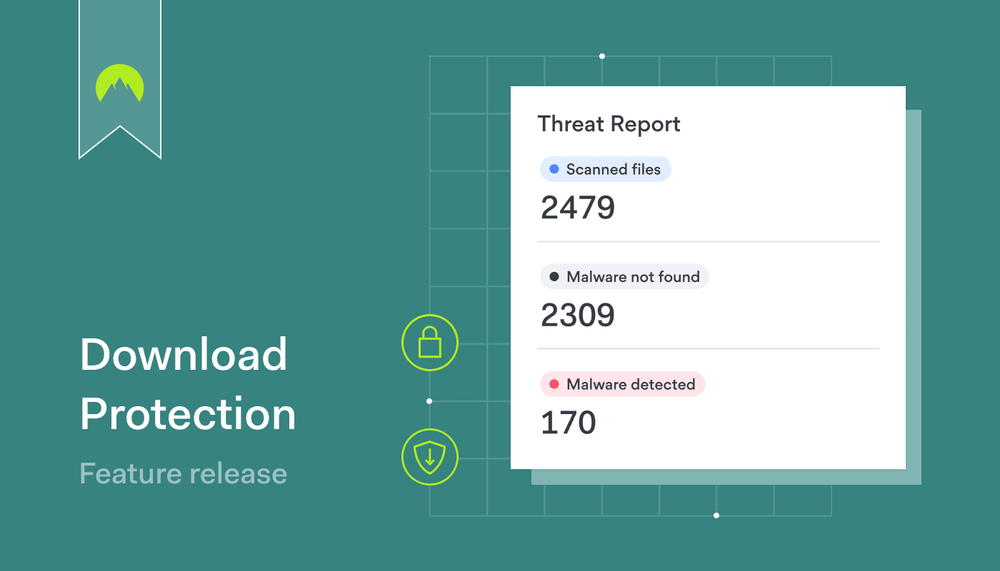
NordLayer feature release: Download Protection

Summary: NordLayer’s new Download Protection feature protects your organization from hidden threats. It scans files in real-time and blocks malicious downloads to keep your system secure.

Every download presents a potential risk, but now there’s a powerful new way to stay ahead of threats. NordLayer is proud to introduce Download Protection, a game-changing feature built on the reliable technology behind NordVPN Threat Protection Pro—trusted by millions of NordVPN users worldwide. By bringing this proven solution to NordLayer, we’re not only enhancing your organization’s defense but also strengthening our Secure Web Gateway (SWG) offering with a proactive, real-time malware detection tool.

With this feature, your business gains a robust layer of protection, capable of scanning and blocking malicious files before they reach your system. Together, we’re making it easier than ever to safeguard your network and users from evolving cyber threats.

How does it work?

Once Download Protection is activated, every file downloaded from the web—whether through the browser or any other network app (Slack, Outlook, etc.)—is immediately scanned by the NordLayer Windows application. The file is removed if a threat is detected, and the user and the organization admin are alerted.

Key highlights include:

  • Uninterrupted protection: Works at all times, even without an active VPN connection
  • Seamless integration: No workflow disruption; security is enforced in the background
  • One-click activation: Admins can enable this feature in seconds, ensuring organization-wide protection

Administrators retain complete control, with the option to apply Download Protection to all organization members or specific teams only. They can further customize the settings while individual users remain safeguarded without the ability to modify configurations.

Feature characteristics: what to expect

  • File types covered: Download Protection covers a wide range of file types commonly used in cyberattacks, including executable files (e.g., .exe, .bat), document formats (e.g., .pdf, .docx), scripts (e.g., .js, .vbs), and more.
  • Analytics and reporting: Admins gain visibility into file download activity through the Control Panel. Reports include scanned files, detailed logs of threats detected, and actions taken, offering actionable insights to mitigate risks.
  • Advanced threat detection: Intelligent Malware Detection leverages machine learning to identify unknown malware and suspicious files, such as those with double extensions (e.g., filename.pdf.exe).

For comprehensive guidance on formats and reporting, refer to our Help Center article.


Why Download Protection matters

Downloading files remains a daily necessity for most users, but each download introduces potential risks. The emergence of new ransomware groups in 2024, with 27 new groups identified by Q2, further complicates the ongoing threat. Many of these groups utilize sophisticated social engineering tactics to trick users into downloading malware-laden files.

Download Protection addresses these risks by acting as a crucial first line of defense.

For IT admins:

  • Mitigate threats: Protect your organization from malware, ransomware, and other attacks executed via malicious files
  • Enhanced visibility: Monitor and analyze file downloads, identifying risk factors to prevent exposure
  • Centralized insights: Access detailed scan event data and threat reports via the Control Panel

For team members:

  • Immediate protection: Automatically block malicious files, preventing accidental downloads from compromising the system
  • One-click safety: Enjoy seamless, hassle-free security without interrupting daily operations

What sets Download Protection apart?

At NordLayer, we take a security-first approach. Built on the reliable technology that powers NordVPN Threat Protection Pro, Download Protection improves your organization’s cybersecurity by adding a proactive defense mechanism that complements your existing tools and security stack.

Download Protection adds a responsive layer of defense by actively detecting and responding to potential threats during file downloads, seamlessly integrating into your current setup without additional configuration or cost. This feature strengthens your organization’s overall security posture.

Scan every download and stay one step ahead

Download Protection is available to all customers across every subscription plan, reinforcing our commitment to delivering enterprise-grade security without added complexity. This feature, released in November 2024, ensures proactive protection for organizations of all sizes.

Cyber threats are evolving, but with Download Protection, your organization is equipped with seamless, always-on security. Activate this feature today and experience the next level of cybersecurity, all in just one click.


About NordLayer
NordLayer is an adaptive network access security solution for modern businesses – from the world’s most trusted cybersecurity brand, Nord Security.

The web has become a chaotic space where safety and trust have been compromised by cybercrime and data protection issues. Therefore, our team has a global mission to shape a more trusted and peaceful online future for people everywhere.

About Version 2 Digital

Version 2 Digital is one of the most dynamic IT companies in Asia. The company distributes a wide range of IT products across various areas including cyber security, cloud, data protection, end points, infrastructures, system monitoring, storage, networking, business productivity and communication products.

Through an extensive network of channels, point of sales, resellers, and partnership companies, Version 2 offers quality products and services which are highly acclaimed in the market. Its customers cover a wide spectrum which include Global 1000 enterprises, regional listed companies, different vertical industries, public utilities, Government, a vast number of successful SMEs, and consumers in various Asian cities.

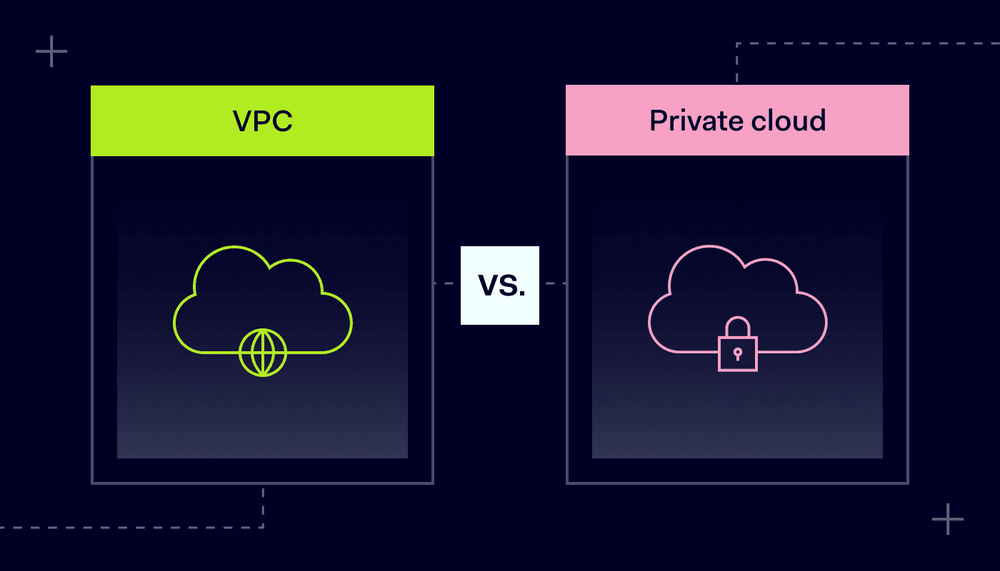
Virtual private cloud vs. private cloud: What’s the difference?

Summary: Virtual private clouds and private clouds differ in cost, flexibility, and security, helping you choose the best option for your organization. 

Private or public? Virtual or local? Cloud deployments come in many varieties. Choosing the right model is critical to performance, ease of use, cost, and security.

This article discusses the two main private cloud solutions: virtual private cloud and private cloud models. Each deployment type has strengths and potential drawbacks. Choosing the right type influences security, cost, and performance. It’s an important decision.

What are the two types of private cloud, and which one should you choose? This article will explain everything you need to know.

What is a virtual private cloud?

A virtual private cloud (VPC) is a virtualized multi-tenant cloud deployment hosted on public cloud infrastructure.

A cloud provider sells public cloud space, and users apply logical segmentation to create a virtual network. This separates the VPC from other resources without needing extra hardware or separate server space.

After that, the VPC functions like a private cloud domain. Users can install applications, create data storage containers, and manage cloud computing as needed.

Virtual private cloud users determine internal routing via IP address subnetting and network access control lists (NACLs). Network gateways enable secure connections from external resources. Users can also connect many VPCs via VPC peering.

Unlike private clouds, VPCs require a direct connection to the public cloud. This potentially makes it accessible to other public cloud users. However, subnetting IP addresses reduces this access risk.

Under the VPC model, users and cloud vendors share responsibility for security. Cloud vendors operate and secure the underlying infrastructure. VPC users must regulate access to resources via tools like security groups, access control lists, subnets, firewalls, and identity and access management (IAM).

Advantages of virtual private cloud architecture include:

  • Flexibility. VPCs can scale rapidly as companies grow or contract.
  • Cost-effectiveness. VPCs are cheap to set up and deploy because the cloud provider handles infrastructure.
  • Low maintenance overheads. Companies can run cloud deployments without large IT teams.
  • Sophisticated internal security. VPC users can segment deployments. It’s easy to separate financial data, sales platforms, and DevOps environments.

Virtual private clouds also have negative aspects. Most importantly, VPCs can experience outages and downtime. While VPCs are flexible, users of private cloud systems may have more customization options.

Security is another issue. VPC users must connect to gateways before accessing cloud resources, and this connection can raise security risks. Reliable access controls and multi-factor authentication (MFA) mitigate these risks. Virtual private network (VPN) protection also helps secure the VPC perimeter.

Note: Many users confuse VPC and VPN technology. The key difference is that VPNs encrypt data flows over the public internet. VPCs are virtualized cloud deployments. They complement each other, enhancing overall security.

What is a private cloud?

A private cloud is a standalone cloud solution with a single tenant. Under the private cloud model, users own and manage their cloud computing infrastructure, including data storage and networking solutions. Control is centralized, and users take responsibility for cloud security.

Typically, private clouds reside in data centers managed by the user organization. On-site hardware creates a physical network perimeter. Endpoints on the private cloud perimeter enable access control. Managers can filter inbound and outbound traffic, ensuring a high level of security.

Private clouds have many benefits:

  • Support for legacy applications. Ensuring access to legacy applications that do not function well on the public cloud (if at all).
  • Enhanced integration management. Managing integrations to ensure operability and maintain security.
  • Granular visibility of network access and user behavior.
  • Resource segregation and control. The ability to segregate resources and have full control over the underlying infrastructure.
  • Robust privacy protection for sensitive information via tight access controls.
  • Complete customization. Users have total freedom to design private cloud architecture.

There are also downsides. Private clouds are complex and expensive to implement and maintain. They scale poorly compared with VPCs. Users require extensive expertise and may see IT costs spiral.


Differences between virtual private clouds and private clouds

The main difference between VPCs and private clouds is that VPCs reside on public cloud infrastructure while private clouds are hosted within an organization’s own data centers or dedicated hardware.

Both technologies allow single-tenant cloud computing, ensuring greater privacy than public cloud solutions. However, users should know how they differ before making a selection. Let’s quickly run through the main points of difference.

Getting started

Private cloud

Configuring a private cloud takes time and expertise. In-house teams to manage and secure cloud deployments. This may entail recruitment or hiring short-term consultants to handle the process.

VPCs

VPCs are relatively easy to set up. The cloud provider manages infrastructure security and VPC performance. Users can also connect VPCs easily to on-premises resources or other cloud instances.

Ease of use

Private cloud

Private clouds meet organizational needs. As a result, they should meet user demands efficiently. However, ensuring consistent performance is technically challenging for in-house teams.

VPCs

VPCs score highly on usability. Cloud vendors handle demanding technical tasks and support new users. Users do not need in-house expertise to benefit from cloud computing services.

Performance

Private cloud

Private clouds deliver robust performance as they reside inside an organization’s network perimeter. Dedicated IT teams also engineer private clouds to meet operational challenges.

VPCs

Cloud-hosted VPC services often show improved performance compared to locally hosted alternatives. They also scale more easily, accommodating business growth.

Maintenance

Private cloud

In-house teams maintain private cloud infrastructure. Data centers require cooling and power systems, which require regular testing and updating.

VPCs

VPCs need minimal maintenance. Users do not maintain physical hardware, although IT teams must check security parameters and audit network traffic on virtual machines.

Cost

Private cloud

Private clouds are expensive to set up and maintain.

VPCs

VPCs tend to be more affordable. Users can also purchase the capacity needed, keeping costs as low as possible.


Availability

Private cloud

Private clouds are generally very reliable and deliver high levels of availability.

VPCs

VPCs rely on cloud providers to keep systems operational and available. Users can leverage redundancy to hedge against downtime or cyberattacks.

Security

Private cloud

The private cloud model is extremely secure. Organizations can limit external access across the network perimeter and deploy internal segmentation to regulate lateral movement.

VPCs

VPCs are more secure than public cloud solutions but less secure than private clouds. Network access controls and segmentation protect critical data. However, unsecured access points can expose data to the public cloud.

Virtual private cloud vs. private cloud vs. hybrid cloud

Before we discuss how to choose cloud solutions, we need to talk about another issue: hybrid cloud deployments.

Hybrid cloud solutions mix different technologies. The most common type combines public clouds and private cloud services.

This type of hybrid cloud suits businesses that need to cut costs, host large amounts of non-critical data, or regularly experience traffic spikes. However, hybrid cloud security is a critical factor to consider, as securing data and workloads across diverse environments requires careful planning.

For instance, space on public clouds is usually cheaper than private alternatives. You might secure confidential data in VPC containers while keeping low-risk assets public.

Another form of hybrid cloud combines private clouds and VPCs. In this scenario, users might reserve sensitive data in a private cloud service. VPCs can handle other workloads. This suits remote workforces and reduces cloud computing costs.

Choosing the right cloud for your business

Let’s return to the main question: should you choose a private cloud or a VPC-based solution? Here are some factors that influence the decision to choose private cloud vs public cloud technologies:

Complete data protection

In the comparison between private cloud vs. public cloud security, VPCs, and private clouds easily beat shared public cloud solutions.

Private clouds are slightly more secure than VPCs, as users have more control over how and where their data is stored. This makes them a better choice for organizations like healthcare bodies or financial data processors.

In general, organizations in highly regulated sectors should consider a private cloud model. They might also segregate sensitive data within private clouds and use public or VPC solutions for other assets.

Simplicity and ease of use

Virtual private cloud solutions suit smaller companies without dedicated cloud maintenance teams. Private clouds require extensive maintenance and are relatively hard to scale.

A VPC solution lets small businesses benefit from cloud computing, secure data, and adapt their deployment as their needs change. Setting up a VPC is also much easier than a private cloud.

Keeping costs low

Think about the cost of your cloud hosting solution. Private clouds have high upfront costs, while VPCs are very affordable. They lock down confidential data or workloads without needing huge capital investment.

Private clouds may have long-term advantages as the operational costs fall over time, especially for larger organizations.

Flexibility

VPCs are more flexible than private clouds. You can spin up virtual servers and storage capacity as needed. For example, you may need a temporary DevOps environment to test code before using it elsewhere.

VPCs can also reside closer to customer communities. If you serve clients on other continents, regional VPCs cut latency and may aid compliance by separating customer data sets.

Private clouds are easier to customize but less flexible. Scaling is complex, making VPCs a better option if your computing or storage needs are uncertain.

Availability

Companies using the cloud to host websites or customer data need high availability. Downtime, which disables web services and workloads, costs money.

VPCs solve the availability issue via redundancy. You can use peering or availability zones to keep systems running, even if part of your deployment fails.

Private clouds are generally reliable but present a single point of failure. Using multiple virtual servers may be a safer option.

Performance

Properly designed private cloud systems perform well because they dedicate resources to essential tasks such as processing AI data sets or video rendering.

VPCs share space with cloud provider customers, leading to variable latencies. Virtual private cloud data centers could also be distant, causing speed issues.

Virtual vs. private cloud: Securing access to both

Whether you choose a virtual private cloud or private cloud solution, security is a top priority. VPC best practices like encrypting data and applying security groups help but are not comprehensive solutions.

Secure cloud access controls are critical to minimize data breach risks. Malicious actors pounce on vulnerable devices and endpoints. There is no room for complacency, no matter what assurances your cloud provider offers.

NordLayer is compatible with the most popular VPC solutions. It can enhance your security by protecting who can access the data stored in the cloud. To secure your VPC, consider these steps:

  • Secure Remote Access: Use NordLayer’s Site-to-Site VPN to create an encrypted tunnel, allowing safe access to the VPC without exposing data to public internet risks.
  • Prevent unauthorized access: NordLayer’s Cloud Firewall helps you control who can access the VPC. You can limit access to authorized users, reduce the chance of data leaks, and use extra security layers like SSO and MFA to double-check identities before granting access.
  • Device Posture Security: NordLayer’s Device Posture Security ensures that only approved devices that meet company security standards can connect to the VPC. It helps prevent compromised or non-compliant devices from accessing sensitive data.

To find out more, contact the NordLayer sales team and discuss your cloud security needs.

If you serve security-conscious clients, why not take a look at our MSP partner program as well? As a cybersecurity partner, you can earn revenue and secure your cloud assets with support from our experts.

About NordLayer
NordLayer is an adaptive network access security solution for modern businesses – from the world’s most trusted cybersecurity brand, Nord Security.

The web has become a chaotic space where safety and trust have been compromised by cybercrime and data protection issues. Therefore, our team has a global mission to shape a more trusted and peaceful online future for people everywhere.

About Version 2 Digital

Version 2 Digital is one of the most dynamic IT companies in Asia. The company distributes a wide range of IT products across various areas including cyber security, cloud, data protection, end points, infrastructures, system monitoring, storage, networking, business productivity and communication products.

Through an extensive network of channels, point of sales, resellers, and partnership companies, Version 2 offers quality products and services which are highly acclaimed in the market. Its customers cover a wide spectrum which include Global 1000 enterprises, regional listed companies, different vertical industries, public utilities, Government, a vast number of successful SMEs, and consumers in various Asian cities.

What is an insider threat?

Today, we’re taking an in-depth look at insider threats, offering you an overview of identifying and preventing these risks to keep your organization secure.


What’s defined as an insider threat?

The concept is fairly simple—an insider threat is a risk posed by someone within the company, like an employee, contractor, or partner, who has access to the company’s sensitive data, networks, and systems. This risk arises when that person, whether on purpose or by accident, misuses their access, putting the company’s digital resources at risk.

So, why do insider threats happen? There are a lot of reasons, and it really depends on whether the person meant to cause harm. Some insiders might act maliciously, wanting to hurt the company for personal gain or out of resentment. On the other hand, some are just negligent, causing harm unintentionally, simply because they’re careless or don’t fully understand cybersecurity. Whatever the reason, intentional or not, insider threats can cause significant damage to a company, both financially and to its reputation.

For many, this idea can be hard to accept because we naturally want to trust our team members and find it difficult to believe they’d harm the company. As a result, many organizations focus on external threats, overlooking the fact that insiders—armed with a deep understanding of systems, processes, and policies—can exploit vulnerabilities from within. What makes this even trickier is that sometimes, the actions of insiders are so subtle it’s tough to tell what’s normal and what’s actually harmful. That’s why cyber insider threats are often more difficult to detect than external ones.


Types of Insider Threats

It’s important to understand that insider threats are not monolithic—as briefly stated above, they fall into two main categories: malicious and negligent. This distinction is crucial for developing targeted strategies to effectively mitigate each type of risk.

Let’s first talk about malicious insider attacks—these are caused by individuals within the organization who intentionally seek to cause harm. Their motives could be personal gain, revenge, or even espionage. Malicious insider threats might involve stealing sensitive data to sell to competitors, sabotaging systems, or committing fraud. In short, these actions are deliberate and meant to hurt the organization, whether through financial loss or reputational damage.

On the other hand, negligent insider threats are caused by individuals who don’t intend to cause harm but still put the organization at risk due to carelessness or lack of awareness. Negligence often stems from failing to follow security protocols or making poor decisions, like using weak passwords to protect business accounts or falling for phishing scams and creating openings in the company’s protective layer. While these individuals aren’t trying to harm the organization, their lack of attention or poor judgment creates vulnerabilities.

There are also a couple subtypes of insider threats worth mentioning. One is the accidental threat, which is caused by human error. These are typically rare but can still cause significant damage, such as when an employee forgets to log out of a system or uses unauthorized software by mistake (also known as shadow IT).

And then we have the so-called third-party internal threats, the name of which sounds a bit contradictory. But that’s because it describes threats caused by external entities, like contractors, partners, or service providers, who aren’t full-time employees but still have access to the organization’s resources. Therefore, their actions—whether malicious or accidental—can also pose significant risks to the company.


Insights from the frontlines: Insider threat examples

Moving from the theoretical to the tangible, let’s anchor our understanding of insider threats in the reality of actual incidents. These examples serve as critical lessons in the multifaceted nature of insider threats. Each incident sheds light on different aspects of insider actions, whether driven by malicious intent or accidental negligence, which can lead to significant security breaches.

The Morrisons data leak

Back in 2014, in an alarming display of malicious intent, a disgruntled employee at Morrisons supermarket exploited his access to confidential employee data. He leaked personal information, including bank details and salaries, of nearly 100,000 employees to the internet and newspapers. This breach not only exposed employees to potential financial fraud but also proved the critical need for stringent internal access controls and the ability to quickly respond to insider threats.

Anthem data breach

Anthem’s data breach is a stark reminder of the consequences of negligent insider actions. Attackers used a clever phishing scheme to get hold of the credentials of several key employees, which eventually led to unauthorized access to the personal information of 78.8 million individuals. This incident highlights how important is employee training on cybersecurity best practices and the implementation of robust security tools.

Edward Snowden NSA leak

Edward Snowden’s disclosure of classified NSA documents to the public is perhaps the most infamous and controversial example of an insider threat. The incident highlighted the profound implications that insider threats can have on national security. Snowden’s actions, driven by a belief in the public’s right to know about government surveillance programs, illustrated the potential for significant ideological motivations behind insider threats and the necessity for comprehensive vetting within organizations that have implications nationally and even globally.

These real-world examples emphasize that insider threats are not a monolithic problem but rather a spectrum of risks that require a nuanced approach to mitigation. They illustrate the necessity for organizations to develop insider threat programs that address both intentional and unintentional risks.


Insider Threat Prevention and Detection: Fortifying Against the Invisible Enemy

As organizations increasingly recognize insider threats as potentially organization-ending incidents, the imperative shifts to understanding these risks and actively implementing strategies to prevent and detect them.

Insider threats, by their very nature, require a nuanced approach. Here, we look at the cornerstone practices for bolstering your defenses.


Insider Threat Prevention

Prevention is the cornerstone of a robust security posture. Effective prevention combines early intervention with a comprehensive strategy, focusing on:

Access control and management: Employing strict access controls and regular reviews to make sure that employees only have the necessary privileges to perform their duties, thus minimizing potential abuse.

Security awareness and training: Developing an ongoing education and awareness program that highlights the importance of following the organization’s security policies, helping to prevent negligent behavior by making employees aware of the risks and how they should act in the face of those risks.

Regular audits and compliance checks: Conduct periodic audits of systems and practices to ensure compliance with security policies and identify potential vulnerabilities.

Reporting mechanisms: Creating reporting systems and fostering an environment where employees feel safe to report suspicious activity without fear of reprisal is critical for the early detection of potential threats.


Insider Threat Detection

Detection strategies are critical for identifying threats that prevention measures may not have fully mitigated. Effective detection is predicated on the ability to identify anomalies and act swiftly, involving:

Behavioral analytics: Implementing user and entity behavior analytics (UEBA) to monitor for unusual activity patterns that may indicate malicious or negligent insider actions.

Incident response and management: Developing a clear, efficient incident response plan that enables quick action to mitigate the impact of detected threats.

Technology and system monitoring: Utilizing advanced monitoring tools to continuously observe system and user activities for signs of insider threat, including unauthorized data access.

Feedback loops for continuous improvement: Creating mechanisms for feedback on the effectiveness of detection strategies, allowing for continuous refinement and improvement of security measures.


Harnessing password managers to combat insider threats

Among the tools available to protect organizations against insider threats, password managers emerge as a utility for convenience as well as a critical line of defense. Let’s explore how enterprise-grade password managers, such as NordPass Enterprise, can bolster an organization’s security posture against insider threats.


Centralized control over access

Password managers offer centralized control mechanisms that significantly streamline the management of user access to sensitive systems and information. By centralizing password storage, organizations can enforce company-wide password policies, ensure the use of strong, unique passwords across all accounts, and rapidly revoke access when a user’s relationship with the company changes or suspicious activity is detected.


Enhanced security features

Enterprise password managers come equipped with advanced security features such as multi-factor authentication (MFA), biometric access controls, and secure password and item sharing. These features add layers of security that make it significantly more challenging for malicious insiders to gain unauthorized access to critical systems. MFA, in particular, is a powerful deterrent against unauthorized access attempts, ensuring that even if a password is compromised, the additional authentication layer provides a formidable barrier.


Audit trails and monitoring

One of the key advantages of using an enterprise password manager is the ability to generate comprehensive audit trails and engage in proactive monitoring. Enterprise-grade password managers, such as NordPass, log user interactions with the stored credentials, providing security teams with valuable insights into access patterns and behaviors that may indicate a potential insider threat.


Educating and Empowering Employees

Beyond the technical benefits, password managers play a crucial role in fostering a culture of security awareness within an organization. They relieve employees of the burden of remembering complex passwords for every account and reduce the temptation to reuse passwords or resort to easily guessable ones. This, in turn, empowers employees to embrace security best practices without compromising productivity or ease of use.


A foundation for secure collaboration

In today’s collaborative work environments, such as IT security departments, the secure sharing of access credentials is critical but poses significant security challenges. Fortunately, tools like NordPass, a password manager for IT teams, address this challenge by enabling the secure, controlled sharing of credentials and access rights. This ensures that sensitive information remains protected, even when access is extended across teams or departments, mitigating the risk of insider threats related to shared credentials.

By integrating a robust password management solution into their cybersecurity strategy, organizations can significantly enhance their defenses against insider threats. Password managers provide a comprehensive suite of tools designed not only to secure passwords but also to enforce access policies, monitor user behavior, and promote a culture of security awareness.

About NordPass
NordPass is developed by Nord Security, a company leading the global market of cybersecurity products.

The web has become a chaotic space where safety and trust have been compromised by cybercrime and data protection issues. Therefore, our team has a global mission to shape a more trusted and peaceful online future for people everywhere.

About Version 2 Digital

Version 2 Digital is one of the most dynamic IT companies in Asia. The company distributes a wide range of IT products across various areas including cyber security, cloud, data protection, end points, infrastructures, system monitoring, storage, networking, business productivity and communication products.

Through an extensive network of channels, point of sales, resellers, and partnership companies, Version 2 offers quality products and services which are highly acclaimed in the market. Its customers cover a wide spectrum which include Global 1000 enterprises, regional listed companies, different vertical industries, public utilities, Government, a vast number of successful SMEs, and consumers in various Asian cities.

×

Hello!

Click one of our contacts below to chat on WhatsApp

×