Skip to content

A quick guide to remote access protocols

Remote access is a business necessity. Around 50% of workers use remote access technologies to work from home or on the move. Many of those workers access remote desktops to recreate workplaces outside the office.

While workers see Office 365 or SalesForce on their displays, a lot happens under the hood. Businesses rely on remote access protocols to connect devices and transfer data. In every case, companies must secure remote access methods while ensuring optimal performance. 

This blog will explore remote access protocols and introduce some popular varieties. We will also list some remote access best practices to help you find the perfect setup.

What are remote access protocols?

Remote access protocols enable connections between remote devices and servers. Protocols set the conditions for transferring data packets, allowing workers to access desktops hosted on centralized data centers. Many protocols also strengthen security by applying encryption to hide traffic from outsiders.

Common types of remote access protocols

Almost every device has an in-built remote access protocol. Windows uses the Remote Desktop Protocol (RDP), while Linux and Macs use the Secure Shell Protocol (SSH).

Protocols have default settings, which often suit user needs. However, there are occasions when customizing remote access protocols is essential. You may also add extra protocols to improve security or ensure compatibility with other systems.

When you deviate from default setups, it’s important to understand how remote access protocols work. Let’s explore the main remote access protocols and how to use them.

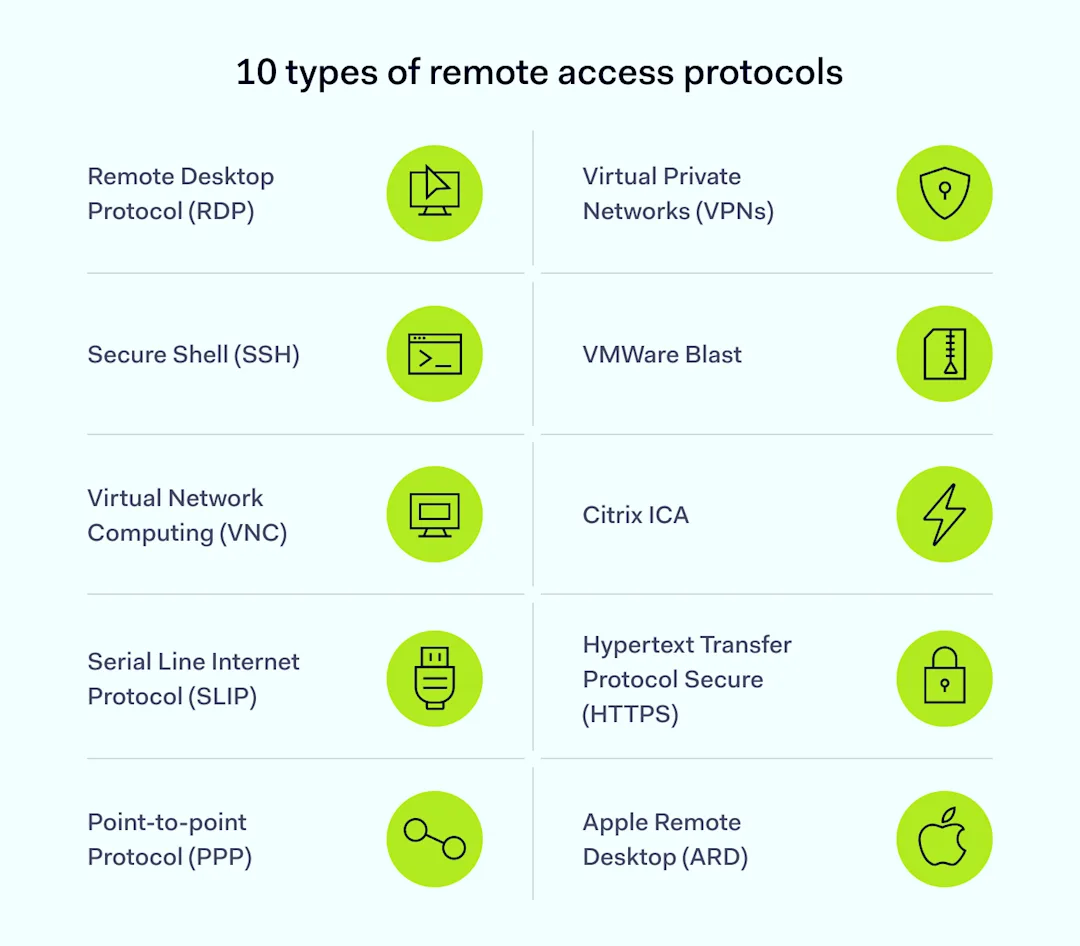
10 types of remote access protocols

Remote Desktop Protocol (RDP)

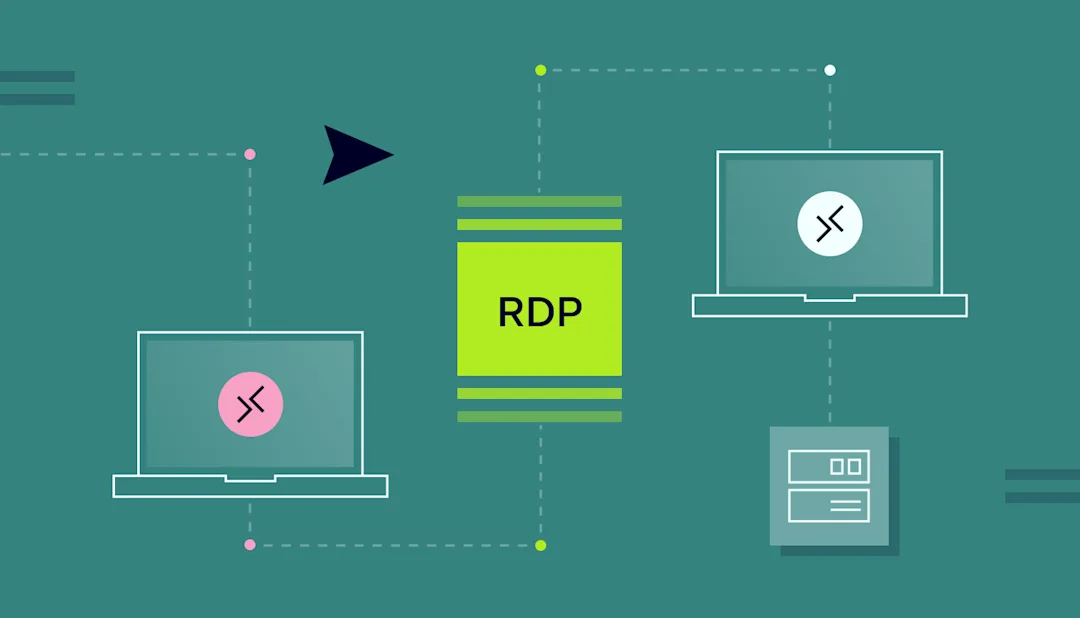
Microsoft created the Remote Desktop Protocol in 2012. RDP uses a server and client setup to organize shared connections between remote devices and central servers. Engineers use RDP to access remote devices securely, and the protocol works with Windows, Linux, Mac OS, and even Android.

RDP uses port forwarding and the TCP/IP transfer protocol to send and receive data over a network channel. This channel carries data about keystrokes, mouse movements, and visual information from remote servers.

With RDP, users don’t need to host apps on their devices. They can access central assets via RDP and work via the remote desktop.

Secure Shell (SSH)

The Secure Shell remote transfer protocol allows remote users to deliver command-line instructions to central devices. The SSH protocol encrypts commands and enables secure file transmission. These features make it a popular protocol for server management.

SSH may also be a good option for secure remote access. The SSH protocol uses public and private keys to authenticate connections. RDP relies on password credentials supplied by remote users, which can be vulnerable to theft or brute force attacks.

Virtual Network Computing (VNC)

Like RDP, VNC users remotely control applications stored on central servers. Unlike RDP, VNC uses the Remote Frame Buffer Protocol (RFB). The screen-sharing protocol allows remote capture of devices, providing greater control compared with RDP.

VNC is popular because it is platform-independent. Many users can connect to a VNC instance, regardless of their operating system. It is a common choice for IT or customer service teams who need secure access to user devices.

Serial Line Internet Protocol (SLIP)

SLIP is one of the oldest remote access technologies, having appeared in the 1980s. First used to connect Unix devices, SLIP is still a popular way to control TCP/IP data transmission.

SLIP creates point-to-point pathways between serial devices. Serial communication is rarely used in remote working as it struggles with audio-visual data flows. However, companies commonly use the technique to control internet-of-things devices due to its low cost and simplicity.

Point-to-point protocol (PPP)

Point-to-point protocols use TCP/IP to create secure connections between remote devices and central servers. Operating at the link layer, PPP is a go-to protocol for Internet Service Providers.

PPP is the foundation of other remote access technologies. For example, Point-to-Point Protocol over Ethernet (PPPoE) allows rapid file transfers over Ethernet connections. PPPoE also enables network monitoring to track user activity.

Virtual Private Networks (VPNs)

Virtual Private Networks use variants of the Point-to-Point Tunneling Protocol (PPTP) to create secure tunnels between clients and servers. Tunneling enhances user privacy by encrypting data and assigning fresh IP addresses.

These features make VPNs some of the most secure remote access solutions. However, VPN protocols are not specialized for remote desktop access. They tend to operate alongside RDP and other remote access technologies.

Remote access VPNs create digital gateways to secure other forms of remote access. That’s especially useful for remote workforces that connect via home offices and unsecured public networks.

VMWare Blast

Blast is VMWare’s virtual display protocol and uses the H.264 video compression standard to transfer video data. Compression makes Blast a good option if companies rely on video conferencing and virtual meetings. It also suits remote desktop access with complex visual demands.

VMWare Blast is platform-neutral, supporting Linux, MacOS, and Windows. It uses the UDP and TCP/IP framework for data transfers, while encryption and authentication functions provide additional security.

Citrix ICA

Citrix ICA is a proprietary remote desktop protocol focused on high-performance desktop access.

The “Independent Computing Architecture” resembles RDP’s client and server architecture. Unlike basic RDP, Citrix ICA optimizes data flows for graphics and audio. This reduces latency and enhances efficiency.

Hypertext Transfer Protocol Secure (HTTPS)

HTTPS is a secure version of the Hypertext Transfer Protocol that transmits most web traffic.

Companies can use it to secure remote access via web applications. For example, HTTPS enables collaboration via Google Docs or access to publishing tools like Canva.

The problem with HTTPS is it only applies to web-based traffic. Users will need additional protocols to secure other forms of traffic.

Apple Remote Desktop (ARD)

Apple’s version of the Remote Desktop Protocol, ARD, allows remote management of MacOS systems. It provides similar services to RDP, including remote admin and file transfers.

IT teams can use ARD to remotely manage software on Apple devices or control many Macs on a company network. ARD also features screen-sharing, file distribution, and software installation to ease the workload for security teams.

ARD is only used with Apple systems. You can use it as part of remote access systems, but other protocols are needed if PCs or other devices are involved.

How should you choose the right remote access protocol for your needs?

Take care when choosing different types of remote access protocol, as the protocol you select influences overall performance.

Remote access solutions should balance criteria and take business needs into account. In some situations, security is critical. In others, speed matters slightly more. Here are some criteria to guide your decision-making:

  • Security. If security is foremost, choose remote access protocols that support strong encryption and authentication systems. A smart remote access setup based on combining VPNs and RDP should protect critical data.

  • Speed and performance. Fast protocols consume minimal bandwidth and generate very little latency—handy if you rely on split-second connectivity. Protocols may also support file compression to reduce transfer volumes, another good way to improve performance.

  • Compatibility. Think about how remote access protocols fit into your network environment. Some RAPs support all operating systems. Others, like RDP or ARD, are less wide-ranging. Check your protocol works with visualization platforms like Citrix (if you use them).

  • Cost. Sourcing a proprietary remote access protocol like VMWare Blast can be expensive, as companies must buy licenses for every user. RDP or other solutions may be better suited to small businesses on cost grounds.

Best practices for using remote access protocols

Challenges remain after choosing remote access protocols. How should you use protocols securely and efficiently to achieve your business goals?

Implementing remote access technologies varies between businesses, but some best practices apply across the board:

  • Use multi-factor authentication (MFA). MFA requires extra user credentials before establishing a remote access session. Most protocols support authentication, which cuts the risk of outsiders gaining control of network devices.

  • Encrypt data securely. Encryption scrambles data packets transported via remote access protocols. Tools like RDP do not provide strong encryption by default. The safest option is applying encryption over the top via VPN protocols.

  • Segment networks for added security. Strengthen protection by isolating remote access servers in secure network segments. Control access to this secure zone and minimize east-west movement if attackers breach remote access defenses.

  • Update software regularly. Remote access protocols can be vectors for exploit attacks. Regular patches and software updates keep network assets current and protected against known vulnerabilities.

  • Monitor remote access. Security teams can monitor data transferred via remote access protocols to detect suspicious activity. Maintain activity logs and schedule regular audits to identify potential problems.

  • Organize user training. Users must know how to use remote desktop protocols securely. Password hygiene, VPNs, patching, and avoiding unsafe public spaces should all appear in training programs.

  • Use load balancing to scale RAP solutions. Scaling remote access protocols can cause performance issues. Load balancing helps you manage bandwidth and avoid network bottlenecks.

Remote access protocols: How NordLayer can help

To connect to a remote device, you need a remote access protocol. Products offering this service should be compatible with popular protocols.

The best solutions not only establish the connection but also ensure it is encrypted and secure, like NordLayer. NordLayer’s Smart Remote Access works with SSH, VPC, and RDP protocols. Additionally, NordLayer provides extra security like encryption and access controls, enhancing the safety of remote connections.

Our Smart Remote Access (SRA) feature allows organizations to create virtual LANs interconnecting several work devices. Users can easily reach other devices connected to the same Virtual LAN as if they were on the same physical network.

Virtual LANs created with NordLayer’s SRA are extremely safe, as only authorized users and devices can access network assets. Employees can upload and delete files securely while VPN technology runs in the background—making connections secure wherever users are. IT admins can troubleshoot issues remotely and manage servers from different locations without hassle. Remote desktops can run without security concerns, keeping sensitive data protected.

For example, a sales team on the road can access internal resources and update the CRM in real time, improving response times and data accuracy. A development team spread across different locations can collaborate on code, share files, and use shared servers, boosting productivity and keeping projects on time. Healthcare professionals can access patient records securely from various locations, ensuring timely and accurate medical care.

About Version 2 Digital

Version 2 Digital is one of the most dynamic IT companies in Asia. The company distributes a wide range of IT products across various areas including cyber security, cloud, data protection, end points, infrastructures, system monitoring, storage, networking, business productivity and communication products.

Through an extensive network of channels, point of sales, resellers, and partnership companies, Version 2 offers quality products and services which are highly acclaimed in the market. Its customers cover a wide spectrum which include Global 1000 enterprises, regional listed companies, different vertical industries, public utilities, Government, a vast number of successful SMEs, and consumers in various Asian cities.

About NordLayer
NordLayer is an adaptive network access security solution for modern businesses – from the world’s most trusted cybersecurity brand, Nord Security.

The web has become a chaotic space where safety and trust have been compromised by cybercrime and data protection issues. Therefore, our team has a global mission to shape a more trusted and peaceful online future for people everywhere.

About NordLayer
NordLayer is an adaptive network access security solution for modern businesses – from the world’s most trusted cybersecurity brand, Nord Security.

The web has become a chaotic space where safety and trust have been compromised by cybercrime and data protection issues. Therefore, our team has a global mission to shape a more trusted and peaceful online future for people everywhere.

Third-party reviews: Check Point alternatives and competitors

In 2024, increased attacks on serverless technologies, predicted by Google Cloud’s Security report, became a reality. Misconfigured cloud environments contributed to 30% of incidents in the first half of the year. That’s why it’s important not only to choose a robust Secure Access Service Edge (SASE) cybersecurity solution but also to ensure it is properly configured to protect your company.

In this article, we’ll compare Check Point alternatives, including NordLayer, Fortinet, and Zscaler, to help organizations find the best solutions for enhanced security and protection.

In brief,

  • Check Point, Fortinet, and Zscaler are enterprise-level providers with effective but costly and complex solutions.

  • While NordLayer doesn’t cover all SASE features, it offers a highly-rated solution with some SSE features (part of SASE). It also stands out for its proactive configuration assistance and 24/7 support.

Let’s explore these solutions and see which one might best suit your organization’s protection and security needs.

Check Point software overview

Check Point Software is a long-standing player in the cybersecurity market. It was founded in 1993 and has offices around the world, including in sanctioned countries such as Russia and Belarus.

Check Point offers a wide array of cybersecurity software solutions, but here are the main five areas.

  1. Cloud (Check Point CloudGuard): Provides cloud security services to protect public, private, and hybrid environments. It includes firewall, threat prevention, and posture management software.

  2. Security for remote users (Harmony): Protects remote users with endpoint security tools. Harmony secures devices, web browsing, email, and collaboration software solutions.

  3. Security ops (Horizon): Supports security operations by providing services for threat detection, incident response, and automation.

  4. Network security (Quantum): Delivers advanced firewall and intrusion prevention services to protect networks.

  5. All (Infinity Platform): Integrates multiple security products into one platform. This product covers network, cloud, and endpoint security.

As you can see, Check Point offers a wide range of products that can address various security needs from a product standpoint.

Most mentioned product strengths

Check Point Software offers features that help to secure various network infrastructure and cyber security aspects. Here are some mentioned by users:

  1. Secure network access for businesses

  2. Advanced threat prevention and real-time threat detection

  3. Zero Trust Network Access (ZTNA) features

  4. Deep packet inspection and SSL inspection

  5. Firewall with VPN access management for remote users

  6. Geo-location filtering and detailed URL filtering

  7. Zero-day attack protection with quick patch updates for vulnerabilities

  8. Network mapping and compliance testing across environments

  9. Environment-specific reports generated for better oversight

Most mentioned overall product benefits of Check Point

Here are some things users often mentioned about Check Point products overall:

  1. Well-known and respected in the industry

  2. Reliable and effective

  3. Unified security management system

  4. Centralized firewall management with easy server integration

  5. User-friendly interface

  6. Minimal need for daily adjustments after the setup

Limitations of Check Point

Despite its strengths, Check Point Software may have some limitations that might not align with the needs of every organization. They might include:

  1. Complicated and costly pricing

  2. Complex setup and configuration

  3. Slowing down during heavy traffic

  4. Difficult advanced features and services

  5. Slow, upgrade-focused support

  6. Overwhelming product range

  7. Lacks competitive SD-WAN alternatives

  8. VPN client issues on MacOS

Disclaimer: This product review is based on information provided on VPN review sites and social networking forums such as Gartner, G2, and Reddit. It also assessed customer feedback shared on these platforms, accessed on August 13, 2024.

Let’s look at Check Point alternatives.

1. NordLayer

Overview of NordLayer

NordLayer is a network security solution designed to provide safe access to company resources from any location. It provides protection for networks, facilitates remote work, and aids in meeting compliance requirements. Developed by Nord Security, the creators of the popular NordVPN service, NordLayer offers a multi-layered defense for your network.

NordLayer assists organizations in implementing Firewall as a Service (FWaaS), Zero Trust Network Access (ZTNA), and Secure Web Gateway (SWG) principles, with a focus on the Secure Service Edge (SSE). It delivers SaaS security features to control access to the internet, resources, and networks.

NordLayer’s flexibility makes it a good fit for businesses of all sizes that need scalable protection.

Product strengths

Product benefits of NordLayer

NordLayer addresses three key business needs. First, it helps enable secure internet access, including for remote employees, and protection while browsing. Second, it segments and controls access to company resources. Third, it helps companies ensure compliance with key cybersecurity regulatory frameworks through easy-to-use visibility dashboards and straightforward identity and access management.

NordLayer primarily focuses on network protection and provides key SSE features, including:

  • Shared gateways and virtual private gateways

  • Quantum safe encryption

  • Dedicated servers with Fixed IP

  • Cloud Firewall

  • Device Posture Security

  • IP allowlisting

  • Web protection (formerly Threatblock)

  • DNS Filtering capabilities

  • NordLynx VPN protocol

  • Browser Extension that enhances performance while ensuring secure browsing

Overall product benefits of NordLayer

Compared to larger solutions discussed in this article, NordLayer offers several key advantages:

  • Transparent pricing, with plans starting at $7 per user per month

  • Proactive setup support to minimize misconfiguration risks

  • 24/7 live support, dedicated account managers, and personalized assistance

  • Direct influence on product development and growth

Limitations of NordLayer

Despite its many strengths, NordLayer has some limitations:

  • Less established brand and not as widely recognized

  • Fewer features and capabilities

  • Slows down the internet connection when using the VPN

  • Can’t adjust team size online; need to contact support to downgrade

  • Sometimes, NordVPN and NordLayer are confused

NordLayer reviews

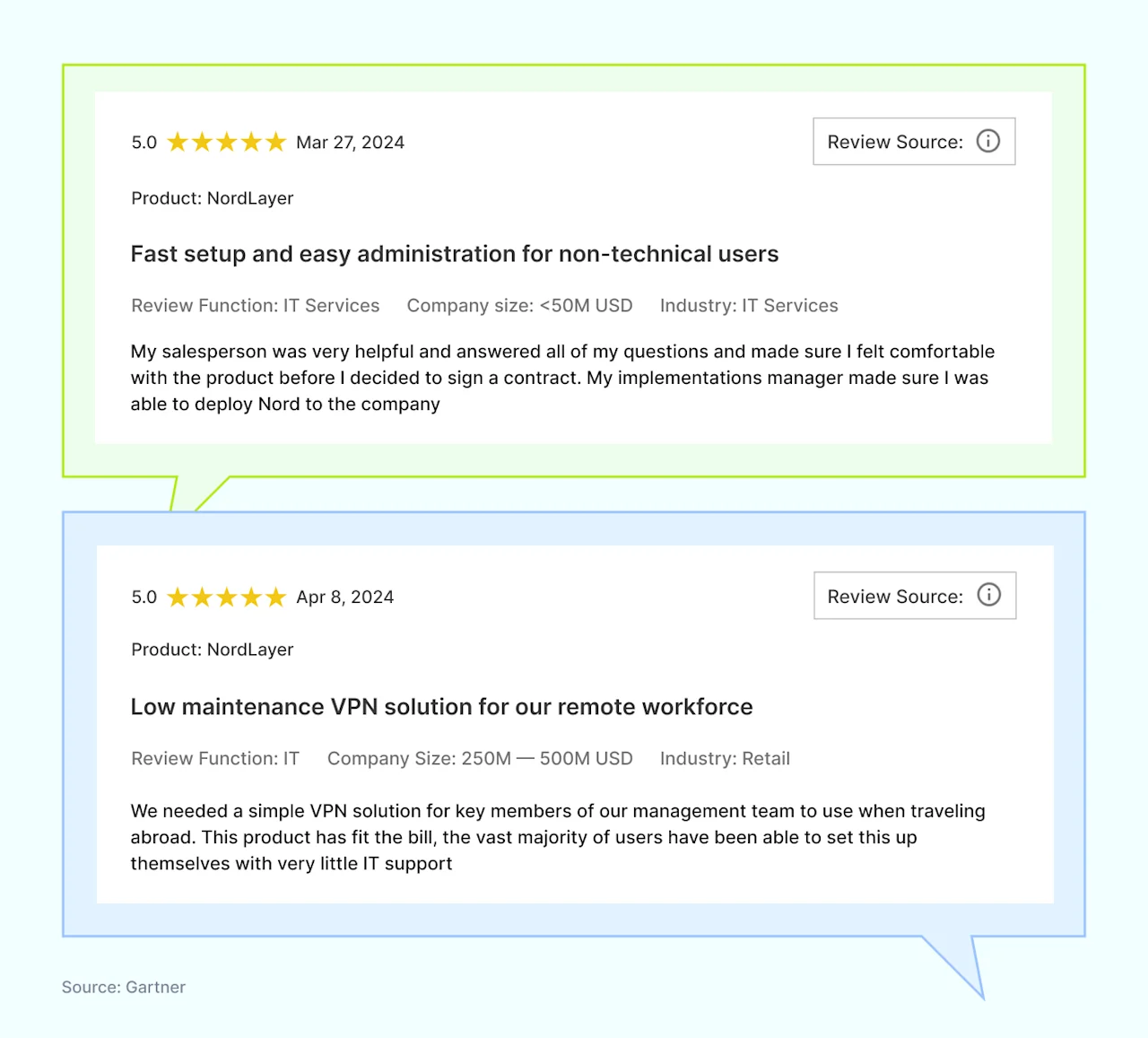
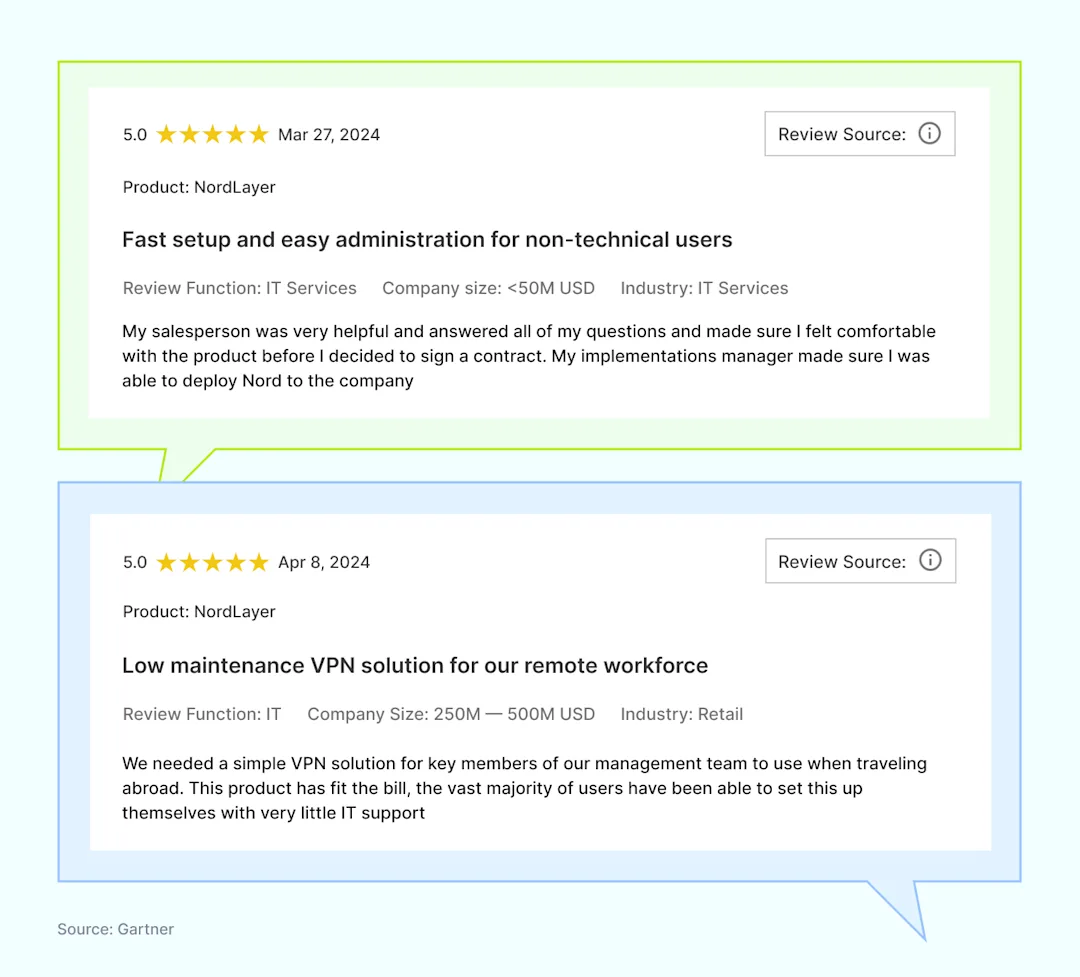
Users frequently praise NordLayer for its ease of use, even for those without extensive IT knowledge. They also appreciate the helpful support provided at every stage.

Reviews

Disclaimer: This product review is based on information provided on our website, VPN review sites and social networking forums such as Gartner, G2, and TechRadar. It also assessed customer feedback shared on these platforms, accessed on August 13, 2024.

2. Fortinet

Overview of Fortinet

Fortinet is a well-known cybersecurity provider, established over 20 years ago in California. Overall, Fortinet is a versatile option for medium to large enterprises protection.

The company specializes in network security, unified SASE, and cloud security for enterprises. While Fortinet does offer solutions for small and midsize businesses, user reviews suggest that it is particularly well-suited for large companies that can benefit from using multiple Fortinet products together.

Most mentioned product strengths

Fortinet’s products are designed to offer comprehensive security services with a focus on performance and scalability.

  1. Well-built, stable hardware, particularly for perimeter firewalls

  2. Next-Generation Firewall featuring AV, IPS, web filtering, application control, and VPN

  3. Advanced Threat Protection

  4. Functions as a wireless controller at no additional cost

  5. FortiGuard Labs threat intelligence

  6. FortiGuard services, including antivirus, data loss prevention, and anti-spam

  7. SecureFabric for isolated communications

Most mentioned overall product benefits of Fortinet

Fortinet stands out due to its strong performance capabilities and broad security features that cater to various business needs.

  1. Intuitive and easy-to-use GUI

  2. Full-stack, single-pane integration

  3. SSL VPN with no extra licensing

  4. Easy firewall configuration

  5. Centralized control and visibility

  6. Cost-effective

  7. Simple management and customization

  8. Easy implementation across platforms

  9. Consistent OS across all devices

Limitations of Fortinet

While Fortinet offers extensive features, it may also have some drawbacks, depending on an organization’s specific needs.

  1. Limited technical support for security products

  2. Logging lacks real-time information and is hard to navigate

  3. Complex configuration and firewall software syntax

  4. VPNs frequently drop, affecting customer experience

  5. Documentation is complex and lacks vital information

  6. The learning curve for rich security features

  7. High license costs, challenging for small-scale organizations

  8. Frequent bugs impact product reliability

  9. Manual firmware updates hinder customer experience

  10. Needs flexible pricing and service options to protect smaller organizations

Disclaimer: This product review is based on information provided on VPN review sites and social networking forums such as Gartner, G2, and Reddit. It also assessed customer feedback shared on these platforms, accessed on August 13, 2024.

3. ZScaler

Overview of ZScaler

ZScaler, founded in 2007 and based in California, specializes in a cloud-native Zero Trust Exchange platform designed to protect customers from cyber-attacks and data loss. As a cloud-based security service provider, ZScaler focuses on securing internet traffic and managing user access to applications.

Most mentioned product strengths

ZScaler provides a range of capabilities designed to enhance security and manageability for organizations that operate in distributed and cloud environments.

  1. Wide array of security features

  2. Numerous customizable options

  3. Granular control in creating security policies

  4. Easy-to-generate reports

Most mentioned overall product benefits of ZScaler

ZScaler’s cloud-native approach and focus on zero trust make it a strong contender in the cybersecurity market.

  1. High performance

  2. Reliable connectivity

  3. Stable cloud-native architecture

  4. Centralized access management and security visibility

  5. User-friendly interface

  6. Scalable at any time

Limitations of ZScaler

Although ZScaler is innovative, it has drawbacks that might not suit every organization.

  1. Complex migration from legacy VPN to cloud-based Zero Trust Network Access

  2. The steep learning curve for users

  3. Incorrect URL classifications affecting security

  4. Disconnection during brief internet fluctuations

  5. Lacking detailed API documentation

  6. Poor customer support and response

  7. Time-consuming setup process

  8. Confusing pricing information for services and products

Disclaimer: This product review is based on information provided on VPN review sites and social networking forums such as Gartner and G2, and it assesses customer feedback shared on these platforms, accessed on August 20, 2024.

Choosing the right network security solution

Finding the right network security solution is crucial for your organization’s protection and growth. Here’s what to focus on:

  • Ensure the software integrates well with your current systems

  • Assess firewall capabilities that match your organization’s needs

  • Review each option’s ability to scale with your organization

  • Prioritize ease of use for smooth implementation and management

  • Evaluate the provider’s support and customer service

Start by considering these factors to secure your organization effectively.

Disclaimer: The information in this article is provided for informational purposes only. It is based on publicly available third-party reviews, user feedback, and online sources accessed between August 13, 2024, and August 20, 2024, and should not be considered definitive or permanent. While we strive for accuracy and completeness, Nord Security Inc. and its affiliates make no guarantees regarding the information’s accuracy, completeness, or suitability. We do not undertake, warrant, or represent that any product, or its feature, is or will remain publicly regarded as better or worse than other alternatives, serve any purpose, has mentioned features, benefits, strengths, and limitations for any period of time. Product features, pricing, and other details may change, and we advise readers to verify these directly with vendors. We disclaim any liability to any party for any errors, omissions, or actions taken based on this information. The inclusion of competitor products does not imply affiliation or endorsement, and all trademarks mentioned are the property of their respective owners. Readers should conduct their research and seek independent advice before making purchasing decisions.

About Version 2 Digital

Version 2 Digital is one of the most dynamic IT companies in Asia. The company distributes a wide range of IT products across various areas including cyber security, cloud, data protection, end points, infrastructures, system monitoring, storage, networking, business productivity and communication products.

Through an extensive network of channels, point of sales, resellers, and partnership companies, Version 2 offers quality products and services which are highly acclaimed in the market. Its customers cover a wide spectrum which include Global 1000 enterprises, regional listed companies, different vertical industries, public utilities, Government, a vast number of successful SMEs, and consumers in various Asian cities.

About NordLayer
NordLayer is an adaptive network access security solution for modern businesses – from the world’s most trusted cybersecurity brand, Nord Security.

The web has become a chaotic space where safety and trust have been compromised by cybercrime and data protection issues. Therefore, our team has a global mission to shape a more trusted and peaceful online future for people everywhere.

About NordLayer
NordLayer is an adaptive network access security solution for modern businesses – from the world’s most trusted cybersecurity brand, Nord Security.

The web has become a chaotic space where safety and trust have been compromised by cybercrime and data protection issues. Therefore, our team has a global mission to shape a more trusted and peaceful online future for people everywhere.

Phishing awareness training: What your employees should know

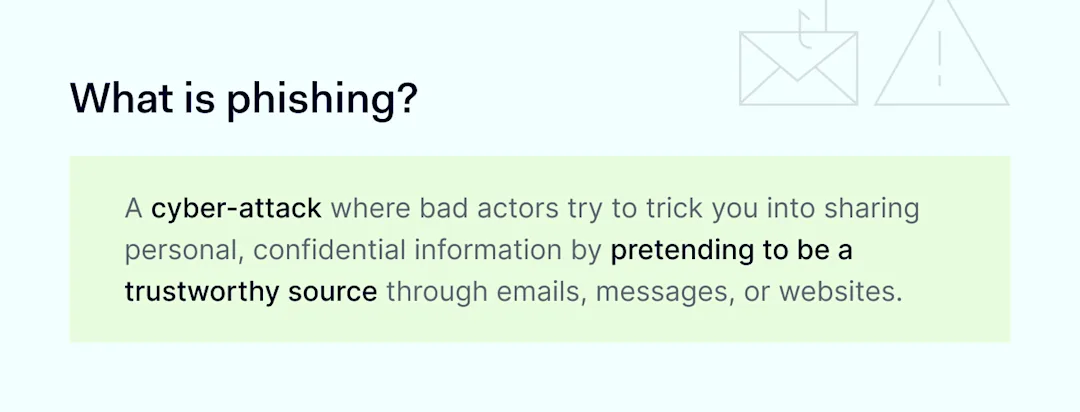
Phishing or social engineering attacks are the number one cyber threat to business networks. Recent studies show that 90% of attacks are triggered by phishing. Innocent mistakes can expose vast amounts of confidential data, risking regulatory action and reputational disaster.

The problem with phishing is that tech solutions are never completely effective. Phishers exploit human nature, convincing users to make unsafe decisions. The only effective response is phishing awareness training.

Poorly trained workforces will eventually put your data at risk. But if you follow the guidance below, you will be well-prepared to handle social engineering attacks.

Key takeaways

  • Phishing involves using emails to persuade readers to make dangerous decisions. Links and attachments direct users to malicious websites, putting data and network assets at risk.

  • Companies can only combat phishing by training employees to identify suspicious emails. This is harder than it sounds. Phishing emails resemble authentic messages and use sophisticated techniques to fool targets.

  • Proper training prepares employees to assess subject lines, email addresses, links, body text, and links. Training covers every aspect of phishing attacks, enabling users to report threats before they compromise your network.

  • Implementing continuous phishing awareness training is key. Employees must refresh their knowledge and participate in phishing simulations. Employers, on the other hand, should create easy-to-use reporting processes.

  • Combining awareness training with cybersecurity technology mitigates most phishing attacks. Threat detection tools, email encryption, and VPNs strengthen your network defenses. They contain malicious threats when phishing training fails.

Phishing: What your employees need to know

There are two main reasons phishing leads to data breaches and other cyber-attacks: poor security infrastructure and lack of phishing awareness.

Robust protection is vital, but it won’t work if employees ignore phishing risks and expose critical data. Safeguarding apps and data requires constantly updated phishing awareness training. Let’s explore what building an effective human firewall entails and how to create effective training materials.

What is phishing

1. Phishing is illegal

The first thing to stress is that phishing scams are always illegal. Successful or not, phishers commit criminal acts, and it’s important to report phishing attacks to the authorities.

Phishing breaches both the Computer Fraud and Abuse Act (CFAA) and legislation against wire fraud. Successful attacks also breach identity theft laws. Phishing isn’t a minor offense, and employees should understand its severity.

Even so, laws do not specifically outlaw phishing—just successful cyber-attacks involving phishing. It’s still legal to email people asking for information. Tricking people with deceptive language is also legal. If not, sending jokes via email would effectively be criminalized.

Phishing differs because attackers trick users into sharing financial or confidential information for personal gain. Keep that definition in mind when delivering security awareness training.

2. Never trust email addresses alone

Phishers are experts in deception. Every aspect of their emails is potentially fake. However, victims sometimes forget this. They see what appear to be legitimate email addresses and assume the content is safe.

That’s a common and dangerous mistake. A phishing attack often starts by using spoofing to imitate legitimate email addresses.

Spoofed email addresses superficially resemble authentic Amazon or Microsoft addresses. If you look more closely, the underlying email address has nothing to do with those companies. This method is also known as display name spoofing. Every employee must be able to spot it 100% of the time.

There’s another aspect to display name spoofing. Email apps on some mobile devices do not show the sender’s address unless users expand the user name. That’s why you must train remote workers to use all devices securely – not just work laptops.

Spoofers can also take another approach known as cousin domain spoofing. This technique creates email domains that closely resemble authentic domains but have tiny differences.

Sometimes, this could be a fake extension like “Cisco-customerservice”. Sometimes, phishers add a different domain name or a string of numbers that shouldn’t be there. These discrepancies are never easy to spot.

Employees must concentrate and check every address for anomalies. Test their skills regularly, as concentration tends to lapse after a few months.

3. Look for suspicious subject lines and content

Subject lines and body text are also red flags when detecting phishing campaigns.

Phishers often use subject lines to grab attention. For instance, attackers might spoof an actual SaaS provider notifying you about rejected invoices. Or they could target executives with extravagant recruiting promises.

Subject lines may use fear and anxiety. Or they could arouse curiosity. When these methods work, users drop their natural caution and may click links or respond to other parts of the email.

Train employees to treat emails with threatening or excessively positive subject lines cautiously. These subject lines don’t automatically indicate a phishing threat. But employees should treat the attached emails as suspicious messages.

Body text is another critical phishing training awareness issue. The tone of the email is the first area to check. A threatening tone is always a phishing red flag.

For example, phishers want readers to click dangerous links and threaten dire consequences if users don’t click the link. Real-world clients or companies rarely communicate like that. The same applies to sudden emails about locked accounts or credit card problems.

Don’t rely on common sense. When creating phishing training materials, add real-world examples of suspicious emails. Highlight how phishers use language and tone, giving employees enough information to make informed judgments.

Remember: phishers can spoof any part of an email message. This applies to embedded links as much as email addresses.

Links are a crucial training theme because malicious links almost always appear in social engineering emails. Phishers try to funnel victims to malicious sites where users hand over information or download malware. Identifying these sites is essential.

If a phishing email is well-written, malicious links look fine. They may resemble links to payment portals or accounting apps. Readers can only see the destination URL by hovering their cursor over the link text.

Check links thoroughly before clicking. Look for suspicious URL formats and shortened URLs. Make sure employees use virtual private gateways with DNS Filtering configured and Threat Block enabled. These NordLayer features ensure employees can access only secure web content by restricting access to potentially malicious websites.

5. Exercise caution with attachments

Email attachments are just as dangerous as links—maybe more so if your employees regularly exchange documents and files via email.

Phishers prefer adding attachments to emails as attachments tend to bypass spam filters. They can add a phishing link to PDF documents or spreadsheets without worrying about interception.

Skilled phishers use this to their advantage. They turn attachments into a form of social proof, persuading readers they need to access something valuable and useful.

When training employees, stress that all attachments are suspicious. The best phishing emails are careful to make other parts of the email convincing. Even plausible messages from seemingly trusted organizations could be malicious.

Teach employees to check attachment links. If they aren’t sure, recommend users report the attachment to a security team member. It’s always better to be safe than sorry.

6. Understand the risks of personal phishing attacks

Understanding personalization is another core part of an effective phishing awareness training program.

The reason for this is simple. As phishing becomes more complex, attackers are launching personalized phishing scams. Even highly qualified individuals can be caught off-guard. The success of a social engineering attack largely depends on context and personal relevance.

Instead of generic greetings, attackers are using contextual data. AI and automation tools enable hackers to profile targets and pose as authentic email senders. Employees need better security awareness in general (to protect their personal information) and when reading emails (to detect small false details).

It’s also vital to deliver additional training for high-ranking individuals and administrators.

Targeted training helps combat whaling and spear phishing attacks that leverage information about senior employees. These individuals often have greater access to sensitive information and privileges to share it—a dangerous combination that bad actors often exploit.

7. Appearances are deceptive as cybercriminals copy corporate branding

When you read emails from major companies, branded graphics, and layout style are often the first things you notice. Companies use consistent visuals and templates to deliver legitimate messages, but phishing emails can copy all of this.

Train employees not to be fooled by slick logos. Look for minor imperfections in the email’s presentation. Phishers often slightly change logos to work around spam filters.

Be wary of images as well. Phishers embed links beneath photos (and elements like QR codes), another way to evade filters. Genuine senders rarely do this, preferring transparent and secure links. Treat image links as potential red flags wherever they appear.

8. Update your knowledge: Phishers are becoming more sophisticated

Tomorrow’s phishing attempts will be more sophisticated. Detecting them will be increasingly challenging. You can be sure of that. Attackers constantly seek ways to avoid filters and fool their targets. Phishing awareness training should evolve with new techniques.

Above all else, security officers should research emerging techniques and prepare for emerging phishing campaigns. Also, creating a comprehensive strategy that includes education, vigilance, and technology works best when it comes to preventing phishing attacks.

Phishing attack trends

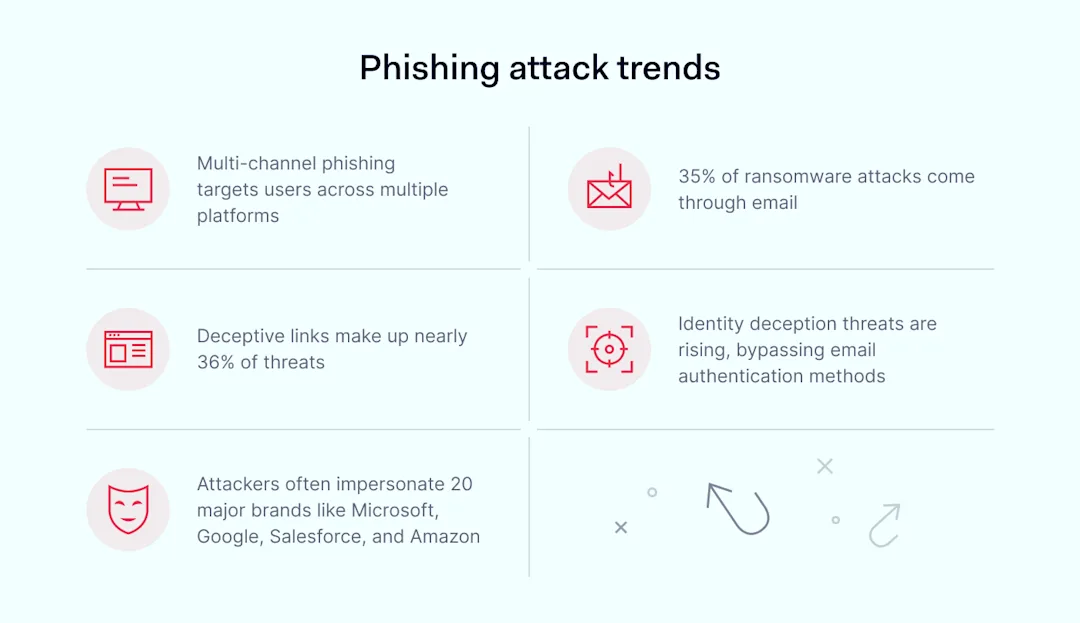
Threat actors are using artificial intelligence to generate more accurate messages. They also run multi-channel attacks, which use two or more communication platforms. Microsoft Teams is the most common second step, followed by Slack and SMS. Security teams must up their game and outpace their adversaries.

How to implement phishing awareness training

Understanding what employees need to know is a good start. It’s vital to put that knowledge into practice with effective phishing training. Here are some tips about how to do so:

  • Implement continuous phishing training with annual updates and testing exercises. Don’t rely on onboarding training. Knowledge and attention erode over time.

  • If you have the resources, run simulated phishing campaigns and war game potential scenarios with cybersecurity tabletop exercises.

  • Include key stakeholders in training scenarios. Everyone, from new hires to veteran executives, plays a role in detecting phishing attempts.

  • Ensure you have a reporting system to pick up alerts from the front line. Employees should be able to instantly report suspicious emails without disrupting their workflows.

  • Provide immediate feedback when an employee clicks on a phishing email. Gentle guidance reinforces training on the spot, and there’s usually no need for disciplinary procedures.

  • Audit your phishing training program regularly. Record phishing incidents and identify areas to improve.

How can NordLayer help?

At NordLayer, we want every company to guard against phishing attacks, and we offer a range of solutions to make that happen.

Firstly, check out our recent article on data breaches. It’s a great introduction to the main attack techniques and data breach risks. When you’re up to speed, use our security tools to make awareness training even more effective.

Multi-factor authentication (MFA) helps ensure cybercriminals won’t get far with stolen credentials alone. Threat protection based on Zero Trust Network Access verifies every user and device before they are given access to your network.

NordLayer also offers solutions that help prevent phishing. Threat Prevention identifies and blocks potential threats, protecting your devices and important data from phishing scams.

Security technologies alone won’t stop every phishing attack. Combining NordLayer’s security tools with phishing awareness training will put you in the best possible position. Get in touch today and find out how to reduce your phishing risks.

About Version 2 Digital

Version 2 Digital is one of the most dynamic IT companies in Asia. The company distributes a wide range of IT products across various areas including cyber security, cloud, data protection, end points, infrastructures, system monitoring, storage, networking, business productivity and communication products.

Through an extensive network of channels, point of sales, resellers, and partnership companies, Version 2 offers quality products and services which are highly acclaimed in the market. Its customers cover a wide spectrum which include Global 1000 enterprises, regional listed companies, different vertical industries, public utilities, Government, a vast number of successful SMEs, and consumers in various Asian cities.

About NordLayer
NordLayer is an adaptive network access security solution for modern businesses – from the world’s most trusted cybersecurity brand, Nord Security.

The web has become a chaotic space where safety and trust have been compromised by cybercrime and data protection issues. Therefore, our team has a global mission to shape a more trusted and peaceful online future for people everywhere.

About NordLayer
NordLayer is an adaptive network access security solution for modern businesses – from the world’s most trusted cybersecurity brand, Nord Security.

The web has become a chaotic space where safety and trust have been compromised by cybercrime and data protection issues. Therefore, our team has a global mission to shape a more trusted and peaceful online future for people everywhere.

Remote workers’ security: Enabling device access with Smart Remote Access

It is often tough for both IT admins and companies to enable remote access. IT admins struggle to establish secure connections and manage remote personal devices. Companies, on the other hand, worry about security risks, high costs, and keeping up with regulations. 

These challenges are even greater for businesses with strict device security policies that require devices to stay in the office while allowing remote working. Organizations that outsource their workforce also face increased security risks of data breaches and difficulty controlling devices.

That’s why remote work security is key. In this article, we’ll explain how NordLayer’s Smart Remote Access (SRA) functionality secures authorized device access, protects data with encryption, and simplifies remote device management.

What is remote work security?

Securing a remote workforce means putting strong security measures in place to protect company devices and company data from being accessed by the wrong users. This strategy helps protect your data and systems when employees, including outsourced or temporary ones, work from outside the office. That’s why super strict device security is a must. This way, you can prevent unauthorized access and ensure that only approved devices can connect to the company network.

The challenge is finding a balance between strict security and remote work. Businesses can use security measures that fit remote setups. One practical approach is implementing solutions that control device access and ensure compliance with security policies. In other words, you need to cover all bases while securely enabling remote device access.

Smart Remote Access Tip 1

3 pillars of remote work security

To keep your employees, data, and systems safe, focus on three main areas. These key elements will help you stay ahead of potential threats and ensure smooth remote operations:

Pillar 1: Securing access to SaaS applications

Remote work security is all about protecting collaboration and productivity tools, along with any other tools that store sensitive business, employee, or customer data. Make sure that only authorized users can access them.

Pillar 2: Defense against web threats

Safeguard against security risks from general web access, such as malware and phishing attacks, by implementing a Secure Web Gateway (SWG) framework.

Pillar 3: Managing applications via ZTNA

Manage company software, whether hosted on-premise or in the cloud, using solutions that contribute to Zero Trust Network Access (ZTNA) for secure and controlled access.

By covering these bases, you’ll keep your remote work environment secure and running smoothly.

Most common remote work security risks

As remote device access becomes more common, businesses face several critical threats. From unauthorized access to phishing and malware infections, these risks can severely impact security. Weak password policies, regulatory non-compliance, unmanaged personal devices, and insecure cloud access contribute to the growing list of challenges.

To put it plainly, it’s like trying to fix a flat tire with a piece of string—it’s not going to hold up without a proper solution. Let’s have a closer look at these challenges:

Unauthorized access

One of the biggest risks businesses face with remote work is unauthorized access, which often results in data breaches.

Phishing

Attackers send fake messages and emails to trick users into revealing confidential information using social engineering techniques.

Malware infections

Remote personal devices are always at risk if not well-protected. If a remote device gets malware, it could infect the entire network and compromise far more sensitive data than expected.

Weak password security

Poor password policies can lead to unauthorized access.

Unsecured cloud and SaaS access

Using insecure alternatives to VPN endangers your data security and exposes it to cyber-attacks.

Best practices for remote work security

Can employees (and their devices) be 100% secure while working remotely? Can they have secure access to company resources? It’s tough, but following these steps can help reduce security risks.

Choose Smart Remote Access (SRA) for remote device control

With SRA, IT admins create a secure connection policy that provides virtual access to a specific company device. Smart Remote Access makes managing diverse devices easier. For example, it helps troubleshoot devices, install or delete apps, or change a remote user’s laptop settings. It also ensures compliance with company security policies and industry regulations.

Quote 2

What’s great about using SRA is that it is intuitive and user-friendly. To enable it, simply add gateways in the Smart Remote Access settings in the Control Panel.

Screenshot 1

Next, to set up secure connections, just connect to the same gateway, name your devices, and make a few configuration changes. choose a Virtual Private Gateway and click Enable.

Screenshot 2

Once you enable the feature for your Virtual Private Gateway, a local network (LAN) will be set up between all devices connected to that private gateway. This makes it easy for team members to collaborate on projects or share files securely.

Boosting remote work security

SRA allows you to create secure connection policies to access company resources easily. What’s the best way to create an even more robust security framework that protects remote work environments? Combine Smart Remote Access with multi-factor authentication (MFA). These two solutions contribute to the Zero Trust Network Access (ZTNA) framework and enhance overall security.

Smart Remote Access Tip 2

MFA adds an extra security layer by requiring multiple verification factors for access. SRA ensures that only authenticated and authorized users can access specific applications and resources.

Smart Remote Access and RDP/VNC: Why encryption matters

Virtual Network Computing (VNC) allows users to remotely access and control another computer’s desktop interface over a network. RDP, or Remote Desktop Protocol, developed by Microsoft, lets users connect to another computer over a network. With RDP, you can see and interact with the remote computer’s desktop as if you were sitting right in front of it.

Quote 1

Now, what’s the difference between SRA, RDP, and VNC? SRA uses robust encryption protocols, ensuring data integrity and confidentiality during remote access. It also integrates VPN technology, adding extra protection. This setup protects sensitive data and prevents unauthorized device access. That’s why SRA is a better choice than basic RDP and VNC.

Smart Remote Access Tip 3

It also helps you avoid “naked,” unprotected connections and gives you peace of mind when it comes to secure remote device access.

How NordLayer can help

NordLayer offers solutions to secure your remote workforce, integrating advanced security measures like encrypted connections, multi-factor authentication (MFA), Virtual Private Network (VPN) technology, and Identity and Access Management (IAM) to ensure robust protection against cyber threats and data breaches.

Smart Remote Access is key to securing remote work environments. By addressing common risks and following best practices, businesses can protect their sensitive data and keep operations running smoothly in an increasingly remote world.

Want to try out our adaptive and user-friendly solutions? Contact our team to find out more.

About Version 2 Digital

Version 2 Digital is one of the most dynamic IT companies in Asia. The company distributes a wide range of IT products across various areas including cyber security, cloud, data protection, end points, infrastructures, system monitoring, storage, networking, business productivity and communication products.

Through an extensive network of channels, point of sales, resellers, and partnership companies, Version 2 offers quality products and services which are highly acclaimed in the market. Its customers cover a wide spectrum which include Global 1000 enterprises, regional listed companies, different vertical industries, public utilities, Government, a vast number of successful SMEs, and consumers in various Asian cities.

About NordLayer
NordLayer is an adaptive network access security solution for modern businesses – from the world’s most trusted cybersecurity brand, Nord Security.

The web has become a chaotic space where safety and trust have been compromised by cybercrime and data protection issues. Therefore, our team has a global mission to shape a more trusted and peaceful online future for people everywhere.

About NordLayer
NordLayer is an adaptive network access security solution for modern businesses – from the world’s most trusted cybersecurity brand, Nord Security.

The web has become a chaotic space where safety and trust have been compromised by cybercrime and data protection issues. Therefore, our team has a global mission to shape a more trusted and peaceful online future for people everywhere.

Understanding the differences between DORA and NIS2

Are you prepared for the new cyber storm on the horizon? Major regulatory changes are coming that will impact many European organizations. With the rise of cyber threats in recent years, European governments have introduced new regulations to strengthen the cybersecurity requirements for organizations across industries.

Two major upcoming directives—DORA and NIS2 from the European Union—aim to bolster cyber resilience for essential services. Strengthening defenses is crucial, yet sorting through shifting security rules and standards can feel overwhelming.

While both address improving cyber defenses, these regulations differ in scope and requirements. This guide is here to help you navigate the changes with clarity. We’ll explore the key details of each directive, compare their differences, and discuss how to prepare your organization for compliance.

What is DORA?

The Digital Operational Resilience Act (DORA) is an EU regulation aimed at ensuring the financial sector within the EU can withstand, respond to, and recover from all types of ICT-related disruptions and threats. It focuses specifically on financial entities like banks, investment firms, and others that provide critical financial services.

The primary goal of DORA regulation is to enhance operational resilience and manage risks associated with third-party service providers. Set to take effect in January 2025, DORA will significantly impact financial sector organizations operating within the European Union.

What is NIS2?

The Revised Network and Information Systems (NIS2) Directive is an updated EU cybersecurity law that expands the scope of its 2013 predecessor. NIS2 broadens the categories of “important” and “essential” entities subject to the regulation beyond just operators of critical infrastructure like energy, transport, banking, financial market infrastructures, and health. 

Essential versus important entities

The directive also imposes new requirements for supply chain security, risk assessments, incident reporting, and third-party risk management. The NIS2 Directive will be enforced starting in October 2024 and apply to any essential service provider operating within the EU.

Why are NIS2 and DORA important?

Attacks can disrupt essential functions and compromise privacy as more services and personal data move online. To mitigate cyber risks, both NIS2 and DORA aim to increase operational resilience and security practices across crucial sectors.

Therefore, the two directives are crucial for businesses due to several compelling reasons:

  • Enhanced cybersecurity. DORA focuses on the financial sector, emphasizing operational resilience and risk management, ensuring financial entities can withstand and quickly recover from cyber incidents. NIS2 applies to a broader range of essential service providers, significantly bolstering their cybersecurity measures.

  • Regulatory compliance. Both directives set strict regulatory requirements. Non-compliance can lead to hefty fines, sanctions, and damage to a company’s reputation. Ensuring compliance helps businesses avoid these financial and legal risks, maintaining a positive standing with regulators and customers.

  • Customer trust & confidence. Compliance with NIS2 and DORA demonstrates a business’s commitment to protecting personal and financial data, fostering trust and confidence among customers. This trust can translate into customer loyalty and a competitive edge in the market.

  • Operational resilience. Both directives aim to enhance the resilience of critical infrastructure. DORA ensures that the financial sector can continue operating smoothly during cyberattacks, whereas NIS2 focuses on ensuring the continuity of services provided by essential entities across various sectors.

  • Supply chain security. NIS2 requires businesses to assess and manage risks associated with their third-party vendors, mitigating potential vulnerabilities. DORA also includes provisions for third-party risk mitigation, ensuring robust measures are in place to manage risks from external service providers.

  • Incident reporting & response. Both NIS2 and DORA mandate comprehensive incident reporting and response mechanisms, ensuring businesses can promptly detect, respond to, and recover from cyber incidents. Regular breach reporting and analysis help improve overall cybersecurity strategies.

  • Harmonized standards. These directives aim to harmonize cybersecurity standards across the EU, creating a more consistent and secure digital environment. This simplifies compliance efforts and ensures businesses operate at the highest security standards across all regions.

  • Future-proofing. As cyber threats evolve, regulatory requirements are likely to become more stringent. By complying with DORA and NIS2, businesses position themselves ahead of the curve, proactively adopting best practices to adapt to future regulatory changes.

Key differences between NIS2 and DORA

Even though NIS2 and DORA directives may seem similar, there are some key differences organizations should be aware of. While both frameworks aim to bolster security, their scopes, sectors, compliance dates, and requirements vary.

  • Scope: DORA applies to financial sector entities within the EU, while NIS2 Directive covers all essential service providers across the EU

  • Sectors: DORA targets the financial sector, whereas NIS2 expands to industries like health, energy, and more

  • Compliance date: DORA is set to take effect in January 2025, while NIS2 Directive goes into effect in October 2024

  • Requirements: DORA regulation emphasizes operational resilience, whereas NIS2 includes comprehensive supply chain reviews and stringent reporting obligations

  • Non-compliance penalties: Entities found non-compliant with DORA may face fines up to 2% of annual global turnover or €1 million for individuals, whereas NIS2 establishes larger fines of up to €10 million or 2% of turnover—whichever is higher—for non-compliance

By recognizing these distinctions, businesses can better navigate their compliance strategies, ensuring they meet the necessary standards and improve their cybersecurity defenses.

Preparing for increased compliance

To effectively prepare for NIS2 and DORA compliance, businesses should take the following steps:

Conduct risk assessments

Perform thorough vulnerability assessments to identify potential vulnerabilities and threats. Evaluate the impact of identified risks on your organization and prioritize mitigation strategies.

Review third-party relationships

Assess the security posture of all third-party vendors and partners and ensure that third-party risk mitigation practices, including regular audits and reviews, are in place.

Develop and document incident response plans

Create detailed incident response plans outlining steps to take during a cybersecurity event; ensure these plans are well-documented and accessible to all relevant personnel.

Implement reporting procedures

Establish clear procedures for reporting security incidents to regulators and stakeholders. Ensure these procedures comply with the requirements of NIS2 and DORA.

Train staff regularly

Conduct regular training sessions on cyber hygiene, focusing on password management and recognizing phishing attempts—provide specialized training on spear phishing and other targeted attack methods.

Document compliance efforts

Maintain thorough documentation of all compliance-related activities and efforts. This documentation demonstrates diligence and can be beneficial during regulatory reviews.

Outsource to experts

Consider outsourcing functions like cloud infrastructure management, security monitoring, or compliance auditing to specialized service providers. Leveraging expert services can reduce the burden on in-house teams and ensure higher compliance standards.

Audit & update regularly

Schedule regular internal audits to review compliance status and identify areas for improvement. Stay updated on changes in regulatory requirements and adjust your strategies accordingly.

Engage with regulatory bodies

Maintain open communication with relevant regulatory bodies to stay informed about compliance expectations. Seek guidance and clarification on any aspects of DORA and NIS2 that may be unclear.

How NordLayer can help achieve compliance

As a network security provider, NordLayer offers tools and services tailored to help organizations achieve compliance with both directives:

  1. Secure access management: Utilize our business VPN for encrypted connections with masked identities, and implement Always-On VPN and Multi-Factor Authentication (MFA) to ensure safe and controlled access to your network. Secure access technologies ensure compliance with DORA’s emphasis on thorough access control practices, in addition to fulfilling many of the access governance standards outlined in NIS2.

  2. Network segmentation: Enforce stringent security policies using a robust Cloud Firewall and advanced access control features like Network Access Control (NAC).

  3. Continuous visibility & monitoring: A network visibility solution ensures comprehensive monitoring of network activity and devices. It fuses activity information, Server Usage Analytics, and Device Posture Monitoring to track traffic and performance in real-time. Ensure secure network access through features such as DNS filtering and Device Posture Security checks that verify endpoint security posture before network entry. Such visibility is crucial for meeting regulatory requirements, facilitating audits, and demonstrating practical usage of security controls.

  4. Protection of sensitive information: Comply with data sovereignty requirements through comprehensive NAC solutions like VPN gateways, dedicated servers, Cloud Firewall, and Device Posture Security, as well as advanced user authentication methods, such as MFA, biometrics, SSO, and user provisioning—addressing DORA’s and NIS2’s mandates for data protection.

  5. Manage vendor risks: Our solutions isolate third-party access to only needed resources. Additionally, NordLayer can be trusted to comply with customers’ vendor security requirements and international standards.

With NordLayer, businesses can simplify infrastructure security management and meet the stringent requirements of both the NIS2 and DORA directives. Contact us to discuss how we can assist with your compliance journey.

About Version 2 Digital

Version 2 Digital is one of the most dynamic IT companies in Asia. The company distributes a wide range of IT products across various areas including cyber security, cloud, data protection, end points, infrastructures, system monitoring, storage, networking, business productivity and communication products.

Through an extensive network of channels, point of sales, resellers, and partnership companies, Version 2 offers quality products and services which are highly acclaimed in the market. Its customers cover a wide spectrum which include Global 1000 enterprises, regional listed companies, different vertical industries, public utilities, Government, a vast number of successful SMEs, and consumers in various Asian cities.

About NordLayer
NordLayer is an adaptive network access security solution for modern businesses – from the world’s most trusted cybersecurity brand, Nord Security.

The web has become a chaotic space where safety and trust have been compromised by cybercrime and data protection issues. Therefore, our team has a global mission to shape a more trusted and peaceful online future for people everywhere.

About NordLayer
NordLayer is an adaptive network access security solution for modern businesses – from the world’s most trusted cybersecurity brand, Nord Security.

The web has become a chaotic space where safety and trust have been compromised by cybercrime and data protection issues. Therefore, our team has a global mission to shape a more trusted and peaceful online future for people everywhere.

×

Hello!

Click one of our contacts below to chat on WhatsApp

×