Skip to content

How to integrate Jumpcloud and Awingu

Cloud access management has become increasingly important for businesses of all sizes, as an increasing number of employees work remotely and rely on cloud-based tools to stay connected and productive. Azure AD is the most popular solution, but more companies are also looking at solutions like JumpCloud for managing cloud access. In this article, we will explore how easy it is to integrate Awingu and JumpCloud by using the custom SAML app.

Step 1: Create Awingu in JumpCloud via the Custom SAML App

The first step in integrating Awingu and JumpCloud is to create a custom SAML app in JumpCloud. SAML (Security Assertion Markup Language) is a protocol used for single sign-on (SSO) authentication, which allows users to log in to multiple applications with a single set of credentials. Awingu supports SAML 2.0, which means that it can be integrated with JumpCloud using SAML.

To create a custom SAML app in JumpCloud, follow these steps:

1. Log in to your JumpCloud admin console and navigate to Applications.

2. Click the “+ Add New Application” button and select the “Custom SAML App”

3.  Enter a name for the app (e.g., Awingu) and on the SSO page set following parameters:

As Awingu only supports Service Provider initiated authentication, the following settings are also mandatory:

The last step is to create two attributes that can be passed on as claims to Awingu. The first one needs to correspond with the UPN of the user in Awingu’s local AD, and the second one will be used as the user display name in the Awingu user interface.

In this example, the UPN matches the email address of the user. If this is the case, you can also create a custom attribute for the user and pass this custom attribute to Awingu:

4. Before saving the application, make sure you assign the right group of users to this application and click “Save” to finish the creation of the SAML app in JumpCloud.

5. Once the app is created, select the app in the list of applications and download the XML metadata file by clicking on the “Export Metadata” button.

Once this is done, you are ready to configure the Awingu side.

Step 2: Enable Federation on Awingu

The second step in integrating Awingu and JumpCloud is to enable federation on Awingu. Federation is the process of establishing trust between two identity providers (in this case, JumpCloud and Awingu) so that users can log in to Awingu using their JumpCloud credentials.

Before you start the Awingu configuration part, make sure you know the username and password of the built-in management user. This is the user account that was created during the initial installation of Awingu. If you have activated pre-authentication or single sign-on within Awingu and you have a problem with the configuration, this is the only account that still allows you to login. All other (admin) users will no longer work as they will be forced to go over to the IdP, JumpCloud in this case.

To enable federation on Awingu, follow these steps:

  1. Log in to your Awingu appliance with an admin user and open the system settings.
  1. Go to “Configure” -> “User Connector” -> “Federated Authentication” and set the Type to “Pre-authentication” and the Protocol to SAML”.
  1. Set the Entity ID to “Awingu” and upload the Metadata XML file downloaded earlier onto the Awingu appliance after switching the Metadata Type from “URL” to “XML”.
  1. Set the Username & Display Name claim to the same names as set on the Jumpcloud side, in this example “username” and “displayname”.
  1. Set the Workspace URL to your public Awingu DNS name.
  1. Click Apply.

Once this is done, test your configuration by opening an incognito web browser window and go to your Awingu URL. If all is correct, you will be redirected to JumpCloud.  After a successful login to JumpCloud, you will be redirected to Awingu, and Awingu will ask you to type in your password. This will be your local Windows AD password. No need to panic, this is normal behavior as we only have activated so far in the “pre-authentication” and not yet the full single sign-on.

In case something goes wrong, and the pre-authentication is not working you can still login to the Awingu appliance with the built-in management user. To do this, open a new incognito window and go to https://your.awingu.url/login?noPreAuth (be careful, this is case sensitive). This will allow you to login and make modifications to the configuration.

Step 3: Go full Single Sign-On in Awingu

Once you have a working pre-authentication and know the integration with JumpCloud is done correctly,  you can go to the last step, which is switching the Federation Authentication type from “Pre-Authentication” to “Single sign-on”.

This last step is independent from the IdP that is used (JumpCloud in this case) and will remove that popup for the local AD Windows password. You’ll need to make Awingu a sub-CA of your Active Directory. By doing so, Awingu can generate user certificates and then via Kerberos and other standard Windows protocols, Awingu can let the user login to the applications and drives without the need of a Windows password or without the need to install any Awingu software onto the Windows environment.

Have a look at this video: https://youtu.be/8343EIAVHns or to the admin guide to learn more about how to generate those certificates. Be careful, because certificates and Kerberos are sensitive to DNS and other details. Follow the instructions to the letter to make it work.

Once you have uploaded the certificates to your appliance, your users can log in to Awingu with their JumpCloud credentials. This means that you can manage cloud access for your entire organization using a single platform (JumpCloud), while still providing your users with a seamless login experience.

About Version 2 Digital

Version 2 Digital is one of the most dynamic IT companies in Asia. The company distributes a wide range of IT products across various areas including cyber security, cloud, data protection, end points, infrastructures, system monitoring, storage, networking, business productivity and communication products.

Through an extensive network of channels, point of sales, resellers, and partnership companies, Version 2 offers quality products and services which are highly acclaimed in the market. Its customers cover a wide spectrum which include Global 1000 enterprises, regional listed companies, different vertical industries, public utilities, Government, a vast number of successful SMEs, and consumers in various Asian cities.

About Parallels 
Parallels® is a global leader in cross-platform solutions, enabling businesses and individuals to access and use the applications and files they need on any device or operating system. Parallels helps customers leverage the best technology available, whether it’s Windows, Linux, macOS, iOS, Android or the cloud.

Concepts of Federated Identity Management

Federated Identity Management

Federated identity management enables authorized users to access multiple platforms using a single set of credentials. To learn more about it, read our text.

In the past, each website or application required a set of credentials. This meant every time you wanted to access a service, you had to create a username and password, which were stored on that platform.

Thus, when accessing the website again, it was necessary to re-enter the credentials because the users did not remain connected, even if the websites were managed by the same organization.

Also, when companies wanted to transfer user credentials from one domain to another, they had to use a new authentication system.

As the internet became more complex, developers realized this authentication system was not scalable and federated identity management would be the best solution in this regard.

In this article, we discuss federated identity management and its different concepts. To facilitate your reading, we divided the text into the following topics:

1. What Is a Federated Identity System?

2. What Is the Difference Between SSO and Federated Identity?

3. What Is SAML Federated Identity?

4. What Are the Two Components of a Federated Identity System?

5. Advantages of Federated Identity

6. senhasegura and AuthID Integration

7. About senhasegura

8. Conclusion


Enjoy the read!


1. What Is a Federated Identity System?

A federated identity is a system that enables authorized users to access different services using a single set of credentials securely and efficiently.

In practice, when a company implements this solution, its users can access Active Directory, partner websites, and web applications, among other services without logging in separately.


2. What Is the Difference Between SSO and Federated Identity?

Single sign-on (SSO) is a solution that allows users to access multiple platforms through a single set of credentials. In practice, when the user logs into an SSO service, they have access to connected websites and applications, without having to log in again.

That is, SSO is a feature of federated identity management and makes it possible to provide secure logins to users, while federated identity management itself provides access to resources from various organizations.


3. What Is SAML?

SAML (Security Assertion Markup Language) is a protocol used to enable identity providers (IdP) to pass authorization credentials to service providers (SP). With this, one can use a single set of credentials to access different services.

For standardized communications between the identity provider and service providers, SAML transactions use Extensible Markup Language (XML). SAML connects the authentication of a user’s identity to the authorization for using a service.


4. What Are the Two Components of a Federated Identity System?

The federated identity covers two concepts: Identity Provider (IdP) and Service Provider (SP).

The first consists of an entity that creates and manages user identities and authenticates them for other applications where IdP is required.

The second refers to an entity that provides web services. In practice, SPs do not authenticate users on their own, but need the IdP to authenticate them.

5. Advantages of Federated Identity

Federated identity management brings several advantages to users. Among them, we can highlight:

  • Improved security: In traditional authentication systems, users need to log in to each platform they access, using a set of credentials.
    In contrast, the federated option allows the user to securely authenticate across multiple websites and applications. With the reduction in the number of logins, the risks of invasion also decrease;
  • Secure resource sharing: With federated identity management, one can share resources and data without risking security. Moreover, by storing user data with an IdP, companies simplify their data management process;
  • Improved user experience: With federated identity management, users need to authenticate themselves once to have access to various services, which provides convenience in their work routine;
  • Single-point provisioning: Federated identity management also enables single-point provisioning, which facilitates user access, even if the user is outside the company area; and
  • Cost reduction: Organizations don’t need to create their own SSO solutions or manage multiple user identities, which reduces their costs.


6. senhasegura and AuthID Integration

senhasegura has developed integration with several identity providers. One of these providers is AuthID, a federated identity management solution that allows you to use the same login to access various services, in addition to the following benefits:

  • Integration with existing IAM in the solution in minutes ? through OpenID or API options;
  • Interruption of cyber threats;
  • Recovery and biometric MFA;
  • Elimination of password costs and risks with portable identity; and
  • Federated identity ? SaaS, cloud, and legacy applications.


7. About senhasegura

We, from senhasegura, are part of MT4 Tecnologia, a group of companies specializing in digital security founded in 2001 and operating in more than 50 countries.

Our main objective is to provide our public with digital sovereignty and cybersecurity, granting control over privileged actions and data and avoiding breaches and leaks of information.

For this, we follow the lifecycle of privileged access management through machine automation, before, during, and after accesses. We also:

  • Avoid interruption of companies’ activities, which may impair their performance;
  • Offer advanced PAM solutions;
  • Automatically audit privileged changes in order to identify privilege abuses;
  • Automatically audit the use of privileges;
  • Reduce cyber threats;
  • Bring organizations into compliance with audit criteria and standards such as HIPAA, PCI DSS, ISO 27001, and Sarbanes-Oxley.


8. Conclusion

In this article, we shared concepts related to federated identity management. If you liked our content, share it with someone who might be interested in the topic.

About Version 2 Digital

Version 2 Digital is one of the most dynamic IT companies in Asia. The company distributes a wide range of IT products across various areas including cyber security, cloud, data protection, end points, infrastructures, system monitoring, storage, networking, business productivity and communication products.

Through an extensive network of channels, point of sales, resellers, and partnership companies, Version 2 offers quality products and services which are highly acclaimed in the market. Its customers cover a wide spectrum which include Global 1000 enterprises, regional listed companies, different vertical industries, public utilities, Government, a vast number of successful SMEs, and consumers in various Asian cities.

About Segura®
Segura® strive to ensure the sovereignty of companies over actions and privileged information. To this end, we work against data theft through traceability of administrator actions on networks, servers, databases and a multitude of devices. In addition, we pursue compliance with auditing requirements and the most demanding standards, including PCI DSS, Sarbanes-Oxley, ISO 27001 and HIPAA.

How to Write a Zero Trust Proposal

About Version 2 Digital

Version 2 Digital is one of the most dynamic IT companies in Asia. The company distributes a wide range of IT products across various areas including cyber security, cloud, data protection, end points, infrastructures, system monitoring, storage, networking, business productivity and communication products.

Through an extensive network of channels, point of sales, resellers, and partnership companies, Version 2 offers quality products and services which are highly acclaimed in the market. Its customers cover a wide spectrum which include Global 1000 enterprises, regional listed companies, different vertical industries, public utilities, Government, a vast number of successful SMEs, and consumers in various Asian cities.

About JumpCloud
At JumpCloud, our mission is to build a world-class cloud directory. Not just the evolution of Active Directory to the cloud, but a reinvention of how modern IT teams get work done. The JumpCloud Directory Platform is a directory for your users, their IT resources, your fleet of devices, and the secure connections between them with full control, security, and visibility.

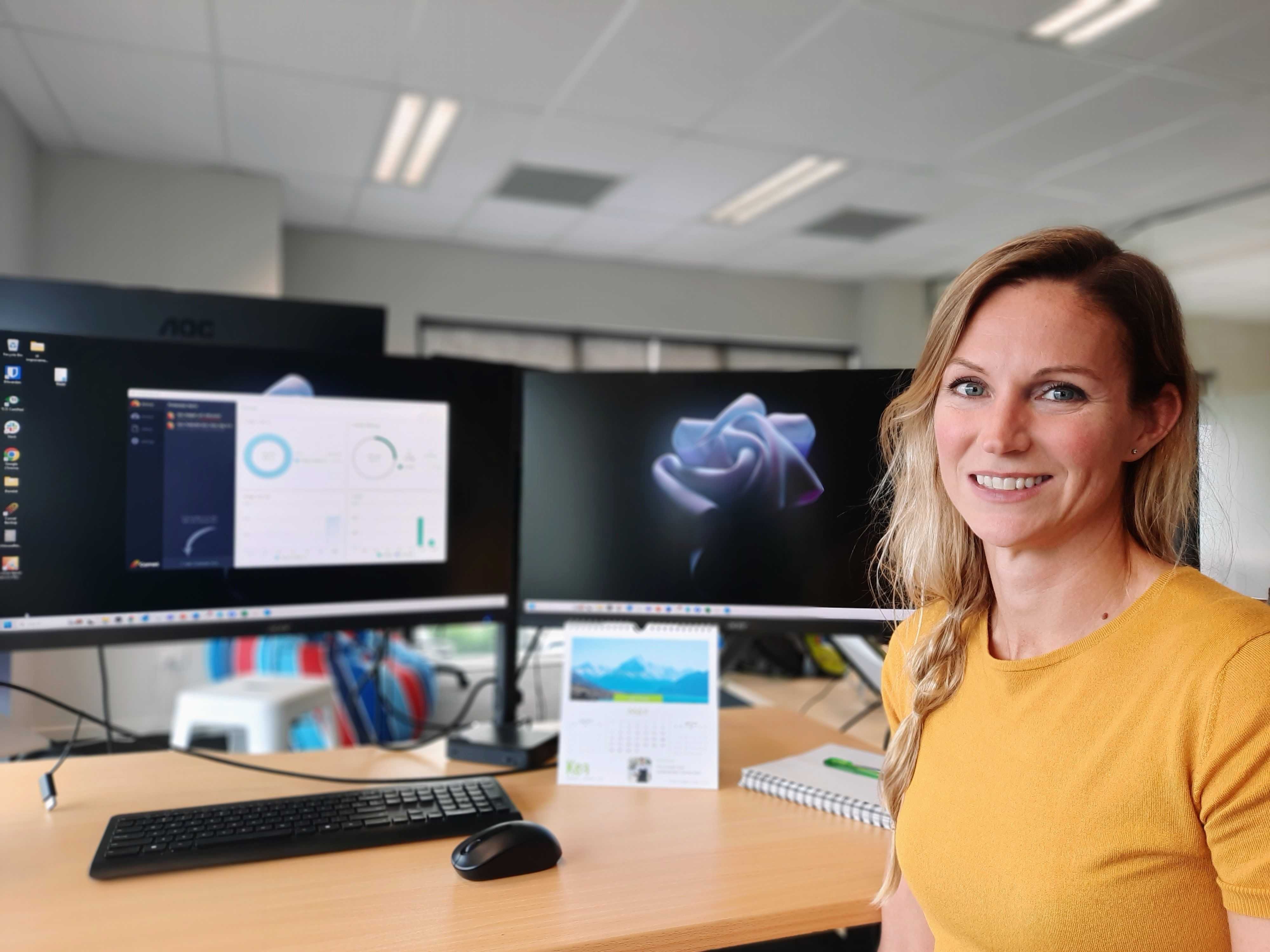
Here to guide Comet Backup through its product evolution, meet our Product Manager, Ida Lindgren

Where are you originally from?

I’m from Stockholm, Sweden and I just celebrated 5 years in New Zealand! Times flies when you are having fun! Love, family and new adventures brought me to this lovely country.

What is the one thing about Sweden that you’d like non-Swedes to know about?

We have a useful word that I don’t think many other countries have – “lagom”. It means not too much, not too little, but just the right amount and it’s a very handy word to have in your vocabulary (I think).

Also, that there are no polar bears in Sweden. It’s funny how many times I get asked that question!

How long have you been working at Comet Backup?

This is my seventh week at Comet, but it feels longer than that (in a good way)!

Before Comet, after completing a master’s degree in IT engineering and a bachelor’s in business studies, I worked as a BI Consultant in Stockholm for 8 years. When I moved here, I started working as a Senior Product Owner and I did that for almost 5 years before joining Comet.

What attracted you to Comet?

The industry was completely new to me, and I wanted to try working in a younger business that was growing fast. Having the chance to be the first dedicated product person in the company was an exciting opportunity too!

How would you describe your role as Product Manager at Comet?

In short, my role is to work closely with all Comet teams to ensure we deliver a high-quality product with a great user experience, that meets the business goals and our customers’ needs!

But to expand a bit on that, I need to keep up with industry trends, understand the market needs, know the competitor landscape, and understand what our customer needs and their pain points.

Combining this information with the business strategy, product metrics, data analytics, and all the input from Comet’s teams, I can create a product roadmap that outlines how the product will be developed and what the teams will be focused on for the next while.

Basically, as a Product Manager, you are responsible for guiding the direction of the product and its development, making sure we’re working on the right things to ensure the continued success of our product and keep growing our market share.

What was your first day at Comet like?

It was great! Everyone was so friendly and welcoming, and I’ve always enjoyed working with smart, talented, and down-to-earth people, so that has been one of the highlights here at Comet so far.

What aspects of your role challenge and excite you?

It’s wonderful how much trust, support, and freedom Comet gives me – they trust me to do the job as I see fit. I just hope I can live up to their expectations and do my part to help continue making Comet the success story it already is!

Product Managers have to juggle a lot of activities and deadlines. What best practices would you recommend for organising one’s workload?

I think a simple to-do list does the trick, but you need to make sure to re-prioritize the items on the list regularly, based on their urgency and how important they are. When I get stuck, I refer back to the product vision or strategy to figure out what should be done first (or just take a break to clear my head).

You love being out and about. Would you recommend any running or biking trails in the Canterbury area?

I think it’s really nice running or biking up the Rapaki track and then going down Victoria Park and Bowenvale Valley – it’s such a peaceful area and the views up there are great too!

What’s the most memorable or most interesting thing that’s happened to you on a trip?

In 2019 I spent three months biking around South America – the whole trip was pretty memorable, but riding through coca plantations and getting stopped by a group of suspicious-looking characters to have a beer is probably up there.

Wait, what??

Yeah it was pretty scary – we were biking around South America and this truck comes with these five guys, and you can tell they’re working at the coca plantation. They were all drinking beer and seemed to be drunk, and they stopped where we were. They were speaking Spanish and we could only understand a couple of words. Then they offered us a drink and we couldn’t say no!

There is an ongoing debate at the Comet office on whether or not pineapple should be a pizza topping. Would you care to share your thoughts on this?

Ha! No, I don’t think pineapple should be a pizza topping – but if I can stick with my pepperoni pizzas, I don´t mind if others have pineapple on their pizzas.

About Version 2 Digital

Version 2 Digital is one of the most dynamic IT companies in Asia. The company distributes a wide range of IT products across various areas including cyber security, cloud, data protection, end points, infrastructures, system monitoring, storage, networking, business productivity and communication products.

Through an extensive network of channels, point of sales, resellers, and partnership companies, Version 2 offers quality products and services which are highly acclaimed in the market. Its customers cover a wide spectrum which include Global 1000 enterprises, regional listed companies, different vertical industries, public utilities, Government, a vast number of successful SMEs, and consumers in various Asian cities.

About Comet
We are a team of dedicated professionals committed to developing reliable and secure backup solutions for MSP’s, Businesses and IT professionals. With over 10 years of experience in the industry, we understand the importance of having a reliable backup solution in place to protect your valuable data. That’s why we’ve developed a comprehensive suite of backup solutions that are easy to use, scalable and highly secure.

23.3.8 ‘Voyager’ released

Changes compared to 23.3.7

New Features

Enhancements

  • Enhancement: Reduce peak memory usage when loading very large single files from a Storage Vault
  • Enhancement: Reduce memory usage for S3-compatible Storage destinations

About Version 2 Digital

Version 2 Digital is one of the most dynamic IT companies in Asia. The company distributes a wide range of IT products across various areas including cyber security, cloud, data protection, end points, infrastructures, system monitoring, storage, networking, business productivity and communication products.

Through an extensive network of channels, point of sales, resellers, and partnership companies, Version 2 offers quality products and services which are highly acclaimed in the market. Its customers cover a wide spectrum which include Global 1000 enterprises, regional listed companies, different vertical industries, public utilities, Government, a vast number of successful SMEs, and consumers in various Asian cities.

About Comet
We are a team of dedicated professionals committed to developing reliable and secure backup solutions for MSP’s, Businesses and IT professionals. With over 10 years of experience in the industry, we understand the importance of having a reliable backup solution in place to protect your valuable data. That’s why we’ve developed a comprehensive suite of backup solutions that are easy to use, scalable and highly secure.

×

Hello!

Click one of our contacts below to chat on WhatsApp

×