Skip to content

IT regulatory landscape in 2025: an interview with Prof. Dr. Kipker

Regulatory compliance is a constant yet necessary headache for businesses. Regulations are not set in stone—just because a business met the criteria of one framework or another two years ago does not mean it’ll be sufficient a year from now. In 2025, as we see new technologies like AI emerge, businesses must adapt and prepare to meet new regulatory standards.

So, what do businesses need to know as new regulations roll in and evolve? Prof. Dr. Dennis-Kenji Kipker, member of NordPass Advisory Board, answered some of the most pressing questions about the current cybersecurity landscape in the EU, what AI risks new regulations aim to prevent, and how businesses can prepare for compliance policies that will come into force in 2025.

Kipker is a Professor of IT Security Law at the University of Applied Sciences Bremen and the Scientific Director of the cyberintelligence.institute in Frankfurt. He’s one of the leading cybersecurity experts in the world, acting as an advisor to the European Commission and the German Federal Government. Kipker’s research focuses on cyberlaw, international IT law, and IT consumer protection.

New and updated regulations come into effect every year. What are the major EU regulations coming into force in 2025 that businesses should be aware of?

This year we’ll see several key regulations taking effect. These include the Digital Operational Resilience Act (DORA) for financial institutions, the AI Act, the European Accessibility Act (EAA), and the NIS2 Directive. All these regulations have varying requirements but altogether aim to enhance digital security, compliance, and ethical AI deployment in the EU.

Let’s start with the Digital Operational Resilience Act (DORA). What can you tell us about its impact on financial institutions and IT service providers?

The DORA went into effect earlier this year, on January 17. Its aim is to strengthen the IT security of various financial entities and ensure they’re prepared for potential operational disruption. So, here we’re talking about banks, insurance companies, and the like.

More specifically, DORA requires financial entities to implement stronger cybersecurity frameworks, conduct regular risk assessments, and ensure third-party ICT providers meet security standards. It impacts the overall standards of financial cybersecurity in the EU.

The Network and Information Security Directive 2 (NIS2) entered into force in October 2024. Nevertheless, it’s still a relatively recent legislation for businesses. What have been the key changes stepping away from NIS1 and into NIS2?

Compared to the earlier framework, NIS2 expands the scope of cybersecurity obligations beyond critical infrastructure to include more sectors, such as healthcare, manufacturing, and cloud service providers. It also mandates a faster incident reporting timeframe—businesses must relay this information within 24 hours of an incident occurring.

The NIS2 also introduced stronger risk management policies and established that every EU member state must follow uniform criteria to enforce cybersecurity measures and determine which entities must adhere to them. If an organization fails to meet the NIS2 requirements, its managing bodies are held liable.

AI prevails as one of the most pressing topics, and the EU Artificial Intelligence Act is set to become one of the world’s first AI regulations. What does it aim to achieve?

The AI Act is really the first comprehensive regulation of this kind—it entered into force in August 2024, and its first requirements started to be applied in February. Firstly, it classifies AI systems based on their risk level: that means banning harmful AI, setting strict requirements for high-risk AI in fields like healthcare or law enforcement, and mandating transparency for AI-generated content—think deepfakes.

The first stage of application encompasses prohibitions and AI literacy obligations specifically, broader application is due in August this year. This will be the biggest implementation, covering governance, confidentiality, and penalties, among other requirements. The final applications will be enacted in August 2026 and August 2027.

What kinds of AI applications will be banned under the AI Act? How will companies deploying AI in the EU need to comply with the new rules?

The banned AI applications list includes AI systems that can manipulate human behavior, exploit vulnerabilities, and employ government-led social scoring.

As for companies that use AI in high-risk sectors, they’ll have to conduct risk assessments, maintain detailed documentation, ensure human oversight, and register their AI systems in an EU database.

The European Accessibility Act (EAA) is coming into effect in June this year. How will it impact tech companies? What are the penalties for companies that fail to comply with the new accessibility rules?

The EAA mandates that digital services, such as websites, apps, and e-commerce platforms, must be accessible to people with disabilities. For instance, businesses must redesign user interfaces and offer assistive technology support, like alt text for images. Overall, the EAA follows four key principles of accessibility:

  • Perceivability, meaning that all information of the service must be presented in a way that users can perceive regardless of their disability;

  • Operability, or how the user interacts with the interface and how accessible the navigation is;

  • Understandability, which requires all information to be easy to understand without unnecessary complexities;

  • Robustness, meaning all content must work on different devices and platforms, including assistive technology.

Companies that fail to comply will certainly face penalties which will vary in different EU countries. However, we know that financial fines will vary from €1,000—the lowest fine rate in Malta—to €500,000—the highest fine rate in Germany. Other penalties include legal action and bans on selling non-compliant products or services in the EU.

Finally, what’s your advice for businesses preparing for these upcoming regulations?

Firstly, companies should conduct compliance audits. Some frameworks issue official certifications of compliance. It’s important for businesses to be self-initiative in terms of compliance frameworks and analyze the requirements themselves. That said, working with external consultants can help answer some individual questions regarding compliance.

Updating risk management strategies is also essential. For instance, with the new NIS2 requirements, it’s essential for businesses to have a system in place to react to incidents in a timely manner.

Investing in cybersecurity and AI governance is another recommendation. As the next application stage for the EU AI Act is in August, it gives time for organizations to review what AI governance services they use now and what they plan to use in the future.

And, of course, employee training is always key. Ensuring employees are familiar with and understand the new regulatory requirements can help ensure that the right practices are upheld in an organization.

 

About NordPass
NordPass is developed by Nord Security, a company leading the global market of cybersecurity products.

The web has become a chaotic space where safety and trust have been compromised by cybercrime and data protection issues. Therefore, our team has a global mission to shape a more trusted and peaceful online future for people everywhere.

About Version 2 Digital

Version 2 Digital is one of the most dynamic IT companies in Asia. The company distributes a wide range of IT products across various areas including cyber security, cloud, data protection, end points, infrastructures, system monitoring, storage, networking, business productivity and communication products.

Through an extensive network of channels, point of sales, resellers, and partnership companies, Version 2 offers quality products and services which are highly acclaimed in the market. Its customers cover a wide spectrum which include Global 1000 enterprises, regional listed companies, different vertical industries, public utilities, Government, a vast number of successful SMEs, and consumers in various Asian cities.

Perforce Delphix Announces New AI Data Compliance Product

As a Platinum sponsor at FabCon 2025, Delphix will be showcasing data privacy compliance for AI, natively integrated in Fabric pipelines.


About Perforce
The best run DevOps teams in the world choose Perforce. Perforce products are purpose-built to develop, build and maintain high-stakes applications. Companies can finally manage complexity, achieve speed without compromise, improve security and compliance, and run their DevOps toolchains with full integrity. With a global footprint spanning more than 80 countries and including over 75% of the Fortune 100, Perforce is trusted by the world’s leading brands to deliver solutions to even the toughest challenges. Accelerate technology delivery, with no shortcuts.

About Version 2 Digital

Version 2 Digital is one of the most dynamic IT companies in Asia. The company distributes a wide range of IT products across various areas including cyber security, cloud, data protection, end points, infrastructures, system monitoring, storage, networking, business productivity and communication products.

Through an extensive network of channels, point of sales, resellers, and partnership companies, Version 2 offers quality products and services which are highly acclaimed in the market. Its customers cover a wide spectrum which include Global 1000 enterprises, regional listed companies, different vertical industries, public utilities, Government, a vast number of successful SMEs, and consumers in various Asian cities.

ESET 憑藉尖端勒索軟件修復技術,榮獲 SC Awards 決選提名

全球網絡安全領導廠商 ESET 宣布,榮獲享譽盛名的 2025 年 SC Awards 決選提名。其 ESET 勒索軟件修復(ESET Ransomware Remediation)方案於「最佳業務連續性、災難及勒索軟件還原解決方案」類別中成功入圍,此項殊榮彰顯了 ESET 在網絡安全領域追求卓越技術與鞏固領導地位的堅定承諾。SC Awards 現已邁入第 28 屆,旨在表彰於提升資訊系統安全方面具備傑出成就的解決方案、機構及個人。


ESET 北美區市場行銷與銷售副總裁 Ryan Grant 表示:「SC Awards 於全球網絡安全社群中享負盛譽,我們對於能在『最佳業務連續性、災難及勒索軟件還原解決方案』類別中獲得決選提名,深感榮幸。ESET 在抵禦勒索軟件威脅方面擁有深厚的創新基礎,此次推出的勒索軟件修復方案,旨在針對資料加密、竊取與挾持等行為提供全方位的防護。這項肯定不僅印證了我們對 ESET PROTECT 平台的持續投資,更體現了我們協助企業安心應對勒索軟件挑戰的堅定決心。」


有別於依賴 Windows 磁碟區陰影複製服務的方案,ESET 勒索軟件修復為 ESET 專有的執行後(Post-Execution)解決方案,需搭配 ESET 勒索軟件防護(ESET Ransomware Shield)啟用並協同運作,能在精密複雜的攻擊實際發生前進行監控並加以攔截。ESET 勒索軟件修復針對勒索軟件攻擊期間,常規備份因缺乏資料隔離或分段而失效此一常見痛點,建立重要資料的臨時加密備份,並儲存於獨立隔離環境,杜絕任何不可信應用程式與處理程序的存取。


SC Media 資深編輯總監 Tom Spring 指出:「從生成式 AI 攻擊的興起,到利用第三方存取權限與非人類憑證發動的入侵,過去一年在在提醒我們,網絡安全的焦點必須是持續創新,藉此協助企業在瞬息萬變的威脅態勢中靈活應變、調整適應並蓬勃發展。」


Spring 補充道:「能夠入圍 SC Awards 決選,不僅代表著技術創新的成就獲得肯定,更是對致力於建構更安全數碼世界此一共同使命的認可。看到今年橫跨身分識別、雲端、資料保護等多元領域的入圍者們,如何為共同目標齊心協力、砥礪前行,實在令人振奮。」


2025 年 SC Awards 的參賽作品涵蓋 33 個專業類別,由陣容堅強的評審團負責評選。該評審團由頂尖網絡安全專家、業界領袖,以及來自醫療保健、金融服務、教育與科技等多元產業領域的 CyberRisk Alliance CISO 社群成員共同組成。


最終得獎名單定於 2025 年 4 月 29 日(星期二),假舊金山 RSAC ’25 會議期間舉行的 SC Awards 頒獎酒會上正式揭曉。欲查詢 2025 年完整決選入圍名單,請瀏覽 SC Media 官方網站。

關於ESET
ESET成立於1992年,是一家面向企業與個人用戶的全球性的電腦安全軟件提供商,其獲獎產品 — NOD32防病毒軟件系統,能夠針對各種已知或未知病毒、間諜軟件 (spyware)、rootkits和其他惡意軟件為電腦系統提供實時保護。ESET NOD32佔用 系統資源最少,偵測速度最快,可以提供最有效的保護,並且比其他任何防病毒產品獲得了更多的Virus Bulletin 100獎項。ESET連續五年被評為“德勤高科技快速成長500 強”(Deloitte’s Technology Fast 500)公司,擁有廣泛的合作夥伴網絡,包括佳能、戴爾、微軟等國際知名公司,在布拉迪斯拉發(斯洛伐克)、布裏斯托爾(英國 )、布宜諾斯艾利斯(阿根廷)、布拉格(捷克)、聖地亞哥(美國)等地均設有辦事處,代理機構覆蓋全球超過100個國家。

關於 Version 2 Digital
Version 2 Digital is one of the most dynamic IT companies in Asia. The company distributes a wide range of IT products across various areas including cyber security, cloud, data protection, end points, infrastructures, system monitoring, storage, networking, business productivity and communication products. Through an extensive network of channels, point of sales, resellers, and partnership companies, Version 2 offers quality products and services which are highly acclaimed in the market. Its customers cover a wide spectrum which include Global 1000 enterprises, regional listed companies, different vertical industries, public utilities, Government, a vast number of successful SMEs, and consumers in various Asian cities.

Cloud Security and Compliance Best Practices


Introduction: Why Secure Remote Access Matters

In healthcare and government, digital modernization must walk hand-in-hand with data protection. The rise of remote work, third-party vendor access, and hybrid IT environments means sensitive systems—like Electronic Health Records (EHRs) or citizen databases—are more exposed than ever.

Yet many agencies still rely on aging infrastructure, traditional VPNs, and siloed access control mechanisms that fail to meet the requirements of today’s compliance and threat landscape.

Thinfinity® Workspace addresses these issues head-on with a platform built for secure, compliant, and highly controlled access to desktops, legacy apps, and critical systems—whether hosted on-premises or in the cloud. For CISOs, this presents an opportunity to enforce Zero Trust principles while maintaining operational agility.


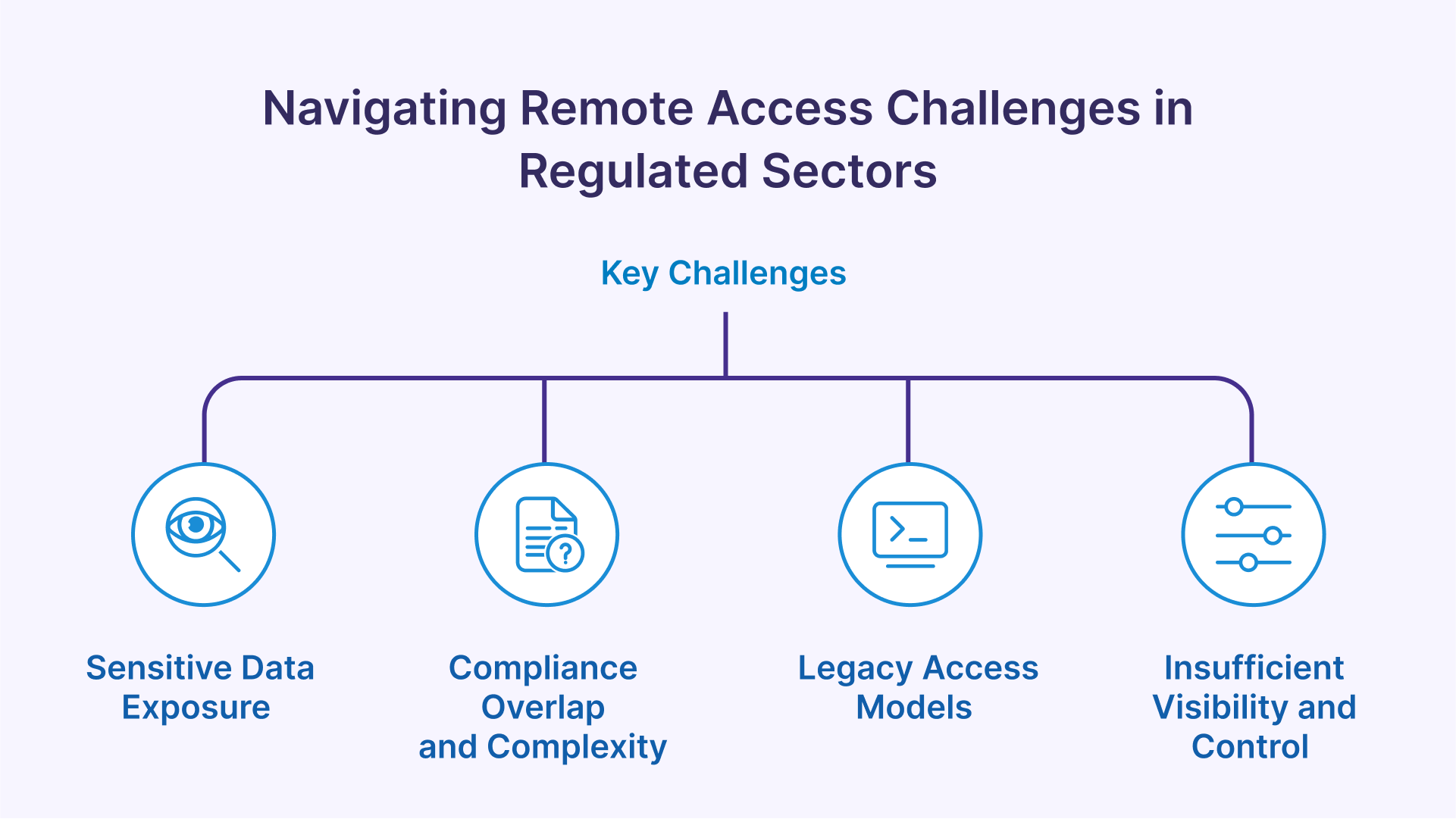
Key Challenges in Regulated Environments

Implementing remote access in healthcare and public sector IT brings specific hurdles that cannot be ignored:

1. Sensitive Data Exposure

Healthcare organizations must protect ePHI (electronic Protected Health Information), while government agencies manage confidential personal records and mission-critical data. These are prime targets for cybercriminals—and data breaches in these sectors can cost millions and erode public trust.

2. Compliance Overlap and Complexity

CISOs must navigate and enforce compliance with HIPAA, GDPR, NIST SP 800-53, FedRAMP, and internal IT governance mandates—often simultaneously. This creates a complex web of controls, documentation, and audit requirements.

3. Legacy Access Models

Traditional VPNs and Remote Desktop Gateways lack granular access controls and auditing. They expose too much of the network and are difficult to manage securely in multi-tenant, cloud, or hybrid environments.

4. Insufficient Visibility and Control

Without full session logging, real-time monitoring, and centralized identity governance, it’s nearly impossible to track access, respond to threats, or produce compliance-ready audit trails.


Security Best Practices with Thinfinity Workspace

Thinfinity Workspace is designed with compliance and security-first principles. Below are key practices for a secure deployment.

End-to-End Encryption

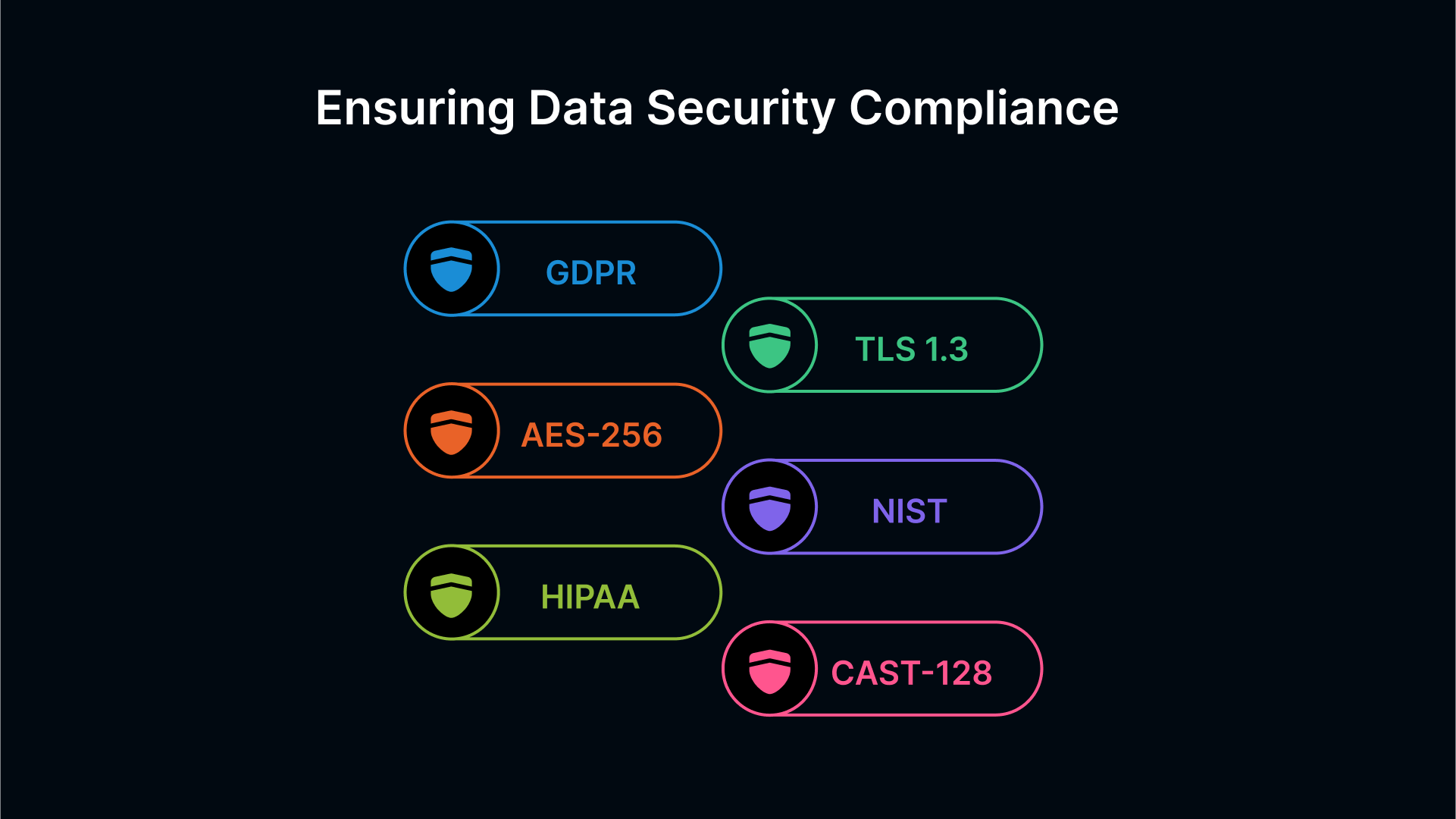
All traffic through Thinfinity Workspace is encrypted using TLS 1.3, which prevents eavesdropping or data tampering in transit. For data at rest—such as cached session data or temporary storage—AES-256 or CAST-128 encryption can be configured. This ensures your encryption stack aligns with HIPAA, NIST, and GDPR standards.


Multi-Factor Authentication (MFA)

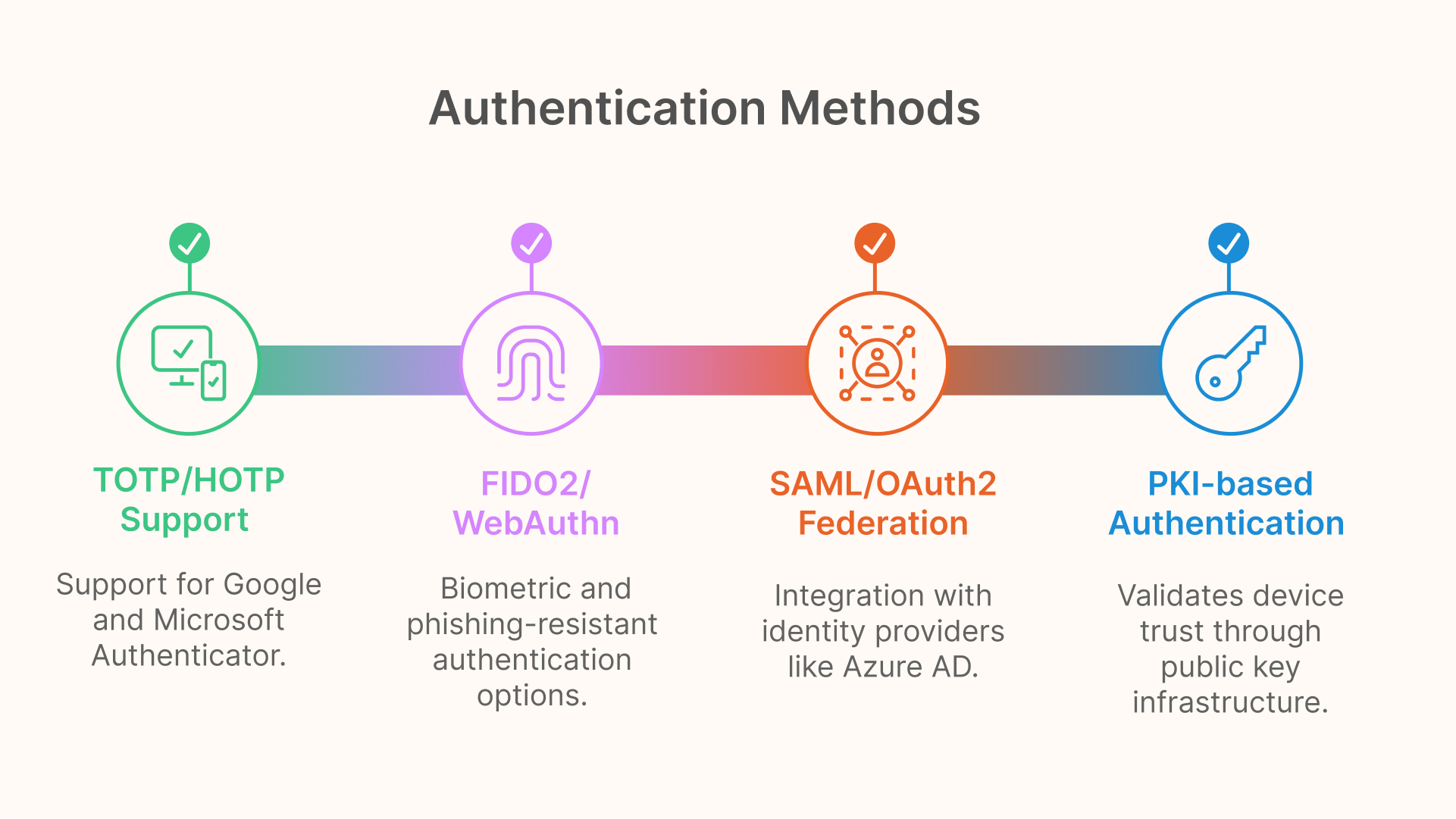
MFA is a foundational Zero Trust pillar, and Thinfinity offers robust options:

  • TOTP/HOTP support for Google Authenticator and Microsoft Authenticator
  • FIDO2/WebAuthn for biometric, phishing-resistant authentication using Passkeys, Windows Hello, or security keys
  • SAML/OAuth2 federation with Azure AD, Okta, Ping Identity, and others
  • PKI-based client authentication to validate device trust
 

MFA can be enforced per user, group, or session type, with conditional access rules based on geography, job role, or device compliance.

PKI-Based Device Trust

Thinfinity can be configured to only allow access from devices with valid digital certificates. This ensures users can’t connect from rooted, jailbroken, or non-compliant endpoints. It’s ideal for BYOD scenarios where hardware attestation is critical.

Role-Based Access Control (RBAC)

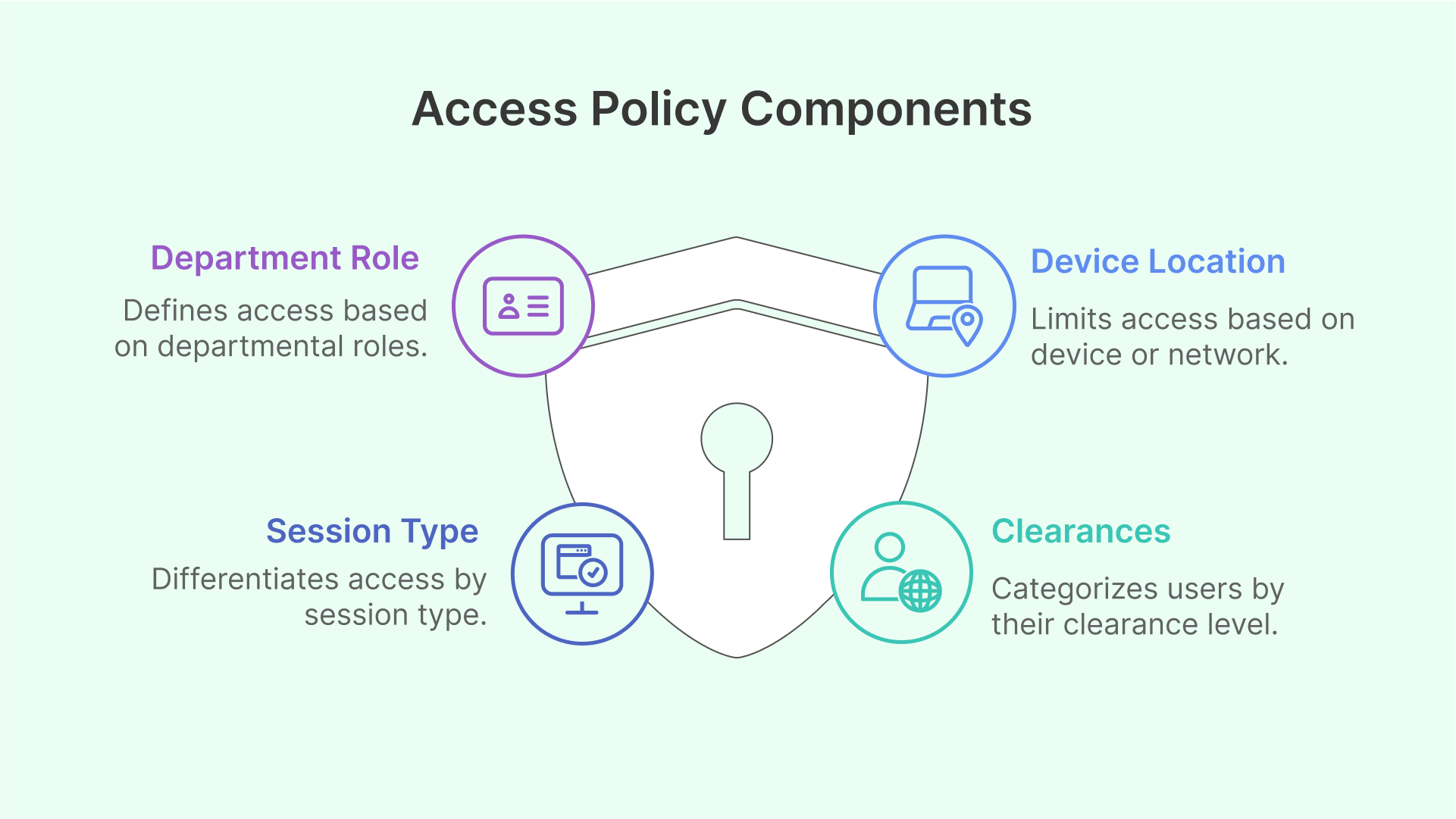
Define and enforce access policies that limit exposure based on:

  • Department or project role (e.g., Radiology, Finance, IT Admins)
  • Session type (persistent vs. non-persistent VDI)
  • Device or network location
  • Clearances (e.g., vendor vs. staff vs. classified user)

Access can be scoped to individual applications, full desktops, or RemoteApps—with fine-grained control over features like clipboard use, file transfer, and printing.

Zero Trust Enforcement

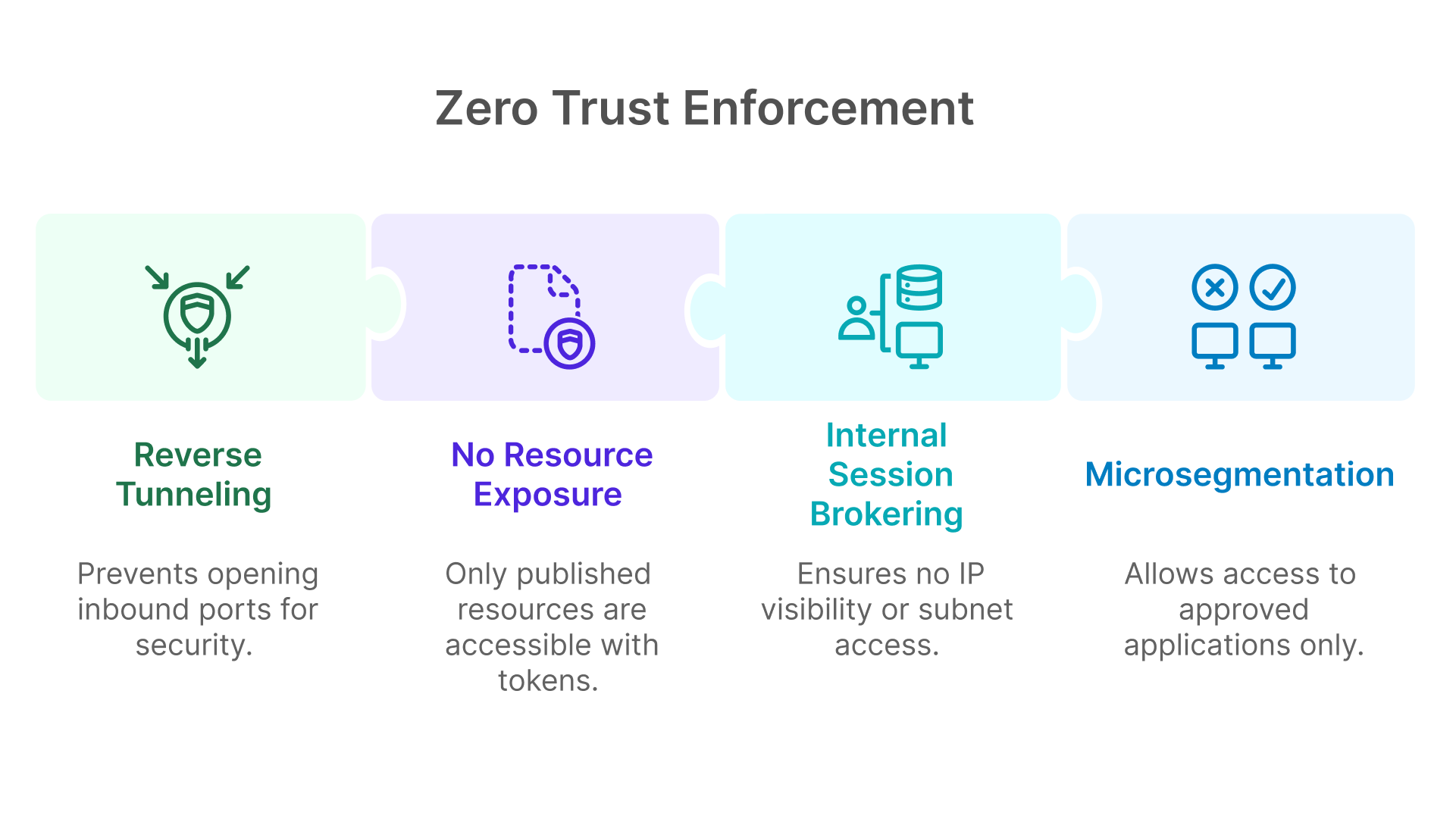
Thinfinity’s architecture eliminates network exposure:

  • Uses reverse tunneling, so no inbound ports are opened
  • Sessions are brokered internally, with no IP visibility or subnet access
  • Only explicitly published resources are exposed via tightly scoped session tokens
  • Supports application-level microsegmentation, allowing access only to approved apps—even within the same desktop


Compliance Frameworks and Implementation

Thinfinity supports modern regulatory frameworks through technical enforcement and configuration best practices.

US HIPAA Compliance

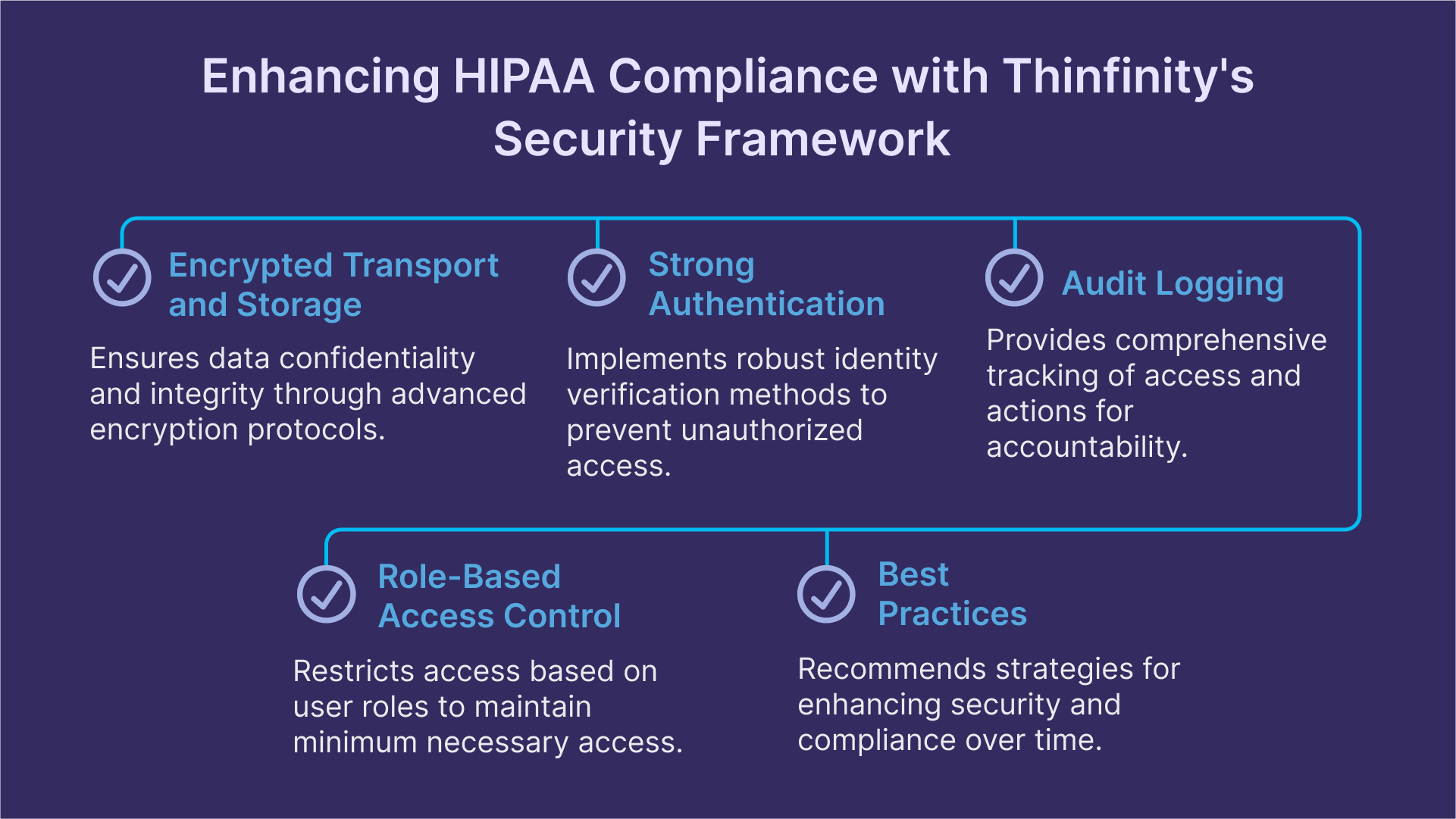
Thinfinity addresses HIPAA Security Rule technical safeguards:

  • Encrypted transport and storage (TLS 1.3 + AES-256)
  • Strong authentication via MFA and PKI
  • Audit logging and session recording for access traceability
  • RBAC for minimum necessary access

Best Practices for HIPAA:

  • Enable session recording for all users handling ePHI
  • Retain access logs for at least six years
  • Limit file transfers and clipboard for clinical workflows
  • Use AD or SAML to define access control policies centrally
 

EU GDPR Compliance

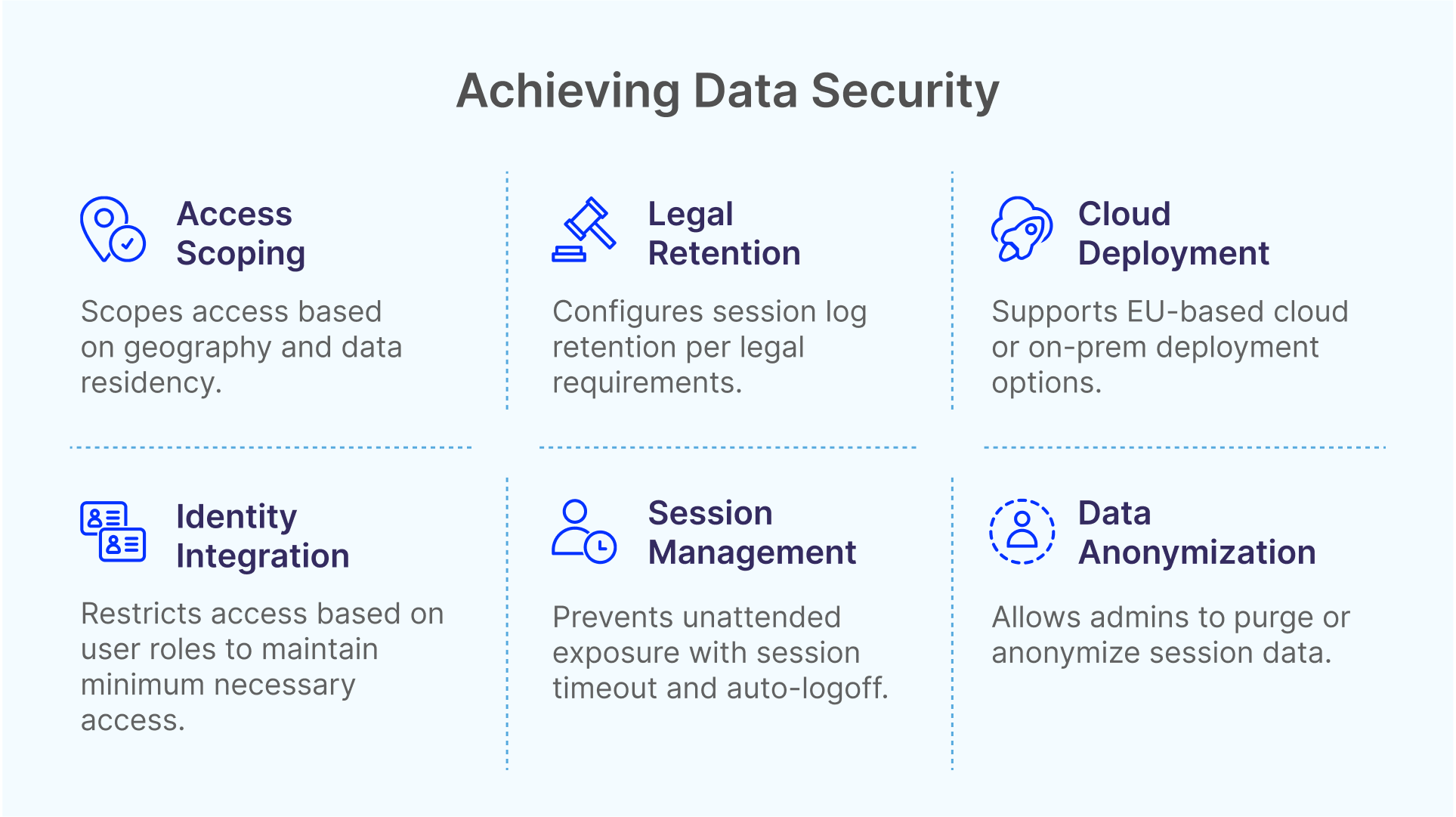
Thinfinity ensures data privacy by design:

  • Session timeout and auto-logoff prevent unattended exposure
  • Admins can purge logs or anonymize session data on request
  • Deployable on EU-based cloud or on-prem for data residency
  • Integrates with identity platforms for least-privilege access

Best Practices for GDPR:

  • Scope access based on geography and data residency rules
  • Configure session log retention per legal requirements
  • Enable per-role session policies for user rights enforcement


Risk Mitigation & Incident Response

Auditing & Session Recording

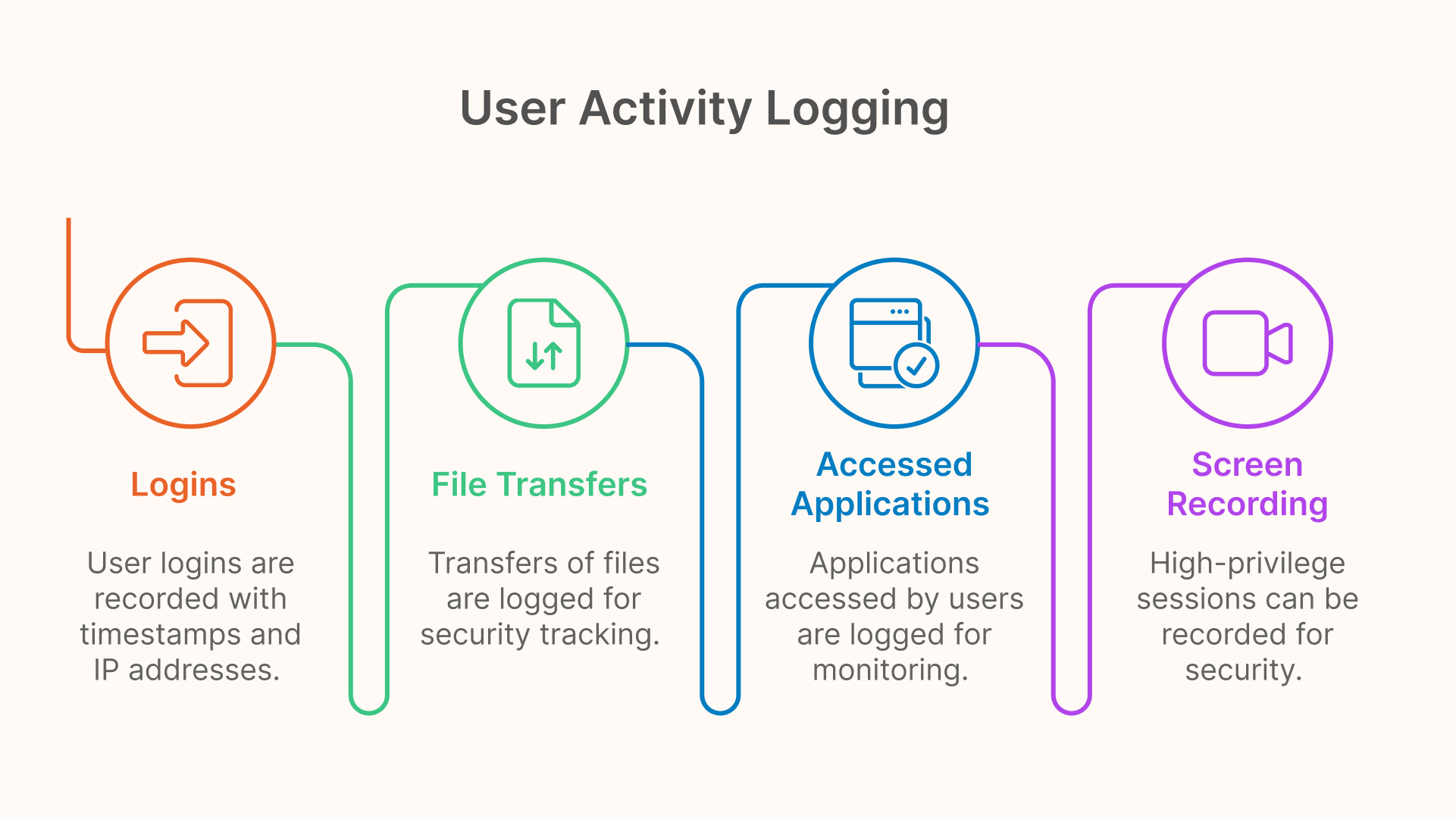
All user activity—logins, file transfers, accessed applications—is logged with timestamps, IP addresses, and user identity. Admins can also enable full screen recording for high-privilege sessions or vendor access. These recordings are encrypted and stored securely for compliance audits or incident investigations.


Credential Management

By default, Thinfinity avoids storing user credentials, instead leveraging SAML or OAuth tokens and broker-injected sessions. If persistent credentials are required, they are AES-encrypted and stored under ACL protections. Integration with CyberArk, HashiCorp Vault, or Azure Key Vault allows organizations to enforce just-in-time credential workflows.

High Availability & Disaster Recovery

Thinfinity supports full HA deployment:

  • Multiple Gateways behind load balancers
  • Broker clustering for session orchestration resilience
  • Elastic VDI pools across data centers or regions
  • Failover between on-prem and cloud resources

CISO Leadership Strategies

CISOs are uniquely positioned to ensure that Thinfinity deployments align with both technical requirements and organizational policies.

Strategic Actions:

  • Build a Zero Trust roadmap around Thinfinity access points
  • Collaborate with compliance teams to enforce HIPAA/GDPR-aligned configurations
  • Integrate IdP with multi-domain SSO and MFA enforcement
  • Define retention, expiration, and archival policies for logs and recordings
  • Champion secure onboarding/offboarding of third-party users and vendors


Advanced Deployment Scenarios

Air-Gapped and Secure Networks

Thinfinity’s reverse tunnel model works well in isolated environments, allowing administrators to avoid inbound firewall rules entirely. Internal brokers initiate outbound connections, enabling secure access without breaking air-gap principles.

BYOD and Remote Work

For environments supporting personal device access:

  • Enable clientless HTML5 access
  • Enforce MFA + certificate trust
  • Limit session features (no clipboard, file transfer)
  • Use RBAC to define what apps or desktops are accessible

Hybrid Cloud and Sovereignty

Thinfinity supports full flexibility in deployment—on-premises, in your private cloud, or hybrid models. You can control exactly where data resides, aligning with GDPR, CCPA, or national sovereignty laws.


Ecosystem Integration

SIEM Integration

While Thinfinity doesn’t yet support native SIEM forwarding, logs are exportable in standard formats. Future support is planned for:

  • Splunk
  • Azure Sentinel
  • Elastic Stack (ELK)
  • IBM QRadar
  • Securonix and LogRhythm

IAM and Vault Compatibility

Thinfinity integrates with all major identity providers via SAML and OAuth 2.0, supporting MFA, conditional access, and pass-through authentication.

Credential vaults like CyberArk and HashiCorp Vault allow secure storage and automatic credential injection into sessions—especially useful for privileged workflows or developer environments.


Conclusion & Strategic Action Plan

Thinfinity Workspace empowers CISOs to achieve secure, compliant, and scalable remote access in even the most regulated sectors. From Zero Trust enforcement to detailed audit trails, the platform delivers everything needed to modernize secure access.

CISO Playbook:

  • Review compliance mapping to HIPAA, GDPR, and NIST
  • Implement MFA + PKI for sensitive roles and devices
  • Define and test RBAC policies per application and team
  • Set up audit logging and session capture
  • Architect for HA and DR using hybrid cloud designs


About Cybele Software Inc.
We help organizations extend the life and value of their software. Whether they are looking to improve and empower remote work or turn their business-critical legacy apps into modern SaaS, our software enables customers to focus on what’s most important: expanding and evolving their business.

About Version 2 Digital

Version 2 Digital is one of the most dynamic IT companies in Asia. The company distributes a wide range of IT products across various areas including cyber security, cloud, data protection, end points, infrastructures, system monitoring, storage, networking, business productivity and communication products.

Through an extensive network of channels, point of sales, resellers, and partnership companies, Version 2 offers quality products and services which are highly acclaimed in the market. Its customers cover a wide spectrum which include Global 1000 enterprises, regional listed companies, different vertical industries, public utilities, Government, a vast number of successful SMEs, and consumers in various Asian cities.

How to change your Google password?

With over 2.5 billion users and the world’s second-largest email client market share, thanks to Gmail’s popularity, Google is undoubtedly a dominant force on the internet. It’s unsurprising that Google Accounts are a usual target for hackers—with so many users around, they can gather plenty of valuable data.

If you’re concerned that your account might be compromised, have detected suspicious activity, or simply forgot your login details, this guide will cover how to change your Google password on desktop and mobile devices. Google keeps it pretty simple, as all password settings follow the same layout across different devices. So, let’s get started.

How to change your Google password on the desktop

To access your account settings, you can use one of Google’s services. For the purposes of this guide, let’s use Gmail. However, Google’s home page, Drive, YouTube, and other adjacent pages can also be used.

  1. Visit the Google Account page.

  2. Select “Personal info,” and under “Other info and preferences for Google services,” select “Password.” You can also find password settings in the “Security” tab under “How you sign in to Google.”

  3. To verify you’re trying to access these security settings, you will need to enter your current Google password.

  4. Once you’ve verified your access attempt, you can enter your new Google Account password. Google requires a password to be at least 8 characters long. You can use a password generator to create a strong and unique new password. Once you’ve entered it, select “Change password.”

  5. That’s it! You’ve just changed your Google password.

Keep in mind that Google will automatically log you out of your devices except for the device you use for verification or some third-party apps and home devices with authorized access. You will need to confirm your login attempts using your selected verification method.

How to change your Google password on iPhone or iPad

  1. Open the Gmail app and tap your profile picture at the top right corner. If you don’t use the app, go to https://myaccount.google.com/ to access your account and proceed to step 3.

  2. Tap the “Manage your Google Account” button.

  3. Select the “Personal info” tab and navigate down to “Other info and preferences for Google services.” Here, select “Password.” You can also find the same password settings in the “Security” tab under “How you sign in to Google.”

  4. For security reasons, you will be prompted to enter your current Google password.

  5. Now, enter your new Google password—make sure it’s at least 8 characters long—and select “Change Password.”

  6. That’s it! You can now use your new password to log in to your Google Account.

After being automatically logged out, you will need to enter your new credentials to access your Google Account.

How to change your Google password on Android

Since Android devices are owned by Google, you can update your credentials in the settings or via one of the Google apps on your device. Here’s how to change your Google password via Android settings:

  1. Go to your phone settings. The access may vary depending on your device model.

  2. Find the “Google” section, and under “Google services,” tap your Google Account name. Then, tap “Google Account.”

  3. You can find the password settings in the “Personal info” section under “Other info and preferences for Google services,” or in the “Security” settings under “How you sign in to Google.” In either section, select “Password.”

  4. You will be prompted to enter your current Google password.

  5. Now, enter your new Google Account password. To ensure it matches password strength criteria, make it at least 8 characters long and include a random combination of letters, numbers, and special characters. Then, select “Change password.”

  6. That’s it! You’ve now successfully reset your Google password on Android.

Keep in mind you may be prompted to log in to your device’s Google Account again using the new credentials.


How to reset your Google password if you forgot it

It’s all fun and games until you’re setting up a new device, get to the Google Account login screen, and realize your password has vanished. It’s not in your head, it’s nowhere to be found in your notes. To avert disaster, it’s time for a quick Google password reset.

Thankfully, Google has put the work in to make account reset as smooth and painless as can be during the sign up process. You have the option to add a phone number or additional email address to your account for account reset and authentication purposes.

Here’s how you can reset your Google password:

  1. Go to https://accounts.google.com/signin/recovery to begin the recovery process.

  2. Enter your email address or, if you have it linked to your account, your phone number, and select “Next.”

  3. You can enter the last password you remember using for your Google Account and select “Next.” If you can’t remember any of your previous passwords, select “Try another way.”

  4. You will then be prompted to enter the phone number provided in your security settings. If you know the phone number, enter it and select “Next.” If you can’t use the related phone number, skip to step 6.

  5. You will be sent a recovery code to your phone number. Enter the code and select “Next.”

  6. If you can’t access your phone number in step 4, select “I don’t have my phone.” You’ll be able to enter your recovery email address to get a verification code. Enter the code and select “Next.”

  7. You’ll then be able to set up a new password for your account. Select “Save password.”

  8. Congratulations! You’ve reset your Google Account password.

How to secure your Google Account after changing the password

Now that your account is secure, let’s take some steps to ensure it stays that way. There are a few different security measures you can switch on, both internally and externally, to keep your Google Account protected from unauthorized access.

Two-factor authentication (2FA)

Two-factor authentication, or “2-Step Verification” as it’s called in your Google settings, is an easy way to protect your account by adding an additional authentication step. You can find the 2FA setup in your Google Account’s security settings:

  1. In the “How you sign in to Google” section, select “2-Step Verification.”

  2. If you haven’t already, link a phone number to your Google Account. You’ll receive an SMS with a verification code.

  3. Enter the code and select “Done.”

  4. That’s it! Now Google will send a verification code to your phone whenever you log in to your account. You can turn off 2FA at any time.

Passkeys

Setting up a passkey is perhaps a lesser-known yet certainly reliable way to protect your Google Account. A passkey is an authentication method that combines your biometric information with your personal device to create a more secure login experience. Google started supporting passkeys back in 2023, creating an easier way for users to authenticate their accounts without worrying about forgetting passwords.

To set up a passkey for your Google Account, go to “Security” settings and select “Passkeys and security keys” under “How you sign in to Google.” Then, simply select “Create a passkey.”

Check for unauthorized sessions and devices

If you’re receiving suspicious emails or requests to verify login attempts, it’s possible someone has added their device to your Google Account without your authorization. Likewise, if you’ve transferred your device ownership to another person, you may want to disconnect your Google Account access from that device.

To check what devices are connected to your Google Account, go to your “Security” settings and find the “Your devices” section. Then, select “Manage all devices” and carefully look at the list. If you spot any suspicious device connected to your account, tap it and select “Sign out” to cut off access. For security reasons, you may want to change your Google password if you haven’t done so already.

Store your new password securely

Even with additional security measures switched on, it’s essential to keep your Google Account password secure. To do this easily, you can use a password manager like NordPass. It provides encrypted storage for all your credentials, Google included, and comes equipped with a Password Generator that you can use to create your new account password.

NordPass is available as a Google Chrome extension, meaning you can easily access it on your browser. Simply save your Google login details in NordPass and, whenever you need to log in, they’ll be autofilled for you.

In addition to its password management features, NordPass also provides additional security for your accounts. With the Data Breach Scanner, you can check whether any of your email addresses or credit card details have been compromised, while Password Health informs you about old, weak, reused, and breached passwords.

Try NordPass for free today and discover a higher level of security, whether it’s for your Google Accounts, or any other sensitive data on the web.


About NordPass
NordPass is developed by Nord Security, a company leading the global market of cybersecurity products.

The web has become a chaotic space where safety and trust have been compromised by cybercrime and data protection issues. Therefore, our team has a global mission to shape a more trusted and peaceful online future for people everywhere.

About Version 2 Digital

Version 2 Digital is one of the most dynamic IT companies in Asia. The company distributes a wide range of IT products across various areas including cyber security, cloud, data protection, end points, infrastructures, system monitoring, storage, networking, business productivity and communication products.

Through an extensive network of channels, point of sales, resellers, and partnership companies, Version 2 offers quality products and services which are highly acclaimed in the market. Its customers cover a wide spectrum which include Global 1000 enterprises, regional listed companies, different vertical industries, public utilities, Government, a vast number of successful SMEs, and consumers in various Asian cities.

×

Hello!

Click one of our contacts below to chat on WhatsApp

×