Skip to content

Women’s Day: ESET’s Women in Cybersecurity Scholarship


Cybersecurity, traditionally a male-dominated industry, is gradually changing. According to a recent Women in Cybersecurity report, women accounted for 25% of the global cybersecurity workforce in 2022. The report suggests that the percentage could rise to 35% by 2031. 

ESET recognizes that women remain underrepresented in the cybersecurity industry, and the company has been making significant efforts to help close the gender gap in science, technology, engineering, and mathematics (STEM). Since 2016, ESET has been awarding scholarships to  women in the United States who are pursuing studies in cybersecurity or related fields. The program is currently running at ESET’s offices in the United States (offering two $10,000 USD scholarships), and Canada (offering two $5,000 CAD scholarships), and is launching this year in the United Kingdom and Australia.

Australia is launching their Women in Cybersecurity Scholarship on March 8,2024. The scholarship value is AUD 5,000, and is supported by the Australian Minister for Home Affairs and Cyber Security, Clare O’Neil.


Applicants are evaluated on their passion for cybersecurity, academic achievement, leadership, community involvement, and potential for future success. This scholarship offers a fantastic opportunity for women who are passionate about cybersecurity. It provides not only financial support but also a network of motivated women already working in STEM.

Remember, International Women’s Day is not only about celebrating the achievements of women but also about taking action to create a more equal future.  Diversity, Equity and Inclusion (DEI) matters to us at ESET because we believe different experiences and views enable us to drive innovation, efficiency and creativity.

Watch this video to find out more about the global program and about the employee resource groups created at ESET to support women working at the company.

About Version 2 Digital

Version 2 Digital is one of the most dynamic IT companies in Asia. The company distributes a wide range of IT products across various areas including cyber security, cloud, data protection, end points, infrastructures, system monitoring, storage, networking, business productivity and communication products.

Through an extensive network of channels, point of sales, resellers, and partnership companies, Version 2 offers quality products and services which are highly acclaimed in the market. Its customers cover a wide spectrum which include Global 1000 enterprises, regional listed companies, different vertical industries, public utilities, Government, a vast number of successful SMEs, and consumers in various Asian cities.

About ESET
For 30 years, ESET® has been developing industry-leading IT security software and services for businesses and consumers worldwide. With solutions ranging from endpoint security to encryption and two-factor authentication, ESET’s high-performing, easy-to-use products give individuals and businesses the peace of mind to enjoy the full potential of their technology. ESET unobtrusively protects and monitors 24/7, updating defenses in real time to keep users safe and businesses running without interruption. Evolving threats require an evolving IT security company. Backed by R&D facilities worldwide, ESET became the first IT security company to earn 100 Virus Bulletin VB100 awards, identifying every single “in-the-wild” malware without interruption since 2003.

How to reduce CPU usage

From the computer, we increasingly perform different tasks simultaneously (listening to music while writing a report, receiving files by email and downloading videos), which involve executing commands, and sending and receiving data. Over time, computer performance can suffer if CPU usage is not optimized.

But what is a CPU?

CPU stands for central processing unit. The CPU itself is the brain of a computer, on which most calculations and processes are performed. The two components of a CPU are:

  • The arithmetic logic unit (ALU), which performs arithmetic and logical operations.
  • The Control Unit (CU), which retrieves instructions from the memory, decodes and executes them, calling the ALU when necessary.

In this diagram you may see that the CPU also contains the memory unit, which contains the following elements:

  • The ROM (Read Only Memory): It is a read-only memory; that is, you may only read the programs and data stored in it. It is also a primary memory unit of the computer system, and contains some electronic fuses that can be programmed for specific information. The information is stored in ROM in binary format. It is also known as permanent memory.
  • The RAM (Random Access Memory): As its name suggests, it is a type of computer memory that can be accessed randomly, any byte of memory without handling the previous bytes. RAM is a high-speed component on devices that temporarily stores all the information a device needs.
  • Cache: The cache stores data and allows quick access to it. Cache speed and capacity improves device performance.

Its crucial role in the computer operation

By its components, the speed and performance of a computer are directly related to the CPU features, such as:

  • Energy consumption. It refers to the amount of power that the CPU consumes when executing actions, the higher the quality, the higher the power consumption.
  • The clock frequency. It refers to the clock speed that the CPU has and that determines the number of actions it can execute in a period of time.
  • The number of cores. The greater the number of cores, the greater the number of actions that can be performed simultaneously.
  • The number of threads. It helps the processor handle and execute actions more efficiently. It splits tasks or processes to optimize waiting times between actions.
  • Cache memory. It stores data and allows quick access to it.
  • The type of bus. It refers to the communication that the CPU establishes with the rest of the system.

Relationship between CPU speed/power and computer performance

Impact of speed and power on system effectiveness.

CPUs are classified by the number of cores:

  • De un solo núcleo, en el que el procesador sólo puede realizar una acción a la vez, es el procesador más antiguo.
  • Two-core, which allows you to perform more than one action at a time.
  • Four cores, separate from each other, which allows them to perform several actions at once and are much more efficient.

Considering this, we understand why current CPUs have two or more cores to be able to perform several operations at the same time or balance the load so that the processor does not become 100% busy, which would prevent performing some operations.

Consequences of a slow or overloaded CPU

When a CPU is overloaded, the consequences are as follows, and in the indicated order:

  • Loss of performance, encouraging task processing.
  • Overheating of the computer, a sign that the components receive more demand than the capacity they have.
  • If the temperature of a processor exceeds its limit, it slows down and can even lead to a total system shutdown.

With this, if you do not want to reach the last consequence that puts your equipment at risk, the CPU load must be optimized.

Importance of Reducing CPU Usage

Benefits of optimizing CPU load

When CPU consumption is minimized, the benefits become noticeable in:

  • Energy savings: Lower power consumption, avoiding unnecessary use of processor resources.
  • Battery life: It extends battery life by reducing power consumption.
  • Higher performance: Performance improvements at all times.
  • Lower processor overheating and exhaustion.
  • Lower environmental impact: With lower energy consumption, the carbon footprint of the organization is reduced and it is possible to contribute to ESG goals (Environment, Social, Governance).

Monitoring CPU usage in IT environments

Role of IT support service agents

To give continuity to the business, it is always necessary to supervise systems and equipment to ensure service delivery without interruptions or events that may put the company at risk. IT support agents precisely provide face-to-face or remote support at:

  • Install and configure equipment, operating systems, programs and applications.
  • Regularly maintain equipment and systems.
  • Support employees on technology use or needs.
  • Detect risks and problems in equipment and systems, and take action to prevent or correct them.
  • Perform diagnostics on hardware and software operation.
  • Replace parts or the whole equipment when necessary.
  • Make and analyze reports on the state of equipment and systems.
  • Order parts and spare parts, and, if possible, schedule inventories.
  • Provide guidance on the execution of new equipment, applications or operating systems.
  • Test and evaluate systems and equipment prior to implementation.
  • Configure profiles and access to networks and equipment.
  • Carry out security checks on all equipment and systems.

Remote monitoring and management (RMM) tools for effective monitoring.

In order to carry out the functions of the technical support service agent, there are tools for remote monitoring and management. Remote Monitoring and Management (RMM) is software that helps run and automate IT tasks such as updates and patch management, device health checks, and network monitoring. The approach of RMM, of great support for internal IT teams as well as for Managed Service Providers (MSPs), is to centralize the support management process remotely, from tracking devices, knowing their status, to performing routine maintenance and solving problems that arise in equipment and systems. This becomes valuable considering that IT services and resources are in hybrid environments, especially to support the demand of users who not only work in the office but those who are working remotely. Tracking or maintaining resources manually is literally impossible.
To learn more about RMM, visit this Pandora FMS blog: What is RMM software?

Tips for reducing CPU usage on Chromebooks and Windows

Closing tabs or unnecessary applications

This is one of the easiest methods to reduce CPU usage. Close any tabs or apps you’re not using in your web browser. This frees up resources on your computer, allowing you to perform other tasks.
To open the Task Manager on a Chromebook, press “Ctrl” + “Shift” + “T”.
Right-click on the Windows taskbar and select “Task Manager”.
In Task Manager, close any tabs or apps you’re no longer using.

Disabling non-essential animations or effects

Some animations and effects can take up large CPU resources, so it’s best to disable them. First go to system settings and look for an option called “Performance” or “Graphics”, from which you may turn off animations and effects.
On Chromebook, go to Settings > Advanced > Performance and turn off any unnecessary animation or effects.
In Windows, go to Dashboards > System & Security > Performance and turn off unnecessary animations or effects.

Driver update

Outdated drivers can degrade computer performance, leading to excessive CPU usage. To update your drivers, visit your computer manufacturer’s website and download the latest drivers for your hardware. Install and then restart your computer.

Hard drive defragmentation

Over time, the hard drive can fragment, affecting computer performance. Open the “Disk Defragmenter” tool from the Start menu to defragment it. Select “Disk Defragmenter” from the Start menu. Restart the computer after defragmenting the hard drive.

Malware scanning

Malware is malicious software that aims to cause damage to systems and computers. Sometimes malware can take up CPU resources, so it’s key to scan your computer and perform a scan on a regular basis to find malware. For that, use a trusted antivirus program. Once the scan is complete, remove any malware that may have been detected.

System restoration

If you are experiencing high CPU usage, you may try performing a system restore. It can be a drastic solution, but it will return the computer to a previous state where it worked normally. To do this, open the Start menu and search for “System Restore”.
Click the “Start” button and type “System Restore”.
Choose a restore point that was created before you started experiencing problems with high CPU usage. Restart the computer.

Software update

Outdated software also causes performance issues on your computer, including high CPU usage. To update the software, open the Control Panel and go to the “Windows Update” settings, check for updates and install those that are available.
In addition to these tips, it is recommended to use RMM tools and agents installed on the company’s computers, servers, workstations and devices, which run in the background in order to collect information on network activity, performance and system security in real time. Through its analysis, it is possible to detect patterns and anomalies to generate support tickets (and scale them if necessary according to their severity) or, ideally, act preventively.
Proactive monitoring by internal IT teams or MSP providers is also recommended to ensure a stable and safe IT environment for users. Importantly, proactivity reduces the costs associated with equipment repair and data recovery.

Advanced Optimization: Overclocking and CPU Switching

Explanation of advanced options such as overclocking

overclocking is a technique used to increase clock frequency of an electronic component, such as the CPU (processor) or the GPU (graphics card), beyond the specifications set by the equipment manufacturer. That is, overlocking tries to force the component to operate at a higher speed than it originally offers.

Considerations on installing a new CPU

While it may seem like a simple matter to install a new CPU, there are considerations for installing a new CPU to ensure your computer’s performance. It is recommended to have the following at hand:

  • A screwdriver: Depending on your PC and the content that is installed on it, you may need one or more screwdrivers to remove the screws from your CPU and even the motherboard, in case you need to remove it.
  • Thermal paste: This is a must when installing a new CPU, especially if you do not have a CPU cooler with pre-applied thermal paste.
  • Isopropyl alcohol wipes: You will need them to clean the residual thermal paste of the processor and the contact point of the CPU cooler. You may even use isopropyl alcohol along with some very absorbent paper towels.
  • Antistatic Wristband: Since fragile and expensive components such as the CPU, motherboard and cooler will be worked on, we suggest using an antistatic wristband to protect the components from static discharges.

With this at hand, we now let you know three important considerations:

  • Take static precautions:
    The CPU is sensitive to static discharges. Its pins are delicate and work at high temperatures, so you have to take precautions. It is recommended to wear an antistatic bracelet or take a metal surface to “unload” yourself. In case the CPU has been used in another machine or if the fan is being replaced, you may need to remove the old thermal compound with isopropyl alcohol (not on the CPU contacts). There is no need to remove the battery from the motherboard during CPU installation. This would cause saved BIOS configurations to be lost. A minimum force must be required to lock the CPU charging lever in place.
  • Motherboard compatibility:
    It is important to check the documentation of your motherboard to know the type of socket that is used. Remember that AMD and Intel use different sockets, so you can’t install an Intel processor on an AMD board (and vice versa). If you can’t find this information, you may use the CPU-Z program to determine the type of socket to use.
  • Correct location and alignment:
    The CPU must be properly placed in the socket. If you do not do it correctly, the CPU will not work. You should make sure to properly install the fan and heat sink to avoid temperature problems.

In a nutshell…

The demand for resources on our computers to be able to process multiple tasks simultaneously has made it clear why attention should be paid to using the CPU with speed and power. For that reason, remote supervision and management tools are a resource for IT employees (or Managed Service Provider) in order to be able to know from a central point the status of systems and equipment and undertake maintenance and prevention actions remotely, such as driver updates, malware scanning, software updates, among others. The results of these efforts will be energy savings, increased performance, and extended battery life, along with reduced processor overheating and reduced environmental impact.

About Version 2 Digital

Version 2 Digital is one of the most dynamic IT companies in Asia. The company distributes a wide range of IT products across various areas including cyber security, cloud, data protection, end points, infrastructures, system monitoring, storage, networking, business productivity and communication products.

Through an extensive network of channels, point of sales, resellers, and partnership companies, Version 2 offers quality products and services which are highly acclaimed in the market. Its customers cover a wide spectrum which include Global 1000 enterprises, regional listed companies, different vertical industries, public utilities, Government, a vast number of successful SMEs, and consumers in various Asian cities.

About PandoraFMS
Pandora FMS is a flexible monitoring system, capable of monitoring devices, infrastructures, applications, services and business processes.
Of course, one of the things that Pandora FMS can control is the hard disks of your computers.

Securing Your Organization Against the Harm of Identity-Based Attacks

Today, the specter of identity-based attacks looms larger than ever over the corporate world. These cyber-attacks, which exploit personal or organizational identifiers to gain unauthorized access to systems, have become a favored tool in the cybercriminal arsenal. Their rising prevalence underscores a critical vulnerability in the digital defenses of large organizations.

This discourse aims to dissect the anatomy of identity-based attacks, elucidate the tactics employed by adversaries, assess the potential harm to vast enterprises, and advocate for the strategic deployment of network access control (NAC) mechanisms as an essential countermeasure.

Understanding the Surge in Identity-Based Attacks

The escalation of identity-based attacks represents a sophisticated evolution in the cyber threat landscape, propelled by an intricate web of technological and behavioral factors. Sadly, 90% of organizations experienced at least one identity-related breach in the past year. This surge is primarily driven by the increasing digitalization of identities and the widespread adoption of cloud services, combined with the ubiquitous nature of remote work. These elements collectively expand the attack surface, offering cybercriminals a larger playground to exploit.

The complexity of these attacks is further magnified by the seamless integration of social engineering techniques with advanced technological exploits, making the detection and prevention of such intrusions increasingly challenging. Cybercriminals are leveraging the abundance of personal information available online to craft highly targeted attacks, exploiting the smallest vulnerability in human behavior or system security. In fact, more than 80% of confirmed breaches are related to stolen, weak, or reused passwords.

The shift towards more sophisticated and stealthy methodologies underscores a deliberate move away from brute force attacks to those that can silently bypass traditional security defenses, exploiting trust and the inherent weaknesses within organizational systems. This shift not only signifies a higher level of threat actor sophistication but also highlights the urgent need for organizations to adapt and evolve their cybersecurity strategies in response to this growing threat vector.

How Cybercriminals Execute Identity-Based Attacks

Cybercriminals, in their pursuit to breach corporate defenses, have fine-tuned the art of identity-based attacks through an array of sophisticated methods. Spear phishing represents one such tactic, wherein attackers, armed with detailed personal information, craft convincing communications to lure individuals into revealing their credentials. Additionally, attackers exploit the technique of password spraying, targeting numerous accounts with a few commonly used passwords, capitalizing on the prevalent issue of password reuse across multiple platforms. 74% of all breaches include the human element, with people being involved either via privilege misuse, use of stolen credentials, social engineering, or error

These adversaries are also adept at employing social engineering to manipulate users into granting access or performing actions that compromise security. Once the initial breach is achieved, these malefactors employ lateral movement strategies, exploiting legitimate but compromised credentials to navigate through the network undetected. This stealthy traversal is aimed at escalating privileges and gaining access to high-value targets, all while masquerading as legitimate users. These methods, rooted in deception and exploitation of trust, underscore the criticality of vigilant, adaptive security measures to counteract the ever-evolving tactics of cyber adversaries.

The Devastating Impact on Large Organizations

For substantial enterprises, the fallout from identity-based attacks extends far beyond immediate fiscal deficits; it strikes at the very heart of their long-term viability and brand integrity. Such intrusions inflict profound reputational harm, undermining public confidence and loyalty, which are not easily restored. The illicit acquisition of proprietary information, customer data, and sensitive strategic insights by adversaries can severely disrupt competitive positioning and operational continuity. This breach of confidential information often leads to non-compliance with stringent regulatory standards, attracting severe legal sanctions and further financial drain.

The aggregated impact of these repercussions can dramatically alter an organization’s market standing and its ability to secure future opportunities. In this challenging landscape, the paramount importance of robust cyber defenses becomes unequivocally clear, underscoring the necessity for organizations to anticipate, recognize, and neutralize these sophisticated threats with unwavering diligence and advanced protective strategies.

The Crucial Role of Network Access Control in Mitigating Risks

Network Access Control (NAC) stands as a paramount defensive strategy in safeguarding large organizations from the nefarious reach of identity-based attacks. This advanced guard operates by meticulously validating the credentials of both users and devices seeking entry into the network, ensuring that only those with legitimate authorization can penetrate its digital perimeter.

NAC’s efficacy is further enhanced through its dynamic policy enforcement capabilities, which tailor access rights based on a comprehensive assessment of user roles, device integrity, and the nature of the requested resources. Moreover, its sophisticated monitoring mechanisms are adept at swiftly identifying and isolating suspicious activities, thereby serving as an early warning system against potential breaches.

Through the diligent application of NAC, organizations erect a formidable barrier that not only curtails the operational playground of cyber adversaries but also fortifies the trust and confidence vested in them by their stakeholders. Implementing NAC is not merely a tactical defense measure but a strategic move towards creating a resilient and secure digital ecosystem, capable of withstanding the complex challenges posed by identity-based threats.

Best Practices for Leveraging NAC to Combat Identity-Based Attacks

To optimize NAC as a bulwark against identity-based attacks, a strategic approach rooted in vigilance and precision is imperative. Crafting a meticulous inventory that catalogues every user and device interfacing with the network underpins the creation of an impenetrable defense mechanism. This foundational step ensures no entity remains hidden or unmonitored within the digital expanse of an organization. Establishing policies that are not only robust but also nuanced, reflecting the unique position and access requirements of each user and device, is crucial. This granularity enables a more tailored security posture, minimizing unnecessary access that could potentially be exploited by cyber adversaries.

Engaging in relentless monitoring and conducting systematic audits are essential to unearth and swiftly mitigate any irregularities or signs of compromise. This proactive surveillance acts as the organization’s digital immune response, poised to neutralize threats at their inception. Further strengthening the NAC framework through seamless integration with complementary security technologies, such as Multi-Factor Authentication (MFA) and Security Information and Event Management (SIEM) systems, elevates the security matrix to new heights.

Additionally, fostering a culture of cybersecurity awareness among employees, emphasizing the criticality of vigilant digital hygiene practices, serves as the linchpin in safeguarding the organization’s digital domain against the scourge of identity-based attacks. This collective effort fortifies the digital bulwark, ensuring the integrity and resilience of the organization’s network against the evolving threat landscape.

About Version 2 Digital

Version 2 Digital is one of the most dynamic IT companies in Asia. The company distributes a wide range of IT products across various areas including cyber security, cloud, data protection, end points, infrastructures, system monitoring, storage, networking, business productivity and communication products.

Through an extensive network of channels, point of sales, resellers, and partnership companies, Version 2 offers quality products and services which are highly acclaimed in the market. Its customers cover a wide spectrum which include Global 1000 enterprises, regional listed companies, different vertical industries, public utilities, Government, a vast number of successful SMEs, and consumers in various Asian cities.

About Portnox
Portnox provides simple-to-deploy, operate and maintain network access control, security and visibility solutions. Portnox software can be deployed on-premises, as a cloud-delivered service, or in hybrid mode. It is agentless and vendor-agnostic, allowing organizations to maximize their existing network and cybersecurity investments. Hundreds of enterprises around the world rely on Portnox for network visibility, cybersecurity policy enforcement and regulatory compliance. The company has been recognized for its innovations by Info Security Products Guide, Cyber Security Excellence Awards, IoT Innovator Awards, Computing Security Awards, Best of Interop ITX and Cyber Defense Magazine. Portnox has offices in the U.S., Europe and Asia. For information visit http://www.portnox.com, and follow us on Twitter and LinkedIn.。

Unpacking Desktop as a Service (DaaS): A powerful tool for modern workforces

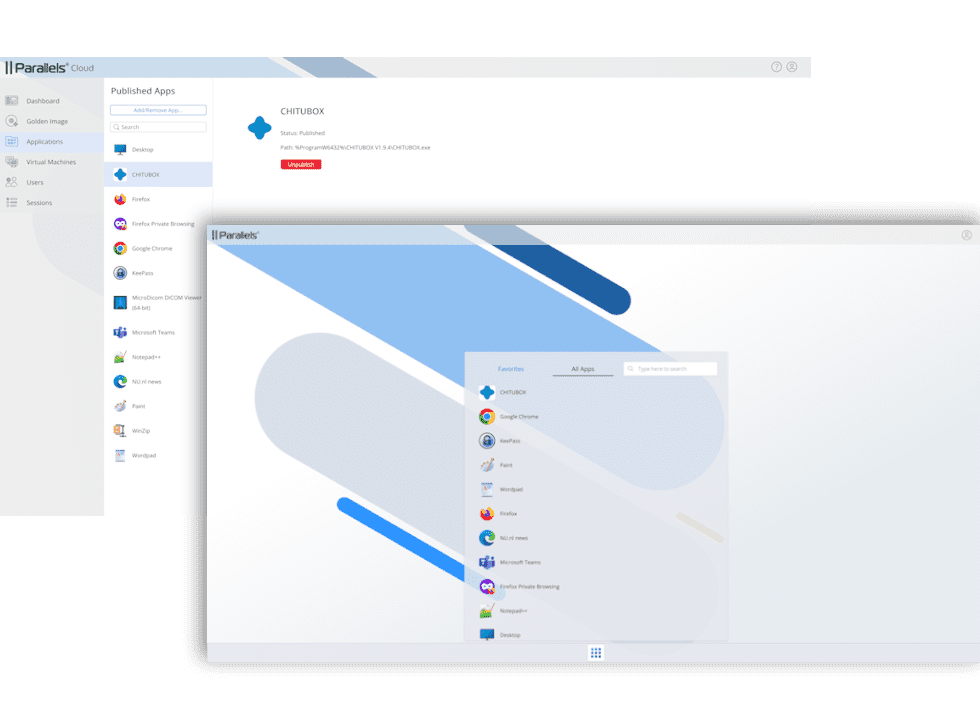
DaaS is a cloud-based model where a third-party provider hosts and delivers virtual desktops to users. Unlike traditional VDI, which requires organizations to manage their own on-premises infrastructure, DaaS offers a more straightforward, pay-as-you-go solution.

Leading providers like Parallels offer convenient access to virtual desktops, eliminating the need for upfront investments in hardware and software.

How does DaaS work?

DaaS leverages private or public cloud services, enabling multiple users to access virtual desktops over the Internet. The cloud provider takes care of everything, from infrastructure management to security, ensuring seamless and reliable access to virtual desktops. With an internet connection, users can access their desktops from any device, anywhere, using an endpoint application or web browser.

The benefits of DaaS

DaaS offers numerous benefits for organizations, including:

  1. Increased productivity: Employees can work from anywhere, anytime, if they have an internet connection and a suitable device.
  2. Lower costs: DaaS eliminates the need for upfront hardware and infrastructure investments, offering a more predictable cost structure.
  3. Enhanced security: Cloud providers manage security and compliance, ensuring excellent protection against cyber threats.
  4. Improved scalability: DaaS allows organizations to quickly scale their desktop infrastructure up or down as needed, adapting to changing business requirements.
  5. Reduced IT burden: DaaS frees IT staff from managing desktop infrastructure, allowing them to focus on strategic initiatives.

DaaS vs VDI

While DaaS offers several advantages, it is essential to compare it with traditional VDI to understand its suitability for your organization:

  • Cost: DaaS has a lower upfront cost with a pay-as-you-go model, while VDI requires CapEx upfront to set up the IT infrastructure.
  • Management needs: With DaaS, third-party management takes care of everything. With VDI, the organization is responsible for storage, computing, and network requirements.
  • Capabilities: DaaS has some limitations compared to VDI, which offers advanced capabilities like USB redirection and multiple monitors.
  • Regulatory requirements: DaaS may not align with certain industry regulations or compliance requirements, whereas VDI may meet more industry-specific security needs.
  • Control: DaaS requires less in-house IT management due to third-party management of the solution, while VDI requires more time and effort since IT has greater control over the virtualized desktops and infrastructure.
  • Usability: DaaS suits smaller organizations with proportionally lower needs, while VDI is suitable for larger organizations with higher security needs.

In summary, the choice between DaaS and VDI depends on your organization’s specific needs and resources. DaaS is ideal for organizations that:

  • Need a flexible and scalable desktop solution.
  • Have limited IT resources.
  • Want to reduce costs.
  • Prioritize security.

VDI, on the other hand, is better suited for organizations that:

  • Require a high level of control over their desktop environments.
  • Have the resources to manage their own infrastructure.
  • Need to comply with industry-specific regulations and compliance standards.

Which companies benefit most from DaaS?

Many companies are increasingly transitioning to the DaaS model due to its benefits. Some of the organizations that can benefit from a shift to DaaS offerings include:

  • Small and medium-sized businesses (SMBs) that want to reduce IT costs and improve flexibility. Such businesses can use DaaS to minimize the need for buying servers, software and other services.
  • Enterprises that need to quickly deploy virtual applications and desktops to support new business initiatives or otherwise scale up or down readily. Depending on the business demands, these companies can leverage DaaS to provision or de-provision virtual desktops for their employees quickly.
  • Organizations that want to centralize IT management capabilities and minimize IT costs. Utilizing DaaS allows IT administrators to easily deploy, configure, and maintain corporate resources from a single pane of glass.

How do you pick the right DaaS provider?

Before choosing an appropriate DaaS provider, you must first determine if DaaS or Desktop as a Service is the right approach for your organizational needs.

For example, you could have a scenario where employees are used to accessing resources through local PCs in an on-premises IT infrastructure. In this type of environment, it makes business sense to determine if a transition to cloud-based VDI can save costs and free up more resources.

Start by weighing the merits and demerits of VDI versus DaaS. For instance, do you have the necessary virtualization expertise, time, and other tools to manage on-premises IT infrastructure in-house, or would transitioning to DaaS make more business sense?

The future of work with DaaS

DaaS represents a significant advancement in desktop solutions, enabling organizations to embrace a more agile and efficient work environment. Its inherent benefits, like increased productivity, cost savings, and enhanced security, make DaaS a compelling choice for businesses of all sizes.

As DaaS offerings continue to evolve, these solutions are poised to become an essential tool for the modern workforce. As businesses seek to embrace modern work practices, understanding the benefits and challenges of DaaS is crucial.

By making informed decisions about their desktop infrastructure, organizations can unlock new levels of efficiency, cost-effectiveness, and security to thrive in the competitive landscape.

Discover Parallels DaaS

DaaS management

Parallels DaaS stands as a testament to the power of desktop as a service, offering organizations a comprehensive and secure solution tailored to their unique needs.

Our platform empowers businesses to enhance employee productivity, optimize costs, and achieve greater flexibility in a rapidly changing world.

Check out Parallels DaaS today.

About Version 2 Digital

Version 2 Digital is one of the most dynamic IT companies in Asia. The company distributes a wide range of IT products across various areas including cyber security, cloud, data protection, end points, infrastructures, system monitoring, storage, networking, business productivity and communication products.

Through an extensive network of channels, point of sales, resellers, and partnership companies, Version 2 offers quality products and services which are highly acclaimed in the market. Its customers cover a wide spectrum which include Global 1000 enterprises, regional listed companies, different vertical industries, public utilities, Government, a vast number of successful SMEs, and consumers in various Asian cities.

About Parallels 
Parallels® is a global leader in cross-platform solutions, enabling businesses and individuals to access and use the applications and files they need on any device or operating system. Parallels helps customers leverage the best technology available, whether it’s Windows, Linux, macOS, iOS, Android or the cloud.

×

Hello!

Click one of our contacts below to chat on WhatsApp

×