Skip to content

Feel The Flow With Autofill

Why is Autofill so cool?

Nothing is more annoying than manually typing out online forms. Usually, when you sign up for an online service, you need to type out your username, password, personal information, and sometimes even your credit card details. If the website takes security seriously, it may also ask you to prove your identity with additional authentication methods. This is especially true when it comes to online shopping.

So, say you reach the final steps of purchase and you’re already pretty annoyed. Fortunately, Autofill effectively deals with the nuisance of filling out online forms, making it a smooth and seamless experience.

Powered by machine learning, Autofill constantly evolves and adapts, accurately identifying and filling fields in various forms, including sign-ups, logins, credit card details, and personal information. This ensures Autofill remains highly reliable, aiming to deliver perfect accuracy over time.

Pro tips: How to make the most of Autofill

Log in with a single click

Thanks to the Instant Login feature on desktop, NordPass allows you to skip all the annoying steps required to log in to a chosen website: landing on the page, selecting credentials, and performing on-page actions. Now, a single click is all it takes. All you have to do is follow a prompt to log in with NordPass.

If you choose not to log in using the Autofill feature, you’ll be asked if you want to enable it for future access to the website. Choose yes to ensure an effortless login experience. Alternatively, you can leave it disabled or even turn Instant Login off altogether in the NordPass settings section.

If you have multiple accounts on the website, select the account you want to use first. In such a case — let’s be honest — logging in with Instant login takes two clicks.

how to login with nordpass pop up screen

Autofill all credit card details and personal information

Some websites require additional information to authenticate the user or confirm transactions. You may know the case from Amazon asking for an ID to verify your address or an online shop requiring a billing address or security questions regarding your company credit card. We salute every solution that enhances your online security, but looking for and writing down all these additional details can be quite annoying.

Luckily, the Custom Field feature — previously available with password items — is now expanded to credit cards, personal information, and secure notes on desktop and Android devices. NordPass will autofill the data from custom fields added to your items. This way, you won’t have to look for your ID or credit card (if you even have it in a physical form, which is not always the case with business cards) whenever you want to buy something. Handy, right?

how to add custom fields Nordpass dashboard view

Bundle your websites or apps

Having separate password entries for apps from the same company, like Facebook and Messenger, even if you use the same credentials for all, can clutter your NordPass vault. It also takes extra time and effort to manage, especially with multi-domain websites like Microsoft that are frequently used at work.

At NordPass, we focus on the simplicity of use. That’s why we let you combine website addresses on your desktop, or app names on your mobile device, into a single password entry. This feature improves domain matching, making it easier to access your accounts across related domains. For example, NordPass can recognize microsoft.com and live.com as related, so you can access both without duplicating passwords. Instead of searching for each site individually, you’ll find the login details for login.live.com under “Microsoft,” and autofill will take care of the rest.

This feature, available on desktop and Android devices, helps simplify credential management. If you have multiple entries for related accounts with the same password item, you can merge them into one and delete the extras. Just be sure to manually remove the unnecessary entries.

how to add asset with multiple urls nordpass dashboard view

Experience undisturbed flow

The best-in-class user experience takes constant improvements. Take a look at how Autofill makes accessing online accounts easier and quicker.

  • Subdomain matching

The Subdomain Matching feature — available on desktop and Android devices — will prove invaluable if you use multiple subdomains at work (like department-specific sections of a company website). It’s designed to identify and autofill correct login information for each subdomain, ensuring a seamless access experience by removing the hassle of having to select from multiple login options every single time. You can enable or disable Subdomain Matching in the NordPass settings section according to your needs.

how to autofill via subdomain nordpass dashboard view
  • Customizable autofill

You can adjust the autofill settings at any time by clicking the three dots in the autofill drop-down list. This allows you to choose a different item to autofill, search for the right one, or change how NordPass interacts with specific fields. Plus, you can use this feature to give direct feedback to the NordPass team.

customizable autofill feature in Nordpass dashboard view
  • Disable autofill

To disable autofill on specific pages or fields, just right-click the input field and choose “Don’t autofill on this website” or “Don’t autofill this field.” This way, you can control when autofill is used, keeping your workflow smooth and uninterrupted.

how to manage autofill Nordpass dashboard view

What else to expect?

The Autofill may have already suggested using Email Masking or a Password Generator tool during the login process. Please note, that you can take advantage of both without leaving the page; NordPass will automatically save your new strong passwords as well as email masks.

email massking input field Nordpass dashboard view

On Desktop, we’ve introduced prompts to inform you in case you enter an unprotected website or log in with weak or reused passwords. The prompts can also warn you about breached websites to help you secure your accounts and resolve the breach on NordPass. However, if you don’t want to get these, you can now turn them off permanently in the “Notifications” settings section.

data breach scanner and password heath checker features

About Version 2 Digital

Version 2 Digital is one of the most dynamic IT companies in Asia. The company distributes a wide range of IT products across various areas including cyber security, cloud, data protection, end points, infrastructures, system monitoring, storage, networking, business productivity and communication products.

Through an extensive network of channels, point of sales, resellers, and partnership companies, Version 2 offers quality products and services which are highly acclaimed in the market. Its customers cover a wide spectrum which include Global 1000 enterprises, regional listed companies, different vertical industries, public utilities, Government, a vast number of successful SMEs, and consumers in various Asian cities.

About NordPass
NordPass is developed by Nord Security, a company leading the global market of cybersecurity products.

The web has become a chaotic space where safety and trust have been compromised by cybercrime and data protection issues. Therefore, our team has a global mission to shape a more trusted and peaceful online future for people everywhere.

Our Top Tips for Secure Video Conferencing

What is video conferencing software?

In basic terms, video conferencing software allows multiple users to hold live video and audio meetings online, making it feel like they’re having a face-to-face conversation even though they’re not in the same room. It usually includes handy features like screen sharing, chat, and file sharing to ensure efficient and secure video teleconferencing. It’s commonly used for work-related virtual meetings and online classes.

Cybersecurity risks in video conferencing

At the beginning of April, Zoom, one of the most popular video conferencing services, had a ton of security-related problems. Most of them revolved around poor encryption and data protection.

Zoom always stated that it offers end-to-end encryption. However, it turned out to be far from the truth. It only encrypts data in transit, and to make matters worse, the developers have encryption keys that allow Zoom to decrypt its users’ data.

Another problem Zoom had to deal with was so prominent it even has its own name — zoombombing. It’s a type of photobombing where hackers and regular internet trolls would get into people’s video conferences and post malicious links, pornographic images, or use obscene language.

Weak encryption combined with bugs in some of Zoom’s apps also led to 500,000 of its users’ credentials ending up for sale on the dark web. It doesn’t help that Zoom is known to collect and sell users’ data to third parties — without informing them about it.

Even though Zoom was quick to react and patch most of these vulnerabilities, new exploits are likely to arise all the time — both in Zoom and other video chat services. Therefore, you should always keep tabs on the latest cybersecurity news. Otherwise, you risk your private conversations, passwords, and business secrets ending up online.

What you can do to protect yourself

  1. Make sure to install the newest version of the app the moment it’s available. Updates include security patches that are vital if you want to stay safe online.

  2. Never share the meeting link or ID publicly — send it to the people participating in the call only. If your app allows it, set a password for your meeting. Need help with creating a strong password? Try our password generator.

  3. Utilize other features your video conference app offers. Some have a virtual waiting room where you can approve every person. Others allow you to disable participant’s cameras and microphones and even kick them out. Learn about all the features of your secure video conferencing software and how to use them to stay safe.

  4. Never accept video conference invites from people you don’t know. It might be a scam or a catfishing attempt, so it’s best to stay away from people you don’t know.

  5. Always be mindful of what you say and show during a video call. Remember, everything can be recorded, and you never know where it will end up. So, don’t share any information that’s too personal or sensitive. Look for safer methods to discuss business secrets.

  6. Even though many video conferencing apps offer encrypted video calls, you should still take additional safety measures and do some research. Make sure they don’t have any known vulnerabilities, the encryption protocols they use are bulletproof, and your own device is not infected with malware. If someone has control over your computer or phone, they will be able to listen in on your calls even with end-to-end encryption. Scan your devices regularly to make sure they are safe to use.

  7. Be careful with apps you never heard of. Only download them from official app stores, and always check whether the developer is trustworthy before installing it. Hackers are known to create fake versions of popular secure video conferencing software that infect your phone with malware.

  8. Usage of various video conferencing platforms is skyrocketing, and cybercriminals have their eyes set on them. Therefore, never reuse passwords, change them regularly, and come up with strong, complex passwords for your most sensitive accounts. If you need help remembering them — use a password manager to store them all safely.

  9. Use Health Insurance Portability and Accountability Act (HIPAA) compliant video conferencing software to ensure the safe handling of sensitive health information. Considering that sometimes employees need to share their health data with people in other departments (e.g. HR), you should create a safe virtual environment where they can do that without worrying about security.

  10. Make GDPR compliance a top priority to confidently use video conferencing tools while keeping data protection standards high. This approach will help you avoid fines and legal issues for failing to comply with GDPR regulations. Plus, remember that adopting GDPR-secure video conferencing practices is a way to not only protect your participants’ privacy but also enhance trust and credibility.

  11. Use only strong passwords, that is combinations of letters, numbers, and symbols that are complex and unique enough to prevent cybercriminals or malicious machines from identifying them. Also, you should implement two-factor authentication to increase the level of cybersecurity at your company. With two-factor authentication, employees must provide more than just their password to log in to your company applications or access company data. This means, for example, that they will be sent a verification code via email or SMS, or asked to use their biometrics to confirm their identity


CISA guide for securing video conferencing

The Cybersecurity and Infrastructure Security Agency (CISA), an agency of the US Department of Homeland Security, has released a guide on how to carry out video conferences in a secure way. In essence, CISA has come up with four tips that, when followed, can help you safely connect with others over a video chat. They are:

Make your network secure — Set up your router to use WPA2 or WPA3 wireless encryption standard, and create strong passwords for both the router and your Wi-Fi network.

Control access to your video conferencing software — Create strict policies, processes, and procedures so that only the right people can use your video conferencing software.

Create a secure environment for file and screen sharing — establish secure rules regarding the types of files that can be shared during a video conference. Also, if you want to make a recording of the meeting, let all participants know about that.

Use only the latest versions of your applications — enable automatic updates and follow a patch management policy to make sure your applications are up-to-date and as secure as they can be.

Most Secure Video Conferencing Software

Here are what we consider to be the best video conference tools available on the market today. They are:

ZoHo Meeting – a video conferencing platform that not only provides all the communication features needed to connect with other team members, but it also encrypts all audio, video, and screen sharing to make sure all information – both personal and business – is safe and sound. Using ZoHo Meeting, you can easily record your meeting and share it with the people you trust. Plus, as a host, you can “lock” the meetings so that they are fully private. This means you are in full control of who can join the meeting and be able to add/remove participants at any time.

Microsoft Teams – probably one of the most popular video conferencing tools available on the market, Microsoft Teams is a secure video conferencing service that comes with a wide range of features that can help you set up and carry out video conferences with ease. Not only does it allow you to connect with up to 10.000 people at once for a live event, but it also enables you to go from a group chat to a video conference with the press of just one button. This is convenience at its highest.

Pexip — a video conferencing tool that makes security one of its highest priorities. With Pexip, you can set up PIN-protected virtual meeting rooms that allow you to keep communication private. As a host, you can see all participants taking part in the meeting and thus be sure that no eavesdropping is attempted. If you are looking for a secure video conferencing platform, you should give Pexip a go.

Google Meet – a video conferencing service developed by Google that allows users to host and join virtual meetings. It offers features like screen sharing, real-time captions, and integration with Google Workspace tools, making it ideal for both personal and professional use. Users can engage in encrypted video conferencing through a web browser or mobile app without being required to install any additional software.

Zoom – another highly popular video conferencing platform that lets users set up virtual meetings, webinars, and online events. Offering features like screen sharing, breakout rooms, and virtual backgrounds, it provides functionality for both personal and professional needs. By allowing users to join meetings via a web browser, desktop application, or mobile app, Zoom makes video conferencing an enjoyable experience anywhere, anytime.

About Version 2 Digital

Version 2 Digital is one of the most dynamic IT companies in Asia. The company distributes a wide range of IT products across various areas including cyber security, cloud, data protection, end points, infrastructures, system monitoring, storage, networking, business productivity and communication products.

Through an extensive network of channels, point of sales, resellers, and partnership companies, Version 2 offers quality products and services which are highly acclaimed in the market. Its customers cover a wide spectrum which include Global 1000 enterprises, regional listed companies, different vertical industries, public utilities, Government, a vast number of successful SMEs, and consumers in various Asian cities.

About NordPass
NordPass is developed by Nord Security, a company leading the global market of cybersecurity products.

The web has become a chaotic space where safety and trust have been compromised by cybercrime and data protection issues. Therefore, our team has a global mission to shape a more trusted and peaceful online future for people everywhere.

Phishing awareness training: What your employees should know

Phishing or social engineering attacks are the number one cyber threat to business networks. Recent studies show that 90% of attacks are triggered by phishing. Innocent mistakes can expose vast amounts of confidential data, risking regulatory action and reputational disaster.

The problem with phishing is that tech solutions are never completely effective. Phishers exploit human nature, convincing users to make unsafe decisions. The only effective response is phishing awareness training.

Poorly trained workforces will eventually put your data at risk. But if you follow the guidance below, you will be well-prepared to handle social engineering attacks.

Key takeaways

  • Phishing involves using emails to persuade readers to make dangerous decisions. Links and attachments direct users to malicious websites, putting data and network assets at risk.

  • Companies can only combat phishing by training employees to identify suspicious emails. This is harder than it sounds. Phishing emails resemble authentic messages and use sophisticated techniques to fool targets.

  • Proper training prepares employees to assess subject lines, email addresses, links, body text, and links. Training covers every aspect of phishing attacks, enabling users to report threats before they compromise your network.

  • Implementing continuous phishing awareness training is key. Employees must refresh their knowledge and participate in phishing simulations. Employers, on the other hand, should create easy-to-use reporting processes.

  • Combining awareness training with cybersecurity technology mitigates most phishing attacks. Threat detection tools, email encryption, and VPNs strengthen your network defenses. They contain malicious threats when phishing training fails.

Phishing: What your employees need to know

There are two main reasons phishing leads to data breaches and other cyber-attacks: poor security infrastructure and lack of phishing awareness.

Robust protection is vital, but it won’t work if employees ignore phishing risks and expose critical data. Safeguarding apps and data requires constantly updated phishing awareness training. Let’s explore what building an effective human firewall entails and how to create effective training materials.
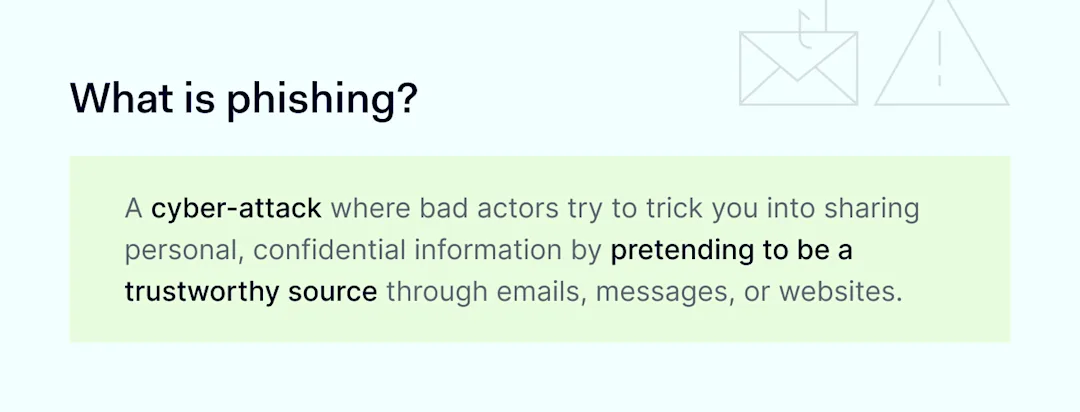
What is phishing

1. Phishing is illegal

The first thing to stress is that phishing scams are always illegal. Successful or not, phishers commit criminal acts, and it’s important to report phishing attacks to the authorities.

Phishing breaches both the Computer Fraud and Abuse Act (CFAA) and legislation against wire fraud. Successful attacks also breach identity theft laws. Phishing isn’t a minor offense, and employees should understand its severity.

Even so, laws do not specifically outlaw phishing—just successful cyber-attacks involving phishing. It’s still legal to email people asking for information. Tricking people with deceptive language is also legal. If not, sending jokes via email would effectively be criminalized.

Phishing differs because attackers trick users into sharing financial or confidential information for personal gain. Keep that definition in mind when delivering security awareness training.

2. Never trust email addresses alone

Phishers are experts in deception. Every aspect of their emails is potentially fake. However, victims sometimes forget this. They see what appear to be legitimate email addresses and assume the content is safe.

That’s a common and dangerous mistake. A phishing attack often starts by using spoofing to imitate legitimate email addresses.

Spoofed email addresses superficially resemble authentic Amazon or Microsoft addresses. If you look more closely, the underlying email address has nothing to do with those companies. This method is also known as display name spoofing. Every employee must be able to spot it 100% of the time.

There’s another aspect to display name spoofing. Email apps on some mobile devices do not show the sender’s address unless users expand the user name. That’s why you must train remote workers to use all devices securely – not just work laptops.

Spoofers can also take another approach known as cousin domain spoofing. This technique creates email domains that closely resemble authentic domains but have tiny differences.

Sometimes, this could be a fake extension like “Cisco-customerservice”. Sometimes, phishers add a different domain name or a string of numbers that shouldn’t be there. These discrepancies are never easy to spot.

Employees must concentrate and check every address for anomalies. Test their skills regularly, as concentration tends to lapse after a few months.

3. Look for suspicious subject lines and content

Subject lines and body text are also red flags when detecting phishing campaigns.

Phishers often use subject lines to grab attention. For instance, attackers might spoof an actual SaaS provider notifying you about rejected invoices. Or they could target executives with extravagant recruiting promises.

Subject lines may use fear and anxiety. Or they could arouse curiosity. When these methods work, users drop their natural caution and may click links or respond to other parts of the email.

Train employees to treat emails with threatening or excessively positive subject lines cautiously. These subject lines don’t automatically indicate a phishing threat. But employees should treat the attached emails as suspicious messages.

Body text is another critical phishing training awareness issue. The tone of the email is the first area to check. A threatening tone is always a phishing red flag.

For example, phishers want readers to click dangerous links and threaten dire consequences if users don’t click the link. Real-world clients or companies rarely communicate like that. The same applies to sudden emails about locked accounts or credit card problems.

Don’t rely on common sense. When creating phishing training materials, add real-world examples of suspicious emails. Highlight how phishers use language and tone, giving employees enough information to make informed judgments.

Remember: phishers can spoof any part of an email message. This applies to embedded links as much as email addresses.

Links are a crucial training theme because malicious links almost always appear in social engineering emails. Phishers try to funnel victims to malicious sites where users hand over information or download malware. Identifying these sites is essential.

If a phishing email is well-written, malicious links look fine. They may resemble links to payment portals or accounting apps. Readers can only see the destination URL by hovering their cursor over the link text.

Check links thoroughly before clicking. Look for suspicious URL formats and shortened URLs. Make sure employees use virtual private gateways with DNS Filtering configured and Threat Block enabled. These NordLayer features ensure employees can access only secure web content by restricting access to potentially malicious websites.

5. Exercise caution with attachments

Email attachments are just as dangerous as links—maybe more so if your employees regularly exchange documents and files via email.

Phishers prefer adding attachments to emails as attachments tend to bypass spam filters. They can add a phishing link to PDF documents or spreadsheets without worrying about interception.

Skilled phishers use this to their advantage. They turn attachments into a form of social proof, persuading readers they need to access something valuable and useful.

When training employees, stress that all attachments are suspicious. The best phishing emails are careful to make other parts of the email convincing. Even plausible messages from seemingly trusted organizations could be malicious.

Teach employees to check attachment links. If they aren’t sure, recommend users report the attachment to a security team member. It’s always better to be safe than sorry.

6. Understand the risks of personal phishing attacks

Understanding personalization is another core part of an effective phishing awareness training program.

The reason for this is simple. As phishing becomes more complex, attackers are launching personalized phishing scams. Even highly qualified individuals can be caught off-guard. The success of a social engineering attack largely depends on context and personal relevance.

Instead of generic greetings, attackers are using contextual data. AI and automation tools enable hackers to profile targets and pose as authentic email senders. Employees need better security awareness in general (to protect their personal information) and when reading emails (to detect small false details).

It’s also vital to deliver additional training for high-ranking individuals and administrators.

Targeted training helps combat whaling and spear phishing attacks that leverage information about senior employees. These individuals often have greater access to sensitive information and privileges to share it—a dangerous combination that bad actors often exploit.

7. Appearances are deceptive as cybercriminals copy corporate branding

When you read emails from major companies, branded graphics, and layout style are often the first things you notice. Companies use consistent visuals and templates to deliver legitimate messages, but phishing emails can copy all of this.

Train employees not to be fooled by slick logos. Look for minor imperfections in the email’s presentation. Phishers often slightly change logos to work around spam filters.

Be wary of images as well. Phishers embed links beneath photos (and elements like QR codes), another way to evade filters. Genuine senders rarely do this, preferring transparent and secure links. Treat image links as potential red flags wherever they appear.

8. Update your knowledge: Phishers are becoming more sophisticated

Tomorrow’s phishing attempts will be more sophisticated. Detecting them will be increasingly challenging. You can be sure of that. Attackers constantly seek ways to avoid filters and fool their targets. Phishing awareness training should evolve with new techniques.

Above all else, security officers should research emerging techniques and prepare for emerging phishing campaigns. Also, creating a comprehensive strategy that includes education, vigilance, and technology works best when it comes to preventing phishing attacks.

Phishing attack trends

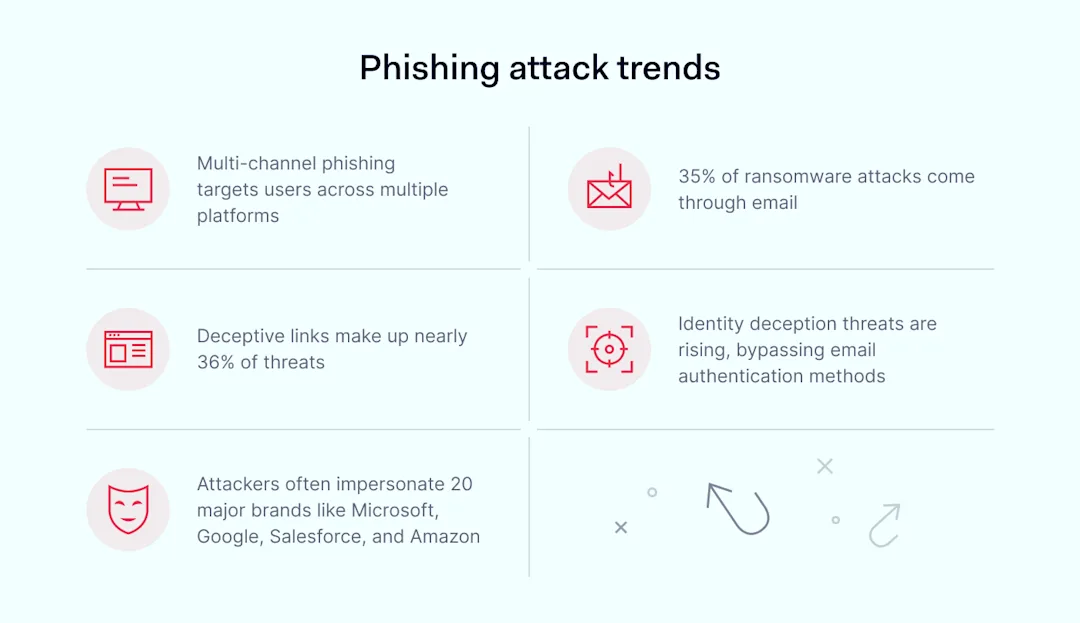
Threat actors are using artificial intelligence to generate more accurate messages. They also run multi-channel attacks, which use two or more communication platforms. Microsoft Teams is the most common second step, followed by Slack and SMS. Security teams must up their game and outpace their adversaries.

How to implement phishing awareness training

Understanding what employees need to know is a good start. It’s vital to put that knowledge into practice with effective phishing training. Here are some tips about how to do so:

  • Implement continuous phishing training with annual updates and testing exercises. Don’t rely on onboarding training. Knowledge and attention erode over time.

  • If you have the resources, run simulated phishing campaigns and war game potential scenarios with cybersecurity tabletop exercises.

  • Include key stakeholders in training scenarios. Everyone, from new hires to veteran executives, plays a role in detecting phishing attempts.

  • Ensure you have a reporting system to pick up alerts from the front line. Employees should be able to instantly report suspicious emails without disrupting their workflows.

  • Provide immediate feedback when an employee clicks on a phishing email. Gentle guidance reinforces training on the spot, and there’s usually no need for disciplinary procedures.

  • Audit your phishing training program regularly. Record phishing incidents and identify areas to improve.

How can NordLayer help?

At NordLayer, we want every company to guard against phishing attacks, and we offer a range of solutions to make that happen.

Firstly, check out our recent article on data breaches. It’s a great introduction to the main attack techniques and data breach risks. When you’re up to speed, use our security tools to make awareness training even more effective.

Multi-factor authentication (MFA) helps ensure cybercriminals won’t get far with stolen credentials alone. Threat protection based on Zero Trust Network Access verifies every user and device before they are given access to your network.

NordLayer also offers solutions that help prevent phishing. Threat Prevention identifies and blocks potential threats, protecting your devices and important data from phishing scams.

Security technologies alone won’t stop every phishing attack. Combining NordLayer’s security tools with phishing awareness training will put you in the best possible position. Get in touch today and find out how to reduce your phishing risks.

About Version 2 Digital

Version 2 Digital is one of the most dynamic IT companies in Asia. The company distributes a wide range of IT products across various areas including cyber security, cloud, data protection, end points, infrastructures, system monitoring, storage, networking, business productivity and communication products.

Through an extensive network of channels, point of sales, resellers, and partnership companies, Version 2 offers quality products and services which are highly acclaimed in the market. Its customers cover a wide spectrum which include Global 1000 enterprises, regional listed companies, different vertical industries, public utilities, Government, a vast number of successful SMEs, and consumers in various Asian cities.

About NordLayer
NordLayer is an adaptive network access security solution for modern businesses – from the world’s most trusted cybersecurity brand, Nord Security.

The web has become a chaotic space where safety and trust have been compromised by cybercrime and data protection issues. Therefore, our team has a global mission to shape a more trusted and peaceful online future for people everywhere.

About NordLayer
NordLayer is an adaptive network access security solution for modern businesses – from the world’s most trusted cybersecurity brand, Nord Security.

The web has become a chaotic space where safety and trust have been compromised by cybercrime and data protection issues. Therefore, our team has a global mission to shape a more trusted and peaceful online future for people everywhere.

Encryption: XChaCha20 vs. AES-256 – What’s the difference?

The battle of encryption standards

Encryption is the cornerstone of online data security. It ensures that confidential information is accessible only to its owner or authorized recipients, making it nearly impossible for cybercriminals to open or use the files, even if they somehow get ahold of them.

But there’s not just one way to encrypt data. Multiple encryption algorithms exist to help protect sensitive information, and naturally, debates arise over which one is the best.

In this article, we’ll dive into two leading encryption algorithms, XChaCha20 and AES-256. We’ll explore how they work and how they differ, trying to determine which one might be better. Let’s start by defining both.

What is AES encryption?

AES is a type of encryption that uses the same key for both encrypting and decrypting data, which is why it’s called symmetric encryption. It works by chopping data into small blocks and then using that single secret key to scramble and unscramble the information. Known for being both secure and efficient, AES is used by the US government and many other organizations.

How does AES encryption work?

To explain how AES works, we’ll dive into a bit of technical detail, but stick with us if you’re curious about the process. So, as already mentioned, AES breaks your data into blocks (each 128 bits or 16 bytes in size) and encrypts each block separately.

While the block size stays the same, you can choose between 128-, 192-, or 256-bit keys for encryption—more bits mean more possible key combinations and stronger security.

Encryption with AES involves several rounds of processing for each data block. For instance, AES with a 256-bit key goes through 14 rounds. Once encrypted, the data can be sent safely over the web, and only someone with the right key can decrypt it; otherwise, the data is unreadable.

What is XChaCha20 encryption?

Like AES, XChaCha20 is symmetric encryption, which means it uses a single key to scramble and unscramble data. However, XChaCha20 is also a 256-bit stream encryption type, with “stream” referring to the fact that, instead of dividing data into blocks, XChaCha20 encrypts each bit of data one at a time. Some argue that this makes XChaCha20 a better choice than AES, which is why XChaCha20 is often used in modern encryption systems.

How does XChaCha20 work?

XChaCha20 uses a 256-bit key and a 192-bit nonce to generate a keystream—a sequence of random numbers. It encrypts data by combining this keystream with the plaintext using XOR, which compares corresponding bits: if they are the same, the result is 0; if they are different, the result is 1.

This process scrambles the data in a way that can be reversed for decryption. The larger nonce size in XChaCha20 helps prevent security issues related to nonce reuse, enhancing its overall security.


Key differences between XChaCha20 and AES

We know that technical details can be a lot to take in. So, to make things easier, we’ve created a simple bulleted list that breaks down the differences between the two encryption algorithms. Here’s a straightforward comparison:

AES encryption

  • Older: AES has been around since 2001.

  • Block-based: Works with fixed-size blocks of data (128 or 16 bits).

  • More complex: Involves multiple rounds of encryption with key sizes of 128, 192, or 256 bits.

  • Hardware-dependent: Often requires hardware support for optimal performance.

  • Prone to human error: Key management and nonce handling can be tricky, leading to potential errors.

XChaCha20

  • More modern: XChaCha20 was introduced in 2014.

  • Stream-based: Encrypts data bit by bit using a stream cipher.

  • Simpler: Faster to implement with a 256-bit key and a 192-bit nonce.

  • Less hardware-dependent: Doesn’t always require hardware support for efficient performance.

  • Less prone to human error: Larger nonce size helps reduce issues with nonce reuse and simplifies key management.

The main difference between AES-256 and XChaCha20 encryption is that AES-256 is a block cipher, meaning it encrypts data in fixed-size chunks, while XChaCha20 is a stream cipher that handles data one bit at a time. AES-256 has a long-standing reputation as the “advanced encryption standard,” while XChaCha20 is relatively new but gaining popularity.

AES-256 encryption is more complex than XChaCha20, which comes with a few drawbacks:

  1. The more complex the algorithm, the higher the chance of mistakes that could put your data at risk.

  2. AES-256 often needs special hardware to run efficiently, whereas XChaCha20 works well on regular software. For example, newer Intel, AMD, and ARM processors support AES, but older or entry-level devices like Android Go phones, smart TVs, and smartwatches may not have built-in support.

  3. Without that special hardware, AES-256 can be significantly slower compared to XChaCha20.

Use cases and industry adoption

As we discussed earlier, AES has become a popular encryption standard across many industries. You’ll find it widely used in finance, healthcare, and government services. However, XChaCha20 is starting to make waves, especially in areas where high security and performance are critical, like mobile devices and IoT applications.

One of the key reasons for its growing popularity is that XChaCha20 is less susceptible to certain side-channel attacks compared to AES, making it a top pick for situations that demand extra security.

XChaCha20 vs. AES – which is better?

Although both AES and XChaCha offer high security and are useful in various scenarios, the speed and simplicity of XChaCha20, along with its ability to run smoothly without specialized hardware, are making it a popular choice for many companies—even Google.

On top of that, key management is much easier with XChaCha20. The longer nonce it uses reduces the risk of collisions and simplifies the process overall, making implementations more straightforward and less prone to errors.

Here at NordPass, we know how crucial it is to stay ahead of the curve and provide our customers with the best, most up-to-date tech solutions. That’s why we’ve chosen XChaCha20 encryption for our password manager. With its speed, simplicity, and ease of use, it’s likely that more companies will follow suit in the future.

Bottom line

Both AES-256 and XChaCha20 are great at encrypting and, therefore, securing sensitive data. But XChaCha20 really shines when it comes to simplicity and speed, making it a better choice for situations where you need both top performance and easy setup.

About Version 2 Digital

Version 2 Digital is one of the most dynamic IT companies in Asia. The company distributes a wide range of IT products across various areas including cyber security, cloud, data protection, end points, infrastructures, system monitoring, storage, networking, business productivity and communication products.

Through an extensive network of channels, point of sales, resellers, and partnership companies, Version 2 offers quality products and services which are highly acclaimed in the market. Its customers cover a wide spectrum which include Global 1000 enterprises, regional listed companies, different vertical industries, public utilities, Government, a vast number of successful SMEs, and consumers in various Asian cities.

About NordPass
NordPass is developed by Nord Security, a company leading the global market of cybersecurity products.

The web has become a chaotic space where safety and trust have been compromised by cybercrime and data protection issues. Therefore, our team has a global mission to shape a more trusted and peaceful online future for people everywhere.

Remote workers’ security: Enabling device access with Smart Remote Access

It is often tough for both IT admins and companies to enable remote access. IT admins struggle to establish secure connections and manage remote personal devices. Companies, on the other hand, worry about security risks, high costs, and keeping up with regulations. 

These challenges are even greater for businesses with strict device security policies that require devices to stay in the office while allowing remote working. Organizations that outsource their workforce also face increased security risks of data breaches and difficulty controlling devices.

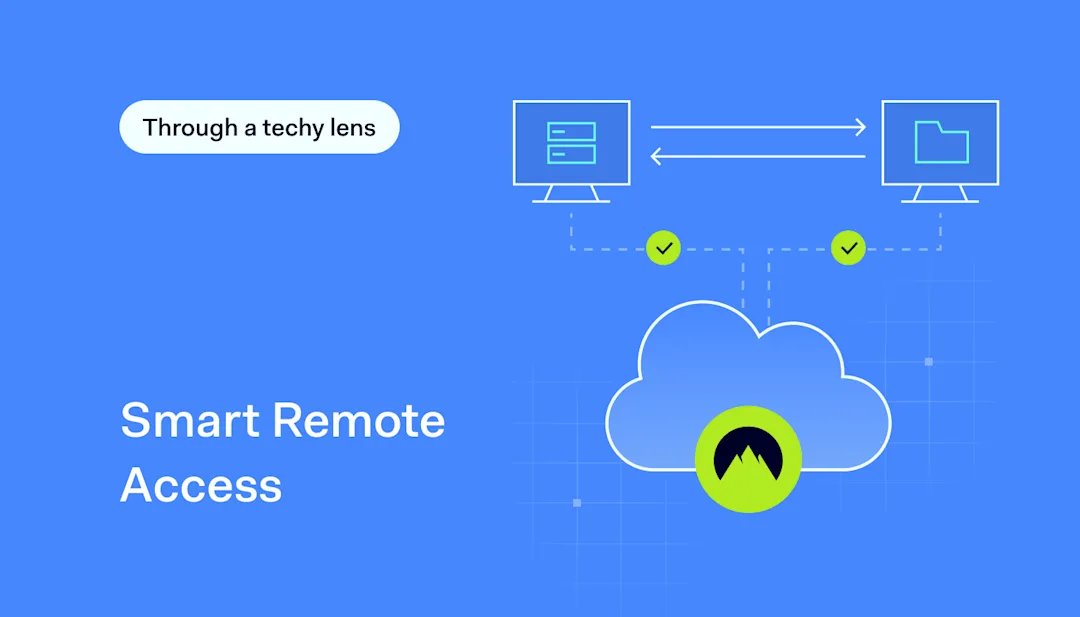
That’s why remote work security is key. In this article, we’ll explain how NordLayer’s Smart Remote Access (SRA) functionality secures authorized device access, protects data with encryption, and simplifies remote device management.

What is remote work security?

Securing a remote workforce means putting strong security measures in place to protect company devices and company data from being accessed by the wrong users. This strategy helps protect your data and systems when employees, including outsourced or temporary ones, work from outside the office. That’s why super strict device security is a must. This way, you can prevent unauthorized access and ensure that only approved devices can connect to the company network.

The challenge is finding a balance between strict security and remote work. Businesses can use security measures that fit remote setups. One practical approach is implementing solutions that control device access and ensure compliance with security policies. In other words, you need to cover all bases while securely enabling remote device access.

Smart Remote Access Tip 1

3 pillars of remote work security

To keep your employees, data, and systems safe, focus on three main areas. These key elements will help you stay ahead of potential threats and ensure smooth remote operations:

Pillar 1: Securing access to SaaS applications

Remote work security is all about protecting collaboration and productivity tools, along with any other tools that store sensitive business, employee, or customer data. Make sure that only authorized users can access them.

Pillar 2: Defense against web threats

Safeguard against security risks from general web access, such as malware and phishing attacks, by implementing a Secure Web Gateway (SWG) framework.

Pillar 3: Managing applications via ZTNA

Manage company software, whether hosted on-premise or in the cloud, using solutions that contribute to Zero Trust Network Access (ZTNA) for secure and controlled access.

By covering these bases, you’ll keep your remote work environment secure and running smoothly.

Most common remote work security risks

As remote device access becomes more common, businesses face several critical threats. From unauthorized access to phishing and malware infections, these risks can severely impact security. Weak password policies, regulatory non-compliance, unmanaged personal devices, and insecure cloud access contribute to the growing list of challenges.

To put it plainly, it’s like trying to fix a flat tire with a piece of string—it’s not going to hold up without a proper solution. Let’s have a closer look at these challenges:

Unauthorized access

One of the biggest risks businesses face with remote work is unauthorized access, which often results in data breaches.

Phishing

Attackers send fake messages and emails to trick users into revealing confidential information using social engineering techniques.

Malware infections

Remote personal devices are always at risk if not well-protected. If a remote device gets malware, it could infect the entire network and compromise far more sensitive data than expected.

Weak password security

Poor password policies can lead to unauthorized access.

Unsecured cloud and SaaS access

Using insecure alternatives to VPN endangers your data security and exposes it to cyber-attacks.

Best practices for remote work security

Can employees (and their devices) be 100% secure while working remotely? Can they have secure access to company resources? It’s tough, but following these steps can help reduce security risks.

Choose Smart Remote Access (SRA) for remote device control

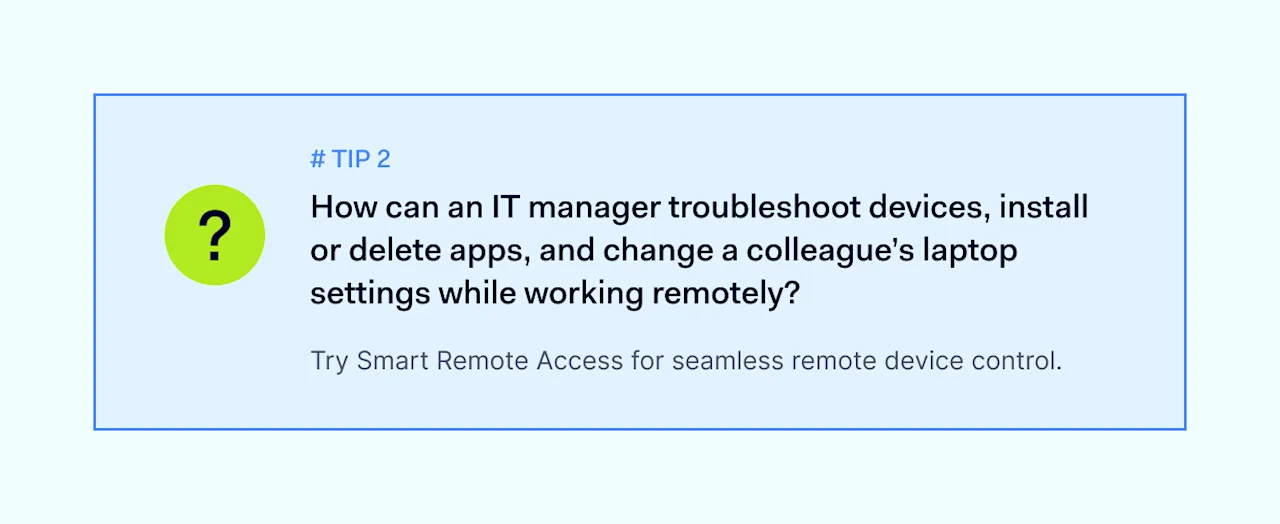
With SRA, IT admins create a secure connection policy that provides virtual access to a specific company device. Smart Remote Access makes managing diverse devices easier. For example, it helps troubleshoot devices, install or delete apps, or change a remote user’s laptop settings. It also ensures compliance with company security policies and industry regulations.

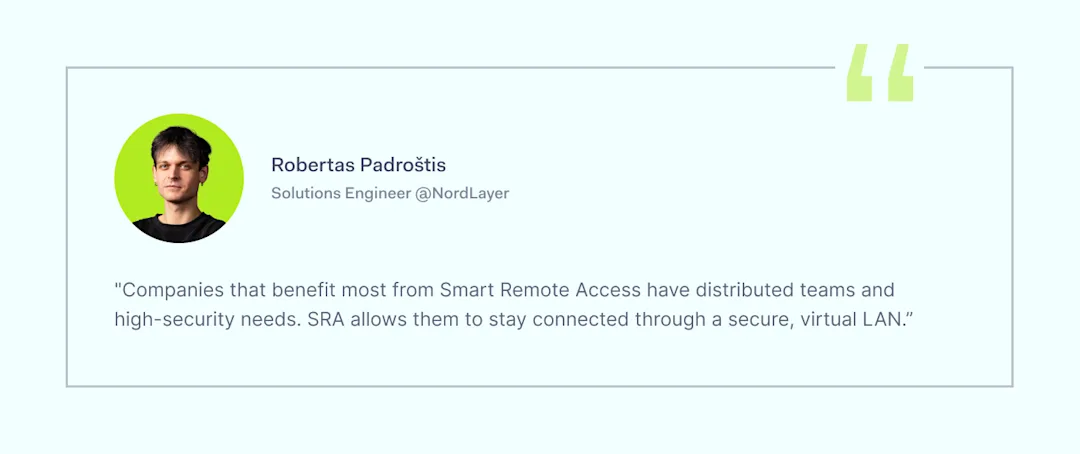
Quote 2

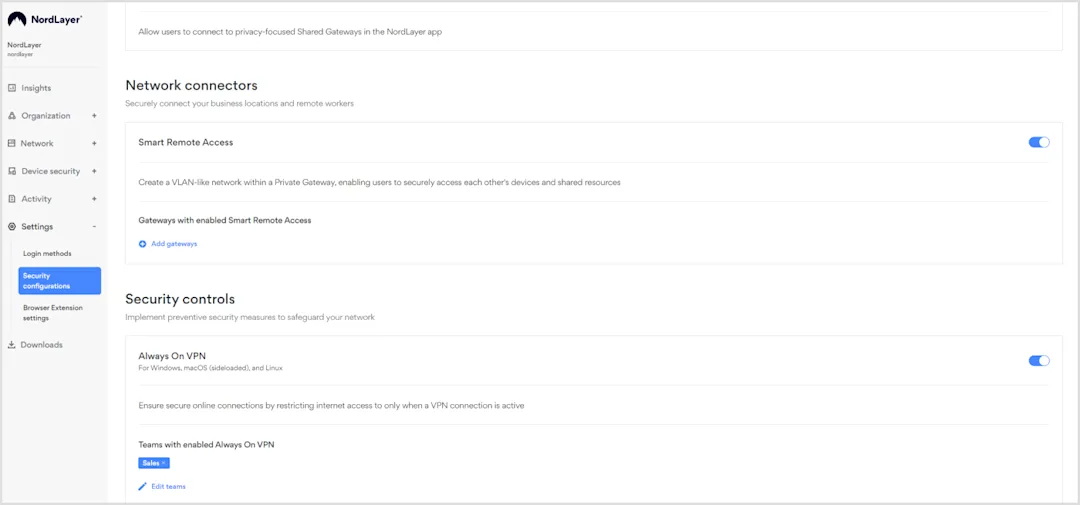
What’s great about using SRA is that it is intuitive and user-friendly. To enable it, simply add gateways in the Smart Remote Access settings in the Control Panel.

Screenshot 1

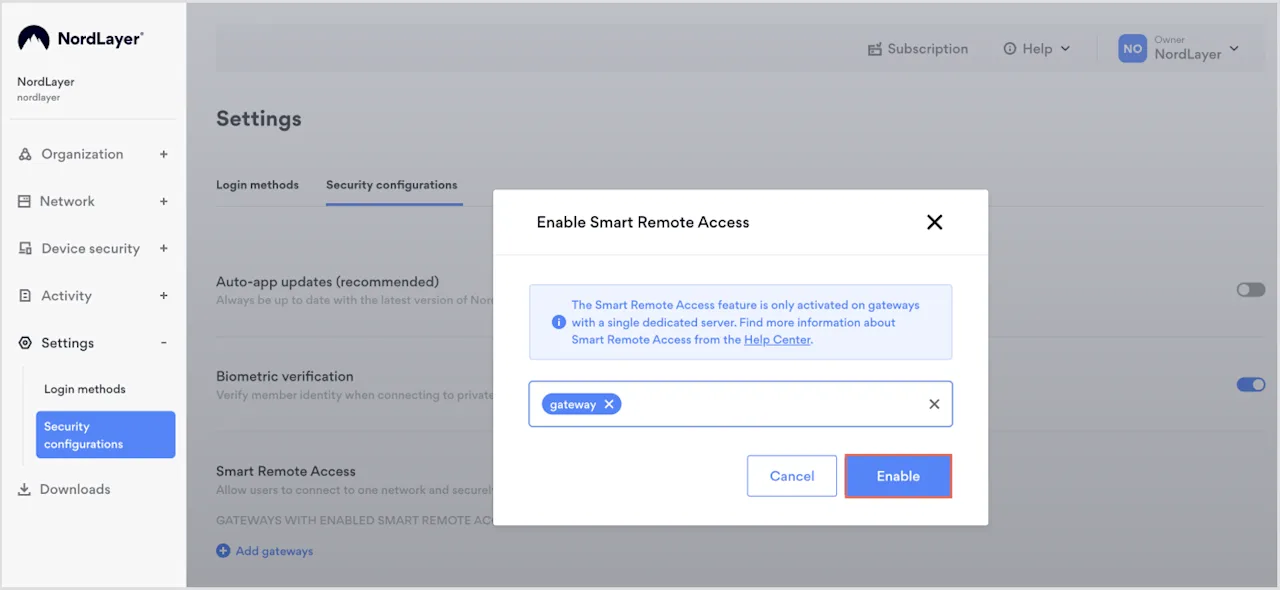
Next, to set up secure connections, just connect to the same gateway, name your devices, and make a few configuration changes. choose a Virtual Private Gateway and click Enable.

Screenshot 2

Once you enable the feature for your Virtual Private Gateway, a local network (LAN) will be set up between all devices connected to that private gateway. This makes it easy for team members to collaborate on projects or share files securely.

Boosting remote work security

SRA allows you to create secure connection policies to access company resources easily. What’s the best way to create an even more robust security framework that protects remote work environments? Combine Smart Remote Access with multi-factor authentication (MFA). These two solutions contribute to the Zero Trust Network Access (ZTNA) framework and enhance overall security.

Smart Remote Access Tip 2

MFA adds an extra security layer by requiring multiple verification factors for access. SRA ensures that only authenticated and authorized users can access specific applications and resources.

Smart Remote Access and RDP/VNC: Why encryption matters

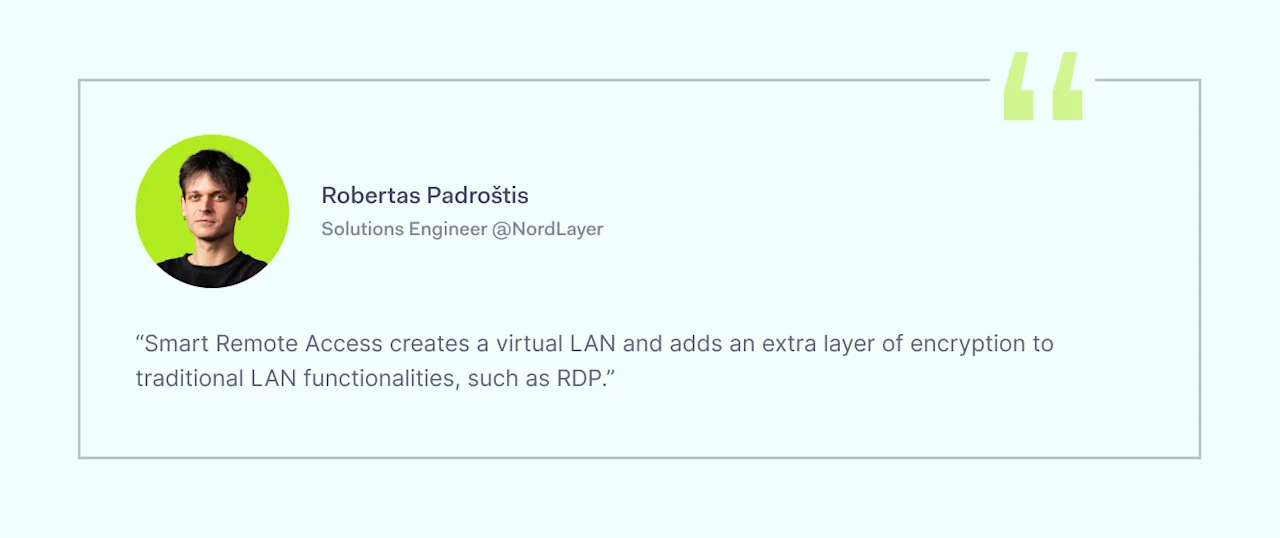
Virtual Network Computing (VNC) allows users to remotely access and control another computer’s desktop interface over a network. RDP, or Remote Desktop Protocol, developed by Microsoft, lets users connect to another computer over a network. With RDP, you can see and interact with the remote computer’s desktop as if you were sitting right in front of it.

Quote 1

Now, what’s the difference between SRA, RDP, and VNC? SRA uses robust encryption protocols, ensuring data integrity and confidentiality during remote access. It also integrates VPN technology, adding extra protection. This setup protects sensitive data and prevents unauthorized device access. That’s why SRA is a better choice than basic RDP and VNC.

Smart Remote Access Tip 3

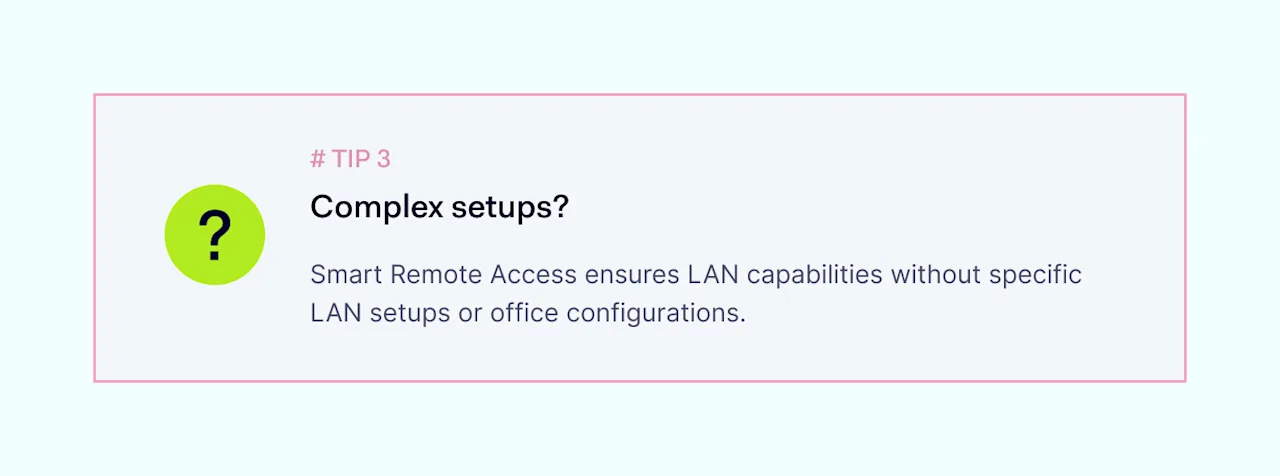
It also helps you avoid “naked,” unprotected connections and gives you peace of mind when it comes to secure remote device access.

How NordLayer can help

NordLayer offers solutions to secure your remote workforce, integrating advanced security measures like encrypted connections, multi-factor authentication (MFA), Virtual Private Network (VPN) technology, and Identity and Access Management (IAM) to ensure robust protection against cyber threats and data breaches.

Smart Remote Access is key to securing remote work environments. By addressing common risks and following best practices, businesses can protect their sensitive data and keep operations running smoothly in an increasingly remote world.

Want to try out our adaptive and user-friendly solutions? Contact our team to find out more.

About Version 2 Digital

Version 2 Digital is one of the most dynamic IT companies in Asia. The company distributes a wide range of IT products across various areas including cyber security, cloud, data protection, end points, infrastructures, system monitoring, storage, networking, business productivity and communication products.

Through an extensive network of channels, point of sales, resellers, and partnership companies, Version 2 offers quality products and services which are highly acclaimed in the market. Its customers cover a wide spectrum which include Global 1000 enterprises, regional listed companies, different vertical industries, public utilities, Government, a vast number of successful SMEs, and consumers in various Asian cities.

About NordLayer
NordLayer is an adaptive network access security solution for modern businesses – from the world’s most trusted cybersecurity brand, Nord Security.

The web has become a chaotic space where safety and trust have been compromised by cybercrime and data protection issues. Therefore, our team has a global mission to shape a more trusted and peaceful online future for people everywhere.

About NordLayer
NordLayer is an adaptive network access security solution for modern businesses – from the world’s most trusted cybersecurity brand, Nord Security.

The web has become a chaotic space where safety and trust have been compromised by cybercrime and data protection issues. Therefore, our team has a global mission to shape a more trusted and peaceful online future for people everywhere.

×

Hello!

Click one of our contacts below to chat on WhatsApp

×