

Skip to content

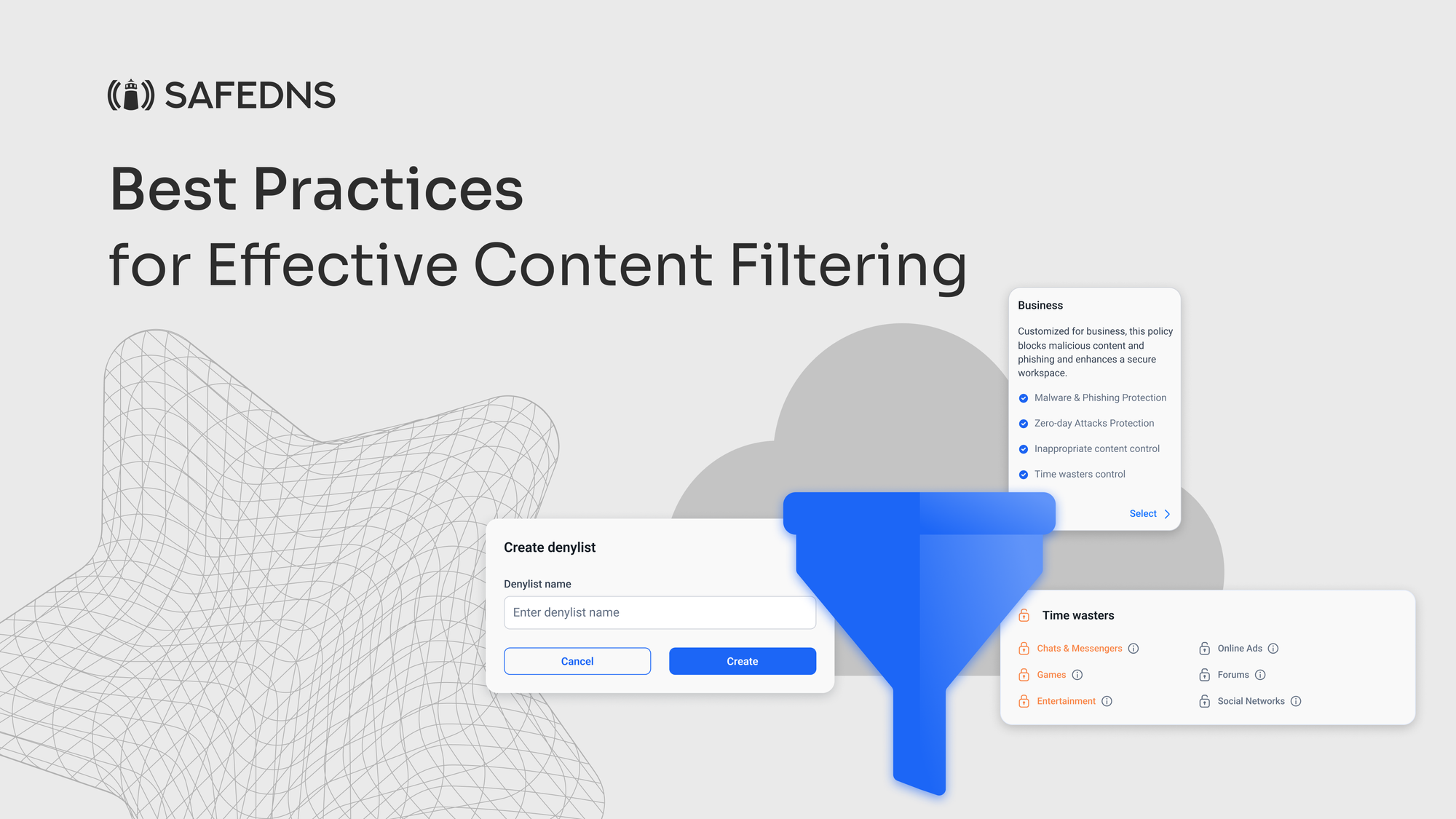
Best Practices for Effective Content Filtering

Setting up a safe and secure online environment is critical for all organizations, whether they are public institutions, businesses, or educational establishments. Effective web filtering helps keep users safe from unwanted or harmful content, and boosts their productivity. This approach reduces the risks of digital exposure, making the online environment safer and more efficient for everyone involved.

Here at SafeDNS, there have been plenty of cases when users experienced issues with regards to filtering. Based on our experience and careful analysis, we’ve compiled several top filtering best practices to help organizations strengthen their online security through effective content filtering. Here’s what we recommend:

Update Filtering Rules and Signatures Frequently
These unique identifiers are what your system uses to identify known malicious software and neutralize them. Frequently updating these signatures keeps you sure that the latest malware threats can be fast-tracked for identification and actioning by your content filtering solution. This becomes very important because cybercriminals keep coming up with new strains of malware to bypass the detection algorithms.

As for URL blacklists, they are an incredibly important part of preventing internet access to known malicious websites. These lists must be updated regularly since new harmful sites are not only being created daily but also being discovered daily. Additionally, incorporating URL filtering can help block access to websites known for distributing malicious content.

Custom Policy Configurations
If personalizing your sneakers is your style, why not apply the same approach to your content filtering policies? At SafeDNS, we provide a number of administrable filters like Time Wasters, General Sites, and Adult Related, among many others. This helps an organization in refining its content filtering policy with precision, addressing all specific details of that particular security requirement. Whether managing multiple user groups, locations, or device types, our content filtering solutions are agile enough to help businesses ensure a secure and productive digital environment, customized to their needs.

Remote Deployment of Content Filters
Remote deployment of content filters is more opportune now than ever, with the increasing digital nature of the work environment. With flexible and hybrid models of work gaining ground, organizations must establish comprehensive content filtering across devices and locations to ensure security and productivity.

One effective approach is to guide client-side installation, where employees are guided on how to install content filters on their devices. This allows active participation by users in securing their systems, provided clear and easy step-by-step instructions are provided. This operates more based on user engagement and reduces the requirement of direct intervention from the IT side, hence making it highly scalable across large and dispersed teams.

On the other hand, some organizations make use of remote IT control, whereby IT staff remotely access the systems of employees to install and configure content filters. Installation, in this case, will follow a standard and uniformity for all devices, hence offering greater control and standardization in the security measures to be implemented.

Clear Communication on Online Safety
Every organization should communicate online safety and content filtering effectively. The various groups that exist within the organizations, employees, customers, partners, and investors, have different requirements. These concerns pertain to the protection of privacy, access to resources for employees, and protection against insecure data and safe browsing of inappropriate content for customers. For the partners and investors, it is the robustness of cybersecurity and its impact on the operations.

Some key points of communication would be content filtering policies, guidelines on the usage of devices, description of security measures against cyber threats, IT support, training, and education. Sharing information freely will enable organizations to reduce fears, clarify any misconceptions, and increase stakeholder support and participation. The touting of positive impact from digital safety measures cements trust and indicates organizational achievement.

It is equally important to educate the parents/guardians on how their children are using their connected devices from the institutions. Most parents usually question the need for these gadgets, if it is safe to use them, and just how the information of their children is collected and secured, especially when the devices come home. This means being very transparent to the parents with respect to the type of information and sensitive data that is collected, its purpose, and security measures in place.

All-Round Threat Defense
Make sure your content filtering solution provides protection from all forms of credential theft, mobile malware, or virus outbreaks. Enhance your security by using tools like DLP and dynamic adult image analysis. Employing strategies to block access to malicious content and restrict access to unapproved sites is essential for all-round threat defense.

Real-Time Reporting and Analytics
Among the major factors that can provide the best content filtering practices is continuous tracking of stats and analytics. Continuous reporting systems and real-time analytics might put organizations at the center of information regarding activities and digital operations. Such practices improve transparency and instill trust in the commitment towards data security, regulatory compliance and operational efficiency.

Moreover, SafeDNS supports customers by issuing advanced reporting and real-time analytics, enabling customers to track data down to the most trifling details. Our latest feature offers updates down to the second, providing invaluable insights that will empower organizations to make better decisions about their digital safety strategies in the best possible time.

Every organization encounters the ongoing challenge of establishing a secure and efficient online environment. Effective web content filtering is essential, whether it’s protecting against malware and credential theft or ensuring that users can safely access the resources they need.

At SafeDNS, we are dedicated to helping you put into practice the best configurations that meet your organization’s unique requirements. Whether you’re looking to deploy advanced security measures, communicate effectively about online safety, or gain deeper insights through real-time reporting, SafeDNS is here to support you every step of the way.

About Version 2 Digital

Version 2 Digital is one of the most dynamic IT companies in Asia. The company distributes a wide range of IT products across various areas including cyber security, cloud, data protection, end points, infrastructures, system monitoring, storage, networking, business productivity and communication products.

Through an extensive network of channels, point of sales, resellers, and partnership companies, Version 2 offers quality products and services which are highly acclaimed in the market. Its customers cover a wide spectrum which include Global 1000 enterprises, regional listed companies, different vertical industries, public utilities, Government, a vast number of successful SMEs, and consumers in various Asian cities.

About SafeDNS
SafeDNS breathes to make the internet safer for people all over the world with solutions ranging from AI & ML-powered web filtering, cybersecurity to threat intelligence. Moreover, we strive to create the next generation of safer and more affordable web filtering products. Endlessly working to improve our users’ online protection, SafeDNS has also launched an innovative system powered by continuous machine learning and user behavior analytics to detect botnets and malicious websites.

Begin from the Endpoint: Why MSPs Need to Implement Device Posture Checks [Complete Guide]

Main Takeaways:

  • Enhance Security with Device Posture Checks: Understand the importance of device posture checks in securing endpoints and preventing unauthorized access.
  • Manage Unmanaged Devices and BYOD: Learn how to handle the challenges of Bring Your Own Device (BYOD) policies and the surge in unmanaged devices.
  • Regulatory Compliance and Preventive Measures: Discover how device posture checks aid in regulatory compliance and act as a preventive measure against data breaches.

As the world continues to go digital, the number of devices accessing corporate networks has surged dramatically. MSPs are tasked with securing not just corporate-issued devices but also personal devices used by employees and executives. A startling statistic reveals that 97% of executives access work accounts on their personal devices, introducing numerous vulnerabilities.

The challenge for MSPs is substantial: how to protect sensitive information on devices that may not be visible or directly controllable. This blog delves into the crucial role of device posture checks in fortifying security, especially in an era where remote work and Bring Your Own Device (BYOD) policies are prevalent. We will explore how these checks function, their benefits, and their application in enhancing overall cybersecurity.

How many devices are you responsible for securing? 

Probably a lot more than you would think, and not just limited to employees. 

A recent report found that 97% of executives access work accounts on personal devices.

But how can you protect what you don’t know or can’t keep track of on personal devices that access the corporate network from an unsecured endpoint? 

In this blog, we’ll explore the most vulnerable points of entry for attackers, the—endpoints, and how device posture checks can help add a security shield against these threats.

What is a Device Posture Check?

A device posture check (DPC) is a security assessment process that evaluates the current state and health of a device to determine if it complies with security policies.

Device posture checks enable you to define security rules before granting access to any sensitive resources. A DPC can also help you identify unknown devices in the network by assessing their configurations and if any suspicious behavior has been detected. 

Device posture checks are essential for securing remote access beyond the traditional office perimeter, where sensitive data resides in the cloud.  

Research found that more than 40% of data breaches can be traced back to unsecured endpoints. Without visibility into device health and device posture, an organization leaves many points of entry readily accessible for an attack. 

Managing Unmanaged Devices and BYOD in the Cloud

Access management is a complex never-ending security game. 

Data taken from a recent study found that the average enterprise has more than 1,000 SaaS apps, with 17% of those being rogue apps that are not managed by IT. 

But how you can secure what isn’t visible on the surface? 

Access permissions that haven’t been revoked can cause you a lot of trouble down the line. This applies to employees no longer with the organization or third-party contracts that either weren’t renewed or terminated altogether.  

BYOD usage exploded during the pandemic but has made remote security a prime concern for IT professionals. Despite the growing concerns, many companies have still not fully adopted BYOD policies. An IT report found that 47% of companies allow employees to access their resources on unmanaged devices. 

Think that’s bad? 

Now, factor in the sheer volume of unmanaged devices in an enterprise and the number of potentially compromised endpoints, and you have a lot to worry about. Without establishing defined policies and access segmentation, every endpoint becomes a prime target for a data breach.

And it gets even worse. 

Consider the number of stale user accounts and credentials floating around public cloud environments, just waiting to be exploited. This means that any endpoint can be breached at any given moment. We’re not even talking about the constant battle of updating the latest OS configurations and critical updates that need to be installed.  

Implementing strong authentication mechanisms such as MFA helps as a proactive measure but it doesn’t fully mitigate the risks associated with unmanaged devices and compromised endpoints. 

That’s where a DPC comes into the security picture. 

Device Posture Checks Use Cases 

Device posture checks can benefit organizations in several ways. 

  • Improve Regulatory Compliance: Protecting sensitive data is a top priority. Compliance penalties are quite expensive too. Device posture checks help ensure that all devices accessing the corporate network meet established security standards and comply with regulatory requirements. A DPC enables you to block access for untrusted devices and accounts by enforcing security policies and rules. Compliance becomes a more streamlined process when you know which devices have been authenticated. A DPC can also check device compliance over time to keep up with an infinite number of new devices and users that are added to the network daily. 
  • Prevent Unauthorized Access: Not every device should be granted access to the corporate network. Sounds fairly obvious, right? Not quite. MSPs are responsible for managing multiple enterprise clients who might enlist dozens of third-party admins to grant access permissions to users. But, what happens when an employee leaves the organization and their access hasn’t been revoked? Or a third party who’s contract has been terminated, yet still has access to shared Drive folders? Device posture checks enable you to limit access to employees and third-party contractors entirely based on user roles and permission sets. By the way, it pays to invest in cyber insurance coverage too. Having cyber insurance can help protect you from liability in a breach dispute and is highly recommended for all MSP and small business owners.
  • BYOD (Bring Your Own Device) Management: The pandemic helped fuel the work from home and anywhere remote model. Employees began using their personal devices to connect to the corporate network but also to visit potentially dangerous websites loaded with malware. That “anti-virus update” they accidentally installed could lead to a massive breach and trickle further if weak passwords and company accounts are left open. This shift to BYOD ushered in a new wave of remote cyber threats that range from man-in-the-middle (MITM) attacks to advanced phishing attacks and Ransomware as a Service (RaaS). Device posture checks provide you with the tools to enforce BYOD security policies and ensure that only secure devices are permitted to access the network. 

Endpoint Secured: Prevent Common Device Threats with Guardz 

Security begins at the endpoint. 

Guardz provides complete device posture checks and managed device protection as part of a comprehensive Endpoint Security solution. The Guardz platform detects outdated operating systems (OS) and continuously monitors endpoints to prevent common threats. Map device resources and enforce security policies companywide. 

Provide your clients with the assurance they need, whether you’re securing BYOD for remote workers in the cloud or on-prem. Leave no device or endpoint vulnerable to an attack. Secure your endpoints with Guardz. Get a demo today to learn more.

About Version 2 Digital

Version 2 Digital is one of the most dynamic IT companies in Asia. The company distributes a wide range of IT products across various areas including cyber security, cloud, data protection, end points, infrastructures, system monitoring, storage, networking, business productivity and communication products.

Through an extensive network of channels, point of sales, resellers, and partnership companies, Version 2 offers quality products and services which are highly acclaimed in the market. Its customers cover a wide spectrum which include Global 1000 enterprises, regional listed companies, different vertical industries, public utilities, Government, a vast number of successful SMEs, and consumers in various Asian cities.

About Guardz
Guardz is on a mission to create a safer digital world by empowering Managed Service Providers (MSPs). Their goal is to proactively secure and insure Small and Medium Enterprises (SMEs) against ever-evolving threats while simultaneously creating new revenue streams, all on one unified platform.

24.5.3 Enceladus released

Changes compared to 24.5.2

Bug Fixes

  • Fixed an issue where deleted files in a versioned S3 bucket would get undeleted if errors occurred when listing files during a retention pass
  • Fixed an issue causing Comet Server to crash when a missed backup job is generated from devices with unrecognized timezones
  • Fixed an issue causing Comet Server to crash when attempting to download a DSM 6/7 client installer when Comet Server was installed using the Linux (other) installer
  • Fixed an issue where some NTFS volumes could not be recognised as NTFS partitions leading to browsing failure at the time of restore
  • Fixed an issue with retention passes on Storage Vaults without Object Lock showing Object Lock specific errors instead of the real retention pass error
  • Fixed a Microsoft 365 listing issue where default permissions were receiving 403s from retrieving Site information
  • Fixed an issue causing Comet to fail to provision Object Lock buckets from Impossible Cloud storage templates

About Version 2 Digital

Version 2 Digital is one of the most dynamic IT companies in Asia. The company distributes a wide range of IT products across various areas including cyber security, cloud, data protection, end points, infrastructures, system monitoring, storage, networking, business productivity and communication products.

Through an extensive network of channels, point of sales, resellers, and partnership companies, Version 2 offers quality products and services which are highly acclaimed in the market. Its customers cover a wide spectrum which include Global 1000 enterprises, regional listed companies, different vertical industries, public utilities, Government, a vast number of successful SMEs, and consumers in various Asian cities.

About Comet
We are a team of dedicated professionals committed to developing reliable and secure backup solutions for MSP’s, Businesses and IT professionals. With over 10 years of experience in the industry, we understand the importance of having a reliable backup solution in place to protect your valuable data. That’s why we’ve developed a comprehensive suite of backup solutions that are easy to use, scalable and highly secure.

×

Hello!

Click one of our contacts below to chat on WhatsApp

×